wheel HYUNDAI PALISADE 2022 Workshop Manual
[x] Cancel search | Manufacturer: HYUNDAI, Model Year: 2022, Model line: PALISADE, Model: HYUNDAI PALISADE 2022Pages: 663, PDF Size: 15.74 MB
Page 384 of 663
5-50
Driving your vehicle
The Idle Stop and Go (ISG) system
automatically and temporarily shuts
down the engine when the vehicle is
stopped and idling to improve fuel
efficiency and reduce exhaust gas
emissions. (i.e. red stop light, stop
sign, and traffic jam).
The engine is automatically started
upon satisfying the starting condi-
tions.
The ISG system is always active,
when the engine is running.
Information
When the engine is automatically
started by the ISG system, some warn-
ing lights (i.e. ABS, ESC, ESC OFF,
EPS, and parking brake warning
light) may illuminate for a few sec-
onds due to the low battery voltage.
However, it does not indicate a mal-
function with the ISG system.
To Activate the ISG System
Prerequisite for activation
The ISG system operates in the fol-
lowing situations.
The driver's seatbelt is fastened
The driver's door and hood are closed
The brake vacuum pressure is adequate
The battery sensor is activated and the battery is sufficiently charged
Outside temperature is not too low or too high
The vehicle is driven over a con- stant speed and stops
The climate control system satis- fies the conditions
The vehicle is sufficiently warmed up
The incline is gradual
The steering wheel is turned less than 180 degrees and then the
vehicle stops
Information
The ISG system is
not activated, when
the prerequisites to
activate the ISG sys-
tem are unsatisfied.
In this case, the ISG
OFF button indicator illuminates,
and the auto stop indicator ( )
illuminates in yellow on the instru-
ment cluster.
• When the above indicator remains illuminated on the instrument clus-
ter, we recommend that you have
the IGS system checked by an
authorized HYUNDAI dealer.
i
i
I IS S G G ( ( I ID D L LE E S S T T O O P P A A N N D D G G O O ) ) S S Y Y S ST T E EM M ( ( I IF F E E Q Q U UI IP P P PE ED D ) )
•
Page 389 of 663
5-55
Driving your vehicle
5
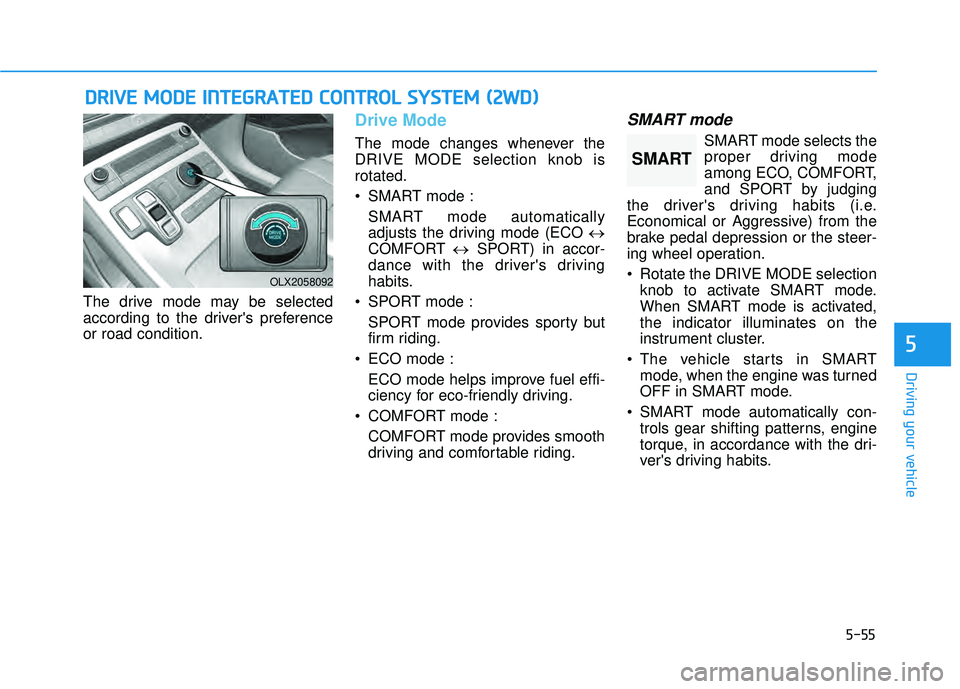
The drive mode may be selected
according to the driver's preference
or road condition.
Drive Mode
The mode changes whenever the
DRIVE MODE selection knob is
rotated.
SMART mode :SMART mode automatically
adjusts the driving mode (ECO ↔
COMFORT ↔SPORT) in accor-
dance with the driver's driving
habits.
SPORT mode : SPORT mode provides sporty but
firm riding.
ECO mode : ECO mode helps improve fuel effi-
ciency for eco-friendly driving.
COMFORT mode : COMFORT mode provides smooth
driving and comfortable riding.
SMART mode
SMART mode selects the
proper driving mode
among ECO, COMFORT,
and SPORT by judging
the driver's driving habits (i.e.
Economical or Aggressive) from the
brake pedal depression or the steer-
ing wheel operation.
Rotate the DRIVE MODE selection knob to activate SMART mode.
When SMART mode is activated,
the indicator illuminates on the
instrument cluster.
The vehicle starts in SMART mode, when the engine was turned
OFF in SMART mode.
SMART mode automatically con- trols gear shifting patterns, engine
torque, in accordance with the dri-
ver's driving habits.
D DR RI IV V E E M M O OD DE E I IN N T TE EG G R RA A T TE ED D C C O O N NT TR R O O L L S S Y Y S ST T E EM M ( ( 2 2 W W D D) )
OLX2058092
SMART
Page 390 of 663
5-56
Driving your vehicle
Information
• When you mildly drive the vehiclein SMART mode, the driving mode
changes to ECO mode to improve
fuel efficiency. However, the actual
fuel efficiency may differ in accor-
dance with your driving situations
(i.e. upward/downward slope, vehi-
cle deceleration/acceleration).
• When you dynamically drive the vehicle in SMART mode by abrupt-
ly decelerating or sharply turning
the driving mode changes to SPORT
mode. However, it may adversely
affect fuel economy.
Various driving situations, which
you may encounter in SMART
mode
The driving mode automaticallychanges to ECO mode after a cer-
tain period of time, when you gen-
tly depress the accelerator pedal
(Your driving is categorized to be
economical.).
The driving mode automatically changes from SMART ECO mode
to SMART COMFORT mode after
a certain period of time, when you
sharply or repetitively depress the
accelerator pedal.
The driving mode automatically changes to SMART COMFORT
mode with the same driving pat-
terns, when the vehicle starts to
drive on an upward slope of a cer-
tain angle. The driving mode auto-
matically returns to SMART ECO
mode, when the vehicle enters a
leveled road. The driving mode automatically
changes to SMART SPORT, when
you abruptly accelerate the vehicle
or repetitively operate the steering
wheel (Your driving is categorized
to be aggressive.). In this mode,
your vehicle drives in a lower gear
for abrupt accelerating/decelerat-
ing and increases the engine brake
performance.
You may still sense the engine braking performance, even when
you release the accelerator pedal
in SMART SPORT mode. It is
because your vehicle remains in
lower gear over a certain period of
time for next acceleration. Thus, it
is a normal driving situation, not
indicating any malfunction.
The driving mode automatically changes to SMART SPORT mode
only in harsh driving situations. In
most of the normal driving situa-
tions, the driving mode sets to be
either in SMART ECO mode or in
SMART COMFORT mode.
i
Page 394 of 663
5-60
Driving your vehicle
SPORT mode : SPORT mode provides sporty but
firm riding.
ECO mode : ECO mode helps improve fuel effi-
ciency for eco-friendly driving.
COMFORT mode : COMFORT mode provides smooth
driving and comfortable riding.
SMART mode
SMART mode selects the
proper driving mode
among ECO, COMFORT,
and SPORT by judging
the driver's driving habits (i.e.
Economical or Aggressive) from the
brake pedal depression or the steer-
ing wheel operation.
Rotate the DRIVE/TERRAIN mode selection knob to activate SMART
mode. When SMART mode is acti-
vated, the indicator illuminates on
the instrument cluster.
The vehicle starts in SMART mode, when the engine was turned
OFF in SMART mode. SMART mode automatically con-
trols gear shifting patterns, engine
torque, in accordance with the dri-
ver's driving habits.
SMART mode automatically con- trols the vehicle driving, such as
gear shifting patterns, engine
torque, riding quality (if equipped
with the electronic suspension sys-
tem), and power distribution (if
equipped with the All-Wheel Drive
(AWD) system), in accordance with
the driver's driving habits.
Information
• When you mildly drive the vehiclein SMART mode, the driving mode
changes to ECO mode to improve
fuel efficiency. However, the actual
fuel efficiency may differ in accor-
dance with your driving situations
(i.e. upward/downward slope, vehi-
cle deceleration/acceleration).
• When you dynamically drive the vehicle in SMART mode by abrupt-
ly decelerating or sharply turning
the driving mode changes to SPORT
mode. However, it may adversely
affect fuel economy.
Various driving situations, which
you may encounter in SMART
mode
The driving mode automaticallychanges to ECO mode after a cer-
tain period of time, when you gen-
tly depress the accelerator pedal
(Your driving is categorized to be
economical.).
The driving mode automatically changes from SMART ECO mode
to SMART COMFORT mode after
a certain period of time, when you
sharply or repetitively depress the
accelerator pedal.
The driving mode automatically changes to SMART COMFORT
mode with the same driving pat-
terns, when the vehicle starts to
drive on an upward slope of a cer-
tain angle. The driving mode auto-
matically returns to SMART ECO
mode, when the vehicle enters a
leveled road.
iSMART
Page 395 of 663
5-61
Driving your vehicle
5
The driving mode automaticallychanges to SMART SPORT, when
you abruptly accelerate the vehicle
or repetitively operate the steering
wheel (Your driving is categorized
to be aggressive.). In this mode,
your vehicle drives in a lower gear
for abrupt accelerating/decelerat-
ing and increases the engine brake
performance.
You may still sense the engine braking performance, even when
you release the accelerator pedal
in SMART SPORT mode. It is
because your vehicle remains in
lower gear over a certain period of
time for next acceleration. Thus, it
is a normal driving situation, not
indicating any malfunction.
The driving mode automatically changes to SMART SPORT mode
only in harsh driving situations. In
most of the normal driving situa-
tions, the driving mode sets to be
either in SMART ECO mode or in
SMART COMFORT mode.Limitation of SMART mode
The SMART mode may be limited in
following situations. (The OFF indica-
tor illuminates in those situations.)
The driver uses the paddle shifter(manual shift mode) :
It deactivates SMART mode. The
vehicle drives, as the driver manu-
ally changes gear with the paddle
shifter.
Smart Cruise Control is activated : Smart Cruise Control may deacti-
vate the SMART mode when the
vehicle is controlled by the set
speed of Smart Cruise Control.
(SMART mode is not deactivated
just by activating Smart Cruise
Control.)
The transmission oil temperature is either extremely low or extremely
high :
The SMART mode can be active in
most of the normal driving situa-
tions. However, an extremely high/
low transmission oil temperature
may temporarily deactivate the
SMART mode, because the trans-
mission condition is out of normal
operation condition.
SPORT
SPORT mode manages
the driving dynamics by
automatically adjusting
the steering effort, and
the engine and transmission control
logic for enhanced driver perform-
ance.
When SPORT mode is selected by rotating the DRIVE/TERRAIN
mode selection knob, the SPORT
indicator will illuminate.
Whenever the engine is restarted, the drive mode will revert back to
COMFORT mode. If SPORT mode
is desired, re-select SPORT mode.
When SPORT mode is activated: - The engine RPM will tend toremain a little higher for a brief
time even after releasing the
accelerator. This is typical when
the SPORT mode is activated.
- Upshifts are delayed when accel- erating
Information
In SPORT mode, the fuel efficiency
may decrease.
i
SPORT
Page 411 of 663
5-77
Driving your vehicle
Information
This device complies with Part 15 of
the FCC rules.
Operation is subject to the following
three conditions:
1. This device may not cause harmfulinterference, and
2. This device must accept any inter- ference received, including interfer-
ence that may cause undesired
operation.
3. Changes or modifications not expressly approved by the party
responsible for compliance could
void the user's authority to operate
the device.
Information
Radio frequency radiation exposure
information:
This equipment complies with FCC
radiation exposure limits set forth for
an uncontrolled environment.
This equipment should be installed
and operated with minimum distance
of 8 in. (20 cm) between the radiator
(antenna) and your body.
This transmitter must not be co-locat-
ed or operating in conjunction with
any other antenna or transmitter.
ii
5
When you are towing a trailer
or another vehicle, we recom-
mend that Forward Collision-
Avoidance Assist is turned off
for safety reasons.
Forward Collision-Avoidance
Assist may operate if objects
that are similar in shape or
characteristics to vehicles,
pedestrians and cyclists are
detected.
Forward Collision-Avoidance
Assist does not operate for
bicycles, motorcycles, or
smaller wheeled objects, such
as luggage bags, shopping
carts, or strollers.
Forward Collision-Avoidance
Assist may not operate nor-
mally if interfered by strong
electromagnetic waves.
Forward Collision-Avoidance
Assist may not operate for 15
seconds after the vehicle is
started, or the front view cam-
era is initialized.
WARNING
Page 413 of 663
5-79
Driving your vehicle
5
- If ‘Assist’ is selected, Lane KeepingAssist will automatically assist the
driver’s steering when lane depar-
ture is detected to help prevent the
vehicle from moving out of its lane.
- If 'Warning Only' is selected, Lane Keeping Assist will warn the driver
with an audible warning and steer-
ing wheel vibration when lane
departure is detected. The driver
must steer the vehicle.
- If ‘Off’ is selected, Lane Keeping Assist will turn off. The indica-
tor light will turn off on the cluster.
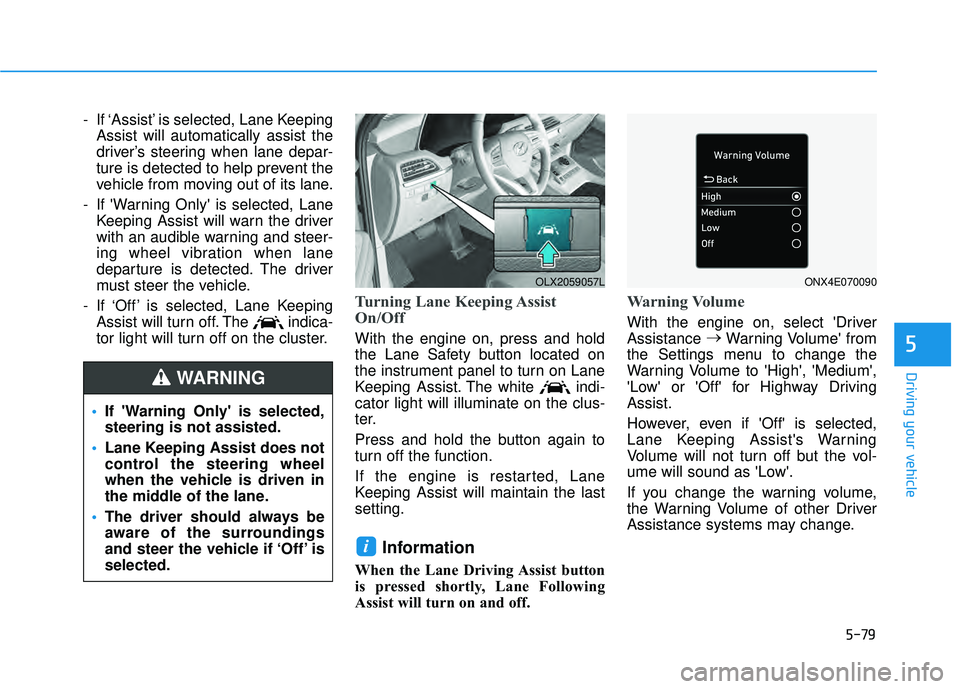
Turning Lane Keeping Assist
On/Off
With the engine on, press and hold
the Lane Safety button located on
the instrument panel to turn on Lane
Keeping Assist. The white indi-
cator light will illuminate on the clus-
ter.
Press and hold the button again to
turn off the function.
If the engine is restarted, Lane
Keeping Assist will maintain the last
setting.
Information
When the Lane Driving Assist button
is pressed shortly, Lane Following
Assist will turn on and off.
Warning Volume
With the engine on, select 'Driver
Assistance →
Warning Volume' from
the Settings menu to change the
Warning Volume to 'High', 'Medium',
'Low' or 'Off' for Highway Driving
Assist.
However, even if 'Off' is selected,
Lane Keeping Assist's Warning
Volume will not turn off but the vol-
ume will sound as 'Low'.
If you change the warning volume,
the Warning Volume of other Driver
Assistance systems may change.
i
If 'Warning Only' is selected,
steering is not assisted.
Lane Keeping Assist does not
control the steering wheel
when the vehicle is driven in
the middle of the lane.
The driver should always be
aware of the surroundings
and steer the vehicle if ‘Off’ is
selected.
WARNING
OLX2059057LONX4E070090
Page 414 of 663
5-80
Driving your vehicle
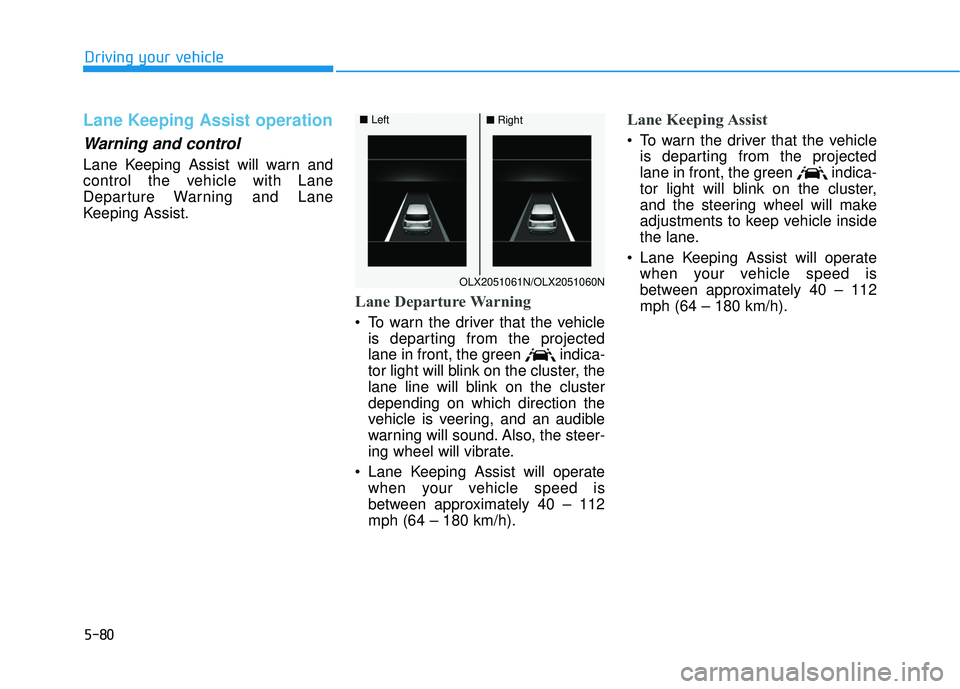
Lane Keeping Assist operation
Warning and control
Lane Keeping Assist will warn and
control the vehicle with Lane
Departure Warning and Lane
Keeping Assist.
Lane Departure Warning
To warn the driver that the vehicleis departing from the projected
lane in front, the green indica-
tor light will blink on the cluster, the
lane line will blink on the cluster
depending on which direction the
vehicle is veering, and an audible
warning will sound. Also, the steer-
ing wheel will vibrate.
Lane Keeping Assist will operate when your vehicle speed is
between approximately 40 – 112
mph (64 – 180 km/h).
Lane Keeping Assist
To warn the driver that the vehicleis departing from the projected
lane in front, the green indica-
tor light will blink on the cluster,
and the steering wheel will make
adjustments to keep vehicle inside
the lane.
Lane Keeping Assist will operate when your vehicle speed is
between approximately 40 – 112
mph (64 – 180 km/h).
OLX2051061N/OLX2051060N
■ Left■Right
Page 415 of 663
5-81
Driving your vehicle
5
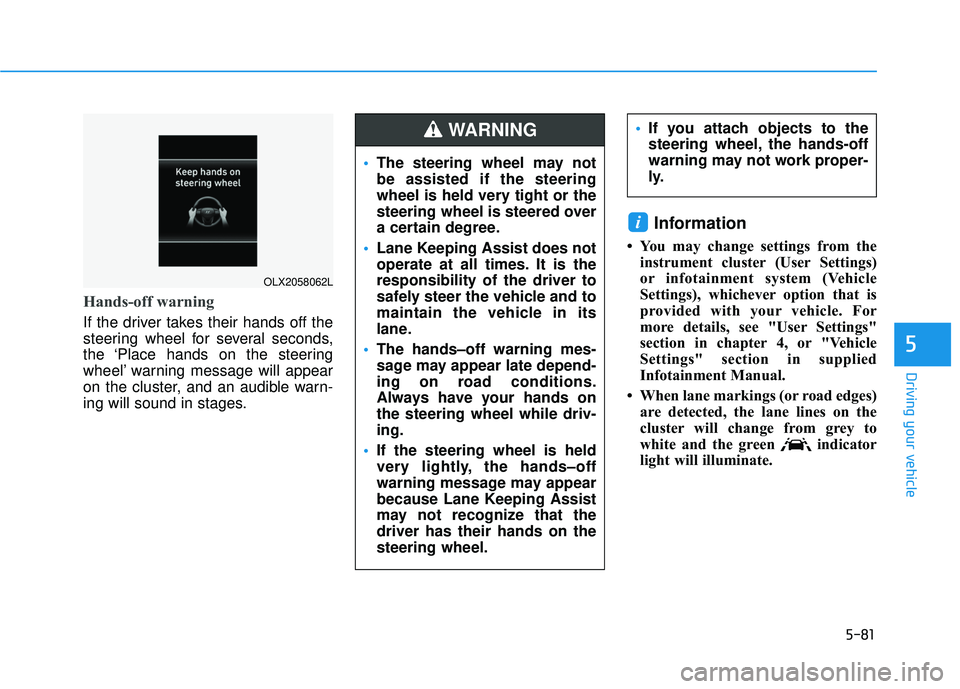
Hands-off warning
If the driver takes their hands off the
steering wheel for several seconds,
the ‘Place hands on the steering
wheel’ warning message will appear
on the cluster, and an audible warn-
ing will sound in stages.
Information
• You may change settings from theinstrument cluster (User Settings)
or infotainment system (Vehicle
Settings), whichever option that is
provided with your vehicle. For
more details, see "User Settings"
section in chapter 4, or "Vehicle
Settings" section in supplied
Infotainment Manual.
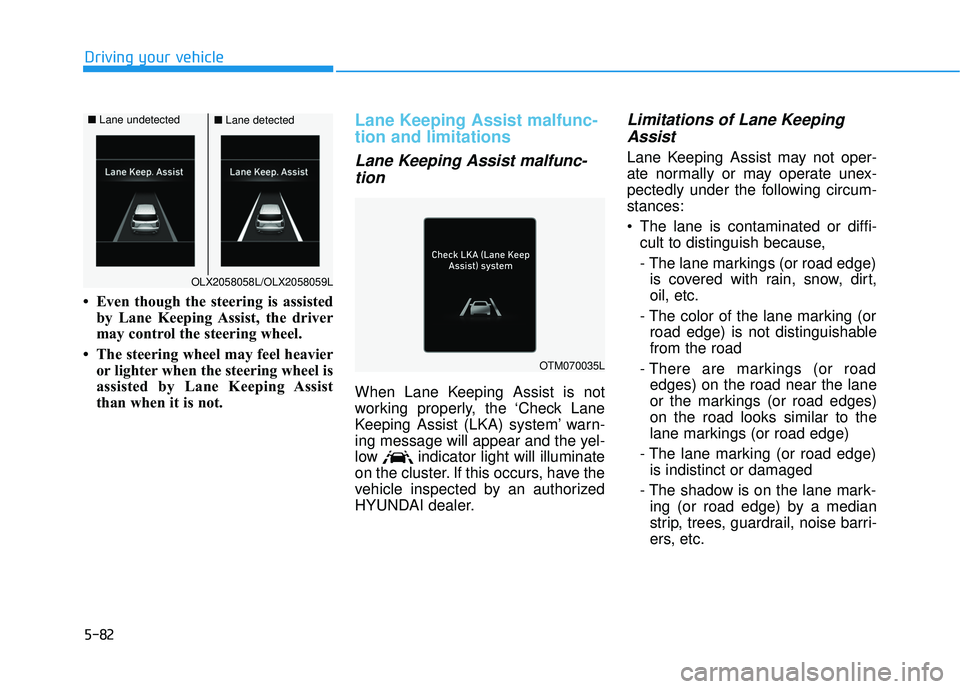
• When lane markings (or road edges) are detected, the lane lines on the
cluster will change from grey to
white and the green indicator
light will illuminate.
i
OLX2058062L
The steering wheel may not
be assisted if the steering
wheel is held very tight or the
steering wheel is steered over
a certain degree.
Lane Keeping Assist does not
operate at all times. It is the
responsibility of the driver to
safely steer the vehicle and to
maintain the vehicle in its
lane.
The hands–off warning mes-
sage may appear late depend-
ing on road conditions.
Always have your hands on
the steering wheel while driv-
ing.
If the steering wheel is held
very lightly, the hands–off
warning message may appear
because Lane Keeping Assist
may not recognize that the
driver has their hands on the
steering wheel.
If you attach objects to the
steering wheel, the hands-off
warning may not work proper-
ly.WARNING
Page 416 of 663
5-82
Driving your vehicle
• Even though the steering is assisted by Lane Keeping Assist, the driver
may control the steering wheel.
• The steering wheel may feel heavier or lighter when the steering wheel is
assisted by Lane Keeping Assist
than when it is not.
Lane Keeping Assist malfunc-
tion and limitations
Lane Keeping Assist malfunc-tion
When Lane Keeping Assist is not
working properly, the ‘Check Lane
Keeping Assist (LKA) system’ warn-
ing message will appear and the yel-
low indicator light will illuminate
on the cluster. If this occurs, have the
vehicle inspected by an authorized
HYUNDAI dealer.
Limitations of Lane KeepingAssist
Lane Keeping Assist may not oper-
ate normally or may operate unex-
pectedly under the following circum-
stances:
The lane is contaminated or diffi-
cult to distinguish because,
- The lane markings (or road edge)is covered with rain, snow, dirt,
oil, etc.
- The color of the lane marking (or road edge) is not distinguishable
from the road
- There are markings (or road edges) on the road near the lane
or the markings (or road edges)
on the road looks similar to the
lane markings (or road edge)
- The lane marking (or road edge) is indistinct or damaged
- The shadow is on the lane mark- ing (or road edge) by a median
strip, trees, guardrail, noise barri-
ers, etc.
OTM070035L
OLX2058058L/OLX2058059L
■ Lane undetected■Lane detected