battery Hyundai Santa Fe 2006 Owner's Manual
[x] Cancel search | Manufacturer: HYUNDAI, Model Year: 2006, Model line: Santa Fe, Model: Hyundai Santa Fe 2006Pages: 281, PDF Size: 8.94 MB
Page 20 of 281
1FEATURES OF YOUR HYUNDAI8
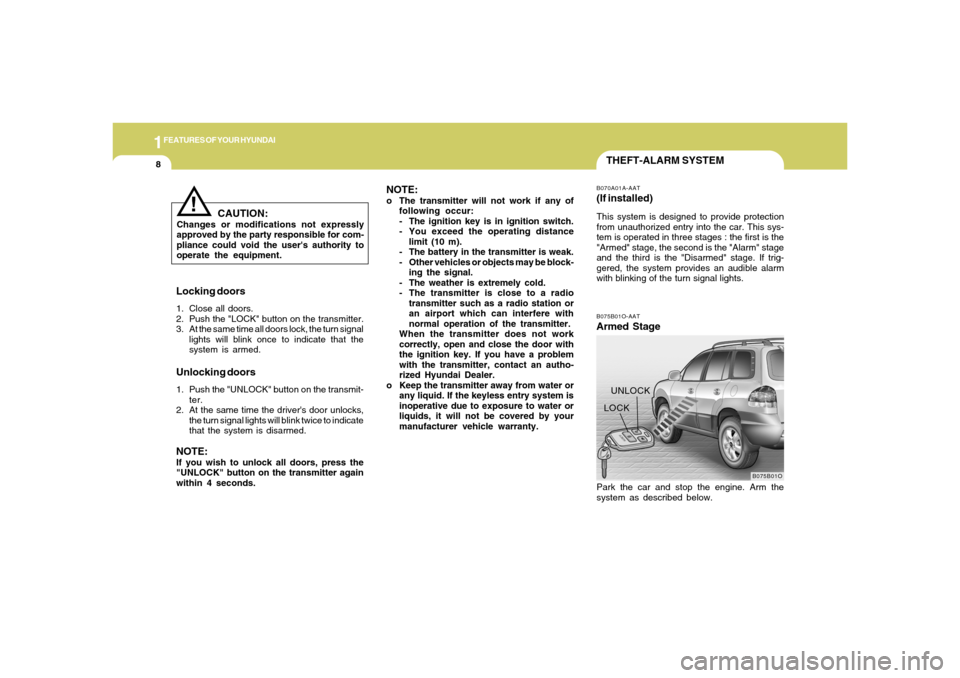
THEFT-ALARM SYSTEMB075B01O-AATArmed Stage
B075B01O
LOCKUNLOCKB070A01A-AAT(If installed)This system is designed to provide protection
from unauthorized entry into the car. This sys-
tem is operated in three stages : the first is the
"Armed" stage, the second is the "Alarm" stage
and the third is the "Disarmed" stage. If trig-
gered, the system provides an audible alarm
with blinking of the turn signal lights.
Locking doors1. Close all doors.
2. Push the "LOCK" button on the transmitter.
3. At the same time all doors lock, the turn signal
lights will blink once to indicate that the
system is armed.Unlocking doors1. Push the "UNLOCK" button on the transmit-
ter.
2. At the same time the driver's door unlocks,
the turn signal lights will blink twice to indicate
that the system is disarmed.NOTE:If you wish to unlock all doors, press the
"UNLOCK" button on the transmitter again
within 4 seconds.
Park the car and stop the engine. Arm the
system as described below.
CAUTION:
Changes or modifications not expressly
approved by the party responsible for com-
pliance could void the user's authority to
operate the equipment.
!
NOTE:o The transmitter will not work if any of
following occur:
- The ignition key is in ignition switch.
- You exceed the operating distance
limit (10 m).
- The battery in the transmitter is weak.
- Other vehicles or objects may be block-
ing the signal.
- The weather is extremely cold.
- The transmitter is close to a radio
transmitter such as a radio station or
an airport which can interfere with
normal operation of the transmitter.
When the transmitter does not work
correctly, open and close the door with
the ignition key. If you have a problem
with the transmitter, contact an autho-
rized Hyundai Dealer.
o Keep the transmitter away from water or
any liquid. If the keyless entry system is
inoperative due to exposure to water or
liquids, it will not be covered by your
manufacturer vehicle warranty.
Page 22 of 281
1FEATURES OF YOUR HYUNDAI10
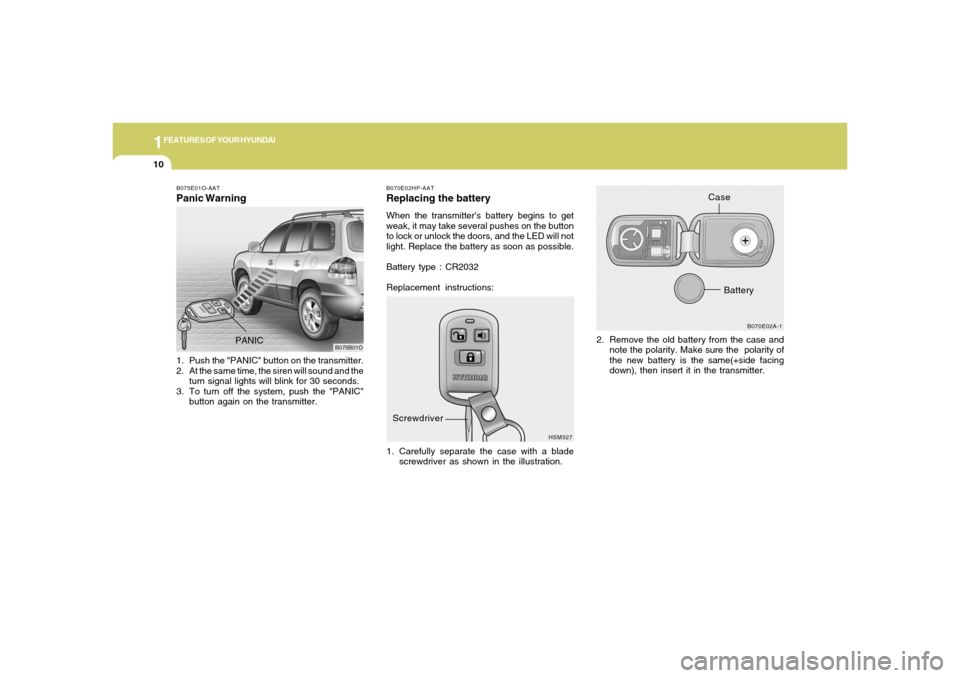
B070E02HP-AATReplacing the batteryWhen the transmitter's battery begins to get
weak, it may take several pushes on the button
to lock or unlock the doors, and the LED will not
light. Replace the battery as soon as possible.
Battery type : CR2032
Replacement instructions:
1. Carefully separate the case with a blade
screwdriver as shown in the illustration.2. Remove the old battery from the case and
note the polarity. Make sure the polarity of
the new battery is the same(+side facing
down), then insert it in the transmitter.
HSM327B070E02A-1
Screwdriver
Case
Battery
B075E01O-AATPanic Warning1. Push the "PANIC" button on the transmitter.
2. At the same time, the siren will sound and the
turn signal lights will blink for 30 seconds.
3. To turn off the system, push the "PANIC"
button again on the transmitter.
B075B01O
PANIC
Page 51 of 281
1
FEATURES OF YOUR HYUNDAI
39
!
o The SRS can function only when the
ignition key is in the "ON" position. If the
SRS SRI does not illuminate, or contin-
uously remains on after illuminating for
about 6 seconds when the ignition key
is turned to the "ON" position, or after
the engine is started, illuminates while
driving, the SRS is not working properly.
If this occurs, have your vehicle immedi-
ately inspected by your Hyundai dealer.
o Before you replace a fuse or disconnect
a battery terminal, turn the ignition key
to the "LOCK" position and remove the
ignition key. Never remove or replace the
airbag related fuse(s) when the ignition
key is in the "ON" position. Failure to
heed this warning will cause the SRS SRI
to illuminate.
WARNING:
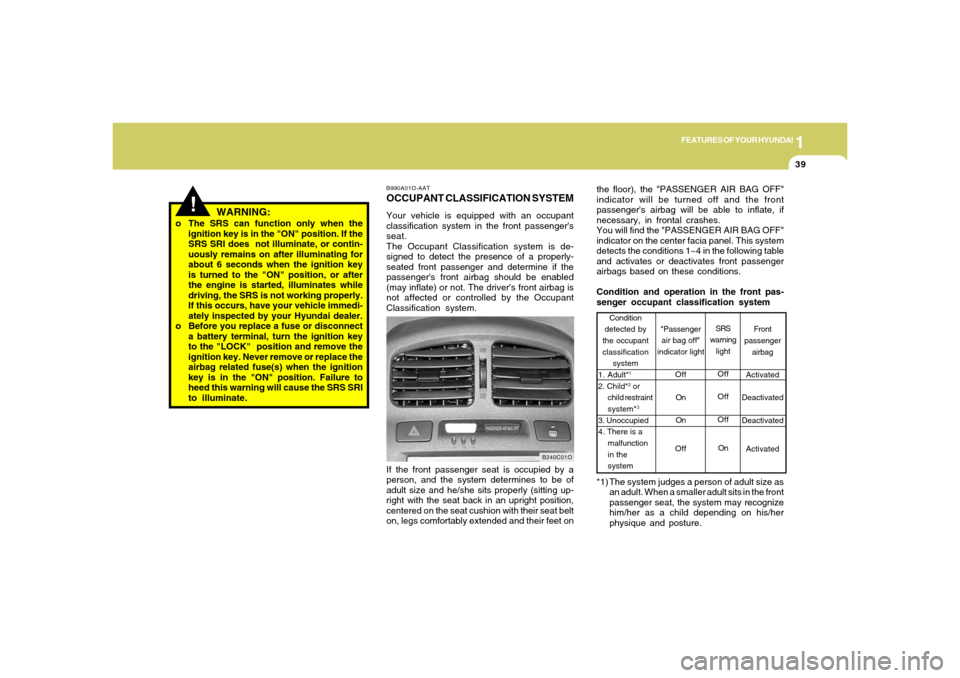
the floor), the "PASSENGER AIR BAG OFF"
indicator will be turned off and the front
passenger's airbag will be able to inflate, if
necessary, in frontal crashes.
You will find the "PASSENGER AIR BAG OFF"
indicator on the center facia panel. This system
detects the conditions 1~4 in the following table
and activates or deactivates front passenger
airbags based on these conditions.
Condition and operation in the front pas-
senger occupant classification system
Front
passenger
airbag
Activated
Deactivated
Deactivated
Activated Condition
detected by
the occupant
classification
system
1. Adult*
1
2. Child*
2 or
child restraint
system*3
3. Unoccupied
4. There is a
malfunction
in the
systemSRS
warning
light
Off
Off
Off
On
"Passenger
air bag off"
indicator light
Off
On
On
Off
*1) The system judges a person of adult size as
an adult. When a smaller adult sits in the front
passenger seat, the system may recognize
him/her as a child depending on his/her
physique and posture.
B990A01O-AATOCCUPANT CLASSIFICATION SYSTEMYour vehicle is equipped with an occupant
classification system in the front passenger's
seat.
The Occupant Classification system is de-
signed to detect the presence of a properly-
seated front passenger and determine if the
passenger's front airbag should be enabled
(may inflate) or not. The driver's front airbag is
not affected or controlled by the Occupant
Classification system.
B240C01O
If the front passenger seat is occupied by a
person, and the system determines to be of
adult size and he/she sits properly (sitting up-
right with the seat back in an upright position,
centered on the seat cushion with their seat belt
on, legs comfortably extended and their feet on
Page 63 of 281
1
FEATURES OF YOUR HYUNDAI
51
B270A01O-AATBRAKE PAD WEAR WARNING SOUNDThe front and rear disc brake pads have wear
indicators that should make a high-pitched
squealing or scraping noise when new pads are
needed. The sound may come and go or be
heard all the time when the vehicle is moving. It
may also be heard when the brake pedal is
pushed down firmly. Excessive rotor damage
will result if the worn pads are not replaced. See
your Hyundai dealer immediately.B270B01O-AATPARKING START WARNING SOUNDIf the vehicle driven at over 2mph(3km/h) more
2~3 seconds, the warning chime will sound
continuously when the parking brake engaged.
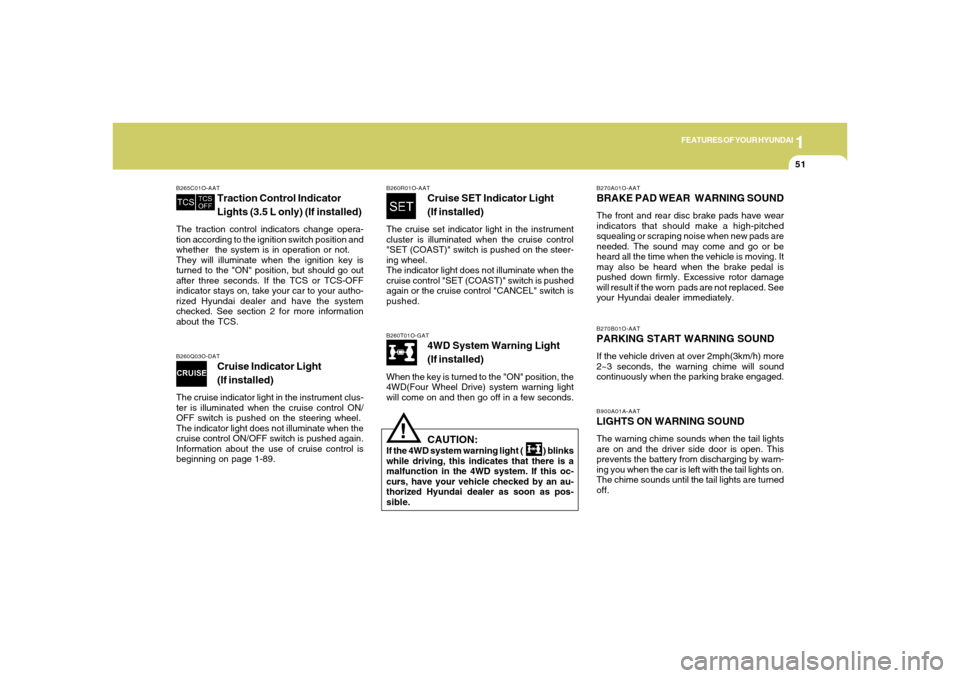
B260T01O-GAT
4WD System Warning Light
(If installed)
When the key is turned to the "ON" position, the
4WD(Four Wheel Drive) system warning light
will come on and then go off in a few seconds.
B260Q03O-DAT
Cruise Indicator Light
(If installed)
The cruise indicator light in the instrument clus-
ter is illuminated when the cruise control ON/
OFF switch is pushed on the steering wheel.
The indicator light does not illuminate when the
cruise control ON/OFF switch is pushed again.
Information about the use of cruise control is
beginning on page 1-89.B265C01O-AAT
Traction Control Indicator
Lights (3.5 L only) (If installed)
The traction control indicators change opera-
tion according to the ignition switch position and
whether the system is in operation or not.
They will illuminate when the ignition key is
turned to the "ON" position, but should go out
after three seconds. If the TCS or TCS-OFF
indicator stays on, take your car to your autho-
rized Hyundai dealer and have the system
checked. See section 2 for more information
about the TCS.
CAUTION:
If the 4WD system warning light ( ) blinks
while driving, this indicates that there is a
malfunction in the 4WD system. If this oc-
curs, have your vehicle checked by an au-
thorized Hyundai dealer as soon as pos-
sible.
!
B260R01O-AAT
Cruise SET Indicator Light
(If installed)
The cruise set indicator light in the instrument
cluster is illuminated when the cruise control
"SET (COAST)" switch is pushed on the steer-
ing wheel.
The indicator light does not illuminate when the
cruise control "SET (COAST)" switch is pushed
again or the cruise control "CANCEL" switch is
pushed.
B900A01A-AATLIGHTS ON WARNING SOUNDThe warning chime sounds when the tail lights
are on and the driver side door is open. This
prevents the battery from discharging by warn-
ing you when the car is left with the tail lights on.
The chime sounds until the tail lights are turned
off.
Page 68 of 281
1FEATURES OF YOUR HYUNDAI56
Distance to empty Distance to empty symbol
B400B01O-A
Odometer
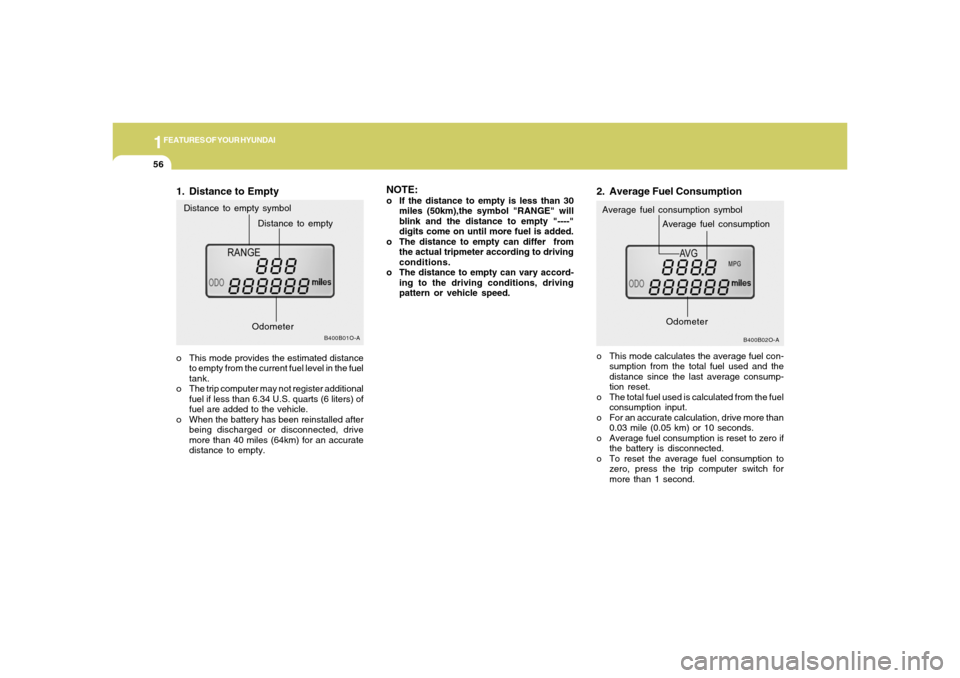
1. Distance to Emptyo This mode provides the estimated distance
to empty from the current fuel level in the fuel
tank.
o The trip computer may not register additional
fuel if less than 6.34 U.S. quarts (6 liters) of
fuel are added to the vehicle.
o When the battery has been reinstalled after
being discharged or disconnected, drive
more than 40 miles (64km) for an accurate
distance to empty.
NOTE:o If the distance to empty is less than 30
miles (50km),the symbol "RANGE" will
blink and the distance to empty "----"
digits come on until more fuel is added.
o The distance to empty can differ from
the actual tripmeter according to driving
conditions.
o The distance to empty can vary accord-
ing to the driving conditions, driving
pattern or vehicle speed.
B400B02O-A
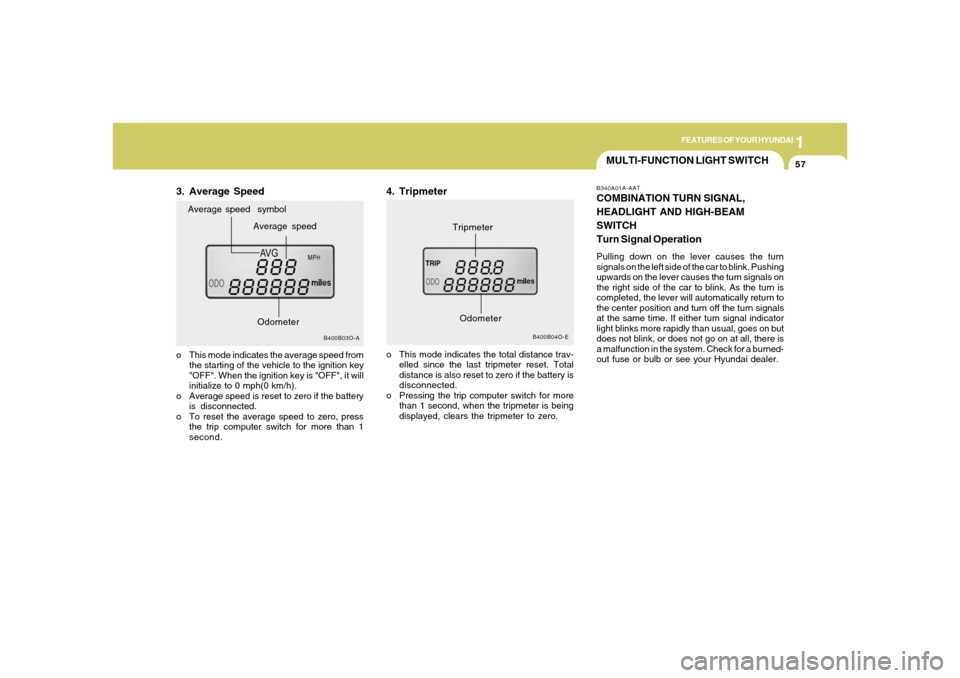
Average fuel consumption symbol2. Average Fuel Consumptiono This mode calculates the average fuel con-
sumption from the total fuel used and the
distance since the last average consump-
tion reset.
o The total fuel used is calculated from the fuel
consumption input.
o For an accurate calculation, drive more than
0.03 mile (0.05 km) or 10 seconds.
o Average fuel consumption is reset to zero if
the battery is disconnected.
o To reset the average fuel consumption to
zero, press the trip computer switch for
more than 1 second.
Average fuel consumptionOdometer
Page 69 of 281
1
FEATURES OF YOUR HYUNDAI
57
MULTI-FUNCTION LIGHT SWITCHB340A01A-AATCOMBINATION TURN SIGNAL,
HEADLIGHT AND HIGH-BEAM
SWITCH
Turn Signal OperationPulling down on the lever causes the turn
signals on the left side of the car to blink. Pushing
upwards on the lever causes the turn signals on
the right side of the car to blink. As the turn is
completed, the lever will automatically return to
the center position and turn off the turn signals
at the same time. If either turn signal indicator
light blinks more rapidly than usual, goes on but
does not blink, or does not go on at all, there is
a malfunction in the system. Check for a burned-
out fuse or bulb or see your Hyundai dealer.
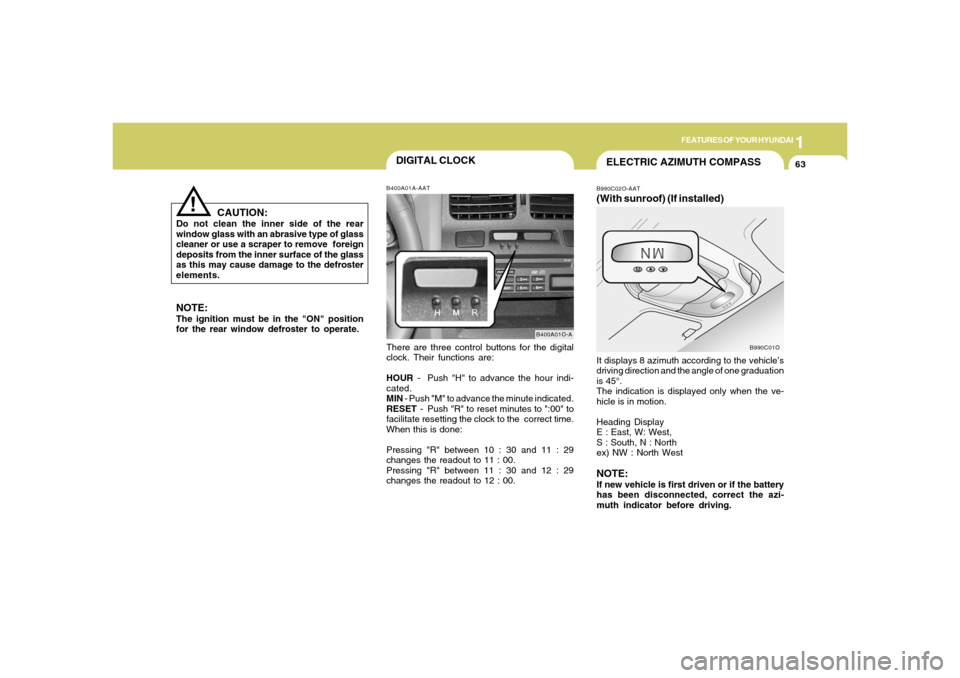
3. Average Speed
B400B04O-E
Tripmeter
B400B03O-A
Average speed Average speed symbol
o This mode indicates the average speed from
the starting of the vehicle to the ignition key
"OFF". When the ignition key is "OFF", it will
initialize to 0 mph(0 km/h).
o Average speed is reset to zero if the battery
is disconnected.
o To reset the average speed to zero, press
the trip computer switch for more than 1
second.
4. Tripmetero This mode indicates the total distance trav-
elled since the last tripmeter reset. Total
distance is also reset to zero if the battery is
disconnected.
o Pressing the trip computer switch for more
than 1 second, when the tripmeter is being
displayed, clears the tripmeter to zero.
Odometer
Odometer
Page 75 of 281
1
FEATURES OF YOUR HYUNDAI
63
DIGITAL CLOCK
NOTE:
The ignition must be in the "ON" position
for the rear window defroster to operate.
B400A01A-AATThere are three control buttons for the digital
clock. Their functions are:
HOUR - Push "H" to advance the hour indi-
cated.
MIN - Push "M" to advance the minute indicated.
RESET - Push "R" to reset minutes to ":00" to
facilitate resetting the clock to the correct time.
When this is done:
Pressing "R" between 10 : 30 and 11 : 29
changes the readout to 11 : 00.
Pressing "R" between 11 : 30 and 12 : 29
changes the readout to 12 : 00.
B400A01O-A
CAUTION:
Do not clean the inner side of the rear
window glass with an abrasive type of glass
cleaner or use a scraper to remove foreign
deposits from the inner surface of the glass
as this may cause damage to the defroster
elements.
!
ELECTRIC AZIMUTH COMPASSB990C02O-AAT(With sunroof) (If installed)It displays 8 azimuth according to the vehicle’s
driving direction and the angle of one graduation
is 45°.
The indication is displayed only when the ve-
hicle is in motion.
Heading Display
E : East, W: West,
S : South, N : North
ex) NW : North WestNOTE:If new vehicle is first driven or if the battery
has been disconnected, correct the azi-
muth indicator before driving.
B990C01O
Page 77 of 281
1
FEATURES OF YOUR HYUNDAI
65
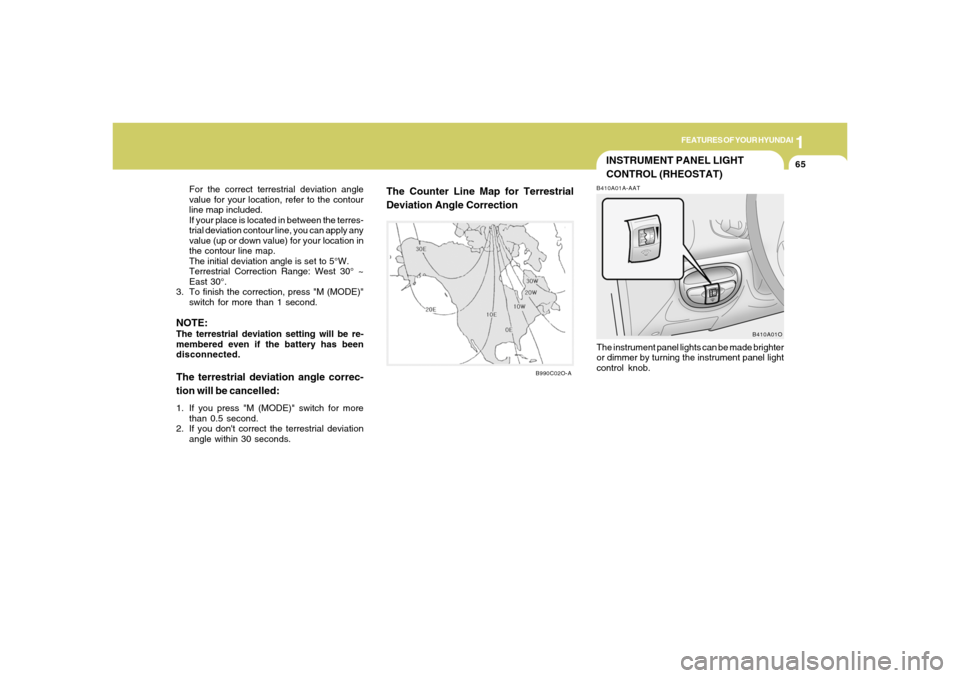
For the correct terrestrial deviation angle
value for your location, refer to the contour
line map included.
If your place is located in between the terres-
trial deviation contour line, you can apply any
value (up or down value) for your location in
the contour line map.
The initial deviation angle is set to 5°W.
Terrestrial Correction Range: West 30° ~
East 30°.
3. To finish the correction, press "M (MODE)"
switch for more than 1 second.
NOTE:The terrestrial deviation setting will be re-
membered even if the battery has been
disconnected.The terrestrial deviation angle correc-
tion will be cancelled:1. If you press "M (MODE)" switch for more
than 0.5 second.
2. If you don't correct the terrestrial deviation
angle within 30 seconds.
The Counter Line Map for Terrestrial
Deviation Angle Correction
INSTRUMENT PANEL LIGHT
CONTROL (RHEOSTAT)B410A01A-AATThe instrument panel lights can be made brighter
or dimmer by turning the instrument panel light
control knob.
B410A01O
B990C02O-A
Page 78 of 281
1FEATURES OF YOUR HYUNDAI66
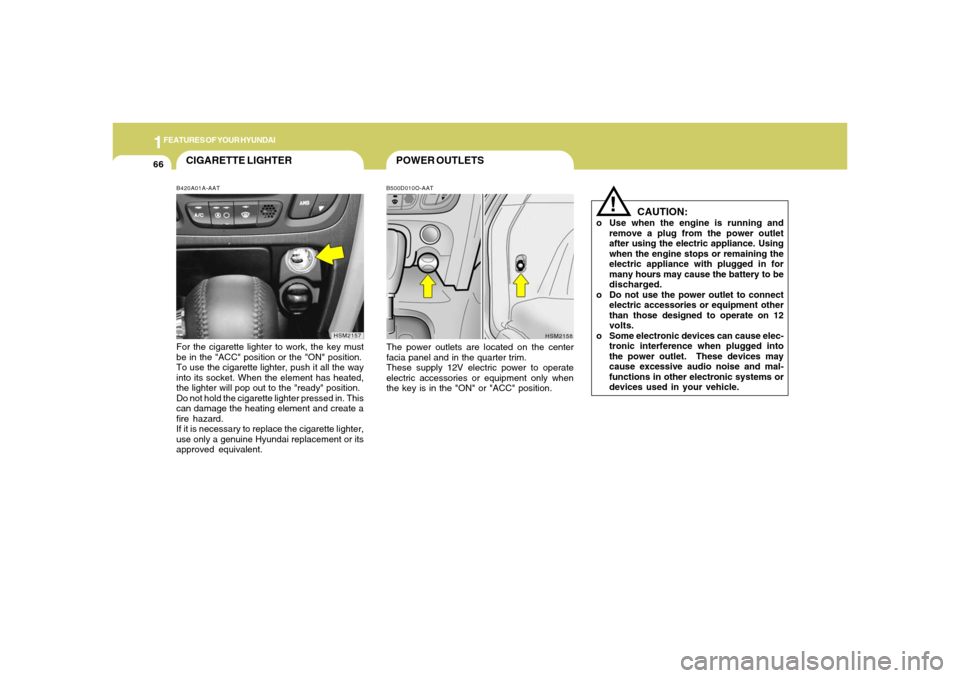
POWER OUTLETSB500D010O-AATThe power outlets are located on the center
facia panel and in the quarter trim.
These supply 12V electric power to operate
electric accessories or equipment only when
the key is in the "ON" or "ACC" position.
!
CAUTION:
o Use when the engine is running and
remove a plug from the power outlet
after using the electric appliance. Using
when the engine stops or remaining the
electric appliance with plugged in for
many hours may cause the battery to be
discharged.
o Do not use the power outlet to connect
electric accessories or equipment other
than those designed to operate on 12
volts.
o Some electronic devices can cause elec-
tronic interference when plugged into
the power outlet. These devices may
cause excessive audio noise and mal-
functions in other electronic systems or
devices used in your vehicle.
HSM2158
CIGARETTE LIGHTERB420A01A-AATFor the cigarette lighter to work, the key must
be in the "ACC" position or the "ON" position.
To use the cigarette lighter, push it all the way
into its socket. When the element has heated,
the lighter will pop out to the "ready" position.
Do not hold the cigarette lighter pressed in. This
can damage the heating element and create a
fire hazard.
If it is necessary to replace the cigarette lighter,
use only a genuine Hyundai replacement or its
approved equivalent.
HSM2157
Page 89 of 281
1
FEATURES OF YOUR HYUNDAI
77
!!
HOMELINK PROGRAMMING
CAUTION:o Make sure people and/or objects are out
of the way of any garage doors or gates
you may be operating during the pro-
gramming procedures.
o Keep original transmitters for potential
future programming needs, or in case
you sell the vehicle.
o In the event you do sell your vehicle, it's
recommended you erase your pro-
grammed HomeLink mirror buttons.
WARNING:
Do not use HomeLink with any garage door
opener that lacks the safety stop and re-
verse feature as required by federal safety
standards (includes garage doors manu-
factured before April 1, 1982), as these
doors can increase the risk of serious injury
or death. Call 1-800-355-3515 or visit
www.homelink.com for more information.
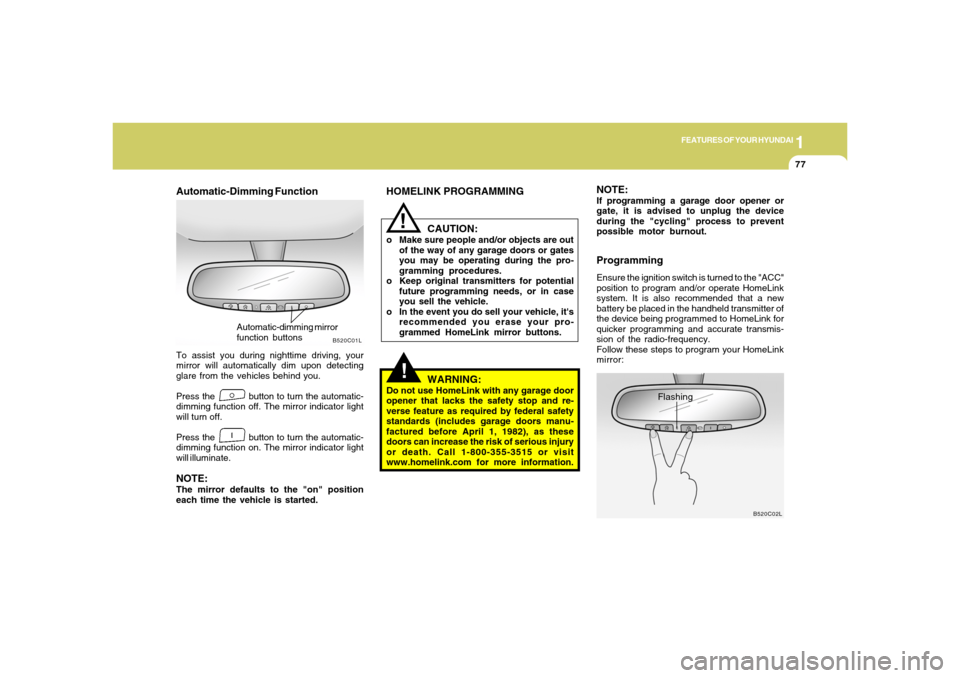
Automatic-Dimming FunctionTo assist you during nighttime driving, your
mirror will automatically dim upon detecting
glare from the vehicles behind you.
Press the button to turn the automatic-
dimming function off. The mirror indicator light
will turn off.
Press the button to turn the automatic-
dimming function on. The mirror indicator light
will illuminate.NOTE:The mirror defaults to the "on" position
each time the vehicle is started.
B520C01L
Automatic-dimming mirror
function buttons
NOTE:If programming a garage door opener or
gate, it is advised to unplug the device
during the "cycling" process to prevent
possible motor burnout.ProgrammingEnsure the ignition switch is turned to the "ACC"
position to program and/or operate HomeLink
system. It is also recommended that a new
battery be placed in the handheld transmitter of
the device being programmed to HomeLink for
quicker programming and accurate transmis-
sion of the radio-frequency.
Follow these steps to program your HomeLink
mirror:
B520C02L
Flashing