CD player Hyundai Santa Fe 2009 User Guide
[x] Cancel search | Manufacturer: HYUNDAI, Model Year: 2009, Model line: Santa Fe, Model: Hyundai Santa Fe 2009Pages: 353, PDF Size: 10.86 MB
Page 174 of 353
1163163163163163163
FEATURES OF YOUR HYUNDAI
B445G02CM-AAT1. Loading CDsModel D445S:
Only one CD can be loaded at any one
time. If there is already a disc inserted in
the CD player, eject the disc before load-
ing a new CD.
To load a CD, gently insert the CD into the
CD slot. The CD will be automatically
loaded. The CD player then starts to play
the CD.NOTE:o Do not force-load the CD as it will
damage the loading mechanism and
cause your disc to jam in the player.
o If a CD cannot be loaded, check if
there is already a disc in the player
and eject it first.
Only one CD can be loaded at any one
time.Models D465S and D466S:
You can load one or more CDs (maximum
of 6) into the CD changer through the CD
loading slot. To do so:
1. Press the LOAD button to load 1 CD.
The LCD screen displays the number
assigned to the CD as a flashing num-
ber. For example, if the CD changer
currently contains 4 CDs, the loaded
disc will be CD 5.
OR
Press and hold the LOAD button for
more than 2 seconds to load more than
1 CD.
The LCD screen displays empty slots in
the CD changer as flashing numbers.
2. The LCD screen displays the instruc-
tions for loading one or more CDs. Fol-
low the instructions - "Wait, Insert CD1,
Loading CD 1, Reading CD1,… Read-
ing CD6".3. Once you have finished loading the CD
or CDs, the CD player automatically
plays the first track of the last CD loaded.
If the audio system was in Radio mode
while you were loading the CDs, it au-
tomatically switches to CD player mode.
NOTE:The LCD screen displays Changer Full
to indicate that the CD changer is full. Do
not try to load any other disc.
Page 175 of 353
1FEATURES OF YOUR HYUNDAI
164
2. Ejecting CDsModel D445S
Press the CD EJECT ( ) button to eject
the CD in the CD player.
Models D465S and D466S
Press the button once to eject the last
CD played.
Press and hold button for more than 2
seconds to eject all the CDs in the changer
in sequence beginning with the last CD
played.NOTE:You can eject discs without switching on
the audio system using the Power ON-
OFF knob.
To eject 1 CD:
Press the EJECT button once.
If you are playing a CD, playback will
automatically switch to the next available
CD.
The LCD screen displays the number of
the CD ejected as a flashing number.
If there are no other disc left in the CD
changer, the audio system automatically
switches to Radio mode and resumes with
the last channel or frequency selected.
OR
If the audio system is in Radio mode, the
last CD played will be ejected.
The LCD screen displays the number of
the CD ejected as a flashing number.To eject all CDs:
Press and hold the EJECT button for more
than 2 seconds to eject all the CDs in the
CD changer.
The LCD screen displays the CDs being
ejected in the CD changer as flashing
numbers. The CDs are ejected in se-
quence. Follow the instructions displayed
on the LCD screen to remove all CDs from
the changer.
NOTE:If the audio system is in Radio mode, you
can eject CDs without interrupting the
operation of the radio.
Page 176 of 353
1165165165165165165
FEATURES OF YOUR HYUNDAI
3. Selecting a disc to playModel D445S
Only the CD loaded in the player can be
played.
Models D465S and D466S
You can select any disc loaded in the CD
changer for playback.
To do so:
Press the corresponding CD selector
button (1 – 6).
The CD changer automatically loads the
selected CD and begins playback of the
first track.
The LCD screen displays the selected CD
as a flashing number.
4. Selecting and playing tracks
(songs)To select tracks, you can use one of 3
methods:
Method 1:
Press the Track Up or Track Down
button repeatedly until you find the track
you want.
Method 2:
Rotate the File Search knob to scroll to
the track you want. The number counter
in the LCD screen shows you the track
number.
Press the File Search knob to ENTER
your selection and begin playback.
Method 3 (only for MP3 and WMA CDs):
Press the DIR Up or Down buttons re-
peatedly to switch to the directory you
want on the CD.
The LCD screen displays the name of
the directory you have switched to.Rotate the File Search knob to scroll to the
track you want in the selected directory.
The number counter in the LCD screen
shows you the track number. Press the File
Search knob to ENTER your selection and
begin playback.
NOTE:You may notice that the track number
counter on the LCD screen matches the
track list on audio CDs exactly while that
may not be the case for MP3 or WMA
CDs. This is because WMA and MP3 CDs
typically contain multiple tracks (files)
that are organized on the CD as directo-
ries. The number counter displays the
track number of the track being played
in relation to the numbering system on
the MP3 or WMA CD. Depending on the
sequence in which the files and directo-
ries were added to the CD, the track
number sequence displayed on the
screen may not match the playback
sequence. This is due to the MP3 and
WMA encoding process and does not
mean that your CD player is defective.
Page 185 of 353
1FEATURES OF YOUR HYUNDAI
174
4. Dir '
∧ ∧∧ ∧
∧' and '
∨ ∨∨ ∨
∨' buttons*
If the RSE system is playing an MP3 disc*
and the audio system is in RSE mode,
press the DIR '
∧ ∧∧ ∧
∧' or '
∨ ∨∨ ∨
∨' buttons to switch
to the next or previous directory on the CD.
The LCD screen displays the name of the
directory you have switched to and auto-
matically begins playback of the first track
in the directory.
* NOTE:The DIR '
∧ ∧∧ ∧
∧' or '
∨ ∨∨ ∨
∨' buttons can only be
used when you are playing a CD which
has organized its tracks in the form of
directories. Normally, only MP3 CDs will
contain a directory tree which you can
navigate using these buttons.
5. << and >> buttons (Rewind and
Fast Forward)If the RSE system is playing a disc and the
audio system is in RSE mode, press and
hold the << or >> button to rewind or fast-
forward playback of the current track. The
LCD screen displays the elapsed time of
the track you are rewinding or fast-for-
warding. Release the << or >> button when
you have reached the point you want.
Playback resumes automatically at the
selected point.6. Operation buttons (1-2)If a disc is loaded in the RSE system and
the audio system is in RSE mode,
o Press button 1 to play/pause the play-
back of the disc loaded in the RSE
system DVD player
o Press button 2 to power off the RSE
system but continues to play the disc in
the DVD player.
7. INFO buttonIf the RSE system is playing a disc and the
audio system is in RSE mode, press INFO
for detailed information on the assignment
of operational / playback controls to the
buttons on the audio system’s front panel.Buttons not in use in RSE modeThe following buttons and functions are
not used in RSE mode.
-RPT button
-RDM button
-MARK button
-SCAN button
- Number buttons 3, 4, 5, 6
Page 187 of 353
1FEATURES OF YOUR HYUNDAI
176
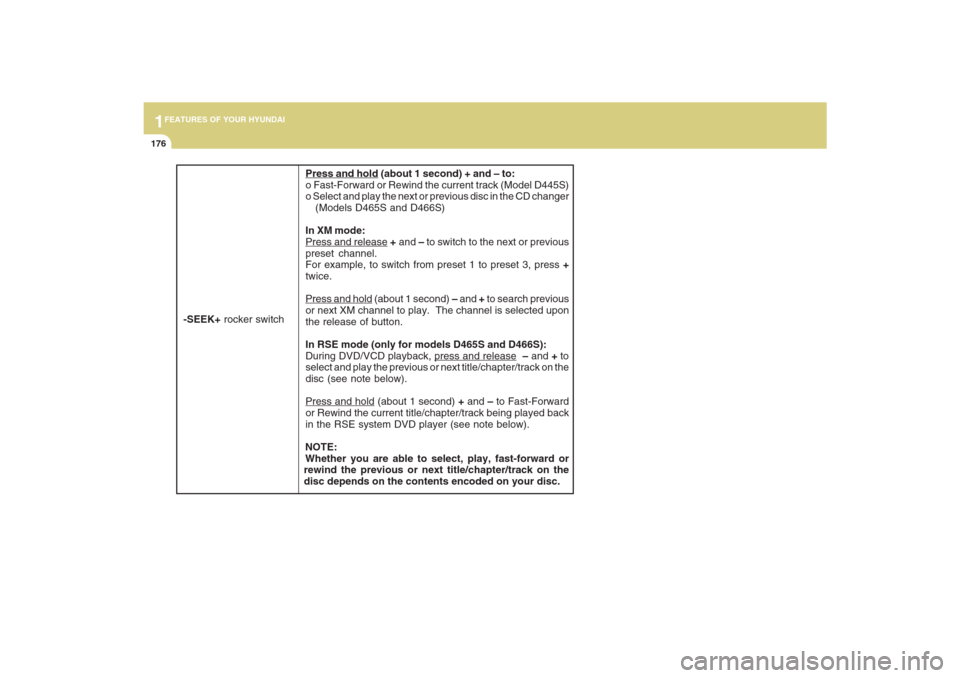
Press and hold (about 1 second) + and – to:
o Fast-Forward or Rewind the current track (Model D445S)
o Select and play the next or previous disc in the CD changer
(Models D465S and D466S)
In XM mode:Press and release + and – to switch to the next or previous
preset channel.
For example, to switch from preset 1 to preset 3, press +
twice.Press and hold (about 1 second) – and + to search previous
or next XM channel to play. The channel is selected upon
the release of button.
In RSE mode (only for models D465S and D466S):
During DVD/VCD playback,
press and release – and + to
select and play the previous or next title/chapter/track on the
disc (see note below).
Press and hold (about 1 second) + and – to Fast-Forward
or Rewind the current title/chapter/track being played back
in the RSE system DVD player (see note below).
NOTE:
Whether you are able to select, play, fast-forward or
rewind the previous or next title/chapter/track on the
disc depends on the contents encoded on your disc.
-SEEK+ rocker switch
Page 189 of 353
1FEATURES OF YOUR HYUNDAI
178
B470A03CM-AATIMPORTANT SAFETY INFORMATIONIt is always important to operate your ve-
hicle in a safe manner and to avoid distrac-
tion while driving. This manual provides
information that will help you safely oper-
ate your Rear Seat Entertainment System
(RSE). Please read it completely before
using the system.
This device complies with part 15 of the
FCC rules. Operation is subject to the
following two conditions: (1) This device
may not cause harmful interference, and
(2) this device must accept any interfer-
ence received, including interference that
may cause undesired operation.
WELCOMESYSTEM OVERVIEWThe Rear Seat Entertainment System is a
compact, built-in, easy-to-use entertain-
ment system designed to provide family
fun while you are on the road. Enjoy great
quality sound from the vehicle speakers,
or private, quiet listening with the wireless
headphones.
The overhead LCD display unit is mounted
to the ceiling in the rear passenger area of
the vehicle, allowing rear-seat passen-
gers to play DVD movies, video CDs or
music CDs. Users may also plug a game
platform or VHS player into an auxiliary
input to show the programs through the
RSE LCD display. The RSE can also ac-
cess the vehicle's front radio programs.Connections / Setup
Your Rear Seat Entertainment system will
play DVD movies, video CDs, music CDs
or music MP3 discs, and is designed to
make your time on the road more enjoy-
able. Please follow these instructions care-
fully to get the most out of your RSE.
REAR SEAT ENTERTAINMENT (RSE) SYSTEM (IF INSTALLED)
Page 191 of 353
1FEATURES OF YOUR HYUNDAI
180
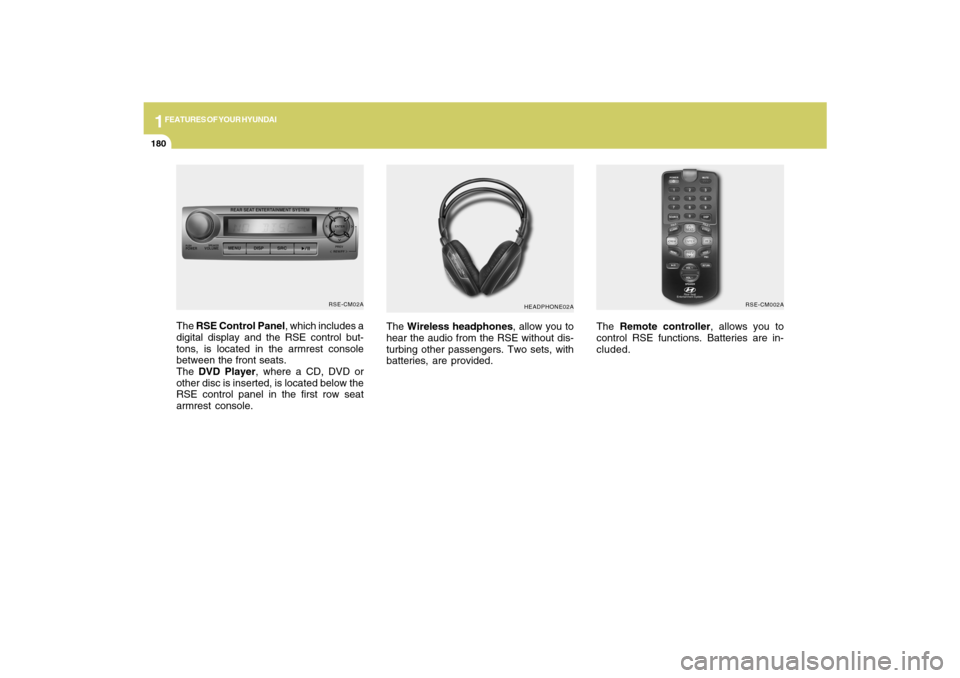
The Wireless headphones, allow you to
hear the audio from the RSE without dis-
turbing other passengers. Two sets, with
batteries, are provided.The Remote controller, allows you to
control RSE functions. Batteries are in-
cluded.
HEADPHONE02ARSE-CM002A
The RSE Control Panel, which includes a
digital display and the RSE control but-
tons, is located in the armrest console
between the front seats.
The DVD Player, where a CD, DVD or
other disc is inserted, is located below the
RSE control panel in the first row seat
armrest console.
RSE-CM02A
Page 192 of 353
1
FEATURES OF YOUR HYUNDAI
181
FEATURES OF YOUR HYUNDAI
181181181181
Adjusting the LCD Display
Press the DISP button on the RSE control
panel to adjust the LCD display. To adjust
the brightness, select Brightness, then,
press the < REW (dimmer) or FWD >
(brighter) buttons. The next time the RSE
is turned on, the LCD display will return to
the brightness level it was adjusted to
when last used. Brightness can be ad-
justed regardless of whether the RSE is
playing an audio or video source.
While the RSE is playing a video signal,
press DISP and then press the
∧ ∧∧ ∧
∧ NEXT or
∨ ∨∨ ∨
∨ PREV buttons to cycle through other
LCD display adjustments including
SCREEN SIZE, CONTRAST, CHROMA
and HUE. With any of these settings dis-
played, press the < REW or FF > buttons to
adjust the settings.
To close the LCD display, pull the bottom
edge towards you and push it up until it
clicks and locks into the stow-away posi-
tion.
Cleaning the LCD Display
If the LCD display becomes dusty or dirty,
clean it by wiping gently with a soft, dry,
clean cloth. Do not use chemical cleanser
to clean the screen.Loading a Disc
To load a disc in the player, insert it part
way into the loading slot. The player will
automatically grip the disc and pull it the
rest of the way in.
Disc Protection
The player has an Auto-Reload Disc Pro-
tection feature to protect discs from acci-
dental damage. If a disc is not removed
within 12 seconds after being ejected, it
will be pulled back into the player. The disc
will not begin playing.
Audio via Vehicle Speakers
To hear the audio from the RSE through
the vehicle's speakers, the RSE must be
selected by the radio CD/AUX button in the
front of the vehicle. Regardless of whether
RSE audio is selected for the vehicle
speakers or not, when the RSE audio is
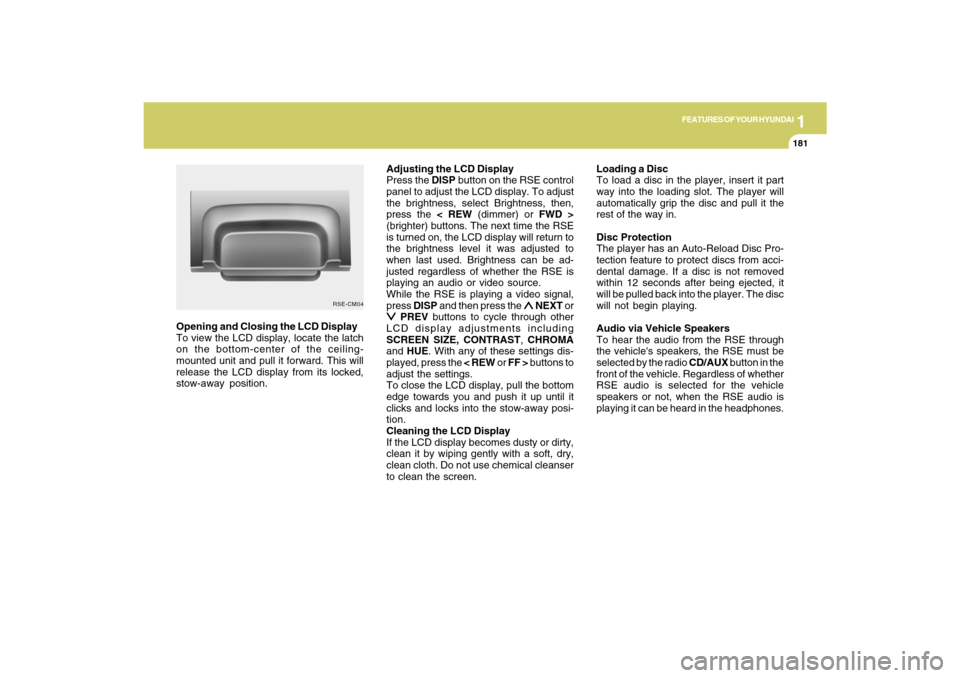
playing it can be heard in the headphones. Opening and Closing the LCD Display
To view the LCD display, locate the latch
on the bottom-center of the ceiling-
mounted unit and pull it forward. This will
release the LCD display from its locked,
stow-away position.
RSE-CM04
Page 194 of 353
1
FEATURES OF YOUR HYUNDAI
183
FEATURES OF YOUR HYUNDAI
183183183183
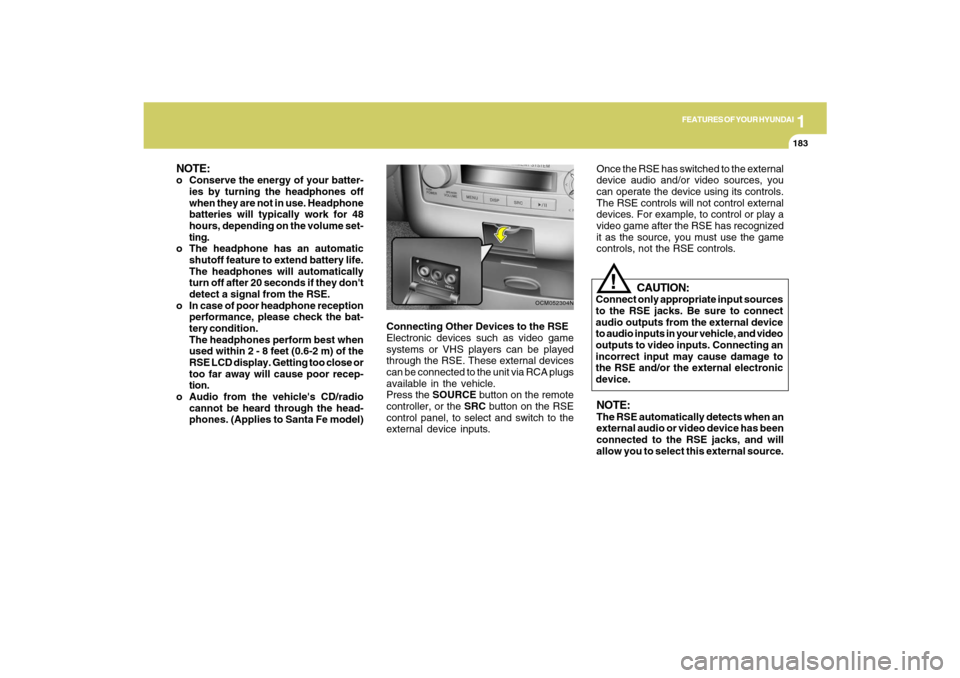
Connecting Other Devices to the RSE
Electronic devices such as video game
systems or VHS players can be played
through the RSE. These external devices
can be connected to the unit via RCA plugs
available in the vehicle.
Press the SOURCE button on the remote
controller, or the SRC button on the RSE
control panel, to select and switch to the
external device inputs.
OCM052304N
Once the RSE has switched to the external
device audio and/or video sources, you
can operate the device using its controls.
The RSE controls will not control external
devices. For example, to control or play a
video game after the RSE has recognized
it as the source, you must use the game
controls, not the RSE controls.NOTE:The RSE automatically detects when an
external audio or video device has been
connected to the RSE jacks, and will
allow you to select this external source.
CAUTION:
Connect only appropriate input sources
to the RSE jacks. Be sure to connect
audio outputs from the external device
to audio inputs in your vehicle, and video
outputs to video inputs. Connecting an
incorrect input may cause damage to
the RSE and/or the external electronic
device.
!
NOTE:o Conserve the energy of your batter-
ies by turning the headphones off
when they are not in use. Headphone
batteries will typically work for 48
hours, depending on the volume set-
ting.
o The headphone has an automatic
shutoff feature to extend battery life.
The headphones will automatically
turn off after 20 seconds if they don't
detect a signal from the RSE.
o In case of poor headphone reception
performance, please check the bat-
tery condition.
The headphones perform best when
used within 2 - 8 feet (0.6-2 m) of the
RSE LCD display. Getting too close or
too far away will cause poor recep-
tion.
o Audio from the vehicle's CD/radio
cannot be heard through the head-
phones. (Applies to Santa Fe model)
Page 195 of 353
1FEATURES OF YOUR HYUNDAI
184
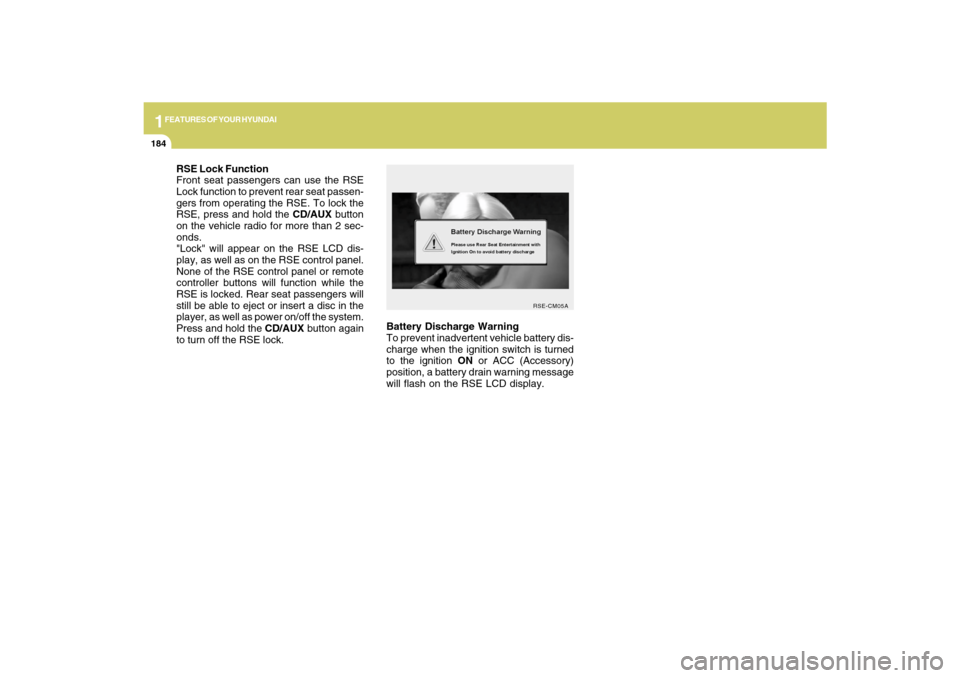
Battery Discharge Warning
To prevent inadvertent vehicle battery dis-
charge when the ignition switch is turned
to the ignition ON or ACC (Accessory)
position, a battery drain warning message
will flash on the RSE LCD display.
RSE-CM05A
RSE Lock Function
Front seat passengers can use the RSE
Lock function to prevent rear seat passen-
gers from operating the RSE. To lock the
RSE, press and hold the CD/AUX button
on the vehicle radio for more than 2 sec-
onds.
"Lock" will appear on the RSE LCD dis-
play, as well as on the RSE control panel.
None of the RSE control panel or remote
controller buttons will function while the
RSE is locked. Rear seat passengers will
still be able to eject or insert a disc in the
player, as well as power on/off the system.
Press and hold the CD/AUX button again
to turn off the RSE lock.