Voice command examples
To use the voice recognition function,
saying one command is sometimes
sufficient, but at other times it is neces-
sary to say two or more commands. As
examples, some additional basic opera-
tions by voice commands are described
here.
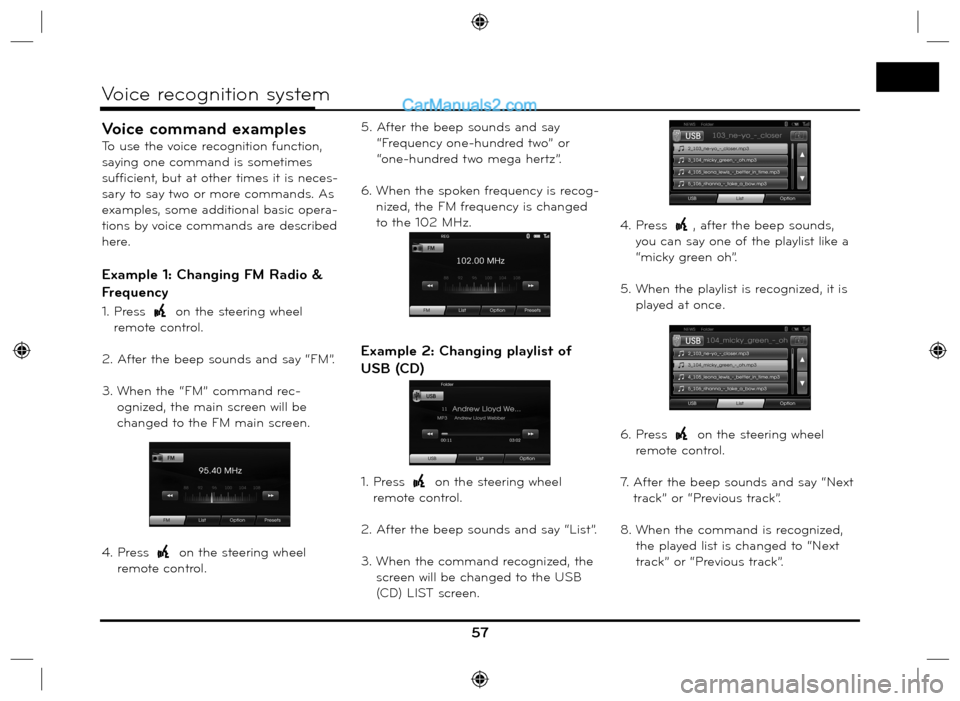
Example 1: Changing FM Radio &
Frequency
1. Press on the steering wheel
remote control.
2. After the beep sounds and say “FM”.
3. When the “FM” command rec-
ognized, the main screen will be
changed to the FM main screen.
4. Press
on the steering wheel
remote control.5. After the beep sounds and say
“Frequency one-hundred two” or
“one-hundred two mega hertz”.
6. When the spoken frequency is recog-
nized, the FM frequency is changed
to the 102 MHz.
Example 2: Changing playlist of
USB (CD)
1. Press on the steering wheel
remote control.
2. After the beep sounds and say “List”.
3. When the command recognized, the
screen will be changed to the USB
(CD) LIST screen.4. Press
, after the beep sounds,
you can say one of the playlist like a
“micky green oh”.
5. When the playlist is recognized, it is
played at once.
6. Press
on the steering wheel
remote control.
7. After the beep sounds and say “Next
track” or “Previous track”.
8. When the command is recognized,
the played list is changed to “Next
track” or “Previous track”.
57
Voice recognition system
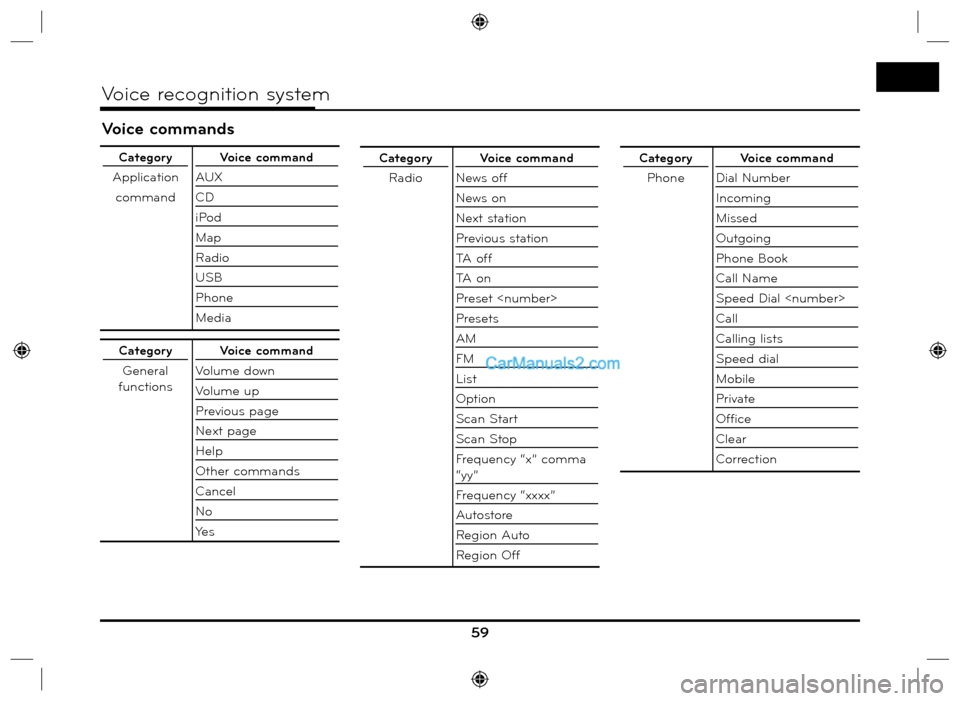
Voice commands
59
Voice recognition system
Category
Application
commandVoice command
AUX
CD
iPod
Map
Radio
USB
Phone
Media
Category
General
functionsVoice command
Volume down
Volume up
Previous page
Next page
Help
Other commands
Cancel
No
Ye s
Category
RadioVoice command
News off
News on
Next station
Previous station
TA o f f
TA o n
Preset
Presets
AM
FM
List
Option
Scan Start
Scan Stop
Frequency “x” comma
“yy”
Frequency “xxxx”
Autostore
Region Auto
Region OffCategory
PhoneVoice command
Dial Number
Incoming
Missed
Outgoing
Phone Book
Call Name
Speed Dial
Call
Calling lists
Speed dial
Mobile
Private
Office
Clear
Correction