traffic Hyundai Santa Fe 2017 User Guide
[x] Cancel search | Manufacturer: HYUNDAI, Model Year: 2017, Model line: Santa Fe, Model: Hyundai Santa Fe 2017Pages: 569, PDF Size: 16.88 MB
Page 354 of 569
Driving your vehicle
62
5
System malfunction
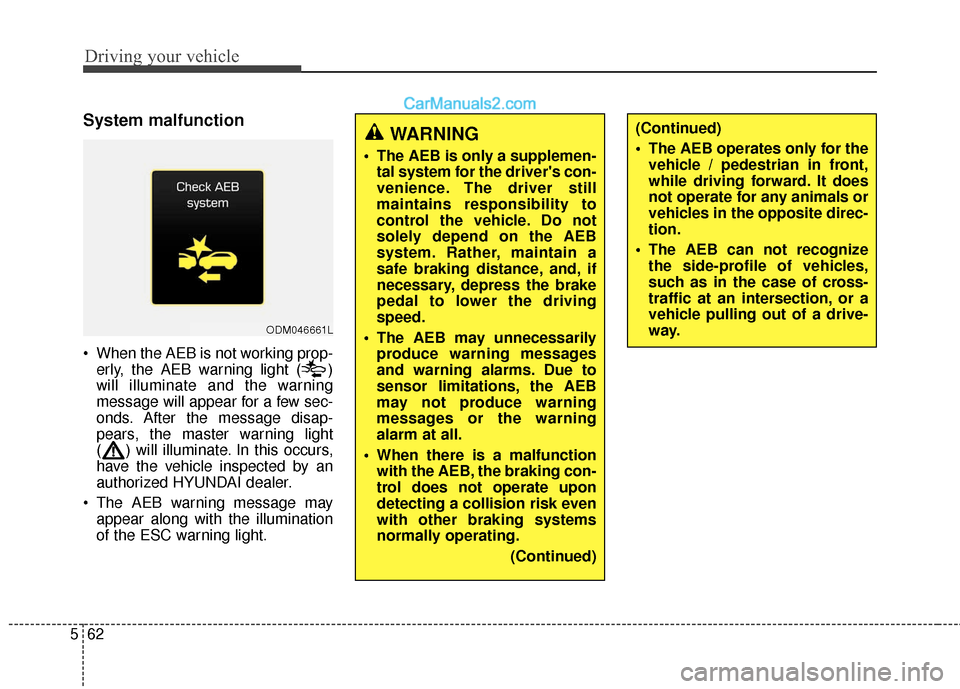
When the AEB is not working prop-
erly, the AEB warning light ( )
will illuminate and the warning
message will appear for a few sec-
onds. After the message disap-
pears, the master warning light
( ) will illuminate. In this occurs,
have the vehicle inspected by an
authorized HYUNDAI dealer.
The AEB warning message may appear along with the illumination
of the ESC warning light.
ODM046661L
WARNING
The AEB is only a supplemen-tal system for the driver's con-
venience. The driver still
maintains responsibility to
control the vehicle. Do not
solely depend on the AEB
system. Rather, maintain a
safe braking distance, and, if
necessary, depress the brake
pedal to lower the driving
speed.
The AEB may unnecessarily produce warning messages
and warning alarms. Due to
sensor limitations, the AEB
may not produce warning
messages or the warning
alarm at all.
When there is a malfunction with the AEB, the braking con-
trol does not operate upon
detecting a collision risk even
with other braking systems
normally operating.
(Continued)
(Continued)
The AEB operates only for thevehicle / pedestrian in front,
while driving forward. It does
not operate for any animals or
vehicles in the opposite direc-
tion.
The AEB can not recognize the side-profile of vehicles,
such as in the case of cross-
traffic at an intersection, or a
vehicle pulling out of a drive-
way.
Page 356 of 569
Driving your vehicle
64
5
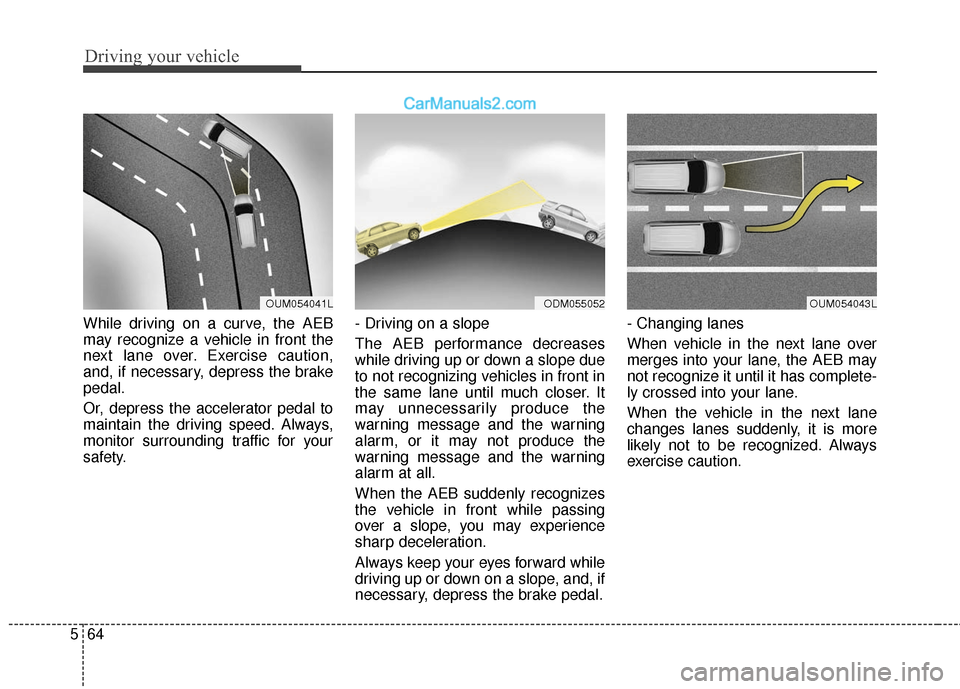
While driving on a curve, the AEB
may recognize a vehicle in front the
next lane over. Exercise caution,
and, if necessary, depress the brake
pedal.
Or, depress the accelerator pedal to
maintain the driving speed. Always,
monitor surrounding traffic for your
safety. - Driving on a slope
The AEB performance decreases
while driving up or down a slope due
to not recognizing vehicles in front in
the same lane until much closer. It
may unnecessarily produce the
warning message and the warning
alarm, or it may not produce the
warning message and the warning
alarm at all.
When the AEB suddenly recognizes
the vehicle in front while passing
over a slope, you may experience
sharp deceleration.
Always keep your eyes forward while
driving up or down on a slope, and, if
necessary, depress the brake pedal.- Changing lanes
When vehicle in the next lane over
merges into your lane, the AEB may
not recognize it until it has complete-
ly crossed into your lane.
When the vehicle in the next lane
changes lanes suddenly, it is more
likely not to be recognized. Always
exercise caution.
OUM054041LODM055052OUM054043L
Page 359 of 569
567
Driving your vehicle
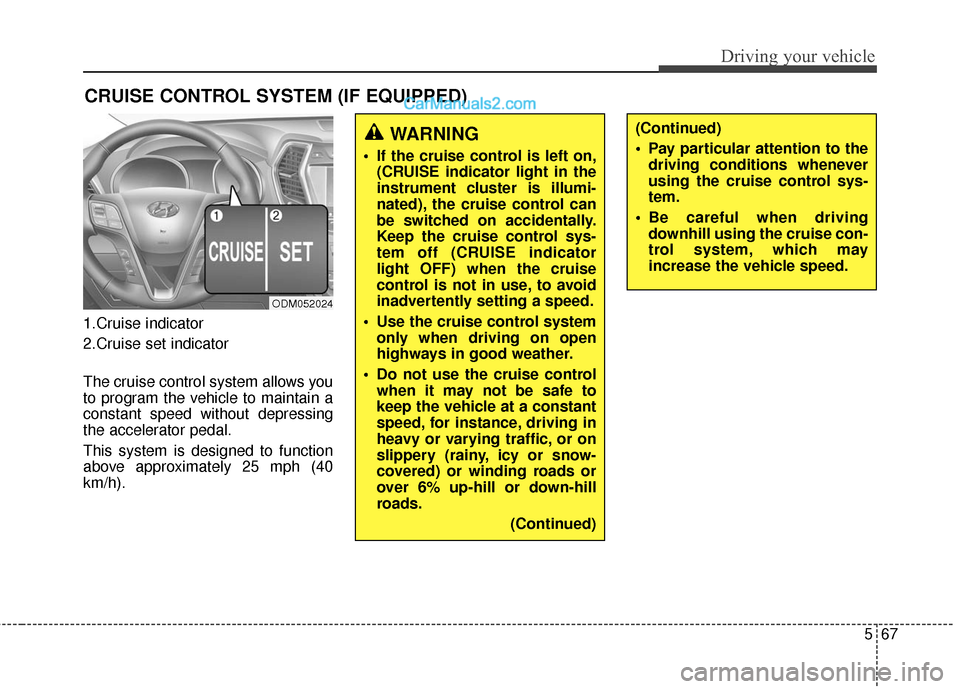
1.Cruise indicator
2.Cruise set indicator
The cruise control system allows you
to program the vehicle to maintain a
constant speed without depressing
the accelerator pedal.
This system is designed to function
above approximately 25 mph (40
km/h).
CRUISE CONTROL SYSTEM (IF EQUIPPED)
ODM052024
WARNING
If the cruise control is left on,(CRUISE indicator light in the
instrument cluster is illumi-
nated), the cruise control can
be switched on accidentally.
Keep the cruise control sys-
tem off (CRUISE indicator
light OFF) when the cruise
control is not in use, to avoid
inadvertently setting a speed.
Use the cruise control system only when driving on open
highways in good weather.
Do not use the cruise control when it may not be safe to
keep the vehicle at a constant
speed, for instance, driving in
heavy or varying traffic, or on
slippery (rainy, icy or snow-
covered) or winding roads or
over 6% up-hill or down-hill
roads.
(Continued)
(Continued)
Pay particular attention to thedriving conditions whenever
using the cruise control sys-
tem.
Be careful when driving downhill using the cruise con-
trol system, which may
increase the vehicle speed.
Page 364 of 569
Driving your vehicle
72
5
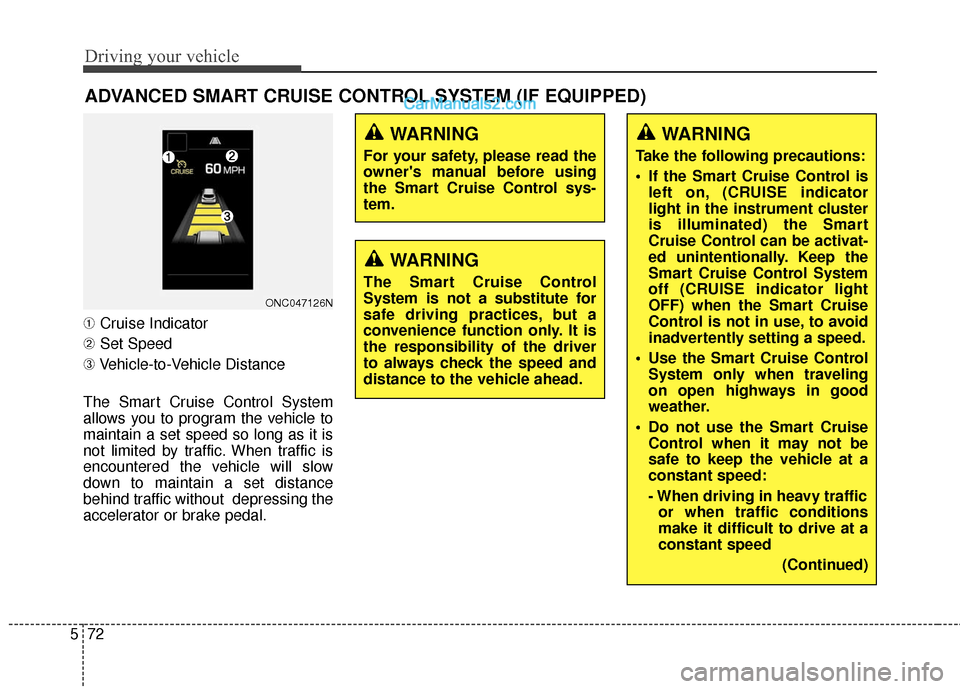
➀ Cruise Indicator
➁ Set Speed
➂ Vehicle-to-Vehicle Distance
The Smart Cruise Control System
allows you to program the vehicle to
maintain a set speed so long as it is
not limited by traffic. When traffic is
encountered the vehicle will slow
down to maintain a set distance
behind traffic without depressing the
accelerator or brake pedal.
ADVANCED SMART CRUISE CONTROL SYSTEM (IF EQUIPPED)
ONC047126N
WARNING
For your safety, please read the
owner's manual before using
the Smart Cruise Control sys-
tem.
WARNING
The Smart Cruise Control
System is not a substitute for
safe driving practices, but a
convenience function only. It is
the responsibility of the driver
to always check the speed and
distance to the vehicle ahead.
WARNING
Take the following precautions:
If the Smart Cruise Control is left on, (CRUISE indicator
light in the instrument cluster
is illuminated) the Smart
Cruise Control can be activat-
ed unintentionally. Keep the
Smart Cruise Control System
off (CRUISE indicator light
OFF) when the Smart Cruise
Control is not in use, to avoid
inadvertently setting a speed.
Use the Smart Cruise Control System only when traveling
on open highways in good
weather.
Do not use the Smart Cruise Control when it may not be
safe to keep the vehicle at a
constant speed:
- When driving in heavy trafficor when traffic conditions
make it difficult to drive at a
constant speed
(Continued)
Page 373 of 569
581
Driving your vehicle
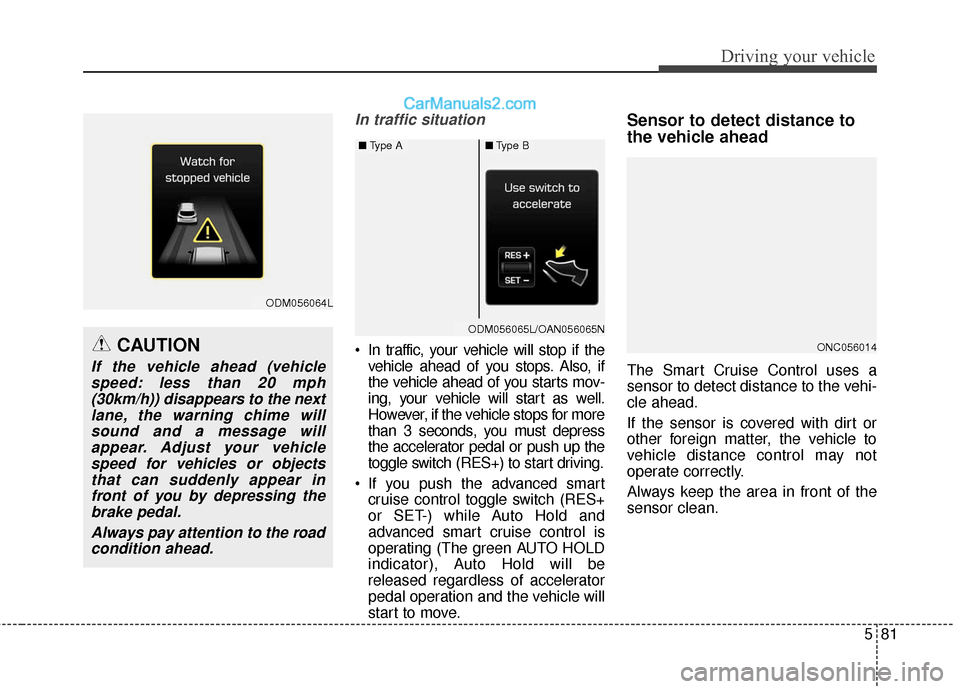
In traffic situation
In traffic, your vehicle will stop if thevehicle ahead of you stops. Also, if
the vehicle ahead of you starts mov-
ing, your vehicle will start as well.
However, if the vehicle stops for more
than 3 seconds, you must depress
the accelerator pedal or push up the
toggle switch (RES+) to start driving.
If you push the advanced smart cruise control toggle switch (RES+
or SET-) while Auto Hold and
advanced smart cruise control is
operating (The green AUTO HOLD
indicator), Auto Hold will be
released regardless of accelerator
pedal operation and the vehicle will
start to move.
Sensor to detect distance to
the vehicle ahead
The Smart Cruise Control uses a
sensor to detect distance to the vehi-
cle ahead.
If the sensor is covered with dirt or
other foreign matter, the vehicle to
vehicle distance control may not
operate correctly.
Always keep the area in front of the
sensor clean.
ONC056014
ODM056064L
CAUTION
If the vehicle ahead (vehiclespeed: less than 20 mph(30km/h)) disappears to the nextlane, the warning chime willsound and a message willappear. Adjust your vehiclespeed for vehicles or objectsthat can suddenly appear infront of you by depressing thebrake pedal.
Always pay attention to the roadcondition ahead.
ODM056065LODM056065L/OAN056065N
■ Type A■Type B
Page 375 of 569
583
Driving your vehicle
Limitations of the system
The Smart Cruise Control System
may have limits to its ability to detect
distance to the vehicle ahead due to
road and traffic conditions.
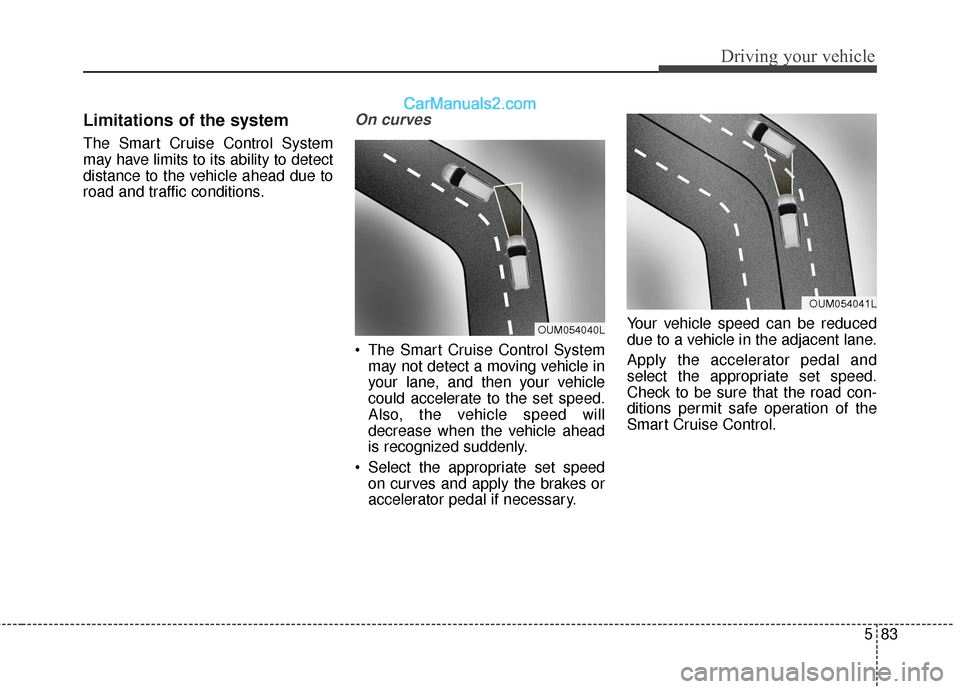
On curves
The Smart Cruise Control Systemmay not detect a moving vehicle in
your lane, and then your vehicle
could accelerate to the set speed.
Also, the vehicle speed will
decrease when the vehicle ahead
is recognized suddenly.
Select the appropriate set speed on curves and apply the brakes or
accelerator pedal if necessary. Your vehicle speed can be reduced
due to a vehicle in the adjacent lane.
Apply the accelerator pedal and
select the appropriate set speed.
Check to be sure that the road con-
ditions permit safe operation of the
Smart Cruise Control.
OUM054040L
OUM054041L
Page 376 of 569
Driving your vehicle
84
5
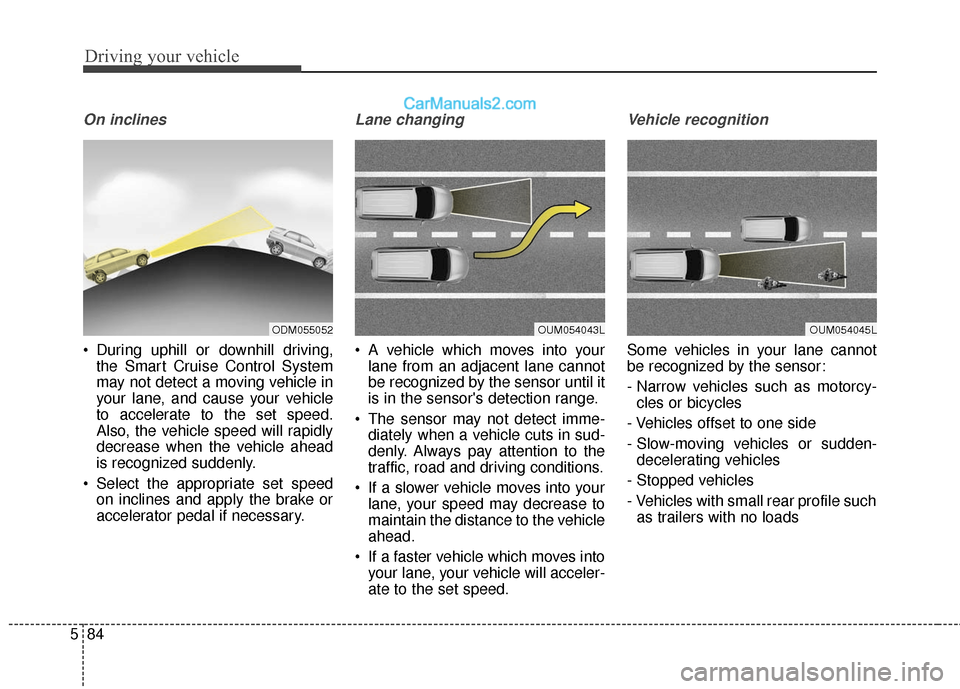
On inclines
During uphill or downhill driving,
the Smart Cruise Control System
may not detect a moving vehicle in
your lane, and cause your vehicle
to accelerate to the set speed.
Also, the vehicle speed will rapidly
decrease when the vehicle ahead
is recognized suddenly.
Select the appropriate set speed on inclines and apply the brake or
accelerator pedal if necessary.
Lane changing
A vehicle which moves into yourlane from an adjacent lane cannot
be recognized by the sensor until it
is in the sensor's detection range.
The sensor may not detect imme- diately when a vehicle cuts in sud-
denly. Always pay attention to the
traffic, road and driving conditions.
If a slower vehicle moves into your lane, your speed may decrease to
maintain the distance to the vehicle
ahead.
If a faster vehicle which moves into your lane, your vehicle will acceler-
ate to the set speed.
Vehicle recognition
Some vehicles in your lane cannot
be recognized by the sensor:
- Narrow vehicles such as motorcy-cles or bicycles
- Vehicles offset to one side
- Slow-moving vehicles or sudden- decelerating vehicles
- Stopped vehicles
- Vehicles with small rear profile such as trailers with no loads
ODM055052OUM054043LOUM054045L
Page 380 of 569
Driving your vehicle
88
5
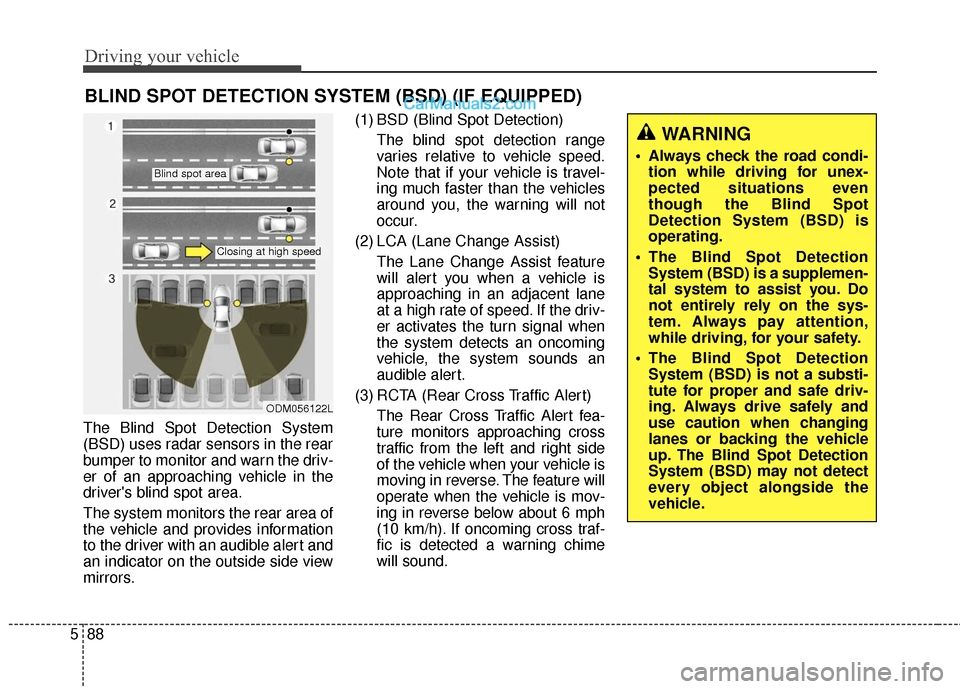
The Blind Spot Detection System
(BSD) uses radar sensors in the rear
bumper to monitor and warn the driv-
er of an approaching vehicle in the
driver's blind spot area.
The system monitors the rear area of
the vehicle and provides information
to the driver with an audible alert and
an indicator on the outside side view
mirrors. (1) BSD (Blind Spot Detection)
The blind spot detection range
varies relative to vehicle speed.
Note that if your vehicle is travel-
ing much faster than the vehicles
around you, the warning will not
occur.
(2) LCA (Lane Change Assist) The Lane Change Assist feature
will alert you when a vehicle is
approaching in an adjacent lane
at a high rate of speed. If the driv-
er activates the turn signal when
the system detects an oncoming
vehicle, the system sounds an
audible alert.
(3) RCTA (Rear Cross Traffic Alert) The Rear Cross Traffic Alert fea-
ture monitors approaching cross
traffic from the left and right side
of the vehicle when your vehicle is
moving in reverse. The feature will
operate when the vehicle is mov-
ing in reverse below about 6 mph
(10 km/h). If oncoming cross traf-
fic is detected a warning chime
will sound.
BLIND SPOT DETECTION SYSTEM (BSD) (IF EQUIPPED)
WARNING
Always check the road condi-tion while driving for unex-
pected situations even
though the Blind Spot
Detection System (BSD) is
operating.
The Blind Spot Detection System (BSD) is a supplemen-
tal system to assist you. Do
not entirely rely on the sys-
tem. Always pay attention,
while driving, for your safety.
The Blind Spot Detection System (BSD) is not a substi-
tute for proper and safe driv-
ing. Always drive safely and
use caution when changing
lanes or backing the vehicle
up. The Blind Spot Detection
System (BSD) may not detect
every object alongside the
vehicle.
ODM056122L
Blind spot area
Closing at high speed
Page 383 of 569
591
Driving your vehicle
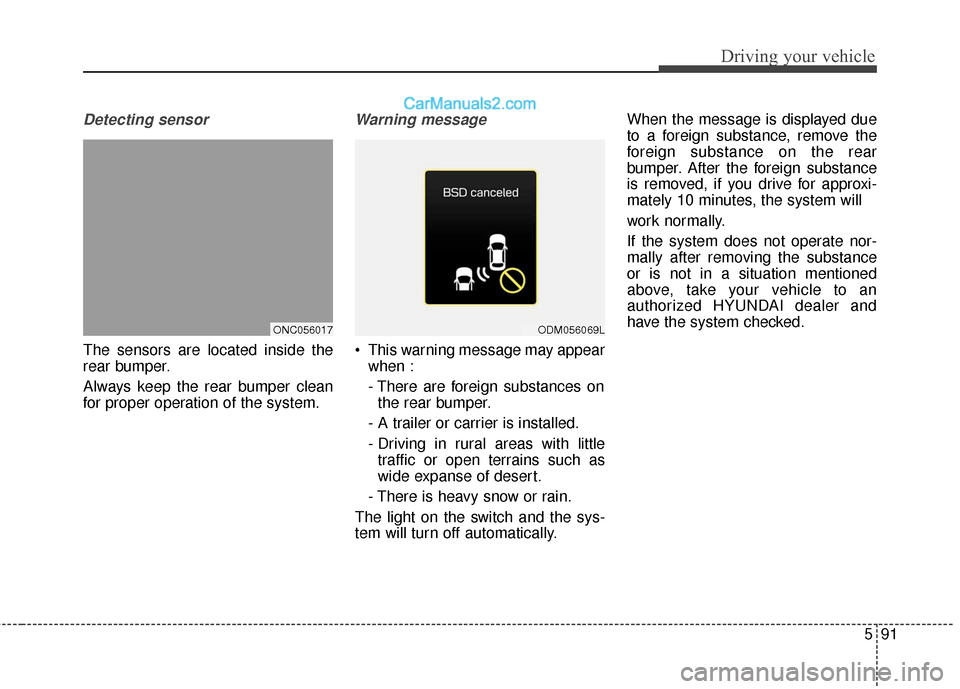
Detecting sensor
The sensors are located inside the
rear bumper.
Always keep the rear bumper clean
for proper operation of the system.
Warning message
This warning message may appearwhen :
- There are foreign substances onthe rear bumper.
- A trailer or carrier is installed.
- Driving in rural areas with little traffic or open terrains such as
wide expanse of desert.
- There is heavy snow or rain.
The light on the switch and the sys-
tem will turn off automatically. When the message is displayed due
to a foreign substance, remove the
foreign substance on the rear
bumper. After the foreign substance
is removed, if you drive for approxi-
mately 10 minutes, the system will
work normally.
If the system does not operate nor-
mally after removing the substance
or is not in a situation mentioned
above, take your vehicle to an
authorized HYUNDAI dealer and
have the system checked.
ONC056017ODM056069L
Page 384 of 569
Driving your vehicle
92
5
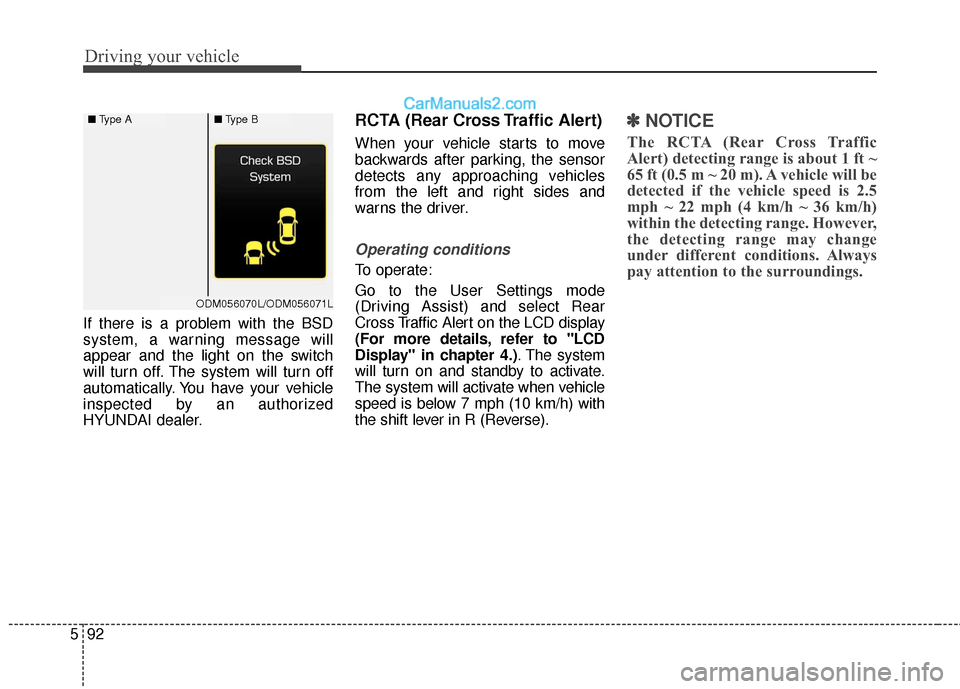
If there is a problem with the BSD
system, a warning message will
appear and the light on the switch
will turn off. The system will turn off
automatically. You have your vehicle
inspected by an authorized
HYUNDAI dealer.
RCTA (Rear Cross Traffic Alert)
When your vehicle starts to move
backwards after parking, the sensor
detects any approaching vehicles
from the left and right sides and
warns the driver.
Operating conditions
To operate:
Go to the User Settings mode
(Driving Assist) and select Rear
Cross Traffic Alert on the LCD display
(For more details, refer to "LCD
Display" in chapter 4.) . The system
will turn on and standby to activate.
The system will activate when vehicle
speed is below 7 mph (10 km/h) with
the shift lever in R (Reverse).
✽ ✽ NOTICE
The RCTA (Rear Cross Traffic
Alert) detecting range is about 1 ft ~
65 ft (0.5 m ~ 20 m). A vehicle will be
detected if the vehicle speed is 2.5
mph ~ 22 mph (4 km/h ~ 36 km/h)
within the detecting range. However,
the detecting range may change
under different conditions. Always
pay attention to the surroundings.
■ Type A■Type B
ODM056070L/ODM056071L