display Hyundai Santa Fe 2017 Owner's Guide
[x] Cancel search | Manufacturer: HYUNDAI, Model Year: 2017, Model line: Santa Fe, Model: Hyundai Santa Fe 2017Pages: 569, PDF Size: 16.88 MB
Page 199 of 569
Features of your vehicle
96
4
Fuel Economy
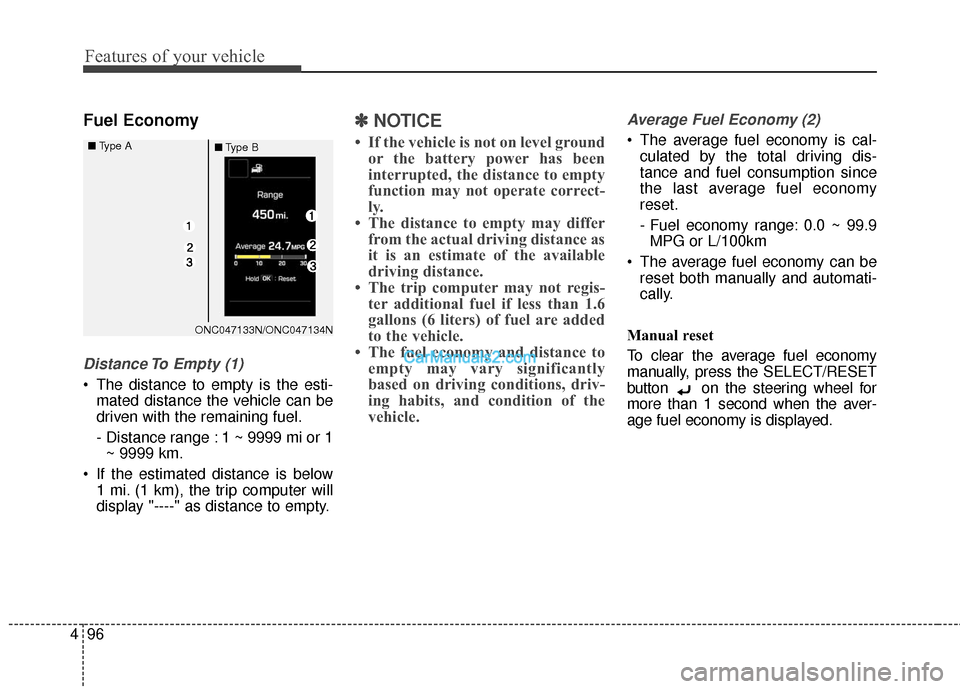
Distance To Empty (1)
The distance to empty is the esti-
mated distance the vehicle can be
driven with the remaining fuel.
- Distance range : 1 ~ 9999 mi or 1~ 9999 km.
If the estimated distance is below 1 mi. (1 km), the trip computer will
display "----" as distance to empty.
✽ ✽ NOTICE
• If the vehicle is not on level ground
or the battery power has been
interrupted, the distance to empty
function may not operate correct-
ly.
• The distance to empty may differ from the actual driving distance as
it is an estimate of the available
driving distance.
• The trip computer may not regis- ter additional fuel if less than 1.6
gallons (6 liters) of fuel are added
to the vehicle.
• The fuel economy and distance to empty may vary significantly
based on driving conditions, driv-
ing habits, and condition of the
vehicle.
Average Fuel Economy (2)
The average fuel economy is cal-
culated by the total driving dis-
tance and fuel consumption since
the last average fuel economy
reset.
- Fuel economy range: 0.0 ~ 99.9MPG or L/100km
The average fuel economy can be reset both manually and automati-
cally.
Manual reset
To clear the average fuel economy
manually, press the SELECT/RESET
button on the steering wheel for
more than 1 second when the aver-
age fuel economy is displayed.
ONC047133N/ONC047134N
■
Type A
■Type B
Page 200 of 569
497
Features of your vehicle
Automatic reset
To make the average fuel economy
be reset automatically whenever refu-
eling, select the "Auto Reset" mode in
User Setting menu of the LCD display
(Refer to "LCD Display").
Under "Auto Reset" mode, the aver-
age fuel economy will be cleared to
zero (--.-) when the vehicle speed
exceeds 1 km/h after refueling more
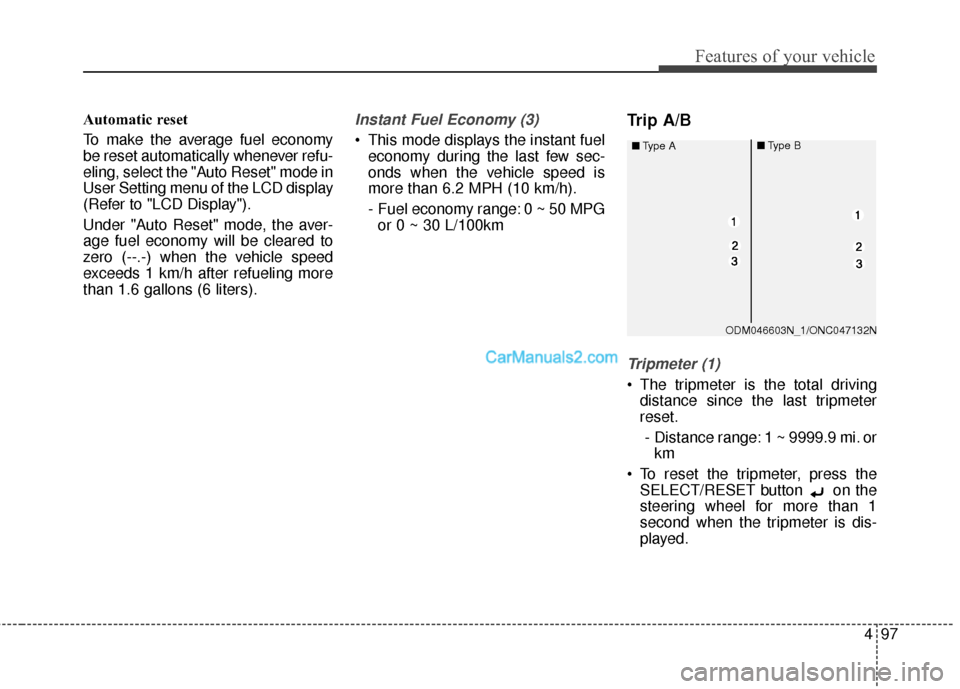
than 1.6 gallons (6 liters).Instant Fuel Economy (3)
This mode displays the instant fueleconomy during the last few sec-
onds when the vehicle speed is
more than 6.2 MPH (10 km/h).
- Fuel economy range: 0 ~ 50 MPGor 0 ~ 30 L/100km
Trip A/B
Tripmeter (1)
The tripmeter is the total driving distance since the last tripmeter
reset.
- Distance range: 1 ~ 9999.9 mi. or km
To reset the tripmeter, press the SELECT/RESET button on the
steering wheel for more than 1
second when the tripmeter is dis-
played.
ODM046603N_1/ONC047132N
■
Type A
■Type B
Page 201 of 569
Features of your vehicle
98
4
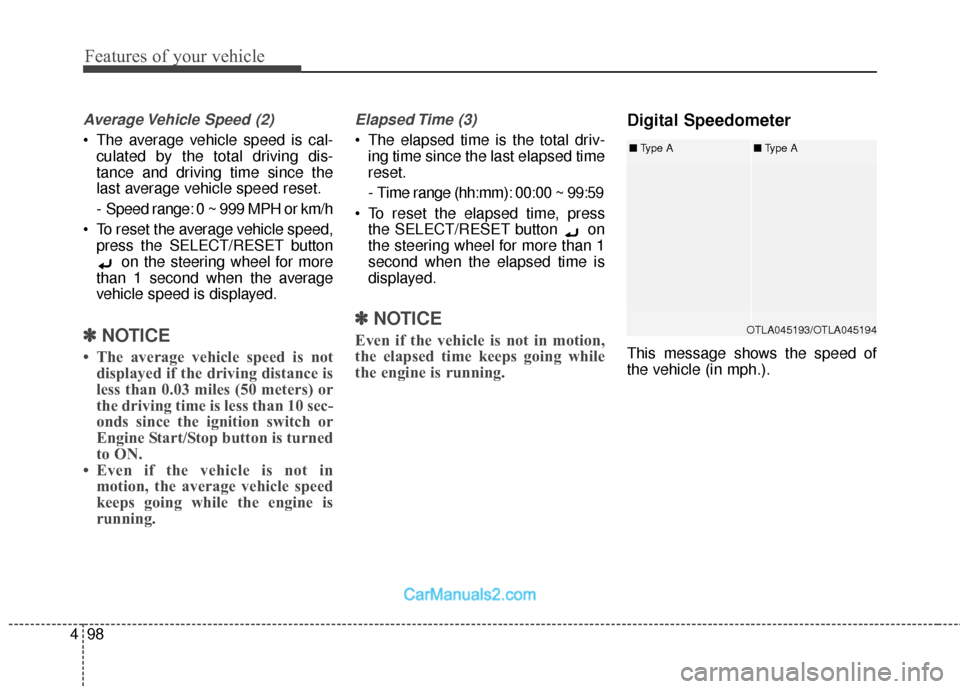
Average Vehicle Speed (2)
The average vehicle speed is cal-
culated by the total driving dis-
tance and driving time since the
last average vehicle speed reset.
- Speed range: 0 ~ 999 MPH or km/h
To reset the average vehicle speed, press the SELECT/RESET button on the steering wheel for more
than 1 second when the average
vehicle speed is displayed.
✽ ✽ NOTICE
• The average vehicle speed is not
displayed if the driving distance is
less than 0.03 miles (50 meters) or
the driving time is less than 10 sec-
onds since the ignition switch or
Engine Start/Stop button is turned
to ON.
• Even if the vehicle is not in motion, the average vehicle speed
keeps going while the engine is
running.
Elapsed Time (3)
The elapsed time is the total driv-
ing time since the last elapsed time
reset.
- Time range (hh:mm): 00:00 ~ 99:59
To reset the elapsed time, press the SELECT/RESET button on
the steering wheel for more than 1
second when the elapsed time is
displayed.
✽ ✽ NOTICE
Even if the vehicle is not in motion,
the elapsed time keeps going while
the engine is running.
Digital Speedometer
This message shows the speed of
the vehicle (in mph.).
OTLA045193/OTLA045194
■ Type A■Type A
Page 202 of 569
499
Features of your vehicle
Driving information mode (if equipped)
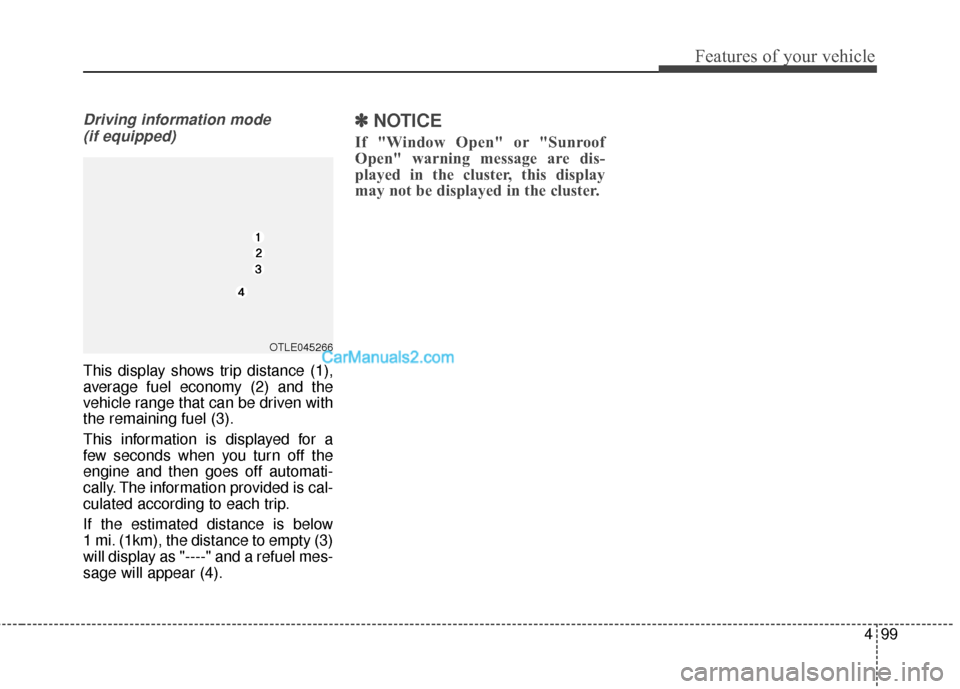
This display shows trip distance (1),
average fuel economy (2) and the
vehicle range that can be driven with
the remaining fuel (3).
This information is displayed for a
few seconds when you turn off the
engine and then goes off automati-
cally. The information provided is cal-
culated according to each trip.
If the estimated distance is below
1 mi. (1km), the distance to empty (3)
will display as "----" and a refuel mes-
sage will appear (4).
✽ ✽ NOTICE
If "Window Open" or "Sunroof
Open" warning message are dis-
played in the cluster, this display
may not be displayed in the cluster.
OTLE045266
Page 220 of 569
4117
Features of your vehicle
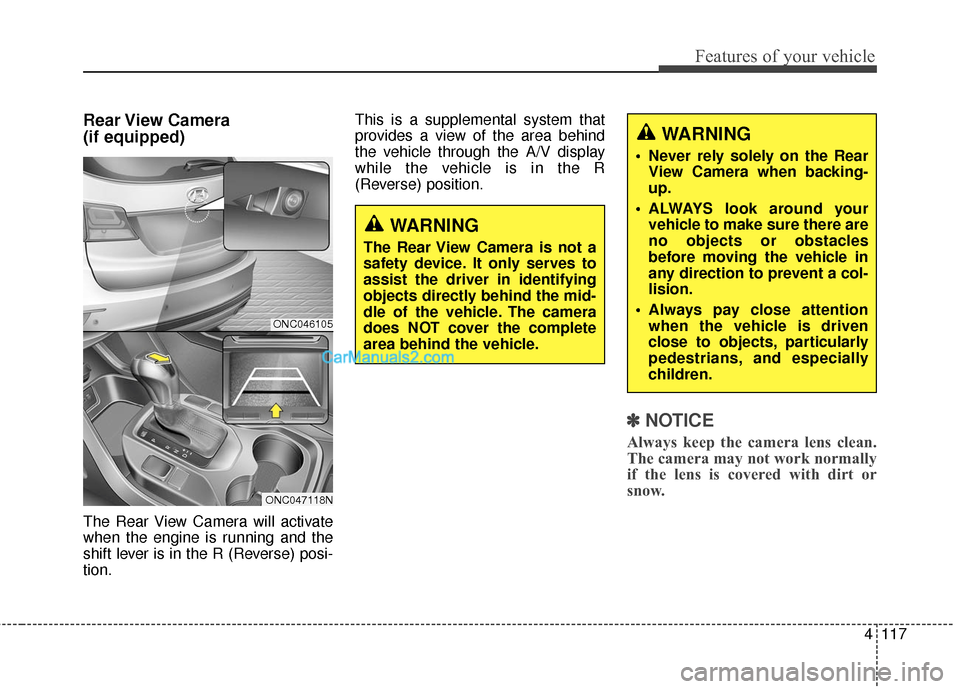
Rear View Camera
(if equipped)
The Rear View Camera will activate
when the engine is running and the
shift lever is in the R (Reverse) posi-
tion.This is a supplemental system that
provides a view of the area behind
the vehicle through the A/V display
while the vehicle is in the R
(Reverse) position.
✽ ✽
NOTICE
Always keep the camera lens clean.
The camera may not work normally
if the lens is covered with dirt or
snow.
WARNING
The Rear View Camera is not a
safety device. It only serves to
assist the driver in identifying
objects directly behind the mid-
dle of the vehicle. The camera
does NOT cover the complete
area behind the vehicle.
WARNING
Never rely solely on the Rear
View Camera when backing-
up.
ALWAYS look around your vehicle to make sure there are
no objects or obstacles
before moving the vehicle in
any direction to prevent a col-
lision.
Always pay close attention when the vehicle is driven
close to objects, particularly
pedestrians, and especially
children.
ONC046105
ONC047118N
Page 228 of 569
4125
Features of your vehicle
One Touch Turn Signal
To activate the one-touch lane
change function, move the turn sig-
nal lever slightly and then release it.
The lane change signals will blink 3
(5 or 7, if equipped) times.
You can activate/deactivate the One
Touch Turn Signal function or choose
the number of blinking (3, 5, or 7)
from the User Settings Mode on the
LCD display (if equipped).
✽ ✽NOTICE
If an indicator flash is abnormally
quick or slow, a bulb may be burned
out or have a poor electrical connec-
tion in the circuit.
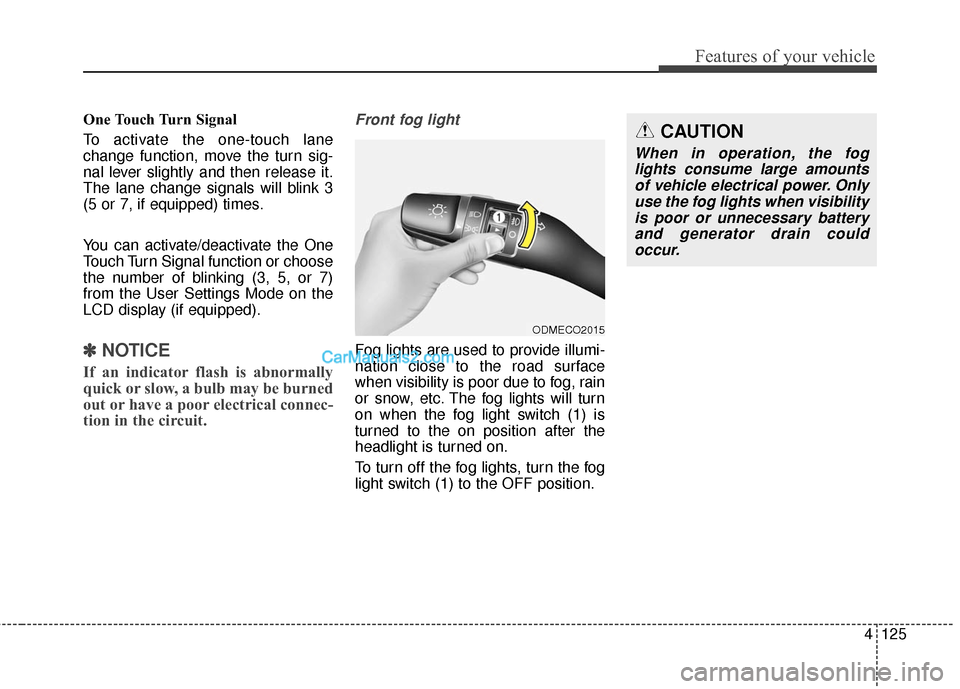
Front fog light
Fog lights are used to provide illumi-
nation close to the road surface
when visibility is poor due to fog, rain
or snow, etc. The fog lights will turn
on when the fog light switch (1) is
turned to the on position after the
headlight is turned on.
To turn off the fog lights, turn the fog
light switch (1) to the OFF position.
ODMECO2015
CAUTION
When in operation, the fog
lights consume large amountsof vehicle electrical power. Onlyuse the fog lights when visibilityis poor or unnecessary batteryand generator drain couldoccur.
Page 252 of 569
4149
Features of your vehicle
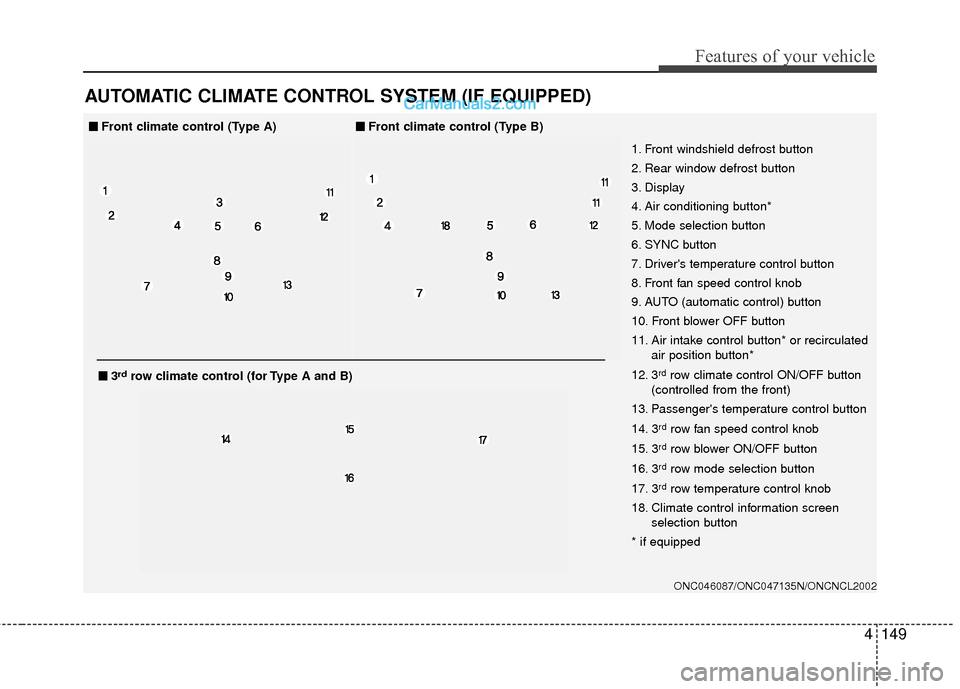
AUTOMATIC CLIMATE CONTROL SYSTEM (IF EQUIPPED)
ONC046087/ONC047135N/ONCNCL2002
1. Front windshield defrost button
2. Rear window defrost button
3. Display
4. Air conditioning button*
5. Mode selection button
6. SYNC button
7. Driver's temperature control button
8. Front fan speed control knob
9. AUTO (automatic control) button
10. Front blower OFF button
11. Air intake control button* or recirculatedair position button*
12. 3
rdrow climate control ON/OFF button
(controlled from the front)
13. Passenger's temperature control button
14. 3
rdrow fan speed control knob
15. 3
rdrow blower ON/OFF button
16. 3
rdrow mode selection button
17. 3
rdrow temperature control knob
18. Climate control information screen selection button
* if equipped
■
■ Front climate control (Type A)■
■Front climate control (Type B)
■
■3rdrow climate control (for Type A and B)
Page 253 of 569
Features of your vehicle
150
4
ONC047087N/ONC047088N
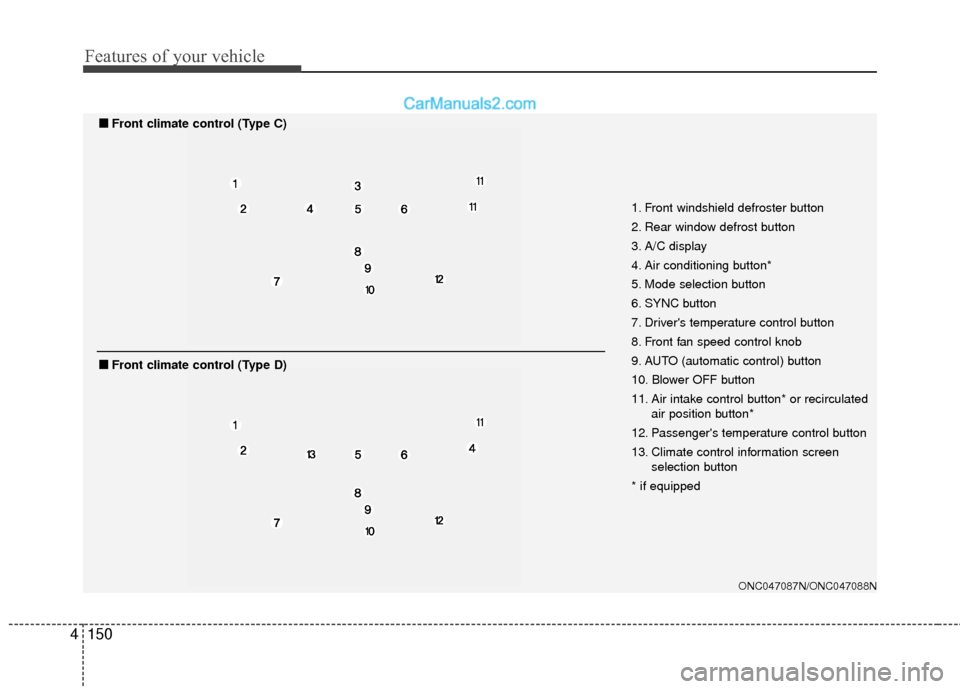
1. Front windshield defroster button
2. Rear window defrost button
3. A/C display
4. Air conditioning button*
5. Mode selection button
6. SYNC button
7. Driver's temperature control button
8. Front fan speed control knob
9. AUTO (automatic control) button
10. Blower OFF button
11. Air intake control button* or recirculated
air position button*
12. Passenger's temperature control button
13. Climate control information screen selection button
* if equipped
■
■ Front climate control (Type C)
■
■Front climate control (Type D)
Page 254 of 569
4151
Features of your vehicle
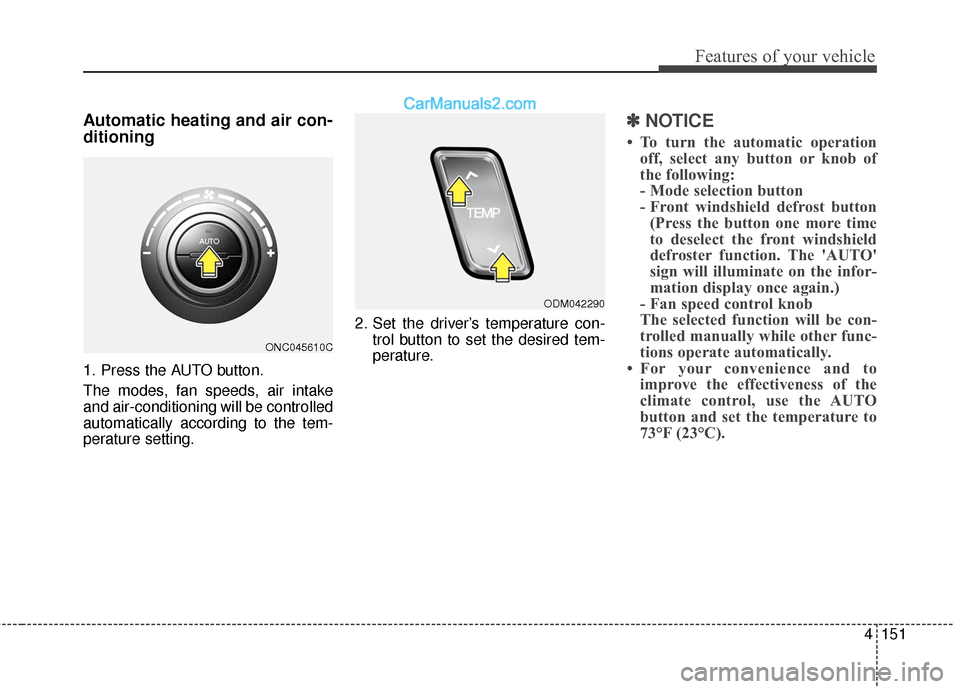
Automatic heating and air con-
ditioning
1. Press the AUTO button.
The modes, fan speeds, air intake
and air-conditioning will be controlled
automatically according to the tem-
perature setting.2. Set the driver’s temperature con-
trol button to set the desired tem-
perature.
✽ ✽NOTICE
• To turn the automatic operation
off, select any button or knob of
the following:
- Mode selection button
- Front windshield defrost button(Press the button one more time
to deselect the front windshield
defroster function. The 'AUTO'
sign will illuminate on the infor-
mation display once again.)
- Fan speed control knob
The selected function will be con-
trolled manually while other func-
tions operate automatically.
• For your convenience and to improve the effectiveness of the
climate control, use the AUTO
button and set the temperature to
73°F (23°C).
ONC045610C
ODM042290
Page 258 of 569
4155
Features of your vehicle
Temperature conversion
If the battery has been discharged or
disconnected, the temperature mode
display will reset to Fahrenheit.
To change the temperature unit from
°F to °C or °C to °F:
- On the instrument cluster, go toUser Settings Mode ➝ Other
Features ➝Temperature Unit.
- Press the AUTO button for 3 sec- onds while pressing the OFF but-
ton. (Automatic climate control sys-
tem)
Both the temperature unit on the
cluster LCD display and climate con-
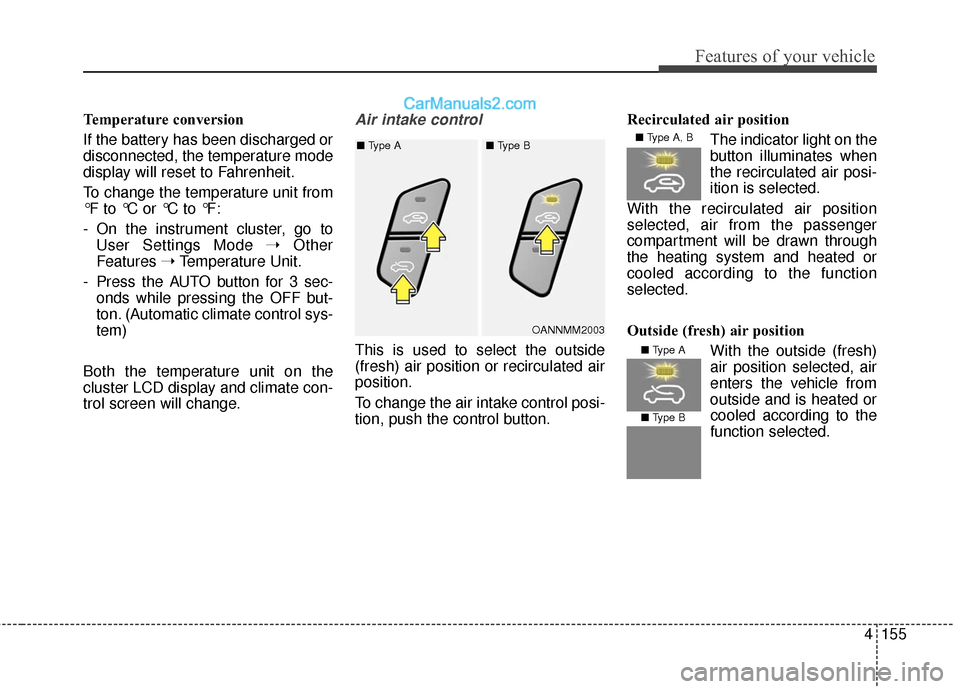
trol screen will change.Air intake control
This is used to select the outside
(fresh) air position or recirculated air
position.
To change the air intake control posi-
tion, push the control button. Recirculated air position
The indicator light on the
button illuminates when
the recirculated air posi-
ition is selected.
With the recirculated air position
selected, air from the passenger
compartment will be drawn through
the heating system and heated or
cooled according to the function
selected.
Outside (fresh) air position With the outside (fresh)
air position selected, air
enters the vehicle from
outside and is heated orcooled according to the
function selected.
OANNMM2003
■
Type A ■ Type B
■ Type A, B
■ Type A
■ Type B