display Hyundai Santa Fe 2017 Service Manual
[x] Cancel search | Manufacturer: HYUNDAI, Model Year: 2017, Model line: Santa Fe, Model: Hyundai Santa Fe 2017Pages: 569, PDF Size: 16.88 MB
Page 369 of 569
577
Driving your vehicle
Cancelled automatically
The driver's door is opened.
The shift lever is shifted to N(Neutral), R (Reverse) or P (Park).
The EPB (Electronic Parking Brake) is applied.
The vehicle speed is over 120 mph (190 km/h).
The vehicle stops on a steep incline.
The ESC, TCS or ABS is operat- ing.
The ESC or TCS is turned off.
The AEB is activated.
The sensor or the cover is dirty or blocked with foreign matter.
When the vehicle is stopped for more than 5 minutes.
The vehicle stops and goes repeat- edly for a long period of time.
The driver starts driving by pushing the toggle switch up (RES +) or
down (SET -), approximately 3
seconds after the vehicle is
stopped by the Smart Cruise
Control System with no other vehi-
cle ahead. The driver starts driving by pushing
the toggle switch up (RES +) or
down (SET -), after stopping the
vehicle with a vehicle stopped far
away in front.
The accelerator pedal is continu- ously depressed for more than one
minute.
Each of these actions will cancel the
Smart Cruise Control operation. (the
Set Speed and Vehicle-to-Vehicle
Distance on the LCD display will go
off.)
In a condition the Smart Cruise
Control is cancelled automatically,
the Smart Cruise Control will not
resume even though the RES+ or
SET- toggle switch is pushed. Also,
the EPB will be applied when the
vehicle is stopped.
✽ ✽ NOTICE
If the Smart Cruise Control is can-
celled by other than the reasons
mentioned, have the system checked
by an authorized HYUNDAI dealer.
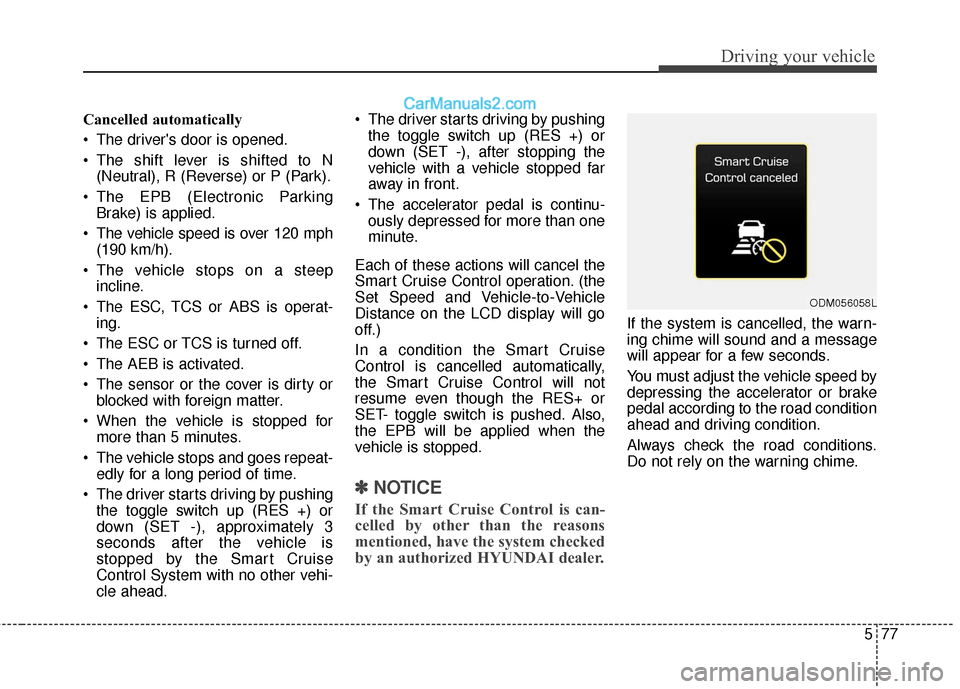
If the system is cancelled, the warn-
ing chime will sound and a message
will appear for a few seconds.
You must adjust the vehicle speed by
depressing the accelerator or brake
pedal according to the road condition
ahead and driving condition.
Always check the road conditions.
Do not rely on the warning chime.
ODM056058L
Page 372 of 569
Driving your vehicle
80
5
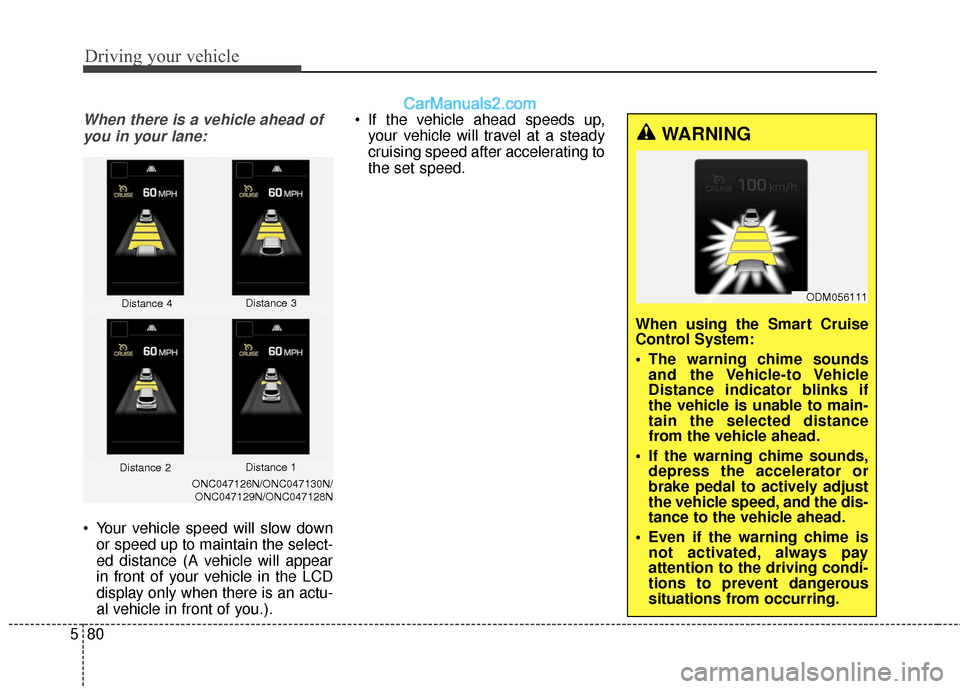
When there is a vehicle ahead of
you in your lane:
Your vehicle speed will slow down or speed up to maintain the select-
ed distance (A vehicle will appear
in front of your vehicle in the LCD
display only when there is an actu-
al vehicle in front of you.). If the vehicle ahead speeds up,
your vehicle will travel at a steady
cruising speed after accelerating to
the set speed.
Distance 4 Distance 3
ONC047126N/ONC047130N/
ONC047129N/ONC047128N
WARNING
When using the Smart Cruise
Control System:
The warning chime sounds and the Vehicle-to Vehicle
Distance indicator blinks if
the vehicle is unable to main-
tain the selected distance
from the vehicle ahead.
If the warning chime sounds, depress the accelerator or
brake pedal to actively adjust
the vehicle speed, and the dis-
tance to the vehicle ahead.
Even if the warning chime is not activated, always pay
attention to the driving condi-
tions to prevent dangerous
situations from occurring.
Distance 2 Distance 1
ODM056111
Page 382 of 569
Driving your vehicle
90
5
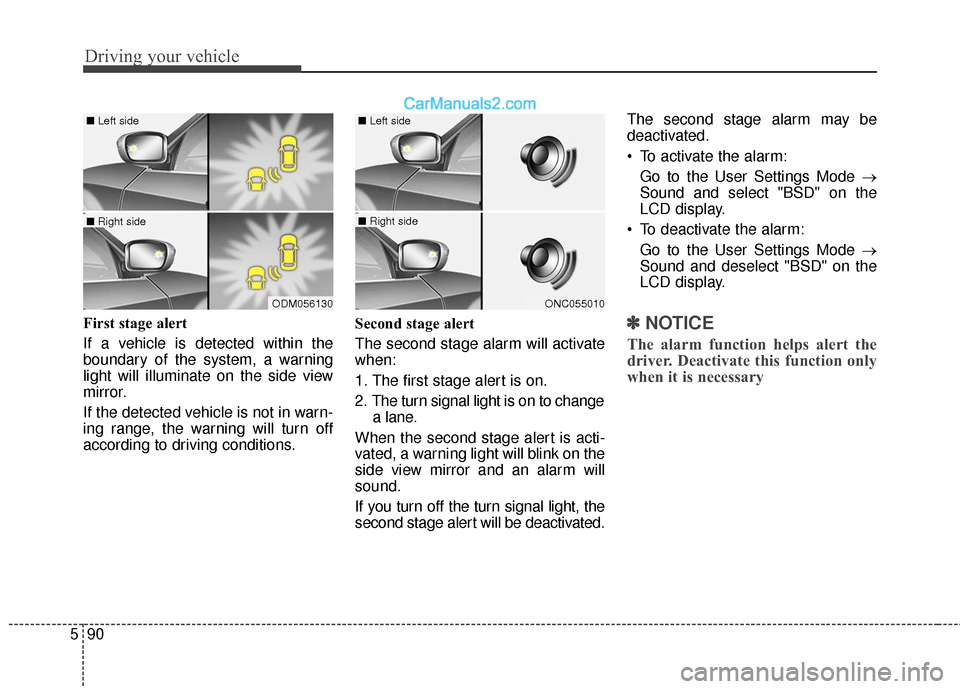
First stage alert
If a vehicle is detected within the
boundary of the system, a warning
light will illuminate on the side view
mirror.
If the detected vehicle is not in warn-
ing range, the warning will turn off
according to driving conditions. Second stage alert
The second stage alarm will activate
when:
1. The first stage alert is on.
2. The turn signal light is on to change
a lane.
When the second stage alert is acti-
vated, a warning light will blink on the
side view mirror and an alarm will
sound.
If you turn off the turn signal light, the
second stage alert will be deactivated. The second stage alarm may be
deactivated.
To activate the alarm:
Go to the User Settings Mode →
Sound and select "BSD" on the
LCD display.
To deactivate the alarm: Go to the User Settings Mode →
Sound and deselect "BSD" on the
LCD display.✽ ✽ NOTICE
The alarm function helps alert the
driver. Deactivate this function only
when it is necessary
ODM056130
■ Left side
■ Right side
ONC055010
■ Left side
■ Right side
Page 383 of 569
591
Driving your vehicle
Detecting sensor
The sensors are located inside the
rear bumper.
Always keep the rear bumper clean
for proper operation of the system.
Warning message
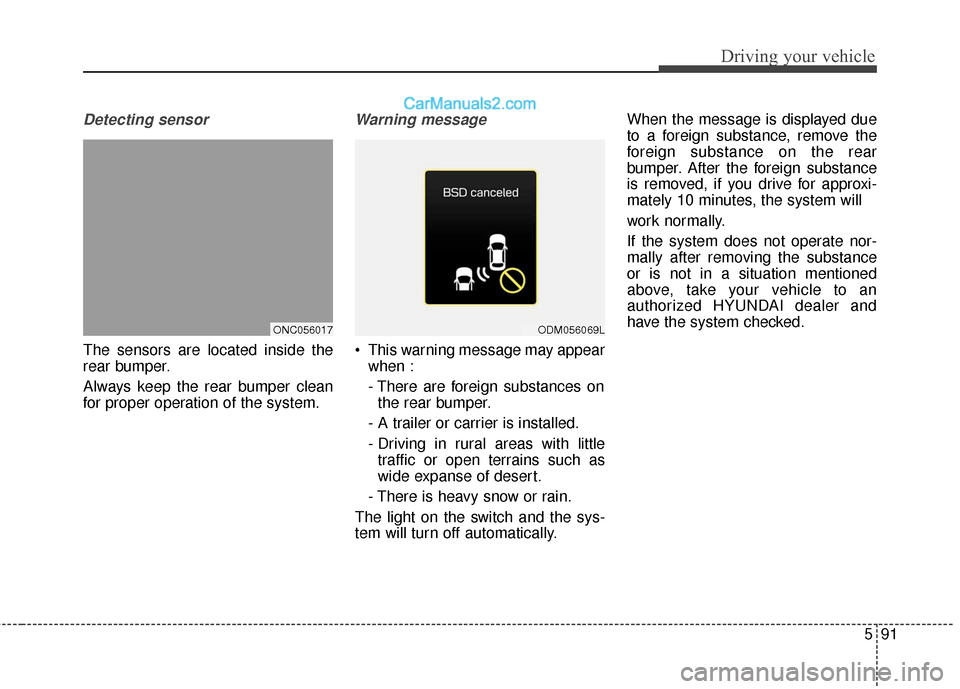
This warning message may appearwhen :
- There are foreign substances onthe rear bumper.
- A trailer or carrier is installed.
- Driving in rural areas with little traffic or open terrains such as
wide expanse of desert.
- There is heavy snow or rain.
The light on the switch and the sys-
tem will turn off automatically. When the message is displayed due
to a foreign substance, remove the
foreign substance on the rear
bumper. After the foreign substance
is removed, if you drive for approxi-
mately 10 minutes, the system will
work normally.
If the system does not operate nor-
mally after removing the substance
or is not in a situation mentioned
above, take your vehicle to an
authorized HYUNDAI dealer and
have the system checked.
ONC056017ODM056069L
Page 384 of 569
Driving your vehicle
92
5
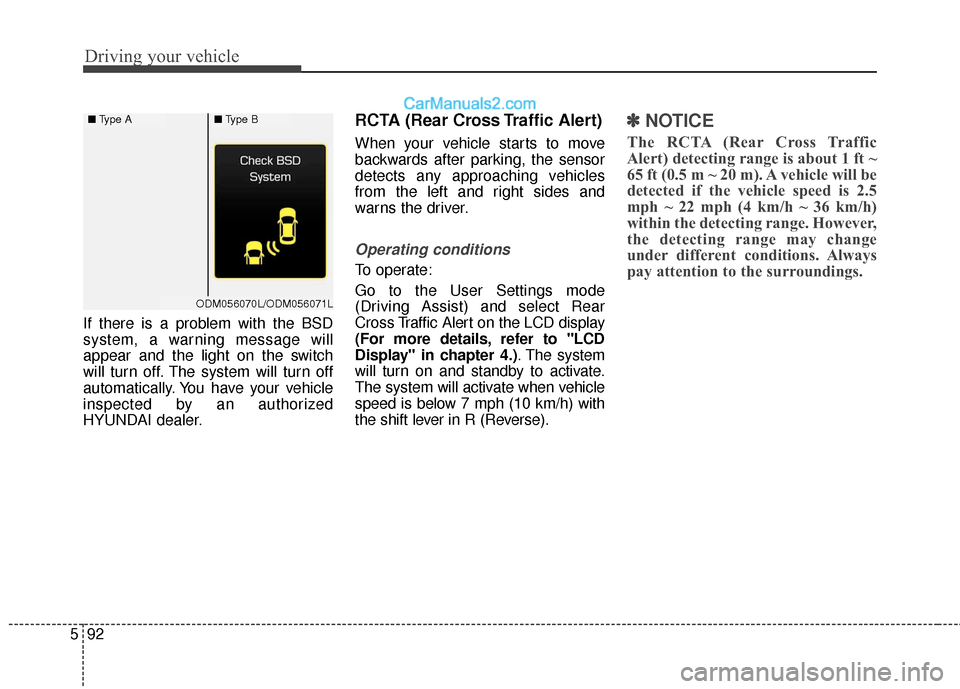
If there is a problem with the BSD
system, a warning message will
appear and the light on the switch
will turn off. The system will turn off
automatically. You have your vehicle
inspected by an authorized
HYUNDAI dealer.
RCTA (Rear Cross Traffic Alert)
When your vehicle starts to move
backwards after parking, the sensor
detects any approaching vehicles
from the left and right sides and
warns the driver.
Operating conditions
To operate:
Go to the User Settings mode
(Driving Assist) and select Rear
Cross Traffic Alert on the LCD display
(For more details, refer to "LCD
Display" in chapter 4.) . The system
will turn on and standby to activate.
The system will activate when vehicle
speed is below 7 mph (10 km/h) with
the shift lever in R (Reverse).
✽ ✽ NOTICE
The RCTA (Rear Cross Traffic
Alert) detecting range is about 1 ft ~
65 ft (0.5 m ~ 20 m). A vehicle will be
detected if the vehicle speed is 2.5
mph ~ 22 mph (4 km/h ~ 36 km/h)
within the detecting range. However,
the detecting range may change
under different conditions. Always
pay attention to the surroundings.
■ Type A■Type B
ODM056070L/ODM056071L
Page 385 of 569
593
Driving your vehicle
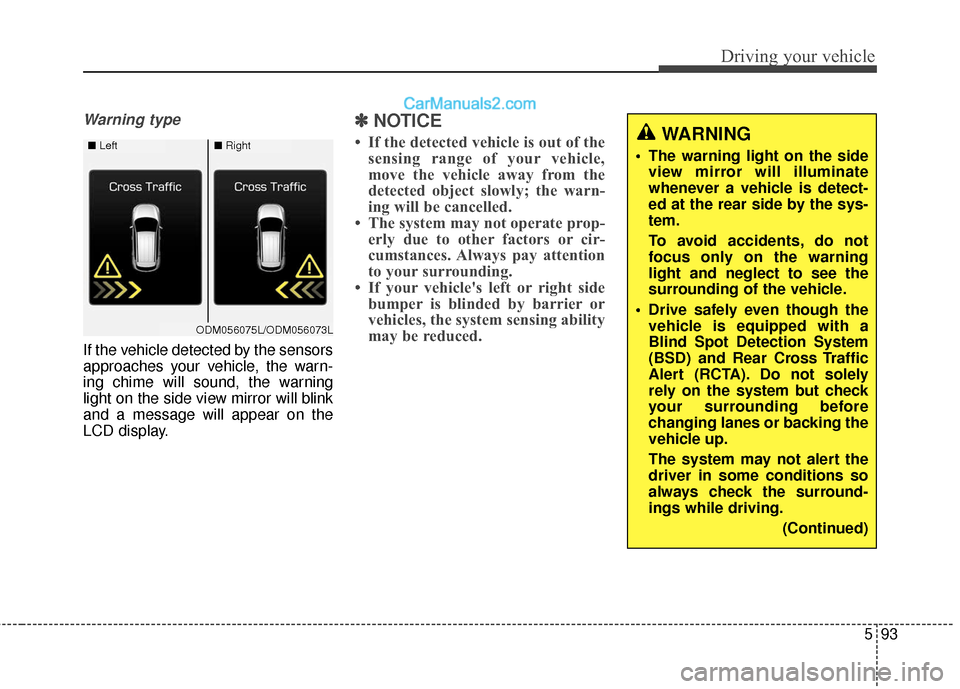
Warning type
If the vehicle detected by the sensors
approaches your vehicle, the warn-
ing chime will sound, the warning
light on the side view mirror will blink
and a message will appear on the
LCD display.
✽ ✽NOTICE
• If the detected vehicle is out of the
sensing range of your vehicle,
move the vehicle away from the
detected object slowly; the warn-
ing will be cancelled.
• The system may not operate prop- erly due to other factors or cir-
cumstances. Always pay attention
to your surrounding.
• If your vehicle's left or right side bumper is blinded by barrier or
vehicles, the system sensing ability
may be reduced.WARNING
• The warning light on the side
view mirror will illuminate
whenever a vehicle is detect-
ed at the rear side by the sys-
tem.
To avoid accidents, do not
focus only on the warning
light and neglect to see the
surrounding of the vehicle.
Drive safely even though the vehicle is equipped with a
Blind Spot Detection System
(BSD) and Rear Cross Traffic
Alert (RCTA). Do not solely
rely on the system but check
your surrounding before
changing lanes or backing the
vehicle up.
The system may not alert the
driver in some conditions so
always check the surround-
ings while driving.
(Continued)■Left■Right
ODM056075L/ODM056073L
Page 389 of 569
597
Driving your vehicle
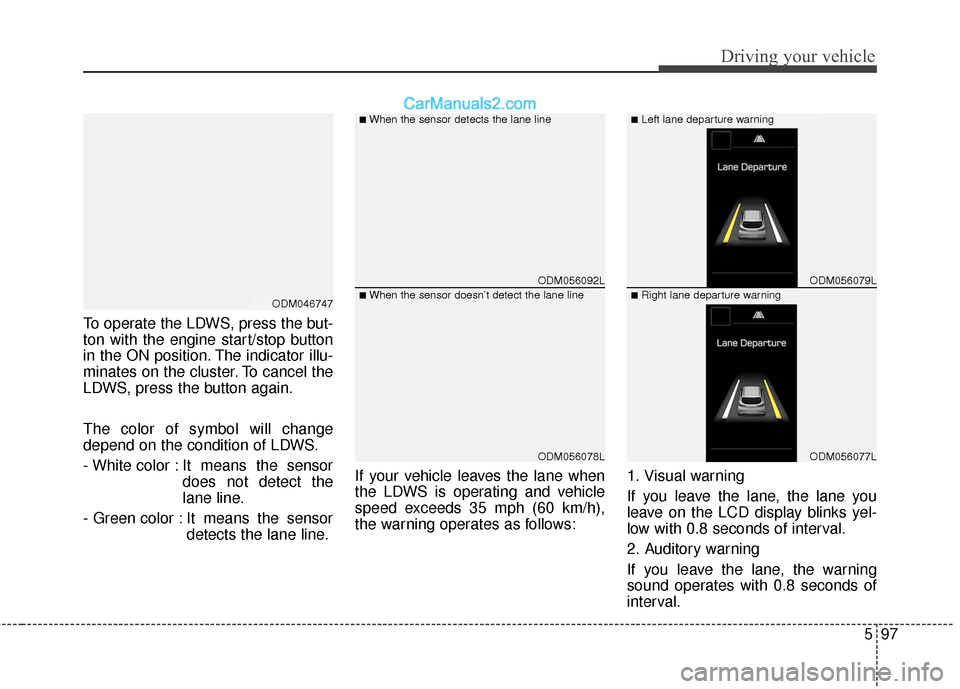
To operate the LDWS, press the but-
ton with the engine start/stop button
in the ON position. The indicator illu-
minates on the cluster. To cancel the
LDWS, press the button again.
The color of symbol will change
depend on the condition of LDWS.
- White color : It means the sensordoes not detect the
lane line.
- Green color : It means the sensor detects the lane line. If your vehicle leaves the lane when
the LDWS is operating and vehicle
speed exceeds 35 mph (60 km/h),
the warning operates as follows:
1. Visual warning
If you leave the lane, the lane you
leave on the LCD display blinks yel-
low with 0.8 seconds of interval.
2. Auditory warning
If you leave the lane, the warning
sound operates with 0.8 seconds of
interval.
ODM056092L
ODM056078L
ODM056079L
ODM056077L
■When the sensor detects the lane line■Left lane departure warning
■When the sensor doesn’t detect the lane line■Right lane departure warningODM046747
Page 429 of 569
69
What to do in an emergency
TIRE PRESSURE MONITORING SYSTEM (TPMS)
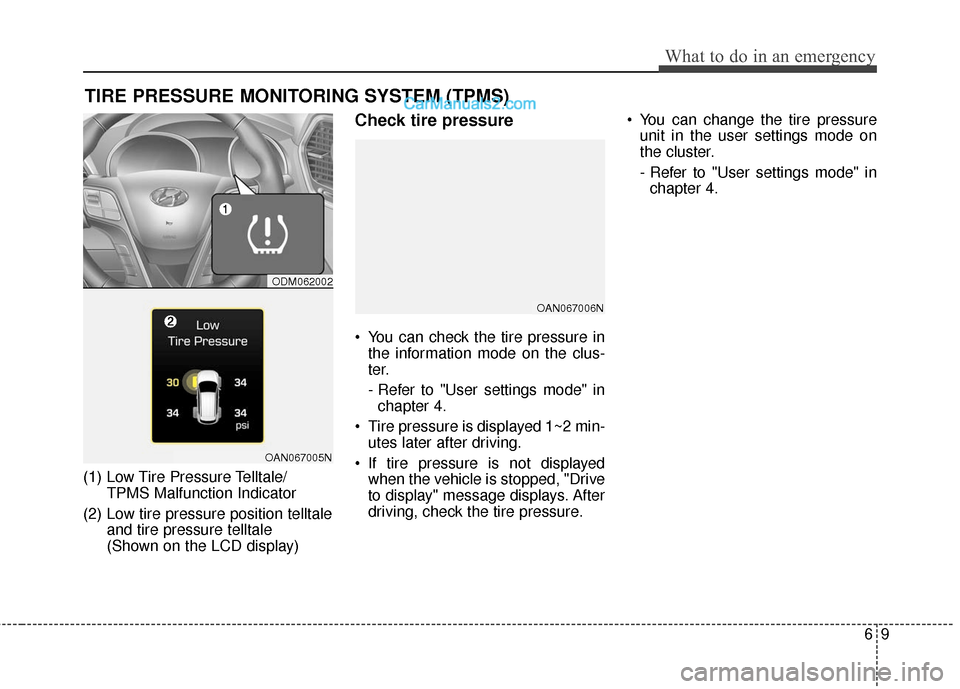
(1) Low Tire Pressure Telltale/TPMS Malfunction Indicator
(2) Low tire pressure position telltale and tire pressure telltale
(Shown on the LCD display)
Check tire pressure
You can check the tire pressure inthe information mode on the clus-
ter.
- Refer to "User settings mode" inchapter 4.
Tire pressure is displayed 1~2 min- utes later after driving.
If tire pressure is not displayed when the vehicle is stopped, "Drive
to display" message displays. After
driving, check the tire pressure. You can change the tire pressure
unit in the user settings mode on
the cluster.
- Refer to "User settings mode" inchapter 4.
ODM062002
OAN067005N
OAN067006N
Page 431 of 569
611
What to do in an emergency
✽
✽NOTICE
If any of the below happens, have
the system checked by an authorized
HYUNDAI dealer.
1.The low tire pressure telltale/
TPMS malfunction indicator does
not illuminate for 3 seconds when
Engine Start/Stop button is turned
to the ON or engine is running.
2. The TPMS malfunction indicator remains illuminated after blinking
for approximately 1 minute.
3. The Low tire pressure position telltale remains illuminated.
Low tire pressure
telltale
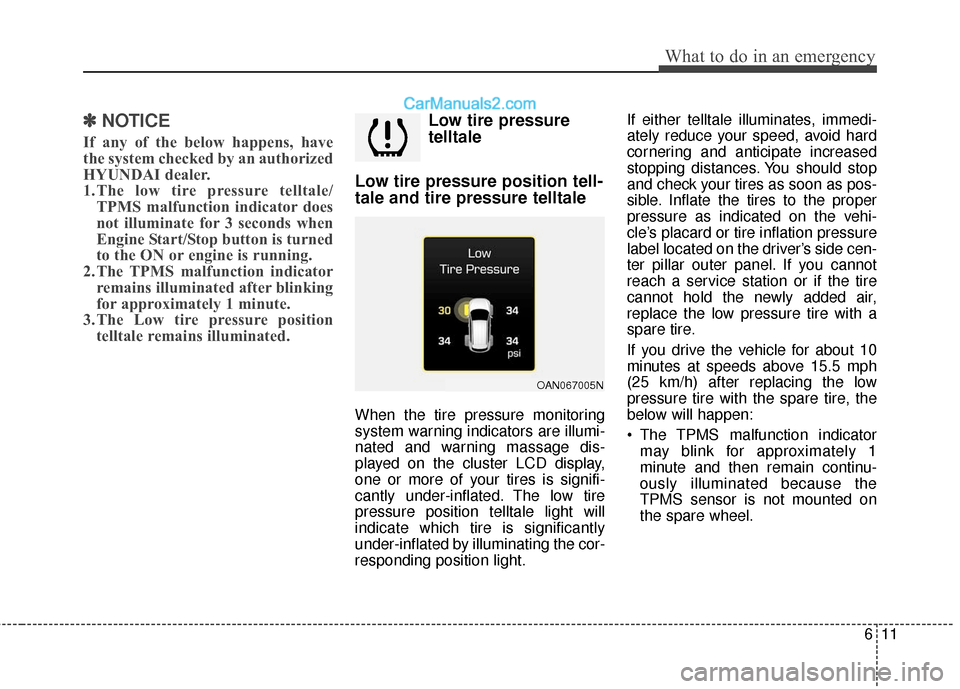
Low tire pressure position tell-
tale and tire pressure telltale
When the tire pressure monitoring
system warning indicators are illumi-
nated and warning massage dis-
played on the cluster LCD display,
one or more of your tires is signifi-
cantly under-inflated. The low tire
pressure position telltale light will
indicate which tire is significantly
under-inflated by illuminating the cor-
responding position light. If either telltale illuminates, immedi-
ately reduce your speed, avoid hard
cornering and anticipate increased
stopping distances. You should stop
and check your tires as soon as pos-
sible. Inflate the tires to the proper
pressure as indicated on the vehi-
cle’s placard or tire inflation pressure
label located on the driver’s side cen-
ter pillar outer panel. If you cannot
reach a service station or if the tire
cannot hold the newly added air,
replace the low pressure tire with a
spare tire.
If you drive the vehicle for about 10
minutes at speeds above 15.5 mph
(25 km/h) after replacing the low
pressure tire with the spare tire, the
below will happen:
The TPMS malfunction indicator
may blink for approximately 1
minute and then remain continu-
ously illuminated because the
TPMS sensor is not mounted on
the spare wheel.
OAN067005N
Page 432 of 569
What to do in an emergency
12
6
✽
✽
NOTICE
The spare tire is not equipped with a
tire pressure sensor.
TPMS (Tire Pressure
Monitoring System)
malfunction indicator
The TPMS malfunction indicator will
illuminate after it blinks for approxi-
mately one minute when there is a
problem with the Tire Pressure
Monitoring System.
Have the system checked by an
authorized HYUNDAI dealer.
✽ ✽NOTICE
If there is a malfunction with the
TPMS, the low tire pressure position
telltale will not be displayed even
though the vehicle has an under-
inflated tire.
CAUTION
In winter or cold weather, the
low tire pressure telltale mayilluminate if the tire pressurewas adjusted to the recom-mended tire inflation pressurein warm weather. It does notmean your TPMS is malfunction-ing because the decreased tem-perature leads to a lowering oftire pressure.
When you drive your vehiclefrom a warm area to a cold areaor from a cold area to a warmarea, or the outside temperatureis higher or lower, you shouldcheck the tire inflation pressureand adjust the tires to the rec-ommended tire inflation pres-sure.
WARNING- Low pressure
damage
Significantly low tire pressure
makes the vehicle unstable and
can contribute to loss of vehicle
control and increased braking
distances.
Continued driving on low pres-
sure tires can cause the tires to
overheat and fail.