remove Hyundai Santa Fe 2017 Service Manual
[x] Cancel search | Manufacturer: HYUNDAI, Model Year: 2017, Model line: Santa Fe, Model: Hyundai Santa Fe 2017Pages: 569, PDF Size: 16.88 MB
Page 278 of 569
4175
Features of your vehicle
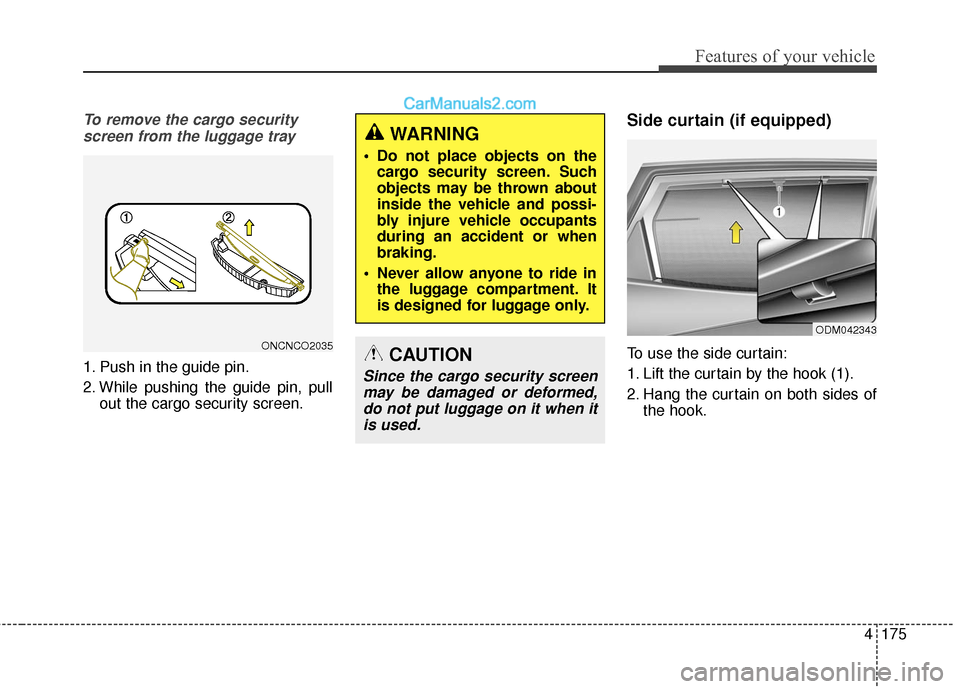
To remove the cargo securityscreen from the luggage tray
1. Push in the guide pin.
2. While pushing the guide pin, pull out the cargo security screen.
Side curtain (if equipped)
To use the side curtain:
1. Lift the curtain by the hook (1).
2. Hang the curtain on both sides ofthe hook.
WARNING
Do not place objects on thecargo security screen. Such
objects may be thrown about
inside the vehicle and possi-
bly injure vehicle occupants
during an accident or when
braking.
Never allow anyone to ride in the luggage compartment. It
is designed for luggage only.
CAUTION
Since the cargo security screenmay be damaged or deformed,do not put luggage on it when itis used.
ODM042343
ONCNCO2035
Page 291 of 569
Features of your vehicle
188
4
✽
✽
NOTICE - WHEN CONNECT-
ING A
Bluetooth®PHONE
• Before connecting the head unit with the mobile phone, check to
see that the mobile phone supports
Bluetooth
®features.
• Even if the phone supports Bluetooth
®, the phone will not be
found during device searches if the
phone has been set to hidden state
or the Bluetooth
®power is turned
off. Disable the hidden state or
turn on the Bluetooth
®power
prior to searching/connecting with
the Head unit.
• After a Bluetooth phone has been successfully paired, the phone will
automatically connect when the
ignition is turned on.
• If you do not want automatic con- nection with your Bluetooth
®
device, turn off the Bluetooth®fea-
ture within your mobile phone.
• The Handsfree call volume and quality may differ depending on
the mobile phone. (Continued)(Continued)
• Park the vehicle when connecting
the head unit with the mobile
phone.
• Bluetooth
®connection may
become intermittently disconnect-
ed in some mobile phones. Follow
these steps to try again.
1. Within the mobile phone, turn the Bluetooth
®function off/on
and try again.
2. Turn the mobile phone power Off/On and try again.
3. Completely remove the mobile phone battery, reboot, and then
again.
4. Reboot the Audio System and try again.
5. Delete all paired devices, pair and try again.
Page 299 of 569
57
Driving your vehicle
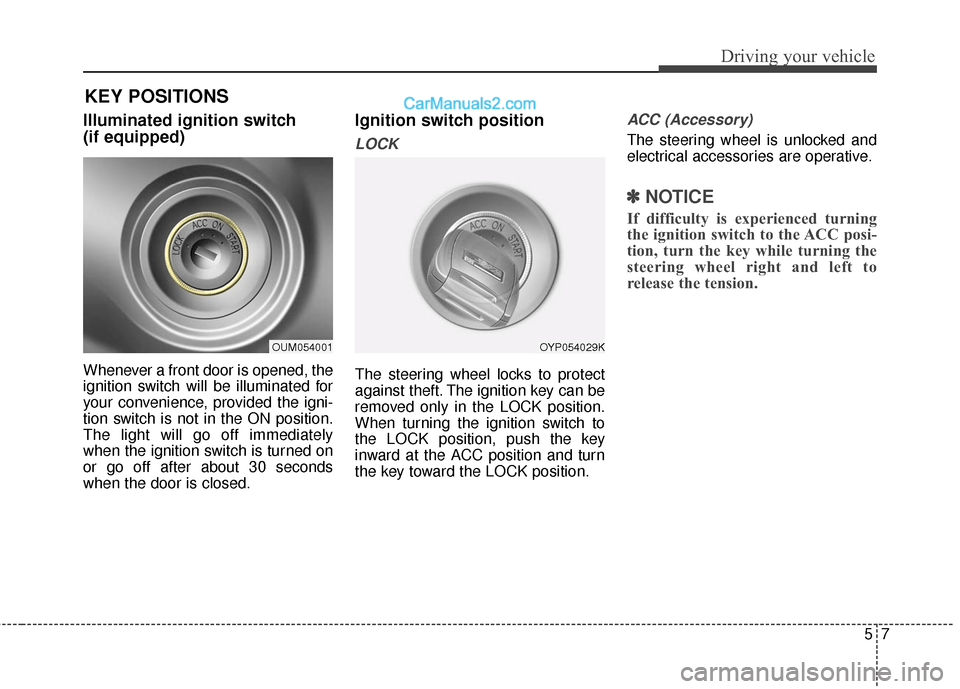
Illuminated ignition switch
(if equipped)
Whenever a front door is opened, the
ignition switch will be illuminated for
your convenience, provided the igni-
tion switch is not in the ON position.
The light will go off immediately
when the ignition switch is turned on
or go off after about 30 seconds
when the door is closed.
Ignition switch position
LOCK
The steering wheel locks to protect
against theft. The ignition key can be
removed only in the LOCK position.
When turning the ignition switch to
the LOCK position, push the key
inward at the ACC position and turn
the key toward the LOCK position.
ACC (Accessory)
The steering wheel is unlocked and
electrical accessories are operative.
✽ ✽NOTICE
If difficulty is experienced turning
the ignition switch to the ACC posi-
tion, turn the key while turning the
steering wheel right and left to
release the tension.
OUM054001OYP054029K
KEY POSITIONS
Page 311 of 569
519
Driving your vehicle
Shift lock system
For your safety, the automatic
transaxle has a shift lock system
which prevents shifting the transaxle
from P (Park) or N (Neutral) into R
(Reverse) unless the brake pedal is
depressed.
To shift the transaxle from P (Park) or
N (Neutral) into R (Reverse):
1. Depress and hold the brake pedal.
2. Start the engine or turn the ignitionswitch to the ON position to R.
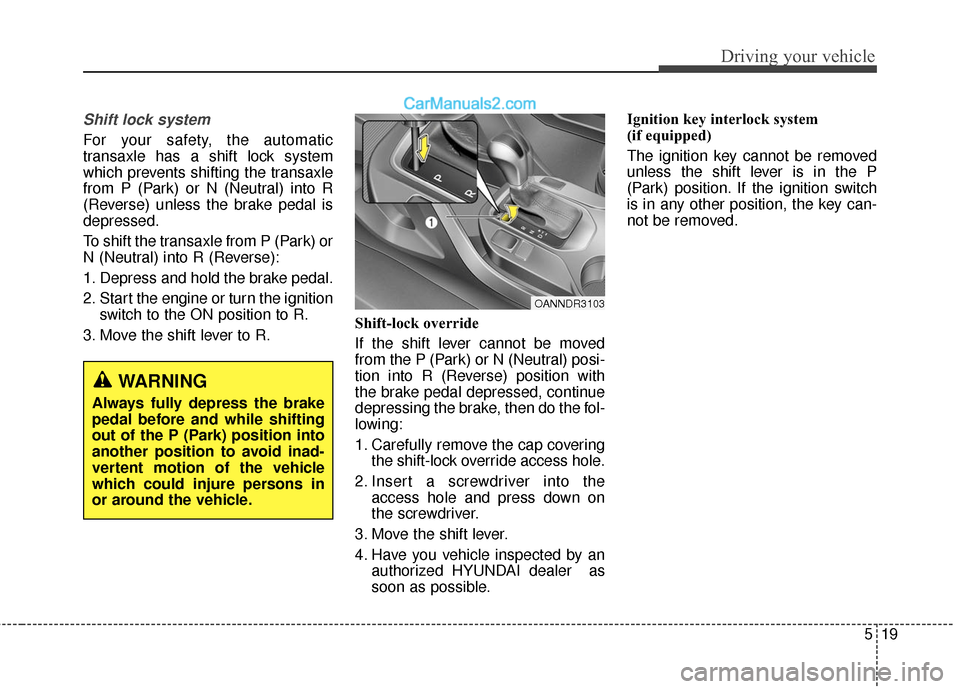
3. Move the shift lever to R. Shift-lock override
If the shift lever cannot be moved
from the P (Park) or N (Neutral) posi-
tion into R (Reverse) position with
the brake pedal depressed, continue
depressing the brake, then do the fol-
lowing:
1. Carefully remove the cap covering
the shift-lock override access hole.
2. Insert a screwdriver into the access hole and press down on
the screwdriver.
3. Move the shift lever.
4. Have you vehicle inspected by an authorized HYUNDAI dealer as
soon as possible. Ignition key interlock system
(if equipped)
The ignition key cannot be removed
unless the shift lever is in the P
(Park) position. If the ignition switch
is in any other position, the key can-
not be removed.
WARNING
Always fully depress the brake
pedal before and while shifting
out of the P (Park) position into
another position to avoid inad-
vertent motion of the vehicle
which could injure persons in
or around the vehicle.
OANNDR3103
Page 353 of 569
561
Driving your vehicle
Sensor to detect the distance
from the vehicle in front
(front radar)
The sensor is to maintain a certain
distance from the vehicle in front.
However, a smudged sensor lens
with foreign substances, such as
snow and rain, adversely affects the
sensing performance. It may even
temporarily cancel the AEB. Always
keep the sensor lens clean.
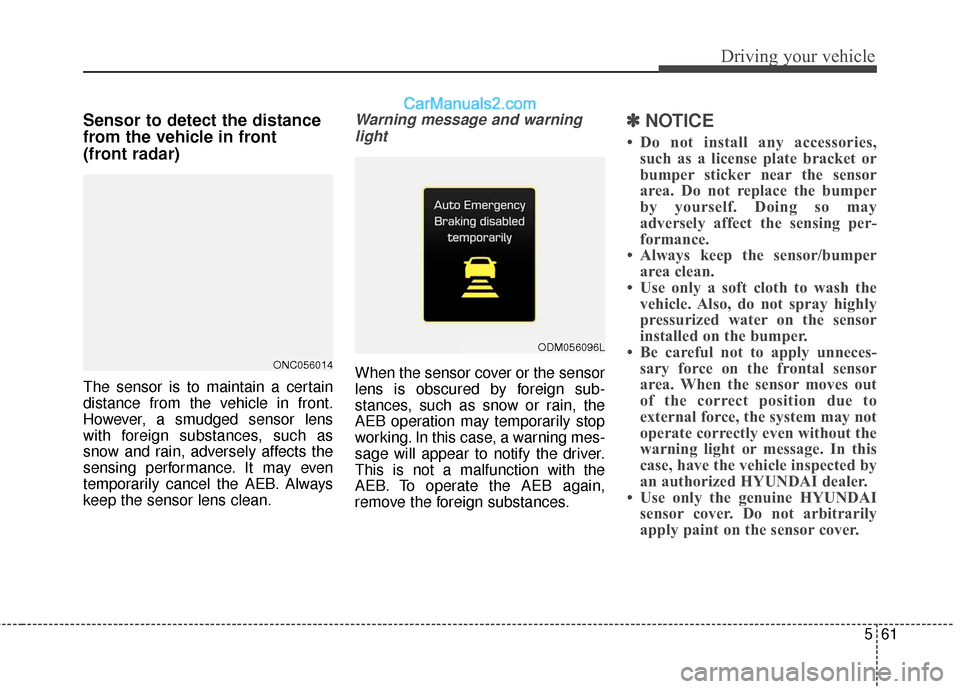
Warning message and warninglight
When the sensor cover or the sensor
lens is obscured by foreign sub-
stances, such as snow or rain, the
AEB operation may temporarily stop
working. In this case, a warning mes-
sage will appear to notify the driver.
This is not a malfunction with the
AEB. To operate the AEB again,
remove the foreign substances.
✽ ✽ NOTICE
• Do not install any accessories,
such as a license plate bracket or
bumper sticker near the sensor
area. Do not replace the bumper
by yourself. Doing so may
adversely affect the sensing per-
formance.
• Always keep the sensor/bumper area clean.
• Use only a soft cloth to wash the vehicle. Also, do not spray highly
pressurized water on the sensor
installed on the bumper.
• Be careful not to apply unneces- sary force on the frontal sensor
area. When the sensor moves out
of the correct position due to
external force, the system may not
operate correctly even without the
warning light or message. In this
case, have the vehicle inspected by
an authorized HYUNDAI dealer.
• Use only the genuine HYUNDAI sensor cover. Do not arbitrarily
apply paint on the sensor cover.
ONC056014
ODM056096L
Page 383 of 569
591
Driving your vehicle
Detecting sensor
The sensors are located inside the
rear bumper.
Always keep the rear bumper clean
for proper operation of the system.
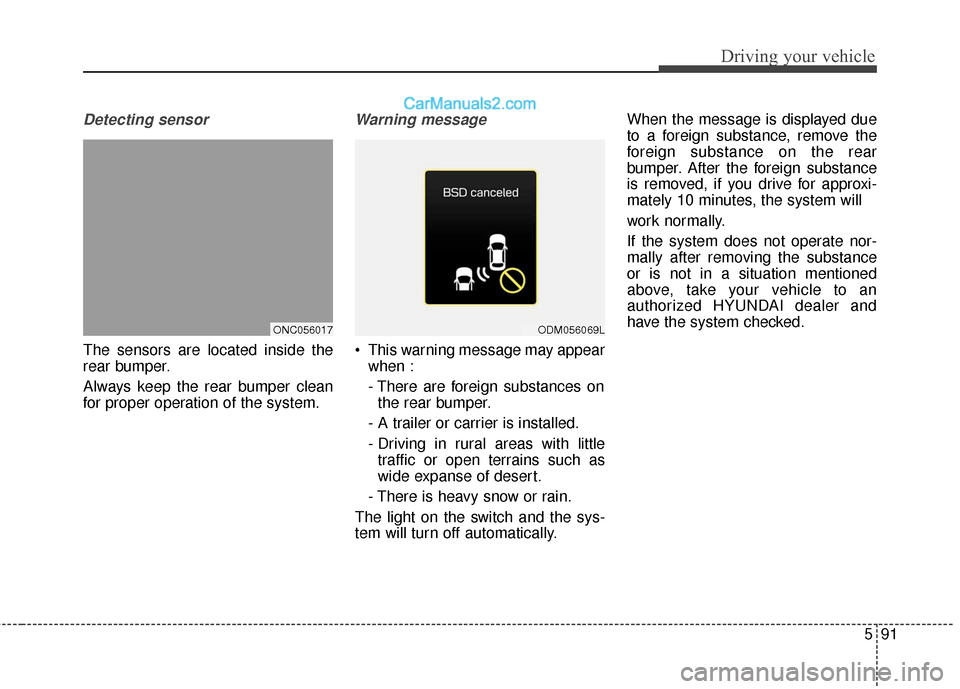
Warning message
This warning message may appearwhen :
- There are foreign substances onthe rear bumper.
- A trailer or carrier is installed.
- Driving in rural areas with little traffic or open terrains such as
wide expanse of desert.
- There is heavy snow or rain.
The light on the switch and the sys-
tem will turn off automatically. When the message is displayed due
to a foreign substance, remove the
foreign substance on the rear
bumper. After the foreign substance
is removed, if you drive for approxi-
mately 10 minutes, the system will
work normally.
If the system does not operate nor-
mally after removing the substance
or is not in a situation mentioned
above, take your vehicle to an
authorized HYUNDAI dealer and
have the system checked.
ONC056017ODM056069L
Page 388 of 569
Driving your vehicle
96
5
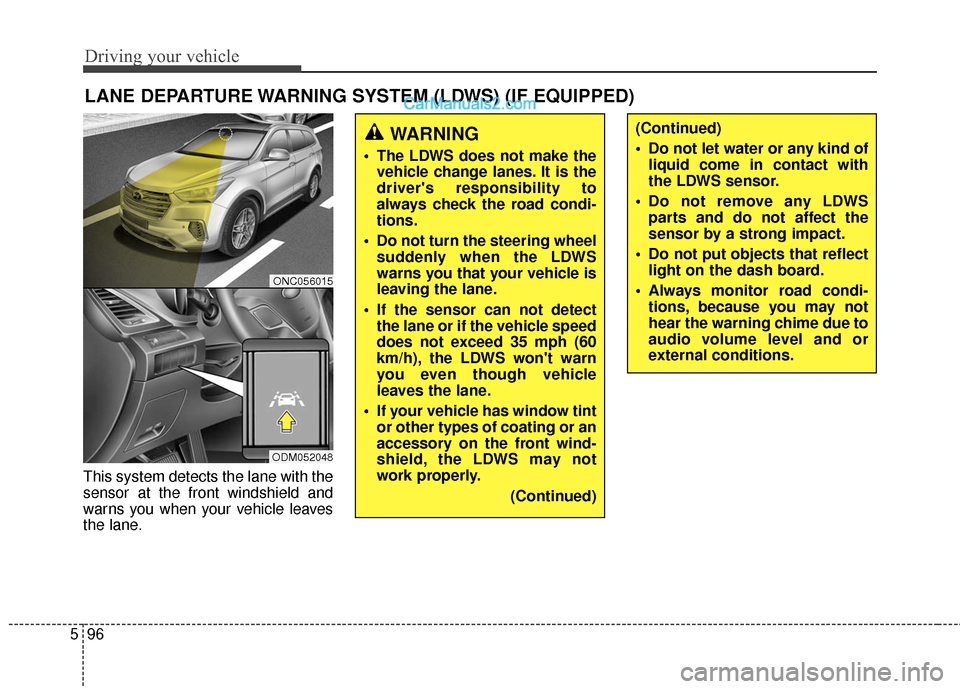
This system detects the lane with the
sensor at the front windshield and
warns you when your vehicle leaves
the lane.
LANE DEPARTURE WARNING SYSTEM (LDWS) (IF EQUIPPED)
WARNING
The LDWS does not make the
vehicle change lanes. It is the
driver's responsibility to
always check the road condi-
tions.
Do not turn the steering wheel suddenly when the LDWS
warns you that your vehicle is
leaving the lane.
If the sensor can not detect the lane or if the vehicle speed
does not exceed 35 mph (60
km/h), the LDWS won't warn
you even though vehicle
leaves the lane.
If your vehicle has window tint or other types of coating or an
accessory on the front wind-
shield, the LDWS may not
work properly.
(Continued)
(Continued)
Do not let water or any kind ofliquid come in contact with
the LDWS sensor.
Do not remove any LDWS parts and do not affect the
sensor by a strong impact.
Do not put objects that reflect light on the dash board.
Always monitor road condi- tions, because you may not
hear the warning chime due to
audio volume level and or
external conditions.
ONC056015
ODM052048
Page 403 of 569
5111
Driving your vehicle
Chain installation
When installing chains, follow the
manufacturer's instructions and
mount them as tightly as you can.
Drive slowly with chains installed. If
you hear the chains contacting the
body or chassis, stop and tighten
them. If they still make contact, slow
down until it stops. Remove the
chains as soon as you begin driving
on cleared roads.Use high quality ethylene gly-
col coolant
Your vehicle is delivered with high
quality ethylene glycol coolant in the
cooling system. It is the only type of
coolant that should be used because
it helps prevent corrosion in the cool-
ing system, lubricates the water
pump and prevents freezing. Be sure
to replace or replenish your coolant
in accordance with the maintenance
schedule in section 7. Before winter,
have your coolant tested to assure
that its freezing point is sufficient for
the temperatures anticipated during
the winter.
CAUTION
Chains that are the wrong sizeor improperly installed candamage your vehicle's brakelines, suspension, body andwheels.
Stop driving and retighten the chains any time you hear themhitting the vehicle.
WARNING- Tire chains
The use of chains may adversely affect vehicle han-
dling.
Do not exceed 20 mph (30 km/h) or the chain manufac-
turer’s recommended speed
limit, whichever is lower.
Drive carefully and avoid bumps, holes, sharp turns, and
other road hazards, which may
cause the vehicle to bounce.
Avoid sharp turns or locked- wheel braking.
WARNING - Mounting
chains
When mounting snow chains,
park the vehicle on level ground
away from traffic. Turn on the
vehicle Hazard Warning flashers
and place a triangular emer-
gency warning device behind
the vehicle if available. Always
place the vehicle in P (Park),
apply the parking brake and
turn off the engine before
installing snow chains.
Page 404 of 569
Driving your vehicle
112
5
Check battery and cables
Winter puts additional burdens on
the battery system. Visually inspect
the battery and cables as described
in section 7. The level of charge in
your battery can be checked by an
authorized HYUNDAI dealer or a
service station.
Change to "winter weight" oil
if necessary
In some climates it is recommended
that a lower viscosity "winter weight"
oil be used during cold weather. See
section 8 for recommendations. If
you aren't sure what weight oil you
should use, consult an authorized
HYUNDAI dealer.
Check spark plugs and igni-
tion system
Inspect your spark plugs as
described in section 7 and replace
them if necessary. Also check all
ignition wiring and components to be
sure they are not cracked, worn or
damaged in any way.
To keep locks from freezing
To keep the locks from freezing,
squirt an approved de-icer fluid or
glycerine into the key opening. If a
lock is covered with ice, squirt it with
an approved de-icing fluid to remove
the ice. If the lock is frozen internally,
you may be able to thaw it out by
using a heated key. Handle the heat-
ed key with care to avoid injury.
Use approved window washer
anti-freeze in system
To keep the water in the window
washer system from freezing, add an
approved window washer anti-freeze
solution in accordance with instruc-
tions on the container. Window wash-
er anti-freeze is available from an
authorized HYUNDAI dealer and
most auto parts outlets. Do not use
engine coolant or other types of anti-
freeze as these may damage the
paint finish.
Page 407 of 569
5115
Driving your vehicle
Hitches
It's important to have the correct
hitch equipment. Crosswinds, large
trucks going by, and rough roads are
a few reasons why you’ll need the
right hitch. Here are some rules to
follow:
If you have to make any holes inthe body of your vehicle when you
install a trailer hitch, be sure to seal
the holes later when you remove
the hitch.
If not sealed, deadly carbon monox-
ide (CO) from your exhaust can get
into your vehicle, as well as dirt and
water.
The bumpers on your vehicle are not intended for hitches. Do not
attach rental hitches or other
bumper-type hitches to them. Use
only a frame-mounted hitch that
does not attach to the bumper.
A HYUNDAI trailer hitch accessory is available at an authorized
HYUNDAI dealer.
Safety chains
You should always attach chains
between your vehicle and your trail-
er. Cross the safety chains under the
tongue of the trailer so that the
tongue will not drop to the road if it
becomes separated from the hitch.
Instructions about safety chains may
be provided by the hitch manufactur-
er or by the trailer manufacturer.
Follow the manufacturer’s recom-
mendation for attaching safety
chains. Always leave just enough
slack so you can turn with your trail-
er. And, never allow safety chains to
drag on the ground.
Trailer brakes
If your trailer is equipped with a brak-
ing system, make sure it conforms to
federal and/or local regulations and
that it is properly installed and oper-
ating correctly.
If your trailer weight exceeds the
maximum allowed weight without
trailer brakes, then the trailer will also
require its own brakes as well. Be
sure to read and follow the instruc-
tions for the trailer brakes so you’ll be
able to install, adjust and maintain
them properly.
Don’t tap into or modify your vehi-cle's brake system.
WARNING- Trailer brakes
Do not use a trailer with its own
brakes unless you are absolute-
ly certain that you have proper-
ly set up the brake system. This
is not a task for amateurs. Use
an experienced, competent
trailer shop for this work.