steering Hyundai Santa Fe 2017 Service Manual
[x] Cancel search | Manufacturer: HYUNDAI, Model Year: 2017, Model line: Santa Fe, Model: Hyundai Santa Fe 2017Pages: 569, PDF Size: 16.88 MB
Page 343 of 569
551
Driving your vehicle
Malfunction indicator
The VSM system will automatically
be deactivated if a malfunction has
been detected somewhere in the
Electric Power Steering system or
the VSM system. If a malfunction is
detected, the ESC indicator light will
illuminate and remain on. If the ESC
indicator light ( ) or EPS warning
light remains on, take your vehicle to
an authorized HYUNDAI dealer and
have the system checked.
✽ ✽NOTICE
• The VSM is designed to function
above approximately 9 mph (15
km/h) on curves.
• The VSM is designed to function above approximately 18 mph (30
km/h) when a vehicle is braking on
a split-mu road. The split-mu road
is made of surfaces which have dif-
ferent friction forces.
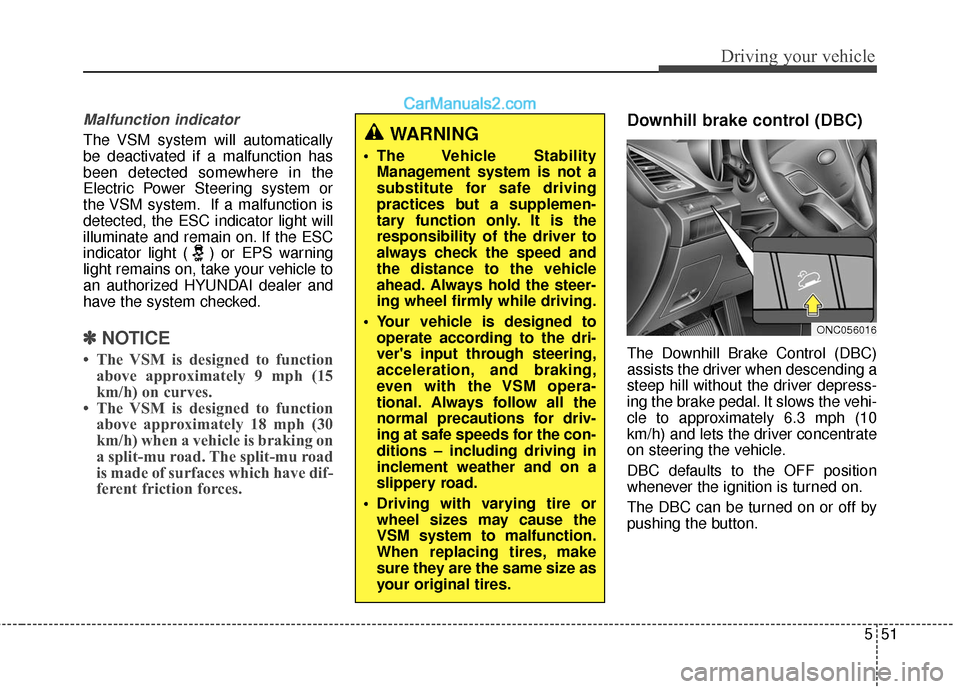
Downhill brake control (DBC)
The Downhill Brake Control (DBC)
assists the driver when descending a
steep hill without the driver depress-
ing the brake pedal. It slows the vehi-
cle to approximately 6.3 mph (10
km/h) and lets the driver concentrate
on steering the vehicle.
DBC defaults to the OFF position
whenever the ignition is turned on.
The DBC can be turned on or off by
pushing the button.
WARNING
The Vehicle Stability
Management system is not a
substitute for safe driving
practices but a supplemen-
tary function only. It is the
responsibility of the driver to
always check the speed and
the distance to the vehicle
ahead. Always hold the steer-
ing wheel firmly while driving.
Your vehicle is designed to operate according to the dri-
ver's input through steering,
acceleration, and braking,
even with the VSM opera-
tional. Always follow all the
normal precautions for driv-
ing at safe speeds for the con-
ditions – including driving in
inclement weather and on a
slippery road.
Driving with varying tire or wheel sizes may cause the
VSM system to malfunction.
When replacing tires, make
sure they are the same size as
your original tires.
ONC056016
Page 352 of 569
Driving your vehicle
60
5
Brake operation
In an urgent situation, the braking
system enters into the ready status
for prompt reaction against the dri-
ver’s depressing the brake pedal.
The AEB provides additional brak- ing power for optimum braking per-
formance, when the driver depress-
es the brake pedal.
The braking control is automatically deactivated, when the driver sharply
depresses the brake pedal, or when
the driver abruptly operates the
steering wheel.
The braking control is automatically canceled, when risk factors disap-
pear.CAUTION
The driver should always exer-cise caution to vehicle opera-tion, even when there is nowarning message or warningalarm.
WARNING
The braking control cannot
completely stop the vehicle nor
avoid all collisions. The driver
should hold the responsibility
to safely drive and control the
vehicle.
WARNING
The AEB operates in accor-
dance with the risk levels, such
as the distance from the vehi-
cle/passer-by in front, the speed
of the vehicle/passer-by in front,
and the driver's vehicle opera-
tion.
Page 360 of 569
Driving your vehicle
68
5
✽
✽
NOTICE
• During normal cruise control
operation, when the SET switch is
activated or reactivated after
applying the brakes, the cruise
control will energize after approx-
imately 3 seconds. This delay is
normal.
• To activate cruise control, depress the brake pedal at least once after
turning the ignition switch to the
ON position or starting the engine.
This is to check if the brake switch
which is important part to cancel
cruise control is in normal condi-
tion.
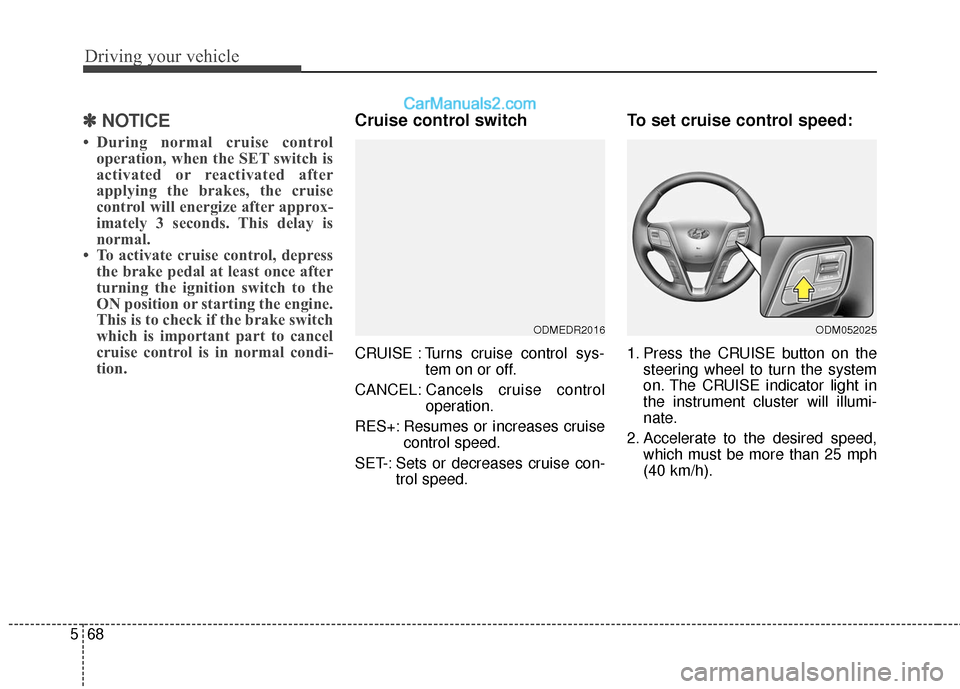
Cruise control switch
CRUISE : Turns cruise control sys-
tem on or off.
CANCEL: Cancels cruise control
operation.
RES+: Resumes or increases cruise control speed.
SET-: Sets or decreases cruise con- trol speed.
To set cruise control speed:
1. Press the CRUISE button on thesteering wheel to turn the system
on. The CRUISE indicator light in
the instrument cluster will illumi-
nate.
2. Accelerate to the desired speed, which must be more than 25 mph
(40 km/h).
ODMEDR2016ODM052025
Page 362 of 569
Driving your vehicle
70
5
To temporarily accelerate with
the cruise control on:
If you want to speed up temporarily
when the cruise control is on,
depress the accelerator pedal.
Increased speed will not interfere
with cruise control operation or
change the set speed.
To return to the set speed, take your
foot off the accelerator pedal.
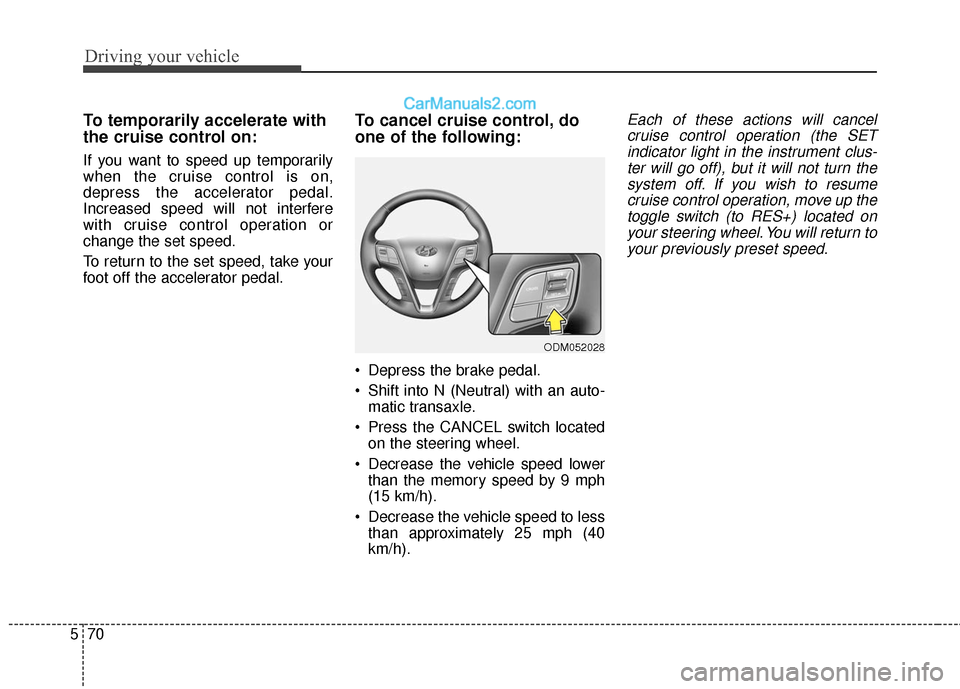
To cancel cruise control, do
one of the following:
Depress the brake pedal.
Shift into N (Neutral) with an auto-
matic transaxle.
Press the CANCEL switch located on the steering wheel.
Decrease the vehicle speed lower than the memory speed by 9 mph
(15 km/h).
Decrease the vehicle speed to less than approximately 25 mph (40
km/h).
Each of these actions will cancelcruise control operation (the SETindicator light in the instrument clus-ter will go off), but it will not turn thesystem off. If you wish to resumecruise control operation, move up thetoggle switch (to RES+) located onyour steering wheel. You will return toyour previously preset speed.
ODM052028
Page 366 of 569
Driving your vehicle
74
5
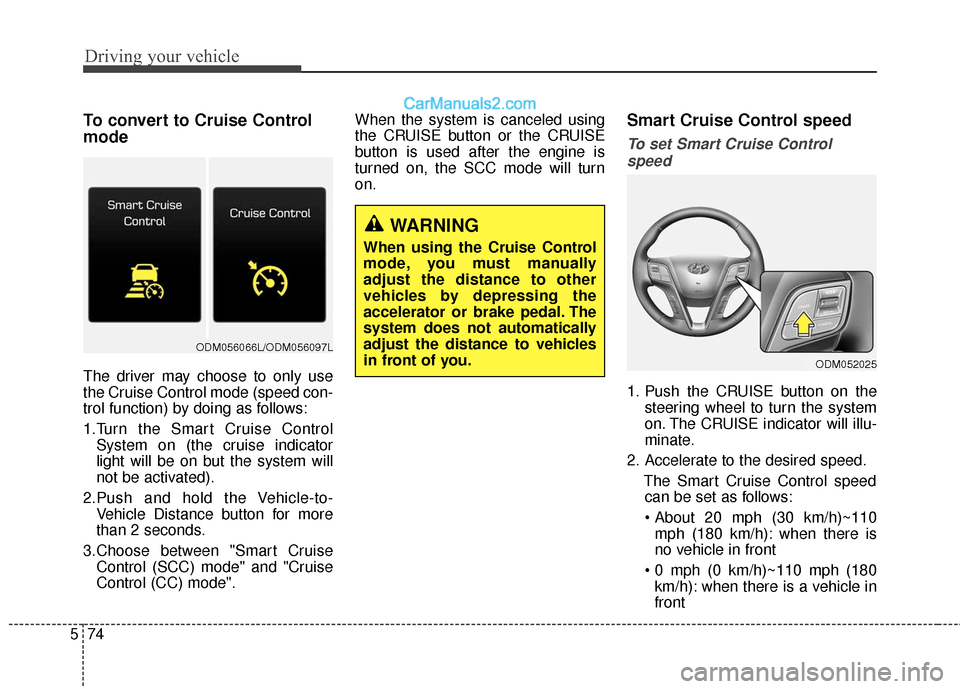
To convert to Cruise Control
mode
The driver may choose to only use
the Cruise Control mode (speed con-
trol function) by doing as follows:
1.Turn the Smart Cruise Control
System on (the cruise indicator
light will be on but the system will
not be activated).
2.Push and hold the Vehicle-to- Vehicle Distance button for more
than 2 seconds.
3.Choose between "Smart Cruise Control (SCC) mode" and "Cruise
Control (CC) mode". When the system is canceled using
the CRUISE button or the CRUISE
button is used after the engine is
turned on, the SCC mode will turn
on.
Smart Cruise Control speed
To set Smart Cruise Control
speed
1. Push the CRUISE button on the steering wheel to turn the system
on. The CRUISE indicator will illu-
minate.
2. Accelerate to the desired speed. The Smart Cruise Control speedcan be set as follows:
mph (180 km/h): when there is
no vehicle in front
km/h): when there is a vehicle in
front
WARNING
When using the Cruise Control
mode, you must manually
adjust the distance to other
vehicles by depressing the
accelerator or brake pedal. The
system does not automatically
adjust the distance to vehicles
in front of you.
ODM052025
ODM056066L/ODM056097L
Page 368 of 569
Driving your vehicle
76
5
To temporarily accelerate with the
Smart Cruise Control on
If you want to speed up temporarily
when the Smart Cruise Control is on,
depress the accelerator pedal.
Increased speed will not interfere
with Smart Cruise Control operation
or change the set speed.
To return to the set speed, take your
foot off the accelerator.
If you push the toggle switch down
(SET-) at increased speed, the cruis-
ing speed will be set again.
✽ ✽ NOTICE
Be careful when accelerating tem-
porarily, because the speed is not
controlled automatically at this
time even if there is a vehicle in front
of you.
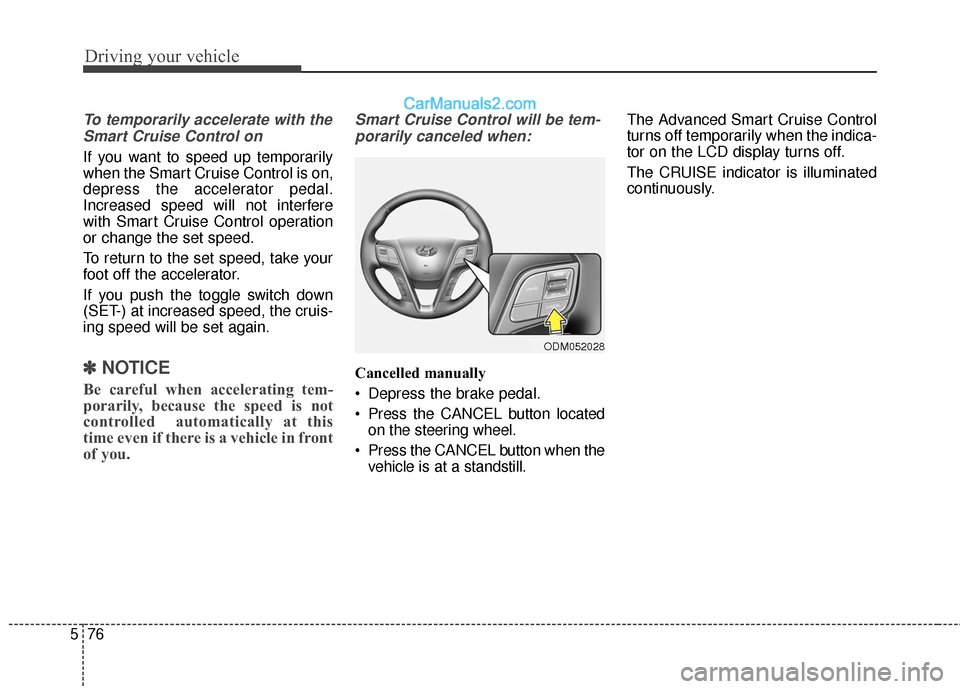
Smart Cruise Control will be tem-
porarily canceled when:
Cancelled manually
Depress the brake pedal.
Press the CANCEL button located on the steering wheel.
Press the CANCEL button when the vehicle is at a standstill. The Advanced Smart Cruise Control
turns off temporarily when the indica-
tor on the LCD display turns off.
The CRUISE indicator is illuminated
continuously.
ODM052028
Page 377 of 569
585
Driving your vehicle
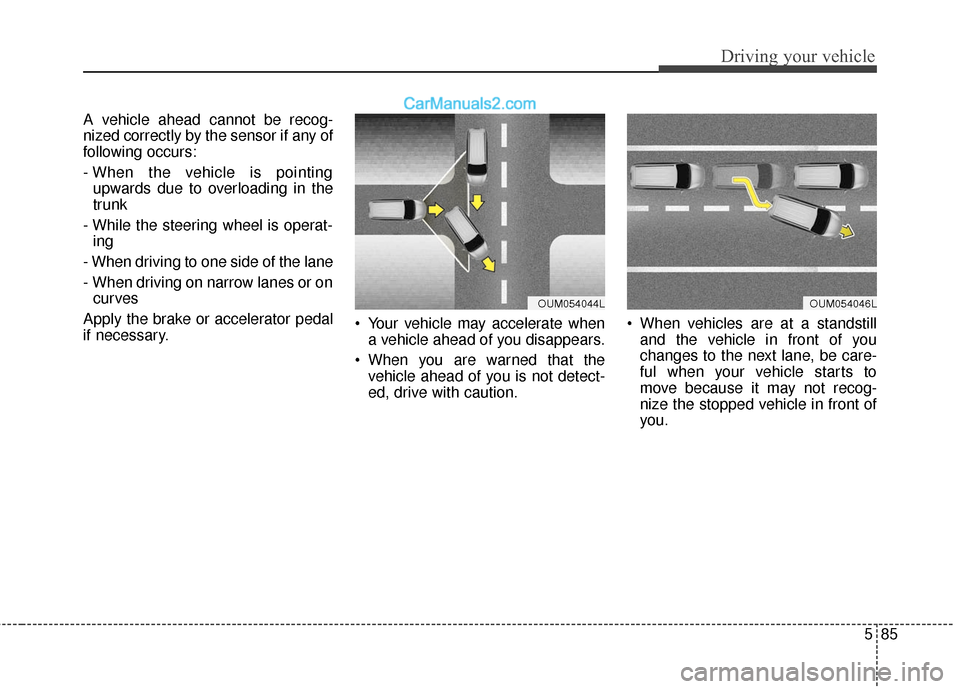
A vehicle ahead cannot be recog-
nized correctly by the sensor if any of
following occurs:
- When the vehicle is pointingupwards due to overloading in the
trunk
- While the steering wheel is operat- ing
- When driving to one side of the lane
- When driving on narrow lanes or on curves
Apply the brake or accelerator pedal
if necessary. Your vehicle may accelerate when
a vehicle ahead of you disappears.
When you are warned that the vehicle ahead of you is not detect-
ed, drive with caution. When vehicles are at a standstill
and the vehicle in front of you
changes to the next lane, be care-
ful when your vehicle starts to
move because it may not recog-
nize the stopped vehicle in front of
you.
OUM054044LOUM054046L
Page 388 of 569
Driving your vehicle
96
5
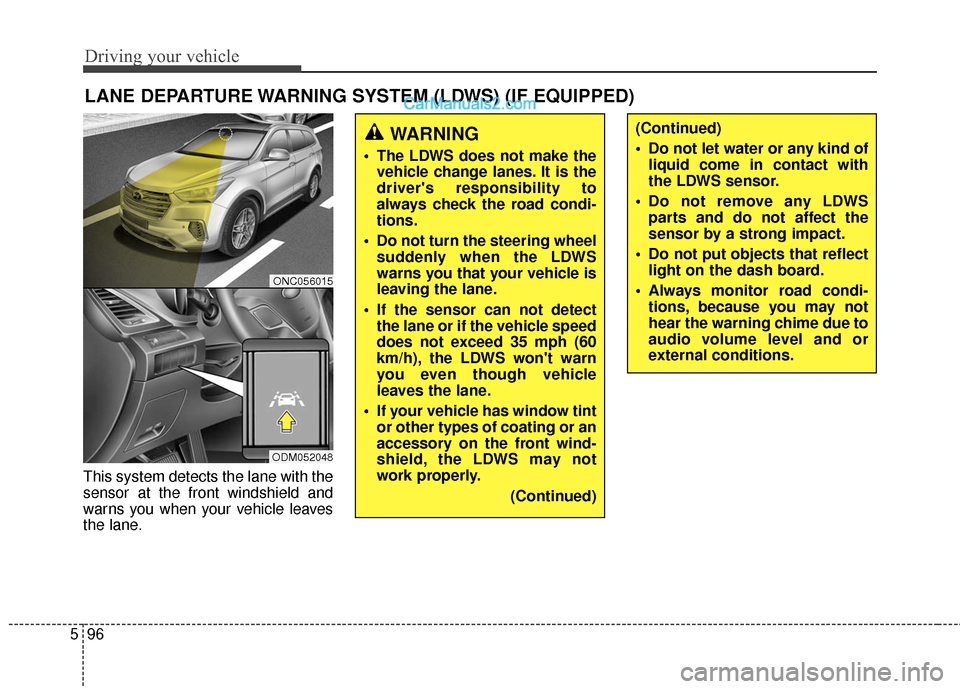
This system detects the lane with the
sensor at the front windshield and
warns you when your vehicle leaves
the lane.
LANE DEPARTURE WARNING SYSTEM (LDWS) (IF EQUIPPED)
WARNING
The LDWS does not make the
vehicle change lanes. It is the
driver's responsibility to
always check the road condi-
tions.
Do not turn the steering wheel suddenly when the LDWS
warns you that your vehicle is
leaving the lane.
If the sensor can not detect the lane or if the vehicle speed
does not exceed 35 mph (60
km/h), the LDWS won't warn
you even though vehicle
leaves the lane.
If your vehicle has window tint or other types of coating or an
accessory on the front wind-
shield, the LDWS may not
work properly.
(Continued)
(Continued)
Do not let water or any kind ofliquid come in contact with
the LDWS sensor.
Do not remove any LDWS parts and do not affect the
sensor by a strong impact.
Do not put objects that reflect light on the dash board.
Always monitor road condi- tions, because you may not
hear the warning chime due to
audio volume level and or
external conditions.
ONC056015
ODM052048
Page 394 of 569
Driving your vehicle
102
5
Remember, your vehicle does not
require extended warm-up. After
the engine has started, allow the
engine to run for 10 to 20 seconds
prior to placing the vehicle in gear.
In very cold weather, however, give
your engine a slightly longer warm-
up period.
Don't "lug" or "over-rev" the engine. Lugging is driving too slowly in too
high a gear resulting engine buck-
ing. If this happens, shift to a lower
gear. Over-revving is racing the
engine beyond its safe limit. This
can be avoided by shifting at the
recommended speeds.
Use your air conditioning sparingly. The air conditioning system is
operated by engine power so your
fuel economy is reduced when you
use it.
Open windows at high speeds can reduce fuel economy.
Fuel economy is less in crosswinds and headwinds. To help offset
some of this loss, slow down when
driving in these conditions. Keeping a vehicle in good operating
condition is important both for econ-
omy and safety. Therefore, have an
authorized HYUNDAI dealer perform
scheduled inspections and mainte-
nance.
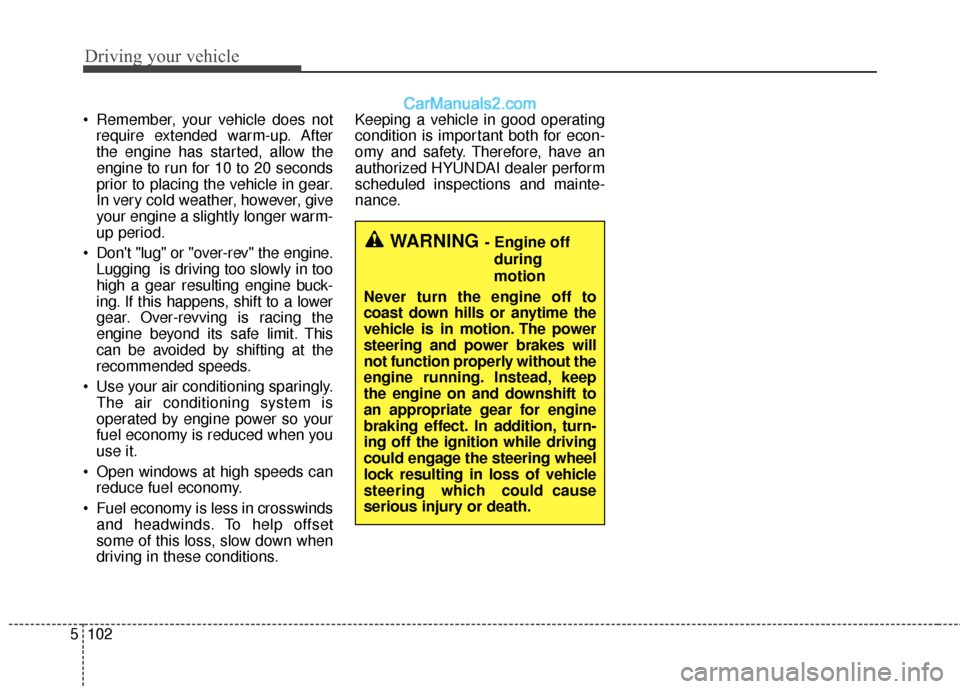
WARNING - Engine off
during
motion
Never turn the engine off to
coast down hills or anytime the
vehicle is in motion. The power
steering and power brakes will
not function properly without the
engine running. Instead, keep
the engine on and downshift to
an appropriate gear for engine
braking effect. In addition, turn-
ing off the ignition while driving
could engage the steering wheel
lock resulting in loss of vehicle
steering which could cause
serious injury or death.
Page 395 of 569

5103
Driving your vehicle
Hazardous driving conditions
When hazardous driving conditions
are encountered such as water,
snow, ice, mud, sand, or similar haz-
ards, follow these suggestions:
Drive cautiously and allow extradistance for braking.
Avoid sudden braking or steering.
When braking with non-ABS brakes pump the brake pedal with
a light up-and-down motion until
the vehicle is stopped. If stalled in snow, mud, or sand, use
second gear. Accelerate slowly to
avoid spinning the drive wheels.
Use sand, rock salt, tire chains, or other non-slip material under the
drive wheels to provide traction
when stalled in ice, snow, or mud.
Reducing the risk of a rollover
This multi-purpose passenger vehicle
is defined as a Sports Utility Vehicle
(SUV). SUV’s have higher ground
clearance and a narrower track to
make them capable of performing in a
wide variety of off-road applications.
Specific design characteristics give
them a higher center of gravity than
ordinary vehicles. An advantage of the
higher ground clearance is a better
view of the road, which allows you to
anticipate problems. They are not
designed for cornering at the same
speeds as conventional passenger
vehicles, any more than low-slung
sports vehicles are designed to per-
form satisfactorily in off-road condi-
tions. Due to this risk, driver and pas-
sengers are strongly recommended to
buckle their seat belts. In a rollover
crash, an unbelted person is more like-
ly to die than a person wearing a seat
belt. There are steps that a driver can
make to reduce the risk of a rollover.
If at all possible, avoid sharp turns or
abrupt maneuvers, do not load your
roof rack with heavy cargo, and
never modify your vehicle in any way.
SPECIAL DRIVING CONDITIONS
WARNING - Downshifting
Downshifting with an automatic
transaxle, while driving on slip-
pery surfaces can cause an
accident. The sudden change in
tire speed could cause the tires
to skid. Be careful when down-
shifting on slippery surfaces.
WARNING - ABS
Do not pump the brake pedal on
a vehicle equipped with ABS.