Indicator Hyundai Santa Fe 2017 Manual PDF
[x] Cancel search | Manufacturer: HYUNDAI, Model Year: 2017, Model line: Santa Fe, Model: Hyundai Santa Fe 2017Pages: 569, PDF Size: 16.88 MB
Page 372 of 569
Driving your vehicle
80
5
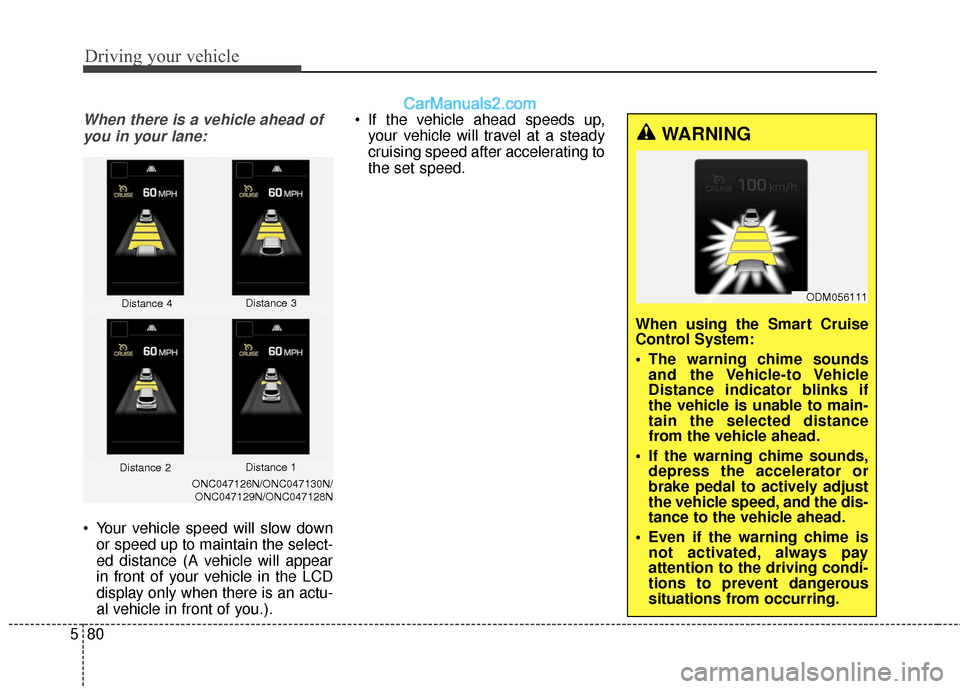
When there is a vehicle ahead of
you in your lane:
Your vehicle speed will slow down or speed up to maintain the select-
ed distance (A vehicle will appear
in front of your vehicle in the LCD
display only when there is an actu-
al vehicle in front of you.). If the vehicle ahead speeds up,
your vehicle will travel at a steady
cruising speed after accelerating to
the set speed.
Distance 4 Distance 3
ONC047126N/ONC047130N/
ONC047129N/ONC047128N
WARNING
When using the Smart Cruise
Control System:
The warning chime sounds and the Vehicle-to Vehicle
Distance indicator blinks if
the vehicle is unable to main-
tain the selected distance
from the vehicle ahead.
If the warning chime sounds, depress the accelerator or
brake pedal to actively adjust
the vehicle speed, and the dis-
tance to the vehicle ahead.
Even if the warning chime is not activated, always pay
attention to the driving condi-
tions to prevent dangerous
situations from occurring.
Distance 2 Distance 1
ODM056111
Page 373 of 569
581
Driving your vehicle
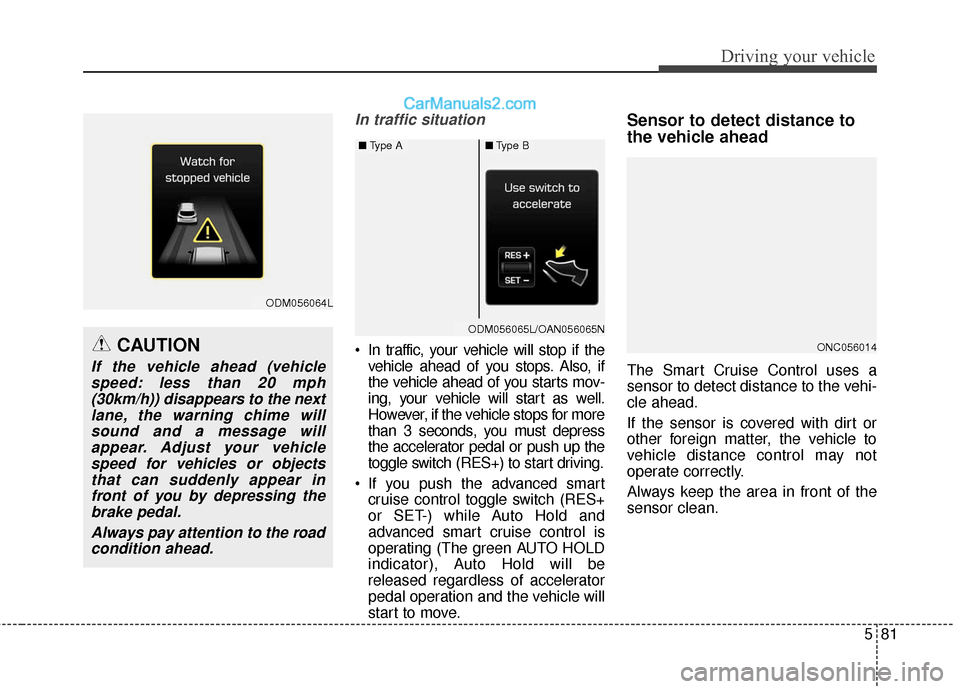
In traffic situation
In traffic, your vehicle will stop if thevehicle ahead of you stops. Also, if
the vehicle ahead of you starts mov-
ing, your vehicle will start as well.
However, if the vehicle stops for more
than 3 seconds, you must depress
the accelerator pedal or push up the
toggle switch (RES+) to start driving.
If you push the advanced smart cruise control toggle switch (RES+
or SET-) while Auto Hold and
advanced smart cruise control is
operating (The green AUTO HOLD
indicator), Auto Hold will be
released regardless of accelerator
pedal operation and the vehicle will
start to move.
Sensor to detect distance to
the vehicle ahead
The Smart Cruise Control uses a
sensor to detect distance to the vehi-
cle ahead.
If the sensor is covered with dirt or
other foreign matter, the vehicle to
vehicle distance control may not
operate correctly.
Always keep the area in front of the
sensor clean.
ONC056014
ODM056064L
CAUTION
If the vehicle ahead (vehiclespeed: less than 20 mph(30km/h)) disappears to the nextlane, the warning chime willsound and a message willappear. Adjust your vehiclespeed for vehicles or objectsthat can suddenly appear infront of you by depressing thebrake pedal.
Always pay attention to the roadcondition ahead.
ODM056065LODM056065L/OAN056065N
■ Type A■Type B
Page 380 of 569
Driving your vehicle
88
5
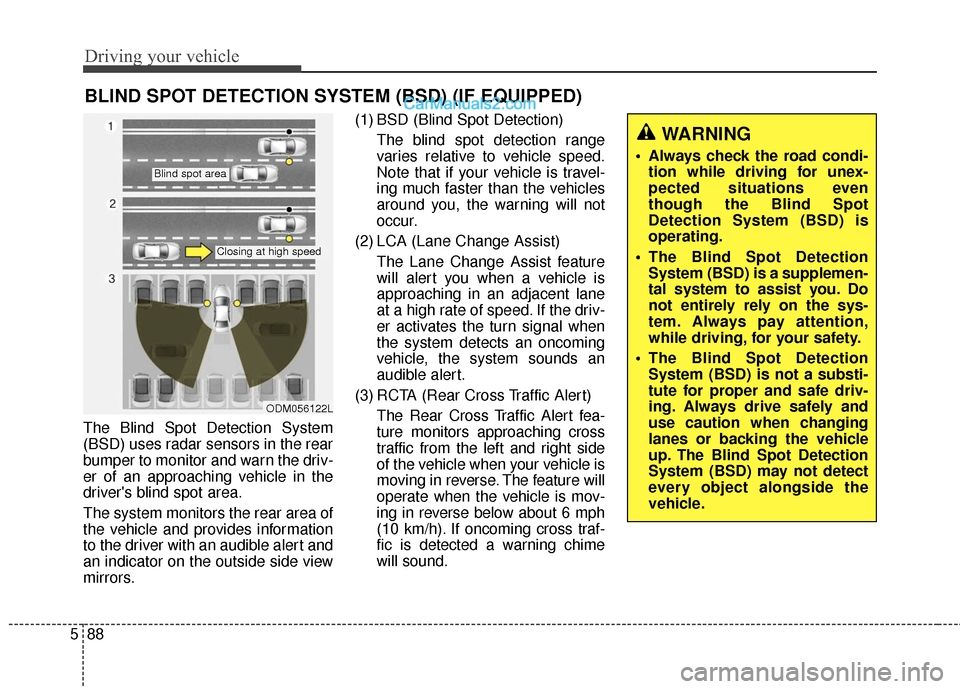
The Blind Spot Detection System
(BSD) uses radar sensors in the rear
bumper to monitor and warn the driv-
er of an approaching vehicle in the
driver's blind spot area.
The system monitors the rear area of
the vehicle and provides information
to the driver with an audible alert and
an indicator on the outside side view
mirrors. (1) BSD (Blind Spot Detection)
The blind spot detection range
varies relative to vehicle speed.
Note that if your vehicle is travel-
ing much faster than the vehicles
around you, the warning will not
occur.
(2) LCA (Lane Change Assist) The Lane Change Assist feature
will alert you when a vehicle is
approaching in an adjacent lane
at a high rate of speed. If the driv-
er activates the turn signal when
the system detects an oncoming
vehicle, the system sounds an
audible alert.
(3) RCTA (Rear Cross Traffic Alert) The Rear Cross Traffic Alert fea-
ture monitors approaching cross
traffic from the left and right side
of the vehicle when your vehicle is
moving in reverse. The feature will
operate when the vehicle is mov-
ing in reverse below about 6 mph
(10 km/h). If oncoming cross traf-
fic is detected a warning chime
will sound.
BLIND SPOT DETECTION SYSTEM (BSD) (IF EQUIPPED)
WARNING
Always check the road condi-tion while driving for unex-
pected situations even
though the Blind Spot
Detection System (BSD) is
operating.
The Blind Spot Detection System (BSD) is a supplemen-
tal system to assist you. Do
not entirely rely on the sys-
tem. Always pay attention,
while driving, for your safety.
The Blind Spot Detection System (BSD) is not a substi-
tute for proper and safe driv-
ing. Always drive safely and
use caution when changing
lanes or backing the vehicle
up. The Blind Spot Detection
System (BSD) may not detect
every object alongside the
vehicle.
ODM056122L
Blind spot area
Closing at high speed
Page 381 of 569
589
Driving your vehicle
BSD (Blind Spot Detection) /
LCA (Lane Change Assist)
(if equipped)
Operating conditions
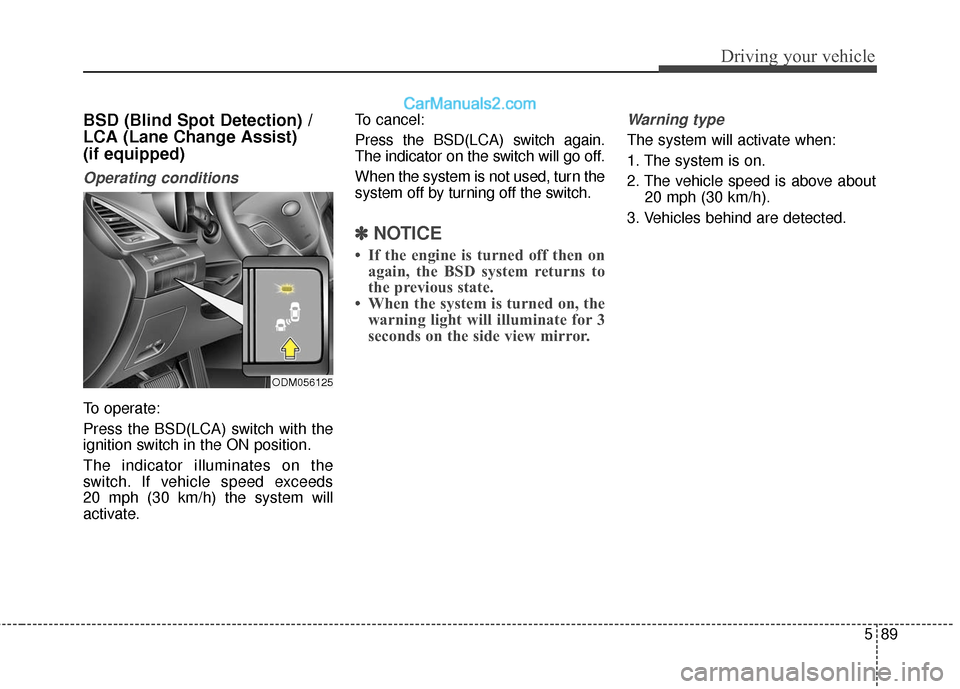
To operate:
Press the BSD(LCA) switch with the
ignition switch in the ON position.
The indicator illuminates on the
switch. If vehicle speed exceeds
20 mph (30 km/h) the system will
activate.To cancel:
Press the BSD(LCA) switch again.
The indicator on the switch will go off.
When the system is not used, turn the
system off by turning off the switch.
✽ ✽
NOTICE
• If the engine is turned off then on
again, the BSD system returns to
the previous state.
• When the system is turned on, the warning light will illuminate for 3
seconds on the side view mirror.
Warning type
The system will activate when:
1. The system is on.
2. The vehicle speed is above about
20 mph (30 km/h).
3. Vehicles behind are detected.
ODM056125
Page 389 of 569
597
Driving your vehicle
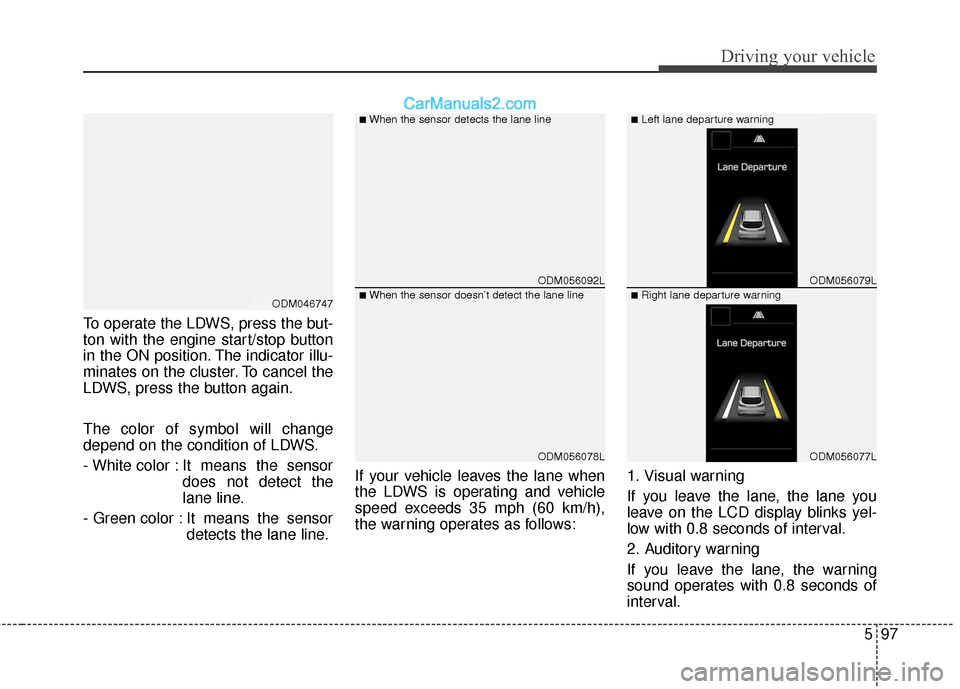
To operate the LDWS, press the but-
ton with the engine start/stop button
in the ON position. The indicator illu-
minates on the cluster. To cancel the
LDWS, press the button again.
The color of symbol will change
depend on the condition of LDWS.
- White color : It means the sensordoes not detect the
lane line.
- Green color : It means the sensor detects the lane line. If your vehicle leaves the lane when
the LDWS is operating and vehicle
speed exceeds 35 mph (60 km/h),
the warning operates as follows:
1. Visual warning
If you leave the lane, the lane you
leave on the LCD display blinks yel-
low with 0.8 seconds of interval.
2. Auditory warning
If you leave the lane, the warning
sound operates with 0.8 seconds of
interval.
ODM056092L
ODM056078L
ODM056079L
ODM056077L
■When the sensor detects the lane line■Left lane departure warning
■When the sensor doesn’t detect the lane line■Right lane departure warningODM046747
Page 390 of 569
Driving your vehicle
98
5
Warning indicator
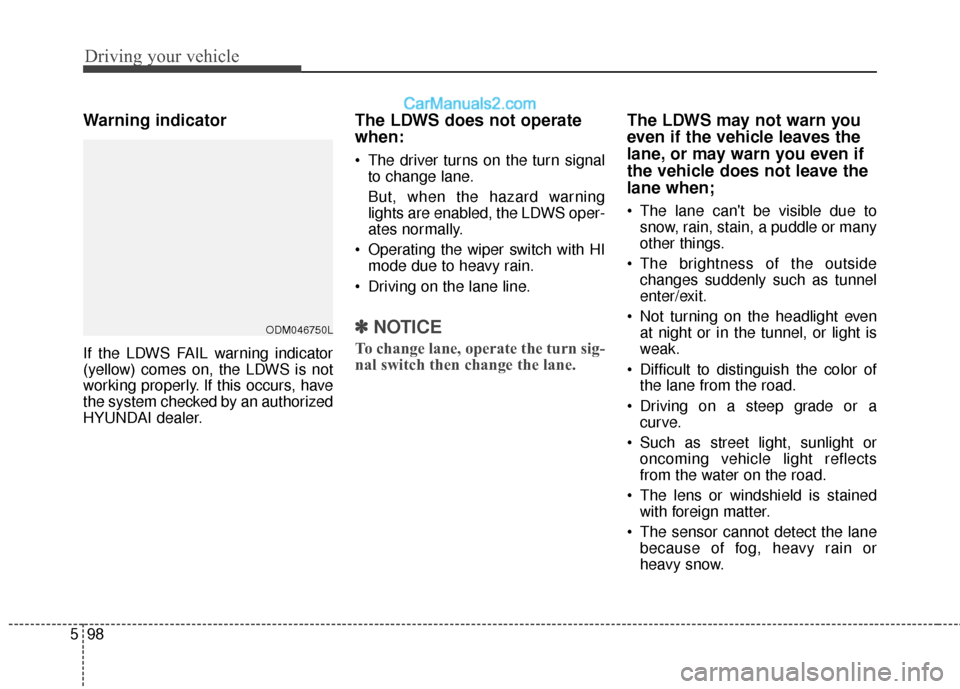
If the LDWS FAIL warning indicator
(yellow) comes on, the LDWS is not
working properly. If this occurs, have
the system checked by an authorized
HYUNDAI dealer.
The LDWS does not operate
when:
The driver turns on the turn signal
to change lane.
But, when the hazard warning
lights are enabled, the LDWS oper-
ates normally.
Operating the wiper switch with HI mode due to heavy rain.
Driving on the lane line.
✽ ✽ NOTICE
To change lane, operate the turn sig-
nal switch then change the lane.
The LDWS may not warn you
even if the vehicle leaves the
lane, or may warn you even if
the vehicle does not leave the
lane when;
The lane can't be visible due to
snow, rain, stain, a puddle or many
other things.
The brightness of the outside changes suddenly such as tunnel
enter/exit.
Not turning on the headlight even at night or in the tunnel, or light is
weak.
Difficult to distinguish the color of the lane from the road.
Driving on a steep grade or a curve.
Such as street light, sunlight or oncoming vehicle light reflects
from the water on the road.
The lens or windshield is stained with foreign matter.
The sensor cannot detect the lane because of fog, heavy rain or
heavy snow.
ODM046750L
Page 392 of 569
Driving your vehicle
100
5
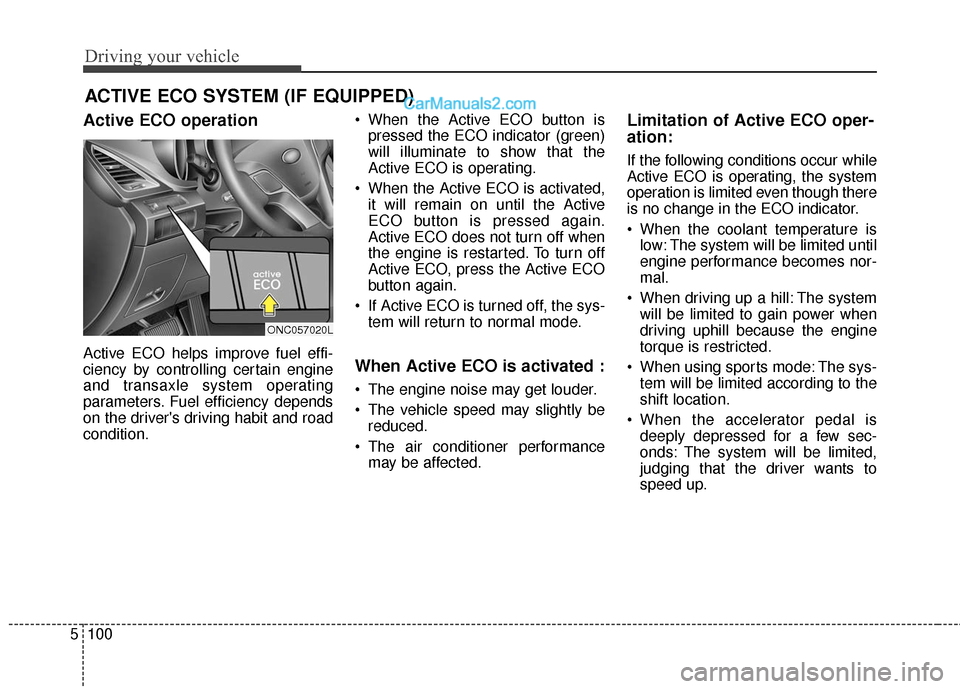
Active ECO operation
Active ECO helps improve fuel effi-
ciency by controlling certain engine
and transaxle system operating
parameters. Fuel efficiency depends
on the driver's driving habit and road
condition. When the Active ECO button is
pressed the ECO indicator (green)
will illuminate to show that the
Active ECO is operating.
When the Active ECO is activated, it will remain on until the Active
ECO button is pressed again.
Active ECO does not turn off when
the engine is restarted. To turn off
Active ECO, press the Active ECO
button again.
If Active ECO is turned off, the sys- tem will return to normal mode.When Active ECO is activated :
The engine noise may get louder.
The vehicle speed may slightly bereduced.
The air conditioner performance may be affected.
Limitation of Active ECO oper-
ation:
If the following conditions occur while
Active ECO is operating, the system
operation is limited even though there
is no change in the ECO indicator.
When the coolant temperature islow: The system will be limited until
engine performance becomes nor-
mal.
When driving up a hill: The system will be limited to gain power when
driving uphill because the engine
torque is restricted.
When using sports mode: The sys- tem will be limited according to the
shift location.
When the accelerator pedal is deeply depressed for a few sec-
onds: The system will be limited,
judging that the driver wants to
speed up.
ACTIVE ECO SYSTEM (IF EQUIPPED)
ONC057020L
Page 421 of 569
What to do in an emergency
Road warning . . . . . . . . . . . . . . . . . . . . . . . . . . . . . 6-2
• Hazard warning flasher . . . . . . . . . . . . . . . . . . . . . . . . 6-2
In case of an emergency while driving . . . . . . . . . . 6-3
. . . . . . . . . . . . . . . 6-3
. . . . . . . . . . . . . . . . . . . . 6-3
If the engine will not start . . . . . . . . . . . . . . . . . . . . 6-4
. . . . 6-4
. . . . 6-4
Emergency starting . . . . . . . . . . . . . . . . . . . . . . . . . 6-5
. . . . . . . . . . . . . . . . . . . . . . . . . . . . . . . . . 6-5
. . . . . . . . . . . . . . . . . . . . . . . 6-6
. . . . . . . . . . . . . . . . . . . . . . . . . . . . . . . . . 6-7
If the engine overheats . . . . . . . . . . . . . . . . . . . . . . . 6-8
Tire Pressure Monitoring System (TPMS) . . . . . . 6-9
. . . . . . . . . . . . . . . . . . . . . . . . . . . . 6-9
. . . . . . . . . . . . . . . . 6-10
malfunction indicator . . . . . . . . . . . . . . . . . . . . . . . 6-12
. . . . . . . . . . . . . . . . . . . . 6-13
If you have a flat tire . . . . . . . . . . . . . . . . . . . . . . . 6-15
. . . . . . . . . . . . . . . . . . . . . . . . . . . . . . . 6-15
. . . . . . . . . . . . . 6-16
. . . . . . . . . . . . . . . . . . . . . . . . . . . . . . . 6-18
. . . . . . . . . . . . . . . . . . . . . . . . . . . . . . . . . . . 6-\
24
Towing . . . . . . . . . . . . . . . . . . . . . . . . . . . . . . . . . . . 6-\
25
. . . . . . . . . . . . . . . . . . . . . . . . . . . . . . . 6-25
. . . . . . . . . . . . . . . . . . . . . . . 6-26
. . . . . . . . . . . . . . . . . . . . . . . . . . . . 6-27
. . . . . . . . . . . . . . . . . 6-28
6
Page 429 of 569
69
What to do in an emergency
TIRE PRESSURE MONITORING SYSTEM (TPMS)
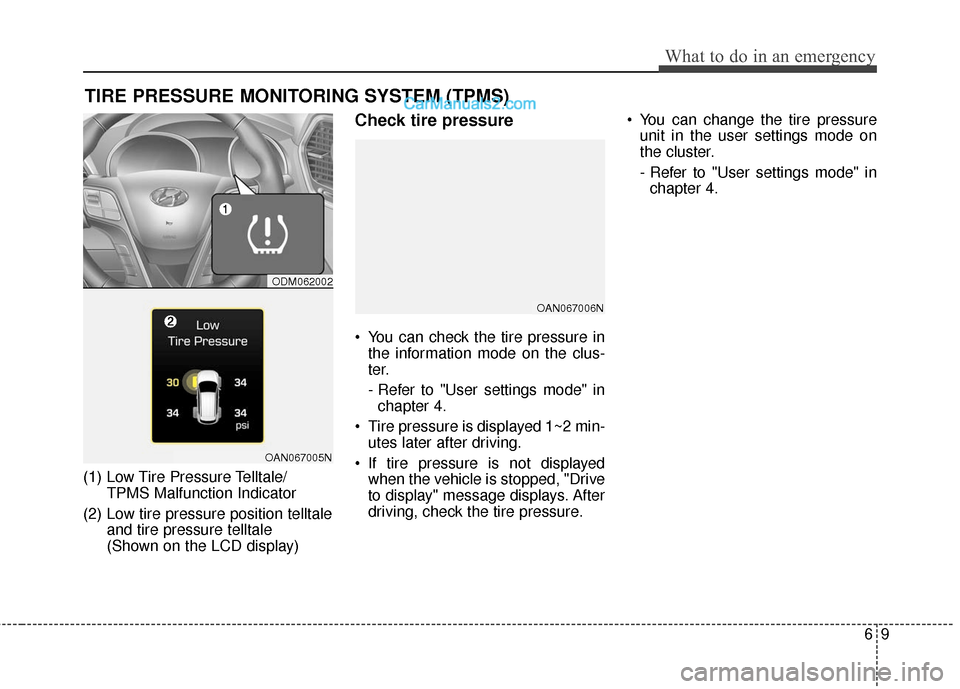
(1) Low Tire Pressure Telltale/TPMS Malfunction Indicator
(2) Low tire pressure position telltale and tire pressure telltale
(Shown on the LCD display)
Check tire pressure
You can check the tire pressure inthe information mode on the clus-
ter.
- Refer to "User settings mode" inchapter 4.
Tire pressure is displayed 1~2 min- utes later after driving.
If tire pressure is not displayed when the vehicle is stopped, "Drive
to display" message displays. After
driving, check the tire pressure. You can change the tire pressure
unit in the user settings mode on
the cluster.
- Refer to "User settings mode" inchapter 4.
ODM062002
OAN067005N
OAN067006N
Page 430 of 569
What to do in an emergency
10
6
Tire pressure monitoring sys-
tem
Each tire, including the spare (if pro-
vided), should be checked monthly
when cold and inflated to the inflation
pressure recommended by the vehi-
cle manufacturer on the vehicle plac-
ard or tire inflation pressure label. (If
your vehicle has tires of a different
size than the size indicated on the
vehicle placard or tire inflation pres-
sure label, you should determine the
proper tire inflation pressure for
those tires.) As an added safety feature, your
vehicle has been equipped with a tire
pressure monitoring system (TPMS)
that illuminates a low tire pressure
telltale when one or more of your
tires is significantly under-inflated.
Accordingly, when the low tire pres-
sure telltale illuminates, you should
stop and check your tires as soon as
possible, and inflate them to the
proper pressure. Driving on a signifi-
cantly under-inflated tire causes the
tire to overheat and can lead to tire
failure. Under-inflation also reduces
fuel efficiency and tire tread life, and
may affect the vehicle’s handling and
stopping ability.
Please note that the TPMS is not a
substitute for proper tire mainte-
nance, and it is the driver’s responsi-
bility to maintain correct tire pres-
sure, even if under-inflation has not
reached the level to trigger illumina-
tion of the TPMS low tire pressure
telltale.Your vehicle has also been equipped
with a TPMS malfunction indicator to
indicate when the system is not
operating properly. The TPMS mal-
function indicator is combined with
the low tire pressure telltale. When
the system detects a malfunction,
the telltale will flash for approximate-
ly one minute and then remain con-
tinuously illuminated. This sequence
will continue upon subsequent vehi-
cle start-ups as long as the malfunc-
tion exists. When the malfunction
indicator is illuminated, the system
may not be able to detect or signal
low tire pressure as intended.
TPMS malfunctions may occur for a
variety of reasons, including the
installation of replacement or alter-
nate tires or wheels on the vehicle
that prevent the TPMS from function-
ing properly. Always check the TPMS
malfunction telltale after replacing
one or more tires or wheels on your
vehicle to ensure that the replace-
ment or alternate tires and wheels
allow the TPMS to continue to func-
tion properly.
WARNING
Over-inflation or under-inflation
can reduce tire life, adversely
affect vehicle handling, and
lead to sudden tire failure that
may cause loss of vehicle con-
trol resulting in an accident.