brake HYUNDAI SANTA FE LIMITED 2021 Owners Manual
[x] Cancel search | Manufacturer: HYUNDAI, Model Year: 2021, Model line: SANTA FE LIMITED, Model: HYUNDAI SANTA FE LIMITED 2021Pages: 636, PDF Size: 81.2 MB
Page 398 of 636
![HYUNDAI SANTA FE LIMITED 2021 Owners Manual Driver assistance system
7-16
OADAS031[A] : Your vehicle, [B] : Lane changing vehicle,
[C] : Same lane vehicle
When a vehicle in front of you
merges out of the lane, Forward
Collision-Avoidance Ass](/img/35/56182/w960_56182-397.png "HYUNDAI SANTA FE LIMITED 2021 Owners Manual Driver assistance system
7-16
OADAS031[A] : Your vehicle, [B] : Lane changing vehicle,
[C] : Same lane vehicle
When a vehicle in front of you
merges out of the lane, Forward
Collision-Avoidance Ass")
Driver assistance system
7-16
OADAS031[A] : Your vehicle, [B] : Lane changing vehicle,
[C] : Same lane vehicle
When a vehicle in front of you
merges out of the lane, Forward
Collision-Avoidance Assist may not
immediately detect the vehicle that
is now in front of you. In this case,
you must maintain a safe braking
distance, and if necessary, steer your
vehicle and depress the brake pedal
to reduce your driving speed in order
to maintain a safe distance.•
Detecting vehicle
OTM070147
If the vehicle in front of you has
cargo that extends rearward from
the cab, or when the vehicle in front
of you has higher ground clearance,
additional special attention is
required. Forward Collision-
Avoidance Assist may not be able
to detect the cargo extending from
the vehicle. In these instances,
you must maintain a safe braking
distance from the rearmost object,
and if necessary, steer your vehicle
and depress the brake pedal to
reduce your driving speed in order to
maintain distance.
Page 407 of 636
07
7-25
bLInD-spOT COLLIsIOn-AVOIDAnCE A ssIsT (bC A) (IF
EQUI
ppED)
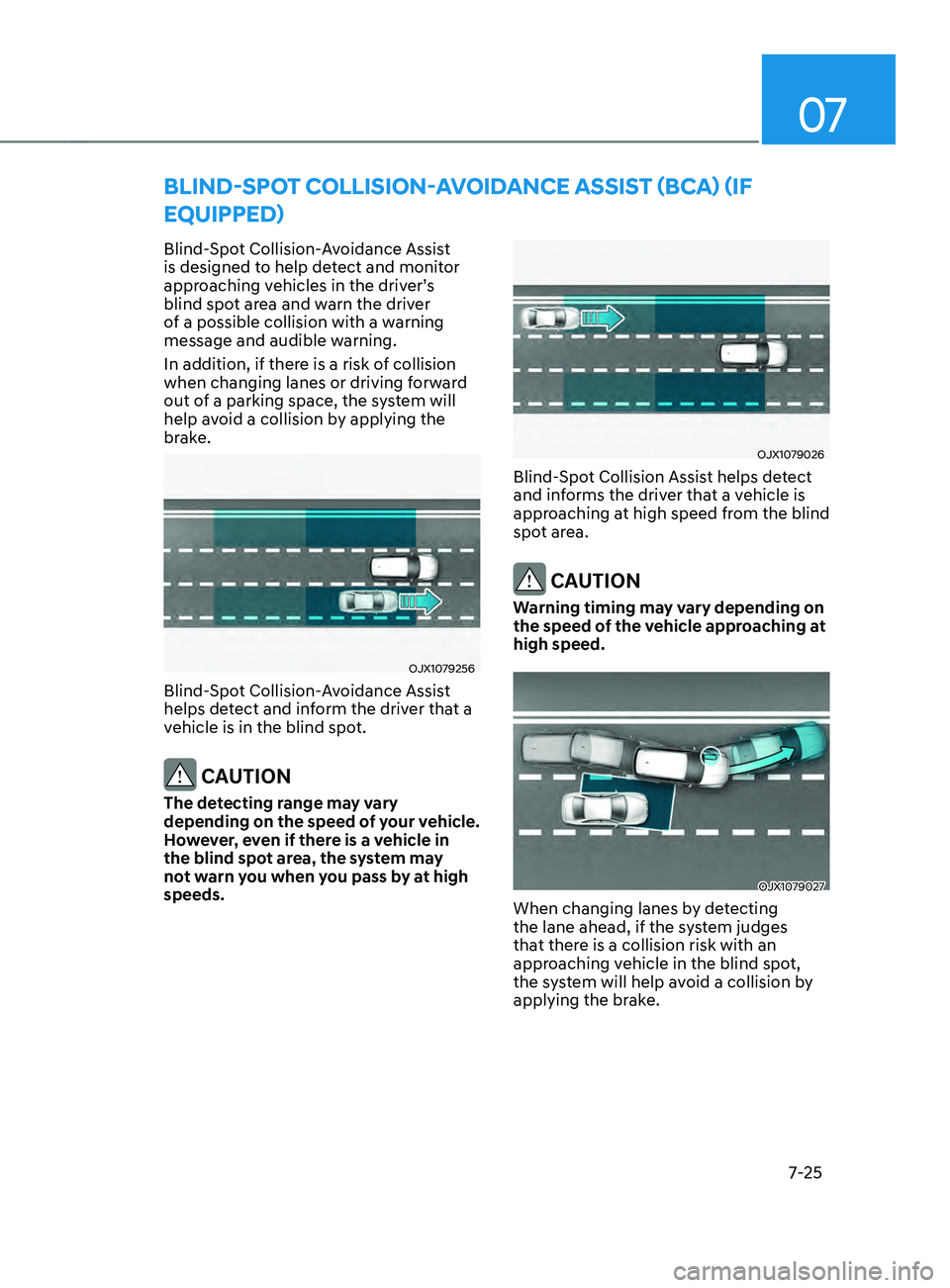
Blind-Spot Collision-Avoidance Assist
is designed to help detect and monitor
approaching vehicles in the driver’s
blind spot area and warn the driver
of a possible collision with a warning
message and audible warning.
In addition, if there is a risk of collision
when changing lanes or driving forward
out of a parking space, the system will
help avoid a collision by applying the
brake.
OJX1079256
Blind-Spot Collision-Avoidance Assist
helps detect and inform the driver that a
vehicle is in the blind spot.
CAUTION
The detecting range may vary
depending on the speed of your vehicle.
However, even if there is a vehicle in
the blind spot area, the system may
not warn you when you pass by at high
speeds.
OJX1079026
Blind-Spot Collision Assist helps detect
and informs the driver that a vehicle is
approaching at high speed from the blind
spot area.
CAUTION
Warning timing may vary depending on
the speed of the vehicle approaching at
high speed.
OJX1079027
When changing lanes by detecting
the lane ahead, if the system judges
that there is a collision risk with an
approaching vehicle in the blind spot,
the system will help avoid a collision by
applying the brake.
Page 408 of 636
Driver assistance system
7-26
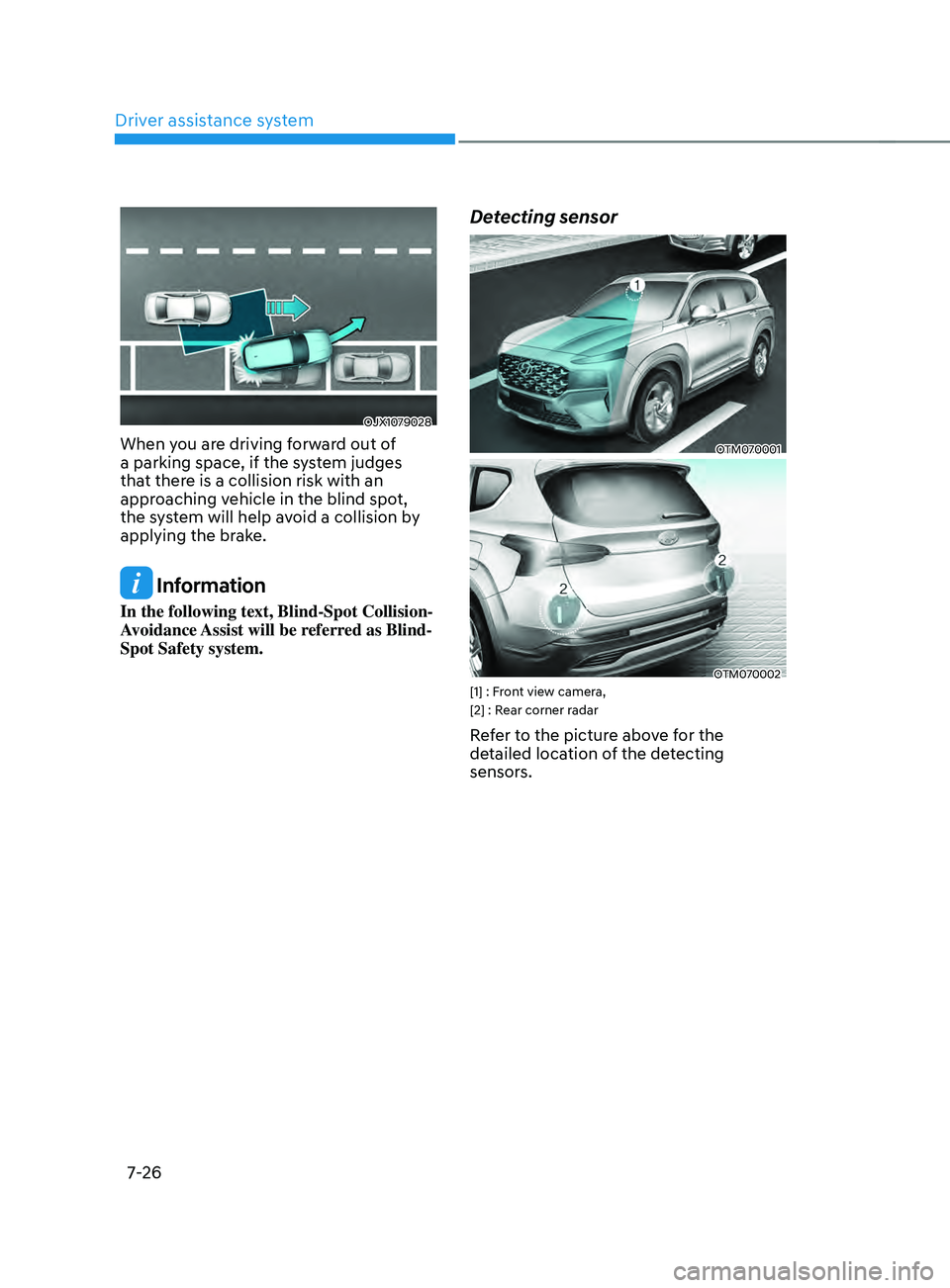
OJX1079028
When you are driving forward out of
a parking space, if the system judges
that there is a collision risk with an
approaching vehicle in the blind spot,
the system will help avoid a collision by
applying the brake.
Information
In the following text, Blind-Spot Collision-
Avoidance Assist will be referred as Blind-
Spot Safety system.
Detecting sensor
OTM070001
OTM070002[1] : Front view camera,
[2] : Rear corner radar
Refer to the picture above for the
detailed location of the detecting
sensors.
Page 414 of 636
Driver assistance system
7-32
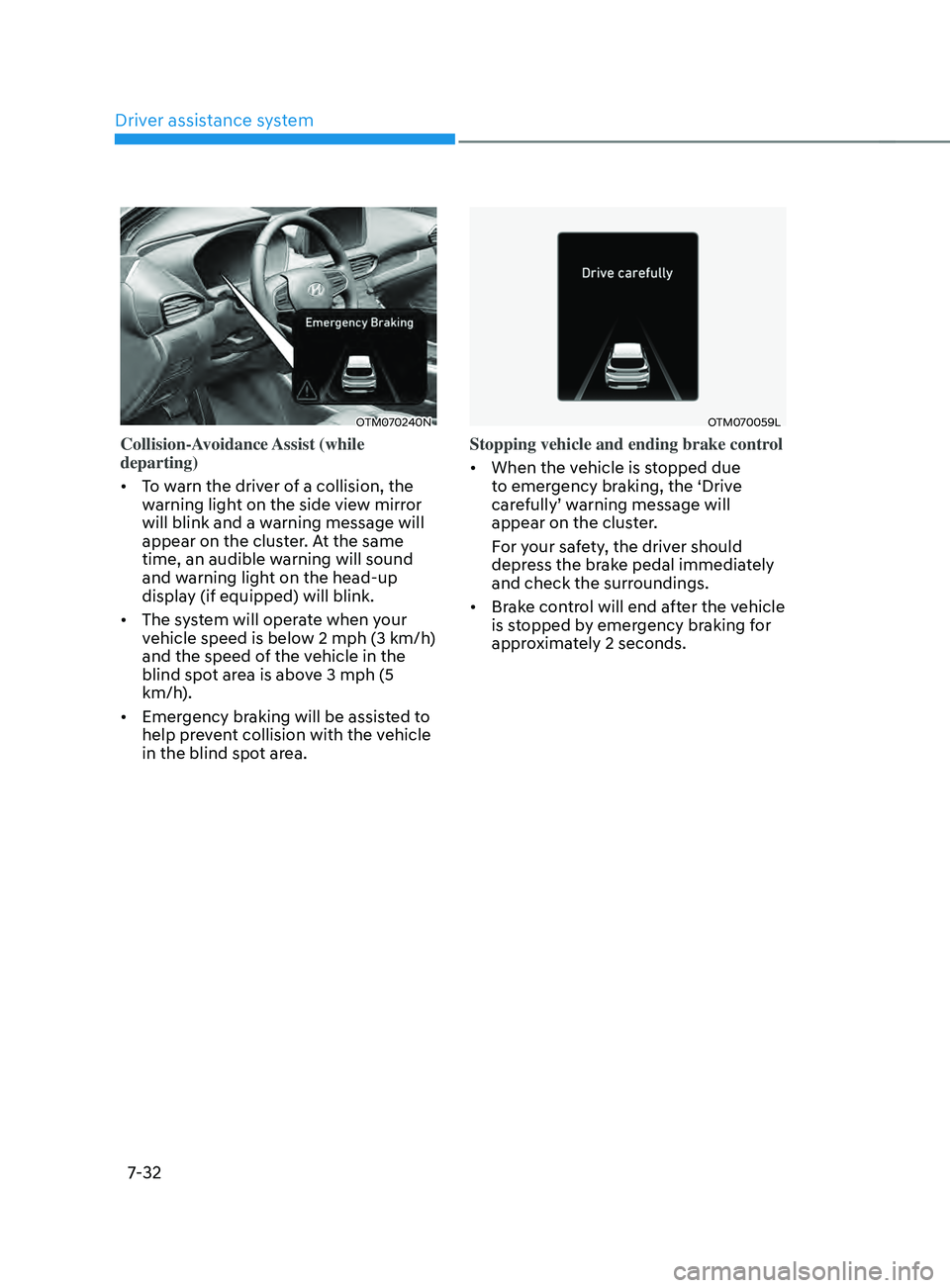
OTM070240N
Collision-Avoidance Assist (while
departing)
• To warn the driver of a collision, the
warning light on the side view mirror
will blink and a warning message will
appear on the cluster. At the same
time, an audible warning will sound
and warning light on the head-up
display (if equipped) will blink.
• The system will operate when your
vehicle speed is below 2 mph (3 km/h)
and the speed of the vehicle in the
blind spot area is above 3 mph (5
km/h).
• Emergency braking will be assisted to
help prevent collision with the vehicle
in the blind spot area.
OTM070059L
Stopping vehicle and ending brake control
• When the vehicle is stopped due
to emergency braking, the ‘Drive
carefully’ warning message will
appear on the cluster.
For your safety, the driver should
depress the brake pedal immediately
and check the surroundings.
• Brake control will end after the vehicle
is stopped by emergency braking for
approximately 2 seconds.
Page 415 of 636
07
7-33
WARNING
Take the following precautions when
using Blind-Spot Safety system:
• For your safety, change the Settings
after parking the vehicle at a safe
location.
• If any other system’s warning
message is displayed or audible
warning is generated, Blind-Spot
Safety system’s warning message
may not be displayed and audible
warning may not be generated.
• You may not hear the warning sound
of Blind-Spot Safety system if the
surrounding is noisy.
• Blind-Spot Safety system may not
operate if the driver applies the
brake pedal to avoid collision.
• When Blind-Spot Safety system
is operating, braking control by
the system will automatically
cancel when the driver excessively
depresses the accelerator pedal or
sharply steers the vehicle.
• During Blind-Spot Safety system
operation, the vehicle may stop
suddenly injuring passengers and
shifting loose objects. Always have
the seat belt on and keep loose
objects secured.
• Even if there is a problem with Blind-
Spot Safety system, the vehicle’s
basic braking performance will
operate normally.
• Blind-Spot Safety system does not
operate in all situations or cannot
avoid all collisions. •
Blind-Spot Safety system may warn
the driver late or may not warn the
driver depending on the road and
driving conditions.
• Driver should maintain control
of the vehicle at all times. Do not
depend on Blind-Spot Safety system.
Maintain a safe braking distance, and
if necessary, depress the brake pedal
to reduce driving speed or to stop
the vehicle.
• Never operate Blind-Spot Safety
system on people, animal, objects,
etc. It may cause serious injury or
death.
WARNING
The brake control may not operate
properly depending on the status of
ESC (Electronic Stability Control).
There will only be a warning when:
-The ESC (Electronic S
tability Control)
warning light is on
- ESC (Electronic S
tability Control) is
engaged in a different function
Page 418 of 636
Driver assistance system
7-36
Braking control may not work, driver’s
attention is required in the following
circumstances:
• The vehicle severely vibrates while
driving over a bumpy road, uneven
road or concrete patch
• Driving on a slippery surface due to
snow, water puddle, ice, etc.
• The tire pressure is low or a tire is
damaged
• The brake is reworked
• The vehicle makes abrupt lane
changes
For more details on the limitations
of the front view camera, refer to
“Forward Collision-Avoidance Assist
(FCA)” and “Lane Keeping Assist (LKA)”
section in chapter 7. WARNING
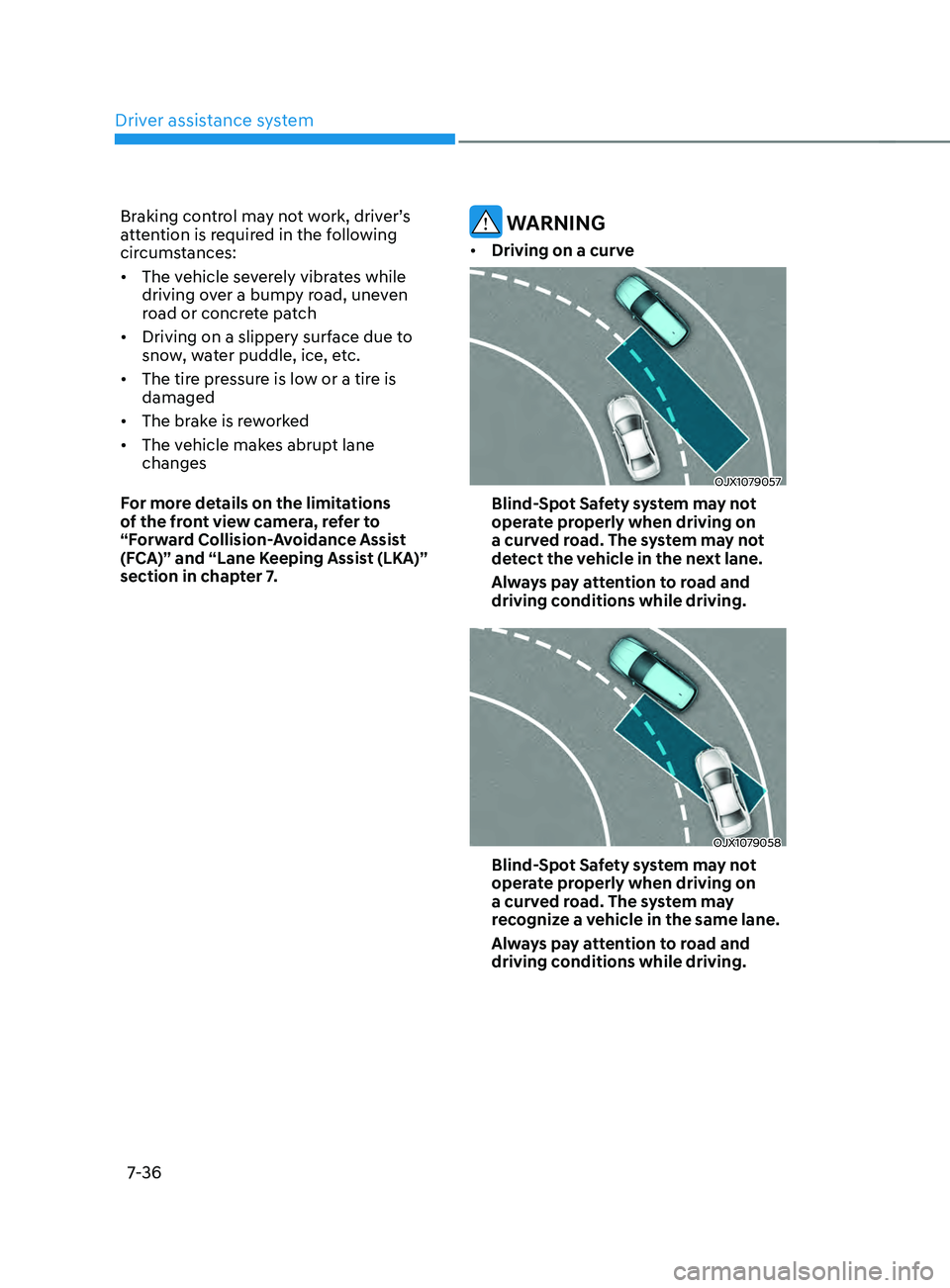
• Driving on a curve
OJX1079057
Blind-Spot Safety system may not
operate properly when driving on
a curved road. The system may not
detect the vehicle in the next lane.
Always pay attention to road and
driving conditions while driving.
OJX1079058
Blind-Spot Safety system may not
operate properly when driving on
a curved road. The system may
recognize a vehicle in the same lane.
Always pay attention to road and
driving conditions while driving.
Page 438 of 636
![HYUNDAI SANTA FE LIMITED 2021 Owners Manual Driver assistance system
7-56
OTM070207L[A] : Type A, [B] : Type B
To temporarily cancel the system
Press the
switch or depress the
brake pedal to temporarily cancel Smart
Cruise Control.
OTM07020](/img/35/56182/w960_56182-437.png "HYUNDAI SANTA FE LIMITED 2021 Owners Manual Driver assistance system
7-56
OTM070207L[A] : Type A, [B] : Type B
To temporarily cancel the system
Press the
switch or depress the
brake pedal to temporarily cancel Smart
Cruise Control.
OTM07020")
Driver assistance system
7-56
OTM070207L[A] : Type A, [B] : Type B
To temporarily cancel the system
Press the
switch or depress the
brake pedal to temporarily cancel Smart
Cruise Control.
OTM070208L[A] : Type A, [B] : Type B
To resume the system
To resume Smart Cruise Control after the
system was canceled, push the +, - or
switch.
If you push the + switch up or - switch
down, vehicle speed will be set to the
current speed on the cluster.
If you push the
switch, vehicle speed
will resume to the preset speed.
WARNING
Check the driving condition before
using the switch. Driving speed
may sharply increase or decrease when
you press the
switch.
OTM070205L[A] : Type A, [B] : Type B
To turn off the system
Press the Driving Assist button to turn
Smart Cruise Control system off.
Information
If your vehicle is equipped with Manual
Speed Limit Assist, press and hold the
Driving Assist button to turn off Smart
Cruise Control. However, Manual Speed
Limit Assist will turn on.
Page 439 of 636
07
7-57
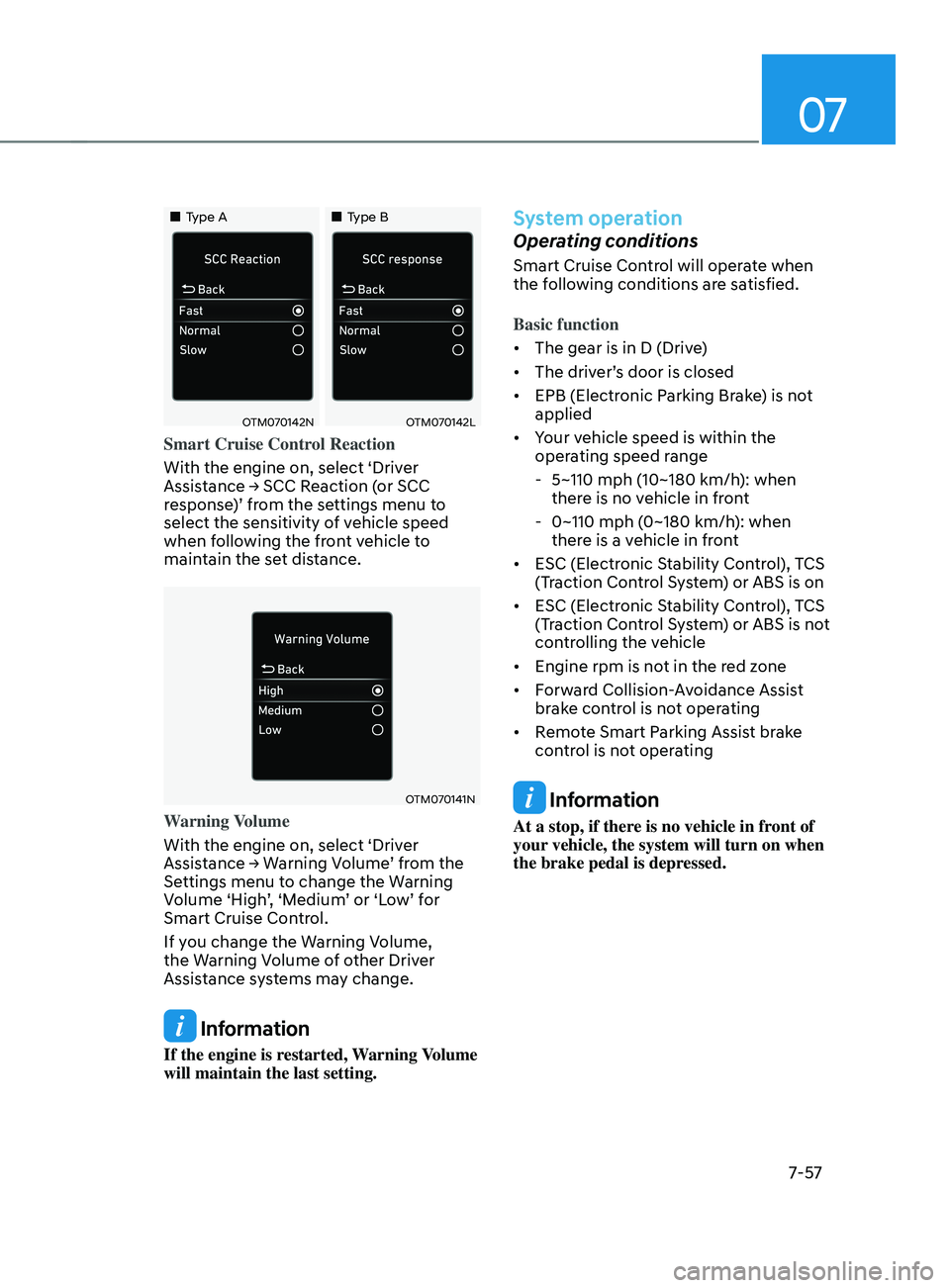
„„Type A„„Type B
OTM070142NOTM070142L
Smart Cruise Control Reaction
With the engine on, select ‘Driver
Assistance
→ SCC R
eaction
(
or
SCC response
)’ from the settings menu to
select the sensitivity of vehicle speed
when following the front vehicle to
maintain the set distance.
OTM070141N
Warning Volume
With the engine on, select ‘Driver
Assistance
→ W
arning
V
olume’
fr
om
the Settings menu t
o change the Warning
Volume ‘High’, ‘Medium’ or ‘Low’ for
Smart Cruise Control.
If you change the Warning Volume,
the Warning Volume of other Driver
Assistance systems may change.
Information
If the engine is restarted, Warning Volume
will maintain the last setting.
System operation
Operating conditions
Smart Cruise Control will operate when
the following conditions are satisfied.
Basic function
• The gear is in D (Drive)
• The driver’s door is closed
• EPB (Electronic Parking Brake) is not
applied
• Your vehicle speed is within the
operating speed range
- 5~110 mph (10~180 km/h): when
ther
e is no vehicle in front
- 0~110 mph (0~180 km/h
): when
there is a vehicle in front
• ESC (Electronic Stability Control), TCS
(Traction Control System) or ABS is on
• ESC (Electronic Stability Control), TCS
(Traction Control System) or ABS is not
controlling the vehicle
• Engine rpm is not in the red zone
• Forward Collision-Avoidance Assist
brake control is not operating
• Remote Smart Parking Assist brake
control is not operating
Information
At a stop, if there is no vehicle in front of
your vehicle, the system will turn on when
the brake pedal is depressed.
Page 442 of 636
Driver assistance system
7-60
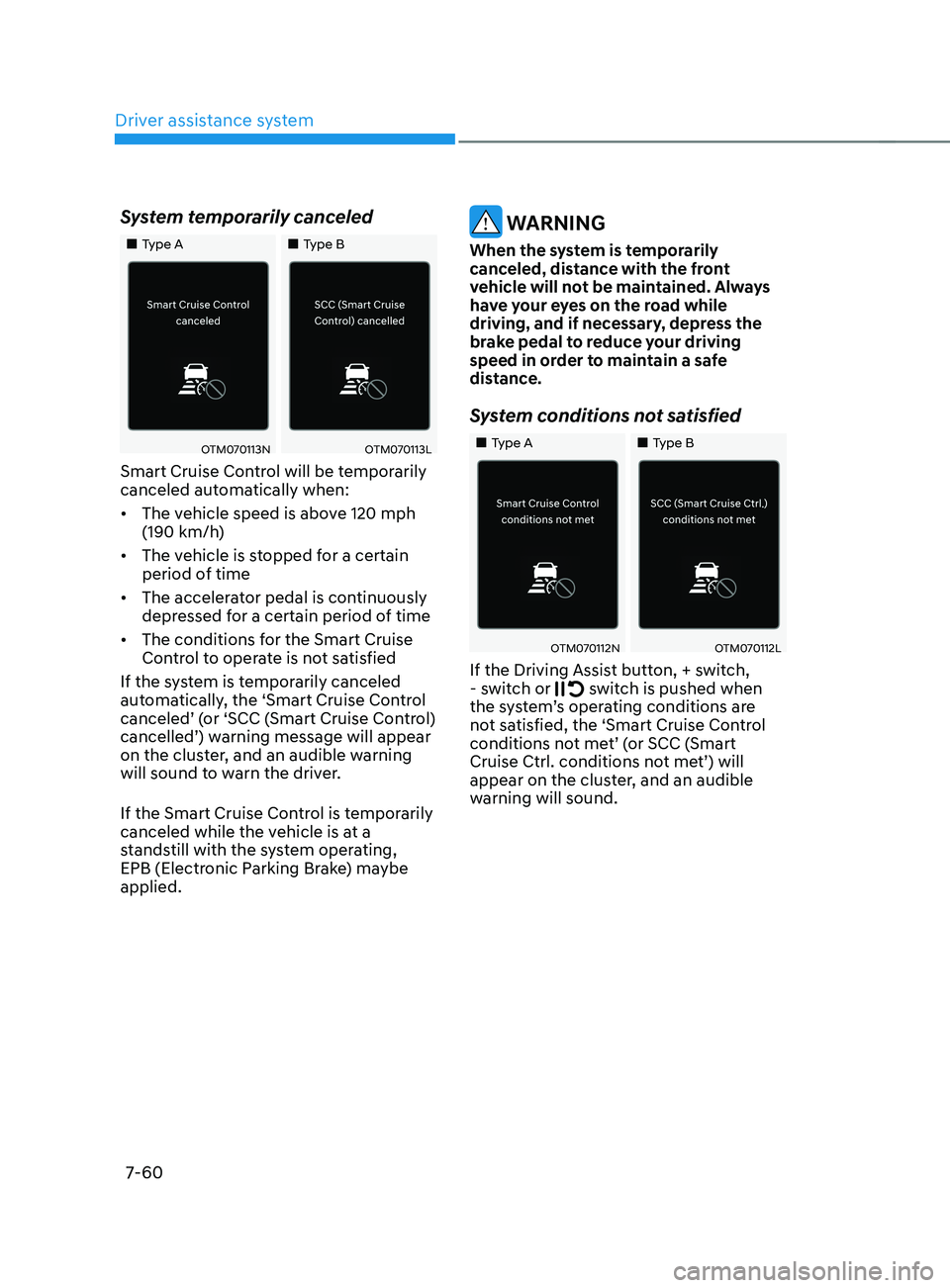
System temporarily canceled
„„Type A„„Type B
OTM070113NOTM070113L
Smart Cruise Control will be temporarily
canceled automatically when:
• The vehicle speed is above 120 mph
(190 km/h)
• The vehicle is stopped for a certain
period of time
• The accelerator pedal is continuously
depressed for a certain period of time
• The conditions for the Smart Cruise
Control to operate is not satisfied
If the system is temporarily canceled
automatically, the ‘Smart Cruise Control
canceled’ (or ‘SCC (Smart Cruise Control)
cancelled’) warning message will appear
on the cluster, and an audible warning
will sound to warn the driver.
If the Smart Cruise Control is temporarily
canceled while the vehicle is at a
standstill with the system operating,
EPB (Electronic Parking Brake) maybe
applied.
WARNING
When the system is temporarily
canceled, distance with the front
vehicle will not be maintained. Always
have your eyes on the road while
driving, and if necessary, depress the
brake pedal to reduce your driving
speed in order to maintain a safe
distance.
System conditions not satisfied
„„Type A „„Type B
OTM070112NOTM070112L
If the Driving Assist button, + switch,
- s witch or switch is pushed when
the system’s operating conditions are
not satisfied, the ‘Smart Cruise Control
conditions not met’ (or SCC (Smart
Cruise Ctrl. conditions not met’) will
appear on the cluster, and an audible
warning will sound.
Page 443 of 636
07
7-61
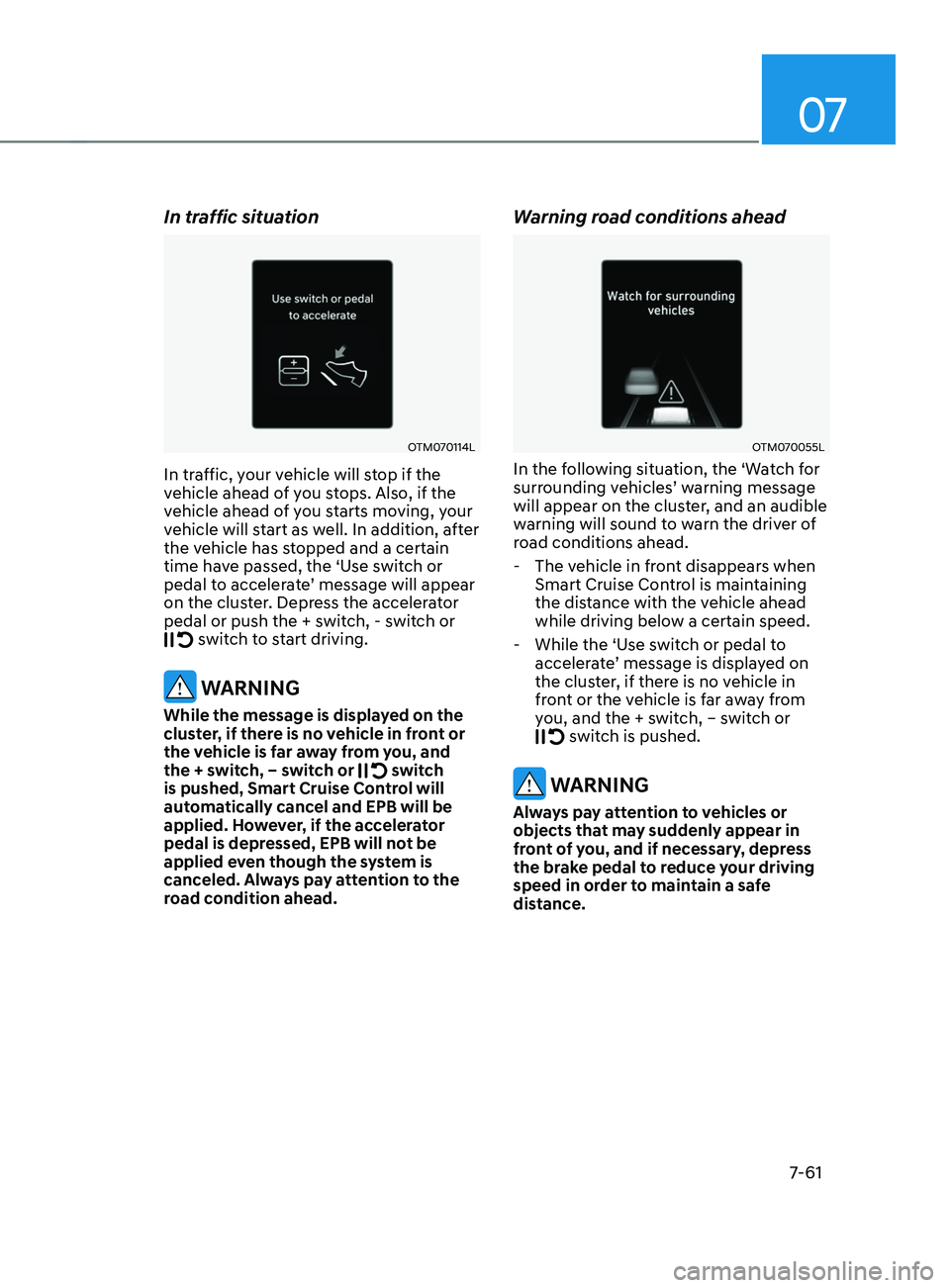
In traffic situation
OTM070114L
In traffic, your vehicle will stop if the
vehicle ahead of you stops. Also, if the
vehicle ahead of you starts moving, your
vehicle will start as well. In addition, after
the vehicle has stopped and a certain
time have passed, the ‘Use switch or
pedal to accelerate’ message will appear
on the cluster. Depress the accelerator
pedal or push the + switch, - switch or
switch to start driving.
WARNING
While the message is displayed on the
cluster, if there is no vehicle in front or
the vehicle is far away from you, and
the + switch, – switch or
switch
is pushed, Smart Cruise Control will
automatically cancel and EPB will be
applied. However, if the accelerator
pedal is depressed, EPB will not be
applied even though the system is
canceled. Always pay attention to the
road condition ahead.
Warning road conditions ahead
OTM070055L
In the following situation, the ‘Watch for
surrounding vehicles’ warning message
will appear on the cluster, and an audible
warning will sound to warn the driver of
road conditions ahead.
- The vehicle in fr
ont disappears when
Smart Cruise Control is maintaining
the distance with the vehicle ahead
while driving below a certain speed.
- While the ‘Use s
witch or pedal to
accelerate’ message is displayed on
the cluster, if there is no vehicle in
front or the vehicle is far away from
you, and the + switch, – switch or
switch is pushed.
WARNING
Always pay attention to vehicles or
objects that may suddenly appear in
front of you, and if necessary, depress
the brake pedal to reduce your driving
speed in order to maintain a safe
distance.