brake HYUNDAI SANTA FE LIMITED 2021 Owners Manual
[x] Cancel search | Manufacturer: HYUNDAI, Model Year: 2021, Model line: SANTA FE LIMITED, Model: HYUNDAI SANTA FE LIMITED 2021Pages: 636, PDF Size: 81.2 MB
Page 444 of 636
Driver assistance system
7-62
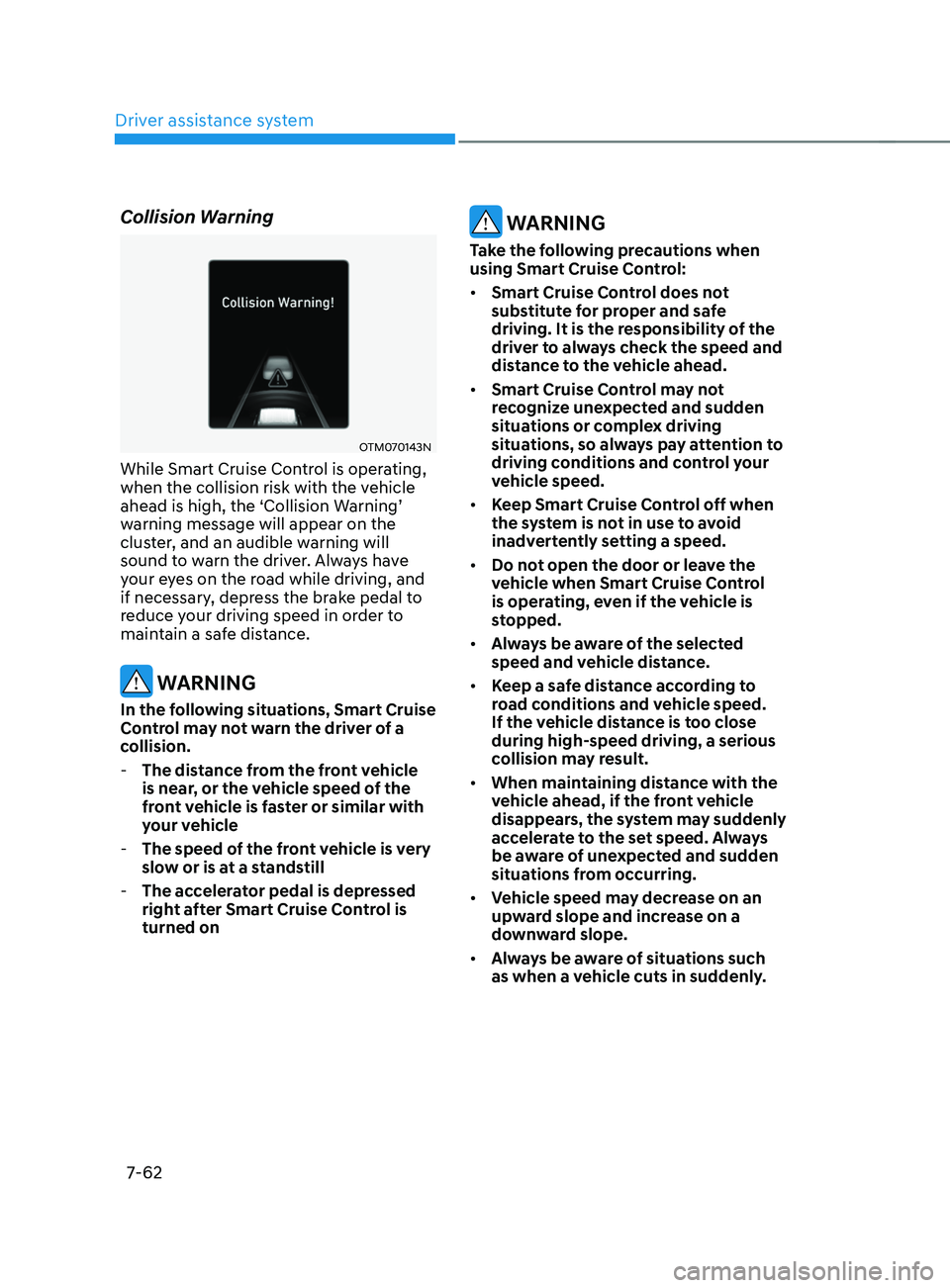
Collision Warning
OTM070143N
While Smart Cruise Control is operating,
when the collision risk with the vehicle
ahead is high, the ‘Collision Warning’
warning message will appear on the
cluster, and an audible warning will
sound to warn the driver. Always have
your eyes on the road while driving, and
if necessary, depress the brake pedal to
reduce your driving speed in order to
maintain a safe distance.
WARNING
In the following situations, Smart Cruise
Control may not warn the driver of a
collision.
-The distanc
e from the front vehicle
is near, or the vehicle speed of the
front vehicle is faster or similar with
your vehicle
- The speed of the fr
ont vehicle is very
slow or is at a standstill
- The acc
elerator pedal is depressed
right after Smart Cruise Control is
turned on
WARNING
Take the following precautions when
using Smart Cruise Control:
• Smart Cruise Control does not
substitute for proper and safe
driving. It is the responsibility of the
driver to always check the speed and
distance to the vehicle ahead.
• Smart Cruise Control may not
recognize unexpected and sudden
situations or complex driving
situations, so always pay attention to
driving conditions and control your
vehicle speed.
• Keep Smart Cruise Control off when
the system is not in use to avoid
inadvertently setting a speed.
• Do not open the door or leave the
vehicle when Smart Cruise Control
is operating, even if the vehicle is
stopped.
• Always be aware of the selected
speed and vehicle distance.
• Keep a safe distance according to
road conditions and vehicle speed.
If the vehicle distance is too close
during high-speed driving, a serious
collision may result.
• When maintaining distance with the
vehicle ahead, if the front vehicle
disappears, the system may suddenly
accelerate to the set speed. Always
be aware of unexpected and sudden
situations from occurring.
• Vehicle speed may decrease on an
upward slope and increase on a
downward slope.
• Always be aware of situations such
as when a vehicle cuts in suddenly.
Page 445 of 636
07
7-63
• When you are towing a trailer or
another vehicle, we recommend that
Smart Cruise Control is turned off
due to safety reasons.
• Turn off Smart Cruise Control when
your vehicle is being towed.
• Smart Cruise Control may not
operate normally if interfered by
strong electromagnetic waves.
• Smart Cruise Control may not
detect an obstacle in front and lead
to a collision. Always look ahead
cautiously to prevent unexpected
and sudden situations from
occurring.
• Vehicles moving in front of you with
a frequent lane change may cause
a delay in the system's reaction or
may cause the system to react to a
vehicle actually in an adjacent lane.
Always drive cautiously to prevent
unexpected and sudden situations
from occurring.
• Always be aware of the surroundings
and drive safely, even though a
warning message does not appear or
an audible warning does not sound.
• If any other system’s warning
message is displayed or warning
sound is generated, Smart Cruise
Control warning message may not
be displayed and warning sound may
not be generated.
• You may not hear the warning sound
of Forward Collision-Avoidance
Assist if the surrounding is noisy.
• The vehicle manufacturer is not
responsible for any traffic violation
or accidents caused by the driver.
• Always set the vehicle speed to the
speed limit in your country. Information
• Smart Cruise Control may not operate
for 15 seconds after the vehicle is
started or the front view camera or
front radar is initialized.
• You may hear a sound when the brake
is controlled by Smart Cruise Control.
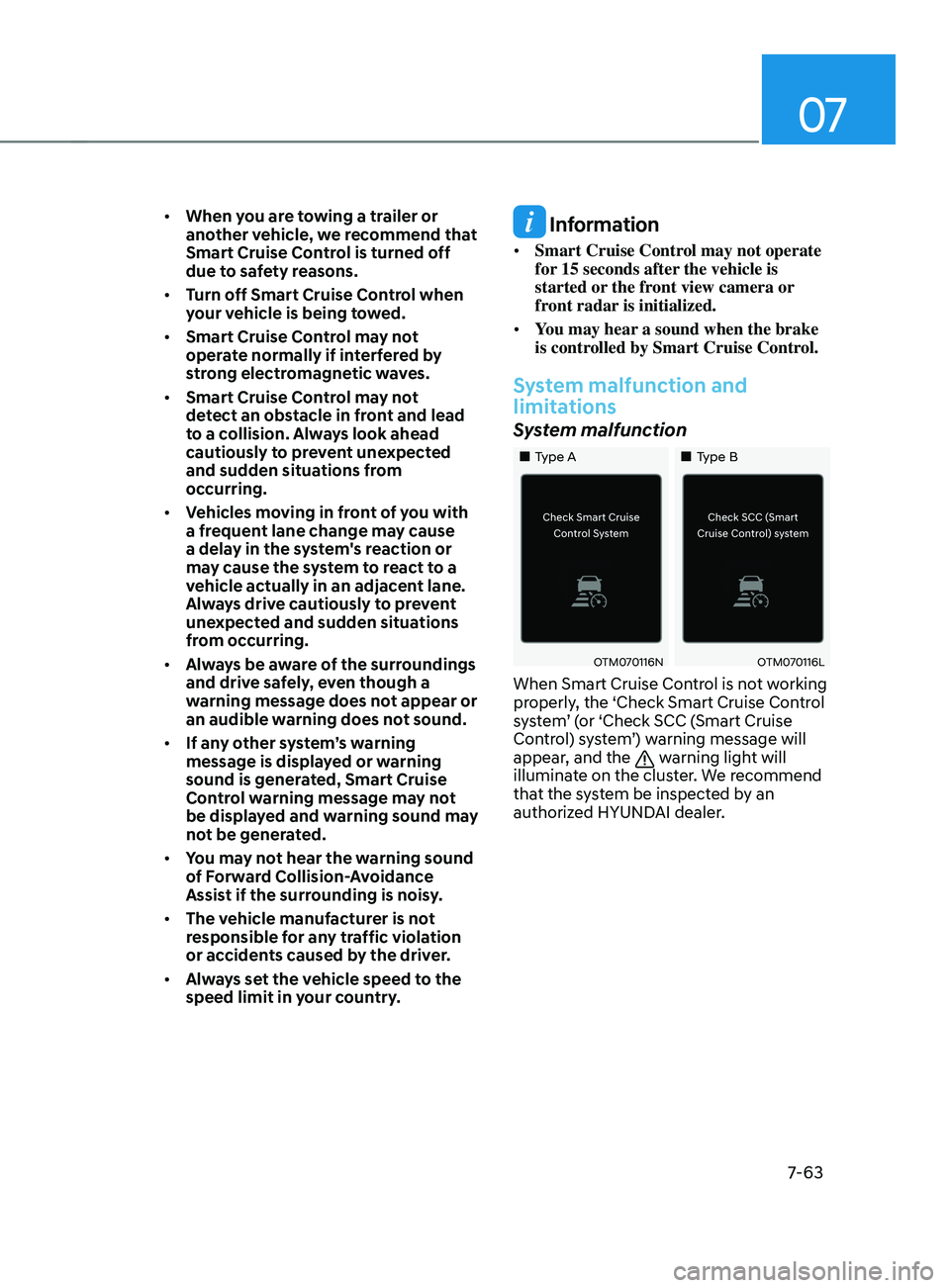
System malfunction and
limitations
System malfunction
„„Type A „„Type B
OTM070116NOTM070116L
When Smart Cruise Control is not working
properly, the ‘Check Smart Cruise Control
system’ (or ‘Check SCC (Smart Cruise
Control) system’) warning message will
appear, and the
warning light will
illuminate on the cluster. We recommend
that the system be inspected by an
authorized HYUNDAI dealer.
Page 448 of 636
Driver assistance system
7-66
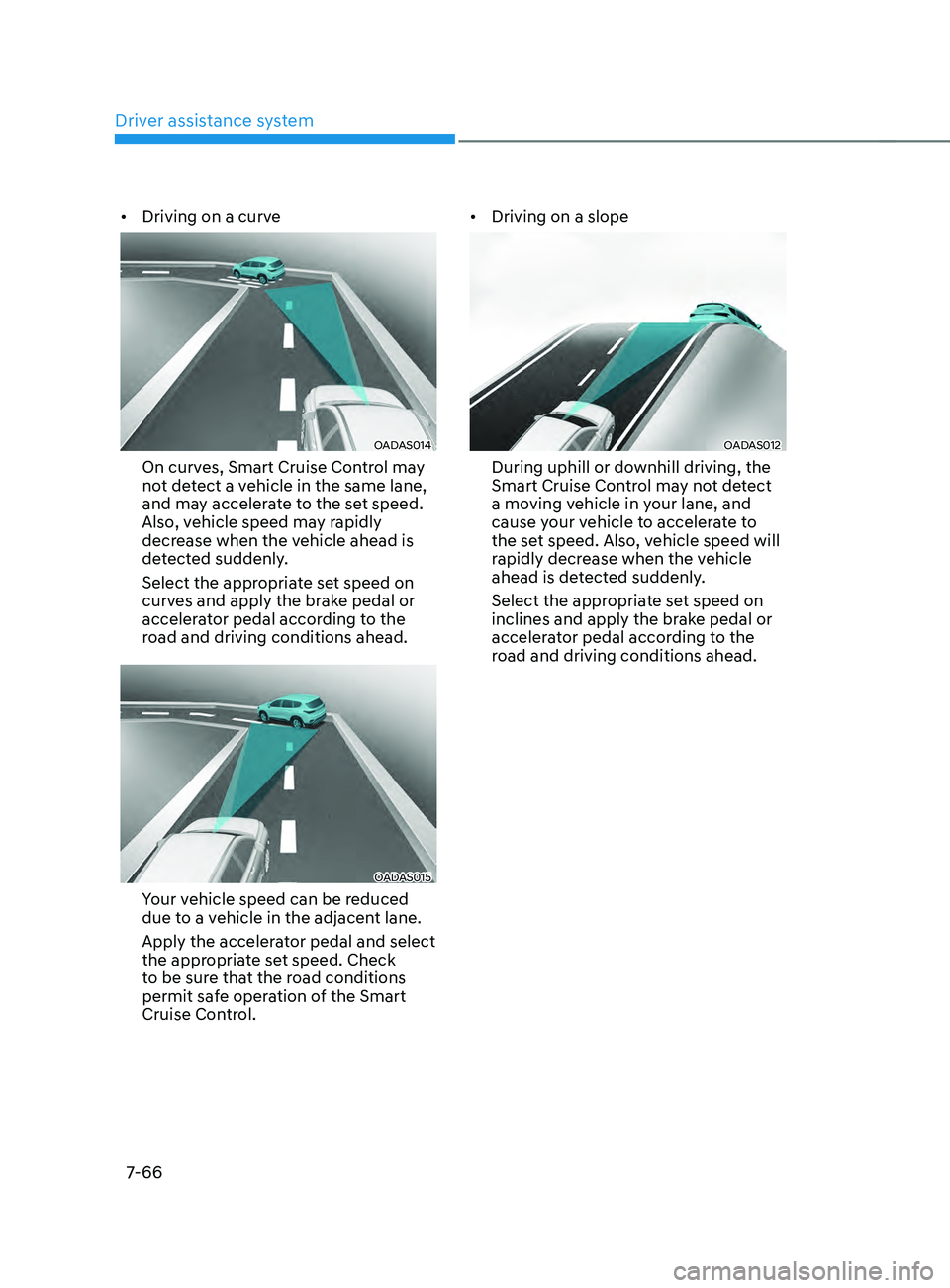
• Driving on a curve
OADAS014
On curves, Smart Cruise Control may
not detect a vehicle in the same lane,
and may accelerate to the set speed.
Also, vehicle speed may rapidly
decrease when the vehicle ahead is
detected suddenly.
Select the appropriate set speed on
curves and apply the brake pedal or
accelerator pedal according to the
road and driving conditions ahead.
OADAS015
Your vehicle speed can be reduced
due to a vehicle in the adjacent lane.
Apply the accelerator pedal and select
the appropriate set speed. Check
to be sure that the road conditions
permit safe operation of the Smart
Cruise Control. •
Driving on a slope
OADAS012
During uphill or downhill driving, the
Smart Cruise Control may not detect
a moving vehicle in your lane, and
cause your vehicle to accelerate to
the set speed. Also, vehicle speed will
rapidly decrease when the vehicle
ahead is detected suddenly.
Select the appropriate set speed on
inclines and apply the brake pedal or
accelerator pedal according to the
road and driving conditions ahead.
Page 449 of 636
![HYUNDAI SANTA FE LIMITED 2021 Owners Manual 07
7-67
• Changing lanes
OADAS030 [A] : Your vehicle, [B] : Lane changing vehicle
When a vehicle moves into your lane
from an adjacent lane, it cannot be
detected by the sensor until it is in the](/img/35/56182/w960_56182-448.png "HYUNDAI SANTA FE LIMITED 2021 Owners Manual 07
7-67
• Changing lanes
OADAS030 [A] : Your vehicle, [B] : Lane changing vehicle
When a vehicle moves into your lane
from an adjacent lane, it cannot be
detected by the sensor until it is in the")
07
7-67
• Changing lanes
OADAS030 [A] : Your vehicle, [B] : Lane changing vehicle
When a vehicle moves into your lane
from an adjacent lane, it cannot be
detected by the sensor until it is in the
sensor's detection range. Smart Cruise
Control may not immediately detect
the vehicle when the vehicle changes
lanes abruptly. In this case, you must
maintain a safe braking distance, and
if necessary, depress the brake pedal
to reduce your driving speed in order
to maintain a safe distance. •
Detecting vehicle
OJX1079181
In the following cases, some vehicles
in your lane cannot be detected by the
sensor:
- Vehicles o
ffset to one side
- Slow-mo
ving vehicles or sudden-
decelerating vehicles
- Oncoming vehicles
- St
opped vehicles
-Vehicles with small r
ear profile, such
as trailers
- Narro
w vehicles, such as
motorcycles or bicycles
- Special vehicles
- Animals and pedestrians
A
djust your vehicle speed by
depressing the brake pedal according
to the road and driving conditions
ahead.
Page 450 of 636
Driver assistance system
7-68
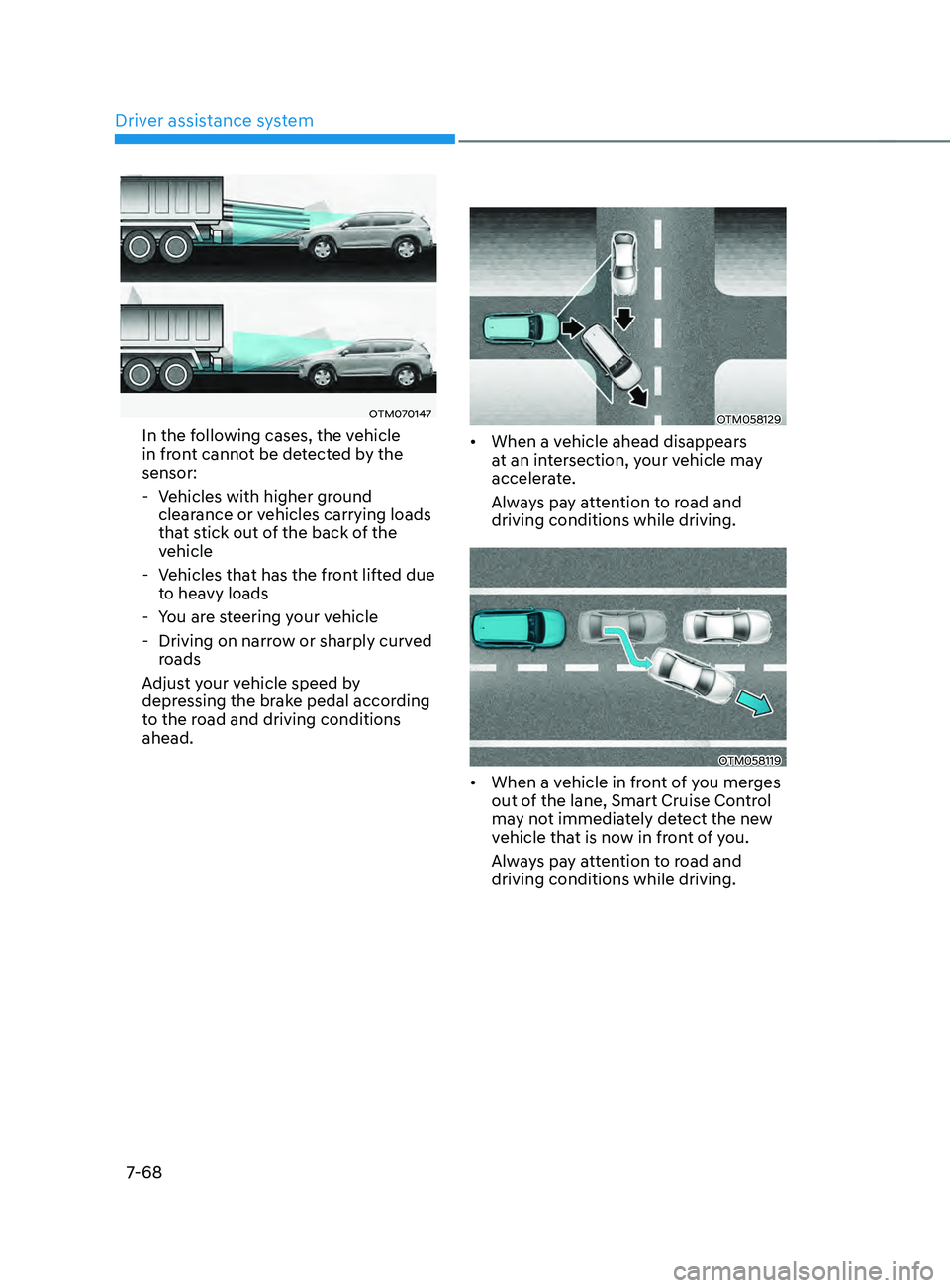
OTM070147
In the following cases, the vehicle
in front cannot be detected by the
sensor:
- Vehicles with higher gr
ound
clearance or vehicles carrying loads
that stick out of the back of the
vehicle
- Vehicles tha
t has the front lifted due
to heavy loads
- You ar
e steering your vehicle
- Driving on narro
w or sharply curved
roads
Adjust your vehicle speed by
depressing the brake pedal according
to the road and driving conditions
ahead.OTM058129
• When a vehicle ahead disappears
at an intersection, your vehicle may
accelerate.
Always pay attention to road and
driving conditions while driving.
OTM058119
• When a vehicle in front of you merges
out of the lane, Smart Cruise Control
may not immediately detect the new
vehicle that is now in front of you.
Always pay attention to road and
driving conditions while driving.
Page 454 of 636
Driver assistance system
7-7 2
Information
Highway Curve Zone Auto Slowdown and
Highway Set Speed Auto Change function
uses the same
symbol.
Highway Curve Zone Auto Slowdown
• Depending on the curve ahead on the
highway (or motorway), the vehicle
will decelerate, and after passing the
curve, the vehicle will accelerate to
Smart Cruise Control set speed.
• Vehicle deceleration time may differ
depending on the vehicle speed
and the degree of the curve on the
road. The higher the driving speed,
deceleration will start faster.
Highway Set Speed Auto Change
• Highway Set Speed Auto Change
function will operate when Smart
Cruise Control set speed and the
highway (or motorway) speed limit is
matched.
• While Highway Set Speed Auto
Change function is operating, when
the highway (or motorway) speed limit
changes, Smart Cruise Control set
speed automatically changes to the
changed speed limit.
• If Smart Cruise Control set speed is
adjusted different from the speed
limit, Highway Set Speed Auto Change
function will be in the standby state.
• If Highway Set Speed Auto Change
function has changed to the standby
state by driving on a road other than
the highway (or motorway) main road,
Highway Set Speed Auto Change
function will operate again when you
drive on the main road again without
setting the set speed. •
If Highway Set Speed Auto Change
function has changed to the standby
state by depressing the brake pedal
or pressing the switch on the
steering wheel, press the switch
to restart the function.
• Highway Set Speed Auto Change
function does not operate on highway
interchanges or junctions.
Information
• Highway Set Speed Auto Change
function only operates based on
the speed limits of the highway (or
motorway), it does not work with speed
cameras.
• When Highway Set Speed Auto Change
function is operating, the vehicle
automatically accelerates or decelerates
when the highway (or motorway) speed
limit changes.
• The maximum set speed for Highway
Set Speed Auto Change function is 86
mph (140 km/h).
• If the speed limit of a new road is not
updated in the navigation, Highway Set
Speed Auto Change function may not
operate properly.
• If the speed unit is set to a unit other
than the speed unit used in your
country, Highway Set Speed Auto
Change function may not operate
properly.
Page 481 of 636
07
7-99
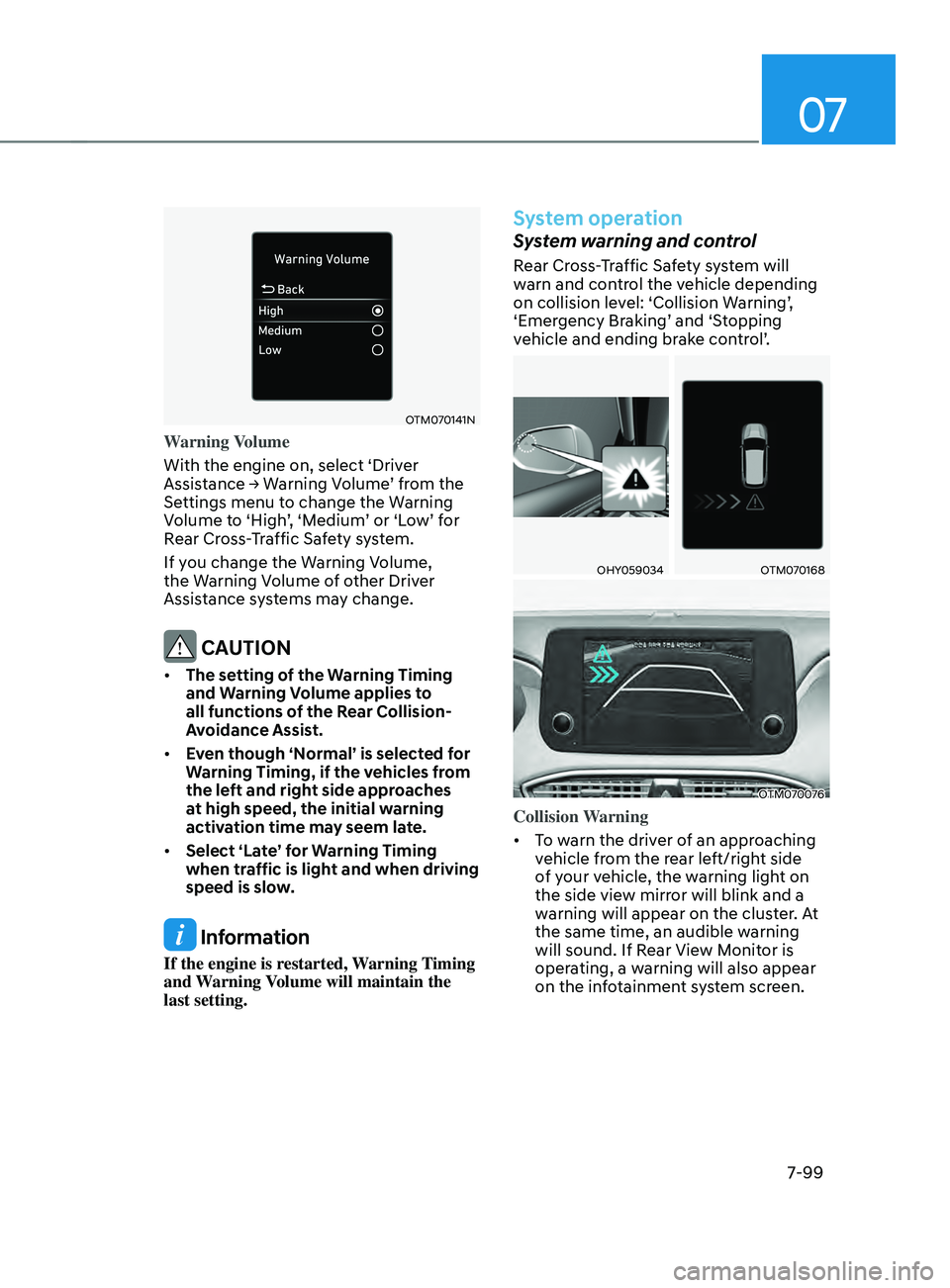
OTM070141N
Warning Volume
With the engine on, select ‘Driver
Assistance
→ W
arning
V
olume’
fr
om
the Settings menu t
o change the Warning
Volume to ‘High’, ‘Medium’ or ‘Low’ for
Rear Cross-Traffic Safety system.
If you change the Warning Volume,
the Warning Volume of other Driver
Assistance systems may change.
CAUTION
• The setting of the Warning Timing
and Warning Volume applies to
all functions of the Rear Collision-
Avoidance Assist.
• Even though ‘Normal’ is selected for
Warning Timing, if the vehicles from
the left and right side approaches
at high speed, the initial warning
activation time may seem late.
• Select ‘Late’ for Warning Timing
when traffic is light and when driving
speed is slow.
Information
If the engine is restarted, Warning Timing
and Warning Volume will maintain the
last setting.
System operation
System warning and control
Rear Cross-Traffic Safety system will
warn and control the vehicle depending
on collision level: ‘Collision Warning’,
‘Emergency Braking’ and ‘Stopping
vehicle and ending brake control’.
OHY059034OTM070168
OTM070076
Collision Warning
• To warn the driver of an approaching
vehicle from the rear left/right side
of your vehicle, the warning light on
the side view mirror will blink and a
warning will appear on the cluster. At
the same time, an audible warning
will sound. If Rear View Monitor is
operating, a warning will also appear
on the infotainment system screen.
Page 483 of 636
07
7-101
• The system will operate when all the
following conditions are satisfied:
- The gear is shifted t
o R (Reverse)
- Vehicle speed is belo
w 5 mph (8
km/h)
- The approaching v
ehicle is within
approximately 5 ft. (1.5 m) from the
left or right side of your vehicle
- The speed of the v
ehicle
approaching from the left and right
is above 3 mph (5 km/h)
• Emergency braking will be assisted
to help prevent collision with
approaching vehicles from the left
and right.
WARNING
Brake control will end when:
-The approaching v
ehicle is out of the
detecting range
- The approaching v
ehicle passes
behind your vehicle
- The approaching v
ehicle does not
drive toward your vehicle
- The approaching v
ehicle speed slows
down
- The driver depr
esses the brake pedal
with sufficient power
OTM070169L
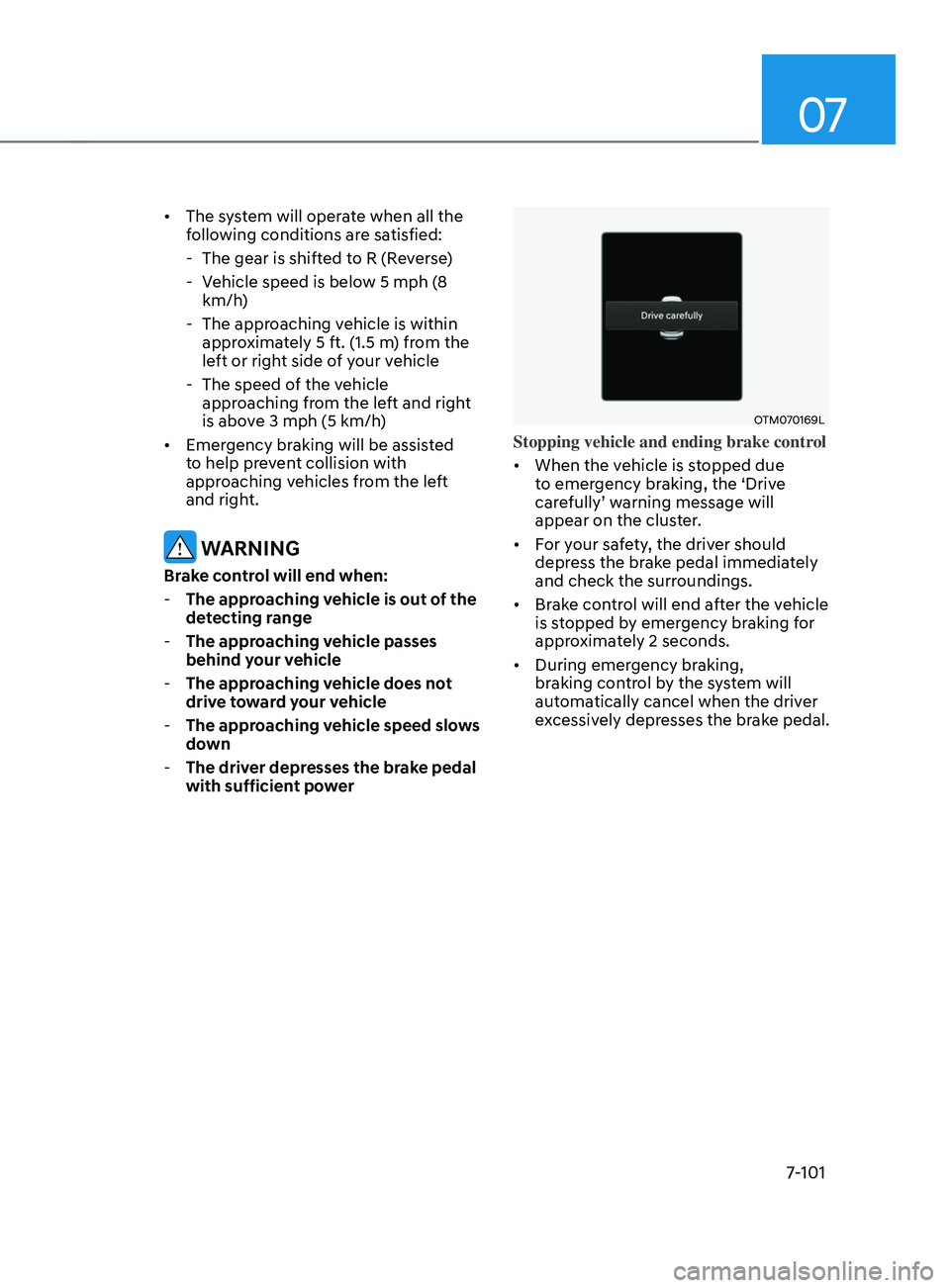
Stopping vehicle and ending brake control
• When the vehicle is stopped due
to emergency braking, the ‘Drive
carefully’ warning message will
appear on the cluster.
• For your safety, the driver should
depress the brake pedal immediately
and check the surroundings.
• Brake control will end after the vehicle
is stopped by emergency braking for
approximately 2 seconds.
• During emergency braking,
braking control by the system will
automatically cancel when the driver
excessively depresses the brake pedal.
Page 484 of 636
Driver assistance system
7-102
WARNING
Take the following precautions when
using Rear Cross-Traffic Safety system:
• For your safety, change the Settings
after parking the vehicle at a safe
location.
• If any other system’s warning
message is displayed or audible
warning is generated, Rear Cross-
Traffic Safety system’s warning
message may not be displayed
and audible warning may not be
generated.
• You may not hear the warning sound
of Rear Cross-Traffic Safety system if
the surrounding is noisy.
• Rear Cross-Traffic Safety system may
not operate if the driver applies the
brake pedal to avoid collision.
• During Rear Cross-Traffic Safety
system operation, the vehicle may
stop suddenly injuring passengers
and shifting loose objects. Always
have the seat belt on and keep loose
objects secured.
• Even if there is a problem with Rear
Cross-Traffic Safety system, the
vehicle’s basic braking performance
will operate normally.
• Rear Cross-Traffic Safety system does
not operate in all situations or cannot
avoid all collisions.
• During emergency braking,
braking control by the system will
automatically cancel when the
driver excessively depresses the
accelerator pedal. •
The driver is solely responsible to
operate the vehicle in a safe manner.
Do not solely depend on Rear
Cross-Traffic Safety system. Rather,
maintain a safe braking distance, and
if necessary, depress the brake pedal
to reduce driving speed or to stop
the vehicle.
• Never deliberately operate Rear
Cross-Traffic Safety system on
people, animal, objects, etc. It may
cause serious injury or death.
CAUTION
The brake control may not operate
properly depending on the status of
ESC (Electronic Stability Control).
There will only be a warning when:
-The ESC (Electronic S
tability Control)
warning light is on
- ESC (Electronic S
tability Control) is
engaged in a different function
Information
• If the system assists you with braking,
the driver needs to pay attention as the
brake assist will end within 2 seconds.
The driver must immediately depress
the brake pedal and check vehicle
surroundings.
• Brake control will end when the
driver depresses the brake pedal with
sufficient power.
• After shifting the gear to R (Reverse),
braking control will operate once for
left and right vehicle approach.
Page 486 of 636
Driver assistance system
7-104
WARNING
• Even though the warning message
does not appear on the cluster, Rear
Cross-Traffic Safety system may not
operate properly.
• Rear Cross-Traffic Safety system may
not operate properly in an area (for
example: open terrain), where any
substance are not detected after
turning ON the engine.
CAUTION
Turn off Rear Cross-Traffic Safety
system to install a trailer, carrier, etc.,
or remove the trailer, carrier, etc. to use
Rear Cross-Traffic Safety system.
Limitations of the system
Rear Cross-Traffic Safety system may
not operate normally, or the system
may operate unexpectedly under the
following circumstances:
• Departing from where trees or grass
are overgrown
• Departing from where roads are wet
• Speed of the approaching vehicle is
fast or slow
Braking control may not work, driver’s
attention is required in the following
circumstances:
• The vehicle severely vibrates while
driving over a bumpy road, uneven
road or concrete patch
• Driving on a slippery surface due to
snow, water puddle, ice, etc.
• The tire pressure is low or a tire is
damaged
• The brake is reworked
• Remote Smart Parking Assist is
operating (if equipped)
CAUTION
For more details on the limitations of
the rear corner radar, refer to “Blind-
Spot Collision-Avoidance Assist (BCA)”
section in chapter 7.
WARNING
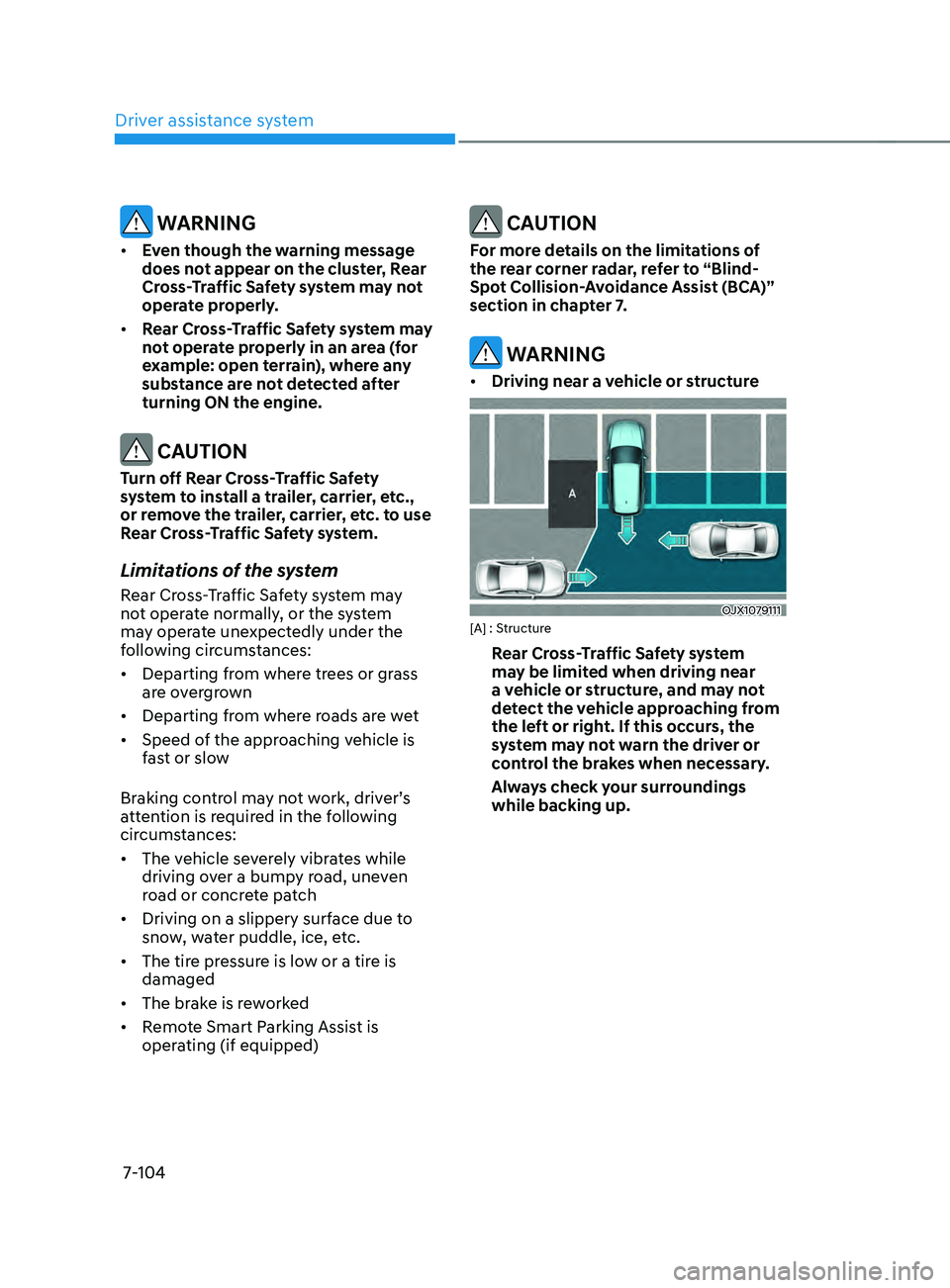
• Driving near a vehicle or structure
OJX1079111[A] : Structure
Rear Cross-Traffic Safety system
may be limited when driving near
a vehicle or structure, and may not
detect the vehicle approaching from
the left or right. If this occurs, the
system may not warn the driver or
control the brakes when necessary.
Always check your surroundings
while backing up.