light Hyundai Santa Fe Sport 2017 Owner's Guide
[x] Cancel search | Manufacturer: HYUNDAI, Model Year: 2017, Model line: Santa Fe Sport, Model: Hyundai Santa Fe Sport 2017Pages: 614, PDF Size: 18.99 MB
Page 85 of 614
363
Safety features of your vehicle
(Continued)
If the SRS air bag warninglight remains illuminated while
the vehicle is being driven,
have an authorized HYUNDAI
dealer inspect the air bag sys-
tem as soon as possible.
Air bags can only be used once – have an authorized HYUNDAI
dealer replace the air bag
immediately after deployment.
The SRS is designed to deploy the front air bags only when
frontal impact is sufficiently
severe and when the impact
angle is toward from the for-
ward longitudinal axis of the
vehicle. Additionally, the air
bags will only deploy once.
Seat belts must be worn at all
times.
(Continued)(Continued)
No objects should be placedover or near the air bag mod-
ules on the steering wheel,
instrument panel, and the
front passenger's panel above
the glove box, because any
such object could cause harm
if the vehicle is in a crash
severe enough to cause the
air bags to deploy.
Never place covers, blankets or seat warmers on the pas-
senger seat as these may
interfere with the occupant
classification system.
Do not tamper with or discon- nect SRS wiring or other com-
ponents of the SRS system.
Doing so could result in injury,
due to accidental deployment
of the air bags or by rendering
the SRS inoperative.
(Continued)(Continued)
Front and side air bags caninjure occupants improperly
positioned in the front seats.
Move your seat as far back as practical from the front air
bags, while still maintaining
control of the vehicle.
You and your passengers should never sit or lean unnec-
essarily close to the air bags.
Improperly positioned driver
and passengers can be severe-
ly injured by inflating air bags.
Never lean against the door or center console – always sit in
an upright position.
Do not allow a passenger to ride in the front seat when the
PASS AIR BAG "OFF" indica-
tor is illuminated, because the
air bag will not deploy in the
event of a moderate or severe
frontal crash.
(Continued)
Page 95 of 614
373
Safety features of your vehicle
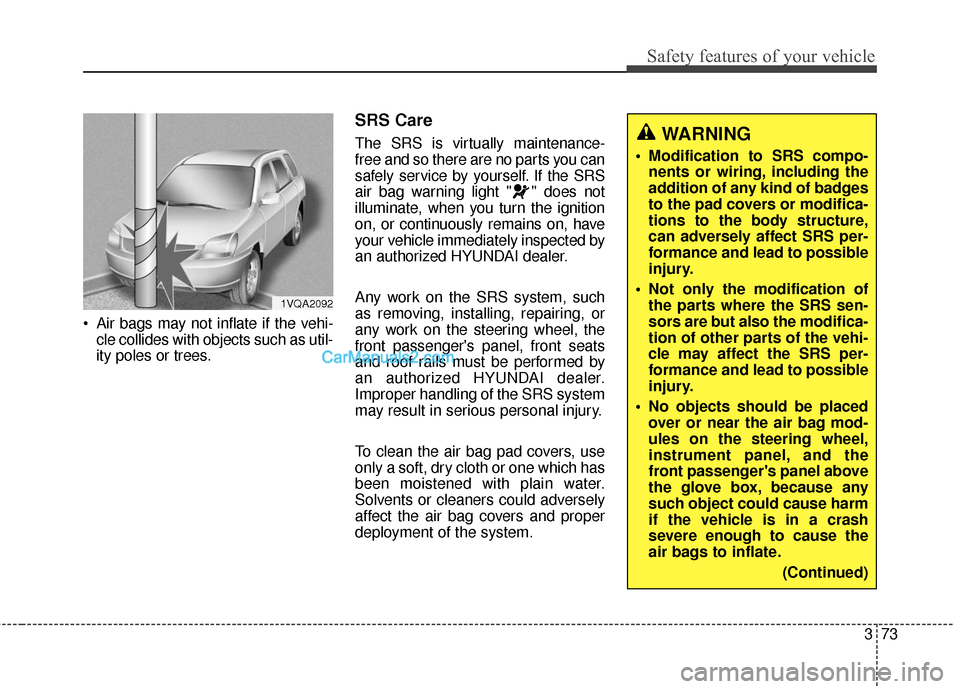
Air bags may not inflate if the vehi-cle collides with objects such as util-
ity poles or trees.
SRS Care
The SRS is virtually maintenance-
free and so there are no parts you can
safely service by yourself. If the SRS
air bag warning light " " does not
illuminate, when you turn the ignition
on, or continuously remains on, have
your vehicle immediately inspected by
an authorized HYUNDAI dealer.
Any work on the SRS system, such
as removing, installing, repairing, or
any work on the steering wheel, the
front passenger's panel, front seats
and roof rails must be performed by
an authorized HYUNDAI dealer.
Improper handling of the SRS system
may result in serious personal injury.
To clean the air bag pad covers, use
only a soft, dry cloth or one which has
been moistened with plain water.
Solvents or cleaners could adversely
affect the air bag covers and proper
deployment of the system.WARNING
Modification to SRS compo-nents or wiring, including the
addition of any kind of badges
to the pad covers or modifica-
tions to the body structure,
can adversely affect SRS per-
formance and lead to possible
injury.
Not only the modification of the parts where the SRS sen-
sors are but also the modifica-
tion of other parts of the vehi-
cle may affect the SRS per-
formance and lead to possible
injury.
No objects should be placed over or near the air bag mod-
ules on the steering wheel,
instrument panel, and the
front passenger's panel above
the glove box, because any
such object could cause harm
if the vehicle is in a crash
severe enough to cause the
air bags to inflate.
(Continued)
1VQA2092
Page 99 of 614

Mirrors . . . . . . . . . . . . . . . . . . . . . . . . . . . . . . . . . . 4-60\
. . . . . . . . . . . . . . . . . . . . . . . . 4-60
. . . . . . . . . . . . . . . . . . . . . . . . . . . . 4-76
Instrument cluster . . . . . . . . . . . . . . . . . . . . . . . . . 4-79
. . . . . . . . . . . . . . . . . . . . 4-80
. . . . . . . . . . . . . . . . . . . . . . . . . . . . . . . . . . . . \
. 4-80
. . . . . . . . . . . . . . . . . . . . . . 4-83
LCD display . . . . . . . . . . . . . . . . . . . . . . . . . . . . . . 4-84
. . . . . . . . . . . . . . . . . . . . . . . . . 4-84
. . . . . . . . . . . . . . . . . . . . . . . . . . . . . . . . . 4-84
. . . . . . . . . . . . . . . . . . . . . . . . . 4-85
. . . . . . . . . . . . . . . . . . . . . . . . . . . . 4-85
. . . . . . . . . . . . . . . . . . . . . . . . . . . . . . . . . . . 4-\
86
. . . . . . . . . . . . . . . . . . . . . . . . . . . . . . . . 4-86
. . . . . . . . . . . . . . . . . . . . . . . . . . . 4-87
. . . . . . . . . . . . . . . . . . . . . . . . . . . . 4-93
Trip computer . . . . . . . . . . . . . . . . . . . . . . . . . . . . 4-102
. . . . . . . . . . . . . . . . . . . . . . . . . . . . . . 4-103
. . . . . . . . . . . . . . . . . . . . . . . . . . . . . . . . . . . 4-\
104
. . . . . . . . . . . . . . . . . . . . . . . . . 4-105
Warning and indicator lights . . . . . . . . . . . . . . . 4-107
. . . . . . . . . . . . . . . . . . . . . . . . . . . . . . 4-107
. . . . . . . . . . . . . . . . . . . . . . . . . . . . . 4-115
Drive assist system . . . . . . . . . . . . . . . . . . . . . . . . 4-120
. . . . . . . . . . . . . . . . . . . . 4-120
. . . . . . . . . . . . . . . . . . . . . . . . . . . 4-124
. . . . . . . . . . . . . . . . . . . 4-125
Hazard warning flasher . . . . . . . . . . . . . . . . . . . . 4-126
Lighting . . . . . . . . . . . . . . . . . . . . . . . . . . . . . . . . . 4-127
. . . . . . . . . . . . . . . . . . . . . . . . . . . . . 4-127
. . . . . . . . . . . . . . . . . . . . . . . . . . . . . 4-128
. . . . . . . . . . . . . . . . . . . . . . . . . . . 4-133
. . . . . . . . 4-136
Wipers and washers . . . . . . . . . . . . . . . . . . . . . . . 4-137
. . . . . . . . . . . . . . . . . . . . . . . . . . . 4-137
. . . . . . . . . 4-140
Interior light . . . . . . . . . . . . . . . . . . . . . . . . . . . . . 4-141
. . . . . . . . . . . . . . . . . . . 4-141
. . . . . . . . . . . . . . . . . . . . . . . . . . . . . . . . . . 4-14\
1
. . . . . . . . . . . . . . . . . . . . . . . . . . . . . . . . . 4-142
. . . . . . . . . . . . . . . . . . . . . . . . . 4-143
. . . . . . . . . . . . . . . . . . . . . . . . . . 4-143
4
Page 102 of 614
45
Features of your vehicle
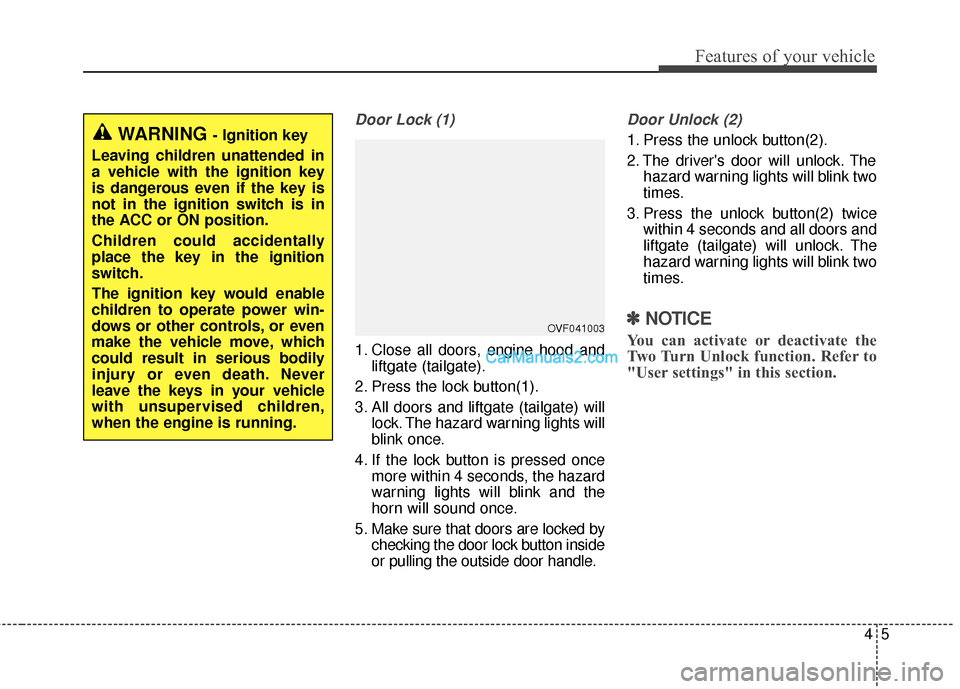
Door Lock (1)
1. Close all doors, engine hood andliftgate (tailgate).
2. Press the lock button(1).
3. All doors and liftgate (tailgate) will lock. The hazard warning lights will
blink once.
4. If the lock button is pressed once more within 4 seconds, the hazard
warning lights will blink and the
horn will sound once.
5. Make sure that doors are locked by checking the door lock button inside
or pulling the outside door handle.
Door Unlock (2)
1. Press the unlock button(2).
2. The driver's door will unlock. Thehazard warning lights will blink two
times.
3. Press the unlock button(2) twice within 4 seconds and all doors and
liftgate (tailgate) will unlock. The
hazard warning lights will blink two
times.
✽ ✽NOTICE
You can activate or deactivate the
Two Turn Unlock function. Refer to
"User settings" in this section.
WARNING - Ignition key
Leaving children unattended in
a vehicle with the ignition key
is dangerous even if the key is
not in the ignition switch is in
the ACC or ON position.
Children could accidentally
place the key in the ignition
switch.
The ignition key would enable
children to operate power win-
dows or other controls, or even
make the vehicle move, which
could result in serious bodily
injury or even death. Never
leave the keys in your vehicle
with unsupervised children,
when the engine is running.
OVF041003
Page 103 of 614
Features of your vehicle
64
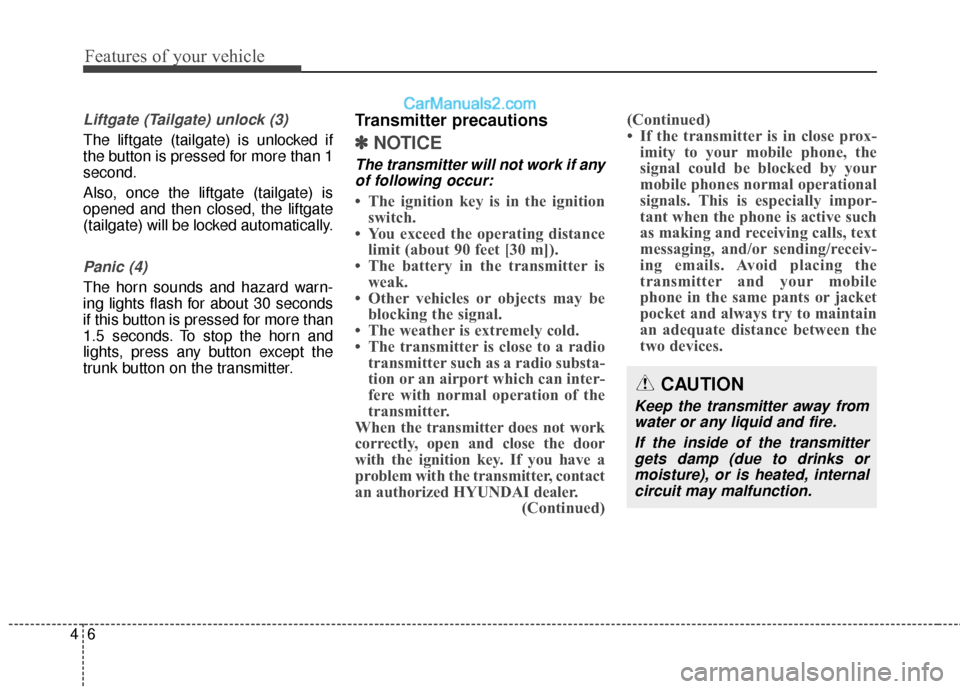
Liftgate (Tailgate) unlock (3)
The liftgate (tailgate) is unlocked if
the button is pressed for more than 1
second.
Also, once the liftgate (tailgate) is
opened and then closed, the liftgate
(tailgate) will be locked automatically.
Panic (4)
The horn sounds and hazard warn-
ing lights flash for about 30 seconds
if this button is pressed for more than
1.5 seconds. To stop the horn and
lights, press any button except the
trunk button on the transmitter.
Transmitter precautions
✽ ✽NOTICE
The transmitter will not work if any
of following occur:
• The ignition key is in the ignition switch.
• You exceed the operating distance limit (about 90 feet [30 m]).
• The battery in the transmitter is weak.
• Other vehicles or objects may be blocking the signal.
• The weather is extremely cold.
• The transmitter is close to a radio transmitter such as a radio substa-
tion or an airport which can inter-
fere with normal operation of the
transmitter.
When the transmitter does not work
correctly, open and close the door
with the ignition key. If you have a
problem with the transmitter, contact
an authorized HYUNDAI dealer. (Continued)(Continued)
• If the transmitter is in close prox-
imity to your mobile phone, the
signal could be blocked by your
mobile phones normal operational
signals. This is especially impor-
tant when the phone is active such
as making and receiving calls, text
messaging, and/or sending/receiv-
ing emails. Avoid placing the
transmitter and your mobile
phone in the same pants or jacket
pocket and always try to maintain
an adequate distance between the
two devices.
CAUTION
Keep the transmitter away from
water or any liquid and fire.
If the inside of the transmittergets damp (due to drinks ormoisture), or is heated, internalcircuit may malfunction.
Page 104 of 614
47
Features of your vehicle
Battery replacement
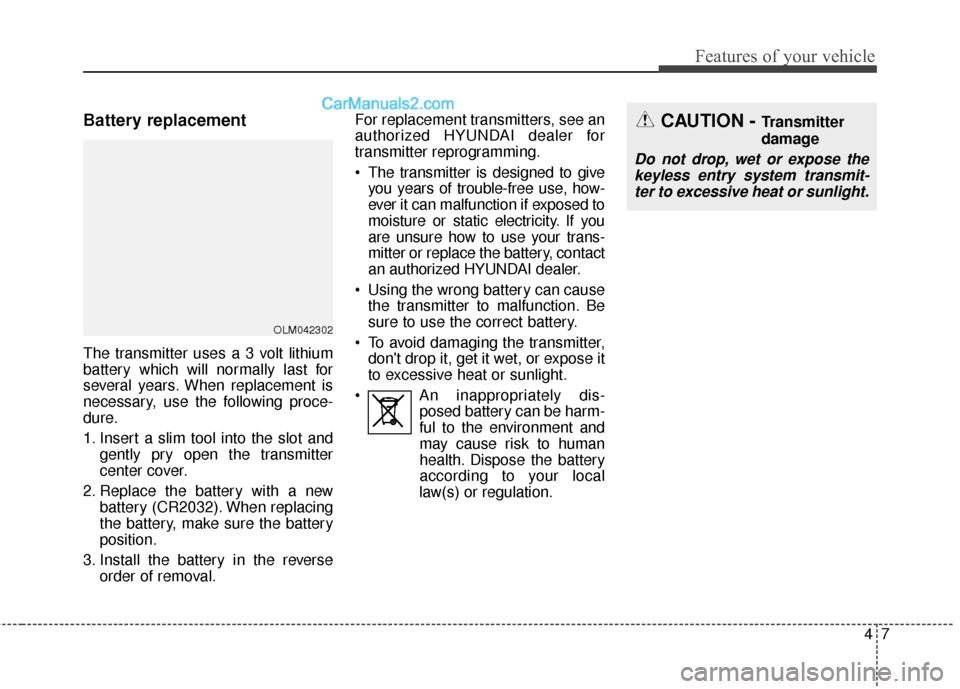
The transmitter uses a 3 volt lithium
battery which will normally last for
several years. When replacement is
necessary, use the following proce-
dure.
1. Insert a slim tool into the slot andgently pry open the transmitter
center cover.
2. Replace the battery with a new battery (CR2032). When replacing
the battery, make sure the battery
position.
3. Install the battery in the reverse order of removal. For replacement transmitters, see an
authorized HYUNDAI dealer for
transmitter reprogramming.
The transmitter is designed to give
you years of trouble-free use, how-
ever it can malfunction if exposed to
moisture or static electricity. If you
are unsure how to use your trans-
mitter or replace the battery, contact
an authorized HYUNDAI dealer.
Using the wrong battery can cause the transmitter to malfunction. Be
sure to use the correct battery.
To avoid damaging the transmitter, don't drop it, get it wet, or expose it
to excessive heat or sunlight.
An inappropriately dis- posed battery can be harm-
ful to the environment and
may cause risk to human
health. Dispose the battery
according to your local
law(s) or regulation.
OLM042302
CAUTION - Transmitter
damage
Do not drop, wet or expose the keyless entry system transmit-ter to excessive heat or sunlight.
Page 108 of 614
411
Features of your vehicle
Door Lock
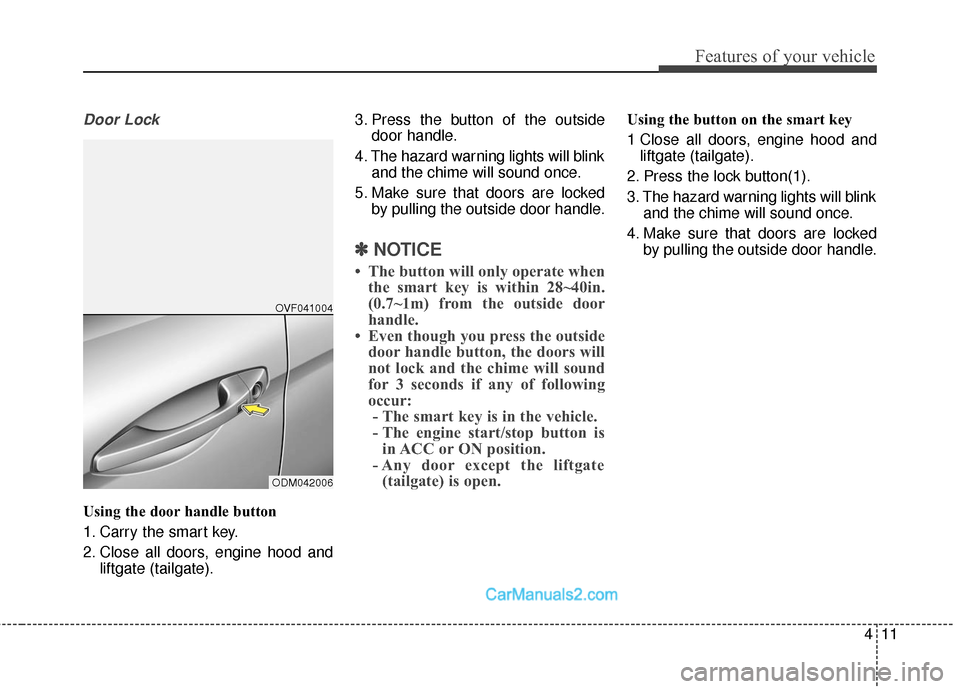
Using the door handle button
1. Carry the smart key.
2. Close all doors, engine hood andliftgate (tailgate). 3. Press the button of the outside
door handle.
4. The hazard warning lights will blink and the chime will sound once.
5. Make sure that doors are locked by pulling the outside door handle.
✽ ✽NOTICE
• The button will only operate when
the smart key is within 28~40in.
(0.7~1m) from the outside door
handle.
• Even though you press the outside door handle button, the doors will
not lock and the chime will sound
for 3 seconds if any of following
occur:- The smart key is in the vehicle.
- The engine start/stop button is in ACC or ON position.
- Any door except the liftgate (tailgate) is open.
Using the button on the smart key
1 Close all doors, engine hood and
liftgate (tailgate).
2. Press the lock button(1).
3. The hazard warning lights will blink and the chime will sound once.
4. Make sure that doors are locked by pulling the outside door handle.
ODM042006OVF041004
Page 109 of 614
Features of your vehicle
12
4
Unlocking
Using the door handle button
1. Carry the smart key.
2. Press the button of the driver's
outside door handle.
3. The driver’s door will unlock. The hazard warning lights will blink and
the chime will sound two times.
4. Press the button twice within 4 seconds and all doors and the lift-
gate (tailgate) will unlock and the
hazard warning lights will blink and
the chime will sound two times.
❈ If you press the button of the front
passenger’s outside door handle
while carrying the smart key, all
doors will unlock.
✽ ✽
NOTICE
• The button will only operate when
the smart key is within 28~40in.
(0.7~1m) from the outside door
handle.
• When the smart key is recognized in the area of 28~40in. (0.7~1m)
from the front outside door han-
dle, other people can also open the
doors.
• After unlocking the driver’s door or all doors, the door(s) will lock
automatically unless the door is
opened.
Using the button on the smart key
1. Press the unlock button(2) of the
smart key.
2. The driver’s door will unlock. The hazard warning lights will blink and
the chime will sound two times.
3. Press the unlock button(2) twice within 4 seconds and all doors and
the liftgate (tailgate) will unlock.
The hazard warning lights will
blink and the chime will sound two
times.
✽ ✽NOTICE
After pressing the button, the doors
will lock automatically unless any
door is opened within 30 seconds.
✽ ✽NOTICE
You can activate or deactivate the
Two Turn Unlock function. Refer to
"User settings" in this section.
Page 110 of 614
413
Features of your vehicle
Liftgate (Tailgate) unlocking
Using the liftgate (tailgate) handle
button
1. Carry the smart key.
2. Press the liftgate (tailgate) handlebutton.
3. When all doors are locked, the hazard warning lights will blink two
times.
Once the liftgate (tailgate) is
opened and then closed, the lift-
gate (tailgate) will lock automati-
cally.
✽ ✽NOTICE
The button will only operate when
the smart key is within 28~40in.
(0.7~1m) from the liftgate (tailgate)
handle.
Using the button on the smart key
1. Press the liftgate (tailgate) unlock
button(3) for more than 1 second.
2. When all doors are locked, the hazard warning lights will blink two
times.
Panic
1. Press the panic button(4) for morethan 1 second.
2. The horn sounds and hazard warning light flash for about 30
seconds.
✽ ✽NOTICE
To stop the horn and lights, press
any button on the smart key.
Start-up
You can start the engine without
inserting the key. For detailed infor-
mation refer to the “Engine start/stop
button” in section 5.
Loss of the smart key
A maximum of 2 smart keys can be
registered to a single vehicle.
Care should be taken not to lose
your smart key. You will not be able to
start the engine without the smart
key in the vehicle. If you happen to
lose your smart key, and don't have
the spare key, you will not be able to
start the engine. You should get the
vehicle to your authorized HYUNDAI
dealer (tow the vehicle, if necessary)
in order to protect it from potential
theft.
Page 113 of 614
Features of your vehicle
16
4
This device complies with Part 15
of the FCC rules.
Operation is subject to the following
two conditions:
1. This device may not cause harm-
ful interference, and
2. This device must accept any inter- ference received, including inter-
ference that may cause undesired
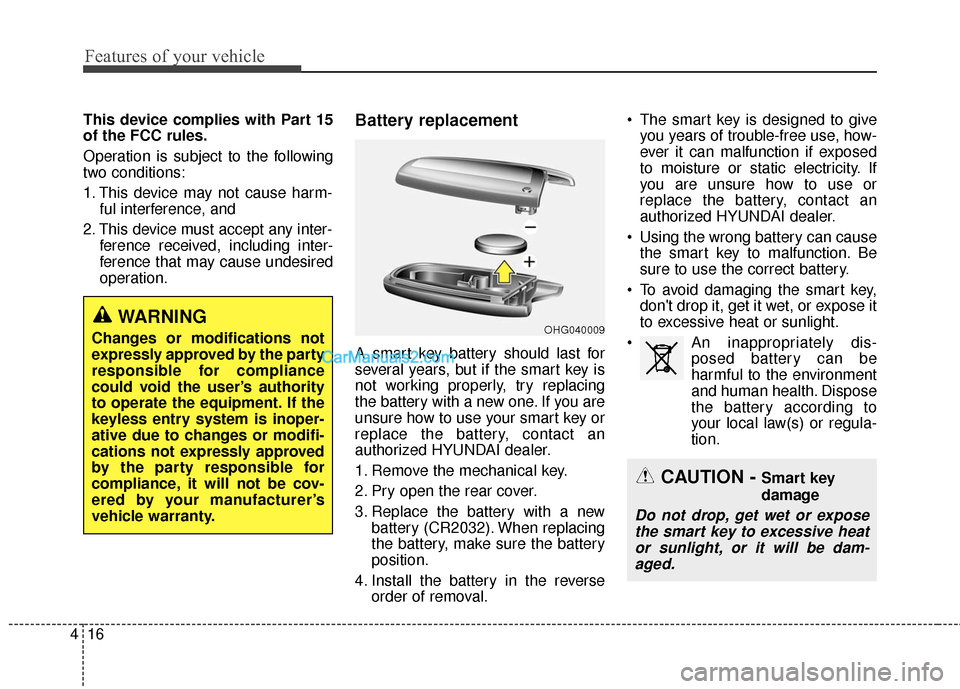
operation.Battery replacement
A smart key battery should last for
several years, but if the smart key is
not working properly, try replacing
the battery with a new one. If you are
unsure how to use your smart key or
replace the battery, contact an
authorized HYUNDAI dealer.
1. Remove the mechanical key.
2. Pry open the rear cover.
3. Replace the battery with a newbattery (CR2032). When replacing
the battery, make sure the battery
position.
4. Install the battery in the reverse order of removal. The smart key is designed to give
you years of trouble-free use, how-
ever it can malfunction if exposed
to moisture or static electricity. If
you are unsure how to use or
replace the battery, contact an
authorized HYUNDAI dealer.
Using the wrong battery can cause the smart key to malfunction. Be
sure to use the correct battery.
To avoid damaging the smart key, don't drop it, get it wet, or expose it
to excessive heat or sunlight.
An inappropriately dis- posed battery can be
harmful to the environment
and human health. Dispose
the battery according to
your local law(s) or regula-
tion.
CAUTION - Smart key
damage
Do not drop, get wet or expose the smart key to excessive heator sunlight, or it will be dam-aged.
OHG040009WARNING
Changes or modifications not
expressly approved by the party
responsible for compliance
could void the user’s authority
to operate the equipment. If the
keyless entry system is inoper-
ative due to changes or modifi-
cations not expressly approved
by the party responsible for
compliance, it will not be cov-
ered by your manufacturer’s
vehicle warranty.