phone Hyundai Santa Fe Sport 2018 Quick Reference Guide
[x] Cancel search | Manufacturer: HYUNDAI, Model Year: 2018, Model line: Santa Fe Sport, Model: Hyundai Santa Fe Sport 2018Pages: 26, PDF Size: 11.81 MB
Page 21 of 26
MULTIMEDIA
SANTA FE SPORT
39 38
HYUNDAI
Apple CarPlay uses Siri to perform many actions like sending
messages, placing calls, and looking up/setting POI/Destinations. A
Siri session can be initiated on any screen by:
1. Touch and holding the HOME icon
1 on the CarPlay screen or
2. Press the steering wheel VOICE RECOGNITION
13 button.
Note: Ensure Siri feature is set to ON in your phone (Go to Settings >
General > Siri).
3. Say any of the following commands;
!Ÿ“Text
!Ÿ“Read text messages” to read available text message.
!Ÿ“Call
!Ÿ“Find
Touch the PHONE
5 icon to access the Phone screen. Siri will
automatically asks ‘Who you would like to call’ when the PHONE
5
icon is selected.
NOTE: Phone call sound quality is dependent on the wired
connection. Using the Lightning cable that came with the phone is
recommended.
APPLE MUSIC
Touch the APPLE MUSIC
6 icon to access the Apple Music screen.
APPLE MAPS
Touch the APPLE MAPS
7 icon to access the Apple Map screen.
MESSAGES
Touch the MESSAGES 8 icon to access the Message screen. Siri
will automatically asks ‘To hear unread messages or create a new
one’ when the MESSAGE icon is selected.
3rd PARTY APPS
Supported CarPlay apps that are downloaded on your phone will
appear on the CarPlay screen. Touch the apps icons to access those
supported apps.
NOTE:
A list of the supported CarPlay supported apps can be found
at http://www.apple.com/ios/carplay/
Ensure phone has latest version of the 3rd Party Apps.
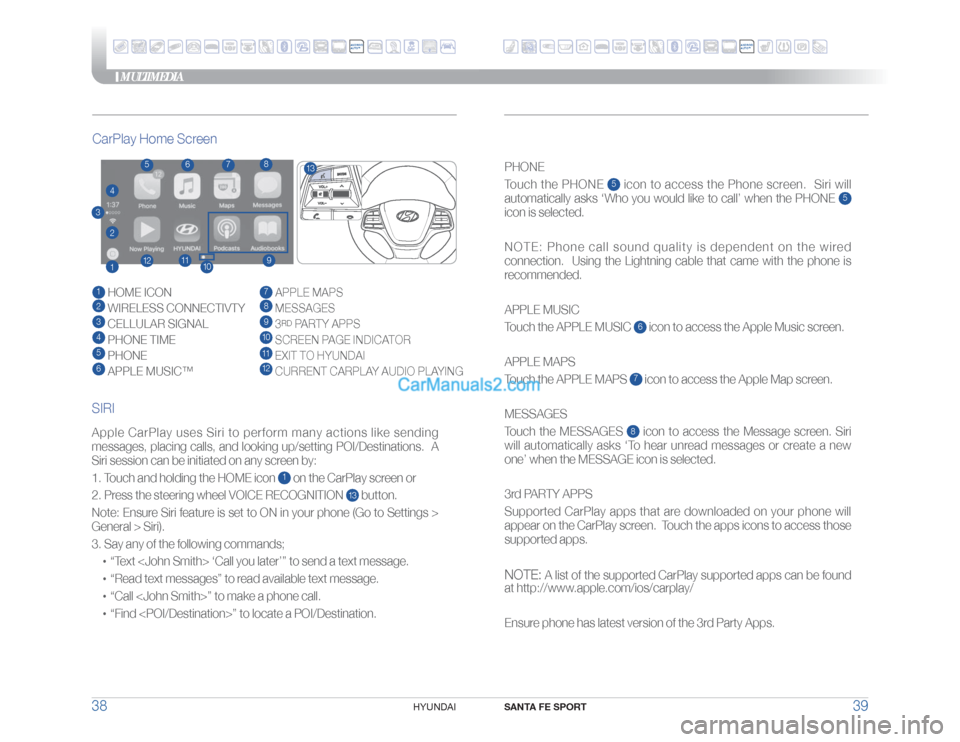
CarPlay Home Screen
SIRI1 HOME ICON2 WIRELESS CONNECTIVTY3 CELLULAR SIGNAL4 PHONE TIME5 PHONE6 APPLE MUSIC™
7 APPLE MAPS8 MESSAGES9
3RD PARTY APPS
10 SCREEN PAGE INDICATOR11 EXIT TO HYUNDAI 12 CURRENT CARPLAY AUDIO PLAYING
2
3
41
5
6
7
89
10
11
12
13
ANDROID
AUTO™
ANDROID
AUTO™
Page 22 of 26
FEATURES AND CONTROLS
SANTA FE SPORT
41 40
HYUNDAI
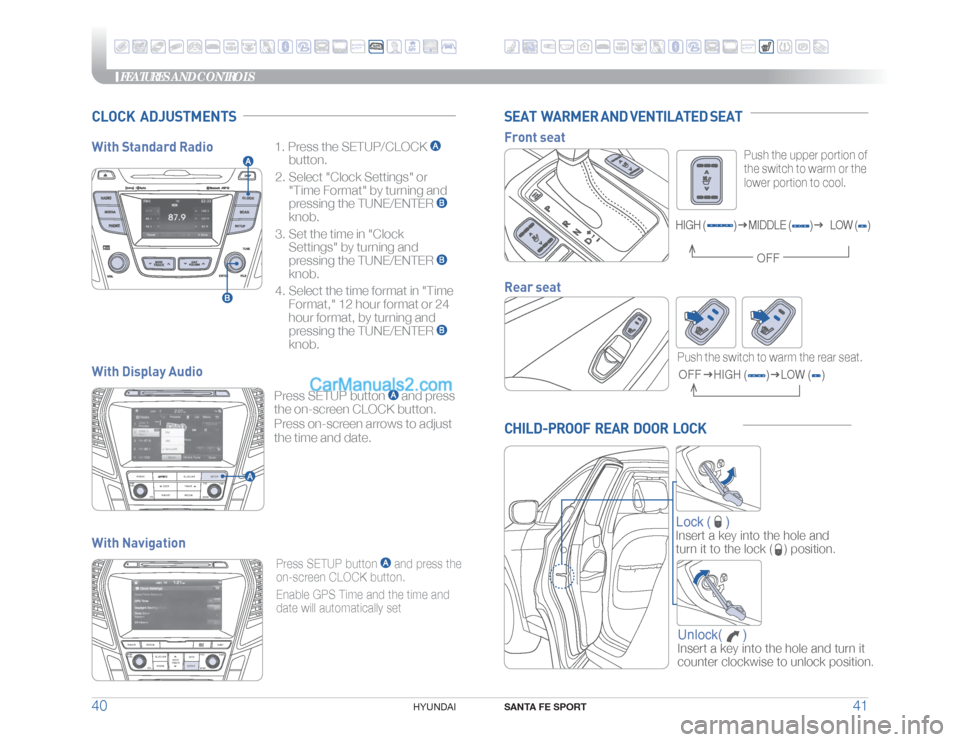
CHILD-PROOF REAR DOOR LOCK
Lock (
)
Insert a key into the hole and
turn it to the lock (
) position.
Unlock( )Insert a key into the hole and turn it
counter clockwise to unlock position.
SEAT WARMER AND VENTILATED SEATFront seat
Rear seat
Push the switch to warm the rear seat. OFF
HIGH (
)
LOW (
)
CLOCK ADJUSTMENTS
1. Press the SETUP/CLOCK
button.
2. Select "Clock Settings" or
"Time Format" by turning and
pressing the TUNE/ENTER
knob.
3. Set the time in "Clock
Settings" by turning and
pressing the TUNE/ENTER
knob.
4. Select the time format in "Time
Format," 12 hour format or 24
hour format, by turning and
pressing the TUNE/ENTER
knob.
With Standard Radio
Press SETUP button
and press the
on-screen CLOCK button.
Enable GPS Time and the time and
date will automatically set
RADIO
VOL
PWRPUSH
MEDIA
PHONE
BLUELINK
SEEK TRACK
TUNE
ENTERSETUPFILE
With Display Audio
With Navigation
Press SETUP button
and press
the on-screen CLOCK button.
Press on-screen arrows to adjust
the time and date.
RADIO
VOLPWRPUSH
MEDIA NAVIPHONE BLUELINK
SEEK
TRACK
TUNE
ENTER
SETUPMAPVOICEINFOFILE
HIGH (
)
MIDDLE (
)
LOW (
)
OFF
Push the upper portion of
the switch to warm or the
lower portion to cool.
ANDROIDAUTO™
ANDROIDAUTO™
Page 26 of 26
FEATURES AND CONTROLS
48
HYUNDAI
☐ CONFIRM “GOOD BATTERY” USING GR8 AND STAPLE
TEST TICKET HERE☐
S E T T I R E P R E S U R E L F R F R R L R ☐ VERIFY VEHICLE IS CLEAN, IN GOOD CONDITION,
FREE OF CHIPS AND SCRATCHES · CLEAN WINDSHIELD
AND BACK WINDOW☐ ENSURE FLOORMATS ARE SNAPPED INTO PLACE BEFORE DELIVERY
SANTA FE SPORT CUSTOMER DELIVERY CHECK LIST HYUNDAI OWNER DEALERSHIP NAME SALES CONSULTANT DATE VIN PREVIOUS VEHICLE Sales Consultant Date Sales Manager Date
Customer Date
Email
@
SANTA FE SPORT
49
HYUNDAI VEHICLE OWNER PRIVACY POLICY
Your Hyundai vehicle may be equipped with technologies and services
that use information collected, generated, recorded or stored by the
vehicle. Hyundai has created a Vehicle Owner Privacy Policy to explain
how these technologies and services collect, use, and share this
information.
You may read our Vehicle Owner Privacy Policy on the Hyundaiusa.com
website at https://www.hyundaiusa.com/owner-privacy-policy.aspx
If you would like to receive a hard copy of our Vehicle Owner Privacy
Policy, please contact our Customer Connect Center at:
Hyundai Motor America
Hyundai Customer Connect Center
P.O. Box 83835
Phoeniz, AZ 85071-3835
800-633-5151
[email protected]
Hyundai's Customer Connect Center representatives are available
Monday through Friday, between the hours of 5:00 AM and 7:00 PM
PST and Saturday and Sunday between 6:30 AM and 3:00 PM PST
(English). For Customer Connect Center assistance in Spanish or
Korean, representatives are available Monday through Friday between
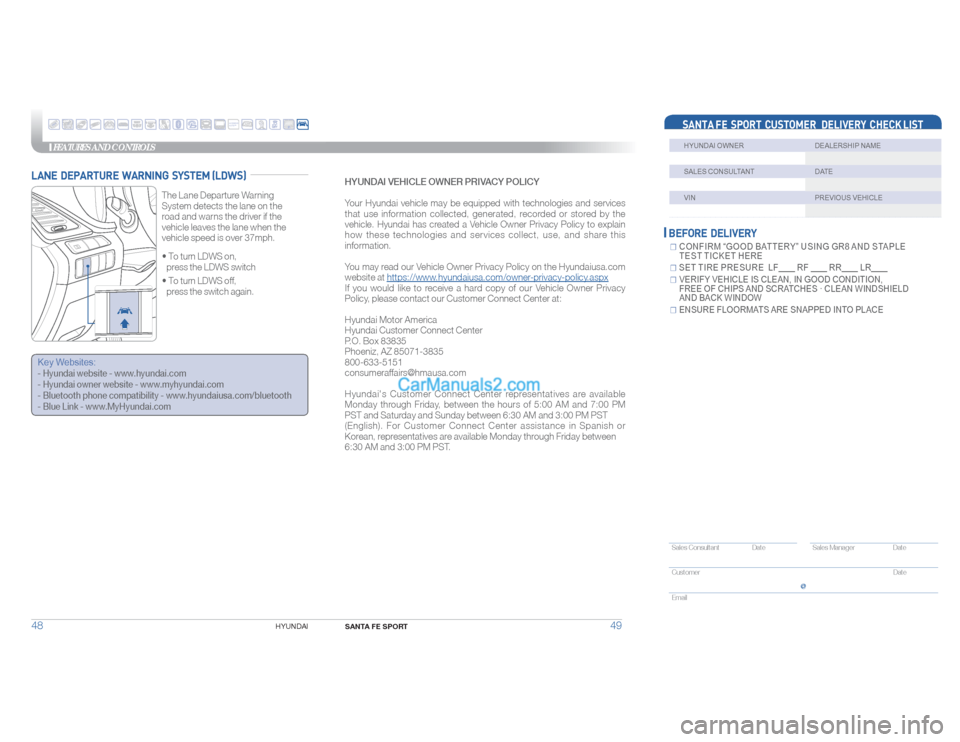
6:30 AM and 3:00 PM PST. • To turn LDWS on,
press the LDWS switch
• To turn LDWS off,
press the switch again. The Lane Departure Warning
System detects the lane on the
road and warns the driver if the
vehicle leaves the lane when the
vehicle speed is over 37mph.
LANE DEPARTURE WARNING SYSTEM (LDWS) K e y We b s i t e s : - Hyundai website - www.hyundai.com
- Hyundai owner website - www.myhyundai.com
- Bluetooth phone compatibility - www.hyundaiusa.com/bluetooth
- Blue Link - www.MyHyundai.com
ANDROIDAUTO™