fuel Hyundai Sonata
[x] Cancel search | Manufacturer: HYUNDAI, Model Year: , Model line: , Model:Pages: 340, PDF Size: 18.45 MB
Page 80 of 340
Features of your vehicle
22
4
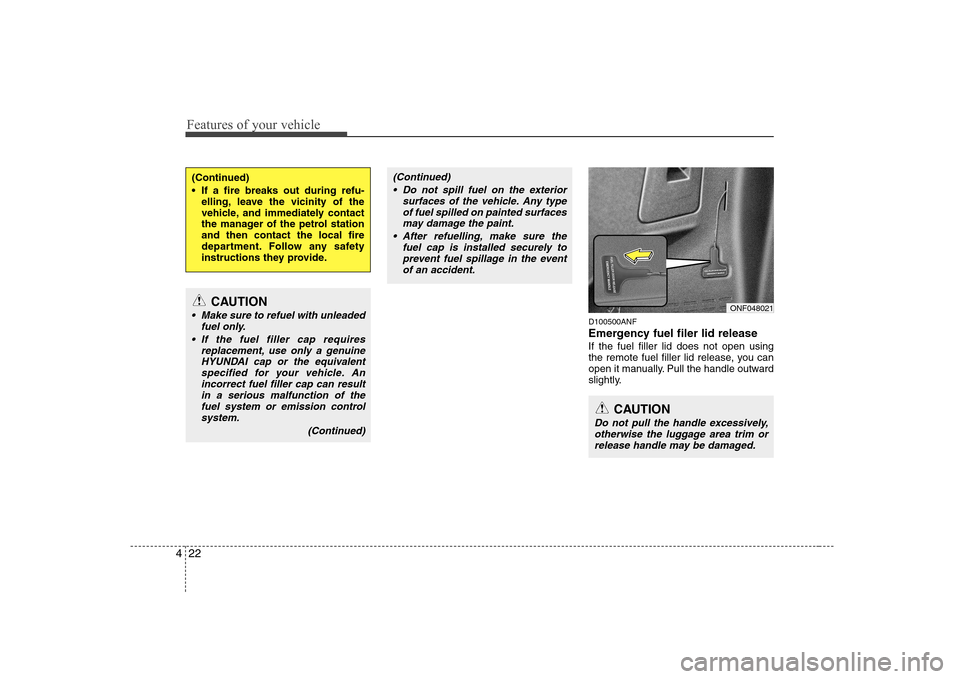
D100500ANF
Emergency fuel filer lid release If the fuel filler lid does not open using
the remote fuel filler lid release, you can
open it manually. Pull the handle outward
slightly.
(Continued)
If a fire breaks out during refu-
elling, leave the vicinity of the
vehicle, and immediately contact
the manager of the petrol stationand then contact the local fire
department. Follow any safety
instructions they provide.
CAUTION
Make sure to refuel with unleaded
fuel only.
If the fuel filler cap requires replacement, use only a genuineHYUNDAI cap or the equivalent
specified for your vehicle. Anincorrect fuel filler cap can result in a serious malfunction of thefuel system or emission control
system.
(Continued)
(Continued) Do not spill fuel on the exterior surfaces of the vehicle. Any type
of fuel spilled on painted surfacesmay damage the paint.
After refuelling, make sure the fuel cap is installed securely toprevent fuel spillage in the event
of an accident.
CAUTION
Do not pull the handle excessively, otherwise the luggage area trim or
release handle may be damaged.
ONF048021
Page 91 of 340
433
Features of your vehicle
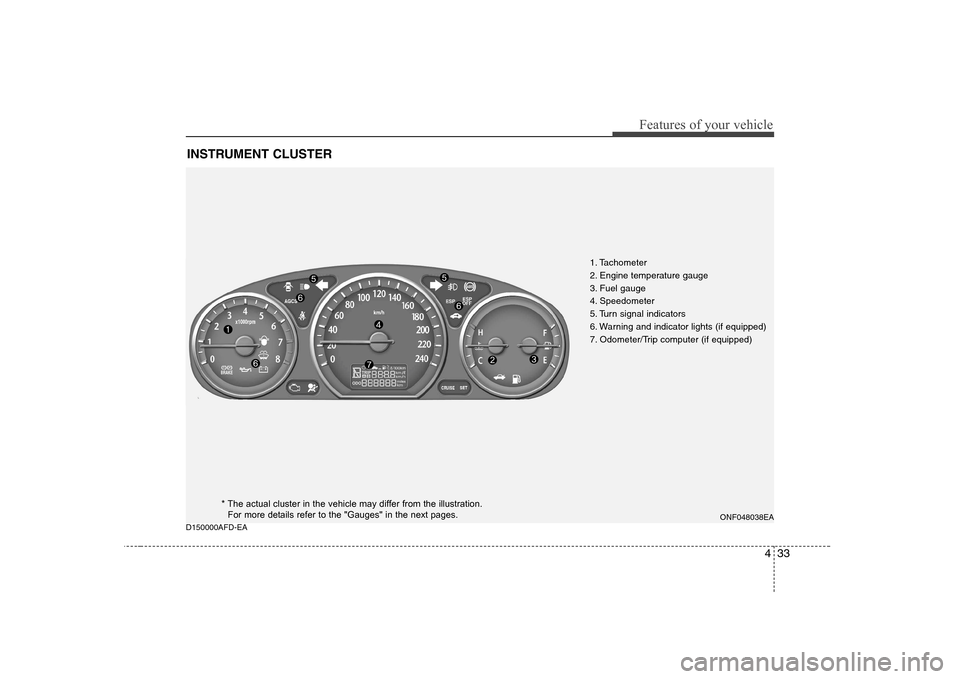
D150000AFD-EAINSTRUMENT CLUSTER
1. Tachometer
2. Engine temperature gauge
3. Fuel gauge
4. Speedometer
5. Turn signal indicators
6. Warning and indicator lights (if equipped)
7. Odometer/Trip computer (if equipped)
ONF048038EA
* The actual cluster in the vehicle may differ from the illustration.For more details refer to the "Gauges" in the next pages.
Page 94 of 340
Features of your vehicle
36
4
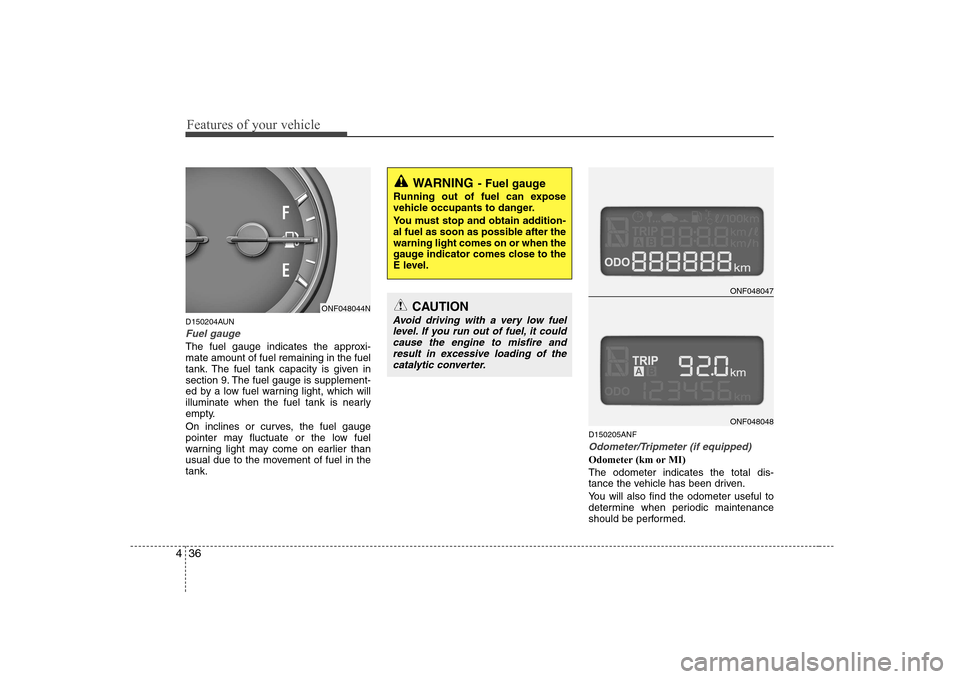
D150204AUN
Fuel gauge
The fuel gauge indicates the approxi- mate amount of fuel remaining in the fuel
tank. The fuel tank capacity is given in
section 9. The fuel gauge is supplement-
ed by a low fuel warning light, which will
illuminate when the fuel tank is nearly
empty.
On inclines or curves, the fuel gauge
pointer may fluctuate or the low fuel
warning light may come on earlier than
usual due to the movement of fuel in thetank. D150205ANF
Odometer/Tripmeter (if equipped)
Odometer (km or MI) The odometer indicates the total dis-
tance the vehicle has been driven.
You will also find the odometer useful to
determine when periodic maintenance
should be performed.
WARNING
- Fuel gauge
Running out of fuel can expose
vehicle occupants to danger.
You must stop and obtain addition-
al fuel as soon as possible after thewarning light comes on or when the
gauge indicator comes close to the
E level.
ONF048047
ONF048048
ONF048044NCAUTION
Avoid driving with a very low fuel level. If you run out of fuel, it couldcause the engine to misfire and
result in excessive loading of thecatalytic converter.
Page 95 of 340
437
Features of your vehicle
✽✽NOTICE
It is forbidden that alteration of the
odometer of any vehicle with the intent
to change the mileage registered on the
odometer. The alteration may void yourwarranty coverage.
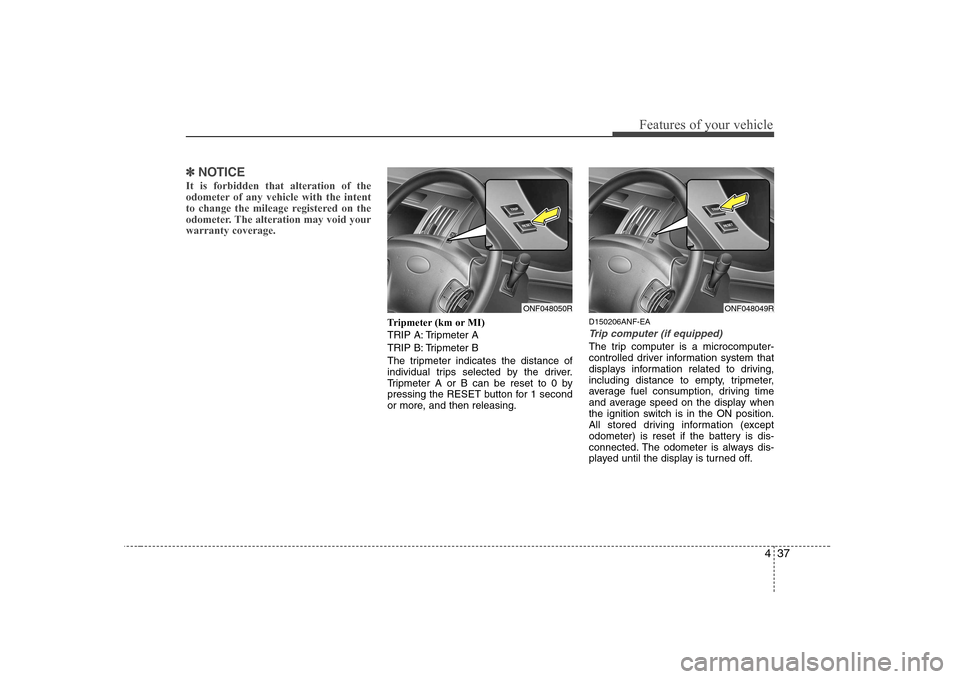
Tripmeter (km or MI)
TRIP A: Tripmeter A
TRIP B: Tripmeter B
The tripmeter indicates the distance of
individual trips selected by the driver.
Tripmeter A or B can be reset to 0 by
pressing the RESET button for 1 second
or more, and then releasing. D150206ANF-EA
Trip computer (if equipped)
The trip computer is a microcomputer-
controlled driver information system that
displays information related to driving,
including distance to empty, tripmeter,
average fuel consumption, driving time
and average speed on the display when
the ignition switch is in the ON position.
All stored driving information (except
odometer) is reset if the battery is dis-
connected. The odometer is always dis-
played until the display is turned off.
ONF048050RONF048049R
Page 96 of 340
Features of your vehicle
38
4
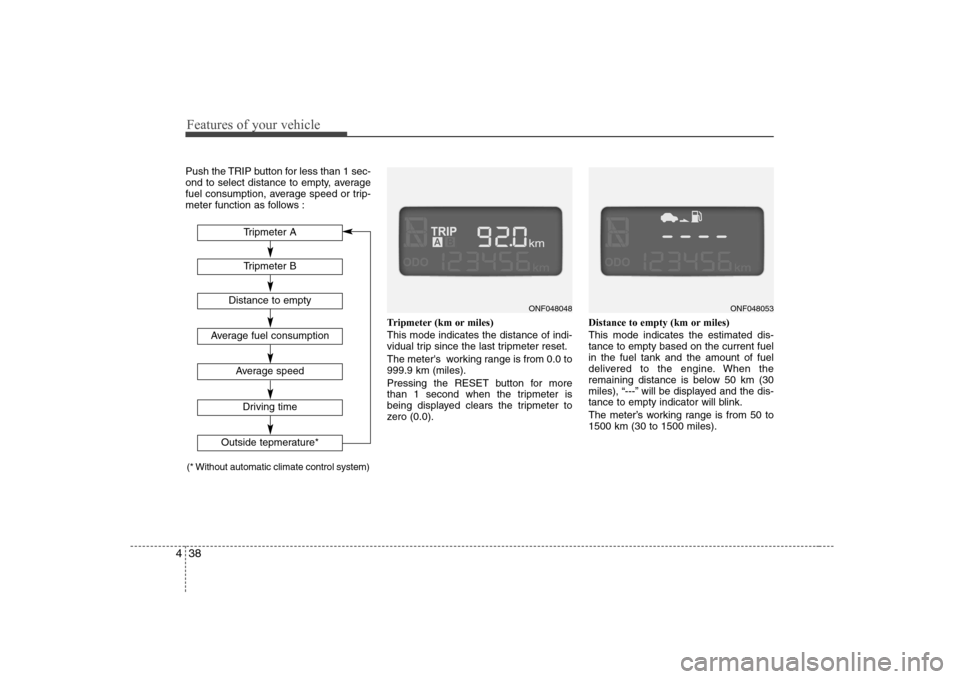
Push the TRIP button for less than 1 sec-
ond to select distance to empty, average
fuel consumption, average speed or trip-
meter function as follows :
Tripmeter (km or miles) This mode indicates the distance of indi-
vidual trip since the last tripmeter reset.
The meter's working range is from 0.0 to 999.9 km (miles).
Pressing the RESET button for more
than 1 second when the tripmeter is
being displayed clears the tripmeter to
zero (0.0).Distance to empty (km or miles) This mode indicates the estimated dis- tance to empty based on the current fuelin the fuel tank and the amount of fuel
delivered to the engine. When the
remaining distance is below 50 km (30
miles), “---” will be displayed and the dis-
tance to empty indicator will blink.
The meter’s working range is from 50 to 1500 km (30 to 1500 miles).
ONF048053ONF048048
Tripmeter B
Average fuel consumption
Average speed
Driving time
Tripmeter A
Distance to empty
Outside tepmerature*
(* Without automatic climate control system)
Page 98 of 340
Features of your vehicle
40
4
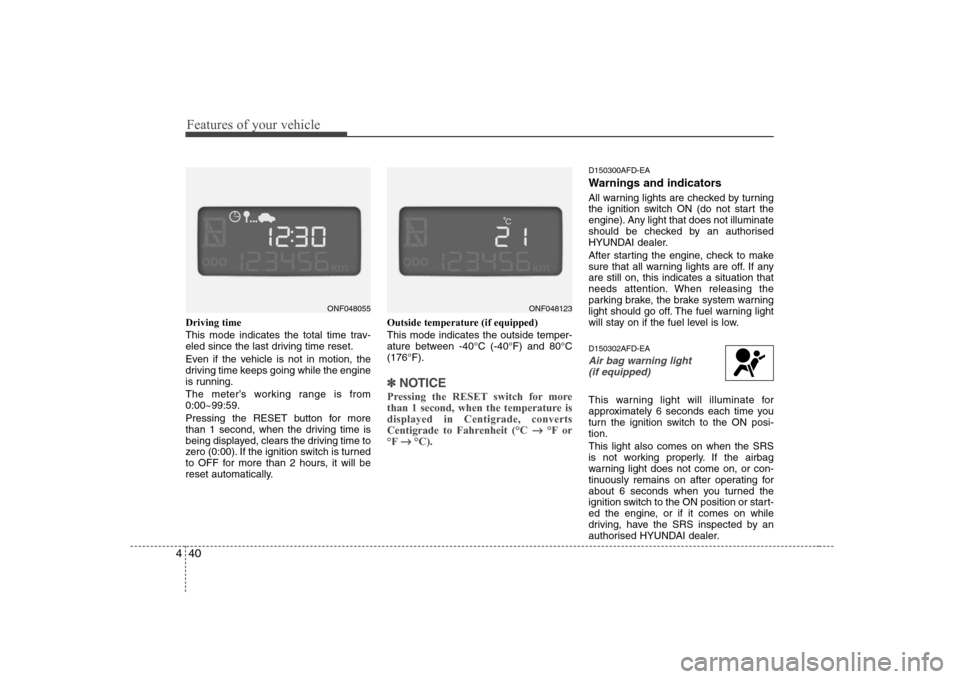
Driving time
This mode indicates the total time trav-
eled since the last driving time reset.
Even if the vehicle is not in motion, the
driving time keeps going while the engine
is running.
The meter’s working range is from 0:00~99:59.
Pressing the RESET button for more
than 1 second, when the driving time is
being displayed, clears the driving time to
zero (0:00). If the ignition switch is turned
to OFF for more than 2 hours, it will be
reset automatically. Outside temperature (if equipped) This mode indicates the outside temper-
ature between -40°C (-40°F) and 80°C(176°F).
✽✽
NOTICE
Pressing the RESET switch for more
than 1 second, when the temperature isdisplayed in Centigrade, converts
Centigrade to Fahrenheit (°C
°F or
°F
°C).
D150300AFD-EA
Warnings and indicators
All warning lights are checked by turning
the ignition switch ON (do not start the
engine). Any light that does not illuminate
should be checked by an authorised
HYUNDAI dealer.
After starting the engine, check to make
sure that all warning lights are off. If anyare still on, this indicates a situation that
needs attention. When releasing the
parking brake, the brake system warning
light should go off. The fuel warning light
will stay on if the fuel level is low. D150302AFD-EA
Air bag warning light
(if equipped)
This warning light will illuminate for
approximately 6 seconds each time you
turn the ignition switch to the ON posi-tion. This light also comes on when the SRS
is not working properly. If the airbag
warning light does not come on, or con-
tinuously remains on after operating for
about 6 seconds when you turned the
ignition switch to the ON position or start-
ed the engine, or if it comes on while
driving, have the SRS inspected by an
authorised HYUNDAI dealer.
ONF048123ONF048055
Page 103 of 340
445
Features of your vehicle
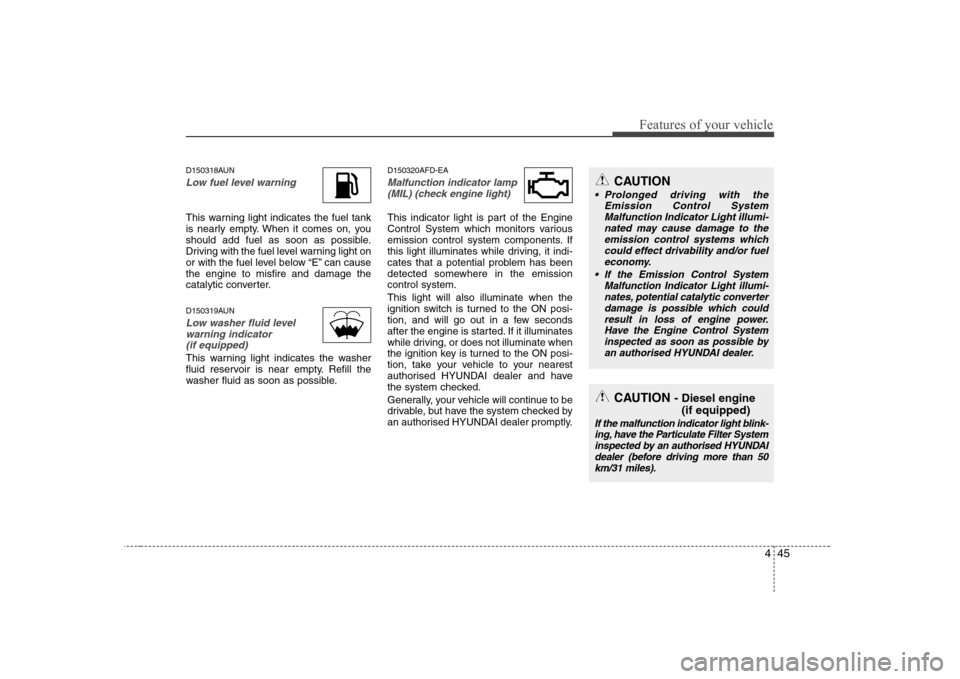
D150318AUN
Low fuel level warning
This warning light indicates the fuel tank
is nearly empty. When it comes on, you
should add fuel as soon as possible.
Driving with the fuel level warning light on
or with the fuel level below “E” can causethe engine to misfire and damage the
catalytic converter.
D150319AUN
Low washer fluid levelwarning indicator (if equipped)
This warning light indicates the washer
fluid reservoir is near empty. Refill the
washer fluid as soon as possible. D150320AFD-EA
Malfunction indicator lamp
(MIL) (check engine light)
This indicator light is part of the Engine
Control System which monitors various
emission control system components. If
this light illuminates while driving, it indi-
cates that a potential problem has been
detected somewhere in the emissioncontrol system. This light will also illuminate when the
ignition switch is turned to the ON posi-
tion, and will go out in a few seconds
after the engine is started. If it illuminates
while driving, or does not illuminate when
the ignition key is turned to the ON posi-
tion, take your vehicle to your nearest
authorised HYUNDAI dealer and have
the system checked.
Generally, your vehicle will continue to be
drivable, but have the system checked by
an authorised HYUNDAI dealer promptly.
CAUTION
Prolonged driving with the Emission Control SystemMalfunction Indicator Light illumi-nated may cause damage to the
emission control systems whichcould effect drivability and/or fuel economy.
If the EmissionControl System
Malfunction Indicator Light illumi- nates, potential catalytic converter damage is possible which couldresult in loss of engine power.
Have the Engine Control Systeminspected as soon as possible byan authorised HYUNDAI dealer.
CAUTION - Diesel engine
(if equipped)
If the malfunction indicator light blink-ing, have the Particulate Filter Systeminspected by an authorised HYUNDAIdealer (before driving more than 50
km/31 miles).
Page 105 of 340
447
Features of your vehicle
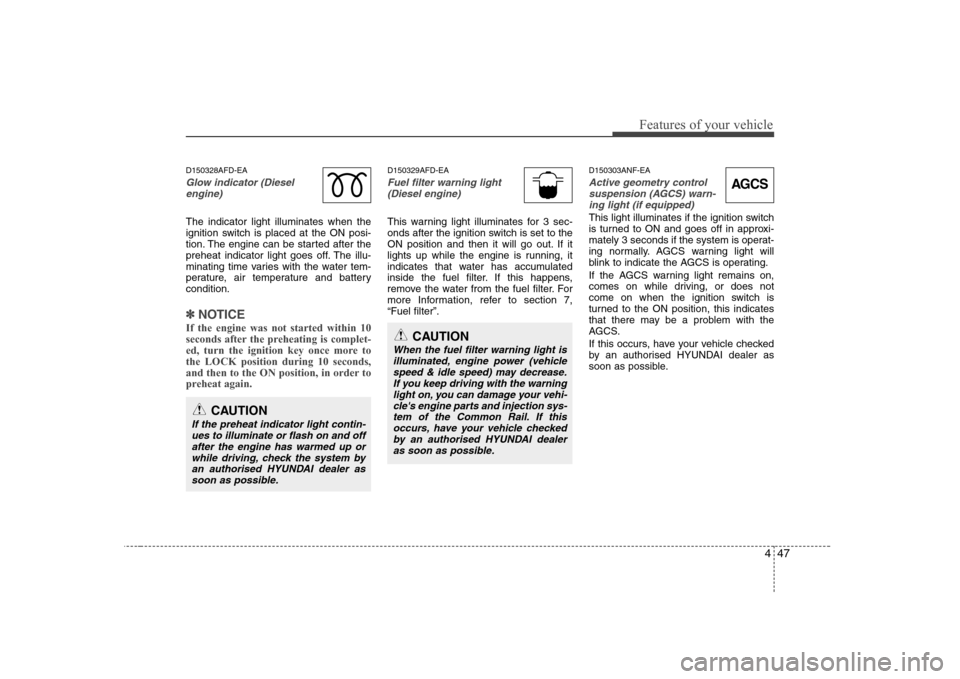
D150328AFD-EA
Glow indicator (Dieselengine)
The indicator light illuminates when the
ignition switch is placed at the ON posi-
tion. The engine can be started after the
preheat indicator light goes off. The illu-
minating time varies with the water tem-
perature, air temperature and batterycondition.
✽✽ NOTICE
If the engine was not started within 10
seconds after the preheating is complet-
ed, turn the ignition key once more tothe LOCK position during 10 seconds,
and then to the ON position, in order to
preheat again.
D150329AFD-EA
Fuel filter warning light (Diesel engine)
This warning light illuminates for 3 sec-
onds after the ignition switch is set to the
ON position and then it will go out. If it
lights up while the engine is running, it
indicates that water has accumulated
inside the fuel filter. If this happens,
remove the water from the fuel filter. For
more Information, refer to section 7,“Fuel filter”. D150303ANF-EA
Active geometry control
suspension (AGCS) warn-ing light (if equipped)
This light illuminates if the ignition switch
is turned to ON and goes off in approxi-
mately 3 seconds if the system is operat-
ing normally. AGCS warning light will
blink to indicate the AGCS is operating.
If the AGCS warning light remains on,
comes on while driving, or does not
come on when the ignition switch is
turned to the ON position, this indicates
that there may be a problem with the
AGCS.
If this occurs, have your vehicle checked
by an authorised HYUNDAI dealer as
soon as possible.
CAUTION
If the preheat indicator light contin-
ues to illuminate or flash on and off after the engine has warmed up orwhile driving, check the system by an authorised HYUNDAI dealer as
soon as possible.
CAUTION
When the fuel filter warning light isilluminated, engine power (vehicle speed & idle speed) may decrease.If you keep driving with the warning light on, you can damage your vehi-
cle's engine parts and injection sys-tem of the Common Rail. If thisoccurs, have your vehicle checked by an authorised HYUNDAI dealer
as soon as possible.
AGCS
Page 190 of 340
513
Driving your vehicle
R (Reverse)
Use this position to drive the vehicle
backward.N (Neutral)
The wheels and transaxle are not locked.
The vehicle will roll freely even on the
slightest incline unless the parking brake
or service brakes are applied. D (Drive)
This is the normal forward driving posi-
tion. The transaxle will automatically shift
through a 4(5)-gear sequence, providing
the best fuel economy and power.
Bring the car to a complete stop before
shifting the selector to “D” position.
For extra power when passing another
vehicle or climbing grades, depress the
accelerator fully, at which time the
transaxle will automatically downshift to
the next lower gear.
WARNING
Shifting into P (Park) while the vehicle is in motion will cause the
drive wheels to lock which will
cause you to lose control of the
vehicle.
Do not use the P (Park) position in place of the parking brake.
Always make sure the shift lever
is latched in the P (Park) position
and set the parking brake fully.
Before leaving the driver’s seat, always make sure the shift lever
is in the P (Park) position. Set the
parking brake fully, shut the
engine off and take the key with
you. Unexpected and sudden
vehicle movement can occur if
you do not follow these precau-
tions in the order specified.
Never leave a child unattended in a vehicle.
CAUTION
The transaxle may be damaged if
you shift into P (Park) while the
vehicle is in motion.
CAUTION
Always come to a complete stopbefore shifting into or out of R
(Reverse); you may damage thetransaxle if you shift into R while the vehicle is in motion, except as
explained in “Rocking the Vehicle”,in this manual.
Page 209 of 340
Driving your vehicle
32
5
E100000AFD-EA
Your vehicle's fuel economy depends
mainly on your style of driving, where you
drive and when you drive.
Each of these factors affects how many
kilometers (miles) you can get from a litre
(gallon) of fuel. To operate your vehicle
as economically as possible, use the fol-
lowing driving suggestions to help save
money in both fuel and repairs:
Drive smoothly. Accelerate at a moder-
ate rate. Don't make “kangaroo” starts or full-throttle shifts and maintain a
steady cruising speed. Don't race
between stoplights. Try to adjust your
speed to that of the other traffic so you
don't have to change speeds unneces-
sarily. Avoid heavy traffic whenever
possible. Always maintain a safe dis-
tance from other vehicles so you can
avoid unnecessary braking. This also
reduces brake wear.
Drive at a moderate speed. The faster you drive, the more fuel your car uses.
Driving at a moderate speed, especial-
ly on the highway, is one of the most
effective ways to reduce fuel consump-tion. Don't "ride" the brake or clutch pedal.
This can increase fuel consumption
and also increase wear on these com-
ponents. In addition, driving with your
foot resting on the brake pedal may
cause the brakes to overheat, which
reduces their effectiveness and may
lead to more serious consequences.
Take care of your tyres. Keep them inflated to the recommended pressure.
Incorrect inflation, either too much or
too little, results in unnecessary tyre
wear. Check the tyre pressures at leastonce a month.
Be sure that the wheels are aligned correctly. Improper alignment can
result from hitting kerbs or driving too
fast over irregular surfaces. Poor align-
ment causes faster tyre wear and may
also result in other problems as well as
greater fuel consumption.
Keep your car in good condition. For better fuel economy and reduced
maintenance costs, maintain your carin accordance with the maintenance
schedule in Section 7. If you drive your
car in severe conditions, more frequentmaintenance is required (see Section
7 for details). Keep your car clean. For maximum
service, your vehicle should be kept
clean and free of corrosive materials. It
is especially important that mud, dirt,
ice, etc. not be allowed to accumulate
on the underside of the car. This extra
weight can result in increased fuel con-
sumption and also contribute to corro-sion.
Travel lightly. Don't carry unnecessary weight in your car. Weight reduces fuel
economy.
Don't let the engine idle longer than necessary. If you are waiting (and not
in traffic), turn off your engine and
restart only when you're ready to go.
Remember, your vehicle does not require extended warm-up. After the
engine has started, allow the engine to
run for 10 to 20 seconds prior to plac-
ing the vehicle in gear. In very cold
weather, however, give your engine a
slightly longer warm-up period.
Don't “labour” or “over-rev” the engine. Labouring is driving too slowly in toohigh a gear resulting in the engine
bucking. If this happens, shift to a lower
gear. Over-revving is racing the engine
beyond its safe limit. This can be avoid-
ed by shifting at the recommended
speeds.
ECONOMICAL OPERATION