Wire Hyundai Sonata 2013
[x] Cancel search | Manufacturer: HYUNDAI, Model Year: 2013, Model line: Sonata, Model: Hyundai Sonata 2013Pages: 410, PDF Size: 35.93 MB
Page 122 of 410
441
Features of your vehicle
MIRRORS Inside rearview mirrorAdjust the rearview mirror so that the
center view through the rear window is
seen. Make this adjustment before you
start driving.
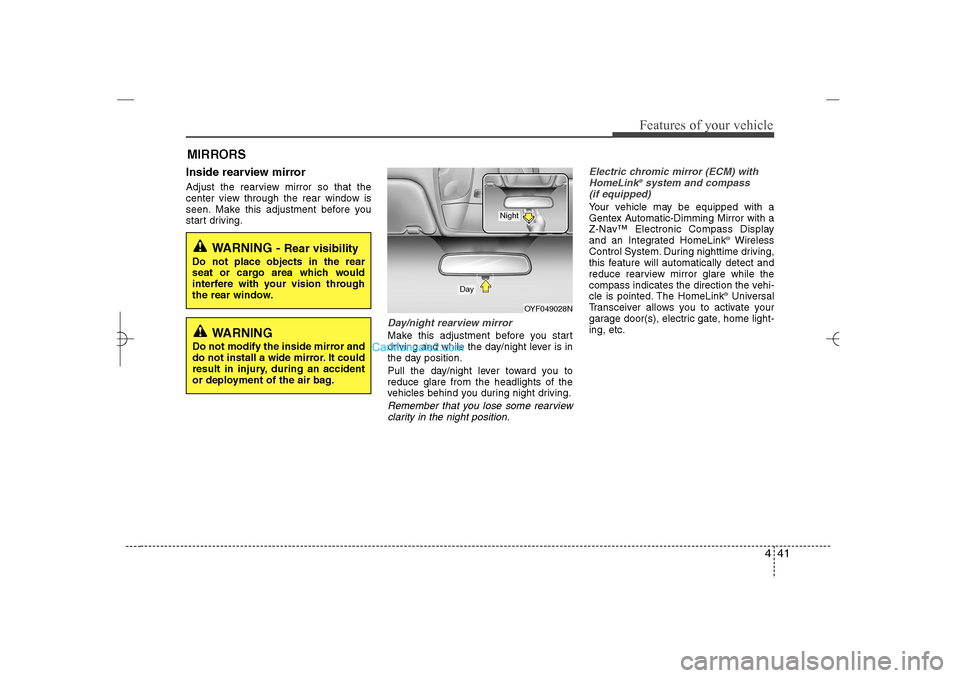
Day/night rearview mirror Make this adjustment before you start
driving and while the day/night lever is in
the day position.
Pull the day/night lever toward you to
reduce glare from the headlights of the
vehicles behind you during night driving.Remember that you lose some rearview
clarity in the night position.Electric chromic mirror (ECM) with
HomeLink
®system and compass
(if equipped)
Your vehicle may be equipped with a
Gentex Automatic-Dimming Mirror with a
Z-Nav™ Electronic Compass Display
and an Integrated HomeLink
®Wireless
Control System. During nighttime driving,
this feature will automatically detect and
reduce rearview mirror glare while the
compass indicates the direction the vehi-
cle is pointed. The HomeLink®Universal
Transceiver allows you to activate your
garage door(s), electric gate, home light-
ing, etc.
WARNING -
Rear visibility
Do not place objects in the rear
seat or cargo area which would
interfere with your vision through
the rear window.
OYF049028N
Day
Night
WARNING
Do not modify the inside mirror and
do not install a wide mirror. It could
result in injury, during an accident
or deployment of the air bag.
YF HMA 4a-111.qxp 1/16/2012 6:30 PM Page 41
Page 125 of 410
Features of your vehicle44 4To adjust the Zone setting:
1. Determine the desired Zone Number
based upon your current location on
the Zone Map.
2. Press and hold the button for 6 sec-
onds, the current Zone Number will
appear on the display.
3. Pressing and holding the button
again will cause the numbers to incre-
ment (Note: they will repeat …13, 14,
15, 1, 2, …). Releasing the button
when the desired Zone Number
appears on the display will set the new
Zone.
4. Within about 5 seconds the compass
will start displaying a compass head-
ing again.
There are some conditions that can
cause changes to the vehicle magnets,
such as installing a ski rack or a CB
antenna. Body repair work on the vehicle
can also cause changes to the vehicle's
magnetic field. In these situations, the
compass will need to be re-calibrated to
quickly correct for these changes. To re-
calibrate the compass:1. Press and hold the button for more
than 9 seconds. When the compass
memory is cleared a "C" will appear in
the display.
2. To calibrate the compass, drive the
vehicle in 2 complete circles at less
than 5 mph (8 km/h).
Integrated HomeLink
®Wireless Control
System
The HomeLink
®Wireless Control System
provides a convenient way to replace up
to three hand-held radio-frequency (RF)
transmitters with a single built-in device.
This innovative feature will learn the
radio frequency codes of most current
transmitters to operate devices such as
gate operators, garage door openers,
entry door locks, security systems, even
home lighting. Both standard and rolling
code-equipped transmitters can be pro-
grammed by following the outlined proce-
dures. Additional HomeLink
®information
can be found at: www.homelink.com or
by calling 1-800-355-3515.Retain the original transmitter of the RF
device you are programming for use in
other vehicles as well as for future
HomeLink
®programming. It is also sug-
gested that upon the sale of the vehicle,
the programmed HomeLink
®buttons be
erased for security purposes.
WARNING
Before programming HomeLink
®to
a garage door opener or gate oper-
ator, make sure that people and
objects are out of the way of the
device to prevent potential harm or
damage. Do not use HomeLink®
with any garage door opener that
lacks the safety stop and reverse
features required by U.S. federal
safety standards (this includes any
garage door opener model manu-
factured before April 1, 1982). A
garage door that cannot detect an
object - signaling the door to stop
and reverse - does not meet current
U.S. federal safety standards. Using
a garage door opener without these
features increases the risk of seri-
ous injury or death.
YF HMA 4a-111.qxp 1/16/2012 6:30 PM Page 44
Page 127 of 410
Features of your vehicle46 4✽
✽
NOTICESome devices may require you to replace
this Programming step 3 with proce-
dures noted in the "Gate
Operator/Canadian Programming" sec-
tion. If the HomeLink
®indicator light
does not change to a rapidly blinking
light after performing these steps, con-
tact HomeLink
®at www.homelink.com.
4. Firmly press, hold for 5 seconds and
release the programmed HomeLink
®
button up to two separate times to acti-
vate the door. If the door does not acti-
vate, press and hold the just-trained
HomeLink
®button and observe the
indicator light.
If the indicator light stays on con-
stantly, programming is complete
and your device should activate
when the HomeLink
®
button is
pressed and released.
If the indicator light blinks rapidly for
2 seconds and then turns to
a constant light, continue with
"Programming" steps 5-7 to com-
plete the programming of a rolling
code equipped device (most com-
monly a garage door opener).5. At the garage door opener receiver
(motor-head unit) in the garage, locate
the "leam" or "smart" button. This can
usually be found where the hanging
antenna wire is attached to the motor-
head unit.
6. Firmly press and release the "leam" or
"smart" button. (The name and color of
the button vary by manufacturer).
There are 30 seconds to initiate step
7.
7. Return to the vehicle and firmly press,
hold for 2 seconds
and release the programmed
HomeLink
®
button. Repeat the
"press/hold/release" sequence a sec-
ond time, and, depending on the brand
of the garage door opener (or other
rolling code equipped device), repeat
this sequence a third time to complete
the programming process.
HomeLink
®should now activate your
rolling code equipped device.Gate operator & Canadian program-
ming
During programming, your handheld
transmitter may automatically stop trans-
mitting. Continue to press the Integrated
HomeLink
®Wireless Control System but-
ton (note steps 2 through 3 in the
Programming portion of this document)
while you press and re-press ("cycle")
your handheld transmitter every two sec-
onds until the frequency signal has been
learned. The indicator light will flash
slowly and then rapidly after several sec-
onds upon successful training.
Operating HomeLink
®
To operate, simply press and release the
programmed HomeLink
®
button.
Activation will now occur for the trained
device (i.e. garage door opener, gate
operator, security system, entry door
lock, home/office lighting, etc.). For con-
venience, the hand-held transmitter of
the device may also be used at any time.
YF HMA 4a-111.qxp 1/16/2012 6:30 PM Page 46
Page 128 of 410
447
Features of your vehicle
Reprogramming a single HomeLink
®
button
To program a device to HomeLink
®using
a HomeLink
®button previously trained,
follow these steps:
1. Press and hold the desired HomeLink
®
button. DO NOT release the button.
2. The indicator light will begin to flash
after 20 seconds. Without releasing
the HomeLink
®button, proceed with
"Programming" step 2.
For questions or comments, contact
HomeLink
®at www
.homelink.com
or 1-
800-355-3515.Erasing HomeLink
®buttons
Individual buttons cannot be erased.
However, to erase all three programmed
buttons:
1. Press and hold the two outer
HomeLink
®buttons until the indicator
light begins to flashafter 10 seconds.
2. Release both buttons. Do not hold for
longer than 20 seconds.
The Integrated HomeLink
®
Wireless
Control System is now in the training
(learn) mode and can be programmed at
any time following the appropriate steps
in the Programming sections above.FCC ID: NZLTLMHL4
IC: 4112A-TLMHL4
This device complies with Part 15 of
the FCC Rules.
Operation is subject to the following two
conditions:
1. this device may not cause harmful
interference, and
2. This device must accept any interfer-
ence received, including interference
that may cause undesired operation.
NVS
®is a registered trademark and Z-
Nav™ is a trademark of the Gentex
Corporation, Zeeland, Michigan.
HomeLink
®is a registered trademark
owned by Johnson Controls,
Incorporated, Milwaukee, Wisconsin.
CAUTION
The transceiver has been tested
and complies with FCC and
Industry Canada rules. Changes or
modifications not expressly
approved by the party responsible
for compliance could void the
user's authority to operate the
device.
YF HMA 4a-111.qxp 1/16/2012 6:30 PM Page 47
Page 192 of 410
4 111
Features of your vehicle
Navigation system (if equipped)The navigation system ascertains the
present position of your vehicle by using
information from satellites and guides
you to the place you assign as the desti-
nation.
Detailed information for the navigation
system is described in a separately sup-
plied manual.Bluetooth
®Wireless Technology
hands-free (if equipped)
You can use the phone wirelessly by
using the
Bluetooth
®
Wireless
Technology.
Detailed information for the Bluetooth
®
Wireless Technology hands-free is
described in the “audio” in this chapter or
in the manual supplied separately.
YF HMA 4a-111.qxp 3/5/2012 4:36 PM Page 111
Page 201 of 410
![Hyundai Sonata 2013 Features of your vehicle120 4PHONE SETUPPress the key Select [Phone]
through TUNE knob or key
Select menu through TUNE knob
Pair PhoneSelect [Pair Phone] Set through TUNE
knob
➀Search for devic](/img/35/16808/w960_16808-200.png "Hyundai Sonata 2013 Features of your vehicle120 4PHONE SETUPPress the key Select [Phone]
through TUNE knob or key
Select menu through TUNE knob
Pair PhoneSelect [Pair Phone] Set through TUNE
knob
➀Search for devic")
Features of your vehicle120 4PHONE SETUPPress the key Select [Phone]
through TUNE knob or key
Select menu through TUNE knob
Pair PhoneSelect [Pair Phone] Set through TUNE
knob
➀Search for device names as displayed
on your mobile phone and connect.
➁Input the passkey displayed on the
screen. (Passkey : 0000)
❈The device name and passkey will be
displayed on the screen for up to 3
minutes. If pairing is not completed
within the 3 minutes, the mobile phone
pairing process will automatically be
canceled.
➂Pairing completion is displayed.
❈In some mobile phones, pairing will
automatically be followed by connec-
tion.
❈It is possible to pair up to fiveBluetooth
®
Wireless Technology
enabled mobile phones.
3
SETUP
CAUTION
To pair a Bluetooth
®
Wireless
Technology enabled mobile phone,
authentication and connection
processes are first required. As a
result, you cannot pair your mobile
phone while driving the vehicle.
First park your vehicle before use.
YF HMA 4b-112~(Audio).qxp 3/5/2012 4:24 PM Page 120
Page 203 of 410
![Hyundai Sonata 2013 Features of your vehicle122 4 DeleteSelect [Phone List] Select mobile phone
through TUNE knob Select [Delete]➀Select the desired mobile phone.
➁Delete the selected mobile phone.
➂Deletion comp](/img/35/16808/w960_16808-202.png "Hyundai Sonata 2013 Features of your vehicle122 4 DeleteSelect [Phone List] Select mobile phone
through TUNE knob Select [Delete]➀Select the desired mobile phone.
➁Delete the selected mobile phone.
➂Deletion comp")
Features of your vehicle122 4 DeleteSelect [Phone List] Select mobile phone
through TUNE knob Select [Delete]➀Select the desired mobile phone.
➁Delete the selected mobile phone.
➂Deletion completion is displayed.
❈When attempting to delete a currently
connected phone, the phone is first
disconnected.
Contacts DownloadThis feature is used to download con-
tacts and call histories into the audio sys-
tem.
Select [Contacts Download] Select
through
TUNE
knob
Auto DownloadWhen connecting a mobile phone, it is
possible to automatically download new
Contacts and Call Histories.Select [Auto Download] Set
/
through TUNE knob
Audio StreamingSongs (files) saved in your
Bluetooth
®
Wireless Technology enabled mobile
phone can be played through the audio
system.Select [Audio Streaming] Set /
through TUNE knobOutgoing VolumeThis is used to set the volume of your
voice as heard by the other party while
on a
Bluetooth
®
Wireless Technology
enabled handsfree call.
Select [Outgoing Volume] Set volume
through
TUNE
knob
❈ Even while on a call, the volume can
be changed by using the
key.
SEEK
TRACK
Off
On
Off
On
CAUTION
The download feature may not be
supported in some mobile phones.
If a different operation is per-
formed while Contacts are being
downloaded, downloading will be
discontinued. Contacts already
downloaded will be saved.
When downloading new Contacts,
delete all previously saved
Contacts before starting down-
load.
CAUTION
The Bluetooth
®
Wireless
Technology audio streaming fea-
ture may not be supported in some
mobile phones.
CAUTION
When you delete a mobile phone,
the mobile phone contacts will
also be erased.
For stable Bluetooth
®
Wireless
Technology communication,
delete the mobile phone from the
audio and also delete the audio
from your mobile phone.
YF HMA 4b-112~(Audio).qxp 3/5/2012 4:24 PM Page 122
Page 204 of 410
4 123
Features of your vehicle
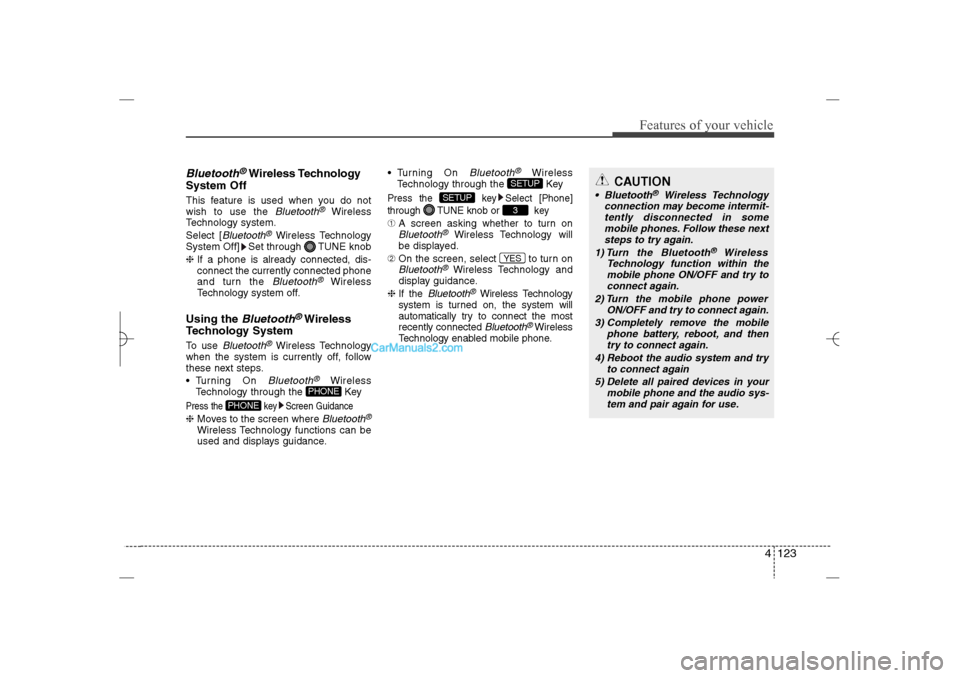
Bluetooth
®Wireless Technology
System Off
This feature is used when you do not
wish to use the
Bluetooth
®
Wireless
Technology system.
Select [
Bluetooth
®Wireless Technology
System Off] Set through TUNE knob
❈If a phone is already connected, dis-
connect the currently connected phone
and turn the Bluetooth
®
Wireless
Technology system off.
Using the
Bluetooth
®Wireless
Technology System
To use
Bluetooth
®Wireless Technology
when the system is currently off, follow
these next steps.
Turning On Bluetooth
®
Wireless
Technology through the Key
Press the key Screen Guidance❈Moves to the screen where
Bluetooth
®
Wireless Technology functions can be
used and displays guidance. Turning On
Bluetooth
®
Wireless
Technology through the Key
Press the key Select [Phone]
through TUNE knob or key➀A screen asking whether to turn onBluetooth
®
Wireless Technology will
be displayed.
➁On the screen, select to turn on
Bluetooth
®Wireless Technology and
display guidance.
❈If the
Bluetooth
®Wireless Technology
system is turned on, the system will
automatically try to connect the most
recently connected Bluetooth
®Wireless
Technology enabled mobile phone.
YES3
SETUP
SETUP
PHONE
PHONE
CAUTION
Bluetooth
®
Wireless Technology
connection may become intermit-
tently disconnected in some
mobile phones. Follow these next
steps to try again.
1) Turn the Bluetooth
®
Wireless
Technology function within the
mobile phone ON/OFF and try to
connect again.
2) Turn the mobile phone power
ON/OFF and try to connect again.
3) Completely remove the mobile
phone battery, reboot, and then
try to connect again.
4) Reboot the audio system and try
to connect again
5) Delete all paired devices in your
mobile phone and the audio sys-
tem and pair again for use.
YF HMA 4b-112~(Audio).qxp 3/5/2012 4:24 PM Page 123
Page 224 of 410
4 143
Features of your vehicle
✽ ✽
NOTICE FOR USING THE
iPod
®DEVICE
• Some iPod models may not support
communication protocol and files may
not properly play.
Supported iPod models:
- iPod Mini
- iPod 4th(Photo) ~ 6th(Classic)
generation
- iPod Nano 1st~4th generation
- iPod Touch 1st~2nd generation
• The order of search or playback of
songs in the iPod can be different
from the order searched in the audio
system.
• If the iPod disabled due to its own
malfunction, reset the iPod. (Reset:
Refer to iPod manual)
• An iPod may not operate normally on
low battery.
• Some iPod devices, such as the
iPhone, can be connected through the
Bluetooth
®Wireless Technology inter-
face. The device must have audio
Bluetooth®Wireless Technology capa-
bility (such as for stereo headphone
Bluetooth®Wireless Technology). The
device can play, but it will not be con-
trolled by the audio system.
(Continued)
(Continued)
Some USB flash memory readers
(such as CF, SD, micro SD, etc.) or
external-HDD type devices can be
unrecognizable.
Music files protected by DRM
(DIGITAL RIGHTS MANAGE-
MENT) are not recognizable.
The data in the USB memory may
be lost while using this audio.
Always back up important data on
a personal storage device.
Please avoid using USB memory
products which can be used as key
chains or cellular phone acces-
sories as they could cause dam-
age to the USB jack. Please make
certain only to use plug type con-
nector products as shown below.
(Continued)
If you use devices such as a USB
hub purchased separately, the
vehicle’s audio system may not
recognize the USB device. In that
case, connect the USB device
directly to the multimedia terminal
of the vehicle.
If the USB device is divided by
logical drives, only the music files
on the highest-priority drive are
recognized by car audio.
Devices such as MP3 Player/
Cellular phone/Digital camera can
be unrecognizable by standard
USB I/F can be unrecognizable.
Charging through the USB may
not be supported in some mobile
devices.
USB HDD or USB types liable to
connection failures due to vehicle
vibrations are not supported.
(i-stick type)
Some non-standard USB devices
(METAL COVER TYPE USB) can
be unrecognizable.
(Continued)
YF HMA 4b-112~(Audio).qxp 3/5/2012 4:24 PM Page 143
Page 225 of 410
Features of your vehicle144 4(Continued)
• To use iPod features within the audio,
use the cable provided upon purchas-
ing an iPod device.
• Skipping or improper operation may
occur depending on the characteris-
tics of your iPod/Phone device.
• If your iPhone is connected to both the
Bluetooth
®
Wireless Technology and
USB, the sound may not be properly
played. In your iPhone, select the
Dock connector orBluetooth
®
Wireless Technology to change the
sound output (source).
✽ ✽
NOTICE FOR USING THE My
Music• Even if memory is available, a maxi-
mum of 6,000 songs can be stored.
• The same song can be copied up to
1,000 times.
• Memory info can be checked in the
System menu of Setup.✽ ✽
NOTICE FOR USING THE
AUXFully insert the AUX cable into the AUX
terminal for use.
CAUTION IN USING THE
iPod
®DEVICE
When connecting iPod with the
iPod Power Cable, insert the con-
nector to the multimedia socket
completely. If not inserted com-
pletely, communications between
iPod and audio may be interrupted.
When adjusting the sound effects
of the iPod and the audio system,
the sound effects of both devices
will overlap and might reduce or
distort the quality of the sound.
Deactivate (turn off) the equalizer
function of an iPod when adjust-
ing the audio system’s volume,
and turn off the equalizer of the
audio system when using the
equalizer of an iPod.
When not using iPod with car
audio, detach the iPod cable from
iPod. Otherwise, iPod may remain
in accessory mode, and may not
work properly.
YF HMA 4b-112~(Audio).qxp 3/5/2012 4:24 PM Page 144