warning Hyundai Sonata 2014 Owner's Manual
[x] Cancel search | Manufacturer: HYUNDAI, Model Year: 2014, Model line: Sonata, Model: Hyundai Sonata 2014Pages: 665, PDF Size: 17.43 MB
Page 188 of 665
3-92
Convenient features of your vehicle
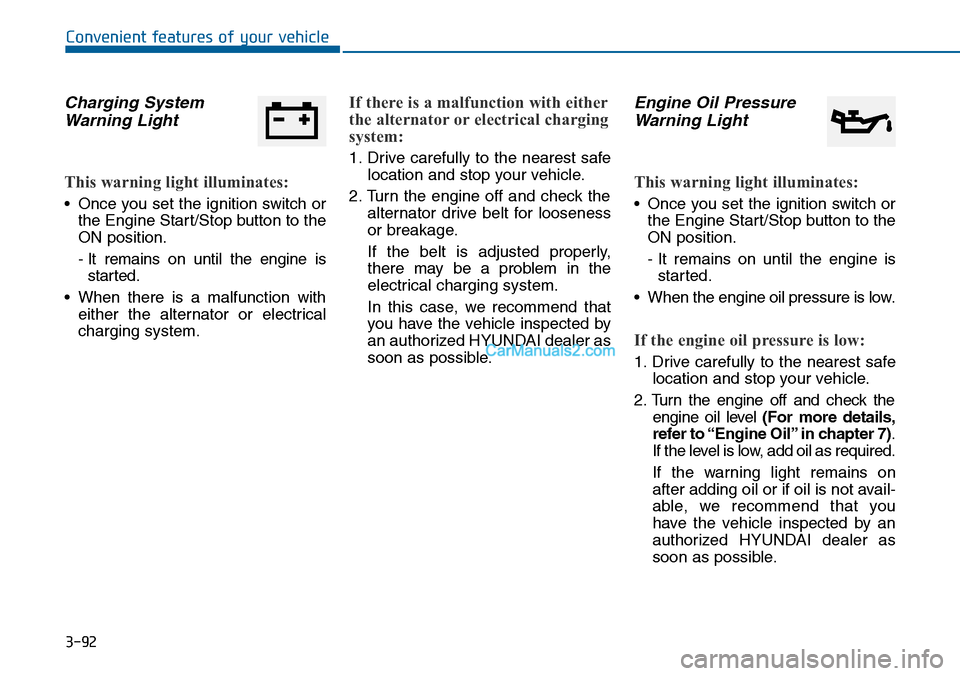
Charging System
Warning Light
This warning light illuminates:
•Once you set the ignition switch or
the Engine Start/Stop button to the
ON position.
- It remains on until the engine is
started.
•When there is a malfunction with
either the alternator or electrical
charging system.
If there is a malfunction with either
the alternator or electrical charging
system:
1. Drive carefully to the nearest safe
location and stop your vehicle.
2. Turn the engine off and check the
alternator drive belt for looseness
or breakage.
If the belt is adjusted properly,
there may be a problem in the
electrical charging system.
In this case, we recommend that
you have the vehicle inspected by
an authorized HYUNDAI dealer as
soon as possible.
Engine Oil Pressure
Warning Light
This warning light illuminates:
•Once you set the ignition switch or
the Engine Start/Stop button to the
ON position.
- It remains on until the engine is
started.
•When the engine oil pressure is low.
If the engine oil pressure is low:
1. Drive carefully to the nearest safe
location and stop your vehicle.
2. Turn the engine off and check the
engine oil level (For more details,
refer to “Engine Oil” in chapter 7).
If the level is low, add oil as required.
If the warning light remains on
after adding oil or if oil is not avail-
able, we recommend that you
have the vehicle inspected by an
authorized HYUNDAI dealer as
soon as possible.
Page 189 of 665
3-93
Convenient features of your vehicle
3
- Engine Oil Pressure
Warning Light
•If the engine does not stop
immediately after the Engine Oil
Pressure Warning Light is illumi-
nated, severe damage could
result.
•If the warning light stays on
while the engine is running, it
indicates that there may be seri-
ous engine damage or malfunc-
tion. In this case,
1. Stop the vehicle as soon as it
is safe to do so.
2. Turn off the engine and check
the oil level. If the oil level is
low, fill the engine oil to the
proper level.
3. Start the engine again. If the
warning light stays on after the
engine is started, turn the
engine off immediately. In this
case, we recommend that you
have the vehicle inspected by
an authorized HYUNDAI dealer.
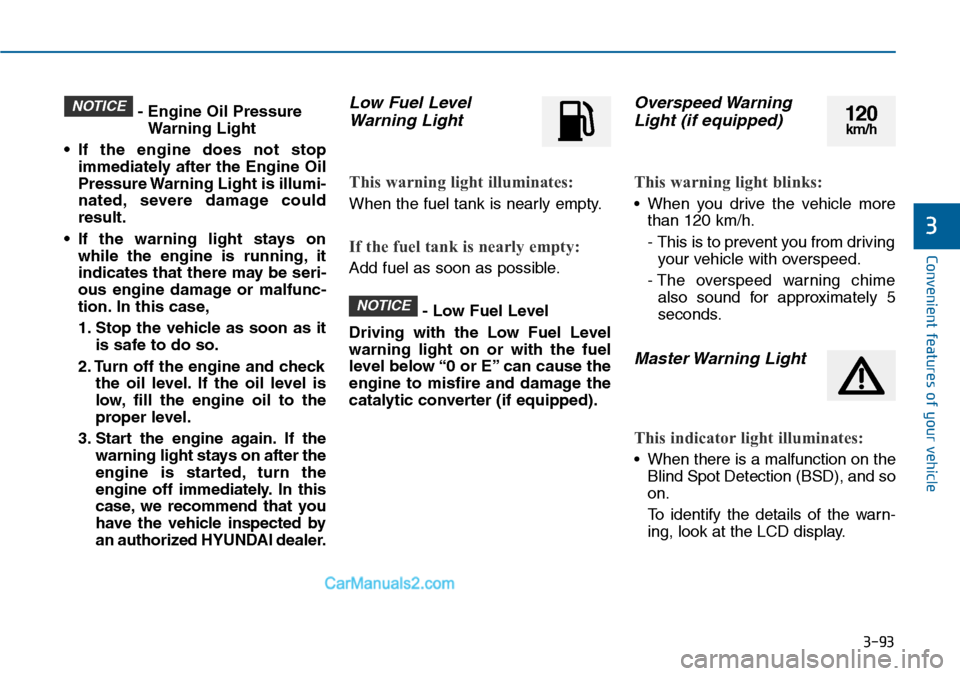
Low Fuel Level
Warning Light
This warning light illuminates:
When the fuel tank is nearly empty.
If the fuel tank is nearly empty:
Add fuel as soon as possible.
- Low Fuel Level
Driving with the Low Fuel Level
warning light on or with the fuel
level below “0 or E” can cause the
engine to misfire and damage the
catalytic converter (if equipped).
Overspeed Warning
Light (if equipped)
This warning light blinks:
•When you drive the vehicle more
than 120 km/h.
- This is to prevent you from driving
your vehicle with overspeed.
- The overspeed warning chime
also sound for approximately 5
seconds.
Master Warning Light
This indicator light illuminates:
•When there is a malfunction on the
Blind Spot Detection (BSD), and so
on.
To i d e n t i f y t h e d e t a i l s o f t h e w a r n -
ing, look at the LCD display.
NOTICE
NOTICE120km/h
Page 193 of 665
![Hyundai Sonata 2014 Owners Manual 3-97
Convenient features of your vehicle
3
AUTO HOLD Indicator
Light (if equipped)
This indicator light illuminates:
•[White] When you activate the auto
hold system by pressing the AUTO
HOLD butto](/img/35/16805/w960_16805-192.png "Hyundai Sonata 2014 Owners Manual 3-97
Convenient features of your vehicle
3
AUTO HOLD Indicator
Light (if equipped)
This indicator light illuminates:
•[White] When you activate the auto
hold system by pressing the AUTO
HOLD butto")
3-97
Convenient features of your vehicle
3
AUTO HOLD Indicator
Light (if equipped)
This indicator light illuminates:
•[White] When you activate the auto
hold system by pressing the AUTO
HOLD button.
•[Green] When you stop the vehicle
completely by depressing the
brake pedal with the auto hold sys-
tem activated.
•[Yellow] When there is a malfunc-
tion with the auto hold system.
In this case, we recommend that
you have the vehicle inspected by
an authorized HYUNDAI dealer.
For more details, refer to “Auto
Hold” in chapter 5.
SPORT Mode Indicator
Light (if equipped)
This indicator light illuminates
•When you select "SPORT" mode
as drive mode.
For more details, refer to "Drive
Mode Integrated Control System"
in chapter 5.
ECO Mode Indicator
Light (if equipped)
This indicator light illuminates:
•When you select “ECO”mode as
drive mode.
For more details, refer to “Drive
Mode Integrated Control System”
in chapter 5.
AUTO
HOLDSPORTECO
Do not watch the ECO indicator
light while driving. This will dis-
tract you and may cause an
accident that results in severe
personal injury.
WARNING
Page 195 of 665
3-99
Convenient features of your vehicle
3
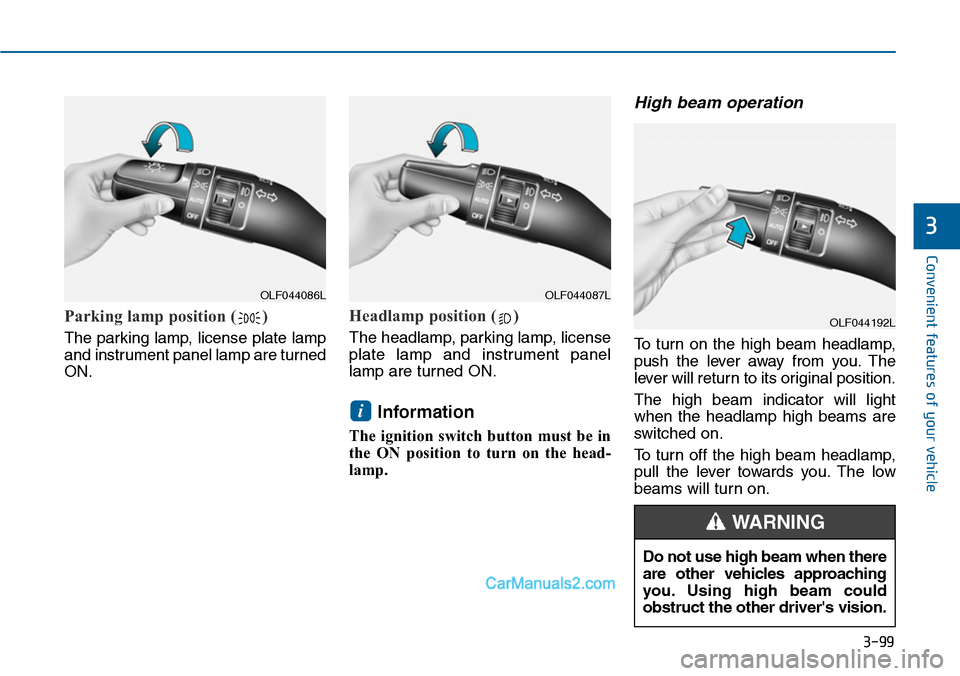
Parking lamp position ( )
The parking lamp, license plate lamp
and instrument panel lamp are turned
ON.
Headlamp position ( )
The headlamp, parking lamp, license
plate lamp and instrument panel
lamp are turned ON.
Information
The ignition switch button must be in
the ON position to turn on the head-
lamp.
High beam operation
To t u r n o n t h e h i g h b e a m h e a d l a m p ,
push the lever away from you. The
lever will return to its original position.
The high beam indicator will light
when the headlamp high beams are
switched on.
To turn off the high beam headlamp,
pull the lever towards you. The low
beams will turn on.
i
OLF044086LOLF044087L
OLF044192L
Do not use high beam when there
are other vehicles approaching
you. Using high beam could
obstruct the other driver's vision.
WARNING
Page 200 of 665
3-104
Convenient features of your vehicle
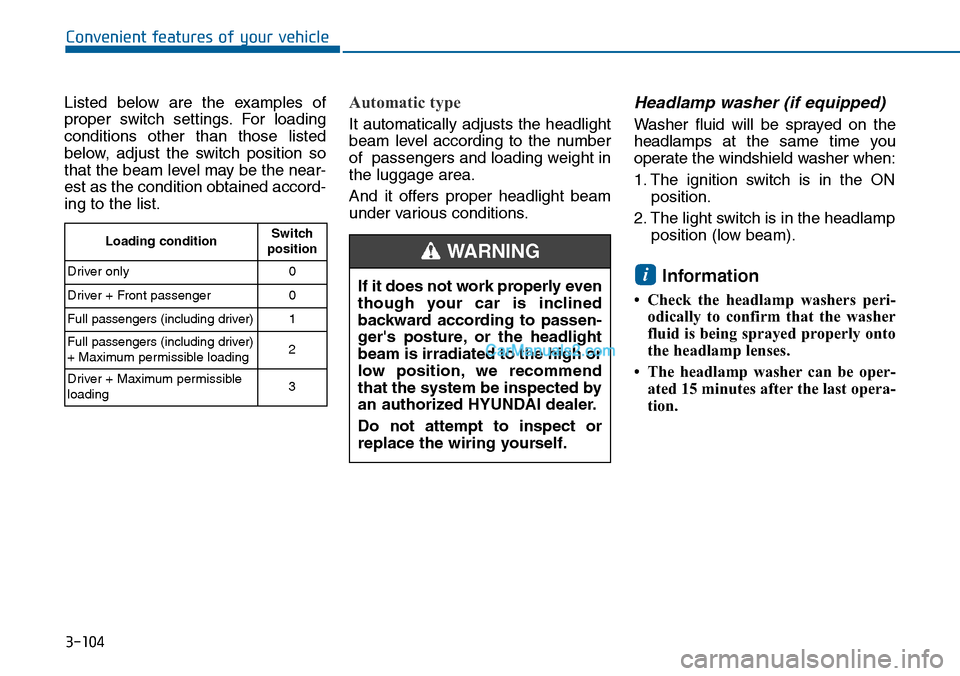
Listed below are the examples of
proper switch settings. For loading
conditions other than those listed
below, adjust the switch position so
that the beam level may be the near-
est as the condition obtained accord-
ing to the list.
Automatic type
It automatically adjusts the headlight
beam level according to the number
of passengers and loading weight in
the luggage area.
And it offers proper headlight beam
under various conditions.
Headlamp washer (if equipped)
Washer fluid will be sprayed on the
headlamps at the same time you
operate the windshield washer when:
1. The ignition switch is in the ON
position.
2. The light switch is in the headlamp
position (low beam).
Information
• Check the headlamp washers peri-
odically to confirm that the washer
fluid is being sprayed properly onto
the headlamp lenses.
• The headlamp washer can be oper-
ated 15 minutes after the last opera-
tion.
i
Loading conditionSwitchposition
Driver only 0
Driver + Front passenger 0
Full passengers (including driver) 1
Full passengers (including driver)+ Maximum permissible loading2
Driver + Maximum permissibleloading 3
If it does not work properly even
though your car is inclined
backward according to passen-
ger's posture, or the headlight
beam is irradiated to the high or
low position, we recommend
that the system be inspected by
an authorized HYUNDAI dealer.
Do not attempt to inspect or
replace the wiring yourself.
WARNING
Page 202 of 665
3-106
Convenient features of your vehicle
Interior lamp
When the interior lamp switch is in
the DOOR position and all doors (and
trunk) are closed and locked, the
room lamp will come on for 30 sec-
onds if any of the below is performed.
•When the door unlock button is
pressed on the remote key or
smart key.
•When the button of the outside
door handle is pressed.
At this time, if you press the door lock
or unlock button, the room lamp will
turn off immediately.
Interior lights
Do not use the interior lights for
extended periods when the engine
is turned off or the battery will dis-
charge.
Interior lamp AUTO cut
The interior lamps will automatically
go off approximately 20 minutes after
the engine is turned off and the
doors closed. If a door is opened, the
lamp will go off 40 minutes after the
engine is turned off. If the doors are
locked by the smart key and the vehi-
cle enters the armed stage of the
theft alarm system, the lamps will go
off five seconds later.
NOTICE
Do not use the interior lights
when driving in the dark. The inte-
rior lights may obscure your view
and cause an accident.
WARNING
Page 205 of 665
3-109
Convenient features of your vehicle
3
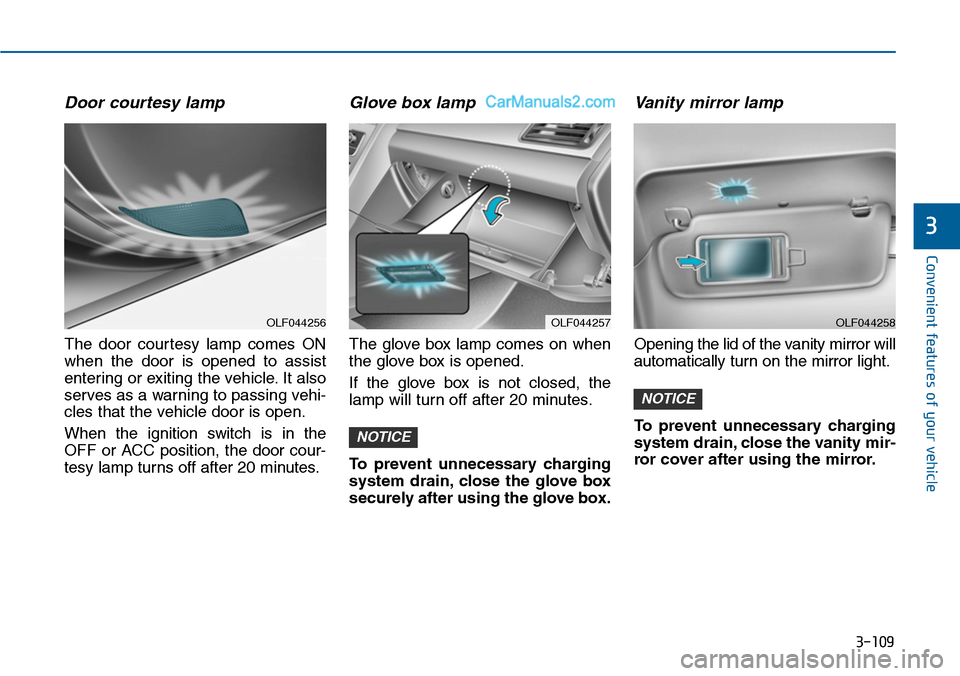
Door courtesy lamp
The door courtesy lamp comes ON
when the door is opened to assist
entering or exiting the vehicle. It also
serves as a warning to passing vehi-
cles that the vehicle door is open.
When the ignition switch is in the
OFF or ACC position, the door cour-
tesy lamp turns off after 20 minutes.
Glove box lamp
The glove box lamp comes on when
the glove box is opened.
If the glove box is not closed, the
lamp will turn off after 20 minutes.
To prevent unnecessary charging
system drain, close the glove box
securely after using the glove box.
Va n i t y m i r ro r l a m p
Opening the lid of the vanity mirror will
automatically turn on the mirror light.
To prevent unnecessary charging
system drain, close the vanity mir-
ror cover after using the mirror.
NOTICE
NOTICE
OLF044257OLF044256OLF044258
Page 208 of 665
3-112
Convenient features of your vehicle
LO (1) : The wiper runs at a lower
speed.
HI (2) :The wiper runs at a higher
speed.
Information
If there is heavy accumulation of snow
or ice on the windshield, defrost the
windshield for about 10 minutes, or
until the snow and/or ice is removed
before using the windshield wipers to
ensure proper operation.
If you do not remove the snow and/or
ice before using the wiper and washer,
it may damage the wiper and washer
system.
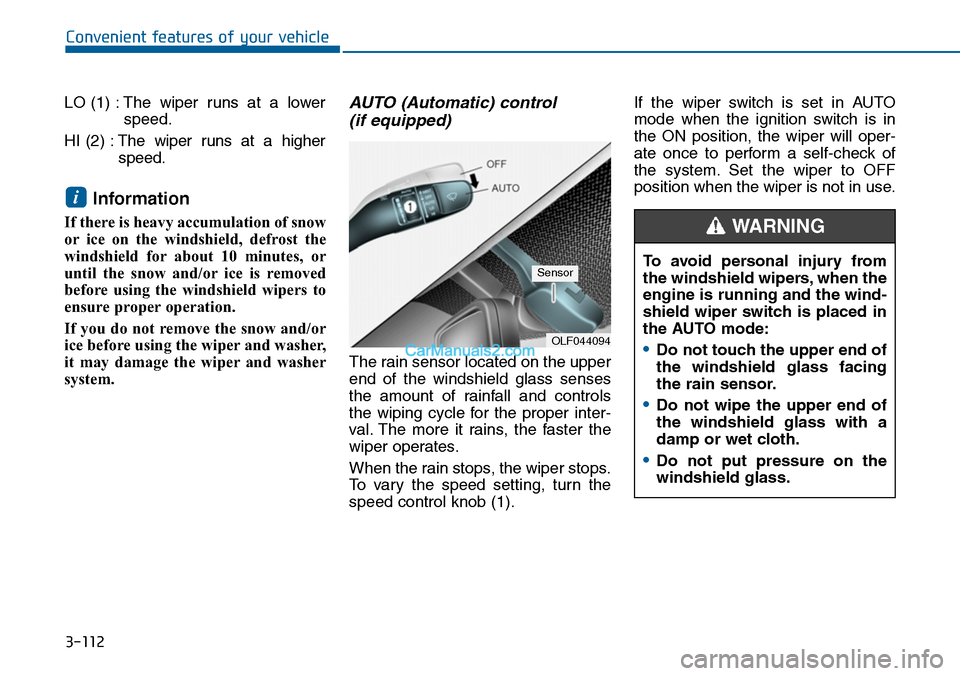
AUTO (Automatic) control
(if equipped)
The rain sensor located on the upper
end of the windshield glass senses
the amount of rainfall and controls
the wiping cycle for the proper inter-
val. The more it rains, the faster the
wiper operates.
When the rain stops, the wiper stops.
To vary the speed setting, turn the
speed control knob (1).
If the wiper switch is set in AUTO
mode when the ignition switch is in
the ON position, the wiper will oper-
ate once to perform a self-check of
the system. Set the wiper to OFF
position when the wiper is not in use.i
OLF044094
SensorTo avoid personal injury from
the windshield wipers, when the
engine is running and the wind-
shield wiper switch is placed in
the AUTO mode:
•Do not touch the upper end of
the windshield glass facing
the rain sensor.
•Do not wipe the upper end of
the windshield glass with a
damp or wet cloth.
•Do not put pressure on the
windshield glass.
WARNING
Page 209 of 665
3-113
Convenient features of your vehicle
3
•When washing the vehicle,set
the wiper switch in the OFF (O)
position to stop the auto wiper
operation. The wiper may oper-
ate and be damaged if the switch
is set in the AUTO mode while
washing the vehicle.
•Do not remove the sensor cover
located on the upper end of the
passenger side windshield
glass. Damage to system parts
could occur and may not be cov-
ered by your vehicle warranty.
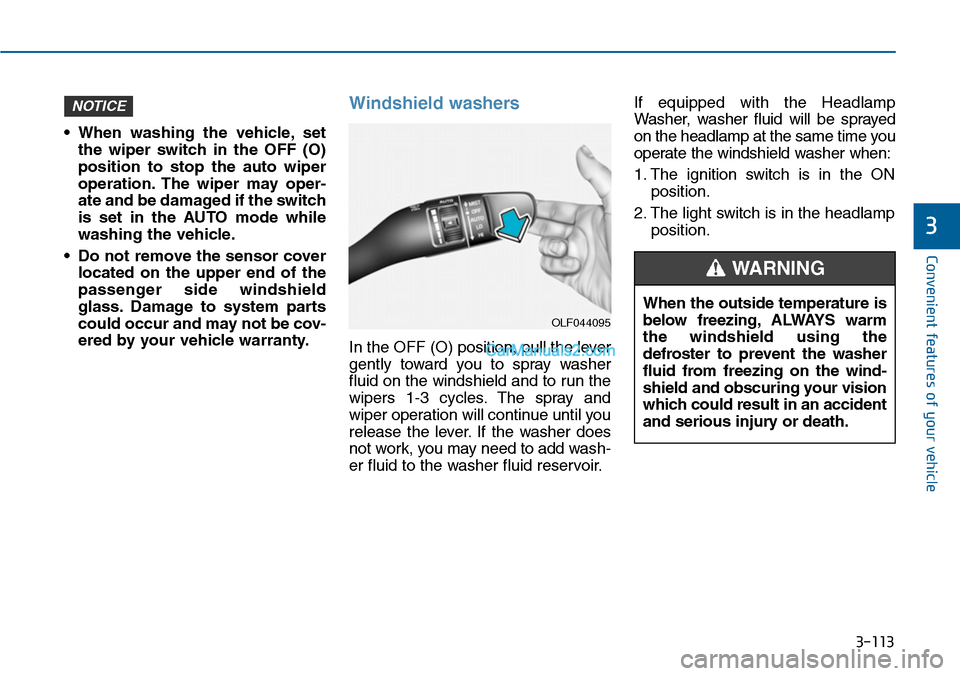
Windshield washers
In the OFF (O) position, pull the lever
gently toward you to spray washer
fluid on the windshield and to run the
wipers 1-3 cycles. The spray and
wiper operation will continue until you
release the lever. If the washer does
not work, you may need to add wash-
er fluid to the washer fluid reservoir.
If equipped with the Headlamp
Washer, washer fluid will be sprayed
on the headlamp at the same time you
operate the windshield washer when:
1. The ignition switch is in the ON
position.
2. The light switch is in the headlamp
position.
NOTICE
OLF044095
When the outside temperature is
below freezing, ALWAYS warm
the windshield using the
defroster to prevent the washer
fluid from freezing on the wind-
shield and obscuring your vision
which could result in an accident
and serious injury or death.
WARNING
Page 211 of 665
3-115
Convenient features of your vehicle
3
DRIVER ASSIST SYSTEM
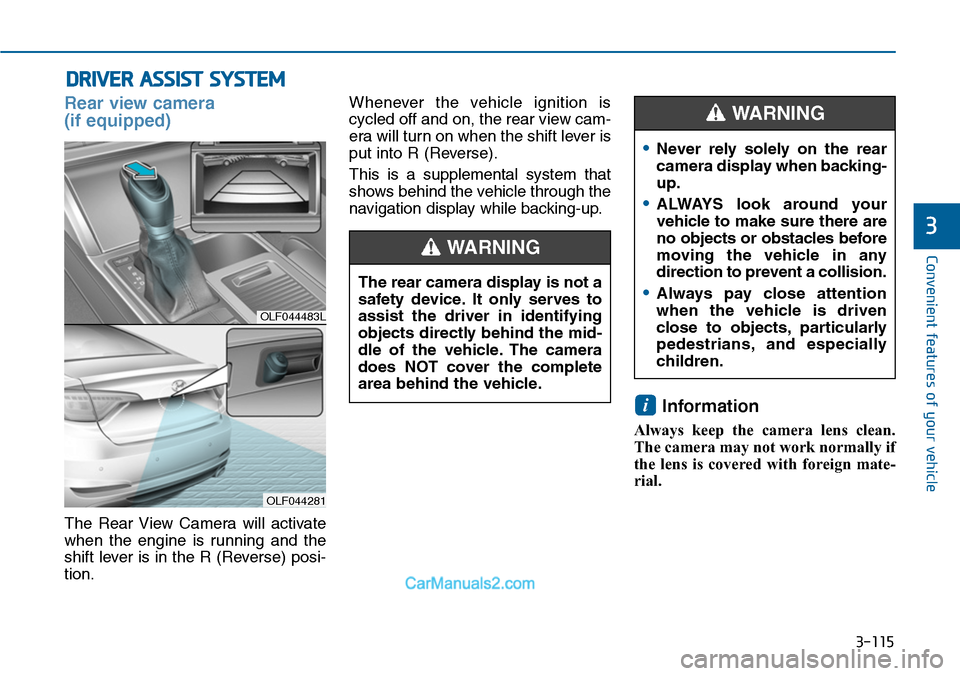
Rear view camera
(if equipped)
The Rear View Camera will activate
when the engine is running and the
shift lever is in the R (Reverse) posi-
tion.
Whenever the vehicle ignition is
cycled off and on, the rear view cam-
era will turn on when the shift lever is
put into R (Reverse).
This is a supplemental system that
shows behind the vehicle through the
navigation display while backing-up.
Information
Always keep the camera lens clean.
The camera may not work normally if
the lens is covered with foreign mate-
rial.
i
OLF044483L
OLF044281
The rear camera display is not a
safety device. It only serves to
assist the driver in identifying
objects directly behind the mid-
dle of the vehicle. The camera
does NOT cover the complete
area behind the vehicle.
WARNING
•Never rely solely on the rear
camera display when backing-
up.
•ALWAYS look around your
vehicle to make sure there are
no objects or obstacles before
moving the vehicle in any
direction to prevent a collision.
•Always pay close attention
when the vehicle is driven
close to objects, particularly
pedestrians, and especially
children.
WARNING