ignition Hyundai Sonata 2014 Owner's Guide
[x] Cancel search | Manufacturer: HYUNDAI, Model Year: 2014, Model line: Sonata, Model: Hyundai Sonata 2014Pages: 665, PDF Size: 17.43 MB
Page 130 of 665
3-34
Convenient features of your vehicle
The outside rearview mirrors will
automatically revert to their original
positions if any of the following occur:
The ignition switch is pressed to
either the LOCK/OFF position or the
ACC position.
•The shift lever is moved to any
position except R (Reverse).
•The remote control outside rearview
mirror switch is not selected.
Page 133 of 665
3-37
Convenient features of your vehicle
3
The ignition switch must be in the ON
position to be able to raise or lower
the windows. Each door has a Power
Window switch to control that door's
window. The driver has a Power
Window Lock switch which can block
the operation of passenger windows.
The power windows will operate for
approximately 30 seconds after the
ignition switch is placed in the ACC
or OFF position. However, if the front
doors are opened, the Power
Windows cannot be operated even
within the 30 second period.
Information
• In cold and wet climates, power win-
dows may not work properly due to
freezing conditions.
• While driving with the rear win-
dows down or with the sunroof (if
equipped) opened (or partially
opened), your vehicle may demon-
strate a wind buffeting or pulsation
noise. This noise is normal and can
be reduced or eliminated by taking
the following actions. If the noise
occurs with one or both of the rear
windows down, partially lower both
front windows approximately one
inch. If you experience the noise
with the sunroof open, slightly close
the sunroof.
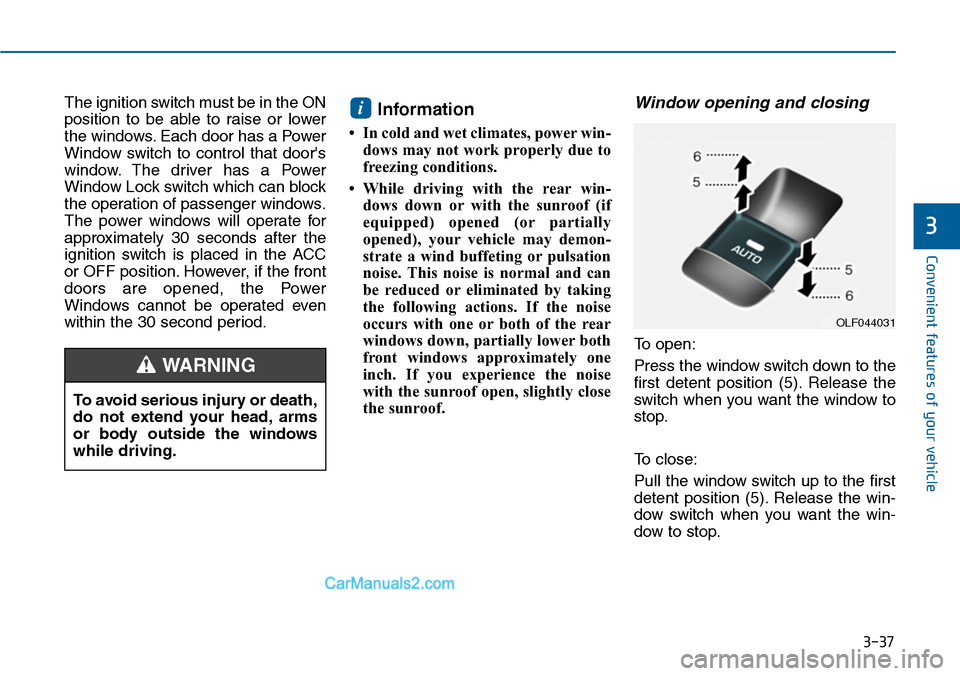
Window opening and closing
To open:
Press the window switch down to the
first detent position (5). Release the
switch when you want the window to
stop.
To close:
Pull the window switch up to the first
detent position (5). Release the win-
dow switch when you want the win-
dow to stop.
i
To avoid serious injury or death,
do not extend your head, arms
or body outside the windows
while driving.
WARNING
OLF044031
Page 134 of 665
3-38
Convenient features of your vehicle
Auto up/down window
(if equipped)
Pressing or pulling up the power win-
dow switch momentarily to the sec-
ond detent position (6) completely
lowers or lifts the window even when
the switch is released. To stop the
window at the desired position while
the window is in operation, pull up or
press down and release the switch.
To reset the power windows
If the power windows do not operate
normally, the automatic power win-
dow system must be reset as follows:
1. Place the ignition switch to the ON
position.
2. Close the window and continue
pulling up on the power window
switch for at least one second.
If the power windows do not operate
properly after resetting, it is recom-
mended that the system be checked
by an authorized HYUNDAI dealer.
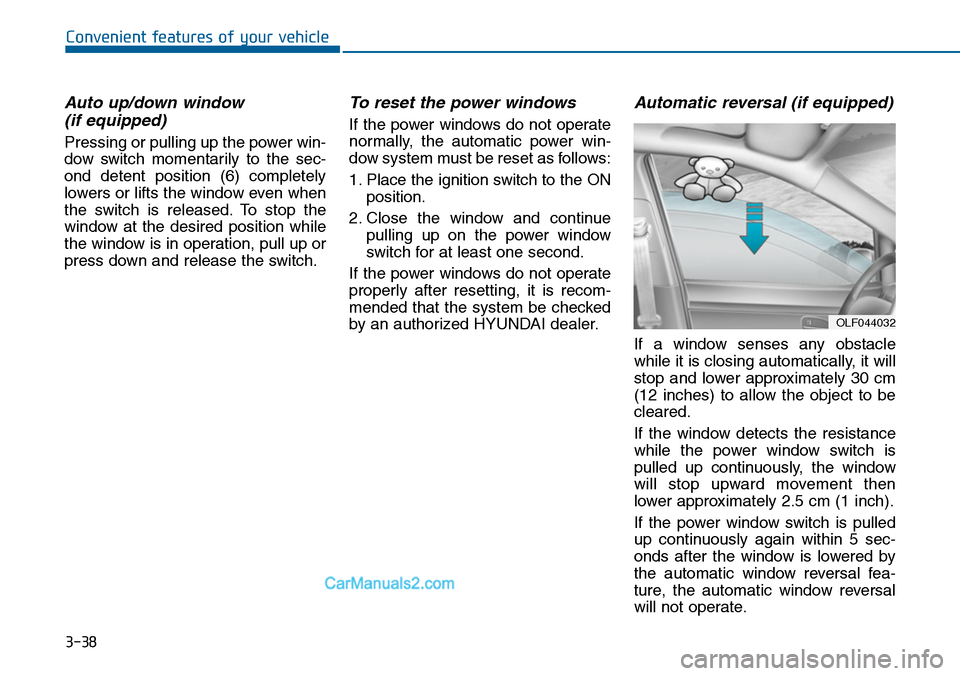
Automatic reversal (if equipped)
If a window senses any obstacle
while it is closing automatically, it will
stop and lower approximately 30 cm
(12 inches) to allow the object to be
cleared.
If the window detects the resistance
while the power window switch is
pulled up continuously, the window
will stop upward movement then
lower approximately 2.5 cm (1 inch).
If the power window switch is pulled
up continuously again within 5 sec-
onds after the window is lowered by
the automatic window reversal fea-
ture, the automatic window reversal
will not operate.
OLF044032
Page 137 of 665
3-41
Convenient features of your vehicle
3
PANORAMA SUNROOF (IF EQUIPPED)
•Make sure heads, other body
parts or objects are out of the
way before using the sunroof.
•Do not leave the engine run-
ning and the key in your vehi-
cle with unsupervised children.
Unattended children could
operate the sunroof, which
could result in serious injury.
WARNING
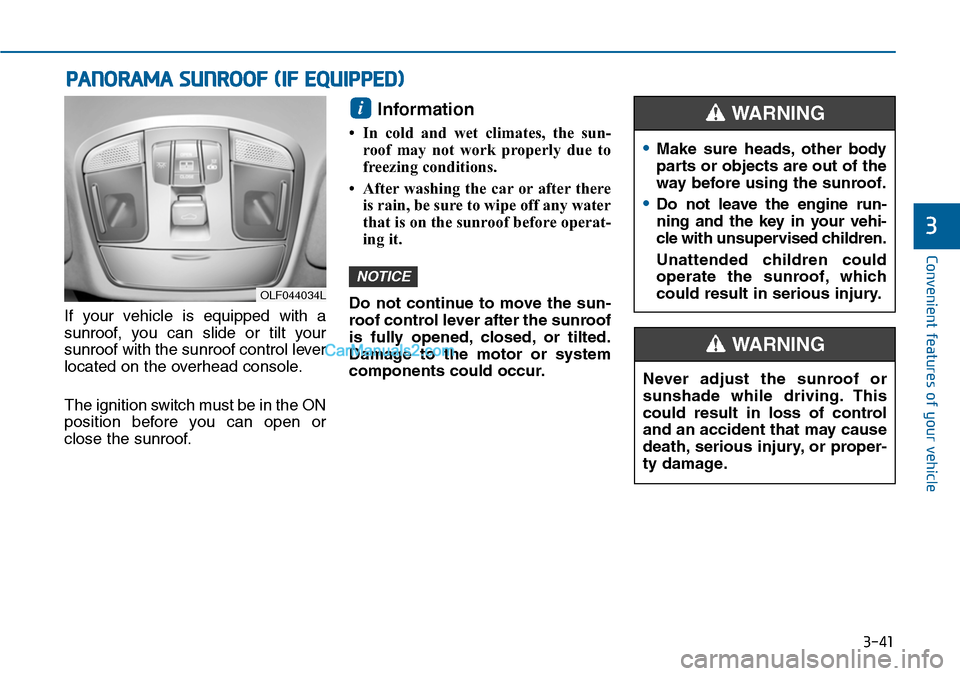
If your vehicle is equipped with a
sunroof, you can slide or tilt your
sunroof with the sunroof control lever
located on the overhead console.
The ignition switch must be in the ON
position before you can open or
close the sunroof.
Information
•In cold and wet climates, the sun-
roof may not work properly due to
freezing conditions.
• After washing the car or after there
is rain, be sure to wipe off any water
that is on the sunroof before operat-
ing it.
Do not continue to move the sun-
roof control lever after the sunroof
is fully opened, closed, or tilted.
Damage to the motor or system
components could occur.
NOTICE
i
OLF044034L
Never adjust the sunroof or
sunshade while driving. This
could result in loss of control
and an accident that may cause
death, serious injury, or proper-
ty damage.
WARNING
Page 151 of 665
3-55
Convenient features of your vehicle
3
(Continued)
•When refueling, always move
the shift lever to the P (Park)
position (for automatic
transaxle) or first gear or R
(Reverse, for manual
transaxle), set the parking
brake, and place the ignition
switch to the LOCK/OFF posi-
tion. Sparks produced by
electrical components related
to the engine can ignite fuel
vapors causing a fire.
•When using an approved
portable fuel container, be sure
to place the container on the
ground prior to refueling. Static
electricity discharge from the
container can ignite fuel vapors
causing a fire. Once refueling
has begun, contact between
your bare hand and the vehicle
should be maintained until the
filling is complete.
(Continued)
(Continued)
•If pressurized fuel sprays out,
it can cover your clothes or
skin and thus subject you to
the risk of fire and burns.
Always remove the fuel cap
carefully and slowly. If the cap
is venting fuel or if you hear a
hissing sound, wait until the
condition stops before com-
pletely removing the cap.
•Always check that the fuel cap
is installed securely to pre-
vent fuel spillage in the event
of an accident.
(Continued)
•Use only approved portable
plastic fuel containers designed
to carry and store gasoline.
•Do not use matches or a
lighter and do not smoke or
leave a lit cigarette in your
vehicle while at a gas station,
especially during refueling.
•Do not over-fill or top-off your
vehicle tank, which can cause
gasoline spillage.
•If a fire breaks out during refu-
eling, leave the vicinity of the
vehicle, and immediately con-
tact the manager of the gas
station and then contact the
local fire department. Follow
any safety instructions they
provide.
(Continued)
Page 156 of 665
3-60
Convenient features of your vehicle
Engine Coolant Temperature
gauge
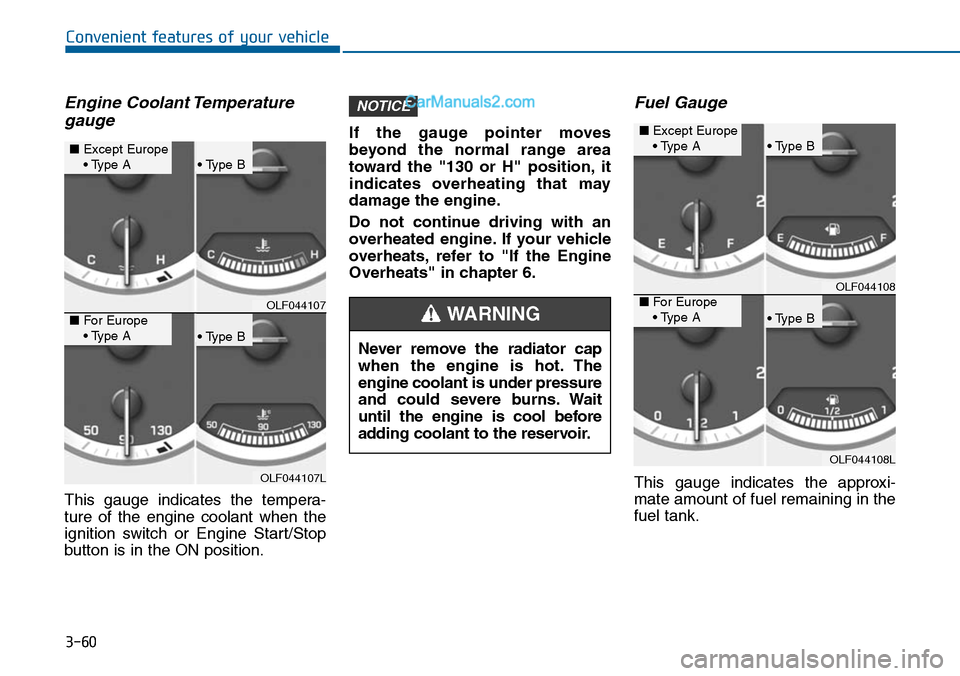
This gauge indicates the tempera-
ture of the engine coolant when the
ignition switch or Engine Start/Stop
button is in the ON position.
If the gauge pointer moves
beyond the normal range area
toward the "130 or H" position, it
indicates overheating that may
damage the engine.
Do not continue driving with an
overheated engine. If your vehicle
overheats, refer to "If the Engine
Overheats" in chapter 6.
Fuel Gauge
This gauge indicates the approxi-
mate amount of fuel remaining in the
fuel tank.
NOTICE
OLF044107
OLF044107L
■Except Europe• Type A• Type B
• Type B
■For Europe• Type ANever remove the radiator cap
when the engine is hot. The
engine coolant is under pressure
and could severe burns. Wait
until the engine is cool before
adding coolant to the reservoir.
WARNING
OLF044108
OLF044108L
■Except Europe• Type A• Type B
• Type B
■For Europe• Type A
Page 158 of 665
3-62
Convenient features of your vehicle
- User Settings Mode in the Cluster :
Yo u c a n c h a n g e t h e t e m p e r a t u r e
unit in the “Other Features -
Temperature unit” .
- Automatic climate control system :
While pressing the OFF button,
press the AUTO button for 3 sec-
onds or more.
Icy Road Warning Light
(if equipped)
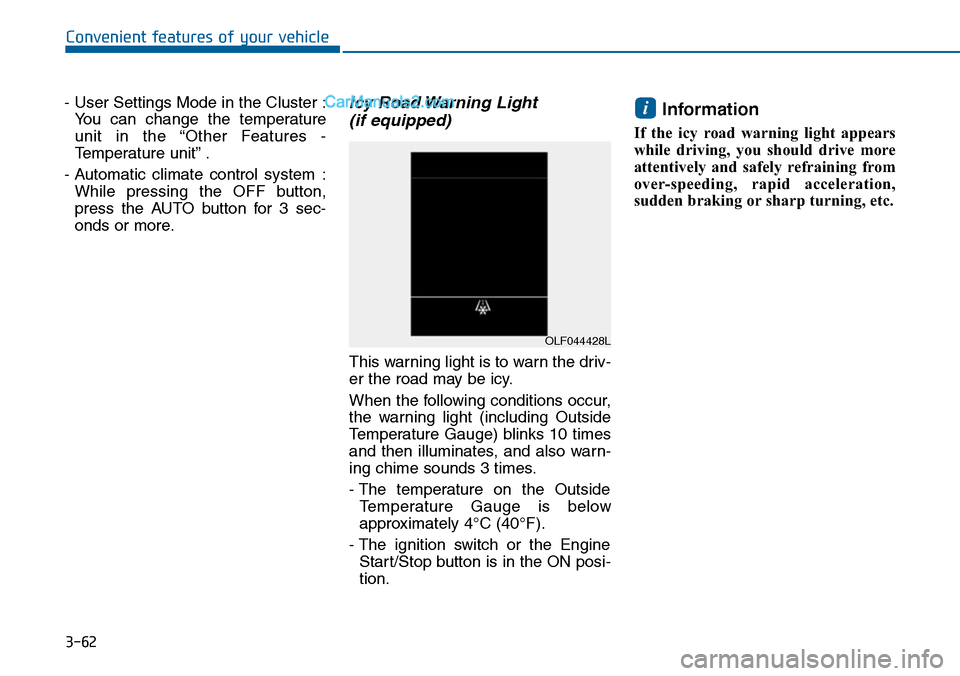
This warning light is to warn the driv-
er the road may be icy.
When the following conditions occur,
the warning light (including Outside
Temperature Gauge) blinks 10 times
and then illuminates, and also warn-
ing chime sounds 3 times.
- The temperature on the Outside
Te m p e r a t u r e G a u g e i s b e l o w
approximately 4°C (40°F).
- The ignition switch or the Engine
Start/Stop button is in the ON posi-
tion.
Information
If the icy road warning light appears
while driving, you should drive more
attentively and safely refraining from
over-speeding, rapid acceleration,
sudden braking or sharp turning, etc.
i
OLF044428L
Page 164 of 665
3-68
Convenient features of your vehicle
Turn By Turn (TBT) mode
(if equipped)
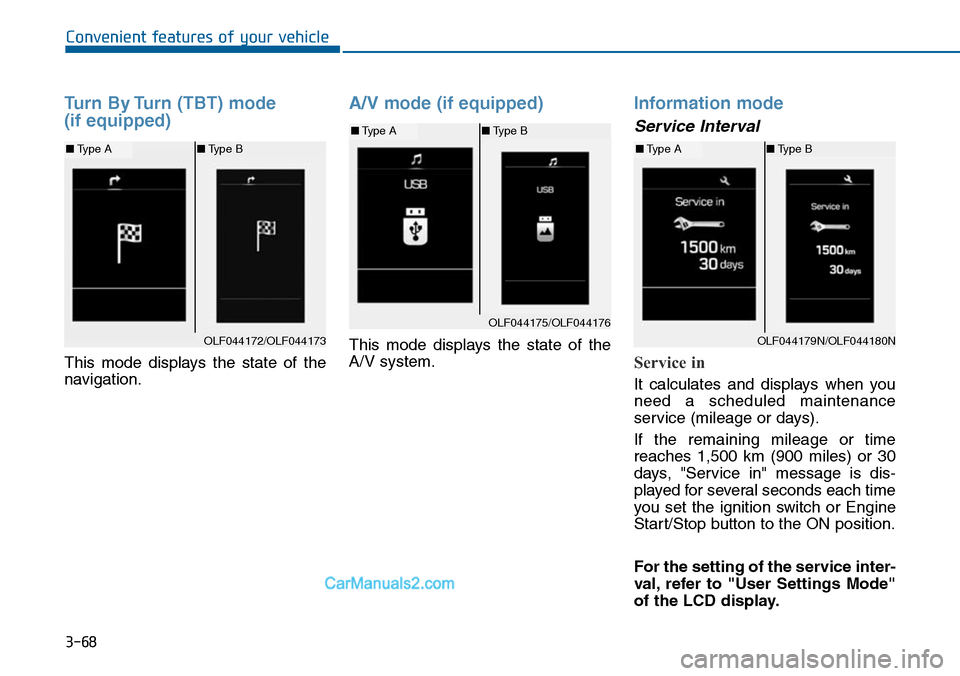
This mode displays the state of the
navigation.
A/V mode (if equipped)
This mode displays the state of the
A/V system.
Information mode
Service Interval
Service in
It calculates and displays when you
need a scheduled maintenance
service (mileage or days).
If the remaining mileage or time
reaches 1,500 km (900 miles) or 30
days, "Service in" message is dis-
played for several seconds each time
you set the ignition switch or Engine
Start/Stop button to the ON position.
For the setting of the service inter-
val, refer to "User Settings Mode"
of the LCD display.
OLF044172/OLF044173
■Type A■Type B
OLF044175/OLF044176
■Type A■Type B
OLF044179N/OLF044180N
■Type A■Type B
Page 165 of 665
3-69
Convenient features of your vehicle
3
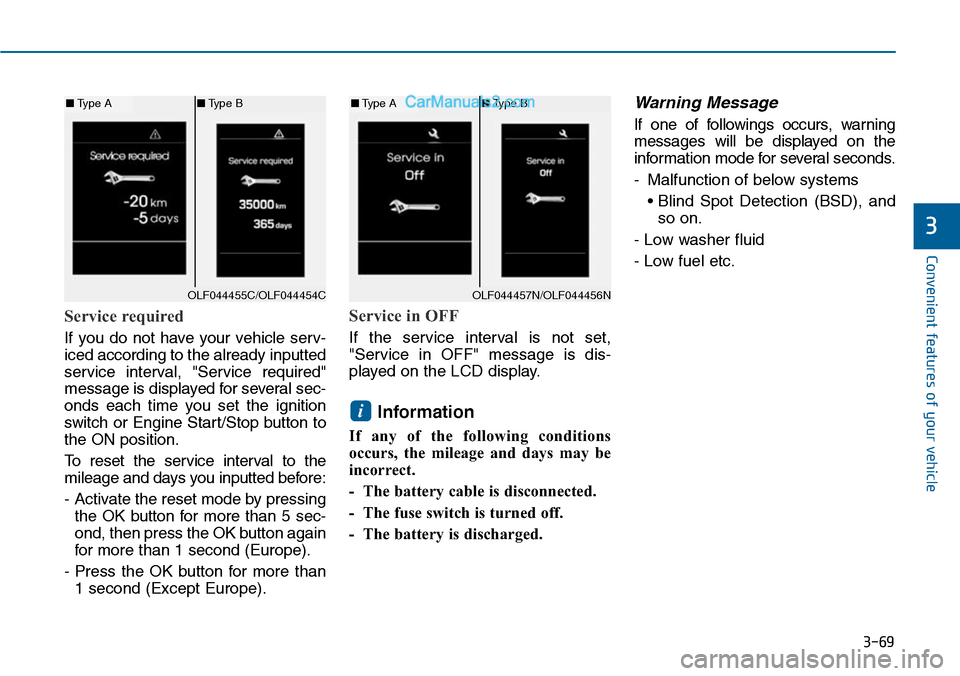
Service required
If you do not have your vehicle serv-
iced according to the already inputted
service interval, "Service required"
message is displayed for several sec-
onds each time you set the ignition
switch or Engine Star t/Stop button to
the ON position.
To r e s e t t h e s e r v i c e i n t e r v a l t o t h e
mileage and days you inputted before:
- Activate the reset mode by pressing
the OK button for more than 5 sec-
ond, then press the OK button again
for more than 1 second (Europe).
- Press the OK button for more than
1 second (Except Europe).
Service in OFF
If the service interval is not set,
"Service in OFF" message is dis-
played on the LCD display.
Information
If any of the following conditions
occurs, the mileage and days may be
incorrect.
- The battery cable is disconnected.
- The fuse switch is turned off.
- The battery is discharged.
Warning Message
If one of followings occurs, warning
messages will be displayed on the
information mode for several seconds.
-Malfunction of below systems
• Blind Spot Detection (BSD), and
so on.
- Low washer fluid
- Low fuel etc.
i
OLF044455C/OLF044454C
■Type A■Type B
OLF044457N/OLF044456N
■Type A■Type B
Page 167 of 665
3-71
Convenient features of your vehicle
3
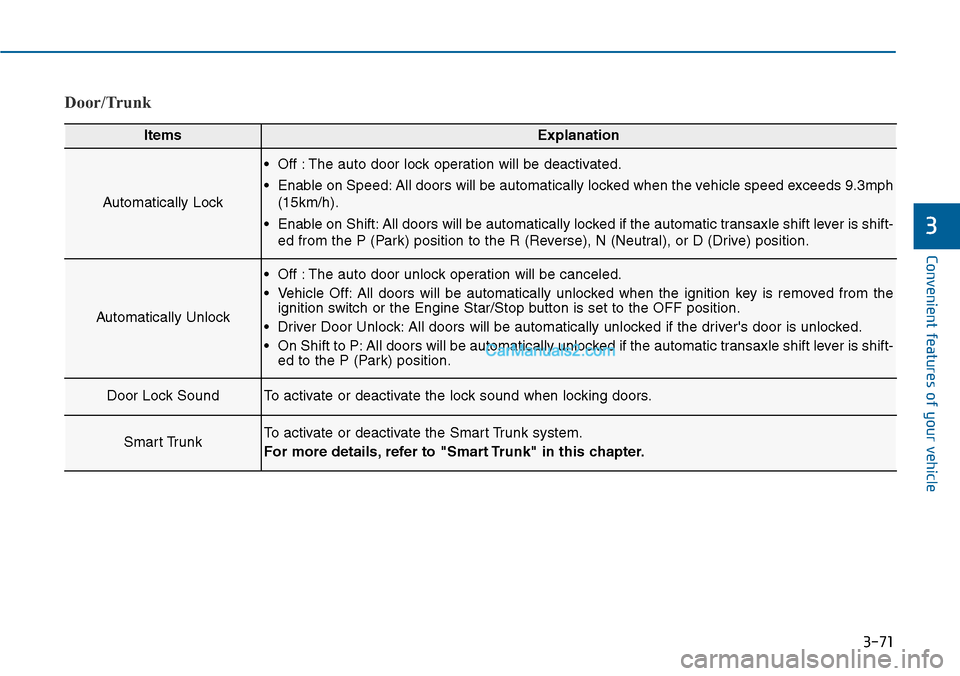
Door/Trunk
ItemsExplanation
Automatically Lock
•Off :The auto door lock operation will be deactivated.
•Enable on Speed:All doors will be automatically locked when the vehicle speed exceeds 9.3mph
(15km/h).
•Enable on Shift:All doors will be automatically locked if the automatic transaxle shift lever is shift-
ed from the P (Park) position to the R (Reverse), N (Neutral), or D (Drive) position.
Automatically Unlock
•Off :The auto door unlock operation will be canceled.
•Vehicle Off:All doors will be automatically unlocked when the ignition key is removed from theignition switch or the Engine Star/Stop button is set to the OFF position.
•Driver Door Unlock:All doors will be automatically unlocked if the driver's door is unlocked.
•On Shift to P:All doors will be automatically unlocked if the automatic transaxle shift lever is shift-ed to the P (Park) position.
Door Lock SoundTo activate or deactivate the lock sound when locking doors.
Smart TrunkTo activate or deactivate the Smart Trunk system.
For more details, refer to "Smart Trunk" in this chapter.