Screen display Hyundai Sonata 2015 Owner's Guide
[x] Cancel search | Manufacturer: HYUNDAI, Model Year: 2015, Model line: Sonata, Model: Hyundai Sonata 2015Pages: 603, PDF Size: 14.7 MB
Page 314 of 603
4-61
Multimedia System
4
A
AU
U D
DI
IO
O
C
C D
D
M
M O
OD
DE
E
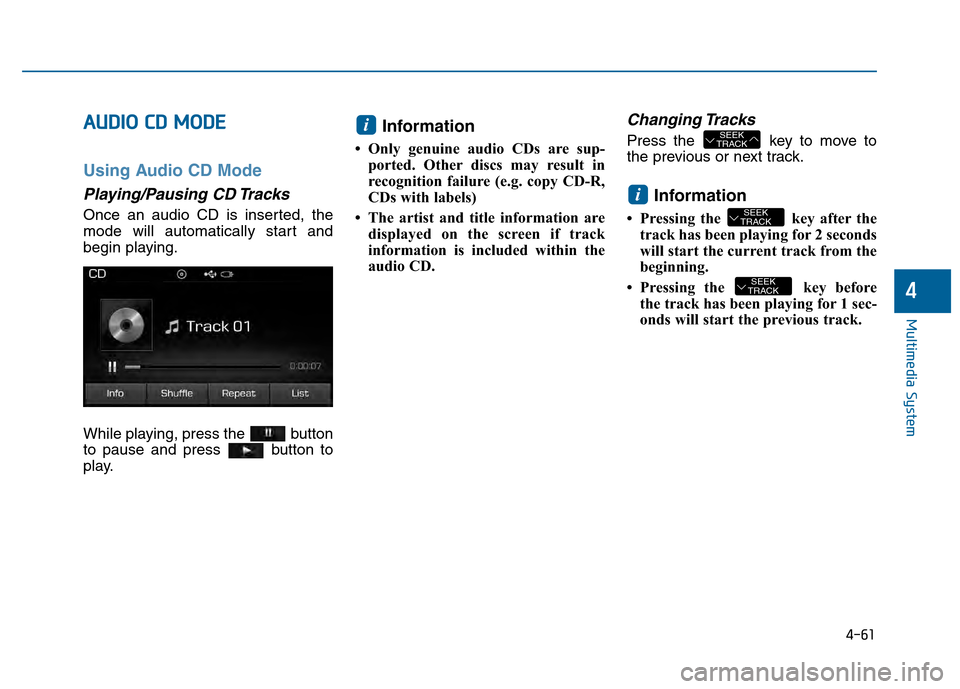
Using Audio CD Mode
Playing/Pausing CD Tracks
Once an audio CD is inserted, the
mode will automatically start and
begin playing.
While playing, press the button
to pause and press button to
play.
Information
• Only genuine audio CDs are sup-
ported. Other discs may result in
recognition failure (e.g. copy CD-R,
CDs with labels)
• The artist and title information are displayed on the screen if track
information is included within the
audio CD.
Changing Tracks
Press the key to move to
the previous or next track.
Information
• Pressing the key after thetrack has been playing for 2 seconds
will start the current track from the
beginning.
• Pressing the key before the track has been playing for 1 sec-
onds will start the previous track.
SEEK
TRACK
SEEK
TRACKi
SEEK
TRACKi
Page 315 of 603
4-62
Multimedia System
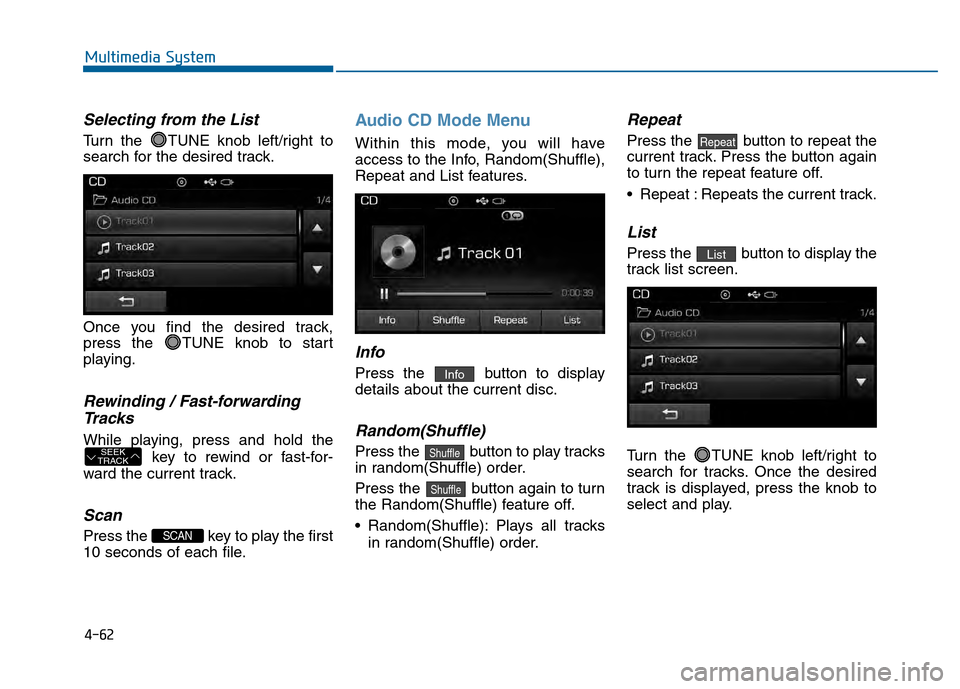
Selecting from the List
Turn the TUNE knob left/right to
search for the desired track.
Once you find the desired track,
press the TUNE knob to start
playing.
Rewinding / Fast-forwardingTracks
While playing, press and hold the
key to rewind or fast-for-
ward the current track.
Scan
Press the key to play the first
10 seconds of each file.
Audio CD Mode Menu
Within this mode, you will have
access to the Info, Random(Shuffle),
Repeat and List features.
Info
Press the button to display
details about the current disc.
Random(Shuffle)
Press the button to play tracks
in random(Shuffle) order.
Press the button again to turn
the Random(Shuffle) feature off.
Random(Shuffle): Plays all tracks in random(Shuffle) order.
Repeat
Press the button to repeat the
current track. Press the button again
to turn the repeat feature off.
Repeat : Repeats the current track.
List
Press the button to display the
track list screen.
Turn the TUNE knob left/right to
search for tracks. Once the desired
track is displayed, press the knob to
select and play.List
Repeat
Shuffle
Shuffle
Info
SCAN
SEEK
TRACK
Page 318 of 603
4-65
Multimedia System
4
Random(Shuffle)
Press the button to play files
in random(Shuffle) order.
Each time the button is pressed, the
feature changes in order of Random
(Shuffle) Folder
➟ Random (Shuffle)
All
➟ Off.
Random(Shuffle) Folder : Plays all files within the current folder in
Random (Shuffle) order.
Random(Shuffle) All : Plays all files in Random(Shuffle) order.
Repeat
Press the button to repeat the
current file or folder.
Each time the button is pressed, the
feature changes in order of Repeat
➟Repeat Folder➟Off.
Repeat: Repeats the current file.
Repeat Folder: Repeats all files within the current Folder.
Copying Files
Press the button to copy the
current file into My Music.
Information
Selecting another feature during
copying will display a pop-up asking
whether you wish to cancel copying.
To cancel, select 'Yes’.
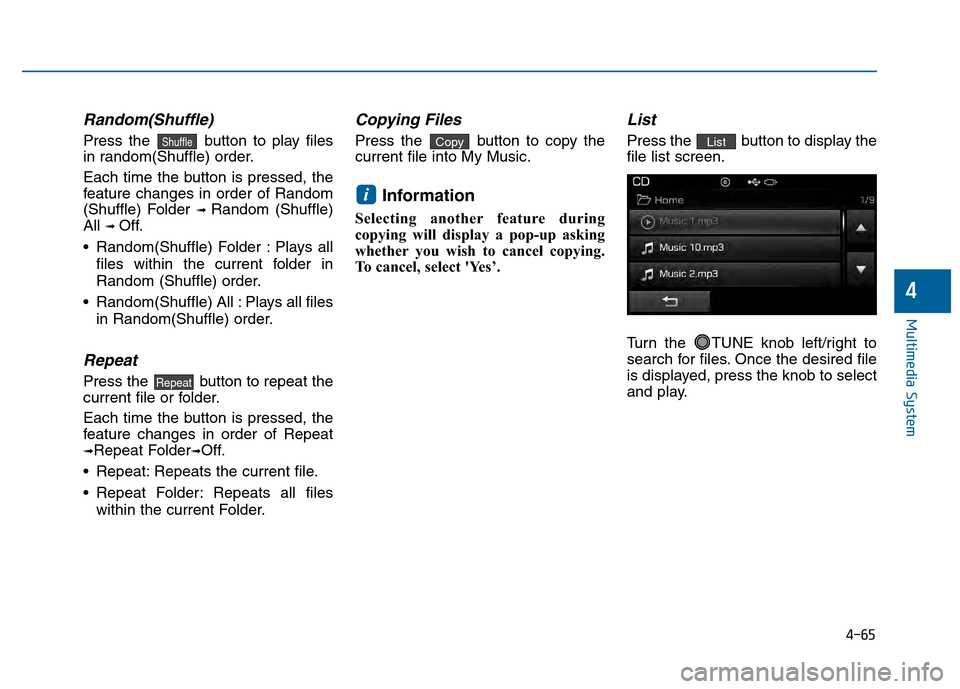
List
Press the button to display the
file list screen.
Turn the TUNE knob left/right to
search for files. Once the desired file
is displayed, press the knob to select
and play.List
i
Copy
Repeat
Shuffle
Page 321 of 603
4-68
Multimedia System
Random (Shuffle)
Press the button to play files
in random(Shuffle) order.
Each time the button is pressed, the
feature changes in order of
Random(Shuffle) Folder
➟Random
(Shuffle) All
➟Off.
Random(Shuffle) Folder : Plays the files in the current folder in ran-
dom(Shuffle) order.
Random(Shuffle) All : Plays all files in random(Shuffle) order.
Repeat
Press the button to repeat the
current file or folder.
Each time the button is pressed, the
feature changes in order of Repeat➟
Repeat Folder ➟ Off.
Repeat : Repeats the current file.
Repeat Folder : Repeats all files within the current folder.
Copying Files
Press the button to copy the
current file into My Music.
Information
Selecting another feature during
copying will display a pop-up asking
whether you wish to cancel copying.
To cancel, select 'Yes’.
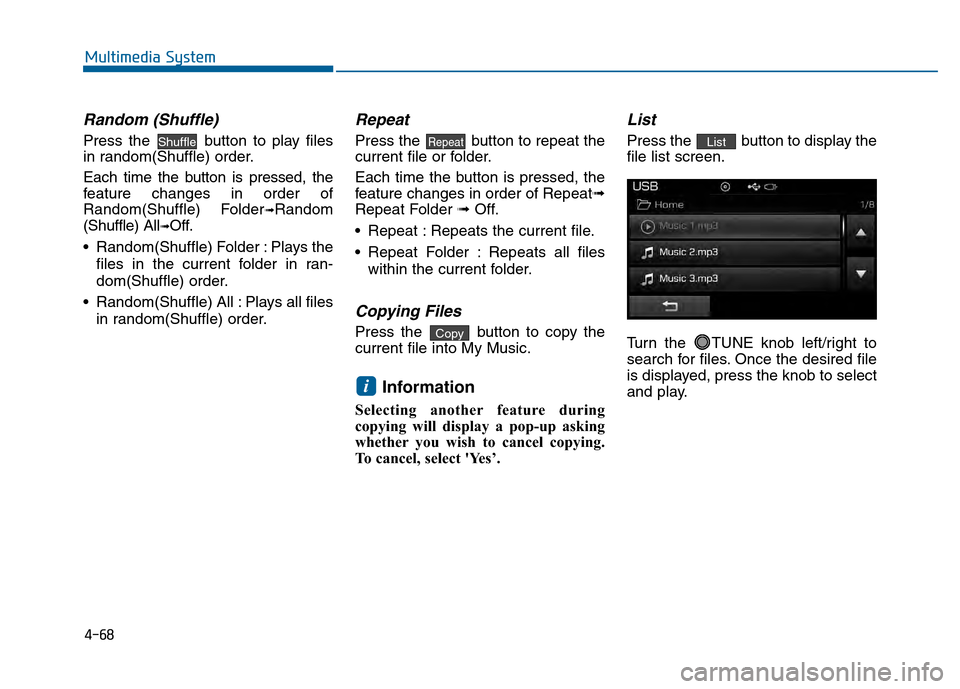
List
Press the button to display the
file list screen.
Turn the TUNE knob left/right to
search for files. Once the desired file
is displayed, press the knob to select
and play.List
i
Copy
RepeatShuffle
Page 323 of 603
4-70
Multimedia System
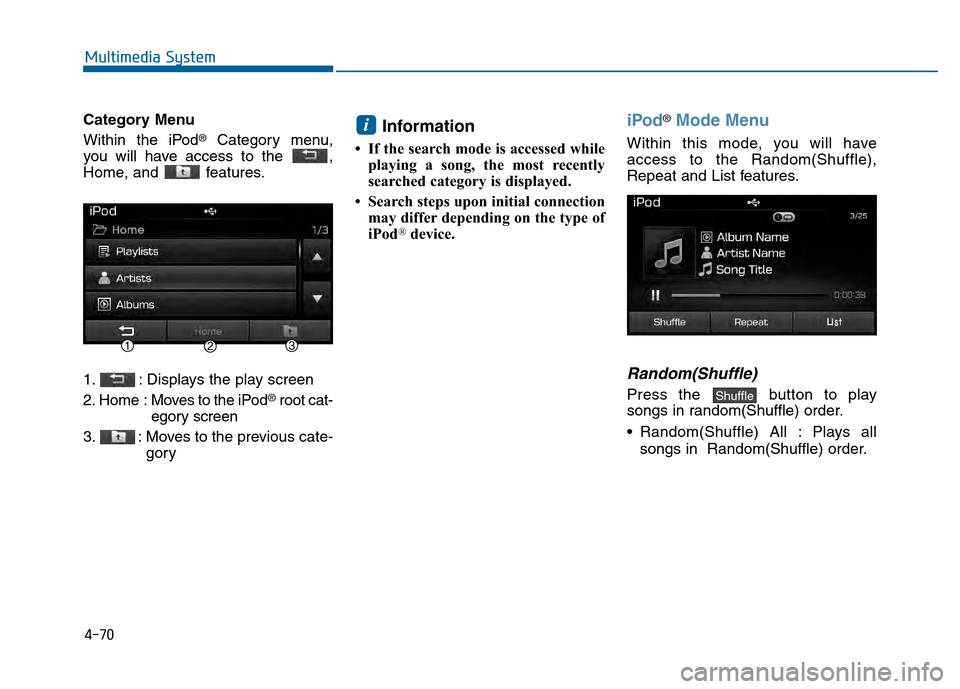
Category Menu
Within the iPod
®Category menu,
you will have access to the ,
Home, and features.
1. : Displays the play screen
2. Home : Moves to the iPod
®root cat-
egory screen
3. : Moves to the previous cate- gory
Information
• If the search mode is accessed whileplaying a song, the most recently
searched category is displayed.
• Search steps upon initial connection may differ depending on the type of
iPod
®device.
iPod®Mode Menu
Within this mode, you will have
access to the Random(Shuffle),
Repeat and List features.
Random(Shuffle)
Press the button to play
songs in random(Shuffle) order.
Random(Shuffle) All : Plays all
songs in Random(Shuffle) order.Shuffle
i
Page 326 of 603
4-73
Multimedia System
4
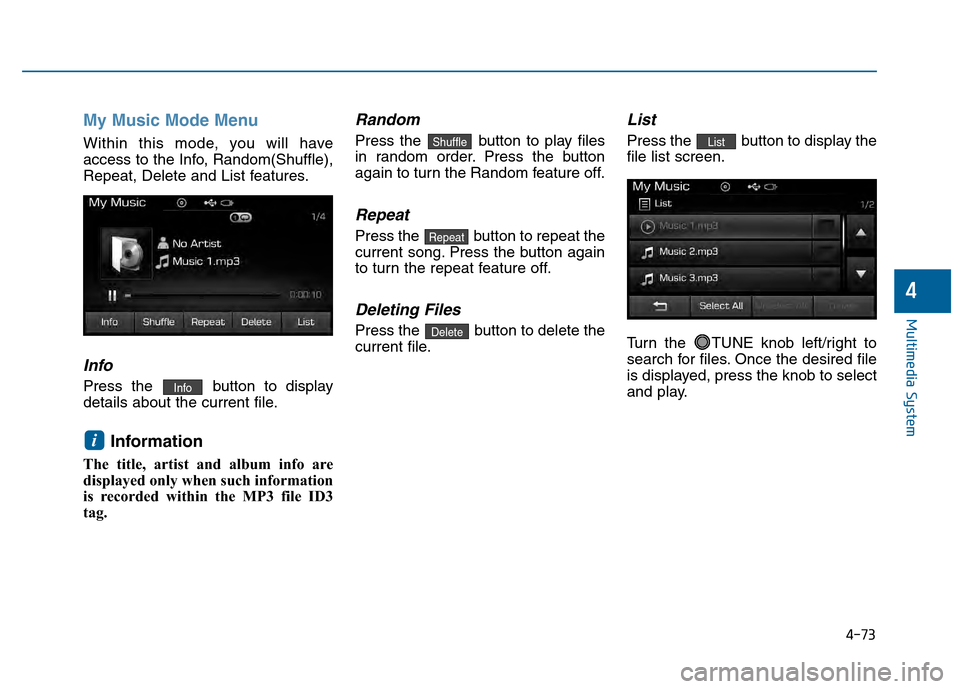
My Music Mode Menu
Within this mode, you will have
access to the Info, Random(Shuffle),
Repeat, Delete and List features.
Info
Press the button to display
details about the current file.
Information
The title, artist and album info are
displayed only when such information
is recorded within the MP3 file ID3
tag.
Random
Press the button to play files
in random order. Press the button
again to turn the Random feature off.
Repeat
Press the button to repeat the
current song. Press the button again
to turn the repeat feature off.
Deleting Files
Press the button to delete the
current file.
List
Press the button to display the
file list screen.
Turn the TUNE knob left/right to
search for files. Once the desired file
is displayed, press the knob to select
and play.List
Delete
Repeat
Shuffle
i
Info
Page 329 of 603
4-76
Multimedia System
Information
The play/pause feature may operate
differently depending on the mobile
phone.
Changing Files
Press the key to move to
the previous or next file.
Setting Connection
If a Bluetooth®Wireless Technology
device has not been connected, press
the key [Phone] button to
display the
Bluetooth®Wireless
Technology connection screen.
It is possible to use the pair phone,
connect/disconnect and delete fea-
tures from your
Bluetooth®Wireless
Technology phone.
Information
• If the Bluetooth®Wireless Technology
audio is not operating properly,
check whether the feature is turned
off at [Phone] [Streaming
Audio]. If the feature is off, turn back
on and try again.
• If music is not yet playing from your mobile device after converting to
Bluetooth
®Wireless Technology
Audio mode, pressing the play but-
ton once may start playing the mode.
Check to see that music is playing
from the Bluetooth
®Wireless
Technology device after converting
to Bluetooth
®Wireless Technology
Audio Mode.
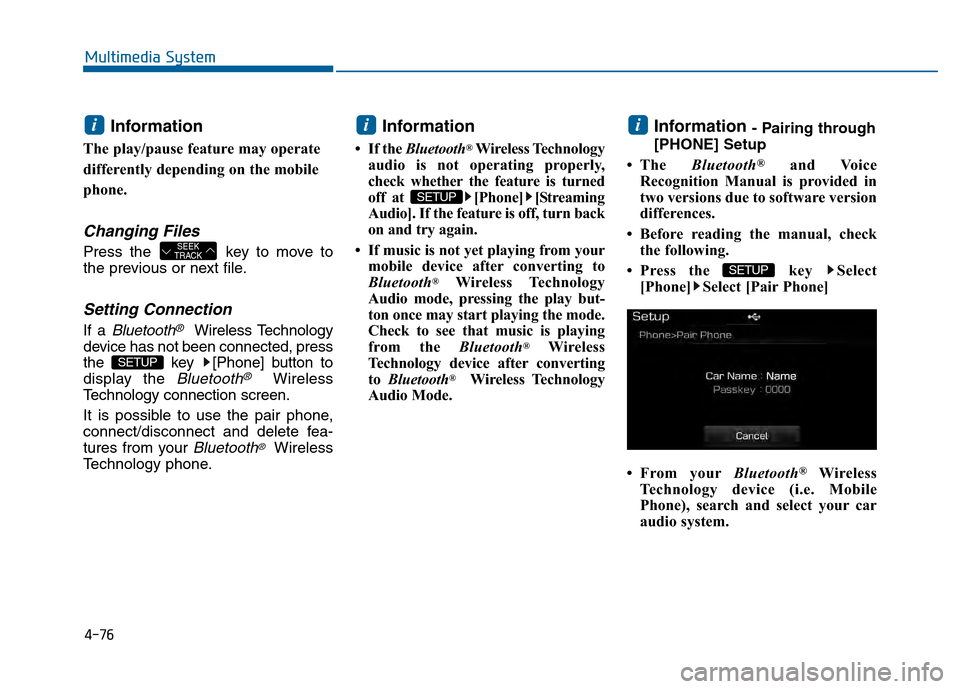
Information - Pairing through
[PHONE] Setup
• The Bluetooth
®and Voice
Recognition Manual is provided in
two versions due to software version
differences.
• Before reading the manual, check the following.
• Press the key Select [Phone] Select [Pair Phone]
• From your Bluetooth
®Wireless
Technology device (i.e. Mobile
Phone), search and select your car
audio system.
SETUP
i
SETUP
i
SETUP
SEEK
TRACK
i
Page 330 of 603
4-77
Multimedia System
4
Pairing a Bluetooth®Wireless
Technology Device
What is Bluetooth® Wireless
Technology Pairing?
Pairing refers to the process of syn-
chronizing your
Bluetooth®Wireless
Technology phone or device with the
car audio system for connection.
Pairing is necessary to connect and
use the
Bluetooth®Wireless
Technology feature.
Pairing Key / Key
on the Steering Remote
Controller
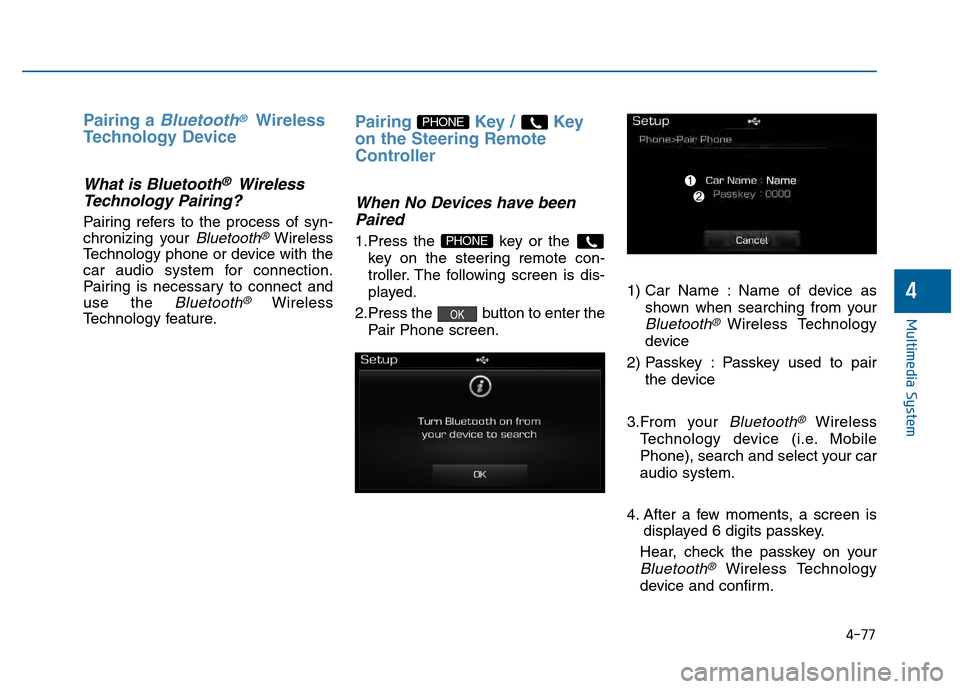
When No Devices have been Paired
1.Press the key or the
key on the steering remote con-
troller. The following screen is dis-
played.
2.Press the button to enter the Pair Phone screen. 1) Car Name : Name of device as
shown when searching from your
Bluetooth®Wireless Technology
device
2) Passkey : Passkey used to pair the device
3.From your
Bluetooth®Wireless
Technology device (i.e. Mobile
Phone), search and select your car
audio system.
4. After a few moments, a screen is displayed 6 digits passkey.
Hear, check the passkey on your
Bluetooth®Wireless Technology
device and confirm.
OK
PHONE
PHONE
Page 331 of 603
4-78
Multimedia System
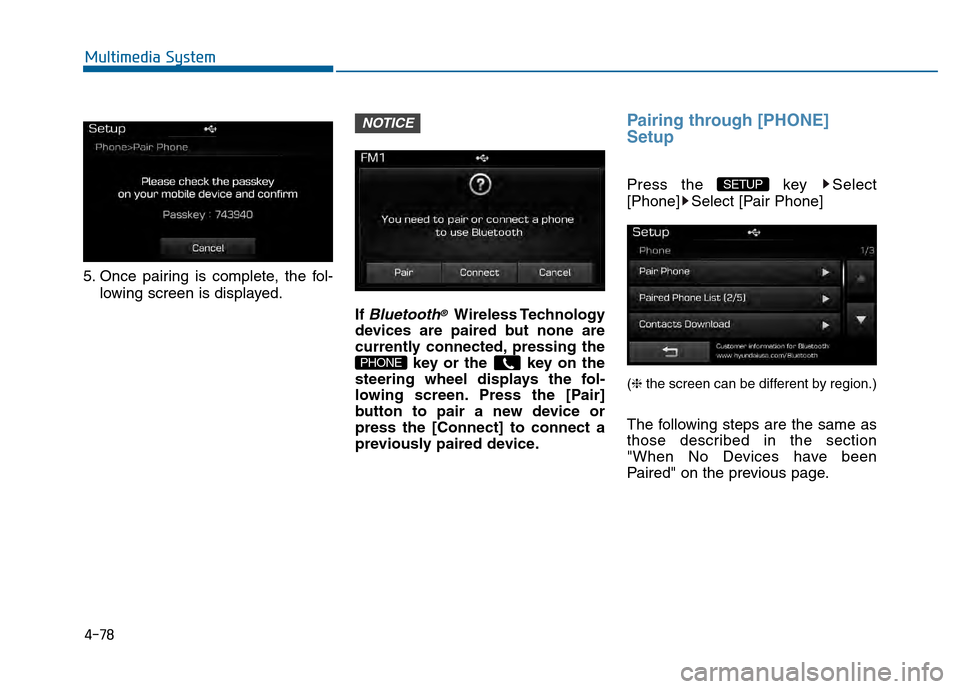
5. Once pairing is complete, the fol-lowing screen is displayed.
If
Bluetooth®Wireless Technology
devices are paired but none are
currently connected, pressing the key or the key on the
steering wheel displays the fol-
lowing screen. Press the [Pair]
button to pair a new device or
press the [Connect] to connect a
previously paired device.
Pairing through [PHONE]
Setup
Press the key Select
[Phone] Select [Pair Phone]
(❈ the screen can be different by region.)
The following steps are the same as
those described in the section
"When No Devices have been
Paired" on the previous page.
SETUP
PHONE
NOTICE
Page 335 of 603
![Hyundai Sonata 2015 Owners Guide 4-82
Multimedia System
Deleting a Device
Press the key Select
[Phone] Select [Paired Phone List]
From the paired phone list, select the
device you want to delete and press
the button.
Information
â](/img/35/16796/w960_16796-334.png "Hyundai Sonata 2015 Owners Guide 4-82
Multimedia System
Deleting a Device
Press the key Select
[Phone] Select [Paired Phone List]
From the paired phone list, select the
device you want to delete and press
the button.
Information
â")
4-82
Multimedia System
Deleting a Device
Press the key Select
[Phone] Select [Paired Phone List]
From the paired phone list, select the
device you want to delete and press
the button.
Information
• When deleting the currently con-nected device, the device will auto-
matically be disconnected to pro-
ceed with the deleting process.
• If a paired Bluetooth
®Wireless
Technology device is deleted, the
device’s call history and contacts
data will also be deleted.
• To re-use a deleted device, you must pair the device again.
Phone Menu Screen
Phone Menus
With a Bluetooth®Wireless
Technology device connected, press
the key to display the Phone
menu screen.
(❈ the screen can be different by region.)
1) Favorite : Up to 20 frequently used
contacts saved for easy access
2) Dial Number : Displays the dial screen where numbers can be
dialed to make calls
3) Call History : Device the call histo- ry list screen
PHONE
i
Delete
SETUP