ECO mode Hyundai Sonata 2017 User Guide
[x] Cancel search | Manufacturer: HYUNDAI, Model Year: 2017, Model line: Sonata, Model: Hyundai Sonata 2017Pages: 563, PDF Size: 17.7 MB
Page 158 of 563
3-73
Convenient features of your vehicle
3
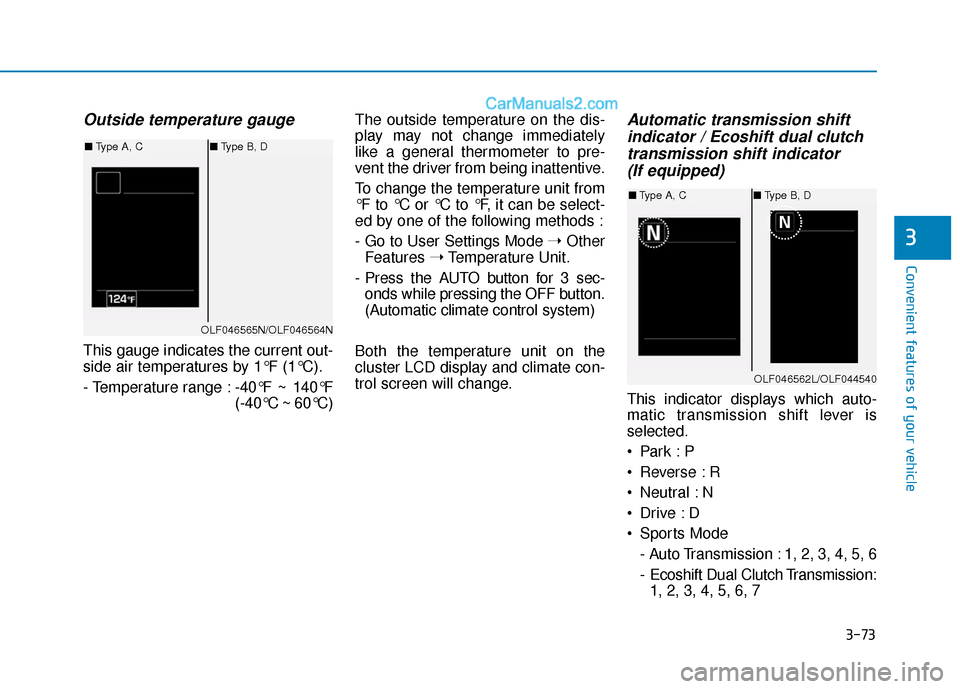
Outside temperature gauge
This gauge indicates the current out-
side air temperatures by 1°F (1°C).
- Temperature range :-40°F ~ 140°F
(-40°C ~ 60°C)The outside temperature on the dis-
play may not change immediately
like a general thermometer to pre-
vent the driver from being inattentive.
To change the temperature unit from
°F to °C or °C to °F, it can be select-
ed by one of the following methods :
- Go to User Settings Mode
➝Other
Features ➝Temperature Unit.
- Press the AUTO button for 3 sec- onds while pressing the OFF button.
(Automatic climate control system)
Both the temperature unit on the
cluster LCD display and climate con-
trol screen will change.
Automatic transmission shift indicator / Ecoshift dual clutchtransmission shift indicator (If equipped)
This indicator displays which auto-
matic transmission shift lever is
selected.
Reverse : R
Neutral : N
Sports Mode
- Auto Transmission : 1, 2, 3, 4, 5, 6
- Ecoshift Dual Clutch Transmission:1, 2, 3, 4, 5, 6, 7
OLF046565N/OLF046564N
■ Type A, C ■Type B, D
OLF046562L/OLF044540
■Type A, C ■Type B, D
Page 160 of 563
3-75
Convenient features of your vehicle
3
LCD Modes
L
LC
C D
D
D
D I
IS
S P
P L
LA
A Y
Y
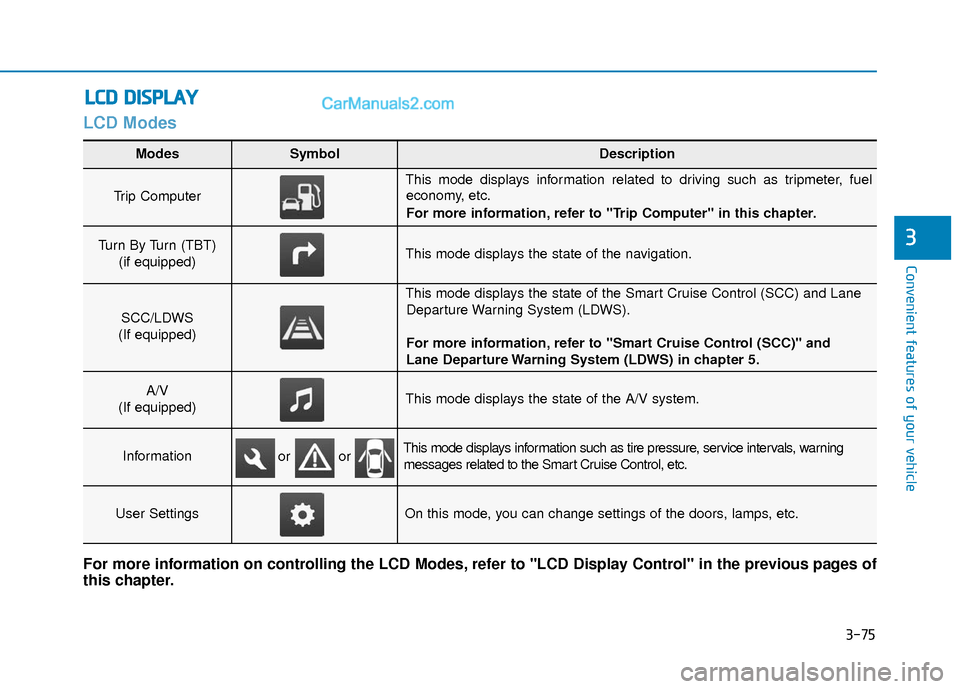
Modes SymbolDescription
Trip Computer
This mode displays information related to driving such as tripmeter, fuel
economy, etc.
For more information, refer to "Trip Computer" in this chapter.
Turn By Turn (TBT)
(if equipped)This mode displays the state of the navigation.
SCC/LDWS
(If equipped)
This mode displays the state of the Smart Cruise Control (SCC) and Lane Departure Warning System (LDWS).
For more information, refer to "Smart Cruise Control (SCC)" and
Lane Departure Warning System (LDWS) in chapter 5.
A/V
(If equipped)This mode displays the state of the A/V system.
InformationThis mode displays information such as tire pressure, service intervals, warning messages related to the Smart Cruise Control, etc.
User SettingsOn this mode, you can change settings of the doors, lamps, etc.
For more information on controlling the LCD Modes, refer to "LCD Display Control" in the previous pages of
this chapter.
or or
Page 161 of 563
3-76
Convenient features of your vehicle
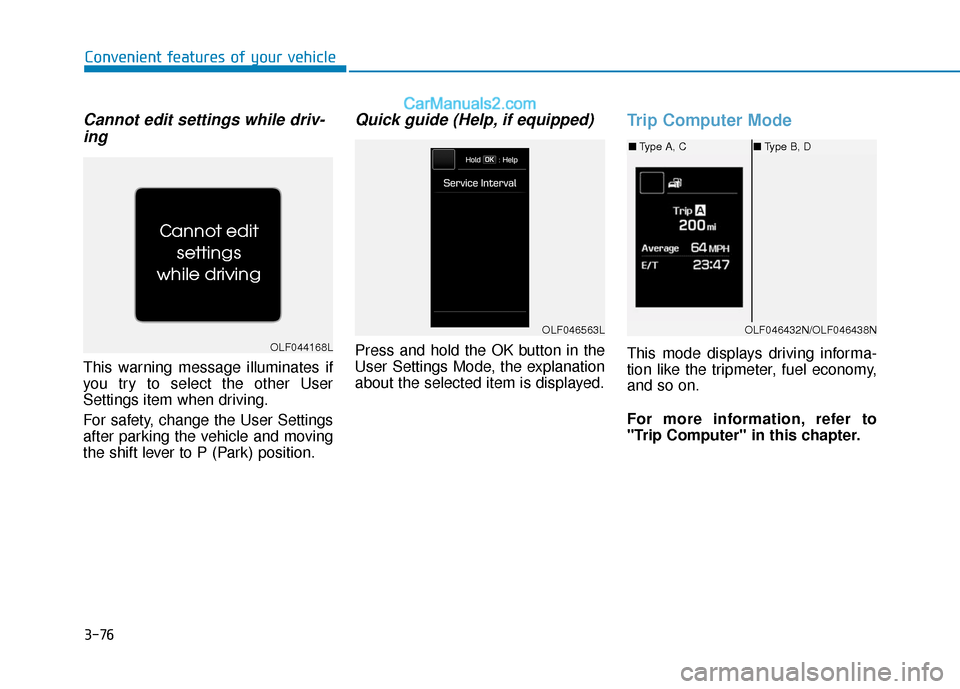
Cannot edit settings while driv-ing
This warning message illuminates if
you try to select the other User
Settings item when driving.
For safety, change the User Settings
after parking the vehicle and moving
the shift lever to P (Park) position.
Quick guide (Help, if equipped)
Press and hold the OK button in the
User Settings Mode, the explanation
about the selected item is displayed.
Trip Computer Mode
This mode displays driving informa-
tion like the tripmeter, fuel economy,
and so on.
For more information, refer to
"Trip Computer" in this chapter.OLF044168L
OLF046432N/OLF046438N
■ Type A, C ■Type B, D
OLF046563L
Page 163 of 563
3-78
Convenient features of your vehicle
Information Mode
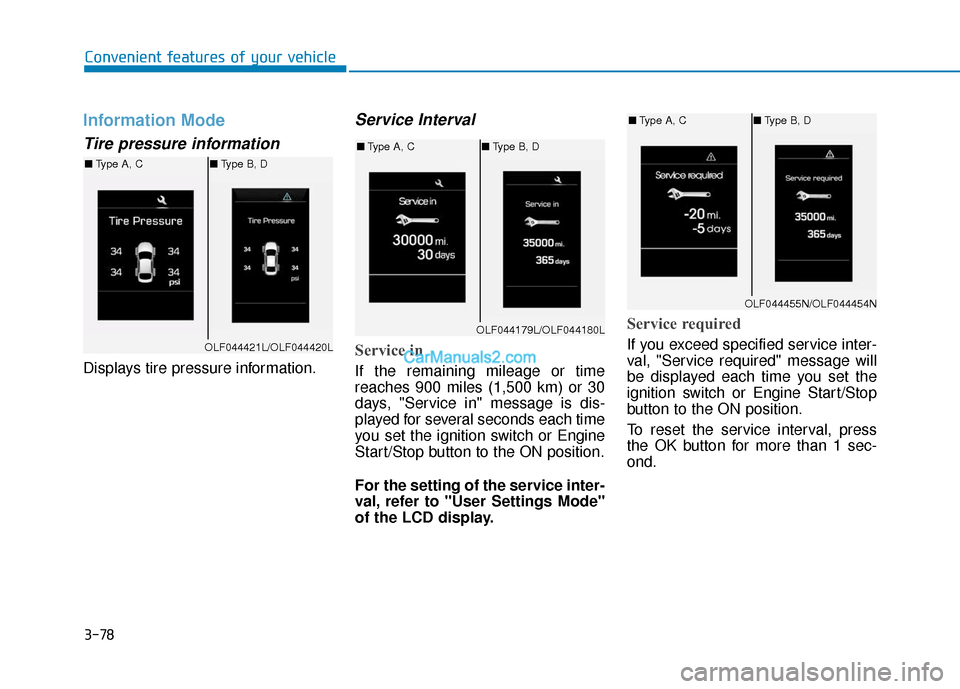
Tire pressure information
Displays tire pressure information.
Service Interval
Service in
If the remaining mileage or time
reaches 900 miles (1,500 km) or 30
days, "Service in" message is dis-
played for several seconds each time
you set the ignition switch or Engine
Start/Stop button to the ON position.
For the setting of the service inter-
val, refer to "User Settings Mode"
of the LCD display.
Service required
If you exceed specified service inter-
val, "Service required" message will
be displayed each time you set the
ignition switch or Engine Start/Stop
button to the ON position.
To reset the service interval, press
the OK button for more than 1 sec-
ond.OLF044421L/OLF044420L
■Type A, C ■Type B, D
OLF044179L/OLF044180L
■Type A, C ■Type B, D
OLF044455N/OLF044454N
■Type A, C ■Type B, D
Page 164 of 563
3-79
Convenient features of your vehicle
3
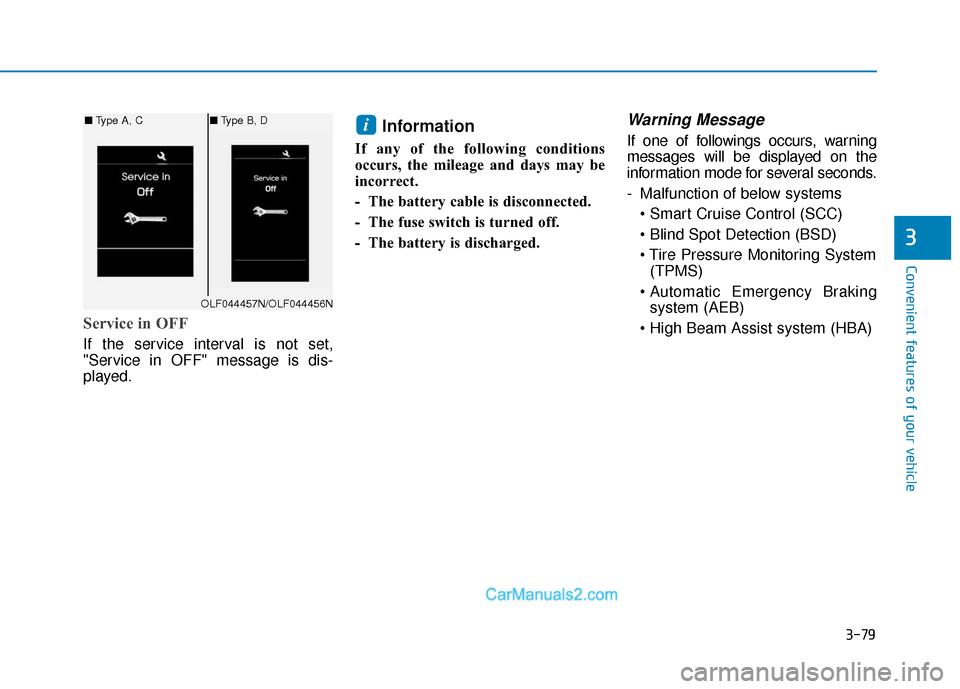
Service in OFF
If the service interval is not set,
"Service in OFF" message is dis-
played.
Information
If any of the following conditions
occurs, the mileage and days may be
incorrect.
- The battery cable is disconnected.
- The fuse switch is turned off.
- The battery is discharged.
Warning Message
If one of followings occurs, warning
messages will be displayed on the
information mode for several seconds.
- Malfunction of below systems
(TPMS)
system (AEB)
i
OLF044457N/OLF044456N
■ Type A, C ■Type B, D
Page 177 of 563
3-92
Convenient features of your vehicle
Overview
The trip computer is a microcomput-
er-controlled driver information sys-
tem that displays information related
to driving.
Information
Some driving information stored in
the trip computer (for example
Average Vehicle Speed) resets if the
battery is disconnected.
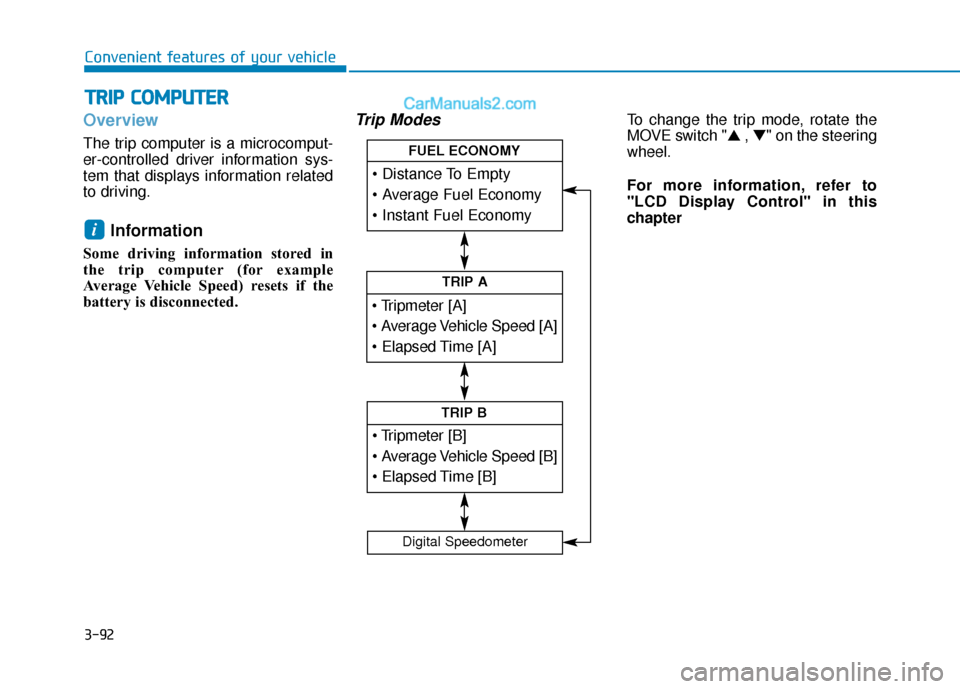
Trip ModesTo change the trip mode, rotate the
MOVE switch "▲ , ▼" on the steering
wheel.
For more information, refer to
"LCD Display Control" in this
chapter
i
T T R
R I
IP
P
C
C O
O M
M P
PU
U T
TE
ER
R
TRIP A
TRIP B
FUEL ECONOMY
Digital Speedometer
Page 180 of 563
3-95
Convenient features of your vehicle
3
Average Fuel Economy (2)
The average fuel economy is calcu-lated by the total driving distance
and fuel consumption since the last
average fuel economy reset.
- Fuel economy range:0.0 ~ 99.9 MPG or L/100km or
km/L
The average fuel economy can be reset both manually and automati-
cally.
Manual reset
To clear the average fuel economy
manually, press the OK button on the
steering wheel for more than 1 sec-
ond when the average fuel economy
is displayed.
For more information on the OK
button, refer to the "LCD Display
Control" in this chapter.
Automatic reset
To make the average fuel economy
be reset automatically whenever refu-
eling, select the "Auto Reset" mode in
User Setting menu of the LCD display
(Refer to "LCD Display").
Under "Auto Reset" mode, the aver-
age fuel economy will be cleared to
zero (---) when the vehicle speed
exceeds 1 km/h after refueling more
than 1.6 gallons (6 liters).
Information
The average fuel economy is not dis-
played for more accurate calculation
if the vehicle does not drive more than
0.19 miles (300 meters) since the igni-
tion switch or the Engine Start/Stop
button is turned to ON.
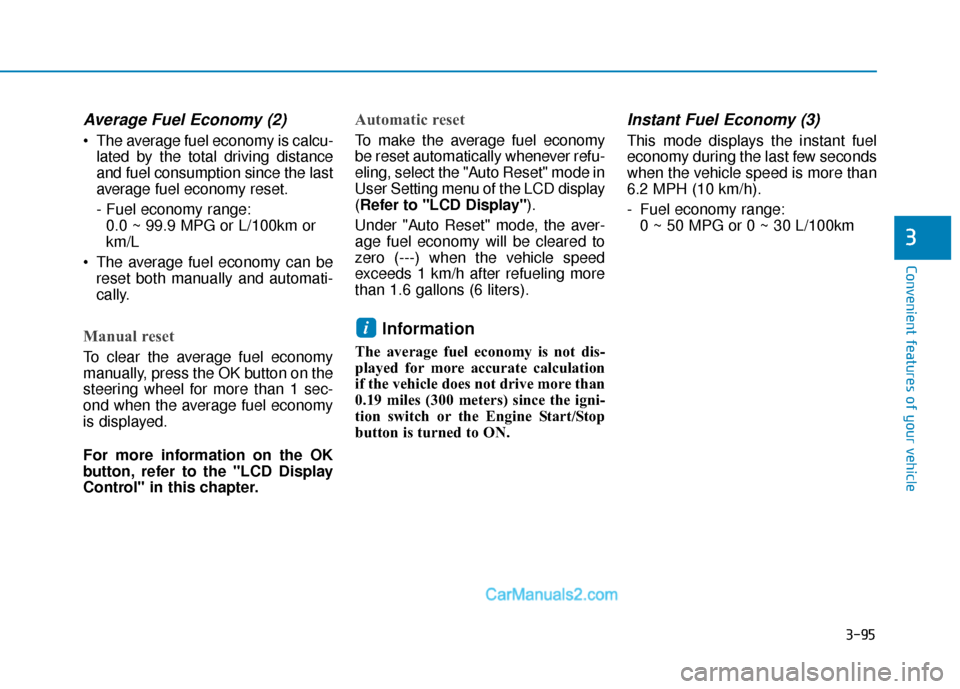
Instant Fuel Economy (3)
This mode displays the instant fuel
economy during the last few seconds
when the vehicle speed is more than
6.2 MPH (10 km/h).
- Fuel economy range: 0 ~ 50 MPG or 0 ~ 30 L/100km
i
Page 181 of 563
3-96
Convenient features of your vehicle
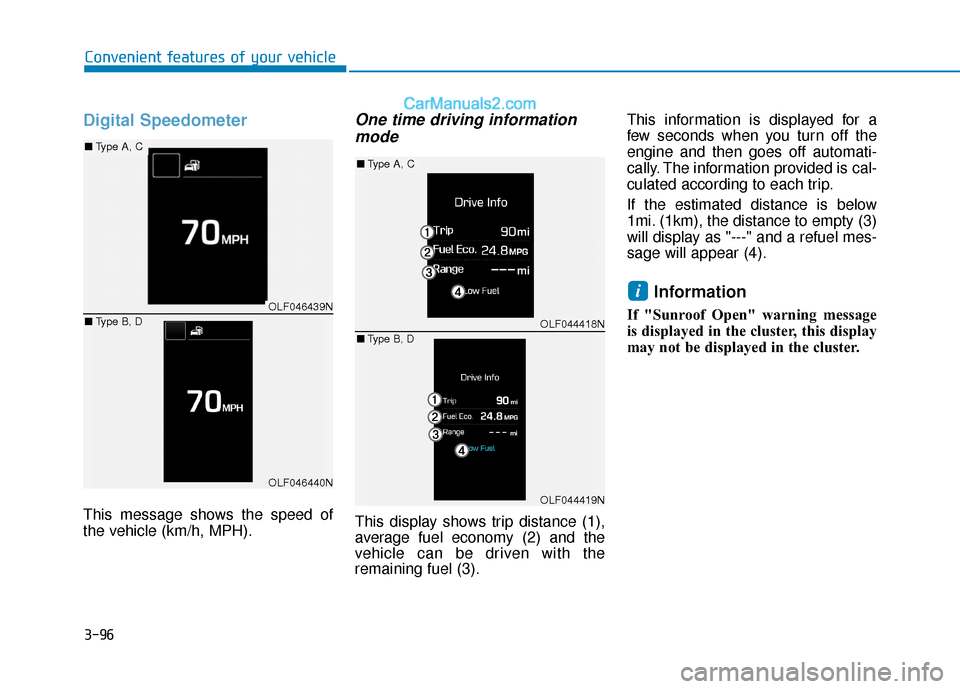
Digital Speedometer
This message shows the speed of
the vehicle (km/h, MPH).
One time driving informationmode
This display shows trip distance (1),
average fuel economy (2) and the
vehicle can be driven with the
remaining fuel (3). This information is displayed for a
few seconds when you turn off the
engine and then goes off automati-
cally. The information provided is cal-
culated according to each trip.
If the estimated distance is below
1mi. (1km), the distance to empty (3)
will display as "---" and a refuel mes-
sage will appear (4).
Information
If "Sunroof Open" warning message
is displayed in the cluster, this display
may not be displayed in the cluster.
iOLF046439N
OLF046440N
■
Type A, C
■ Type B, D
OLF044418N
OLF044419N
■Type A, C
■ Type B, D
Page 193 of 563
3-108
Convenient features of your vehicle
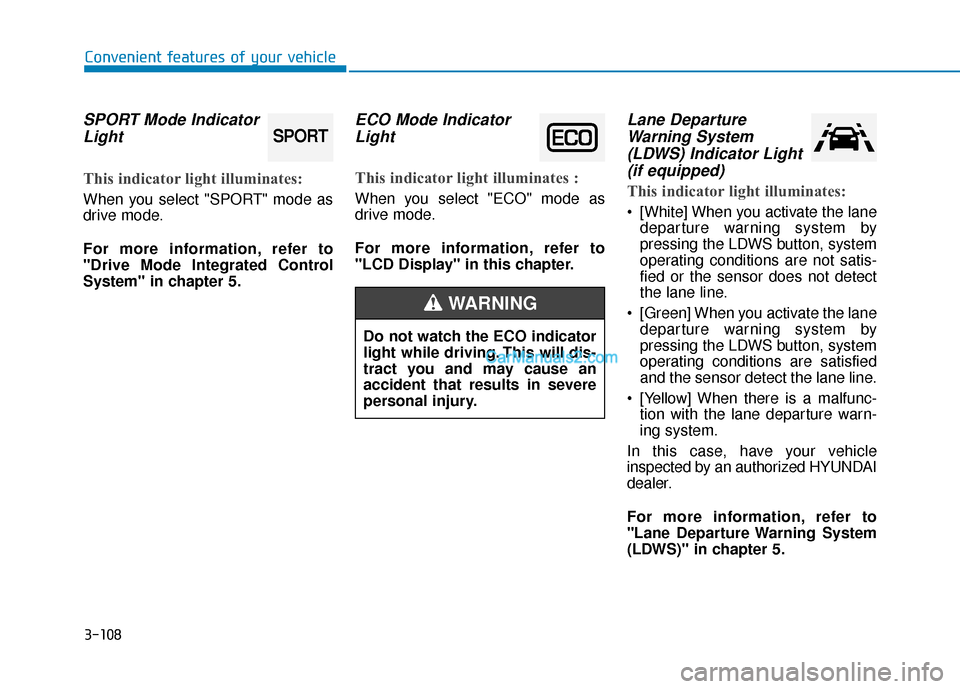
SPORT Mode IndicatorLight
This indicator light illuminates:
When you select "SPORT" mode as
drive mode.
For more information, refer to
"Drive Mode Integrated Control
System" in chapter 5.
ECO Mode IndicatorLight
This indicator light illuminates :
When you select "ECO" mode as
drive mode.
For more information, refer to
"LCD Display" in this chapter.
Lane DepartureWarning System(LDWS) Indicator Light(if equipped)
This indicator light illuminates:
[White] When you activate the lane
departure warning system by
pressing the LDWS button, system
operating conditions are not satis-
fied or the sensor does not detect
the lane line.
[Green] When you activate the lane departure warning system by
pressing the LDWS button, system
operating conditions are satisfied
and the sensor detect the lane line.
[Yellow] When there is a malfunc- tion with the lane departure warn-
ing system.
In this case, have your vehicle
inspected by an authorized HYUNDAI
dealer.
For more information, refer to
"Lane Departure Warning System
(LDWS)" in chapter 5.
SPORT
Do not watch the ECO indicator
light while driving. This will dis-
tract you and may cause an
accident that results in severe
personal injury.
WARNING
Page 200 of 563
3-115
Convenient features of your vehicle
3
Battery saver function
The purpose of this feature is to pre-
vent the battery from being dis-
charged. The system automatically
turns off the parking lamp when the
key is removed (remote key) or when
the driver turns the engine off (smart
key) and opens the driver-side door.
With this feature, the parking lamps
will turn off automatically if the driver
parks on the side of road at night.
If necessary, to keep the lamps on
when the engine is turned off, perform
the following:
1) Open the driver-side door.
2) Turn the parking lamps OFF andON again using the light switch on
the steering column.
Headlamp delay function (if equipped)
If the key is removed from the ignition
switch or placed in the ACC position or
the LOCK/OFF position with the head-
lamps ON, the headlamps (and/or
parking lamps) remain on for about 5
minutes. However, if the driver’s door
is opened and closed, the headlights
are turned off after 15 seconds.
However, with the engine off if the dri-
ver's door is opened and closed, the
headlamps (and/or parking lamps) are
turned off after 15 seconds.
The headlamps (and/or parking lamps)
can be turned off by pressing the lock
button on the remote key or smart key
twice or turning the light switch to the
OFF or AUTO position. However, if you
turn the light switch to the AUTO posi-
tion when it is dark outside, the head-
lamps will not be turned off.
You can activate or deactivate the
Headlamp Delay function from the
User Settings Mode (Light) on the
LCD display.
For more information, refer to the
"LCD Display" section in this
chapter. If the driver gets out of the vehicle
through other doors (except dri-
ver's door), the battery saver func-
tion does not operate and the
headlamp delay function does not
turn off automatically. Therefore, It
causes the battery to be dis-
charged. In this case, make sure
to turn off the lamp before getting
out of the vehicle.
NOTICE