Alert Hyundai Sonata 2018 User Guide
[x] Cancel search | Manufacturer: HYUNDAI, Model Year: 2018, Model line: Sonata, Model: Hyundai Sonata 2018Pages: 522, PDF Size: 14.52 MB
Page 181 of 522
3-96
Convenient features of your vehicle
Low Tire PressureWarning Light
This warning light illuminates:
Once you set the ignition switch or
the Engine Start/Stop button to the
ON position.
- It illuminates for approximately 3seconds and then goes off.
When one or more of your tires are significantly underinflated (The
location of the underinflated tires
are displayed on the LCD display).
For more information, refer to
"Tire Pressure Monitoring System
(TPMS)" in chapter 6.
This warning light remains on after
blinking for approximately 60 sec-
onds or repeats blinking and off at
the intervals of approximately 3
seconds:
When there is a malfunction with the
TPMS.
In this case, have your vehicle inspect-
ed by an authorized HYUNDAI dealer.
For more information, refer to
"Tire Pressure Monitoring System
(TPMS)" in chapter 6.
Automatic Emergency Braking (AEB) Warninglight (if equipped)
This warning light illuminates :
When the AEB system is turned off.
When the radar or its cover is
stained. Remove the stains with a
soft cloth.
When there is a malfunction with AEB. In this case, have your vehi-
cle inspected by an authorized
HYUNDAI dealer.
Door Ajar WarningLight
This warning light illuminates:
When a door is not closed securely.
Trunk Open WarningLight
This warning light illuminates:
When the trunk lid is not closed
securely.
Safe Stopping
The TPMS cannot alert you to
severe and sudden tire damage
caused by external factors.
If you notice any vehicle insta-
bility, immediately take your
foot off the accelerator pedal,
apply the brakes gradually with
light force, and slowly move to
a safe position off the road.
WARNING
Page 213 of 522
3-128
Convenient features of your vehicle
System Operation
Ventilation
1. Select the Face Level mode.
2. Set the air intake control to theoutside (fresh) air position.
3. Set the temperature control to the desired position.
4. Set the fan speed control to the desired speed.
Heating
1. Select the Floor Level mode.
2. Set the air intake control to theoutside (fresh) air position.
3. Set the temperature control to the desired position.
4. Set the fan speed control to the desired speed.
5. If dehumidified heating is desired, turn the air conditioning system on.
If the windshield fogs up, select the
Floor & Defrost mode or press
the Front Defrost mode.
Operation Tips
To keep dust or unpleasant fumes from entering the car through the
ventilation system, temporarily set
the air intake control to the recircu-
lated air position. Return the con-
trol to the fresh air position when
the irritation has passed. This will
help keep the driver alert and com-
fortable.
To prevent the inside of the wind- shield from fogging, set the air
intake control to the fresh air posi-
tion and fan speed to the desired
position, turn on the air conditioning
system, and adjust the temperature
control to desired temperature.
Air conditioning
All HYUNDAI Air Conditioning
Systems are filled with environmen-
tally friendly R-1234yf refrigerant.
1. Start the engine.
2. Push the air conditioning button.
3. Set the mode to the Face Level mode.
4. Set the air intake control to the recirculated air position. However,
prolonged operation of the recircu-
lated air position will excessively
dry the air. In this case, change the
air position.
5. Adjust the fan speed control and temperature control to maintain
maximum comfort.
When maximum cooling is desired,
set the temperature control to the
extreme left position then set the fan
speed control to the highest speed.
Page 225 of 522
3-140
Convenient features of your vehicle
OFF mode
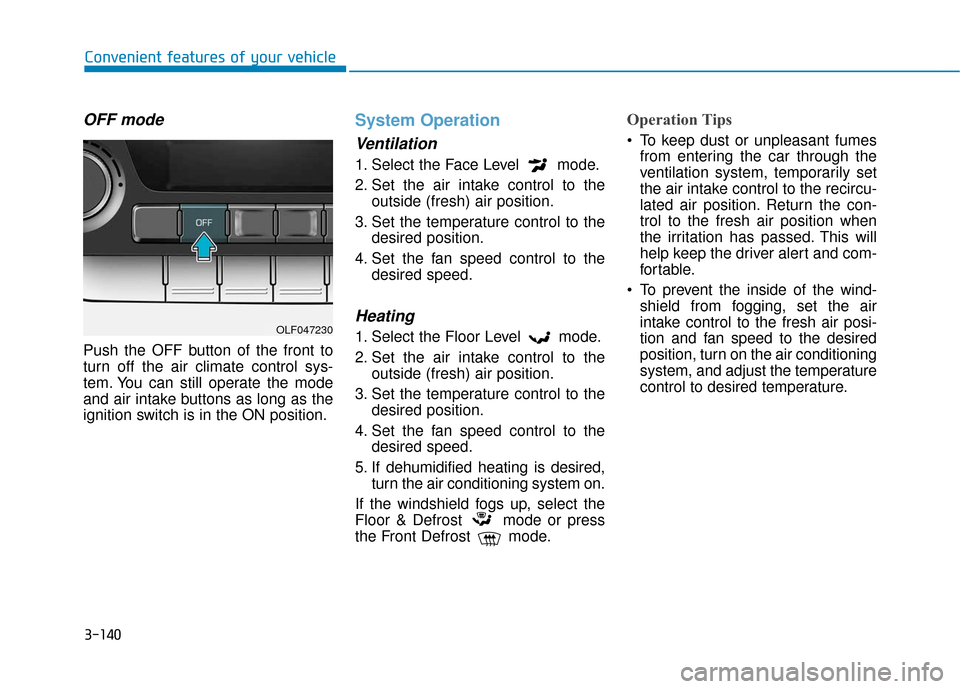
Push the OFF button of the front to
turn off the air climate control sys-
tem. You can still operate the mode
and air intake buttons as long as the
ignition switch is in the ON position.
System Operation
Ventilation
1. Select the Face Level mode.
2. Set the air intake control to theoutside (fresh) air position.
3. Set the temperature control to the desired position.
4. Set the fan speed control to the desired speed.
Heating
1. Select the Floor Level mode.
2. Set the air intake control to theoutside (fresh) air position.
3. Set the temperature control to the desired position.
4. Set the fan speed control to the desired speed.
5. If dehumidified heating is desired, turn the air conditioning system on.
If the windshield fogs up, select the
Floor & Defrost mode or press
the Front Defrost mode.
Operation Tips
To keep dust or unpleasant fumes from entering the car through the
ventilation system, temporarily set
the air intake control to the recircu-
lated air position. Return the con-
trol to the fresh air position when
the irritation has passed. This will
help keep the driver alert and com-
fortable.
To prevent the inside of the wind- shield from fogging, set the air
intake control to the fresh air posi-
tion and fan speed to the desired
position, turn on the air conditioning
system, and adjust the temperature
control to desired temperature.
OLF047230
Page 251 of 522
Driving your vehicle
5
Before Driving ........................................................5-4
Before Entering the Vehicle ...........................................5-4
Before Starting ..................................................................5-4
Ignition Switch ........................................................5-6
Key Ignition Switch ...........................................................5-6
Engine Start/Stop Button................................................5-9
Transmission .........................................................5-14
Automatic Transmission .................................................5-14
Ecoshift Dual Clutch Transmission..............................5-18
Paddle Shifter ..................................................................5-24
Shift-Lock System ..........................................................5-25
Shift-Lock Release .........................................................5-25
Parking ........................................................................\
.......5-26
Good Driving Practices ..................................................5-26
Braking System ....................................................5-28
Power Brakes ...................................................................5-28
Disc Brakes Wear Indicator ..........................................5-29
Foot Parking Brake.........................................................5-29
Electronic Parking Brake (EPB)...................................5-31
AUTO HOLD ......................................................................5-\
37
Anti-lock Brake System (ABS) ....................................5-40
Electronic Stability Control (ESC)................................5-43
Hill-Start Assist Control (HAC) ...................................5-46
Good Braking Practices .................................................5-47
Drive Mode Integrated Control System ............5-48
ECO mode ........................................................................\
..5-49
SPORT mode.....................................................................5-5\
0
SMART mode....................................................................5-50\
Cruise Control .......................................................5-54
Cruise Control Operation...............................................5-54
Smart Cruise Control system..............................5-58
To Adjust the Sensitivity of Smart Cruise Control ....5-59
To Convert to Cruise Control Mode............................5-59
Smart Cruise Control Speed .........................................5-60
Smart Cruise Control Vehicle-to-Vehicle Distance...5-64
Radar to Detect Distance to the Vehicle Ahead .....5-67
Limitations of the System .............................................5-68
Lane keeping Assist System (LKAS) .................5-74
LKAS Operation ...............................................................5-75
LKAS malfunction............................................................5-79
LKAS function change ...................................................5-81
Limitations of the System .............................................5-82
Driver attention alert system (DAA) .................5-84
System setting and activation......................................5-84
Resetting the system .....................................................5-86
System standby ...............................................................5-86
System malfunction ........................................................5-86
Page 252 of 522
5
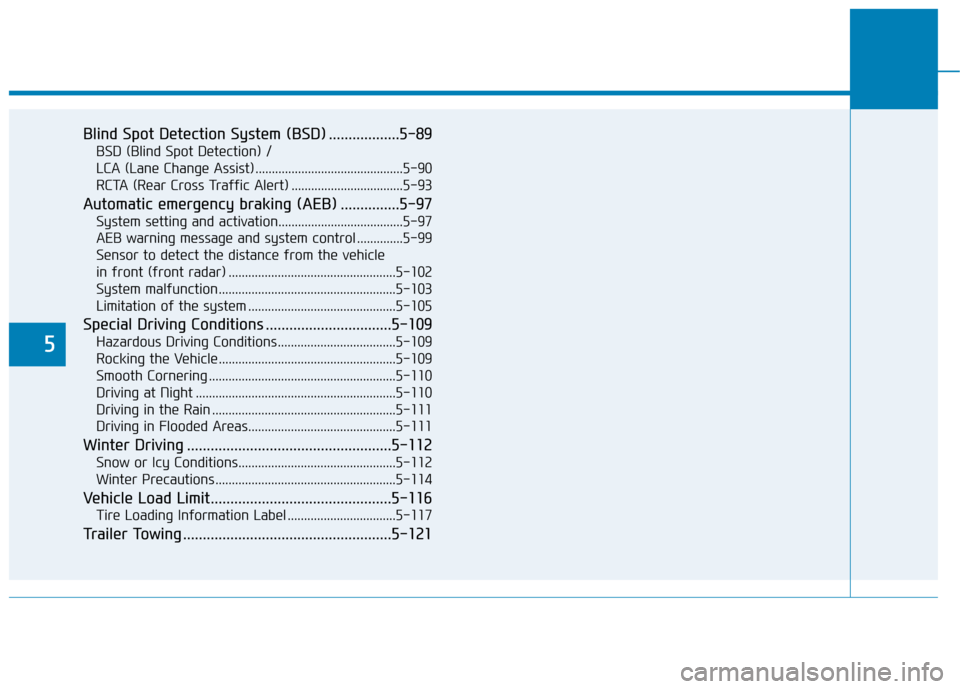
Blind Spot Detection System (BSD) ..................5-89
BSD (Blind Spot Detection) /
LCA (Lane Change Assist) .............................................5-90
RCTA (Rear Cross Traffic Alert) ..................................5-93
Automatic emergency braking (AEB) ...............5-97
System setting and activation......................................5-97
AEB warning message and system control ..............5-99
Sensor to detect the distance from the vehicle
in front (front radar) ...................................................5-102
System malfunction......................................................5-103
Limitation of the system .............................................5-105
Special Driving Conditions ................................5-109
Hazardous Driving Conditions....................................5-109
Rocking the Vehicle ......................................................5-109
Smooth Cornering .........................................................5-110
Driving at Night .............................................................5-110
Driving in the Rain ........................................................5-111
Driving in Flooded Areas.............................................5-111
Winter Driving ....................................................5-112
Snow or Icy Conditions................................................5-112
Winter Precautions .......................................................5-114
Vehicle Load Limit..............................................5-116
Tire Loading Information Label .................................5-117
Trailer Towing .....................................................5-121
Page 324 of 522
5-74
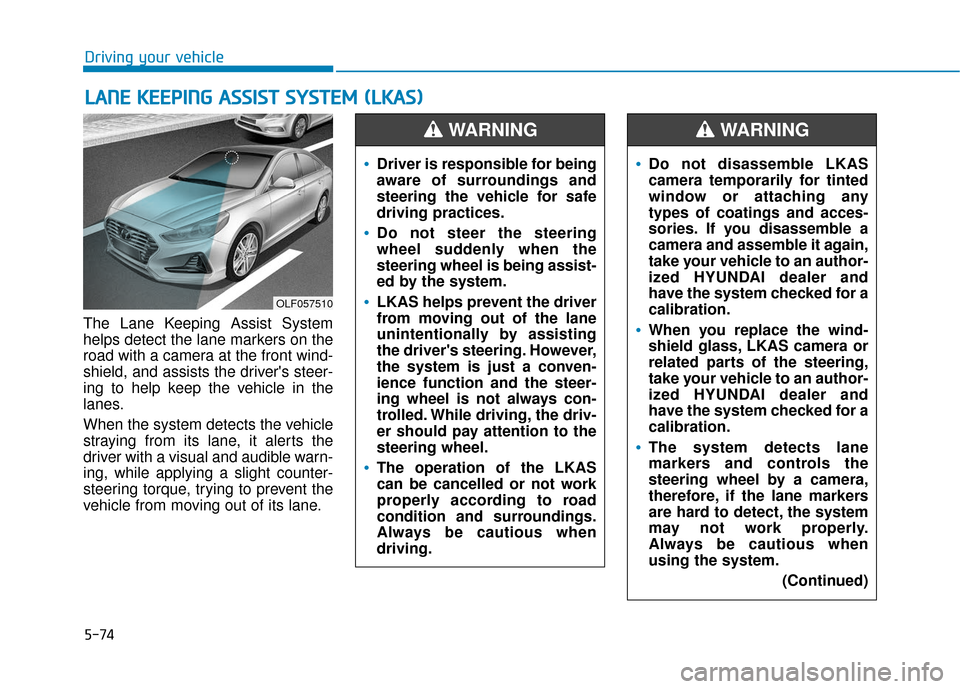
The Lane Keeping Assist System
helps detect the lane markers on the
road with a camera at the front wind-
shield, and assists the driver's steer-
ing to help keep the vehicle in the
lanes.
When the system detects the vehicle
straying from its lane, it alerts the
driver with a visual and audible warn-
ing, while applying a slight counter-
steering torque, trying to prevent the
vehicle from moving out of its lane.
L LA
A N
N E
E
K
K E
EE
EP
P I
IN
N G
G
A
A S
SS
SI
IS
S T
T
S
S Y
Y S
ST
T E
EM
M
(
( L
L K
K A
A S
S)
)
Driving your vehicle
OLF057510
Driver is responsible for being
aware of surroundings and
steering the vehicle for safe
driving practices.
Do not steer the steering
wheel suddenly when the
steering wheel is being assist-
ed by the system.
LKAS helps prevent the driver
from moving out of the lane
unintentionally by assisting
the driver's steering. However,
the system is just a conven-
ience function and the steer-
ing wheel is not always con-
trolled. While driving, the driv-
er should pay attention to the
steering wheel.
The operation of the LKAS
can be cancelled or not work
properly according to road
condition and surroundings.
Always be cautious when
driving.
WARNING
Do not disassemble LKAS
camera temporarily for tinted
window or attaching any
types of coatings and acces-
sories. If you disassemble a
camera and assemble it again,
take your vehicle to an author-
ized HYUNDAI dealer and
have the system checked for a
calibration.
When you replace the wind-
shield glass, LKAS camera or
related parts of the steering,
take your vehicle to an author-
ized HYUNDAI dealer and
have the system checked for a
calibration.
The system detects lane
markers and controls the
steering wheel by a camera,
therefore, if the lane markers
are hard to detect, the system
may not work properly.
Always be cautious when
using the system.
(Continued)
WARNING
Page 331 of 522
5-81
Driving your vehicle
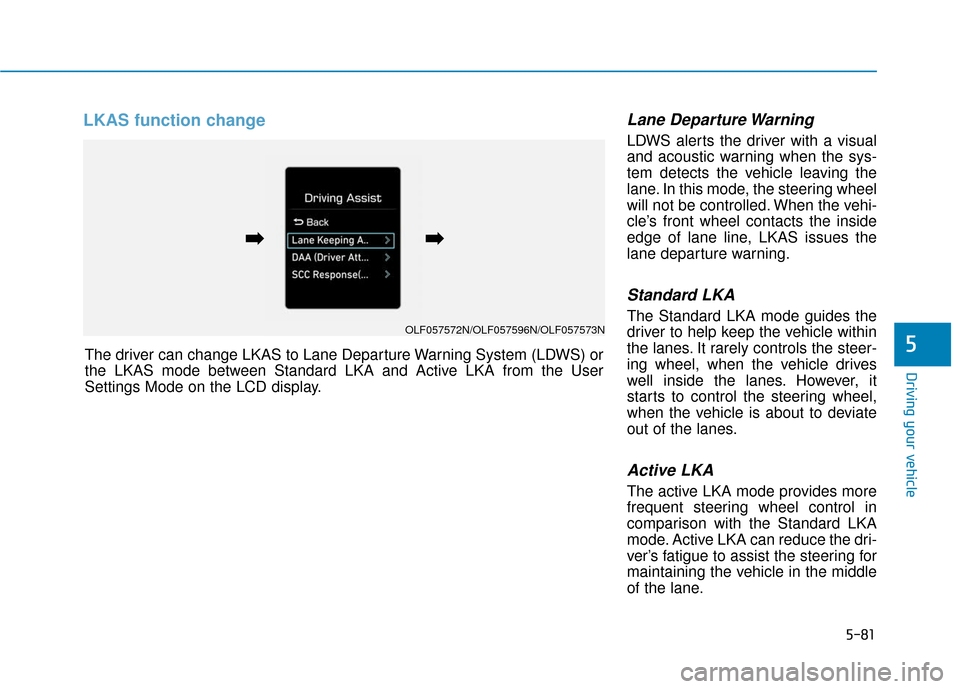
LKAS function change Lane Departure Warning
LDWS alerts the driver with a visual
and acoustic warning when the sys-
tem detects the vehicle leaving the
lane. In this mode, the steering wheel
will not be controlled. When the vehi-
cle’s front wheel contacts the inside
edge of lane line, LKAS issues the
lane departure warning.
Standard LKA
The Standard LKA mode guides the
driver to help keep the vehicle within
the lanes. It rarely controls the steer-
ing wheel, when the vehicle drives
well inside the lanes. However, it
starts to control the steering wheel,
when the vehicle is about to deviate
out of the lanes.
Active LKA
The active LKA mode provides more
frequent steering wheel control in
comparison with the Standard LKA
mode. Active LKA can reduce the dri-
ver’s fatigue to assist the steering for
maintaining the vehicle in the middle
of the lane.
5The driver can change LKAS to Lane Departure Warning System (LDWS) or
the LKAS mode between Standard LKA and Active LKA from the User
Settings Mode on the LCD display.
OLF057572N/OLF057596N/OLF057573N
➡
➡➡
➡
Page 334 of 522

5-84
The Driver Attention Alert (DAA) sys-
tem displays the condition of the dri-
ver’s fatigue and inattention.System setting and activation
System setting
The Driver Attention Alert systemis set to be in the OFF position,
when your vehicle is first delivered
to you from the factory.
To turn ON the Driver Attention Alert system, turn on the engine,
and then select 'User Settings →
Driving Assist → Driver Attention
Alert →Normal/Early' on the LCD
display. The Driver can select mode of the
Driver Attention Alert System.
- Off : The Driver Attention Alertsystem is deactivated.
- Normal : The Driver Attention Alert system alerts the driver of
his/her fatigue level or inattentive
driving practices.
- Early : The Driver Attention Alert system alerts the driver of his/her
fatigue level or inattentive driving
practices faster than Normal
mode.
The set-up of the Driver Attention Alert system will be maintained, as
selected, when the engine is
restarted.
Prerequisite for activation
The Driver Attention Alert system is
operable, when driving speed is
between 40 mph (60 km/h) and 110
mph (180 km/h).
D DR
RI
IV
V E
ER
R
A
A T
TT
TE
EN
N T
TI
IO
O N
N
A
A L
LE
E R
R T
T
S
S Y
Y S
ST
T E
EM
M
(
( D
D A
A A
A,
,
I
IF
F
E
E Q
Q U
UI
IP
P P
PE
ED
D )
)
Driving your vehicle
OLF057574N
Page 335 of 522
5-85
Driving your vehicle
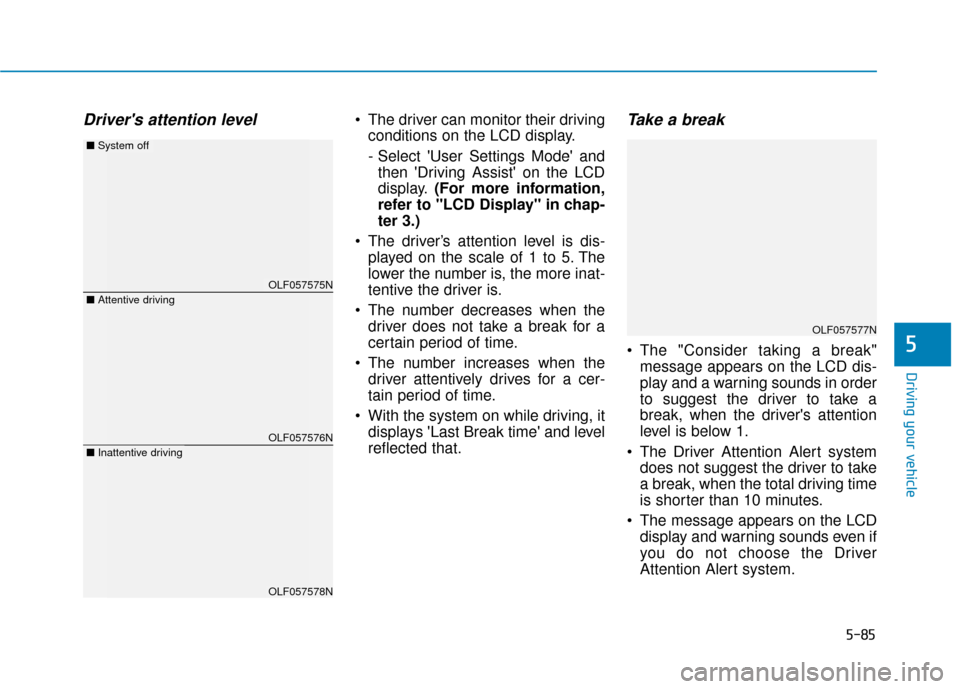
Driver's attention level The driver can monitor their drivingconditions on the LCD display.
- Select 'User Settings Mode' andthen 'Driving Assist' on the LCD
display. (For more information,
refer to "LCD Display" in chap-
ter 3.)
The driver’s attention level is dis- played on the scale of 1 to 5. The
lower the number is, the more inat-
tentive the driver is.
The number decreases when the driver does not take a break for a
certain period of time.
The number increases when the driver attentively drives for a cer-
tain period of time.
With the system on while driving, it displays 'Last Break time' and level
reflected that.Take a break
The "Consider taking a break"message appears on the LCD dis-
play and a warning sounds in order
to suggest the driver to take a
break, when the driver's attention
level is below 1.
The Driver Attention Alert system does not suggest the driver to take
a break, when the total driving time
is shorter than 10 minutes.
The message appears on the LCD display and warning sounds even if
you do not choose the Driver
Attention Alert system.5
OLF057575N
OLF057576N
OLF057578N
■ Attentive driving
■System off
■Inattentive driving
OLF057577N
Page 336 of 522
5-86
Resetting the system
The last break time is set to 00:00and the driver's attention level is
set to 5 (very attentive) when the
driver resets the Driver Attention
Alert system.
The Driver Attention Alert system resets in the following situations.
- The engine is turned OFF.
- The driver unfastens the seat beltand then opens the driver’s door.
- Stop lasting more than 10 min- utes.
The Driver attention Alert system
operates again, when the driver
restarts driving.
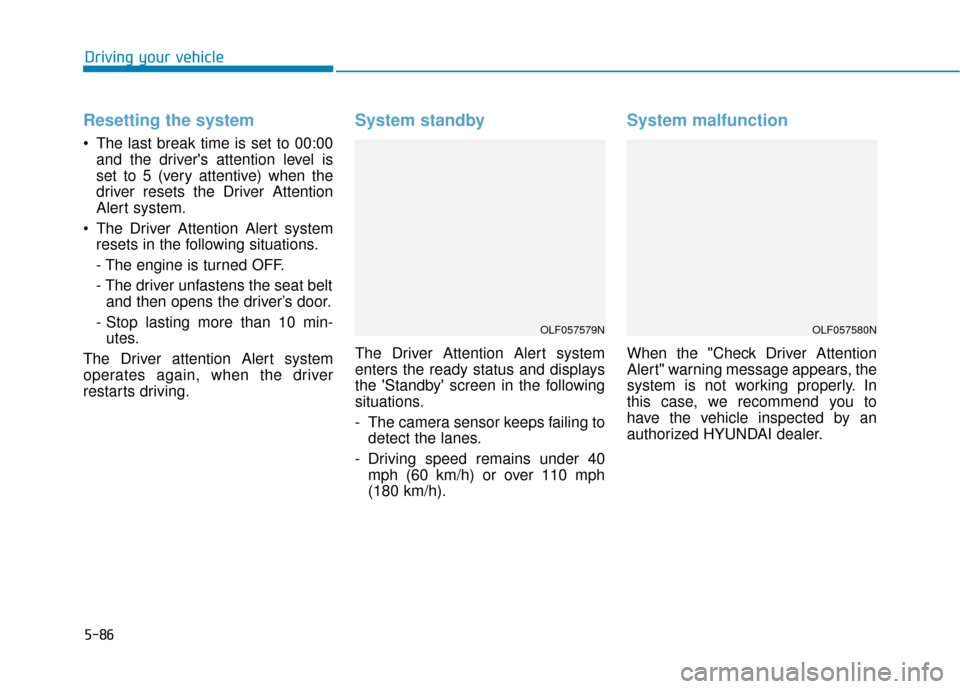
System standby
The Driver Attention Alert system
enters the ready status and displays
the 'Standby' screen in the following
situations.
- The camera sensor keeps failing to detect the lanes.
- Driving speed remains under 40 mph (60 km/h) or over 110 mph
(180 km/h).
System malfunction
When the "Check Driver Attention
Alert" warning message appears, the
system is not working properly. In
this case, we recommend you to
have the vehicle inspected by an
authorized HYUNDAI dealer.
Driving your vehicle
OLF057579NOLF057580N