vent Hyundai Sonata 2020 Owners Manual
[x] Cancel search | Manufacturer: HYUNDAI, Model Year: 2020, Model line: Sonata, Model: Hyundai Sonata 2020Pages: 537, PDF Size: 14.54 MB
Page 327 of 537
06
6-43
• Your vehicle speed may decelerate moderately.
• If FCA detects a vehicle in front, the system operates when your vehicle
speed is between 6 mph (10 km/h )
and 112 mph (180 km/h). Maximum
vehicle speed may decrease
depending on the condition of the
vehicle ahead and surroundings.
• If FCA detects a pedestrian or cyclist in front, the system operates when
your vehicle speed is between 6
mph (10 km/h ) and 53 mph (85
km/h). Maximum vehicle speed may
decrease depending on the condition
of the pedestrian or cyclist ahead and
surroundings.
• If you select ‘Warning Only’ for the system setting, FCA system activates
and produces only warning alarms
in accordance with the collision risk
levels. You should control the brake
directly because FCA system will not
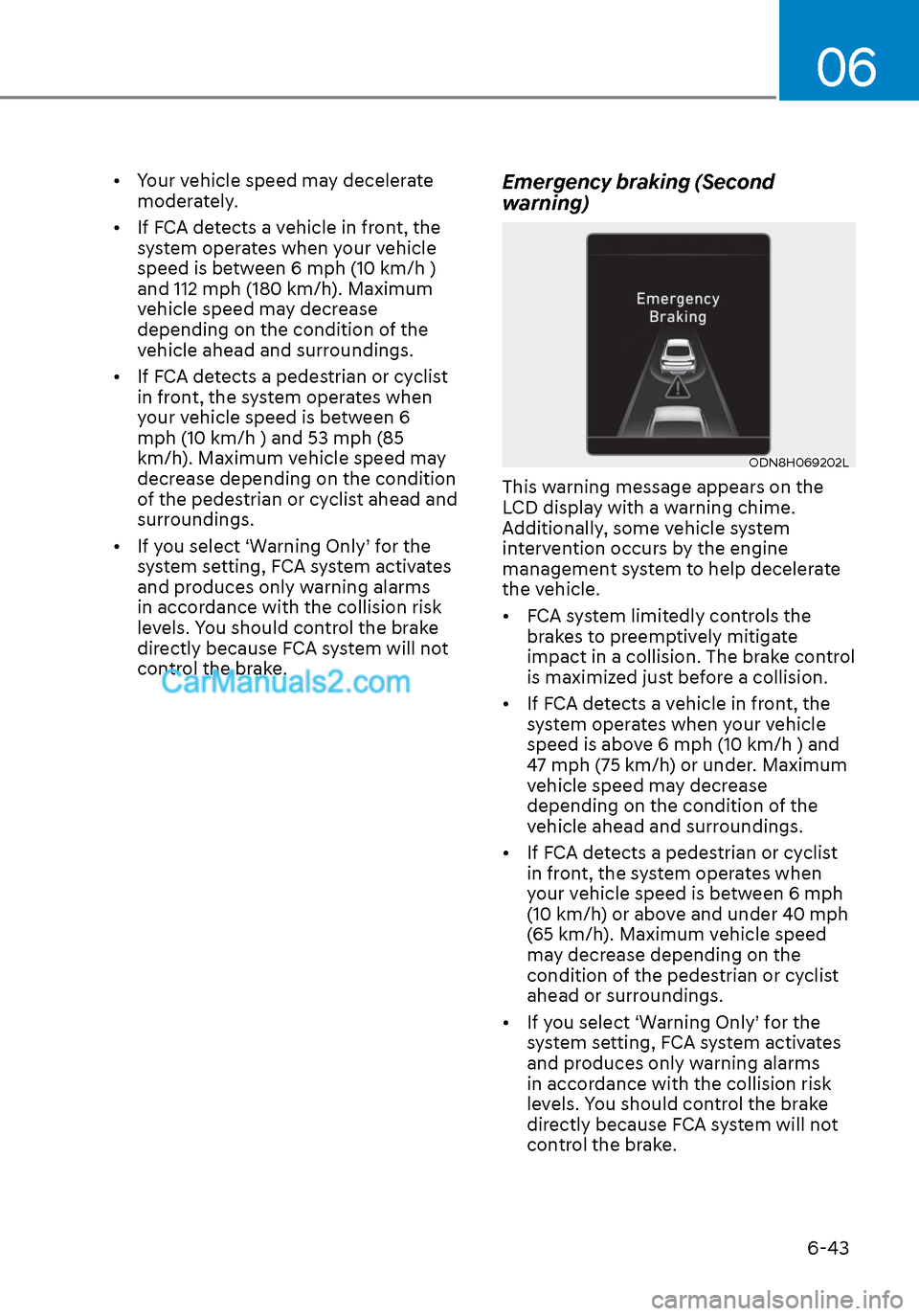
control the brake.Emergency braking (Second
warning)
ODN8H069202LODN8H069202L
This warning message appears on the
LCD display with a warning chime.
Additionally, some vehicle system
intervention occurs by the engine
management system to help decelerate
the vehicle.
• FCA system limitedly controls the brakes to preemptively mitigate
impact in a collision. The brake control
is maximized just before a collision.
• If FCA detects a vehicle in front, the system operates when your vehicle
speed is above 6 mph (10 km/h ) and
47 mph (75 km/h) or under. Maximum
vehicle speed may decrease
depending on the condition of the
vehicle ahead and surroundings.
• If FCA detects a pedestrian or cyclist in front, the system operates when
your vehicle speed is between 6 mph
(10 km/h) or above and under 40 mph
(65 km/h). Maximum vehicle speed
may decrease depending on the
condition of the pedestrian or cyclist
ahead or surroundings.
• If you select ‘Warning Only’ for the system setting, FCA system activates
and produces only warning alarms
in accordance with the collision risk
levels. You should control the brake
directly because FCA system will not
control the brake.
Page 328 of 537
While Driving6-44
Brake operation
• In an urgent situation, the braking system enters into the ready status for
prompt reaction against the driver’s
depressing the brake pedal.
• FCA provides additional braking power for optimum braking
performance, when the driver
depresses the brake pedal.
• The braking control is automatically deactivated, when the driver sharply
depresses the accelerator pedal, or
when the driver abruptly operates the
steering wheel.
• FCA brake control is automatically canceled, when risk factors disappear.
CAUTION
• The driver should always use
extreme caution while operating
the vehicle, whether or not there is a
warning message or alarm from FCA
system.
• After the brake control is activated,
the driver must immediately depress
the brake pedal and check the
surroundings. The brake activation
by the system lasts for about 2
seconds.
• If any other warning sound such as
seat belt warning chime is already
generated, Forward Collision-
Avoidance Assist system warning
may not sound.
• Playing the vehicle audio system at
high volume may prevent occupants
from hearing the system warning
sounds.
WARNING
The braking control cannot completely
stop the vehicle nor avoid all
collisions. The driver should hold the
responsibility to safely drive and control
the vehicle.
WARNING
The FCA system logic operates within
certain parameters, such as the
distance from the vehicle, pedestrian or
cyclist (if equipped) ahead, the speed
of the vehicle ahead, and the driver’s
vehicle speed. Certain conditions
such as inclement weather and road
conditions may affect the operation of
FCA system.
WARNING
Never deliberately drive dangerously to
activate the system.
Information
Exceptional operation of the braking assist
system
• The vehicle drives on a slope or curve.
• The vehicle drives by a pedestrian or
cyclist at the crossroads, traffic signals
or structure.
• The vehicle drives through a tunnel or
near a railroad.
• The vehicle drives where steam, smoke
or shadow is on the road.
• The vehicle drives the road tree planted
or streetlamps installed.
• There is interference by
electromagnetic waves or electric noise.
Page 330 of 537
While Driving6-46
NOTICE
NEVER install any accessories or
stickers on the front windshield, or tint
the front windshield.
NEVER place any reflective objects
(i.e. white paper, mirror) over the
dashboard. Any light reflection may
prevent the system from functioning
properly.
Pay extreme caution to keep the camera
dry.
NEVER disassemble the camera
assembly, or apply any impact on the
camera assembly.
Information
Have the vehicle inspected by an
authorized HYUNDAI dealer when:
• The windshield glass is replaced.
• The radar sensor or cover gets
damaged or replaced.
Warning message and warning light
ODN8A069221ODN8A069221OIK057091LOIK057091L
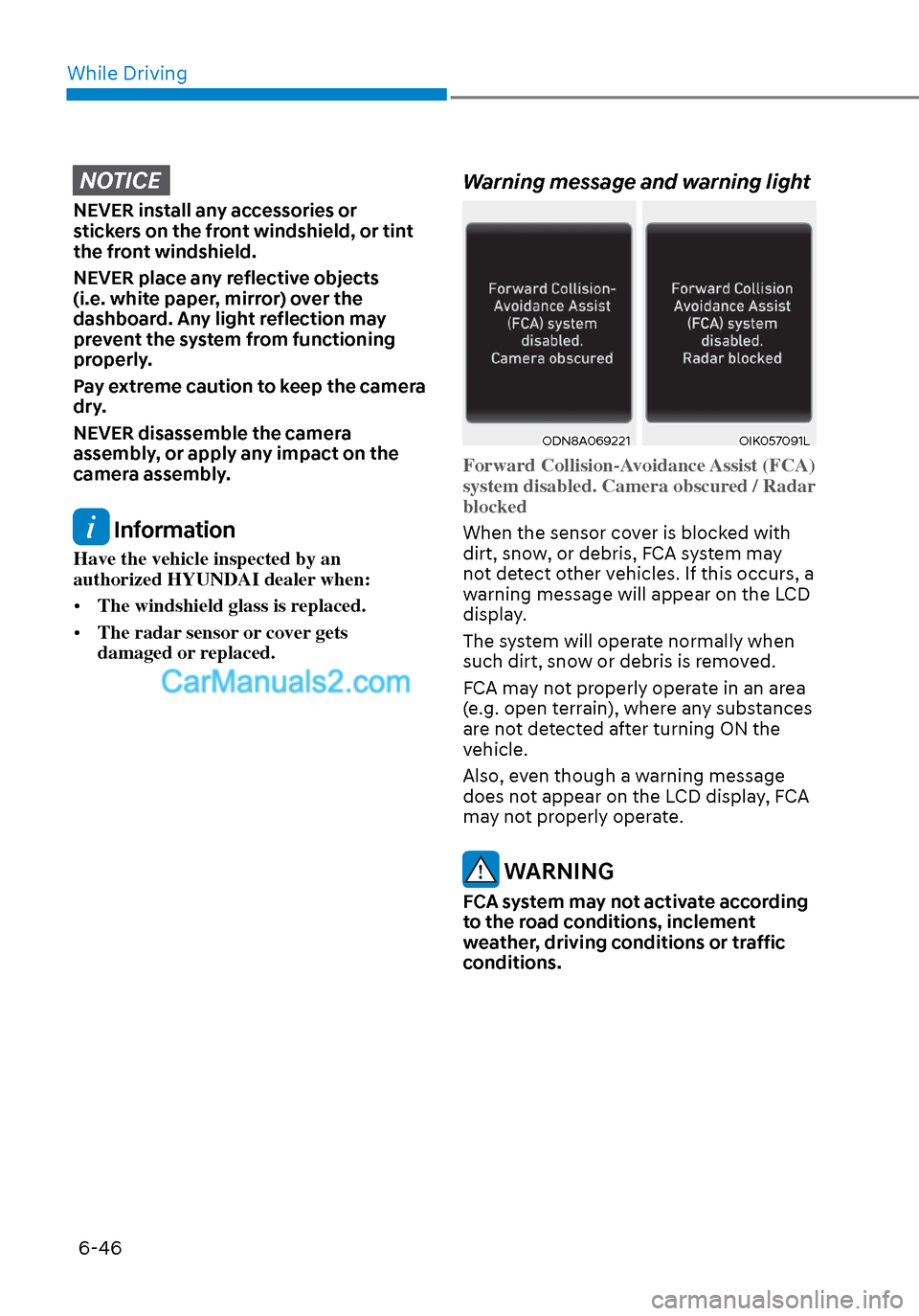
Forward Collision-Avoidance Assist (FCA)
system disabled. Camera obscured / Radar
blocked
When the sensor cover is blocked with
dirt, sno
w, or debris, FCA system may
not detect other vehicles. If this occurs, a
warning message will appear on the LCD
display.
The system will operate normally when
such dirt, snow or debris is removed.
FCA may not properly operate in an area
(e.g. open terrain), where any substances
are not detected after turning ON the
vehicle.
Also, even though a warning message
does not appear on the LCD display, FCA
may not properly operate.
WARNING
FCA system may not activate according
to the road conditions, inclement
weather, driving conditions or traffic
conditions.
Page 343 of 537
06
6-59
ODN8A069024ODN8A069024
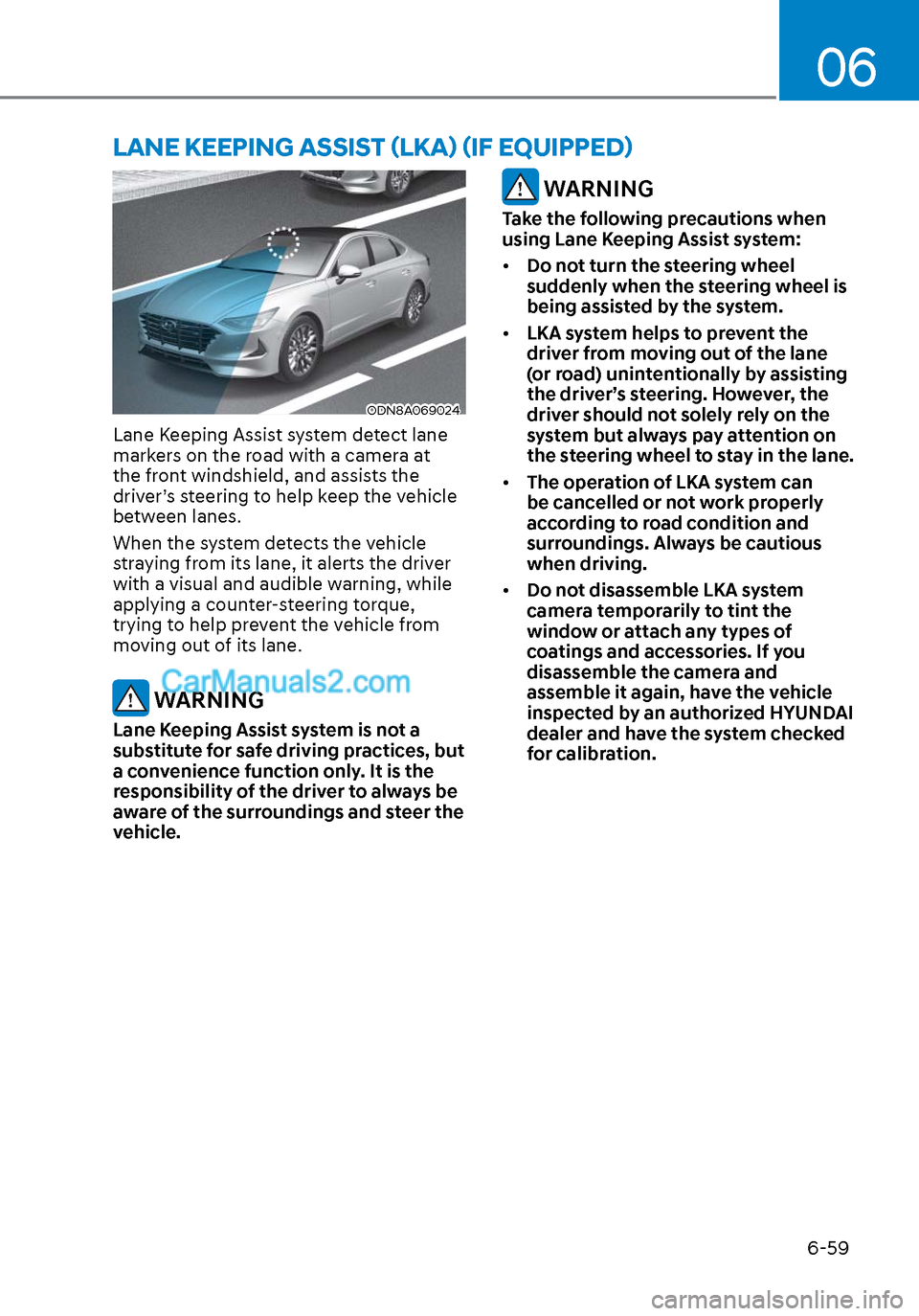
Lane Keeping Assist system detect lane
markers on the road with a camera at
the front windshield, and assists the
driver’s steering to help keep the vehicle
between lanes.
When the system detects the vehicle
straying from its lane, it alerts the driver
with a visual and audible warning, while
applying a counter-steering torque,
trying to help prevent the vehicle from
moving out of its lane.
WARNING
Lane Keeping Assist system is not a
substitute for safe driving practices, but
a convenience function only. It is the
responsibility of the driver to always be
aware of the surroundings and steer the
vehicle.
WARNING
Take the following precautions when
using Lane Keeping Assist system:
• Do not turn the steering wheel
suddenly when the steering wheel is
being assisted by the system.
• LKA system helps to prevent the
driver from moving out of the lane
(or road) unintentionally by assisting
the driver’s steering. However, the
driver should not solely rely on the
system but always pay attention on
the steering wheel to stay in the lane.
• The operation of LKA system can
be cancelled or not work properly
according to road condition and
surroundings. Always be cautious
when driving.
• Do not disassemble LKA system
camera temporarily to tint the
window or attach any types of
coatings and accessories. If you
disassemble the camera and
assemble it again, have the vehicle
inspected by an authorized HYUNDAI
dealer and have the system checked
for calibration.
LANE KEEPING ASSIST (LKA) (IF EQUIPPED)
Page 344 of 537
While Driving6-60
• When you replace the windshield
glass, LKA system camera or related
parts of the steering wheel, have the
vehicle inspected by an authorized
HYUNDAI dealer and have the system
checked for calibration.
• The system detects lane markers
and controls the steering wheel
by a camera, therefore, if the lane
markers are hard to detect, the
system may not work properly.
Please refer to “Limitations of the
System”.
• Do not remove or damage the related
parts of LKA system.
• You may not hear a warning sound
of LKA system if the audio volume is
high.
• Do not place objects on the
dashboard that reflects light such as
mirrors, white paper, etc. This may
prevent LKA system from functioning
properly. •
Always have your hands on the
steering wheel while LKA system is
activated. If you continue to drive
with your hands off the steering
wheel after the “Keep hands on
steering wheel” warning message
appears, the system will stop
controlling the steering wheel.
• The steering wheel is not
continuously controlled so if the
vehicle speed is at a higher rate
when leaving a lane the vehicle may
not be controlled by the system. The
driver must always follow the speed
limit when using the system.
• If you attach objects to the steering
wheel, the system may not assist
steering or the hands off alarm may
not work properly.
Page 346 of 537
While Driving6-62
Lane marker Lane marker undetectedundetectedLane marker Lane marker detecteddetected
ODN8H069064LODN8H069064LODN8069062ODN8069062
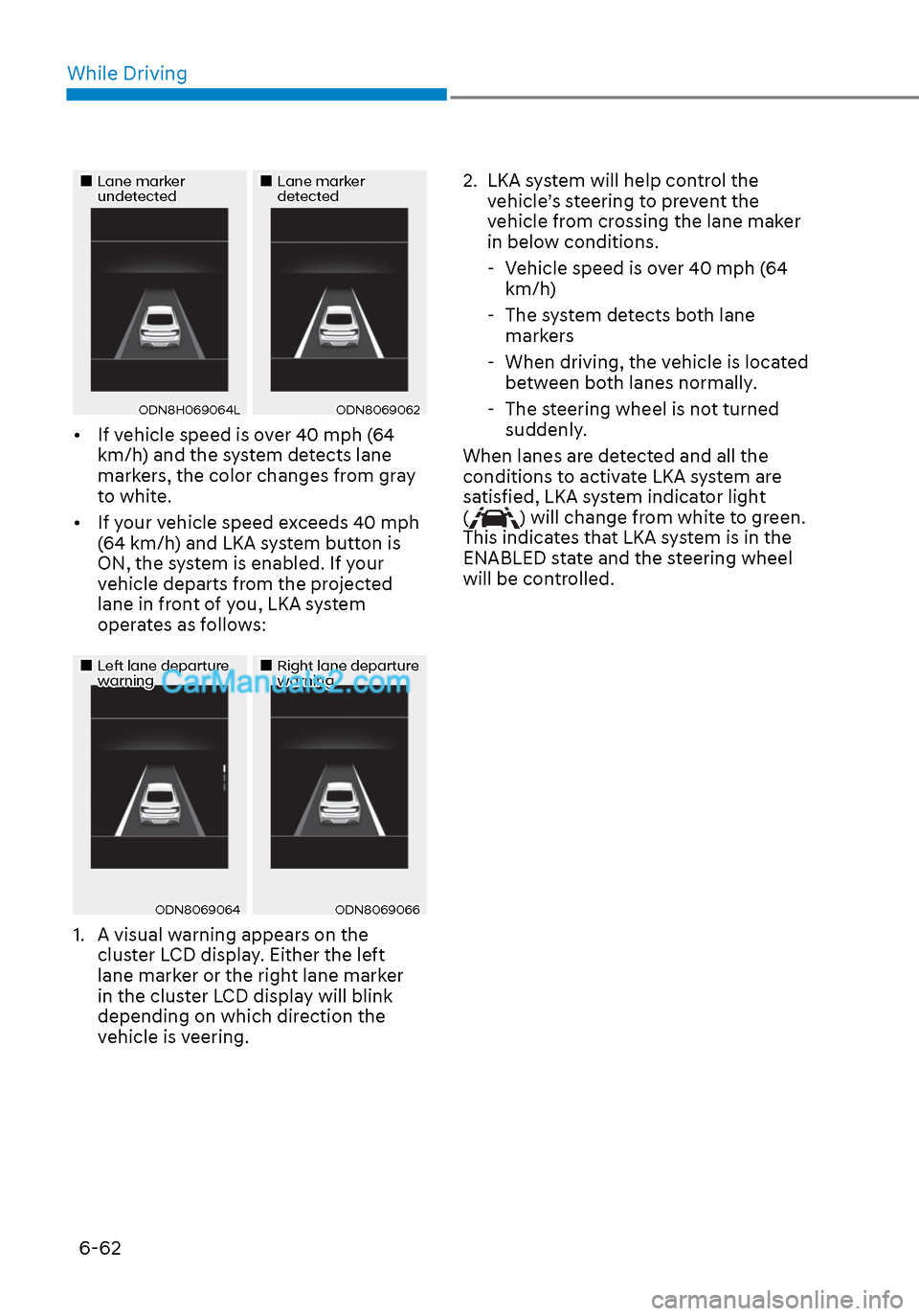
• If vehicle speed is over 40 mph (64 km/h) and the system detects lane
markers, the color changes from gray
to white.
• If your vehicle speed exceeds 40 mph (64 km/h) and LKA system button is
ON, the system is enabled. If your
vehicle departs from the projected
lane in front of you, LKA system
operates as follows:
Left lane departure Left lane departure warningwarningRight lane departure Right lane departure warningwarning
ODN8069064ODN8069064ODN8069066ODN8069066
1. A visual warning appears on the cluster LCD display. Either the left
lane marker or the right lane marker
in the cluster LCD display will blink
depending on which direction the
vehicle is veering. 2. LKA system will help control the
vehicle’s steering to prevent the
vehicle from crossing the lane maker
in below conditions.
- Vehicle speed is over 40 mph (64 km/h)
- The system detects both lane markers
- When driving, the vehicle is located between both lanes normally.
- The steering wheel is not turned suddenly.
When lanes are detected and all the
conditions to activate LKA system are
satisfied, LKA system indicator light
(
) will change from white to green.
This indicates that LKA system is in the
ENABLED state and the steering wheel
will be controlled.
Page 356 of 537
While Driving6-72
WARNING
• The driver is responsible for accurate
steering.
• Do not unnecessarily operate the
steering wheel, when Blind-Spot
Collision-Avoidance Assist system is
in operation.
• Always pay extreme caution while
driving. The Blind-Spot Collision-
Avoidance Assist system may not
operate or unnecessarily operate
in accordance with your driving
situations.
• Blind-Spot Collision-Avoidance
Assist system is not a substitute
for safe driving practices, but a
convenience function only. It is
the responsibility of the driver to
always drive cautiously to prevent
unexpected and sudden situations
from occurring. Pay attention to the
road conditions at all times.
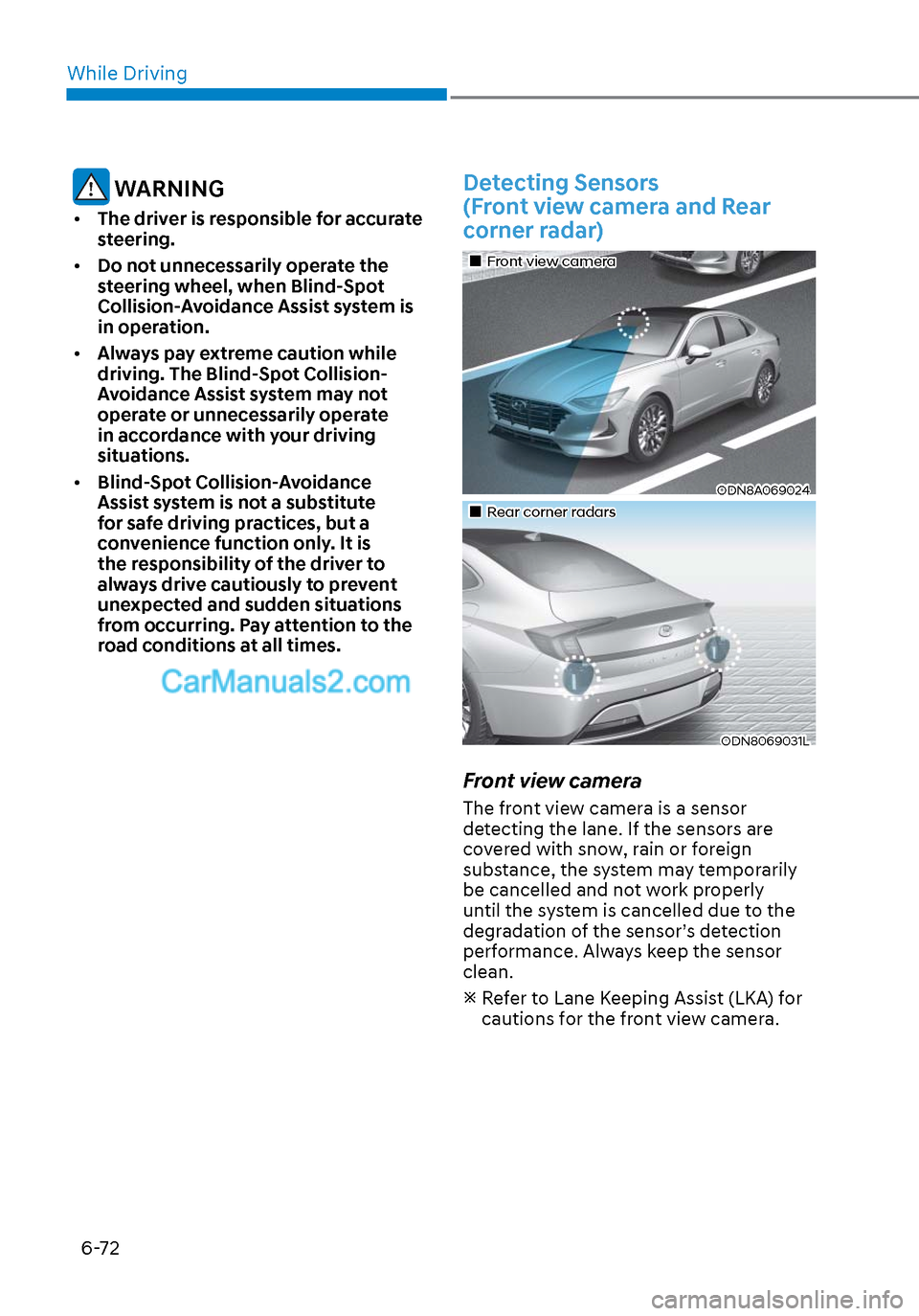
Detecting Sensors
(Front view camera and Rear
corner radar)
Front view cameraFront view camera
ODN8A069024ODN8A069024
Rear corner radarsRear corner radars
ODN8069031LODN8069031L
Front view camera
The front view camera is a sensor
detecting the lane. If the sensors are
covered with snow, rain or foreign
substance, the system may temporarily
be cancelled and not work properly
until the system is cancelled due to the
degradation of the sensor’s detection
performance. Always keep the sensor
clean.
Refer to Lane Keeping Assist (LKA) for
cautions for the front view camera.
Page 366 of 537
While Driving6-82
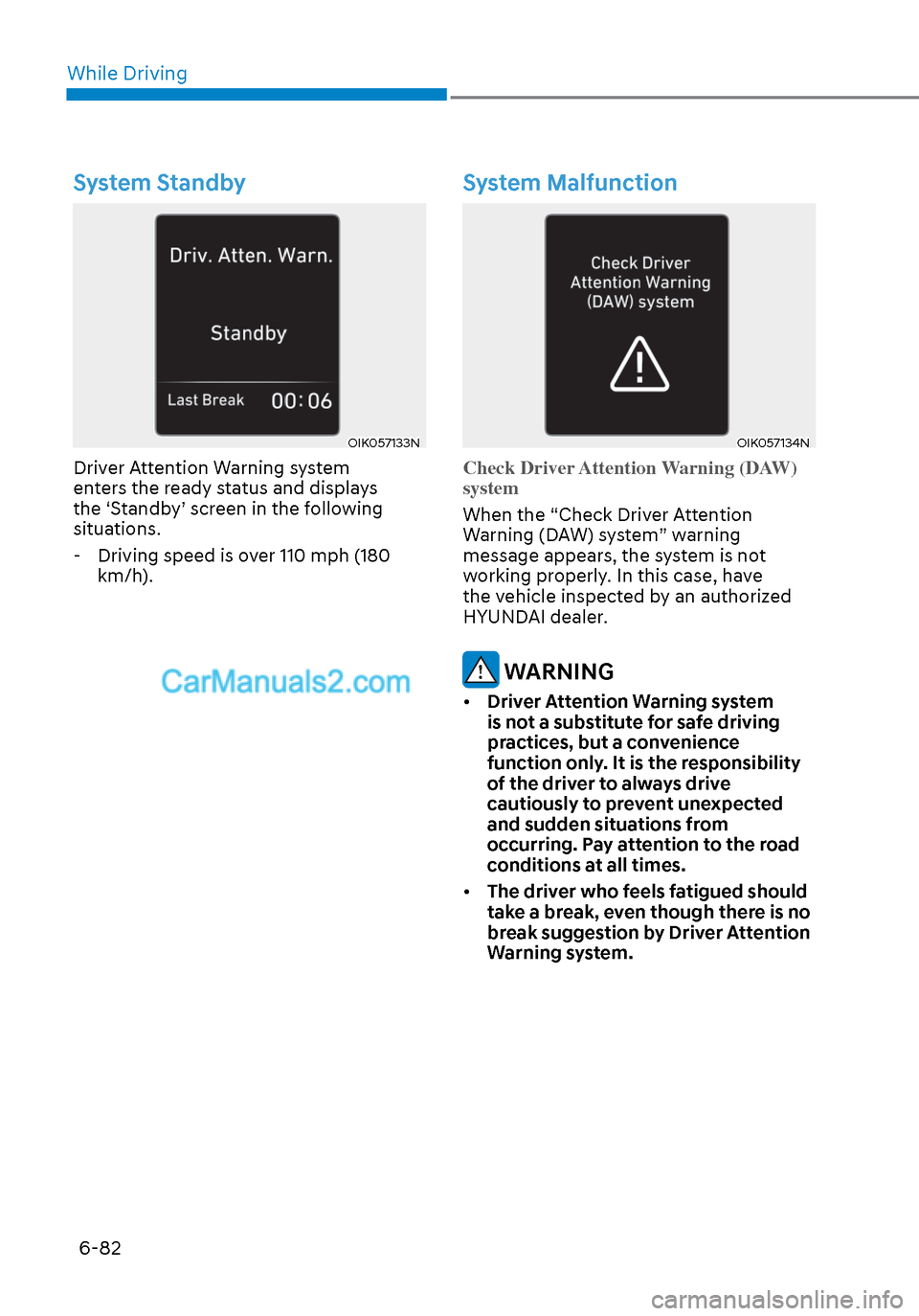
System Standby
OIK057133NOIK057133N
Driver Attention Warning system
enters the ready status and displays
the ‘Standby’ screen in the following
situations. - Driving speed is over 110 mph (180 km/h).
System Malfunction
OIK057134NOIK057134N
Check Driver Attention Warning (DAW)
system
When the “Check Driver Attention
W
arning (DAW) system” warning
message appears, the system is not
working properly. In this case, have
the vehicle inspected by an authorized
HYUNDAI dealer.
WARNING
• Driver Attention Warning system
is not a substitute for safe driving
practices, but a convenience
function only. It is the responsibility
of the driver to always drive
cautiously to prevent unexpected
and sudden situations from
occurring. Pay attention to the road
conditions at all times.
• The driver who feels fatigued should
take a break, even though there is no
break suggestion by Driver Attention
Warning system.
Page 367 of 537
06
6-83
Information
The system may suggest a break according
to the driver’s driving pattern or habits
even if the driver doesn’t feel fatigue.
NOTICE
• Driver Attention Warning system
utilizes the camera sensor on the
front windshield for its operation. To
keep the camera sensor in the best
condition, you should observe the
followings:
• Never install any accessories or
stickers on the front windshield, or
tint the front windshield.
• NEVER place any reflective objects
(i.e. white paper, mirror) over the
dashboard. Any light reflection
may cause a malfunction of Driver
Attention Warning system.
• Pay extreme caution to keep the
camera sensor dry.
• Never disassemble the camera
assembly, or apply any impact on the
camera assembly.
If the sensor is forcibly moved out
of proper alignment, the system
may not operate correctly. Have the
vehicle inspected by an authorized
HYUNDAI dealer.
CAUTION
• Driver Attention Warning system may
not provide alerts in the following
situations:
• Driver Attention Warning system
is using the front view camera. To
optimize the function of the front
view camera, the driver should
manage carefully. For detailed
information, please refer to the
warning statements in Lane Keeping
Assist system section.
• The lane detection performance
is limited. (For more information,
refer to “Lane Keeping Assist (LKA)”
section in this chapter.)
• The vehicle is erratically driven
or is abruptly turned for obstacle
avoidance (e.g. construction area,
other vehicles, fallen objects, bumpy
road).
• Forward drivability of the vehicle is
severely undermined (possibly due
to wide variation in tire pressures,
uneven tire wear-out, toe-in/toe-out
alignment).
• The vehicle is driven on a curvy road.
• The vehicle is driven through a windy
area.
• The vehicle is driven on a bumpy
road.
• The vehicle is controlled by the
following driving assist systems:
- Forward Collision-Avoidance Assist
system
- Lane Keeping Assist system
- Smart Cruise Control system
- Lane Following Assist system
CAUTION
Playing the vehicle audio system at
high volume may prevent occupants
from hearing Driver Attention Warning
system warning sounds.
Page 371 of 537
06
6-87
LeftLeft
ODN8A059141ODN8A059141
RightRight
ODN8A059142ODN8A059142
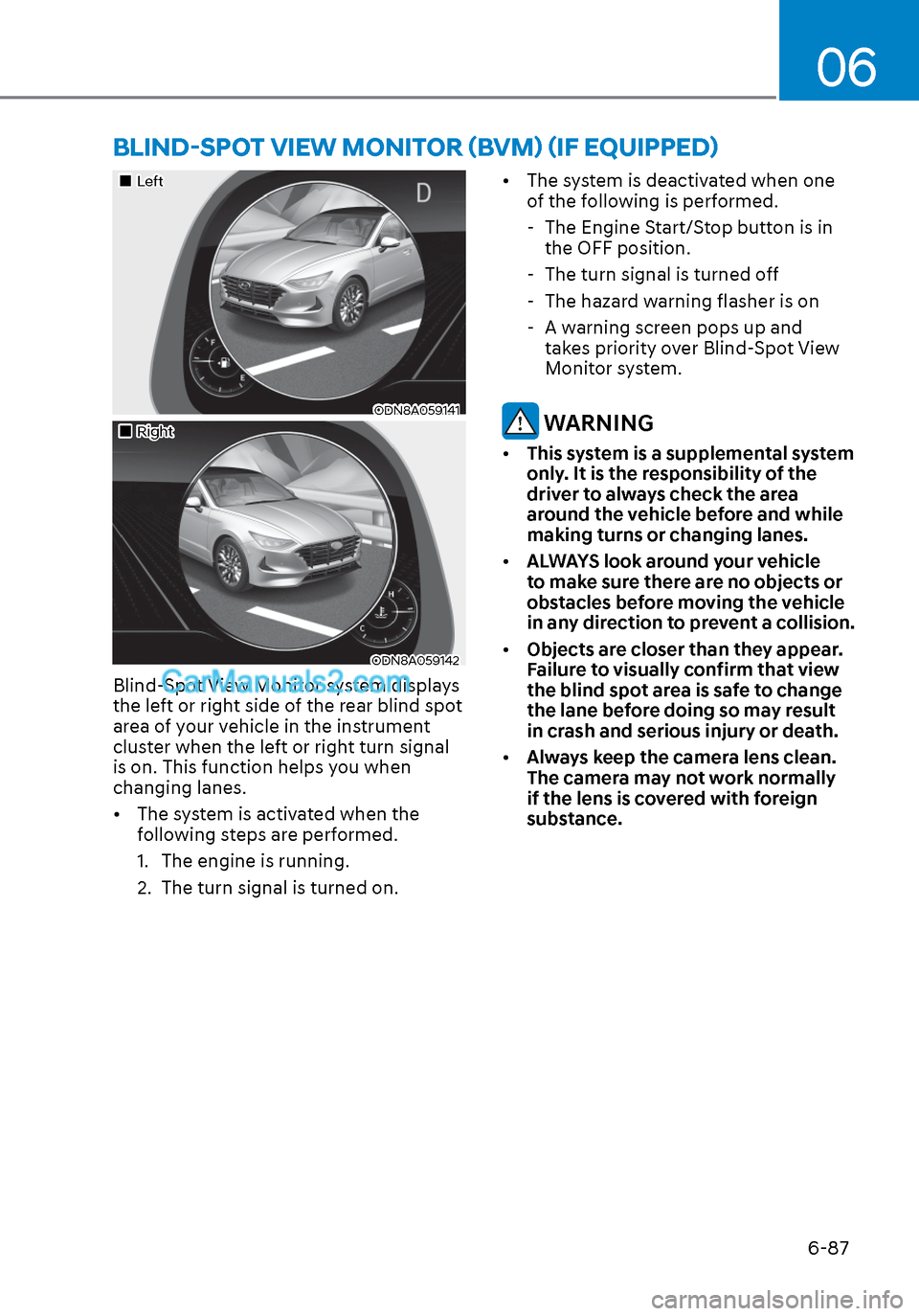
Blind-Spot View Monitor system displays
the left or right side of the rear blind spot
area of your vehicle in the instrument
cluster when the left or right turn signal
is on. This function helps you when
changing lanes.
• The system is activated when the following steps are performed.
1. The engine is running.
2. The turn signal is turned on. • The system is deactivated when one
of the following is performed.
- The Engine Start/Stop button is in the OFF position.
- The turn signal is turned off
- The hazard warning flasher is on
- A warning screen pops up and takes priority over Blind-Spot View
Monitor system.
WARNING
• This system is a supplemental system
only. It is the responsibility of the
driver to always check the area
around the vehicle before and while
making turns or changing lanes.
• ALWAYS look around your vehicle
to make sure there are no objects or
obstacles before moving the vehicle
in any direction to prevent a collision.
• Objects are closer than they appear.
Failure to visually confirm that view
the blind spot area is safe to change
the lane before doing so may result
in crash and serious injury or death.
• Always keep the camera lens clean.
The camera may not work normally
if the lens is covered with foreign
substance.
BLIND-SPOT VIEW MONITOR (BVM) (IF EQUIPPED)