chapter 6 Hyundai Sonata 2020 Workshop Manual
[x] Cancel search | Manufacturer: HYUNDAI, Model Year: 2020, Model line: Sonata, Model: Hyundai Sonata 2020Pages: 537, PDF Size: 14.54 MB
Page 300 of 537
While Driving6-16
When the battery is discharged:
You cannot shift the gear when the
battery is discharged.
In emergencies, do the following to
move the shift button to N (Neutral) on a
level ground.
1. Connect the battery cables from another vehicle or from a another
battery to the jump-starting terminals
inside the engine compartment.
For more information refer to "Jump Starting" in chapter 7.
2. Release the parking brake with the Engine Start/Stop button in the ON
position.
3. Shift the gear to the N(Neutral) position. Refer to the "Stay in Neutral
when vehicle is Off" in this chapter.
Parking
Always come to a complete stop and
continue to depress the brake pedal.
Press the P button, apply the parking
brake, and place the ignition switch in
the LOCK/OFF position. Take the Key
with you when exiting the vehicle.
• The gear is shifted to P (Park) position automatically for safety under the
following conditions.
- When the driver unfastens the seat belt and opens the driver’s door.
- When the engine is turned off with the gear shifted to R (Reverse), D
(Drive) or N (Neutral).
WARNING
When you stay in the vehicle with
the engine running, be careful not to
depress the accelerator pedal for a long
period of time. The engine or exhaust
system may overheat and start a fire.
The exhaust gas and the exhaust system
are very hot. Keep away from the
exhaust system components.
Do not stop or park over flammable
materials, such as dry grass, paper or
leaves. They may ignite and cause a fire.
Page 313 of 537
06
6-29
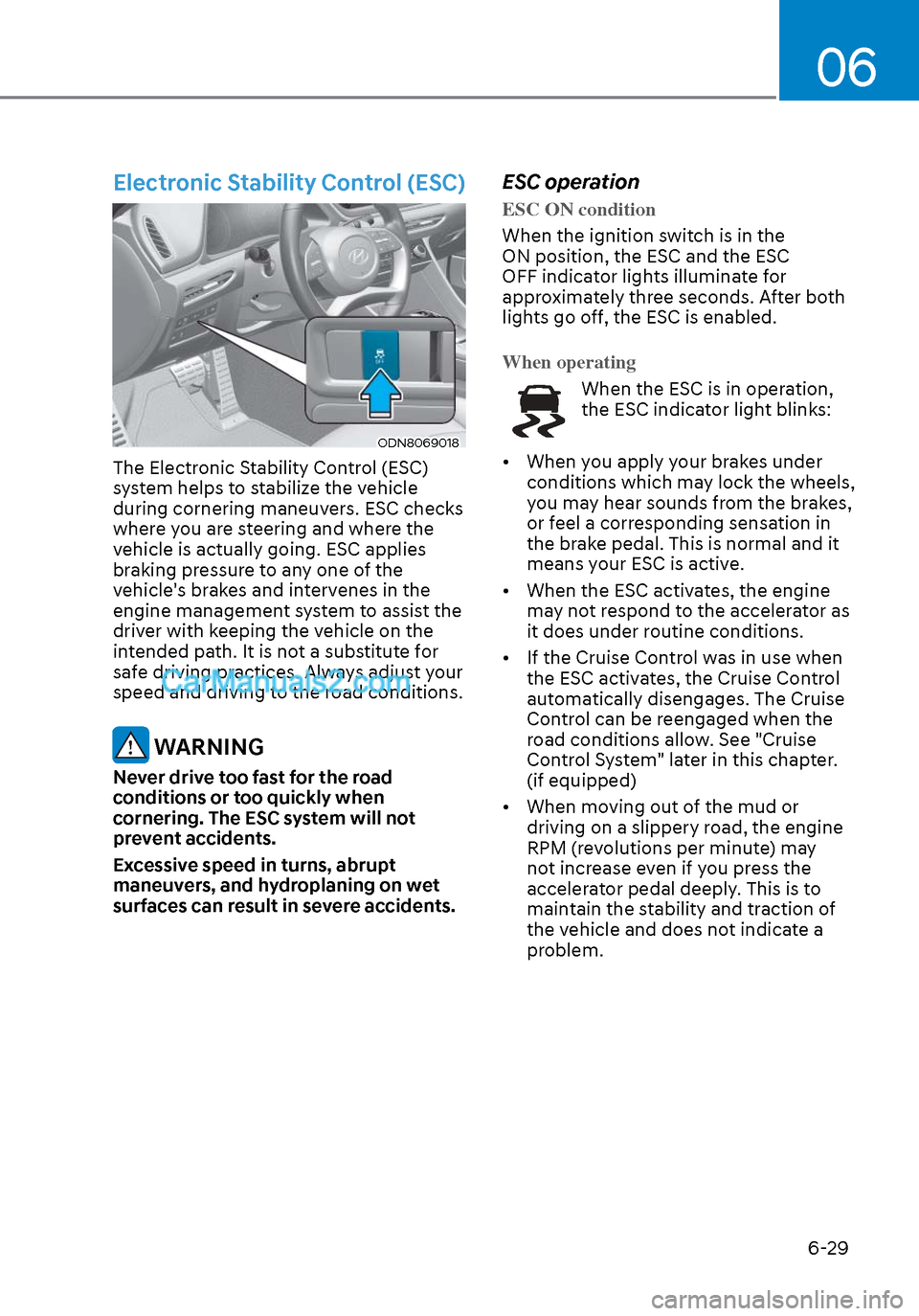
Electronic Stability Control (ESC)
ODN8069018ODN8069018
The Electronic Stability Control (ESC)
system helps to stabilize the vehicle
during cornering maneuvers. ESC checks
where you are steering and where the
vehicle is actually going. ESC applies
braking pressure to any one of the
vehicle's brakes and intervenes in the
engine management system to assist the
driver with keeping the vehicle on the
intended path. It is not a substitute for
safe driving practices. Always adjust your
speed and driving to the road conditions.
WARNING
Never drive too fast for the road
conditions or too quickly when
cornering. The ESC system will not
prevent accidents.
Excessive speed in turns, abrupt
maneuvers, and hydroplaning on wet
surfaces can result in severe accidents.
ESC operation
ESC ON condition
When the ignition switch is in the
ON position, the ESC and the ESC
OFF indica
tor lights illuminate for
approximately three seconds. After both
lights go off, the ESC is enabled.
When operating
When the ESC is in operation,
the ESC indicator light blinks:
• When you apply your brakes under conditions which may lock the wheels,
you may hear sounds from the brakes,
or feel a corresponding sensation in
the brake pedal. This is normal and it
means your ESC is active.
• When the ESC activates, the engine may not respond to the accelerator as
it does under routine conditions.
• If the Cruise Control was in use when the ESC activates, the Cruise Control
automatically disengages. The Cruise
Control can be reengaged when the
road conditions allow. See "Cruise
Control System" later in this chapter.
(if equipped)
• When moving out of the mud or driving on a slippery road, the engine
RPM (revolutions per minute) may
not increase even if you press the
accelerator pedal deeply. This is to
maintain the stability and traction of
the vehicle and does not indicate a
problem.
Page 339 of 537
06
6-55
FCA system may work when it
recognizes objects similar in shape or
property to a vehicle, pedestrian or
cyclist.
FCA system is designed to help detect
and monitor the vehicle ahead or detect
a pedestrian or cyclist in the roadway
through radar signals and camera
recognition. It is not designed to detect
bicycles, motorcycles, or smaller
wheeled objects such as luggage bags,
shopping carts, or strollers.
Never try to test the operation of FCA
system. Doing so may cause severe
injury or death.
If the front bumper, front glass, radar or
camera have been replaced or repaired,
have the vehicle inspected by an
authorized HYUNDAI dealer.
Information
In some instances, FCA system
may be cancelled when subjected to
electromagnetic interference.
Information
This device complies with Part 15 of the
FCC rules.
Operation is subject to the following two
conditions:
1. This device may not cause harmful
interference.
2. This device must accept any
interference received, including
interference that may cause undesired
operation.
Forward Collision-Avoidance
Assist - Junction Turning (if
equipped)
FCA-Junction Turning function is
designed to reduce the risk of collision
by detecting and monitoring the
oncoming vehicle ahead. When the
vehicle turns to the left at a junction, the
system recognises the oncoming vehicle
ahead in advance with the front view
camera and the front radar. It produces
warning messages or haptic warning
alarms in accordance with the collision
risk levels.
System setting
FCA-Junction Turning function can be
activated from the User Settings menu
by following the procedure below.
1. Set the Engine Start/Stop button to the
ON or START position.
2. Select ‘User settings
Driver
assistance Forward safety’.
For more details, refer to “Forward
Collision-Avoidance Assist (FCA)” in this
chapter.
Page 342 of 537
While Driving6-58
Limitations of the system
FCA-Junction Turning function is only a
supplemental system for driver’s safety
whilst turning left on the crossroads. The
driver should hold the responsibility to
control the vehicle. The system monitors
the oncoming vehicle ahead the road
through the front view camera and
radar. In certain situations, the front view
camera and radar may not be able to
detect the oncoming vehicles properly.
The driver must pay careful attention
in the following situations where the
system operation may be limited or it
may activate unintentionally.
The sensor may be limited when:
• The radar sensor or camera r
ecognizes the approaching vehicle
too late.
• The radar sensor or camera is blocked with a foreign object or debris.
• The driving direction of the approaching vehicle is irregular or
frontal.
• The approaching vehicle changes lanes too late or decelerates suddenly.
• The angle of the approaching vehicle is out of range.
• Whilst circling, the sensor (the front view camera or front radar) does not
detect the approaching vehicle.
• The driving speed of the approaching vehicle is too fast or slow.
• The head lamps of the approaching vehicle are turned off or asymmetrical. • The approaching vehicle stops whilst
turning left.
• The vehicle moves out of its lane or returns to its lane.
• The vehicle changes lanes suddenly at a low speed whilst there is an
approaching vehicle.
• The brightness outside is too so it does not detect the vehicle.
• Inclement weather such as heavy rain or snow obscures the field of view of
the front view camera or front radar.
• The approaching vehicle is covered with snow.
• The field of view in front is obstructed by sun glare.
• The shape of approaching vehicle is unusual.
• Whilst driving upward or downward on a slope.
For more information, refer to “Forward
Collision-Avoidance Assist (FCA)” in this
chapter.
Page 345 of 537
06
6-61
LKA Operation
ODN8069059ODN8069059
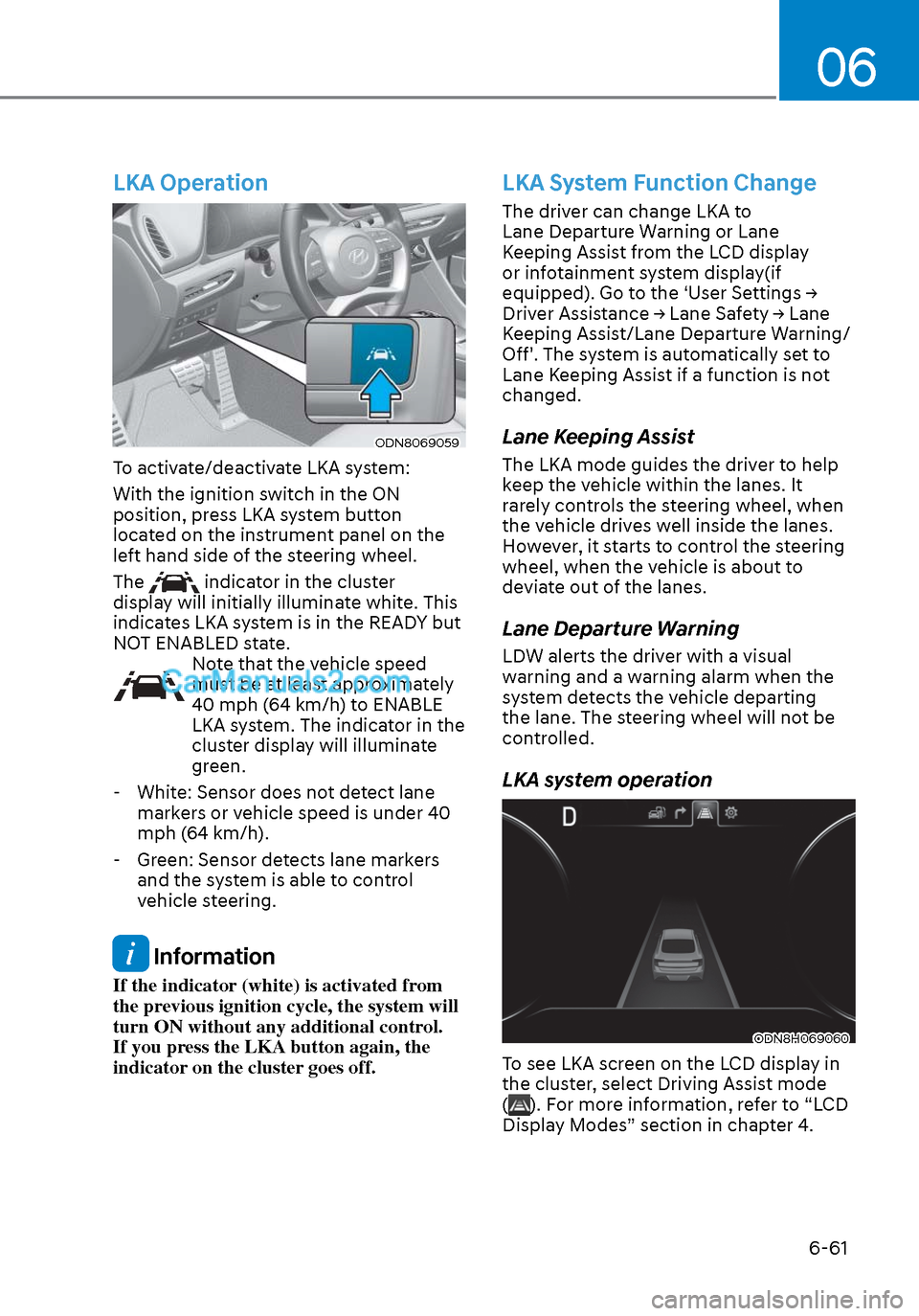
To activate/deactivate LKA system:
With the ignition switch in the ON
position, press LKA system button
located on the instrument panel on the
left hand side of the steering wheel.
The
indicator in the cluster
display will initially illuminate white. This
indicates LKA system is in the READY but
NOT ENABLED state.
Note that the vehicle speed
must be at least approximately
40 mph (64 km/h) to ENABLE
LKA system. The indicator in the
cluster display will illuminate
green.
- White: Sensor does not detect lane markers or vehicle speed is under 40
mph (64 km/h).
- Green: Sensor detects lane markers and the system is able to control
vehicle steering.
Information
If the indicator (white) is activated from
the previous ignition cycle, the system will
turn ON without any additional control.
If you press the LKA button again, the
indicator on the cluster goes off.
LKA System Function Change
The driver can change LKA to
Lane Departure Warning or Lane
Keeping Assist from the LCD display
or infotainment system display(if
equipped). Go to the ‘User Settings →
Driver Assistance → Lane Safety → Lane
Keeping Assist/Lane Departure Warning/
Off'. The system is automatically set to
Lane Keeping Assist if a function is not
changed.
Lane Keeping Assist
The LKA mode guides the driver to help
keep the vehicle within the lanes. It
rarely controls the steering wheel, when
the vehicle drives well inside the lanes.
However, it starts to control the steering
wheel, when the vehicle is about to
deviate out of the lanes.
Lane Departure Warning
LDW alerts the driver with a visual
warning and a warning alarm when the
system detects the vehicle departing
the lane. The steering wheel will not be
controlled.
LKA system operation
ODN8H069060ODN8H069060
To see LKA screen on the LCD display in
the cluster, select Driving Assist mode
(
). For more information, refer to “LCD
Display Modes” section in chapter 4.
Page 360 of 537
While Driving6-76
• While going down or up a steep road where the height of the lane is
different.
• Driving on a narrow road where trees or grass or overgrown.
• Driving in rural areas where the sensor does not detect another vehicle or
structure for an extended period of
time.
• Driving on a wet road.
• Driving on a road where the guardrail or wall is in double structure.
• A big vehicle is near such as a bus or truck.
• When the other vehicle approaches very close.
• When the other vehicle passes at a very fast speed.
• While changing lanes.
• If the vehicle has started at the same time as the vehicle next to you and
has accelerated.
• When the vehicle in the next lane moves two lanes away from you OR
when the vehicle two lanes away
moves to the next lane from you.
• A motorcycle or bicycle is near.
• A flat trailer is near.
• If there are small objects in the detecting area such as a shopping
cart or a baby stroller. • If there is a low height vehicle such as
a sports car.
• The brake pedal is depressed.
• ESC (Electronic Stability Control) is activated.
• ESC (Electronic Stability Control) malfunctions.
• The tire pressure is low or a tire is damaged.
• The brake is reworked.
• The vehicle abruptly changes driving direction.
• The vehicle makes sharp lane changes.
• The vehicle sharply stops.
• Temperature is extremely low around the vehicle.
• The vehicle severely vibrates while driving over a bumpy road, uneven/
bumpy road, or concrete patch.
• The vehicle drives on a slippery surface due to snow, water puddle,
or ice.
• Lane Keeping Assist does not operate normally. (if equipped)
• For more information, refer to “Lane Keeping Assist (LKA)” in this chapter.
Page 364 of 537
While Driving6-80
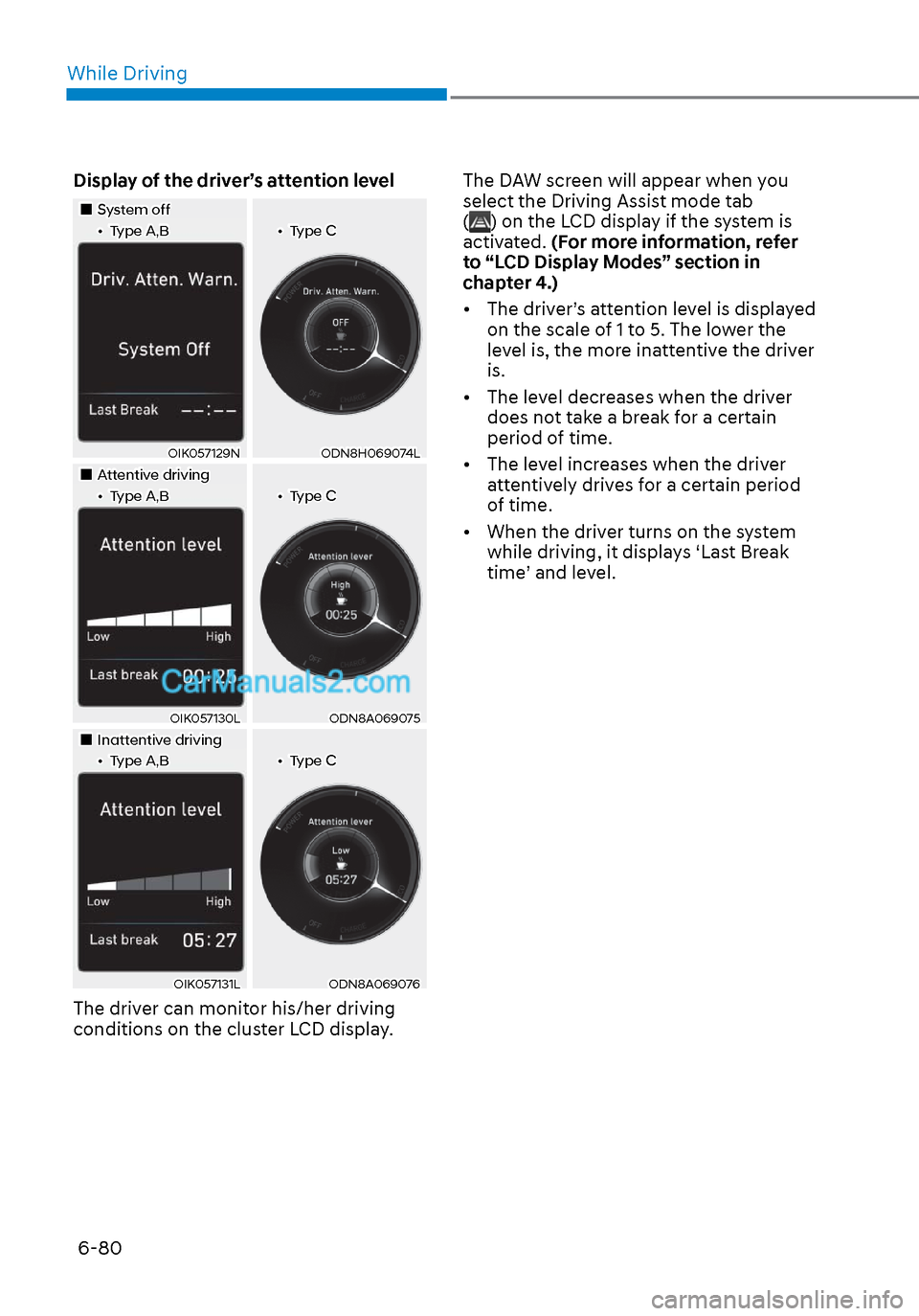
Display of the driver’s attention level
System offSystem off••Type A,BType A,B••Type CType C
OIK057129NOIK057129NODN8H069074LODN8H069074L
Attentive drivingAttentive driving••Type A,BType A,B••Type CType C
OIK057130LOIK057130LODN8A069075ODN8A069075
Inattentive drivingInattentive driving••Type A,BType A,B••Type CType C
OIK057131LOIK057131LODN8A069076ODN8A069076
The driver can monitor his/her driving
conditions on the cluster LCD display. The DAW screen will appear when you
select the Driving Assist mode tab
(
) on the LCD display if the system is
activated. (For more information, refer
to “LCD Display Modes” section in
chapter 4.)
• The driver’s attention level is displayed on the scale of 1 to 5. The lower the
level is, the more inattentive the driver
is.
• The level decreases when the driver does not take a break for a certain
period of time.
• The level increases when the driver attentively drives for a certain period
of time.
• When the driver turns on the system while driving, it displays ‘Last Break
time’ and level.
Page 367 of 537
06
6-83
Information
The system may suggest a break according
to the driver’s driving pattern or habits
even if the driver doesn’t feel fatigue.
NOTICE
• Driver Attention Warning system
utilizes the camera sensor on the
front windshield for its operation. To
keep the camera sensor in the best
condition, you should observe the
followings:
• Never install any accessories or
stickers on the front windshield, or
tint the front windshield.
• NEVER place any reflective objects
(i.e. white paper, mirror) over the
dashboard. Any light reflection
may cause a malfunction of Driver
Attention Warning system.
• Pay extreme caution to keep the
camera sensor dry.
• Never disassemble the camera
assembly, or apply any impact on the
camera assembly.
If the sensor is forcibly moved out
of proper alignment, the system
may not operate correctly. Have the
vehicle inspected by an authorized
HYUNDAI dealer.
CAUTION
• Driver Attention Warning system may
not provide alerts in the following
situations:
• Driver Attention Warning system
is using the front view camera. To
optimize the function of the front
view camera, the driver should
manage carefully. For detailed
information, please refer to the
warning statements in Lane Keeping
Assist system section.
• The lane detection performance
is limited. (For more information,
refer to “Lane Keeping Assist (LKA)”
section in this chapter.)
• The vehicle is erratically driven
or is abruptly turned for obstacle
avoidance (e.g. construction area,
other vehicles, fallen objects, bumpy
road).
• Forward drivability of the vehicle is
severely undermined (possibly due
to wide variation in tire pressures,
uneven tire wear-out, toe-in/toe-out
alignment).
• The vehicle is driven on a curvy road.
• The vehicle is driven through a windy
area.
• The vehicle is driven on a bumpy
road.
• The vehicle is controlled by the
following driving assist systems:
- Forward Collision-Avoidance Assist
system
- Lane Keeping Assist system
- Smart Cruise Control system
- Lane Following Assist system
CAUTION
Playing the vehicle audio system at
high volume may prevent occupants
from hearing Driver Attention Warning
system warning sounds.
Page 372 of 537
While Driving6-88
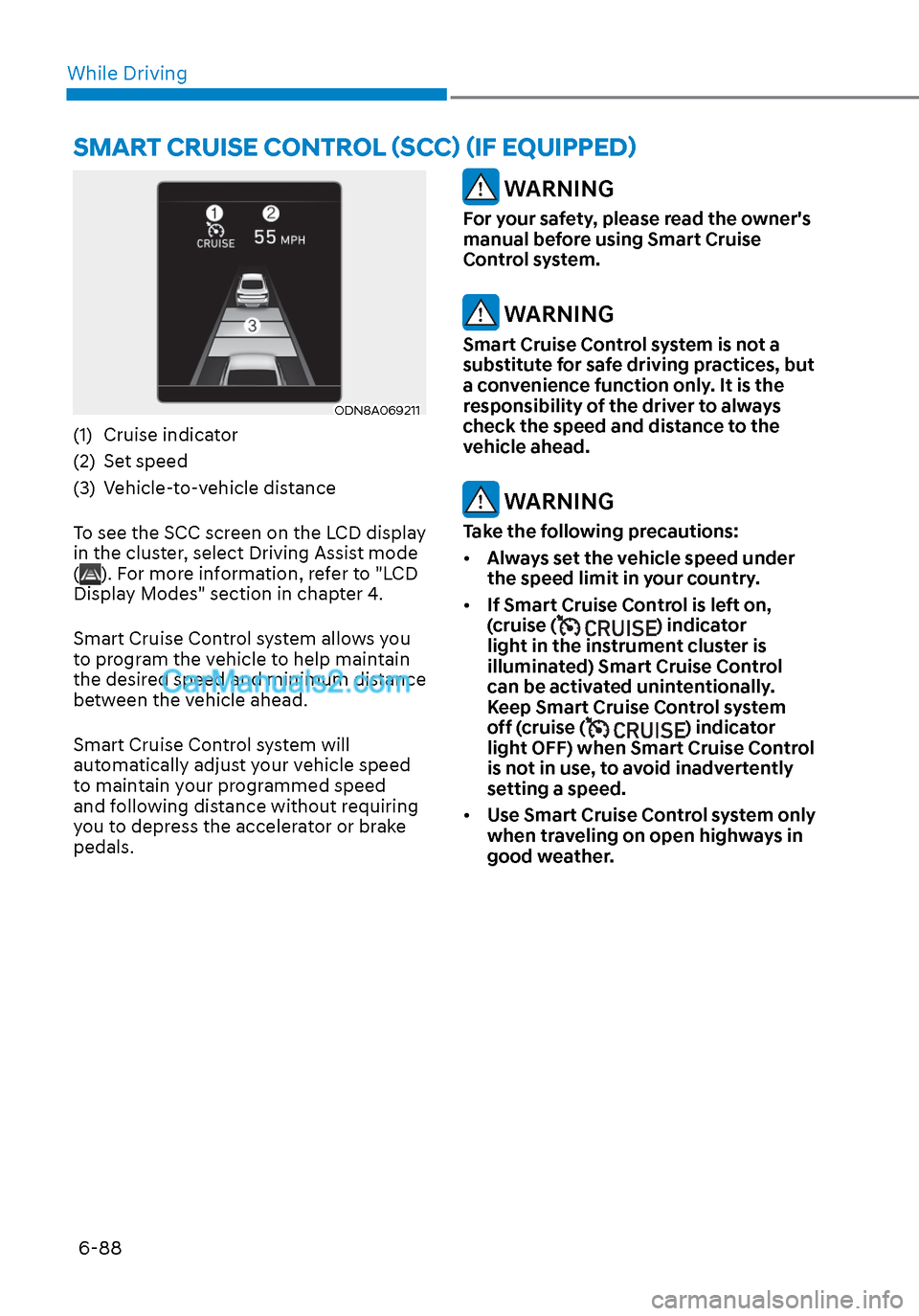
ODN8A069211ODN8A069211
(1) Cruise indicator
(2) Set speed
(3) Vehicle-to-vehicle distance
To see the SCC screen on the LCD display
in the cluster, select Driving Assist mode
(
). For more information, refer to "LCD
Display Modes" section in chapter 4.
Smart Cruise Control system allows you
to program the vehicle to help maintain
the desired speed and minimum distance
between the vehicle ahead.
Smart Cruise Control system will
automatically adjust your vehicle speed
to maintain your programmed speed
and following distance without requiring
you to depress the accelerator or brake
pedals.
WARNING
For your safety, please read the owner's
manual before using Smart Cruise
Control system.
WARNING
Smart Cruise Control system is not a
substitute for safe driving practices, but
a convenience function only. It is the
responsibility of the driver to always
check the speed and distance to the
vehicle ahead.
WARNING
Take the following precautions:
• Always set the vehicle speed under
the speed limit in your country.
• If Smart Cruise Control is left on,
(cruise (
) indicator
light in the instrument cluster is
illuminated) Smart Cruise Control
can be activated unintentionally.
Keep Smart Cruise Control system
off (cruise (
) indicator
light OFF) when Smart Cruise Control
is not in use, to avoid inadvertently
setting a speed.
• Use Smart Cruise Control system only
when traveling on open highways in
good weather.
SMART CRUISE CONTROL (SCC) (IF EQUIPPED)
Page 402 of 537
While Driving6-118
Warning Message
Hands-off warning
ODN8A069219ODN8A069219
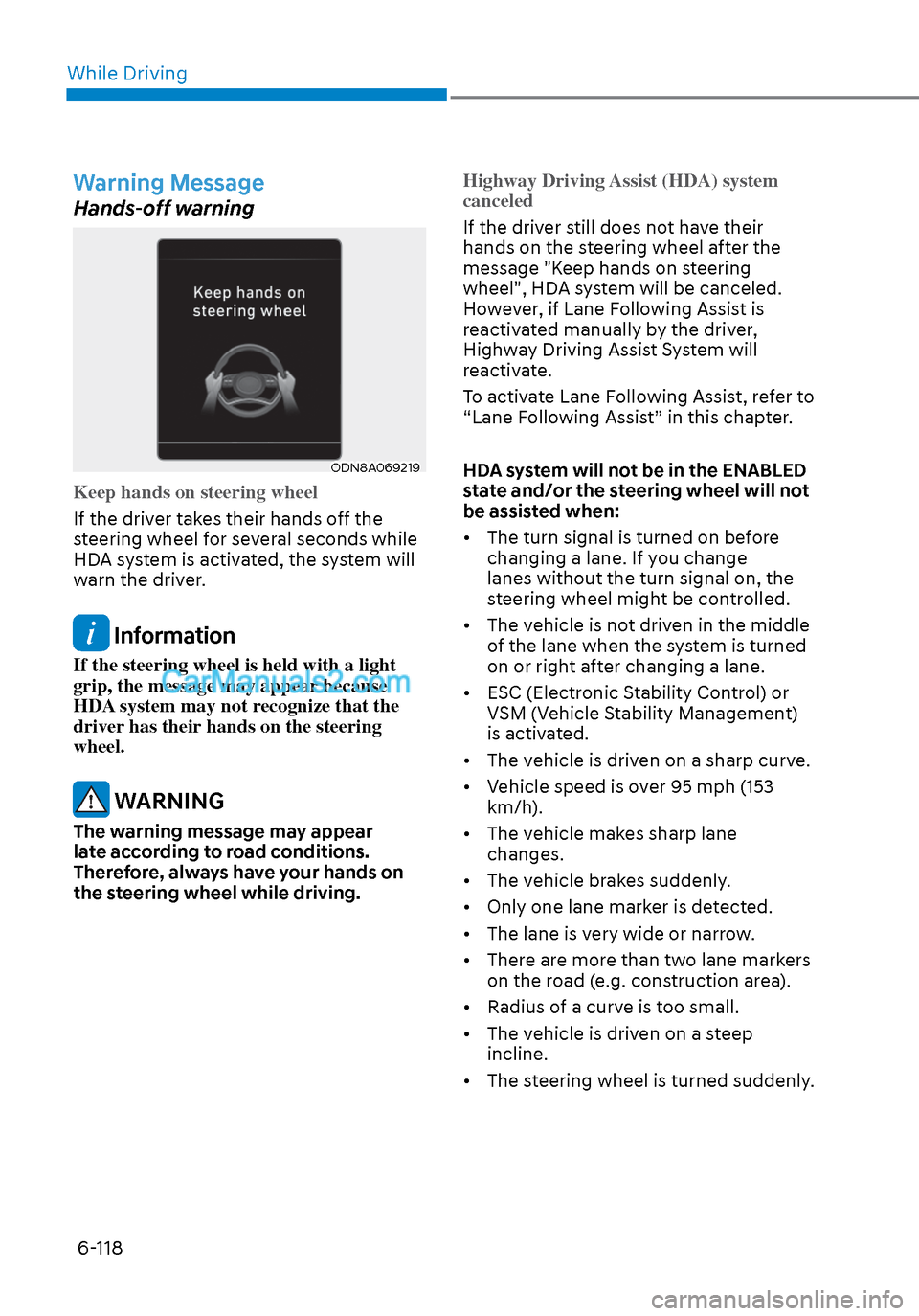
Keep hands on steering wheel
If the driver takes their hands off the
s
teering wheel for several seconds while
HDA system is activated, the system will
warn the driver.
Information
If the steering wheel is held with a light
grip, the message may appear because
HDA system may not recognize that the
driver has their hands on the steering
wheel.
WARNING
The warning message may appear
late according to road conditions.
Therefore, always have your hands on
the steering wheel while driving. Highway Driving Assist (HDA) system
canceled
If the driver still does not have their
hands on the s
teering wheel after the
message "Keep hands on steering
wheel", HDA system will be canceled.
However, if Lane Following Assist is
reactivated manually by the driver,
Highway Driving Assist System will
reactivate.
To activate Lane Following Assist, refer to
“Lane Following Assist” in this chapter.
HDA system will not be in the ENABLED
state and/or the steering wheel will not
be assisted when:
• The turn signal is turned on before changing a lane. If you change
lanes without the turn signal on, the
steering wheel might be controlled.
• The vehicle is not driven in the middle of the lane when the system is turned
on or right after changing a lane.
• ESC (Electronic Stability Control) or VSM (Vehicle Stability Management)
is activated.
• The vehicle is driven on a sharp curve.
• Vehicle speed is over 95 mph (153 km/h).
• The vehicle makes sharp lane changes.
• The vehicle brakes suddenly.
• Only one lane marker is detected.
• The lane is very wide or narrow.
• There are more than two lane markers on the road (e.g. construction area).
• Radius of a curve is too small.
• The vehicle is driven on a steep incline.
• The steering wheel is turned suddenly.