check HYUNDAI SONATA 2021 Service Manual
[x] Cancel search | Manufacturer: HYUNDAI, Model Year: 2021, Model line: SONATA, Model: HYUNDAI SONATA 2021Pages: 546, PDF Size: 51.21 MB
Page 223 of 546
05
5-93
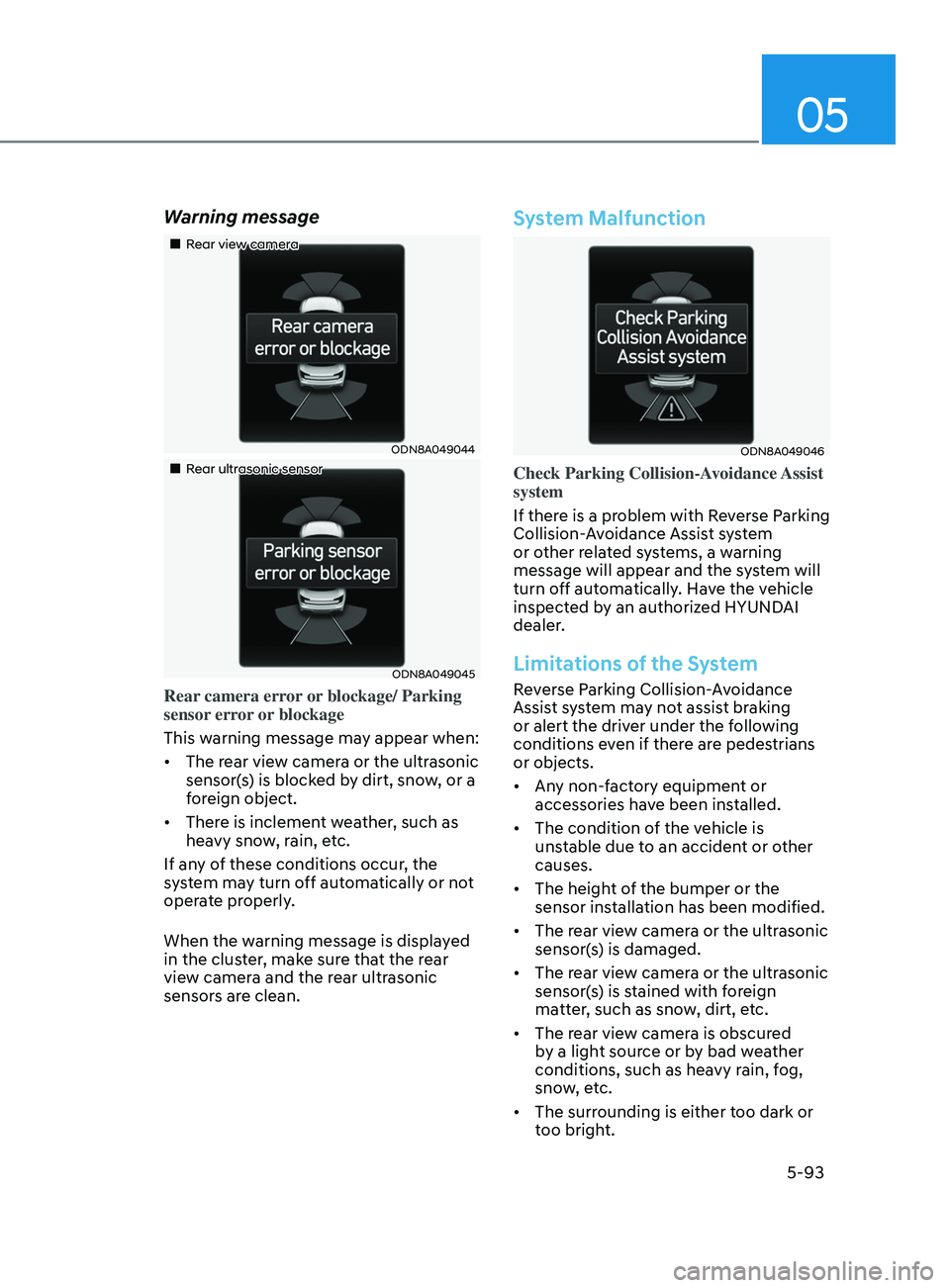
Warning message
„„Rear view camera
ODN8A049044
„„Rear ultrasonic sensor
ODN8A049045
Rear camera error or blockage/ Parking
sensor error or blockage
This warning message may appear when:
• The rear view camera or the ultrasonic
sensor(s) is blocked by dirt, snow, or a
foreign object.
• There is inclement weather, such as
heavy snow, rain, etc.
If any of these conditions occur, the
system may turn off automatically or not
operate properly.
When the warning message is displayed
in the cluster, make sure that the rear
view camera and the rear ultrasonic
sensors are clean.
System Malfunction
ODN8A049046
Check Parking Collision-Avoidance Assist
system
If there is a problem with Reverse Parking
Collision-Avoidance Assist system
or other related systems, a warning
message will appear and the system will
turn off automatically. Have the vehicle
inspected by an authorized HYUNDAI
dealer.
Limitations of the System
Reverse Parking Collision-Avoidance
Assist system may not assist braking
or alert the driver under the following
conditions even if there are pedestrians
or objects.
• Any non-factory equipment or
accessories have been installed.
• The condition of the vehicle is
unstable due to an accident or other
causes.
• The height of the bumper or the
sensor installation has been modified.
• The rear view camera or the ultrasonic
sensor(s) is damaged.
• The rear view camera or the ultrasonic
sensor(s) is stained with foreign
matter, such as snow, dirt, etc.
• The rear view camera is obscured
by a light source or by bad weather
conditions, such as heavy rain, fog,
snow, etc.
• The surrounding is either too dark or
too bright.
Page 234 of 546
Convenient Features5-104
remoT e S m A rT pA r K in G ASS i ST ( rS pA) ( if eQU ippe D)
Remote Smart Parking Assist system
helps drivers recognize surrounding
objects by using sensors to detect
parking spaces control the steering
wheel, shift the gear and adjust vehicle
speed automatically.
Remote moving forward and backward
function provides assistance for forward
and backward movement as well as
taking the vehicle out of the parking
space with driver outside the vehicle.
The driver should check the distance
between the parking space and the
objects in direct and be careful to
operate.
Due to the surrounding environment and
array or shape of the parked vehicles, the
vehicle may not be parked or exit at the
exact spot you have wished.
ÃRSP
A stands for Remote Smart
Parking Assist.
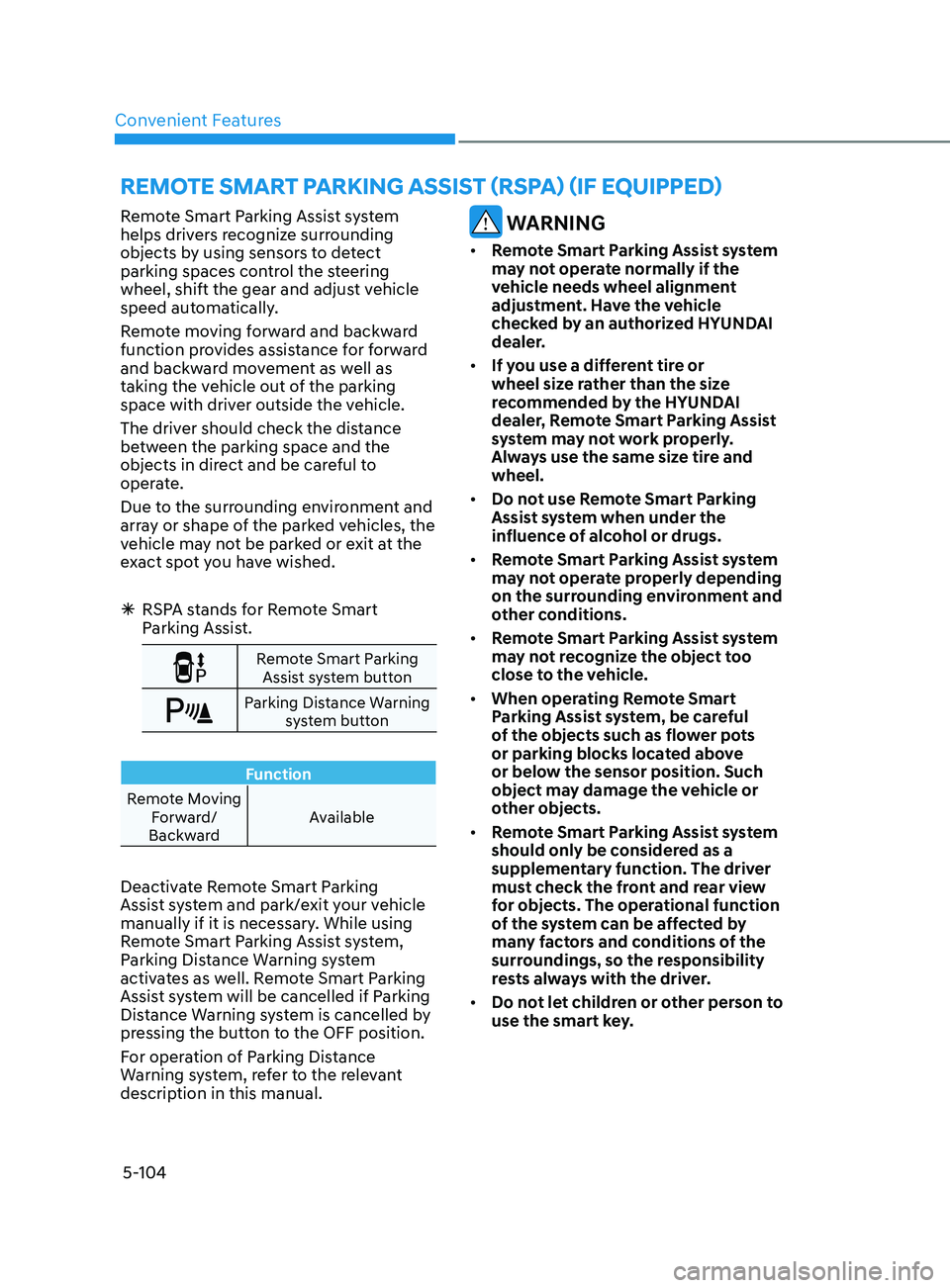
Remote Smart Parking
Assist system button
Parking Distance Warning system button
Function
Remote Moving Forward/
Backward Available
Deactivate Remote Smart Parking
Assist system and park/exit your vehicle
manually if it is necessary. While using
Remote Smart Parking Assist system,
Parking Distance Warning system
activates as well. Remote Smart Parking
Assist system will be cancelled if Parking
Distance Warning system is cancelled by
pressing the button to the OFF position.
For operation of Parking Distance
Warning system, refer to the relevant
description in this manual.
WARNING
•
Remote Smart Parking Assist system
may not operate normally if the
vehicle needs wheel alignment
adjustment. Have the vehicle
checked by an authorized HYUNDAI
dealer.
• If you use a different tire or
wheel size rather than the size
recommended by the HYUNDAI
dealer, Remote Smart Parking Assist
system may not work properly.
Always use the same size tire and
wheel.
• Do not use Remote Smart Parking
Assist system when under the
influence of alcohol or drugs.
• Remote Smart Parking Assist system
may not operate properly depending
on the surrounding environment and
other conditions.
• Remote Smart Parking Assist system
may not recognize the object too
close to the vehicle.
• When operating Remote Smart
Parking Assist system, be careful
of the objects such as flower pots
or parking blocks located above
or below the sensor position. Such
object may damage the vehicle or
other objects.
• Remote Smart Parking Assist system
should only be considered as a
supplementary function. The driver
must check the front and rear view
for objects. The operational function
of the system can be affected by
many factors and conditions of the
surroundings, so the responsibility
rests always with the driver.
• Do not let children or other person to
use the smart key.
Page 237 of 546
05
5-107
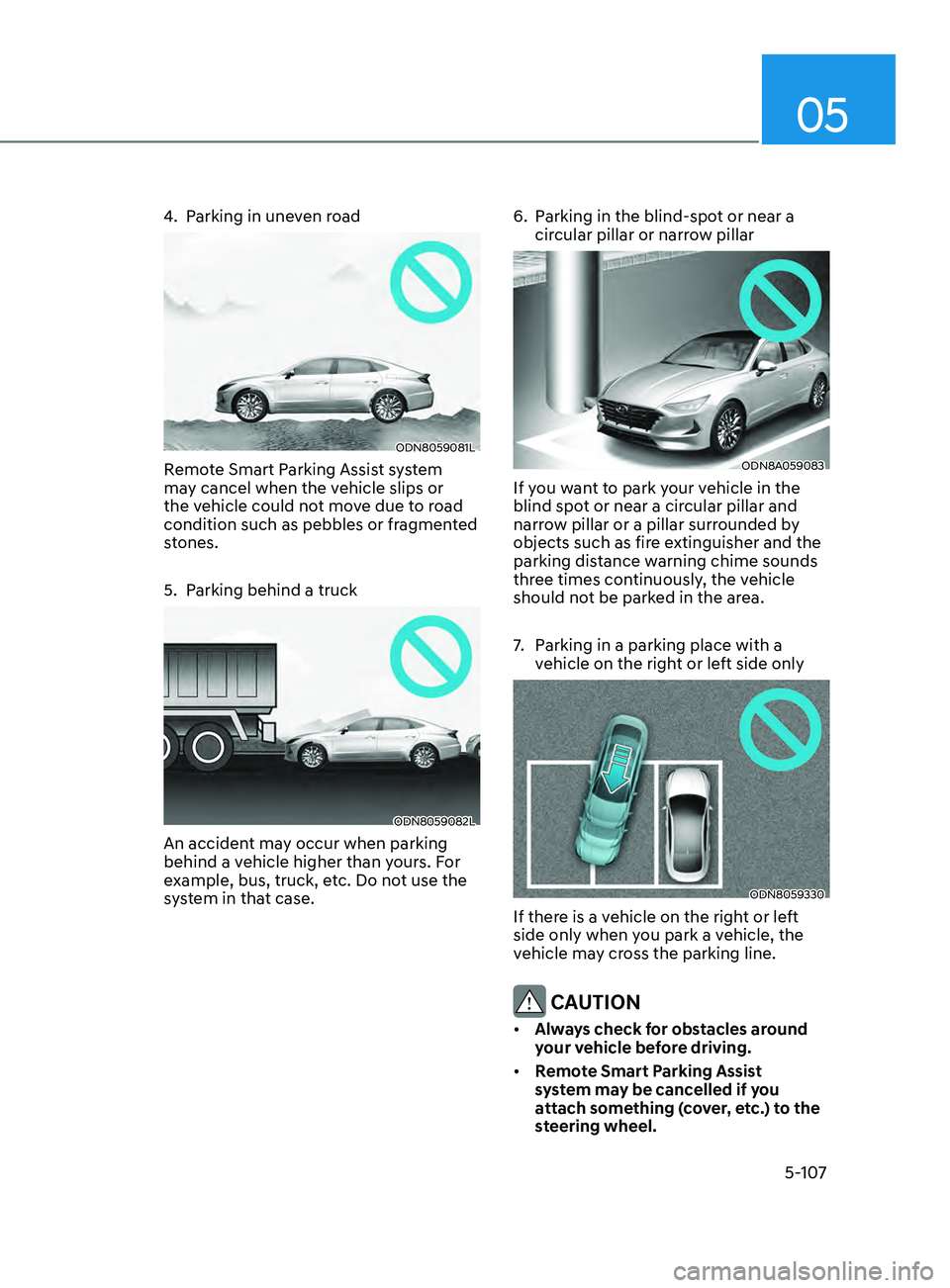
4. Parking in uneven road
ODN8059081L
Remote Smart Parking Assist system
may cancel when the vehicle slips or
the vehicle could not move due to road
condition such as pebbles or fragmented
stones.
5.
P
arking behind a truck
ODN8059082L
An accident may occur when parking
behind a vehicle higher than yours. For
example, bus, truck, etc. Do not use the
system in that case. 6.
P
arking in the blind-spot or near a
circular pillar or narrow pillar
ODN8A059083
If you want to park your vehicle in the
blind spot or near a circular pillar and
narrow pillar or a pillar surrounded by
objects such as fire extinguisher and the
parking distance warning chime sounds
three times continuously, the vehicle
should not be parked in the area.
7.
P
arking in a parking place with a
vehicle on the right or left side only
ODN8059330
If there is a vehicle on the right or left
side only when you park a vehicle, the
vehicle may cross the parking line.
CAUTION
• Always check for obstacles around
your vehicle before driving.
• Remote Smart Parking Assist
system may be cancelled if you
attach something (cover, etc.) to the
steering wheel.
Page 239 of 546
05
5-109
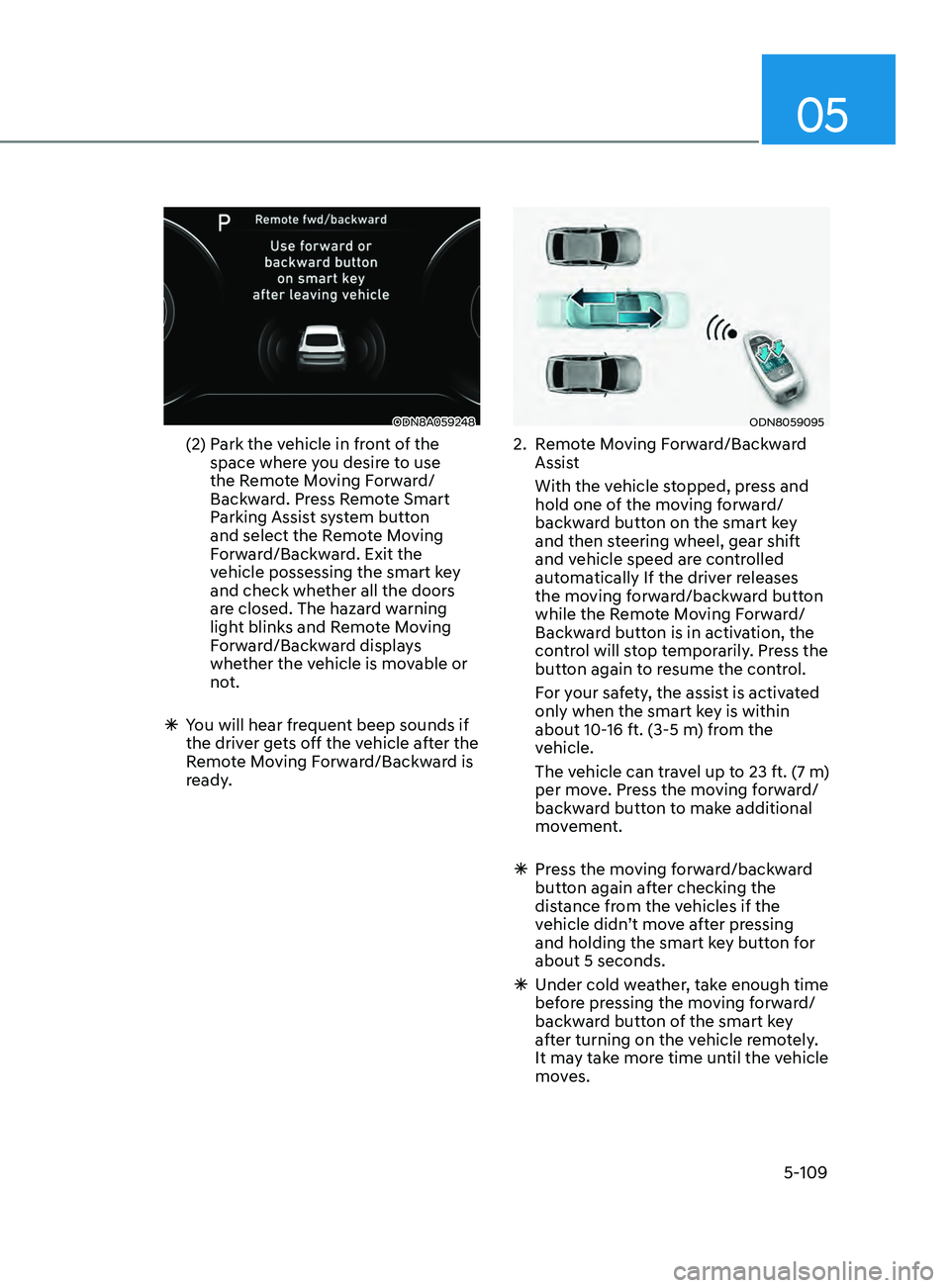
ODN8A059248
(2) Park the vehicle in front of the
space where you desire to use
the Remote Moving Forward/
Backward. Press Remote Smart
Parking Assist system button
and select the Remote Moving
Forward/Backward. Exit the
vehicle possessing the smart key
and check whether all the doors
are closed. The hazard warning
light blinks and Remote Moving
Forward/Backward displays
whether the vehicle is movable or
not.
ÃY
ou will hear frequent beep sounds if
the driver gets off the vehicle after the
Remote Moving Forward/Backward is
ready.
ODN8059095
2. Remote Moving Forward/Backward Assist
With the v
ehicle stopped, press and
hold one of the moving forward/
backward button on the smart key
and then steering wheel, gear shift
and vehicle speed are controlled
automatically If the driver releases
the moving forward/backward button
while the Remote Moving Forward/
Backward button is in activation, the
control will stop temporarily. Press the
button again to resume the control.
F
or your safety, the assist is activated
only when the smart key is within
about 10-16 ft. (3-5 m) from the
vehicle.
The v
ehicle can travel up to 23 ft. (7 m)
per move. Press the moving forward/
backward button to make additional
movement.
à Pr
ess the moving forward/backward
button again after checking the
distance from the vehicles if the
vehicle didn’t move after pressing
and holding the smart key button for
about 5 seconds.
à Under cold w
eather, take enough time
before pressing the moving forward/
backward button of the smart key
after turning on the vehicle remotely.
It may take more time until the vehicle
moves.
Page 240 of 546
Convenient Features
5-110
ÃWhen the R emote Moving Forward
is ready by the above No. (1)
method, the vehicle recognizes the
condition as exit. After confirming
the surroundings within 13 ft. (4 m), it
allows to operate the steering wheel
up to the conditions ahead.
à When R
emote Moving Forward is
ready by the above No. (2) method,
the vehicle recognizes the condition
as entering to the parking space.
According to the front condition, it
immediately allows the vehicle to
enter to the parking space and line
up with the steering wheel control.
However, the function performance
can be degraded up to the shape or
position of the surrounding objects.
à If y
ou select the remote moving
backward, both of the No. (1) and (2)
methods make the vehicle go straight
after lining up.
à While R
emote Moving Forward/
Backward assist is operating, the
brake light turns on.
ODN8A059249
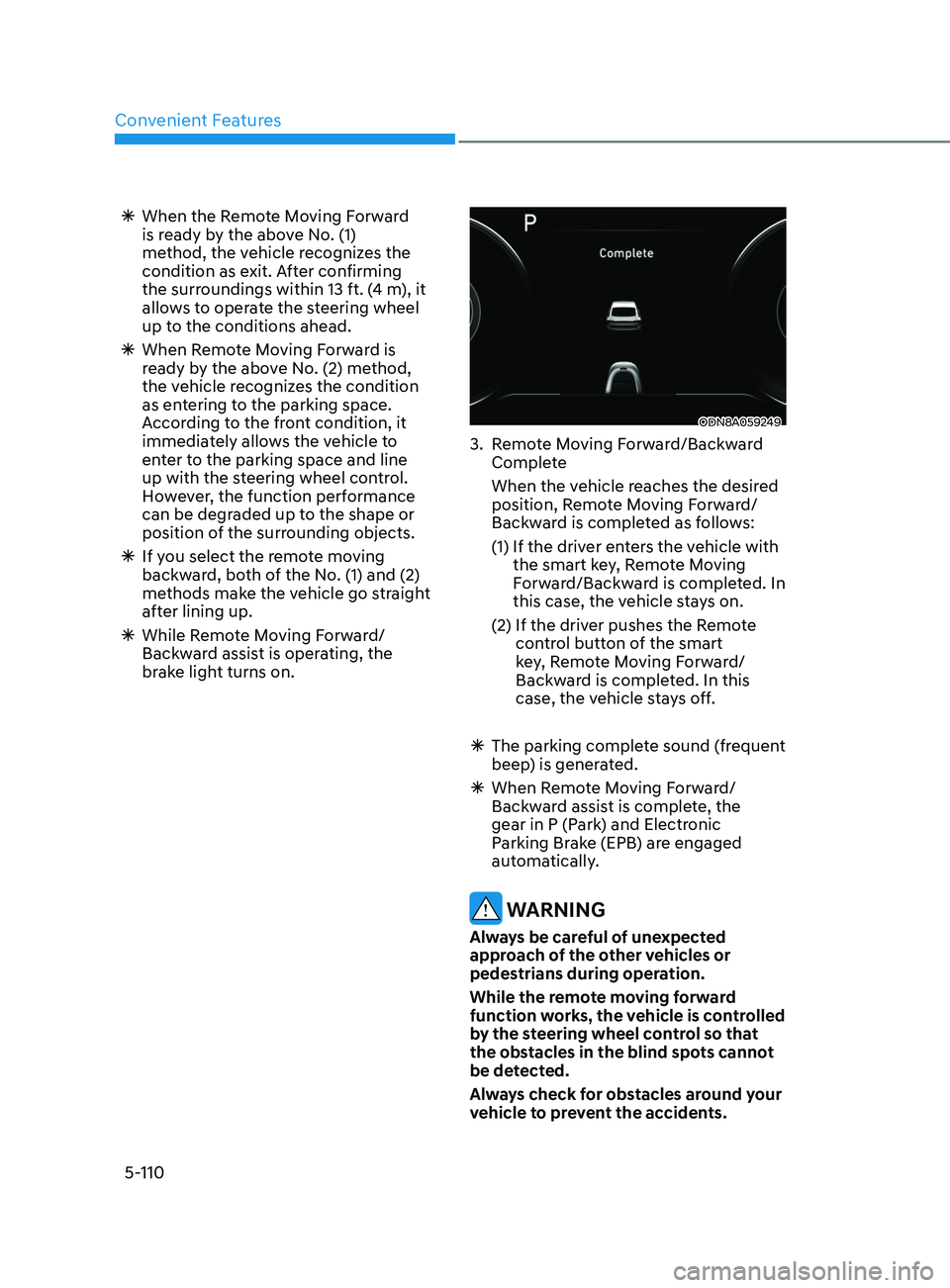
3. Remote Moving Forward/Backward Complete
When the v
ehicle reaches the desired
position, Remote Moving Forward/
Backward is completed as follows:
(1)
If the driv
er enters the vehicle with
the smart key, Remote Moving
Forward/Backward is completed. In
this case, the vehicle stays on.
(2)
If the driv
er pushes the Remote
control button of the smart
key, Remote Moving Forward/
Backward is completed. In this
case, the vehicle stays off.
à The parking comple
te sound (frequent
beep) is generated.
à When R
emote Moving Forward/
Backward assist is complete, the
gear in P (Park) and Electronic
Parking Brake (EPB) are engaged
automatically.
WARNING
Always be careful of unexpected
approach of the other vehicles or
pedestrians during operation.
While the remote moving forward
function works, the vehicle is controlled
by the steering wheel control so that
the obstacles in the blind spots cannot
be detected.
Always check for obstacles around your
vehicle to prevent the accidents.
Page 241 of 546
05
5-111
CAUTION
• The driver should check for obstacles
directly around the vehicle.
• The function may be cancelled if you
attach something (cover, etc.) to the
steering wheel.
• Make sure all the passengers exit the
vehicle when the Remote Moving
Forward/Backward is in activation.
• Make sure all the smart keys are
outside the vehicle when the Remote
Moving Forward/Backward assist is
in activation.
• The detection range of the smart key
can be differed by the surroundings
(ex: Indoor/outdoor, strong electric
field area)
• If the parking distance warning
sounds three consecutive times
during operating the Remote Moving
Forward/Backward system, you
should not move your vehicle in that
direction since the objects are too
close. The driver should operate the
vehicle manually.
To cancel the Remote Moving
Forward/Backward while in
operation
1. Press the remote start button on the
smart key.
2.
The driv
er should press Remote Smart
Parking Assist system button while
Remote Moving Forward/Backward is
instructed.
3.
The driv
er should shift the gear
besides P (parking) while Remote
Moving Forward/Backward is
instructed.
4.
The driv
er should press Parking
Distance Warning system button
while the Remote Moving Forward/
Backward is instructed.
5.
During R
emote Moving Forward/
Backward operation, the vehicle
turns off when the driver presses the
remote start button on the smart key.
6.
The function is cancelled but the
v
ehicle stays on when the driver
enters the vehicle with the smart key
and all the doors are open.
Page 243 of 546
05
5-113
Additional Instructions
When the Remote Smart Parking Assist
system is in operation, the system may
be cancelled regardless of the instruction
order.
The appeared messages could be
differed according to the circumstances.
Follow the instructions provided while
driving your vehicle with the Remote
Smart Parking Assist system in activation.
When the function works, please follow
the displayed messages and the driver
should be cautious for safety.
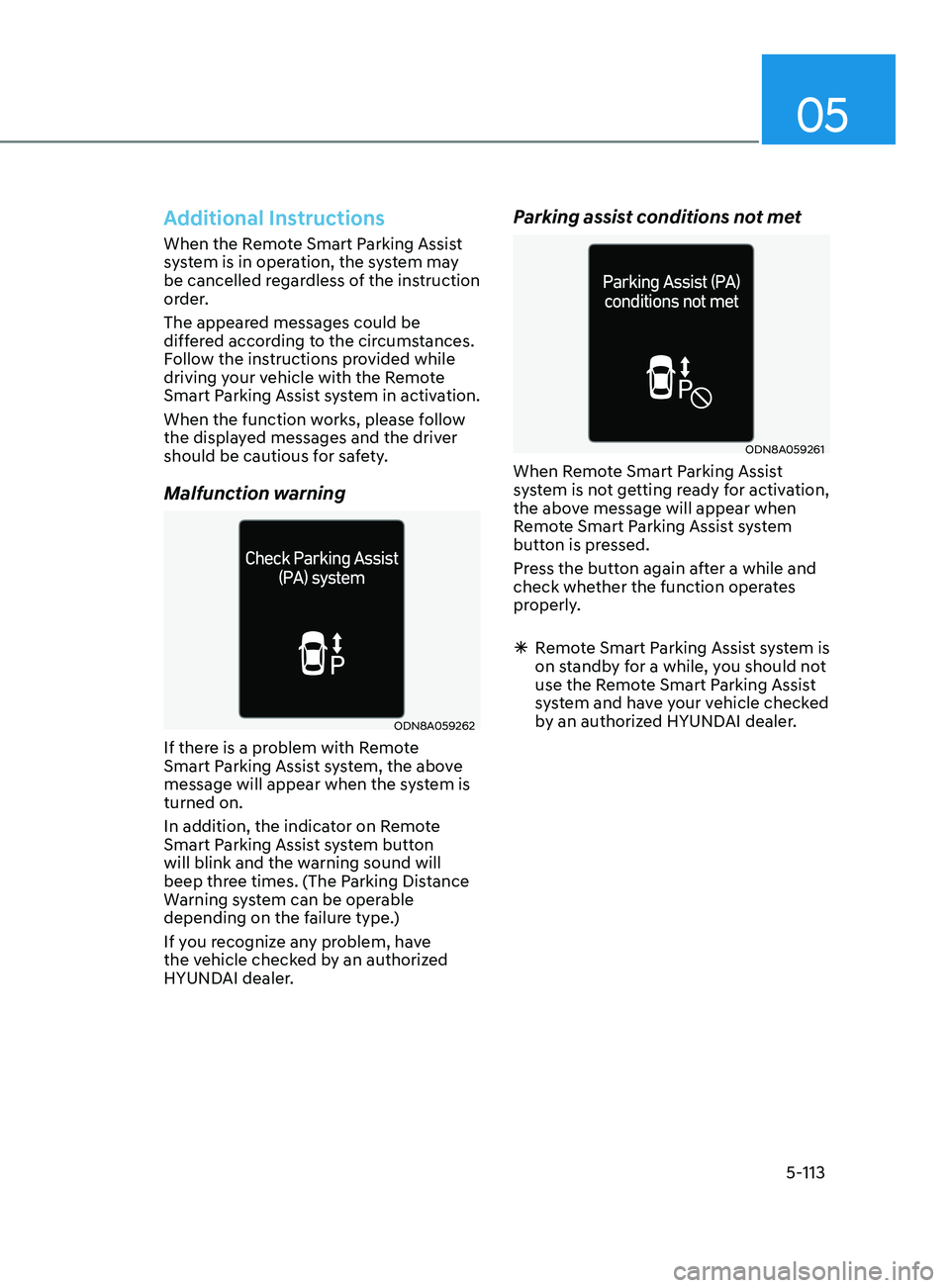
Malfunction warning
ODN8A059262
If there is a problem with Remote
Smart Parking Assist system, the above
message will appear when the system is
turned on.
In addition, the indicator on Remote
Smart Parking Assist system button
will blink and the warning sound will
beep three times. (The Parking Distance
Warning system can be operable
depending on the failure type.)
If you recognize any problem, have
the vehicle checked by an authorized
HYUNDAI dealer.
Parking assist conditions not met
ODN8A059261
When Remote Smart Parking Assist
system is not getting ready for activation,
the above message will appear when
Remote Smart Parking Assist system
button is pressed.
Press the button again after a while and
check whether the function operates
properly.
ÃR
emote Smart Parking Assist system is
on standby for a while, you should not
use the Remote Smart Parking Assist
system and have your vehicle checked
by an authorized HYUNDAI dealer.
Page 255 of 546
05
5-125
Air conditioning system operation tips
• If the vehicle has been parked in
direct sunlight during hot weather,
open the windows for a short time
to let the hot air inside the vehicle
escape.
• After sufficient cooling has been
achieved, switch back from the
recirculated air to the fresh outside air
position.
• To help reduce moisture inside of
the windows on rainy or humid
days, decrease the humidity inside
the vehicle by operating the air
conditioning system with the windows
and sunroof closed.
• Use the air conditioning system
every month only for a few minutes
to ensure maximum system
performance.
• If you operate air conditioner
excessively, the difference between
the temperature of the outside air and
that of the windshield could cause
the outer surface of the windshield
to fog up, causing loss of visibility. In
this case, set the mode selection knob
or button to the
position and fan
speed control to the lower speed.
System Maintenance
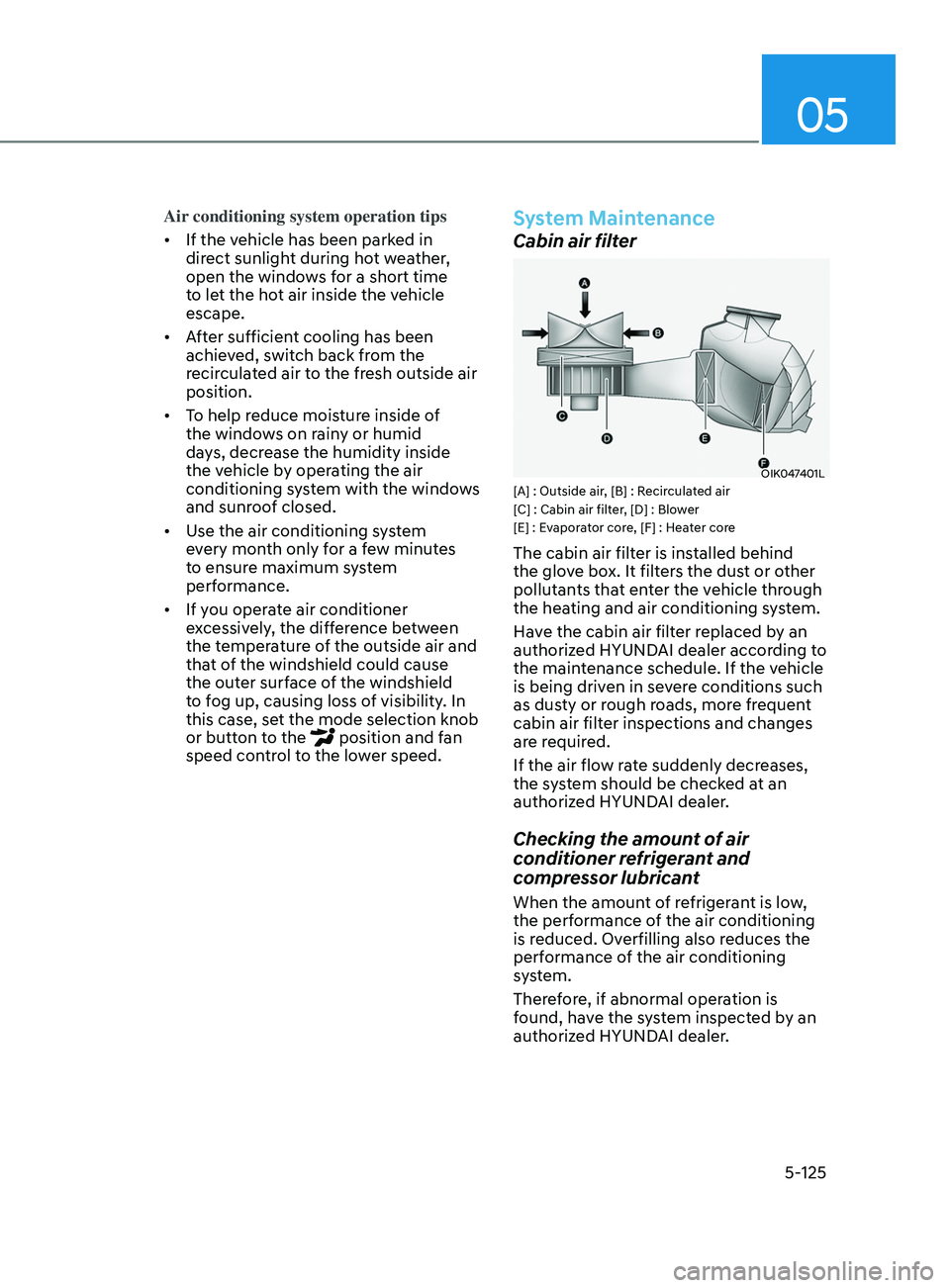
Cabin air filter
OIK047401L[A] : Outside air, [B] : Recirculated air
[C] : Cabin air filter, [D] : Blower
[E] : Evaporator core, [F] : Heater core
The cabin air filter is installed behind
the glove box. It filters the dust or other
pollutants that enter the vehicle through
the heating and air conditioning system.
Have the cabin air filter replaced by an
authorized HYUNDAI dealer according to
the maintenance schedule. If the vehicle
is being driven in severe conditions such
as dusty or rough roads, more frequent
cabin air filter inspections and changes
are required.
If the air flow rate suddenly decreases,
the system should be checked at an
authorized HYUNDAI dealer.
Checking the amount of air
conditioner refrigerant and
compressor lubricant
When the amount of refrigerant is low,
the performance of the air conditioning
is reduced. Overfilling also reduces the
performance of the air conditioning
system.
Therefore, if abnormal operation is
found, have the system inspected by an
authorized HYUNDAI dealer.
Page 266 of 546
Convenient Features
5-136
Air conditioning system operation tips
• If the vehicle has been parked in
direct sunlight during hot weather,
open the windows for a short time
to let the hot air inside the vehicle
escape.
• After sufficient cooling has been
achieved, switch back from the
recirculated air to the fresh outside air
position.
• To help reduce moisture inside of
the windows on rainy or humid
days, decrease the humidity inside
the vehicle by operating the air
conditioning system with the windows
and sunroof closed.
• Use the air conditioning system
every month only for a few minutes
to ensure maximum system
performance.
• If you operate air conditioner
excessively, the difference between
the temperature of the outside air and
that of the windshield could cause
the outer surface of the windshield
to fog up, causing loss of visibility. In
this case, set the mode selection knob
or button to the
position and fan
speed control to the lower speed.
System Maintenance
Cabin air filter
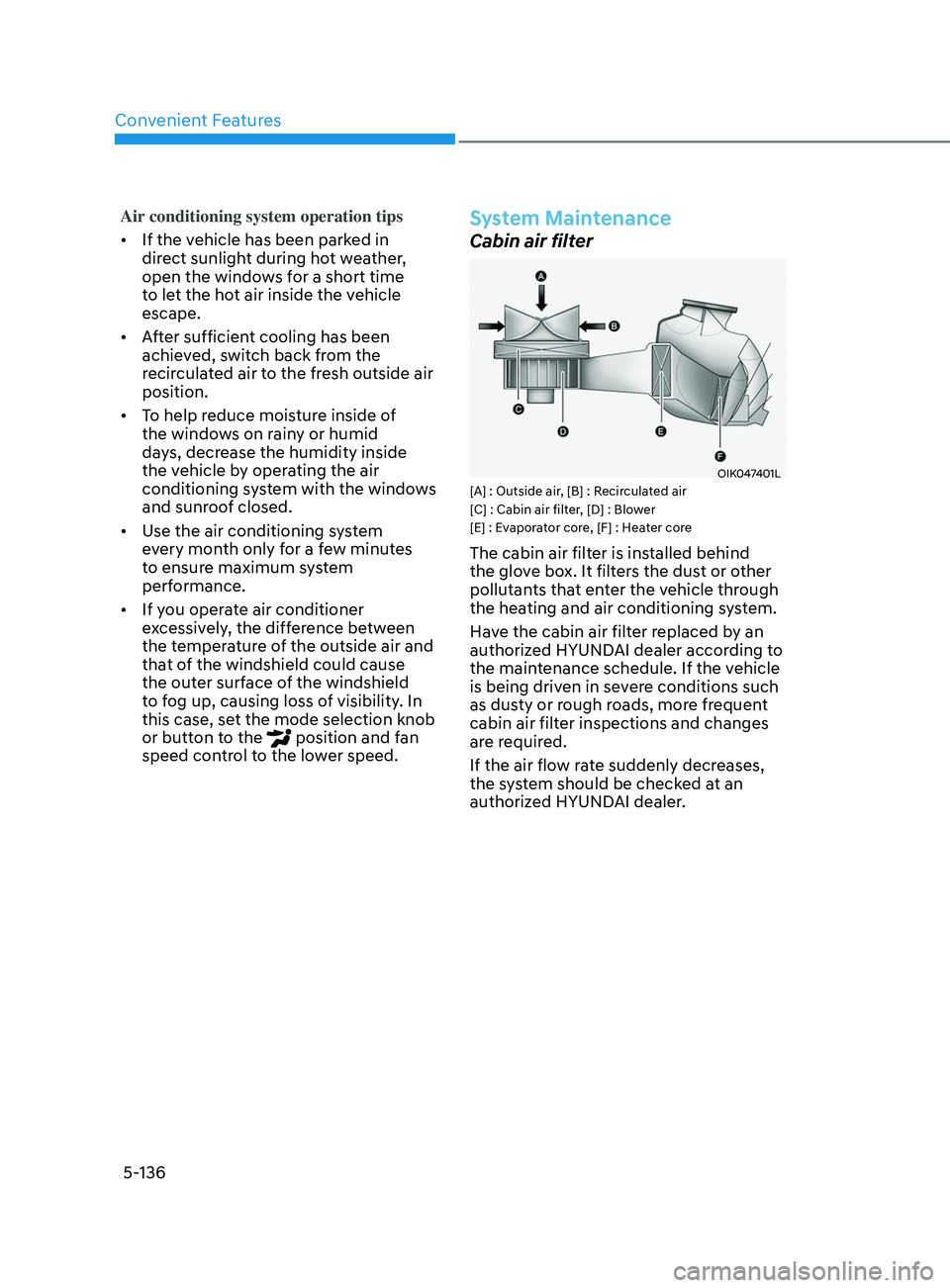
OIK047401L[A] : Outside air, [B] : Recirculated air
[C] : Cabin air filter, [D] : Blower
[E] : Evaporator core, [F] : Heater core
The cabin air filter is installed behind
the glove box. It filters the dust or other
pollutants that enter the vehicle through
the heating and air conditioning system.
Have the cabin air filter replaced by an
authorized HYUNDAI dealer according to
the maintenance schedule. If the vehicle
is being driven in severe conditions such
as dusty or rough roads, more frequent
cabin air filter inspections and changes
are required.
If the air flow rate suddenly decreases,
the system should be checked at an
authorized HYUNDAI dealer.
Page 267 of 546
05
5-137
Checking the amount of air
conditioner refrigerant and
compressor lubricant
When the amount of refrigerant is low,
the performance of the air conditioning
is reduced. Overfilling also reduces the
performance of the air conditioning
system.
Therefore, if abnormal operation is
found, have the system inspected by an
authorized HYUNDAI dealer.
NOTICE
It is important that the correct type and
amount of oil and refrigerant is used.
Otherwise, damage to the compressor
and abnormal system operation may
occur. To prevent damage, the air
conditioning system in your vehicle
should only be serviced by trained and
certified technicians.
WARNING
Vehicles equipped with R-1234yf
Since the refrigerant is
mildly flammable and
operated at high pressure,
the air conditioning system
should only be serviced
by trained and certified
technicians. It is important
that the correct type
and amount of oil and
refrigerant are used.
All refrigerants should be reclaimed
with proper equipment.
Venting refrigerants directly to the
atmosphere is harmful to individuals
and environment. Failure to heed these
warnings can lead to serious injuries.
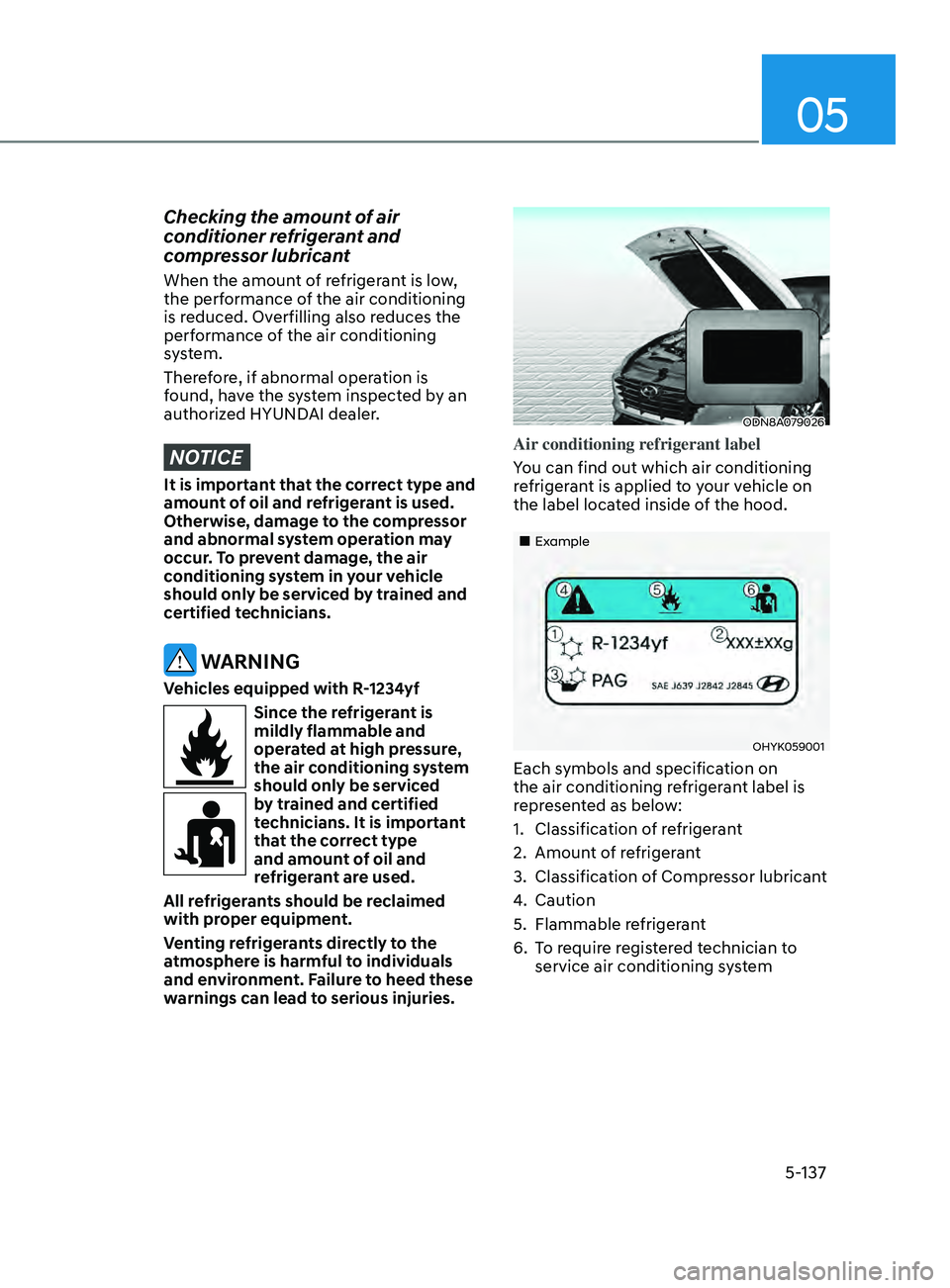
ODN8A079026
Air conditioning refrigerant label
You can find out which air conditioning
refrigerant is applied to your vehicle on
the label located inside of the hood.
„„Example
OHYK059001
Each symbols and specification on
the air conditioning refrigerant label is
represented as below:
1.
Classifica
tion of refrigerant
2.
Amoun
t of refrigerant
3.
Classifica
tion of Compressor lubricant
4.
Caution
5.
Flammable r
efrigerant
6.
T
o require registered technician to
service air conditioning system