Direction HYUNDAI SONATA 2023 User Guide
[x] Cancel search | Manufacturer: HYUNDAI, Model Year: 2023, Model line: SONATA, Model: HYUNDAI SONATA 2023Pages: 555, PDF Size: 42.72 MB
Page 222 of 555
Convenience Features
5 -76
reverSe pArKinG colliSion-AvoiDAnce ASSiST
(if eQUippeD)
Reverse Parking Collision-Avoidance
Assist (PCA) is a supplemental system
that can warn the driver or apply braking
force to reduce the possibility of collision
with pedestrians when the vehicle is
reversing.
WARNING
• Always look around your vehicle to make sure there are no objects or
pedestrian before moving the vehicle
in any direction to prevent a collision.
• Do not solely rely on Reverse Parking Collision-Avoidance Assist system.
The system might not assist the
driver leading to pedestrian injury or
vehicle damage.
• Be aware that some objects may not be visible on the screen or be
detected by the rear ultrasonic
sensors, due to the objects’ distance,
size or material, all of which can limit
the effectiveness of the sensors.
System Setting and Operation
System setting
Parking Collision-Avoidance Assist-
Reverse (PCA-R) can be activated from
the Settings menu in the LCD display or
infotainment system display by following
the procedure below.
1. Set the Engine Start/Stop button to
the ON or START position.
2. Select ‘User Settings → Driver Assistance → Parking Safety → Active
Assist / Warning Only / Off’ in the
LCD display or infotainment system
display.
- The system is ready for operation when 'Active Assist' is selected. In
the event of an imminent collision
with a pedestrian or an object, the
system warns the driver or applies
braking force to help avoid the collision.
- The system is ready for operation when 'Warning Only' is selected. In
the event of an imminent collision
with a pedestrian, the system warns
the driver but does not assist in
braking.
- The system deactivates when 'Off' is selected.
Page 228 of 555
![HYUNDAI SONATA 2023 User Guide Convenience Features
5-82
reverSe pArKinG DiSTAnce wArninG (pDw)
(if eQUippeD)
ODN8A059056
[A] : Rear Sensor
Reverse Parking Distance Warning
system assists the driver during reverse
movement of](/img/35/56185/w960_56185-227.png "HYUNDAI SONATA 2023 User Guide Convenience Features
5-82
reverSe pArKinG DiSTAnce wArninG (pDw)
(if eQUippeD)
ODN8A059056
[A] : Rear Sensor
Reverse Parking Distance Warning
system assists the driver during reverse
movement of")
Convenience Features
5-82
reverSe pArKinG DiSTAnce wArninG (pDw)
(if eQUippeD)
ODN8A059056
[A] : Rear Sensor
Reverse Parking Distance Warning
system assists the driver during reverse
movement of the vehicle by chiming if
an object is sensed within the distance of
120 cm (48 in) behind the vehicle.
This system is a supplemental system
that senses objects within the range and
location of the sensors, it cannot detect
objects in other areas where sensors are
not installed.
WARNING
• ALWAYS look around your vehicle to
make sure there are not any objects
or obstacles before moving the
vehicle in any direction to prevent a
collision.
• Always pay close attention when the
vehicle is driven close to objects,
particularly pedestrians, and
especially children.
• Be aware that some objects may
not be visible on the screen or be
detected by the sensors, due to the
objects distance, size or material, all
of which can limit the effectiveness
of the sensor.
Operation of Reverse Parking
Distance Warning System
Operating condition • This system will activate when
backing up with the ignition switch in
the ON position. However, if vehicle
speed exceeds 5 km/h (3 mph), the
system may not detect objects.
• If vehicle speed exceeds 10km/h (6
mph), the system will not warn you
even though objects are detected.
• When more than two objects are
sensed at the same time, the closest
one will be recognized first.
Page 232 of 555
![HYUNDAI SONATA 2023 User Guide Convenience Features
5-86
forwArD/reverSe pArKinG DiSTAnce wArninG (pDw)
(if eQUippeD)
ODN8A059055
ODN8059056L
[A] : Front sensor, [B] : Rear sensor
Forward/Reverse Parking Distance
Warning syste](/img/35/56185/w960_56185-231.png "HYUNDAI SONATA 2023 User Guide Convenience Features
5-86
forwArD/reverSe pArKinG DiSTAnce wArninG (pDw)
(if eQUippeD)
ODN8A059055
ODN8059056L
[A] : Front sensor, [B] : Rear sensor
Forward/Reverse Parking Distance
Warning syste")
Convenience Features
5-86
forwArD/reverSe pArKinG DiSTAnce wArninG (pDw)
(if eQUippeD)
ODN8A059055
ODN8059056L
[A] : Front sensor, [B] : Rear sensor
Forward/Reverse Parking Distance
Warning system assists the driver during
movement of the vehicle by chiming if
an object is sensed within the distance of
100 cm (40 in) in front and 120 cm (48 in)
behind the vehicle.
This system is a supplemental system
that senses objects within the range and
location of the sensors, it cannot detect
objects in other areas where sensors are
not installed.
WARNING
• ALWAYS look around your vehicle
to make sure there are no objects or
obstacles before moving the vehicle
in any direction to prevent a collision.
• Always pay close attention when the
vehicle is driven close to objects,
particularly pedestrians, and
especially children.
• Be aware that some objects may
not be visible on the screen or be
detected by the sensors, due to the
objects distance, size or material, all
of which can limit the effectiveness
of the sensor.
• Do not tamper with the location
or size of the license plate
discretionally.
Page 244 of 555
Convenience Features
5-98
CAUTION
• The driver should check for obstacles
in directly around the vehicle.
• The function may be cancelled if you
attach something (cover, etc.) to the
steering wheel.
• Make sure all the passengers exit the
vehicle when the Remote Moving
Forward/Backward is in activation.
• Make sure all the smart keys are
outside the vehicle when the Remote
Moving Forward/Backward assist is
in activation.
• The detection range of the smart key
can be differed by the surroundings
(ex: Indoor/outdoor, strong electric
field area)
• If the parking distance warning
sounds three consecutive times
during operating the Remote Moving
Forward/Backward system, you
should not move your vehicle in that
direction since the objects are too
close. The driver should operate the
vehicle manually. To cancel the Remote Moving
Forward/Backward while in
operation
1. Press the remote start button on the
smart key.
2. The driver should press Remote Smart Parking Assist system button while
Remote Moving Forward/Backward is
instructed.
3. The driver should shift the gear besides P (parking) while Remote
Moving Forward/Backward is
instructed.
4. The driver should press Parking
Distance Warning system button
while the Remote Moving Forward/
Backward is instructed.
5. During Remote Moving Forward/ Backward operation, the vehicle
turns off when the driver presses the
remote start button on the smart key.
6. The function is cancelled but the vehicle stays on when the driver
enters the vehicle with the smart key
and all the doors are open.
Page 245 of 555
05
5-99
The Remote Moving Forward/
Backward assist will stop
temporarily when:
1. An obstacle is detected at the
direction the vehicle is heading.
2. The door or trunk is opened.
3. The moving forward/backward button on the smart key is released.
4. Multiple buttons on the smart key are
pressed at the same time.
5. The distance between the smart key and vehicle is over 4 m (13 ft.).
6. A button on the other smart key is pressed during operation.
7. Rear Cross-Traffic Collision-Avoidance
Assist system is activated while
reserving.
8. The vehicle moves 7 m (23 ft.) with the Remote Moving Forward/Backward
while the smart key is pressed.
(Maximum travel distance per move)
à The vehicle stops when the Remote
Smart Parking Assist system will stop
temporarily and the function will
resume when the above condition is
cleared.
The Remote Moving Forward/
Backward assist is cancelled while
in operation when:
1. The driver holds the steering wheel while the steering wheel is controlled.
2. The gear is shifted or the Electronic Parking Brake (EPB) is activated.
3. The hood opens.
4. The vehicle speed exceeds 5km/h (3
mph).
5. The vehicle accelerates suddenly.
6. The vehicle slips back while controlling the vehicle speed.
7. The wheel is stuck and the vehicle is
unable to move. 8. About 3 minutes and 50 seconds
have passed after the Remote Moving
Forward/Backward assist starts.
9. The gradient of the road exceeds
the range supported by the Remote
Moving Forward/Backward assist.
10. The steering, shifting gear and drive assist are difficult.
11. The suspended status lasts for over 1 minute.
12. The driver continuously presses and releases the smart key’s moving
forward/backward button over 10 times.
13. The Traction Control System (TCS) is activated while controlling the vehicle speed.
14. The smart key is damaged.
15. The accelerator/brake pedal is depressed while all the doors are closed.
16. The brake pedal is depressed while the driver’s door is open and the
smart key is outside the vehicle.
17. The vehicle travels more than 14 m (46 ft.) after the Remote Moving
Forward/Backward assist is activated.
18. The theft alarm system is activated.
à When the Remote Moving Forward/
Backward is completed, the gear in
P(Park) and Electronic Parking Brake
(EPB) are engaged automatically and
the vehicle turns off.
à The frequent beep sounds are
generated to show the deactivation
status.
Page 254 of 555
Convenience Features
5-108
ODN8059106
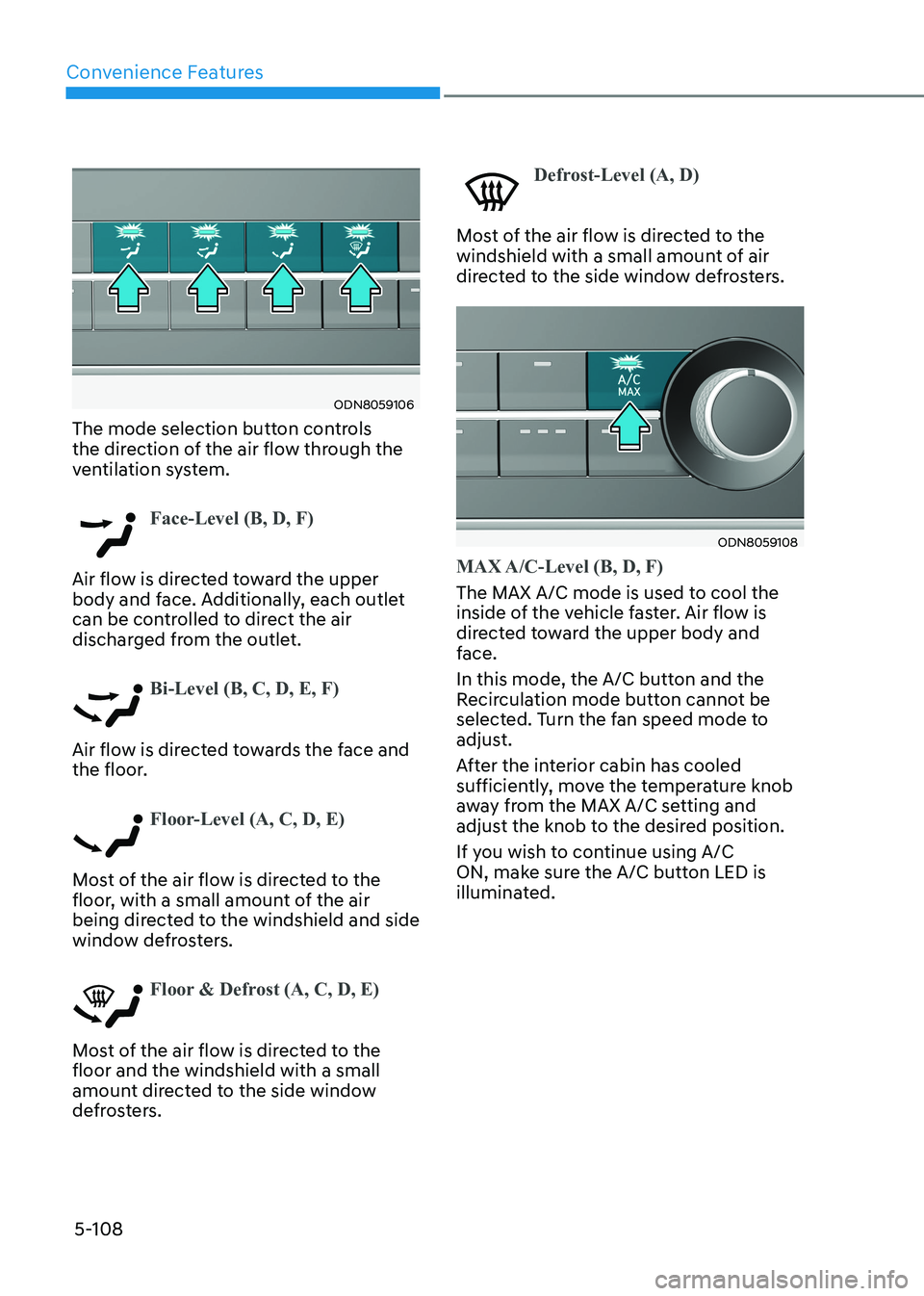
The mode selection button controls
the direction of the air flow through the
ventilation system.
Face-Level (B, D, F)
Air flow is directed toward the upper
body and face. Additionally, each outlet
can be controlled to direct the air
discharged from the outlet.
Bi-Level (B, C, D, E, F)
Air flow is directed towards the face and
the floor.
Floor-Level (A, C, D, E)
Most of the air flow is directed to the
floor, with a small amount of the air
being directed to the windshield and side
window defrosters.
Floor & Defrost (A, C, D, E)
Most of the air flow is directed to the floor and the windshield with a small
amount directed to the side window
defrosters.
Defrost-Level (A, D)
Most of the air flow is directed to the
windshield with a small amount of air
directed to the side window defrosters.
ODN8059108
MAX A/C-Level (B, D, F)
The MAX A/C mode is used to cool the
inside of the vehicle faster. Air flow is
directed toward the upper body and
face.
In this mode, the A/C button and the
Recirculation mode button cannot be
selected. Turn the fan speed mode to
adjust.
After the interior cabin has cooled
sufficiently, move the temperature knob
away from the MAX A/C setting and
adjust the knob to the desired position.
If you wish to continue using A/C
ON, make sure the A/C button LED is
illuminated.
Page 264 of 555
Convenience Features
5-118
ODN8059129L
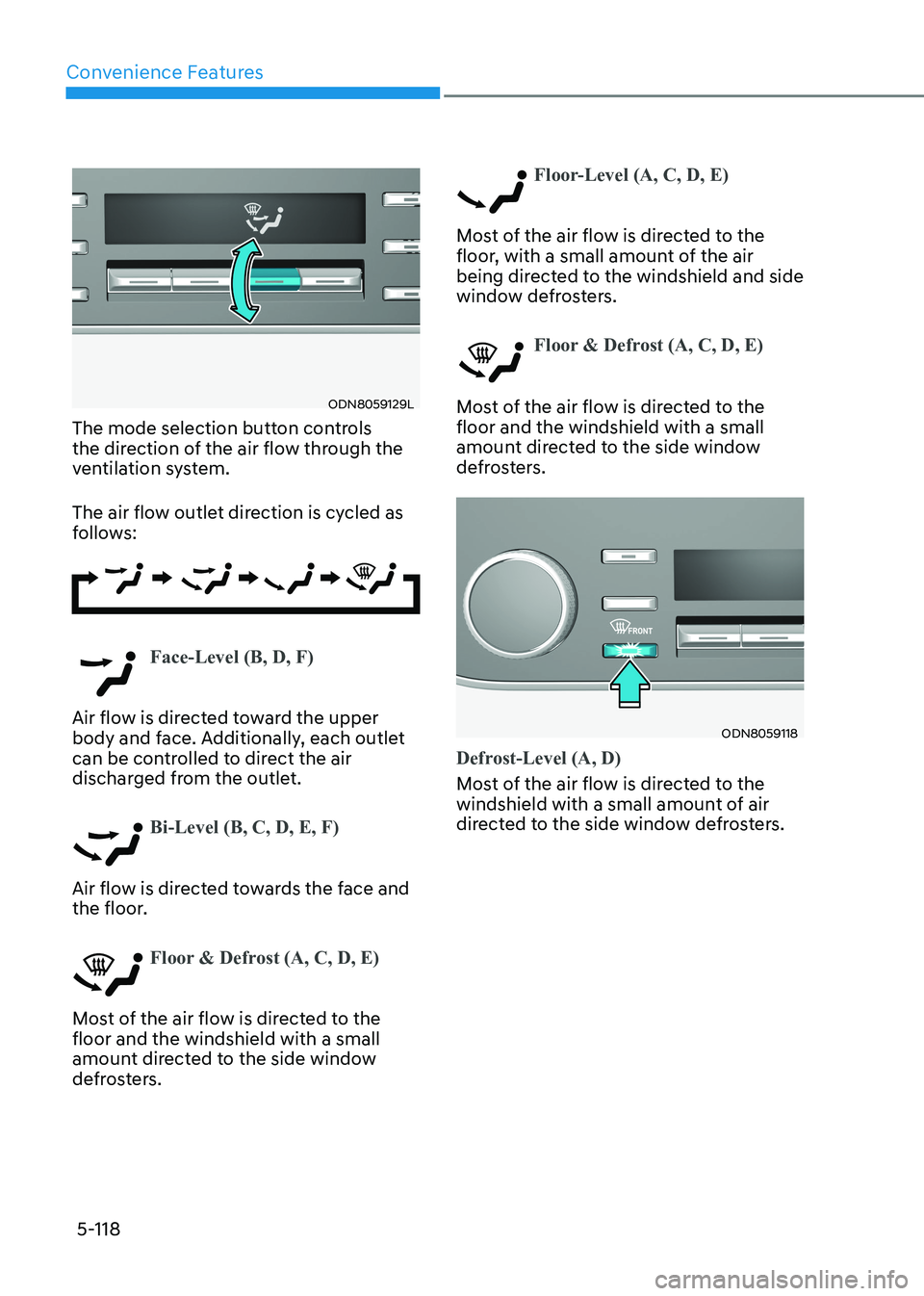
The mode selection button controls
the direction of the air flow through the
ventilation system.
The air flow outlet direction is cycled as
follows:
Face-Level (B, D, F)
Air flow is directed toward the upper
body and face. Additionally, each outlet
can be controlled to direct the air
discharged from the outlet.
Bi-Level (B, C, D, E, F)
Air flow is directed towards the face and
the floor.
Floor & Defrost (A, C, D, E)
Most of the air flow is directed to the floor and the windshield with a small
amount directed to the side window
defrosters.
Floor-Level (A, C, D, E)
Most of the air flow is directed to the
floor, with a small amount of the air
being directed to the windshield and side
window defrosters.
Floor & Defrost (A, C, D, E)
Most of the air flow is directed to the floor and the windshield with a small
amount directed to the side window
defrosters.
ODN8059118
Defrost-Level (A, D)
Most of the air flow is directed to the
windshield with a small amount of air
directed to the side window defrosters.
Page 293 of 555
While Driving
6-6
Key Ignition Switch (if equipped)
WARNING
To reduce the risk of SERIOUS INJURY or
DEATH, take the following precautions: • NEVER allow children or any person
who is unfamiliar with the vehicle to
touch the ignition switch or related
parts. Unexpected and sudden
vehicle movement can occur.
• NEVER reach through the steering
wheel for the ignition switch, or any
other control, while the vehicle is in
motion. The presence of your hand
or arm in this area may cause a loss
of vehicle control resulting in an
accident.
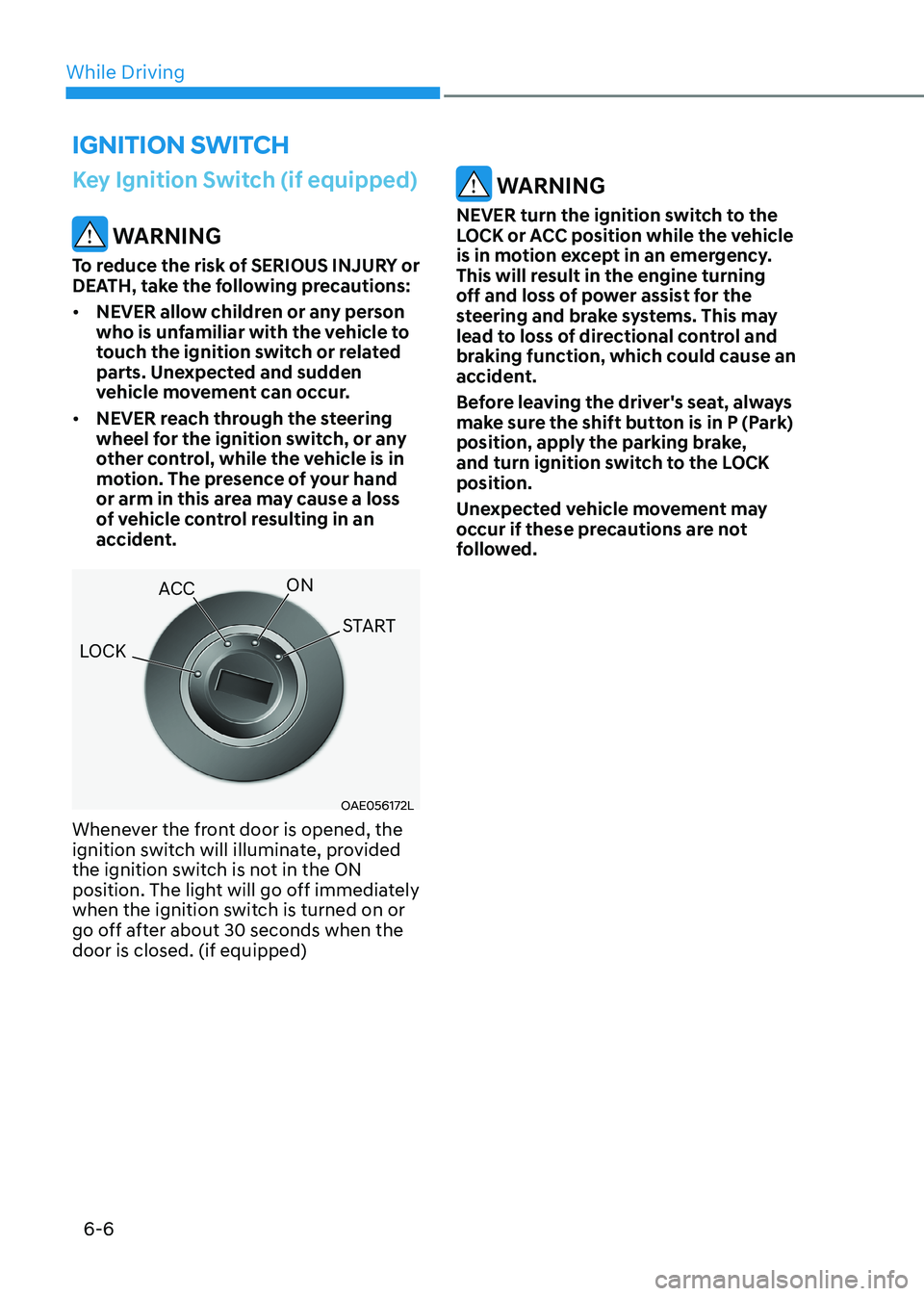
OAE056172L
Whenever the front door is opened, the
ignition switch will illuminate, provided
the ignition switch is not in the ON
position. The light will go off immediately
when the ignition switch is turned on or
go off after about 30 seconds when the door is closed. (if equipped)
WARNING
NEVER turn the ignition switch to the
LOCK or ACC position while the vehicle
is in motion except in an emergency.
This will result in the engine turning
off and loss of power assist for the
steering and brake systems. This may
lead to loss of directional control and
braking function, which could cause an
accident.
Before leaving the driver's seat, always
make sure the shift button is in P (Park)
position, apply the parking brake,
and turn ignition switch to the LOCK position.
Unexpected vehicle movement may
occur if these precautions are not
followed.
ignition Switch
LOCK ACC
ON
START
Page 296 of 555
06
6-9
Engine Start/Stop Button (if equipped)
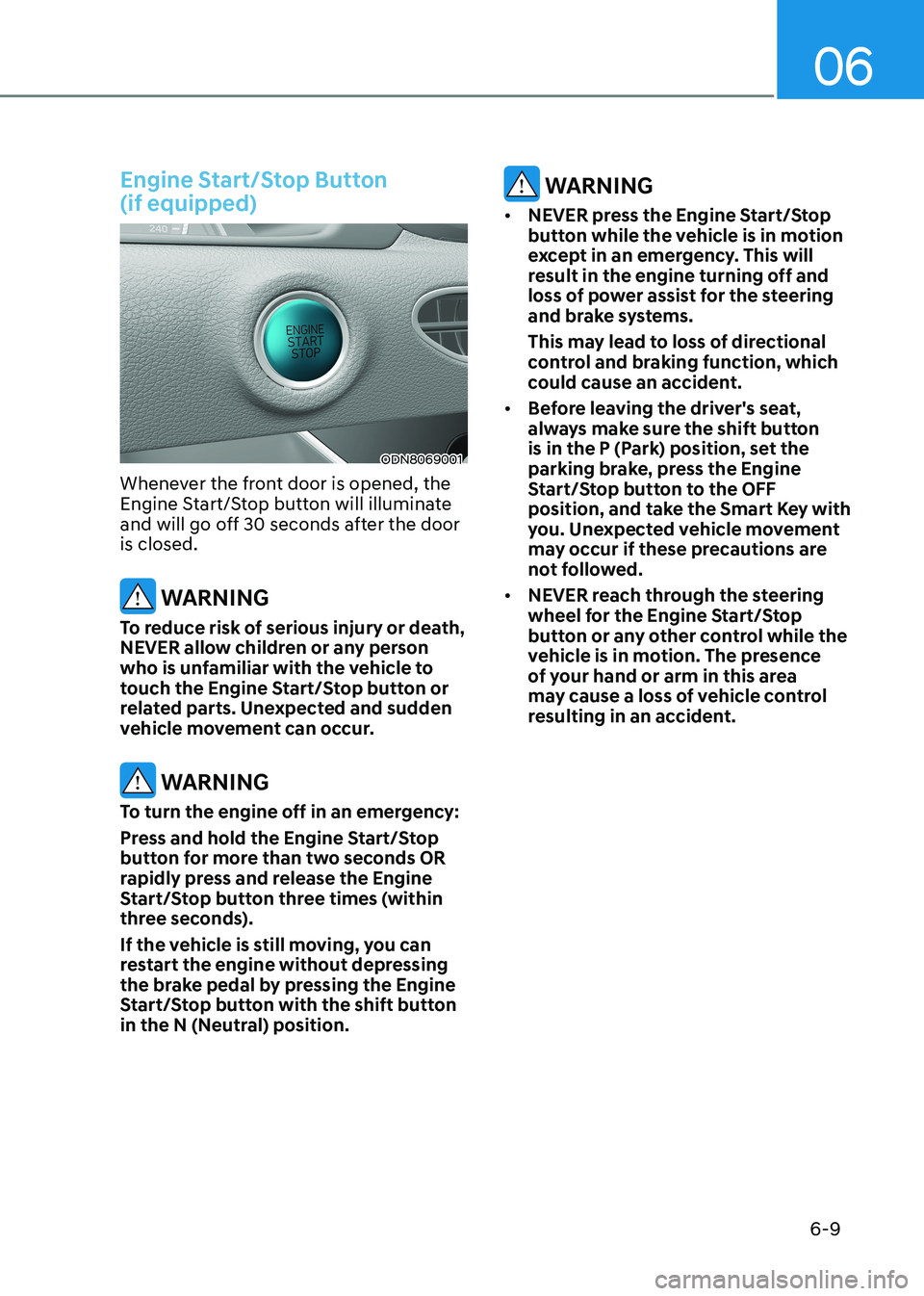
ODN8069001
Whenever the front door is opened, the
Engine Start/Stop button will illuminate
and will go off 30 seconds after the door is closed.
WARNING
To reduce risk of serious injury or death,
NEVER allow children or any person
who is unfamiliar with the vehicle to
touch the Engine Start/Stop button or
related parts. Unexpected and sudden
vehicle movement can occur.
WARNING
To turn the engine off in an emergency:
Press and hold the Engine Start/Stop
button for more than two seconds OR
rapidly press and release the Engine
Start/Stop button three times (within
three seconds).
If the vehicle is still moving, you can
restart the engine without depressing
the brake pedal by pressing the Engine
Start/Stop button with the shift button
in the N (Neutral) position.
WARNING
• NEVER press the Engine Start/Stop
button while the vehicle is in motion
except in an emergency. This will
result in the engine turning off and
loss of power assist for the steering
and brake systems.
This may lead to loss of directional
control and braking function, which
could cause an accident.
• Before leaving the driver's seat,
always make sure the shift button
is in the P (Park) position, set the
parking brake, press the Engine
Start/Stop button to the OFF
position, and take the Smart Key with
you. Unexpected vehicle movement
may occur if these precautions are
not followed.
• NEVER reach through the steering
wheel for the Engine Start/Stop
button or any other control while the
vehicle is in motion. The presence
of your hand or arm in this area
may cause a loss of vehicle control
resulting in an accident.
Page 299 of 555
While Driving
6-12
NOTICE
To prevent damage to the vehicle:
When the stop lamp switch fuse is
blown, you can't start the engine
normally. Replace the fuse with a new
one. If you are not able to replace
the fuse, you can start the engine by
pressing and holding the Engine Start/
Stop button for 10 seconds with the
Engine Start/Stop button in the ACC position.
Do not press the Engine Start/Stop
button for more than 10 seconds except
when the stop lamp switch fuse is
blown.
For your safety always depress the
brake pedal before starting the engine.
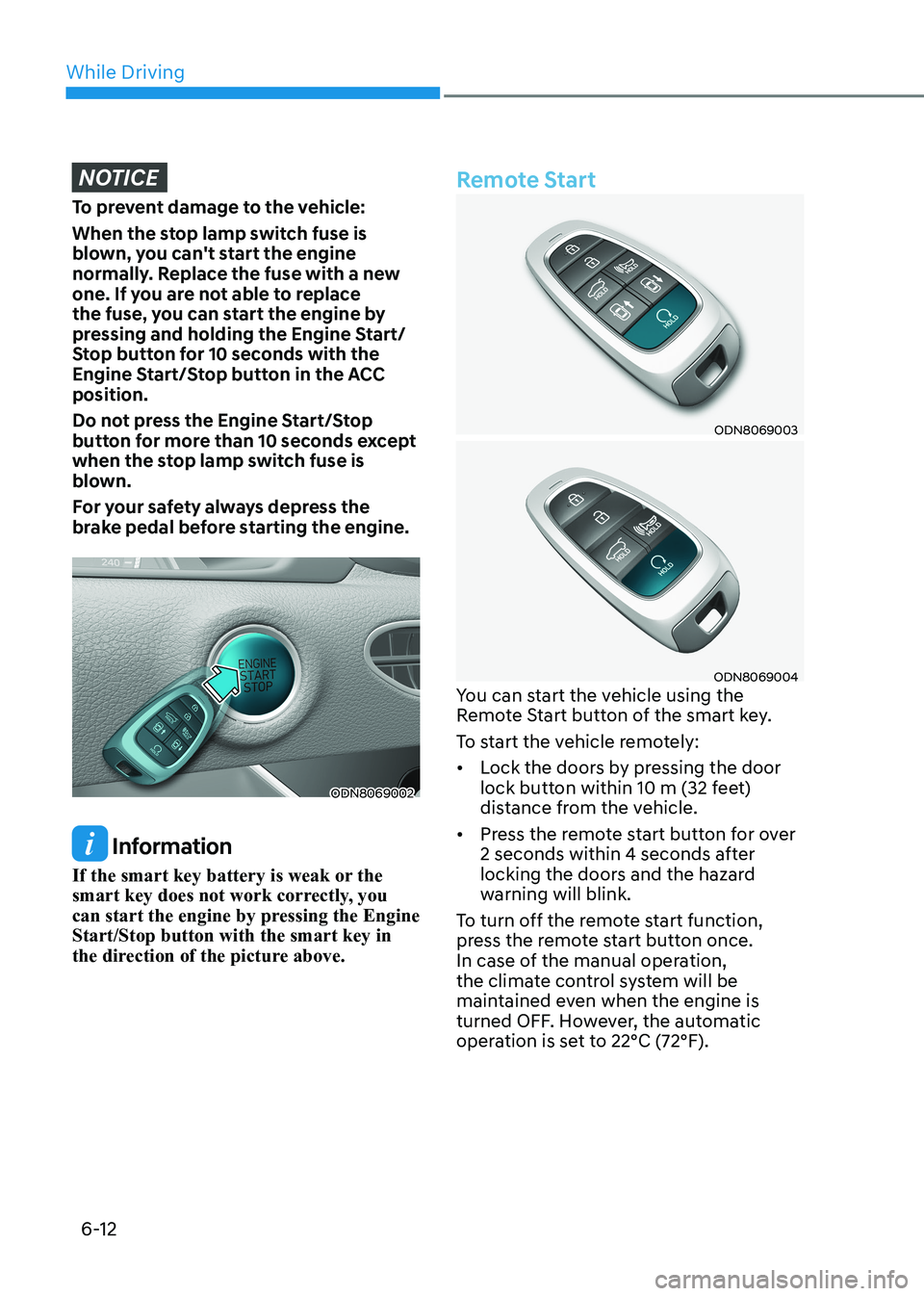
ODN8069002
Information
If the smart key battery is weak or the
smart key does not work correctly, you
can start the engine by pressing the Engine Start/Stop button with the smart key in
the direction of the picture above.
Remote Start
ODN8069003
ODN8069004
You can start the vehicle using the
Remote Start button of the smart key.
To start the vehicle remotely:• Lock the doors by pressing the door
lock button within 10 m (32 feet)
distance from the vehicle.
• Press the remote start button for over
2 seconds within 4 seconds after
locking the doors and the hazard
warning will blink.
To turn off the remote start function,
press the remote start button once.
In case of the manual operation,
the climate control system will be
maintained even when the engine is
turned OFF. However, the automatic
operation is set to 22°C (72°F).