display Hyundai Sonata Hybrid 2015 Service Manual
[x] Cancel search | Manufacturer: HYUNDAI, Model Year: 2015, Model line: Sonata Hybrid, Model: Hyundai Sonata Hybrid 2015Pages: 543, PDF Size: 25.53 MB
Page 246 of 543
4165
Features of your vehicle
Repeat
Press the button to repeat the
current file or folder.
Each time the button is pressed, the fea-
ture changes in order of Repeat
➟Repeat Folder ➟Off.
Repeat (Icon) : Repeats the current file.
Repeat Folder (Icon) : Repeats all files within the current folder.
Copying Files
Press the button to copy the cur-
rent file into My Music.
✽ ✽ NOTICE
Selecting another feature during copy-
ing will display a pop-up asking whether
you wish to cancel copying. To cancel,
select 'Yes’.
List
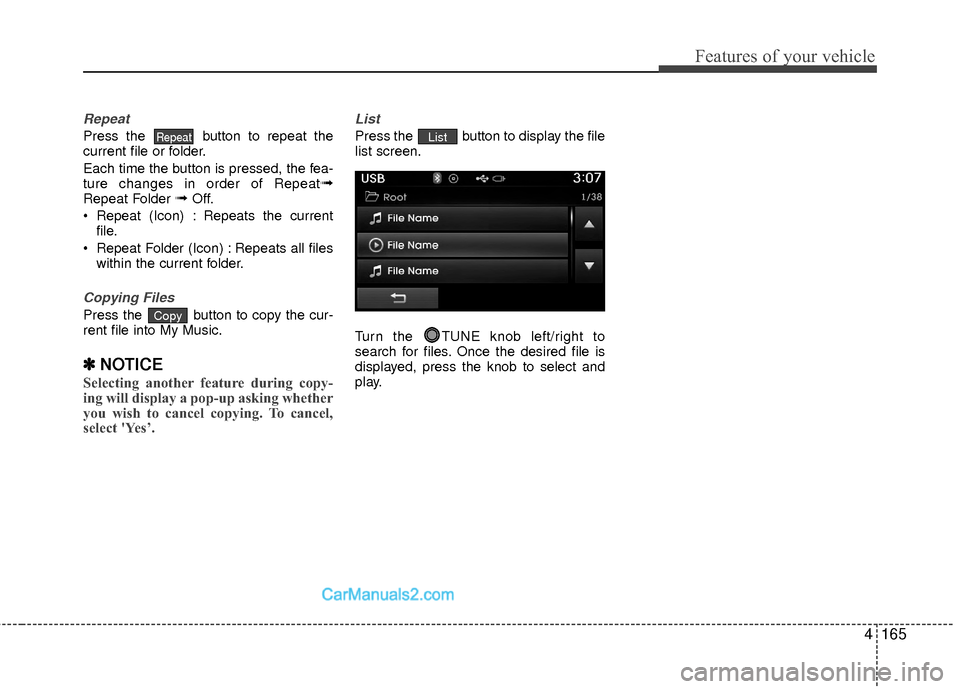
Press the button to display the file
list screen.
Turn the TUNE knob left/right to
search for files. Once the desired file is
displayed, press the knob to select and
play.List
Copy
Repeat
Page 248 of 543
4167
Features of your vehicle
iPod®MODE
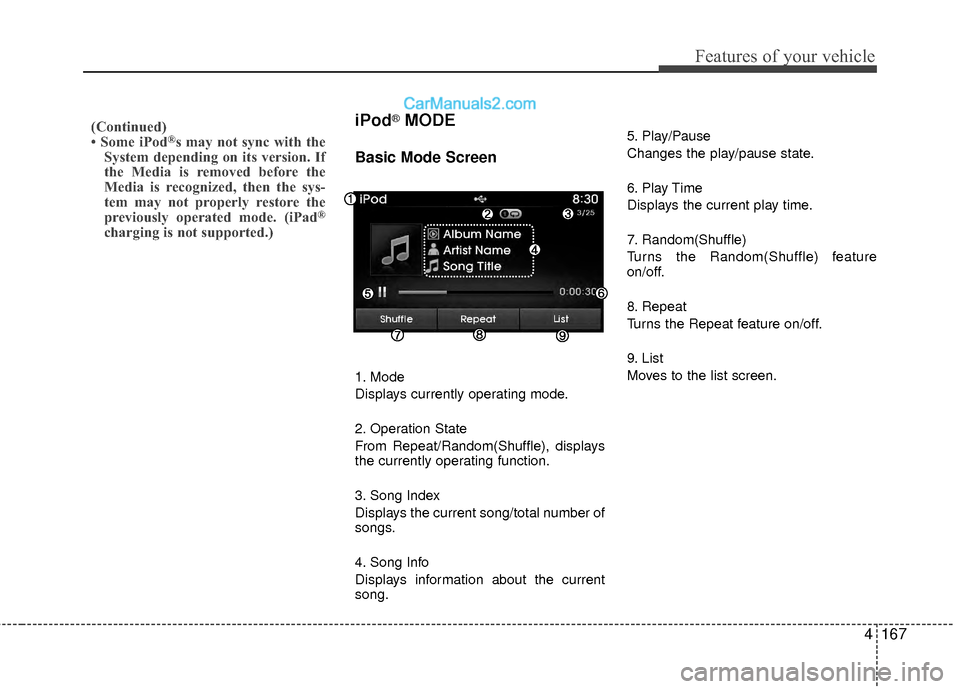
Basic Mode Screen
1. Mode
Displays currently operating mode.
2. Operation State
From Repeat/Random(Shuffle), displays
the currently operating function.
3. Song Index
Displays the current song/total number of
songs.
4. Song Info
Displays information about the current
song.5. Play/Pause
Changes the play/pause state.
6. Play Time
Displays the current play time.
7. Random(Shuffle)
Turns the Random(Shuffle) feature
on/off.
8. Repeat
Turns the Repeat feature on/off.
9. List
Moves to the list screen.
(Continued)
• Some iPod®s may not sync with the
System depending on its version. If
the Media is removed before the
Media is recognized, then the sys-
tem may not properly restore the
previously operated mode. (iPad
®
charging is not supported.)
Page 250 of 543
4169
Features of your vehicle
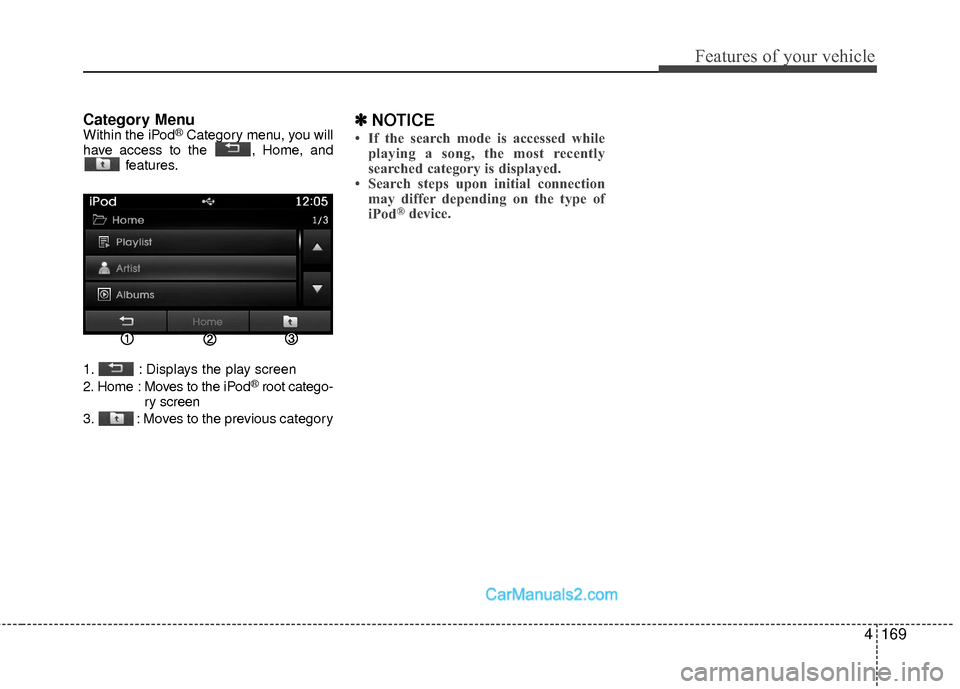
Category MenuWithin the iPod®Category menu, you will
have access to the , Home, and features.
1. : Displays the play screen
2. Home : Moves to the iPod
®root catego-
ry screen
3. : Moves to the previous category
✽ ✽ NOTICE
• If the search mode is accessed while
playing a song, the most recently
searched category is displayed.
• Search steps upon initial connection may differ depending on the type of
iPod
®device.
Page 251 of 543
Features of your vehicle
170
4
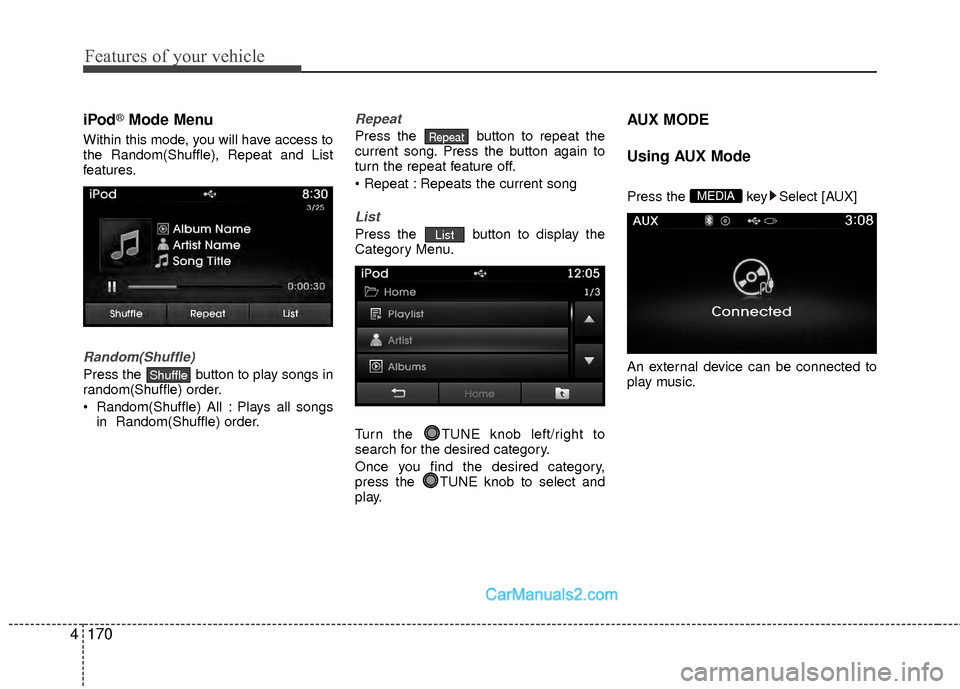
iPod®Mode Menu
Within this mode, you will have access to
the Random(Shuffle), Repeat and List
features.
Random(Shuffle)
Press the button to play songs in
random(Shuffle) order.
Random(Shuffle) All : Plays all songs
in Random(Shuffle) order.
Repeat
Press the button to repeat the
current song. Press the button again to
turn the repeat feature off.
Repeats the current song
List
Press the button to display the
Category Menu.
Turn the TUNE knob left/right to
search for the desired category.
Once you find the desired category,
press the TUNE knob to select and
play.
AUX MODE
Using AUX Mode
Press the key Select [AUX]
An external device can be connected to
play music.MEDIA
List
Repeat
Shuffle
Page 253 of 543
Features of your vehicle
172
4
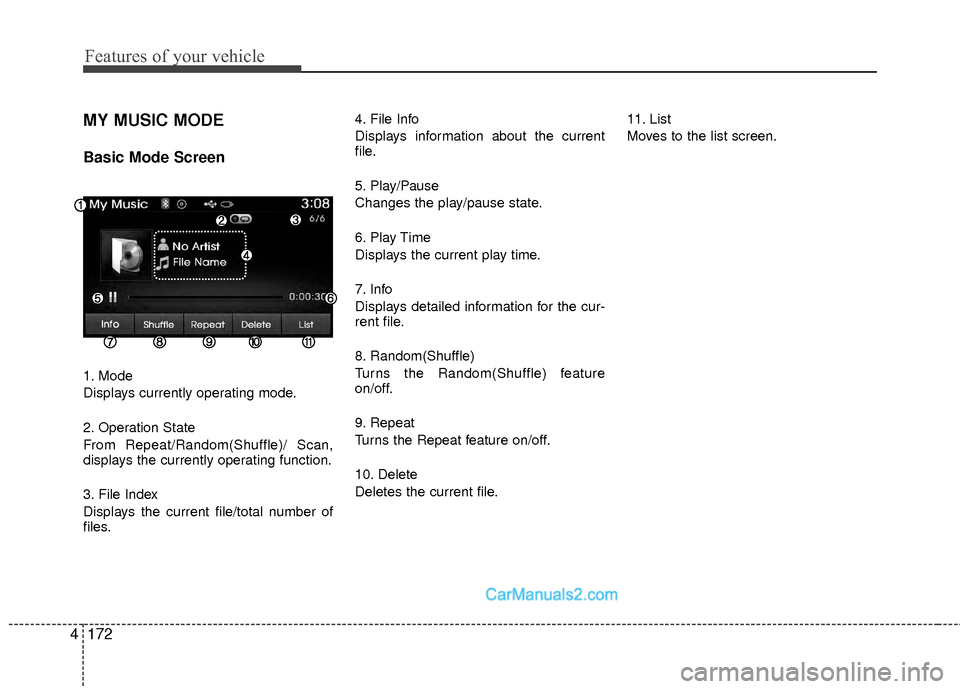
MY MUSIC MODE
Basic Mode Screen
1. Mode
Displays currently operating mode.
2. Operation State
From Repeat/Random(Shuffle)/ Scan,
displays the currently operating function.
3. File Index
Displays the current file/total number of
files. 4. File Info
Displays information about the current
file.
5. Play/Pause
Changes the play/pause state.
6. Play Time
Displays the current play time.
7. Info
Displays detailed information for the cur-
rent file.
8. Random(Shuffle)
Turns the Random(Shuffle) feature
on/off.
9. Repeat
Turns the Repeat feature on/off.
10. Delete
Deletes the current file.
11. List
Moves to the list screen.
Page 255 of 543
Features of your vehicle
174
4
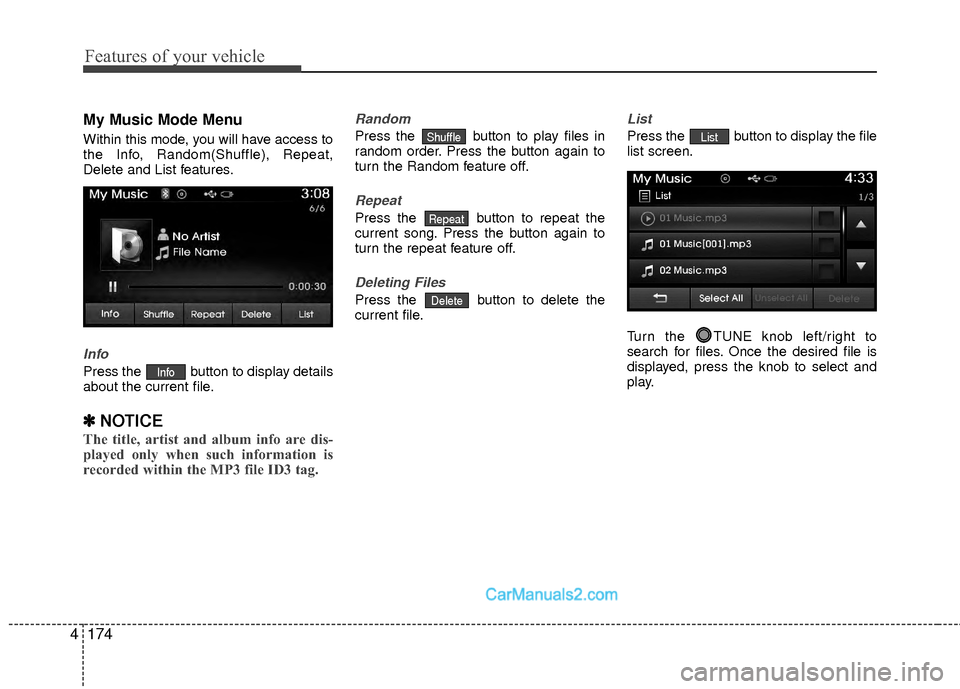
My Music Mode Menu
Within this mode, you will have access to
the Info, Random(Shuffle), Repeat,
Delete and List features.
Info
Press the button to display details
about the current file.
✽ ✽
NOTICE
The title, artist and album info are dis-
played only when such information is
recorded within the MP3 file ID3 tag.
Random
Press the button to play files in
random order. Press the button again to
turn the Random feature off.
Repeat
Press the button to repeat the
current song. Press the button again to
turn the repeat feature off.
Deleting Files
Press the button to delete the
current file.
List
Press the button to display the file
list screen.
Turn the TUNE knob left/right to
search for files. Once the desired file is
displayed, press the knob to select and
play.List
Delete
Repeat
Shuffle
Info
Page 258 of 543
4177
Features of your vehicle
Bluetooth®Wireless
Technology A UDIO MODE
Using Bluetooth®Wireless
Technology Audio Mode
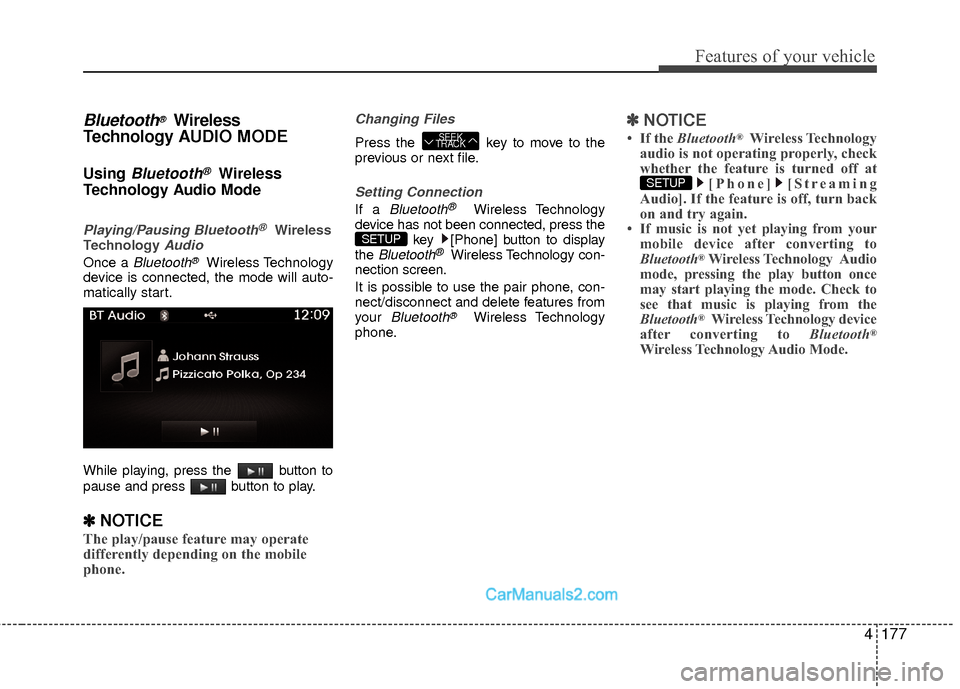
Playing/Pausing Bluetooth®Wireless
TechnologyAudio
Once a Bluetooth®Wireless Technology
device is connected, the mode will auto-
matically start.
While playing, press the button to
pause and press button to play.
✽ ✽ NOTICE
The play/pause feature may operate
differently depending on the mobile
phone.
Changing Files
Press the key to move to the
previous or next file.
Setting Connection
If a Bluetooth®Wireless Technology
device has not been connected, press the key [Phone] button to display
the
Bluetooth®Wireless Technology con-
nection screen.
It is possible to use the pair phone, con-
nect/disconnect and delete features from
your
Bluetooth®Wireless Technology
phone.
✽ ✽ NOTICE
• If the Bluetooth®Wireless Technology
audio is not operating properly, check
whether the feature is turned off at [Phone] [Streaming
Audio]. If the feature is off, turn back
on and try again.
• If music is not yet playing from your mobile device after converting to
Bluetooth
®Wireless Technology Audio
mode, pressing the play button once
may start playing the mode. Check to
see that music is playing from the
Bluetooth
®Wireless Technology device
after converting to Bluetooth®
Wireless Technology Audio Mode.
SETUP
SETUP
SEEK
TRACK
Page 259 of 543
Features of your vehicle
178
4
Pairing a Bluetooth®Wireless
Technology Device
What is Bluetooth® Wireless
Technology Pairing?
Pairing refers to the process of synchro-
nizing your Bluetooth®Wireless
Technology phone or device with the car
audio system for connection. Pairing is
necessary to connect and use the
Bluetooth®Wireless Technology feature.
Pairing Key / Key on
the Steering Remote Controller
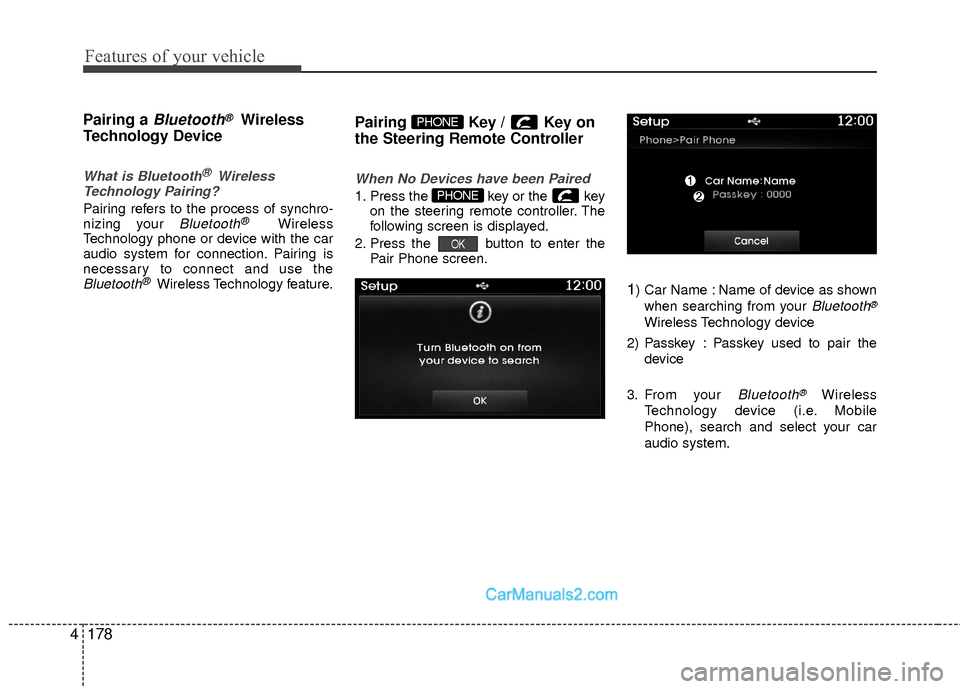
When No Devices have been Paired
1. Press the key or the key on the steering remote controller. The
following screen is displayed.
2. Press the button to enter the Pair Phone screen.
1) Car Name : Name of device as shown
when searching from your
Bluetooth®
Wireless Technology device
2) Passkey : Passkey used to pair the device
3. From your
Bluetooth®Wireless
Technology device (i.e. Mobile
Phone), search and select your car
audio system.
OK
PHONE
PHONE
Page 260 of 543
![Hyundai Sonata Hybrid 2015 Service Manual 4179
Features of your vehicle
[Non SSP supported device]
(SSP: Secure Simple Pairing)
4. After a few moments, a screen is dis-played where the passkey is entered.
Hear, enter the passkey “0000” to](/img/35/19645/w960_19645-259.png "Hyundai Sonata Hybrid 2015 Service Manual 4179
Features of your vehicle
[Non SSP supported device]
(SSP: Secure Simple Pairing)
4. After a few moments, a screen is dis-played where the passkey is entered.
Hear, enter the passkey “0000” to")
4179
Features of your vehicle
[Non SSP supported device]
(SSP: Secure Simple Pairing)
4. After a few moments, a screen is dis-played where the passkey is entered.
Hear, enter the passkey “0000” to pair
your
Bluetooth®Wireless Technology
device with the car audio system.
[SSP supported device]
4. After a few moments, a screen is dis- played 6 digits passkey.
Hear, check the passkey on your
Bluetooth®Wireless Technology
device and confirm.
5. Once pairing is complete, the following screen is displayed.
✽ ✽NOTICE
If Bluetooth®Wireless Technology
devices are paired but none are current-
ly connected, pressing the key
or the key on the
steering wheel displays the following
screen. Press the [Pair] button to pair a
new device or press the [Connect] to
connect a previously paired device.
Pairing through [PHONE] Setup
Press the key Select
[Phone] Select [Pair Phone] Select TUNE knob
1. The following steps are the same as those described in the section "When
No Devices have been Paired" on the
previous page.SETUP
PHONE
Page 263 of 543
Features of your vehicle
182
4
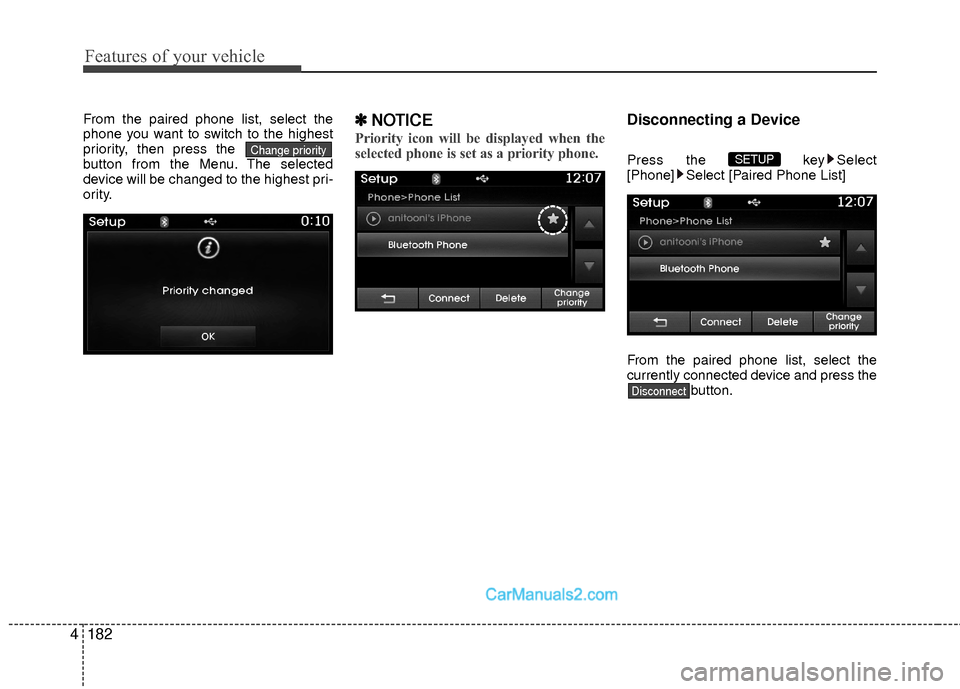
From the paired phone list, select the
phone you want to switch to the highest
priority, then press the
button from the Menu. The selected
device will be changed to the highest pri-
ority.✽ ✽
NOTICE
Priority icon will be displayed when the
selected phone is set as a priority phone.
Disconnecting a Device
Press the key Select
[Phone] Select [Paired Phone List]
From the paired phone list, select the
currently connected device and press the button.
Disconnect
SETUP Change priority