warning HYUNDAI SONATA HYBRID 2019 Owners Manual
[x] Cancel search | Manufacturer: HYUNDAI, Model Year: 2019, Model line: SONATA HYBRID, Model: HYUNDAI SONATA HYBRID 2019Pages: 546, PDF Size: 78.75 MB
Page 330 of 546
5-40
Driving your vehicle
Good braking practices Wet brakes can be dangerous! The
brakes may get wet if the vehicle is
driven through standing water or if it
is washed. Your vehicle will not stop
as quickly if the brakes are wet. Wet
brakes may cause the vehicle to pull
to one side.
To dry the brakes, apply the brakes
lightly until the braking action returns
to normal, taking care to keep the
vehicle under control at all times. If
the braking action does not return to
normal, stop as soon as it is safe to
do so and call an authorized
HYUNDAI dealer for assistance.
DO NOT drive with your foot resting
on the brake pedal. Even light, butconstant pedal pressure can result in
the brakes overheating, brake wear,
and possibly even brake failure.If a tire goes flat while you are driv-
ing, apply the brakes gently and
keep the vehicle pointed straight
ahead while you slow down. When
you are moving slowly enough for it
to be safe to do so, pull off the road
and stop in a safe location.
Keep your foot firmly on the brake
pedal when the vehicle is stopped to
prevent the vehicle from rolling for-
ward.
Whenever leaving the vehicle or
parking, always come to a com-
plete stop and continue to
depress the brake pedal. Move
the shift lever into the P (Park)
position, then apply the parking
brake, and place the Engine
Start/Stop button in the OFFposition.
Vehicles parked with the park- ing brake not applied or not
fully engaged may roll inadver-
tently and may cause injury to
the driver and others. ALWAYS
apply the parking brake before
exiting the vehicle.
WARNING
Page 335 of 546
5-45
Driving your vehicle
5
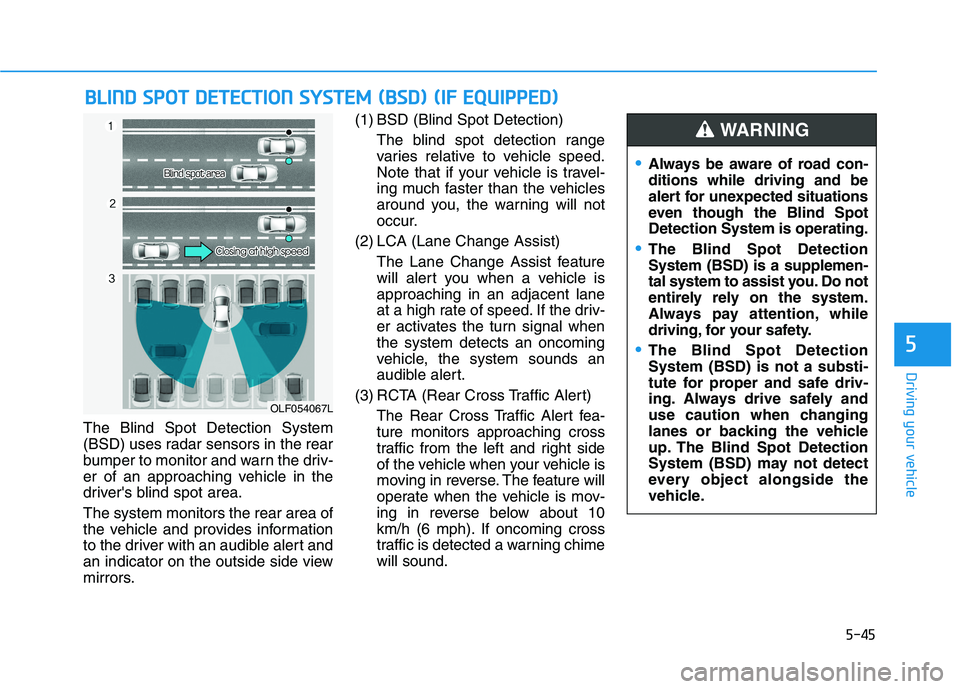
The Blind Spot Detection System
(BSD) uses radar sensors in the rear
bumper to monitor and warn the driv-
er of an approaching vehicle in the
driver's blind spot area. The system monitors the rear area of
the vehicle and provides information
to the driver with an audible alert and
an indicator on the outside side view
mirrors.(1) BSD (Blind Spot Detection)
The blind spot detection range
varies relative to vehicle speed.
Note that if your vehicle is travel-
ing much faster than the vehicles
around you, the warning will not
occur.
(2) LCA (Lane Change Assist) The Lane Change Assist feature
will alert you when a vehicle isapproaching in an adjacent lane
at a high rate of speed. If the driv-
er activates the turn signal whenthe system detects an oncoming
vehicle, the system sounds an
audible alert.
(3) RCTA (Rear Cross Traffic Alert) The Rear Cross Traffic Alert fea-ture monitors approaching cross
traffic from the left and right side
of the vehicle when your vehicle is
moving in reverse. The feature will
operate when the vehicle is mov-
ing in reverse below about 10
km/h (6 mph). If oncoming cross
traffic is detected a warning chimewill sound.
BBLLIINN DD SS PP OO TT DD EETT EECCTT IIOO NN SS YY SSTT EEMM (( BB SSDD )) (( IIFF EE QQ UUIIPP PPEEDD ))
OLF054067L
Always be aware of road con- ditions while driving and be
alert for unexpected situations
even though the Blind SpotDetection System is operating.
The Blind Spot Detection System (BSD) is a supplemen-
tal system to assist you. Do not
entirely rely on the system.
Always pay attention, while
driving, for your safety.
The Blind Spot Detection System (BSD) is not a substi-
tute for proper and safe driv-
ing. Always drive safely and
use caution when changing
lanes or backing the vehicle
up. The Blind Spot Detection
System (BSD) may not detect
every object alongside the
vehicle.
WARNING
Page 336 of 546
5-46
Driving your vehicle
BSD (Blind Spot Detection) /
LCA (Lane Change Assist)
Operating conditions
To operate:
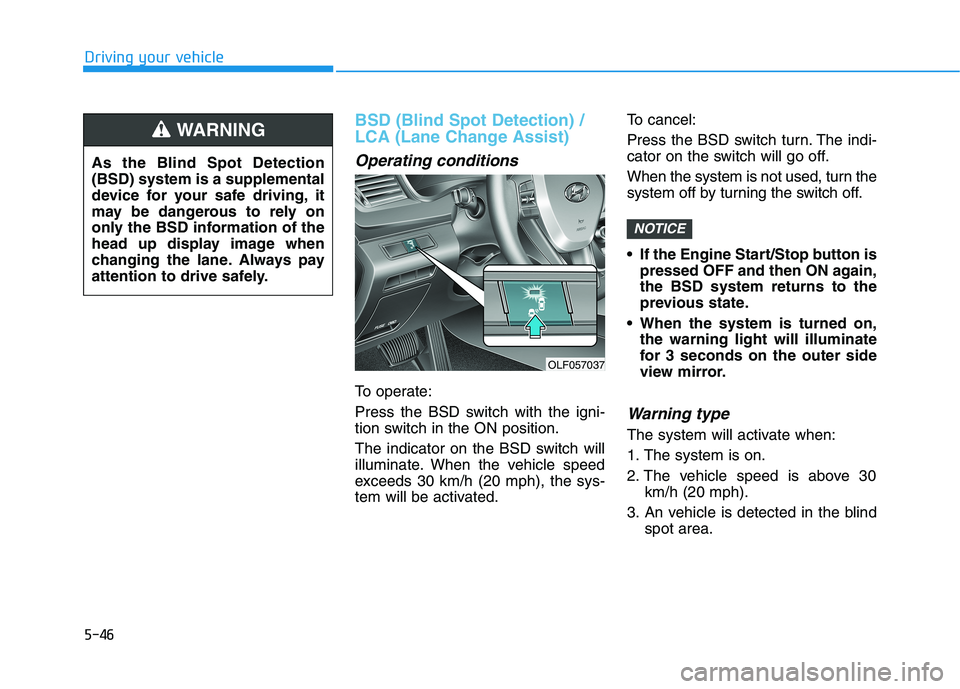
Press the BSD switch with the igni-
tion switch in the ON position.
The indicator on the BSD switch will
illuminate. When the vehicle speed
exceeds 30 km/h (20 mph), the sys-
tem will be activated.To cancel:
Press the BSD switch turn. The indi-
cator on the switch will go off.
When the system is not used, turn the
system off by turning the switch off.
If the Engine Start/Stop button is
pressed OFF and then ON again, the BSD system returns to the
previous state.
When the system is turned on, the warning light will illuminate
for 3 seconds on the outer side
view mirror.
Warning type
The system will activate when:
1. The system is on.
2. The vehicle speed is above 30 km/h (20 mph).
3. An vehicle is detected in the blind spot area.
NOTICE
OLF057037
As the Blind Spot Detection (BSD) system is a supplemental
device for your safe driving, it
may be dangerous to rely on
only the BSD information of the
head up display image when
changing the lane. Always pay
attention to drive safely.
WARNING
Page 337 of 546
5-47
Driving your vehicle
5
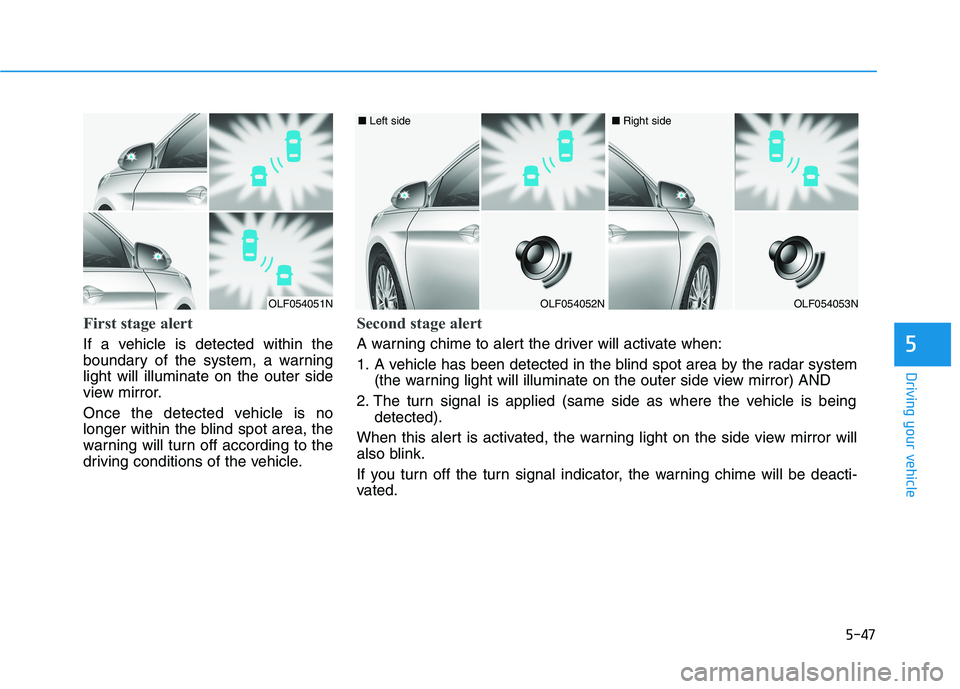
First stage alert
If a vehicle is detected within the
boundary of the system, a warninglight will illuminate on the outer side
view mirror.
Once the detected vehicle is no
longer within the blind spot area, the
warning will turn off according to the
driving conditions of the vehicle.
OLF054051NOLF054052N
■ Left side
OLF054053N
■ Right side
Second stage alert
A warning chime to alert the driver will activate when:
1. A vehicle has been detected in the blind spot area by the radar system
(the warning light will illuminate on the outer side view mirror) AND
2. The turn signal is applied (same side as where the vehicle is being detected).
When this alert is activated, the warning light on the side view mirror will
also blink.
If you turn off the turn signal indicator, the warning chime will be deacti-
vated.
Page 338 of 546
5-48
Driving your vehicle
The second stage alarm may bedeactivated.
- To deactivate the warning chime:
Go to the 'User Settings
Driving Assist and deselect 'BSD
Sound' on the LCD display.
- To activate the warning chime:
Go to the 'User Settings
Driving Assist and select 'BSD
Sound' on the LCD display.
Information
The warning chime function helps
alert the driver. Deactivate this func-
tion only when it is necessary.Detecting sensor
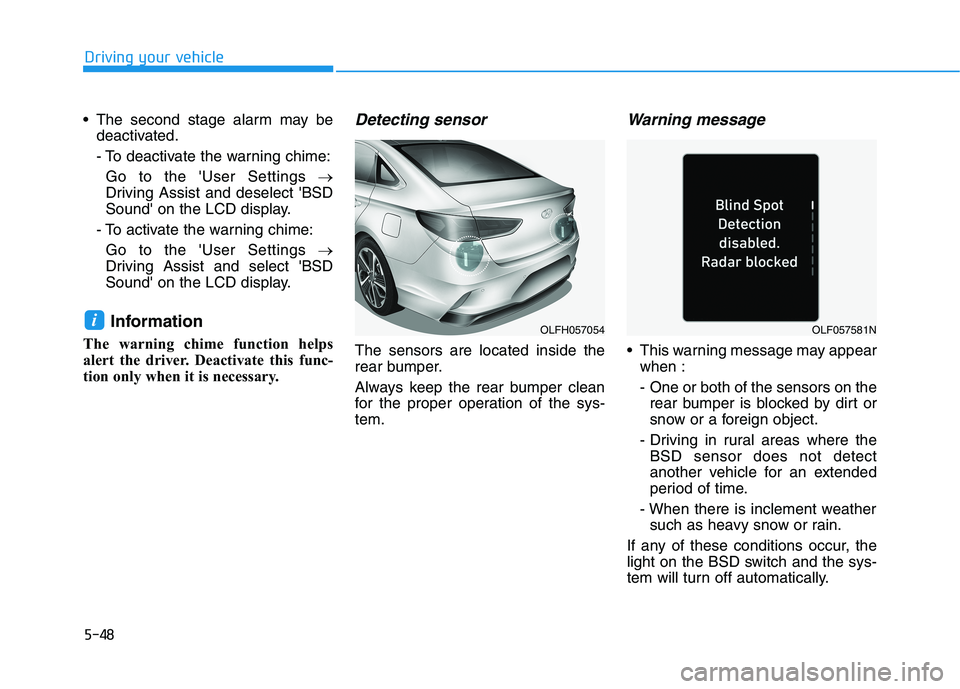
The sensors are located inside the
rear bumper.
Always keep the rear bumper clean
for the proper operation of the sys-tem.
Warning message
This warning message may appear when :
- One or both of the sensors on therear bumper is blocked by dirt or
snow or a foreign object.
- Driving in rural areas where the BSD sensor does not detect
another vehicle for an extended
period of time.
- When there is inclement weather such as heavy snow or rain.
If any of these conditions occur, the
light on the BSD switch and the sys-
tem will turn off automatically.
iOLFH057054OLF057581N
Page 339 of 546
5-49
Driving your vehicle
5
When the BSD cancelled warning
message is displayed in the cluster,
check to make sure that the rear
bumper is free from any dirt or snowin the areas where the sensor is
located. Remove any dirt, snow, or
foreign material that could interfere
with the radar sensors.
Once dirt or debris is removed, the
BSD system should operate normal-
ly after about 10 minutes of driving
the vehicle.
If the system still does not operate
normally have your vehicle inspected
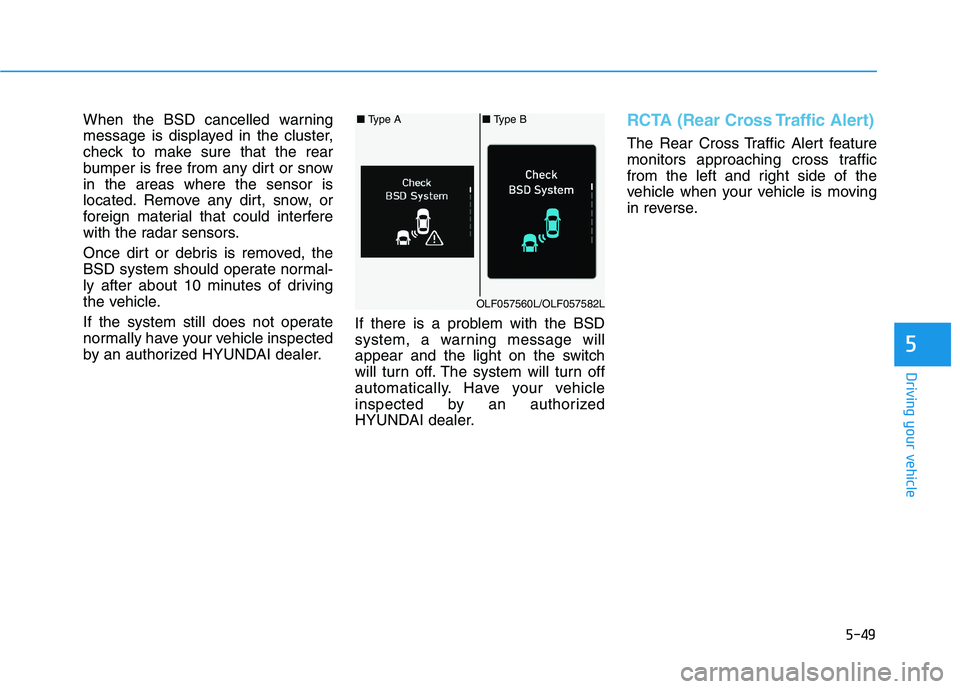
by an authorized HYUNDAI dealer.If there is a problem with the BSD
system, a warning message will
appear and the light on the switch
will turn off. The system will turn off
automatically. Have your vehicle
inspected by an authorized
HYUNDAI dealer.RCTA (Rear Cross Traffic Alert)
The Rear Cross Traffic Alert feature
monitors approaching cross traffic
from the left and right side of the
vehicle when your vehicle is moving
in reverse.
■
Type A■ Type B
OLF057560L/OLF057582L
Page 340 of 546
5-50
Driving your vehicle
Operating conditions
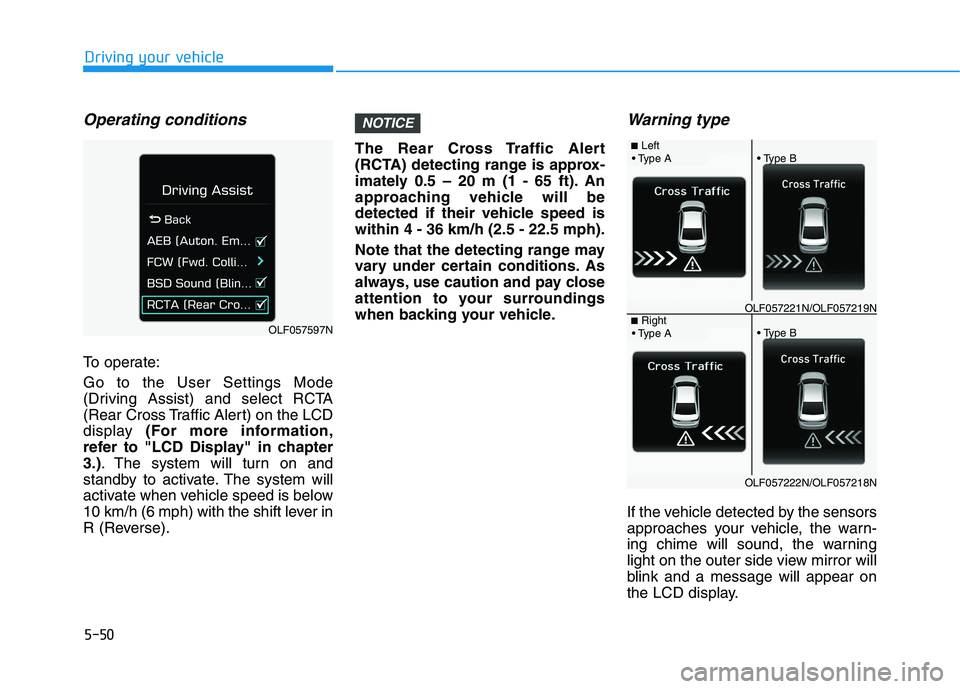
To operate: Go to the User Settings Mode
(Driving Assist) and select RCTA
(Rear Cross Traffic Alert) on the LCD
display (For more information,
refer to "LCD Display" in chapter3.) . The system will turn on and
standby to activate. The system will
activate when vehicle speed is below
10 km/h (6 mph) with the shift lever in
R (Reverse). The Rear Cross Traffic Alert
(RCTA) detecting range is approx-
imately 0.5 – 20 m (1 - 65 ft). An
approaching vehicle will be
detected if their vehicle speed iswithin 4 - 36 km/h (2.5 - 22.5 mph).
Note that the detecting range may
vary under certain conditions. As
always, use caution and pay close
attention to your surroundings
when backing your vehicle.
Warning type
If the vehicle detected by the sensors
approaches your vehicle, the warn-
ing chime will sound, the warning
light on the outer side view mirror will
blink and a message will appear on
the LCD display.
NOTICE
OLF057597N
■
Left
OLF057221N/OLF057219N■ Right
OLF057222N/OLF057218N
Page 341 of 546
5-51
Driving your vehicle
5
Information
The warning chime will turn off when the detected vehicle moves out
of the sensing area or if your vehicle
is moved away from the detected
vehicle.
The system may not operate proper- ly due to other factors or circum-
stances. Always pay attention to
your surroundings.
If the sensing area near the rear bumper is blocked by either a wall
or barrier or by a parked vehicle,
the system sensing area may be
reduced. The system may not work prop-
erly when the bumper has been
damaged, or if the rear bumperhas been replaced or repaired.
The sensing range differs some- what according to the width of
the road. When the road is nar-
row, the system may detect
other vehicles in the next lane.
The system may turn off due to strong electromagnetic waves.
Non-operating condition
The BSD indicator on the outer side
view mirror may not illuminate
properly when:
- The outer side view mirror housingis damaged.
- The mirror is covered with dirt, snow, or debris.
- The window is covered with dirt, snow, or debris.
- The window is tinted.
NOTICEi
The warning light on the outer
side view mirror will illumi-
nate whenever a vehicle is
detected at the rear side bythe system.
To avoid accidents, do not
focus only on the warninglight and neglect to see the
surrounding of the vehicle. (Continued)
(Continued)
Drive safely even though the
vehicle is equipped with aBlind Spot Detection System
(BSD) and Rear Cross Traffic
Alert (RCTA). Do not solely
rely on the system. Check
your surrounding before
changing lanes or backing the
vehicle up.
The system may not alert the driver in some conditions so
always check your surround-ings while driving.
The Blind Spot Detection
System (BSD) and Rear Cross
Traffic Alert (RCTA) are not a
substitute for proper and safe
driving practices. Always
drive safely and use caution
when changing lanes or back-
ing up your vehicle. The BlindSpot Detection System (BSD)
may not detect every object
alongside the vehicle.
WARNING
Page 343 of 546
5-53
Driving your vehicle
5
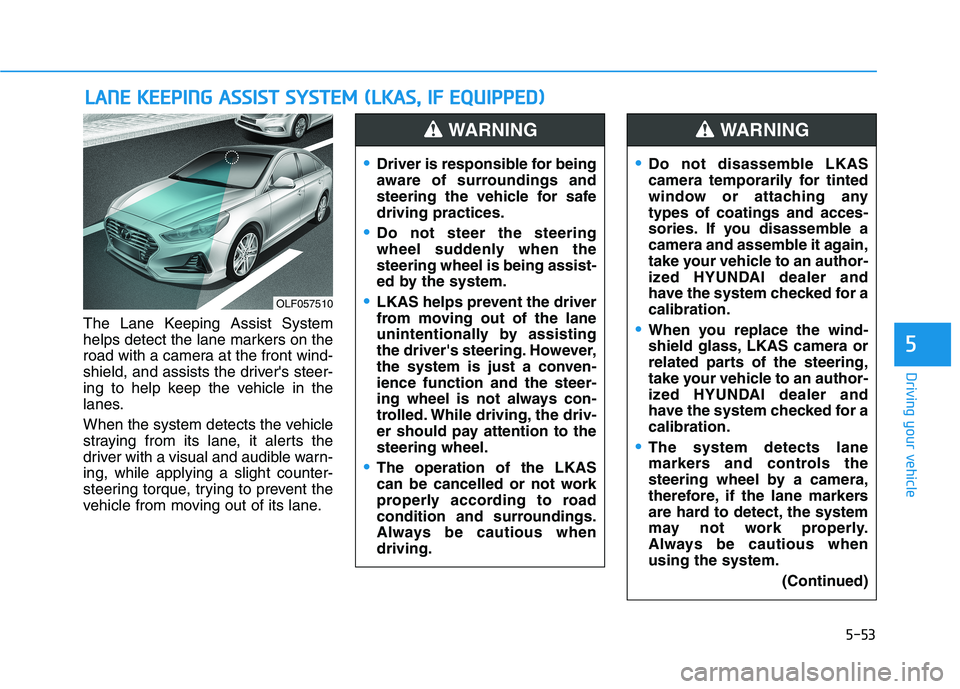
The Lane Keeping Assist System
helps detect the lane markers on the
road with a camera at the front wind-
shield, and assists the driver's steer-
ing to help keep the vehicle in the
lanes.
When the system detects the vehicle
straying from its lane, it alerts the
driver with a visual and audible warn-ing, while applying a slight counter-
steering torque, trying to prevent the
vehicle from moving out of its lane.
LLAA NN EE KK EEEE PP IINN GG AA SSSSIISS TT SS YY SSTT EEMM (( LL KK AA SS,, IIFF EE QQ UUIIPP PPEEDD ))
OLF057510
Driver is responsible for being
aware of surroundings and
steering the vehicle for safedriving practices.
Do not steer the steering
wheel suddenly when thesteering wheel is being assist-
ed by the system.
LKAS helps prevent the driver
from moving out of the lane
unintentionally by assisting
the driver's steering. However,
the system is just a conven-ience function and the steer-
ing wheel is not always con-
trolled. While driving, the driv-
er should pay attention to thesteering wheel.
The operation of the LKAS
can be cancelled or not work
properly according to road
condition and surroundings.
Always be cautious whendriving.
WARNING
Do not disassemble LKAS
camera temporarily for tinted
window or attaching anytypes of coatings and acces-
sories. If you disassemble a
camera and assemble it again,
take your vehicle to an author-
ized HYUNDAI dealer and
have the system checked for acalibration.
When you replace the wind-
shield glass, LKAS camera or
related parts of the steering,
take your vehicle to an author-
ized HYUNDAI dealer and
have the system checked for acalibration.
The system detects lane
markers and controls the
steering wheel by a camera,
therefore, if the lane markers
are hard to detect, the system
may not work properly.
Always be cautious whenusing the system.
(Continued)
WARNING
Page 344 of 546
5-54
Driving your vehicle
LKAS operation
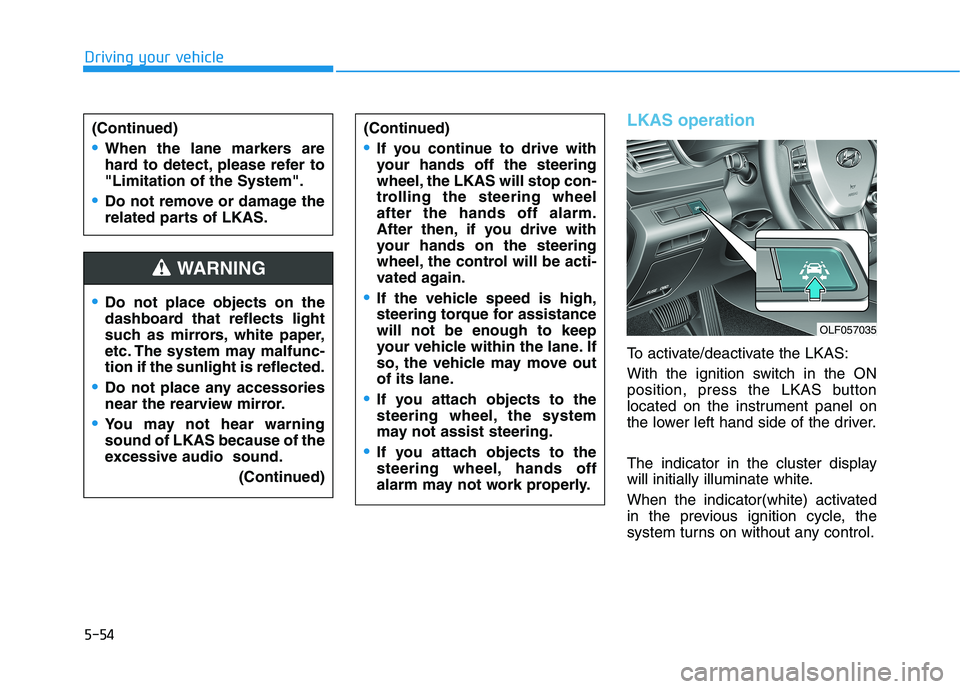
To activate/deactivate the LKAS:
With the ignition switch in the ON
position, press the LKAS button
located on the instrument panel on
the lower left hand side of the driver.
The indicator in the cluster display
will initially illuminate white.
When the indicator(white) activated
in the previous ignition cycle, the
system turns on without any control.
Do not place objects on the
dashboard that reflects light
such as mirrors, white paper,
etc. The system may malfunc-tion if the sunlight is reflected.
Do not place any accessories
near the rearview mirror.
You may not hear warning sound of LKAS because of the
excessive audio sound.(Continued)
(Continued)
If you continue to drive with
your hands off the steering
wheel, the LKAS will stop con-
trolling the steering wheelafter the hands off alarm.
After then, if you drive with
your hands on the steering
wheel, the control will be acti-
vated again.
If the vehicle speed is high,
steering torque for assistancewill not be enough to keep
your vehicle within the lane. If
so, the vehicle may move out
of its lane.
If you attach objects to the
steering wheel, the system
may not assist steering.
If you attach objects to the
steering wheel, hands off
alarm may not work properly.
WARNING
(Continued)
When the lane markers are
hard to detect, please refer to"Limitation of the System".
Do not remove or damage the
related parts of LKAS.
OLF057035