warning HYUNDAI SONATA HYBRID 2019 Owners Manual
[x] Cancel search | Manufacturer: HYUNDAI, Model Year: 2019, Model line: SONATA HYBRID, Model: HYUNDAI SONATA HYBRID 2019Pages: 546, PDF Size: 78.75 MB
Page 345 of 546
5-55
Driving your vehicle
5
If you press the LKAS button again,
the indicator on the cluster display
will go off. The color of indicator will change
depend on the condition of LKAS.
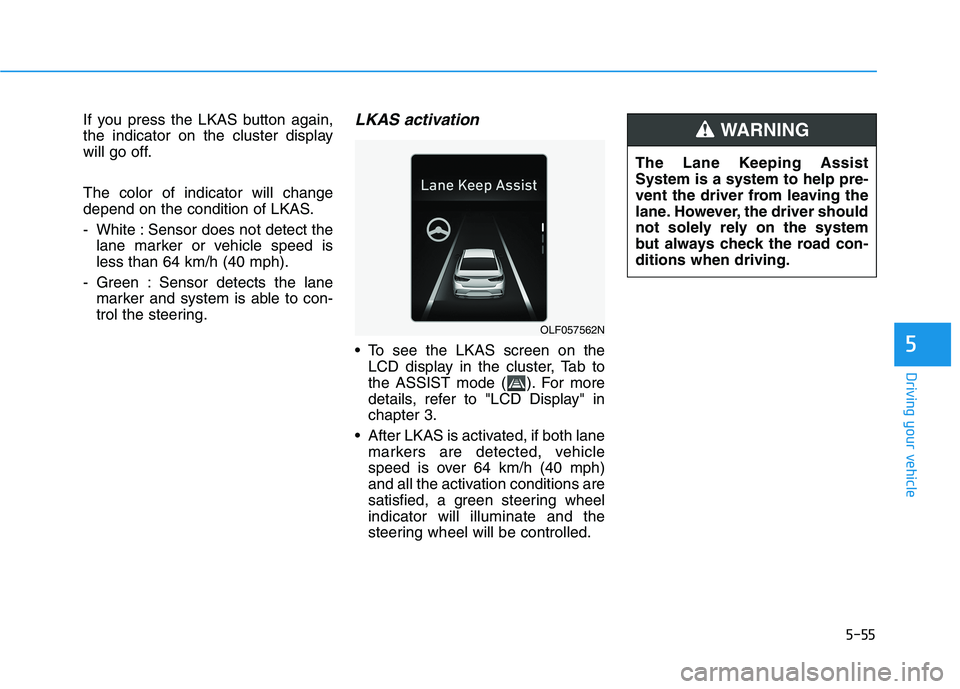
- White : Sensor does not detect thelane marker or vehicle speed is less than 64 km/h (40 mph).
- Green : Sensor detects the lane marker and system is able to con-
trol the steering.LKAS activation
To see the LKAS screen on theLCD display in the cluster, Tab to
the ASSIST mode ( ). For more
details, refer to "LCD Display" inchapter 3.
After LKAS is activated, if both lane markers are detected, vehicle
speed is over 64 km/h (40 mph)
and all the activation conditions are
satisfied, a green steering wheelindicator will illuminate and the
steering wheel will be controlled.
OLF057562N The Lane Keeping Assist System is a system to help pre-
vent the driver from leaving the
lane. However, the driver should
not solely rely on the system
but always check the road con-ditions when driving.
WARNING
Page 347 of 546
5-57
Driving your vehicle
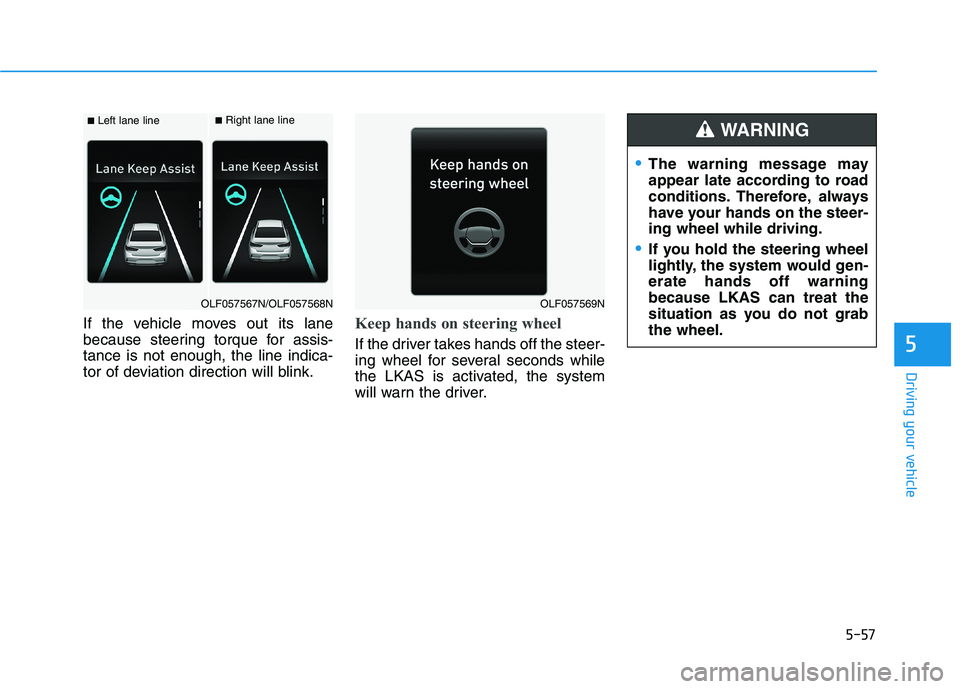
If the vehicle moves out its lane
because steering torque for assis-tance is not enough, the line indica-
tor of deviation direction will blink.Keep hands on steering wheel
If the driver takes hands off the steer-
ing wheel for several seconds while
the LKAS is activated, the system
will warn the driver.5
■Left lane line■Right lane line
OLF057567N/OLF057568NOLF057569N
The warning message may
appear late according to road
conditions. Therefore, always
have your hands on the steer-ing wheel while driving.
If you hold the steering wheel
lightly, the system would gen-erate hands off warningbecause LKAS can treat the
situation as you do not grabthe wheel.
WARNING
Page 348 of 546
5-58
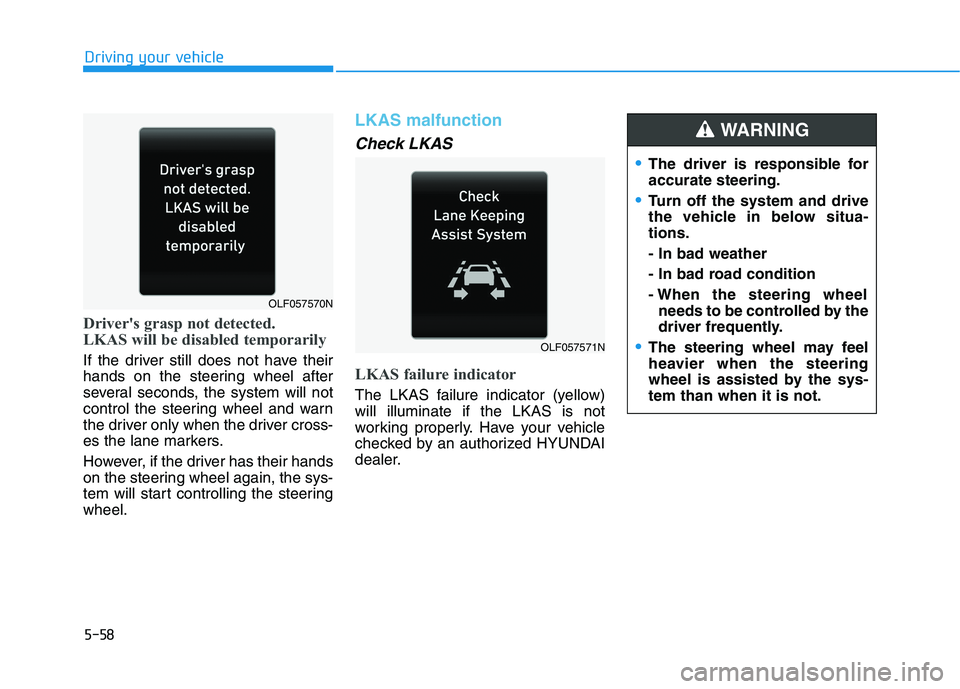
Driver's grasp not detected.
LKAS will be disabled temporarily
If the driver still does not have their
hands on the steering wheel after
several seconds, the system will not
control the steering wheel and warn
the driver only when the driver cross-
es the lane markers.
However, if the driver has their hands
on the steering wheel again, the sys-
tem will start controlling the steeringwheel.
LKAS malfunction
Check LKAS
LKAS failure indicator
The LKAS failure indicator (yellow) will illuminate if the LKAS is not
working properly. Have your vehicle
checked by an authorized HYUNDAI
dealer.
Driving your vehicle
OLF057571N
OLF057570N
The driver is responsible for accurate steering.
Turn off the system and drive
the vehicle in below situa-tions. - In bad weather
- In bad road condition
- When the steering wheelneeds to be controlled by the
driver frequently.
The steering wheel may feel
heavier when the steering
wheel is assisted by the sys-tem than when it is not.
WARNING
Page 350 of 546
5-60
LKAS function change Lane Departure Warning
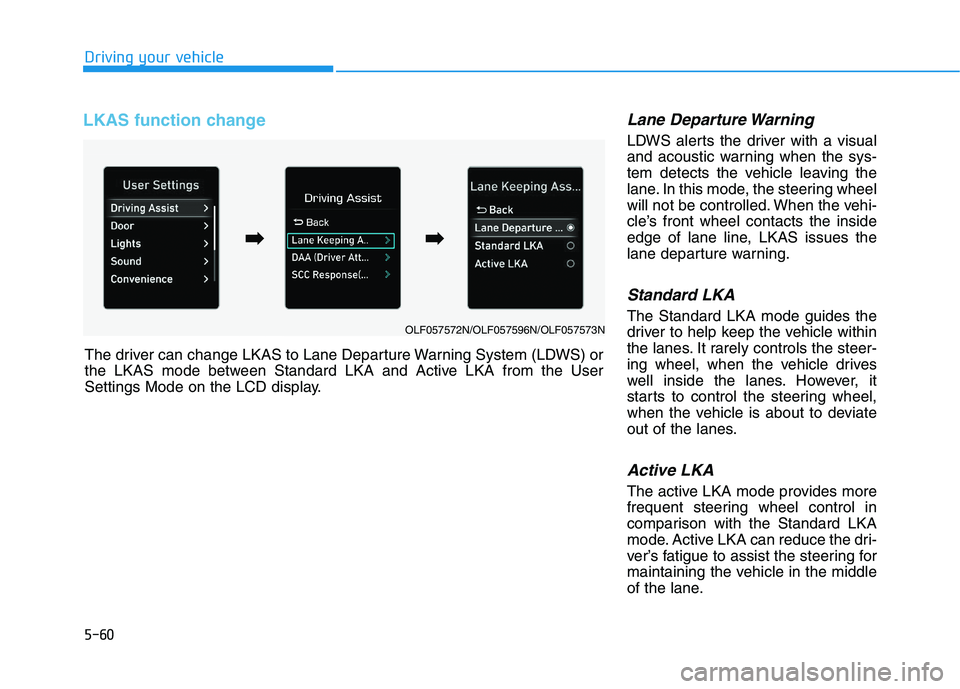
LDWS alerts the driver with a visual
and acoustic warning when the sys-
tem detects the vehicle leaving the
lane. In this mode, the steering wheel
will not be controlled. When the vehi-
cle’s front wheel contacts the inside
edge of lane line, LKAS issues the
lane departure warning.
Standard LKA
The Standard LKA mode guides the
driver to help keep the vehicle within
the lanes. It rarely controls the steer-
ing wheel, when the vehicle drives
well inside the lanes. However, it
starts to control the steering wheel,
when the vehicle is about to deviate
out of the lanes.
Active LKA
The active LKA mode provides more
frequent steering wheel control in
comparison with the Standard LKA
mode. Active LKA can reduce the dri-
ver’s fatigue to assist the steering for
maintaining the vehicle in the middle
of the lane.
Driving your vehicle
The driver can change LKAS to Lane Departure Warning System (LDWS) or
the LKAS mode between Standard LKA and Active LKA from the User
Settings Mode on the LCD display.
OLF057572N/OLF057596N/OLF057573N
➡
➡
➡➡
Page 353 of 546
5-63
Driving your vehicle
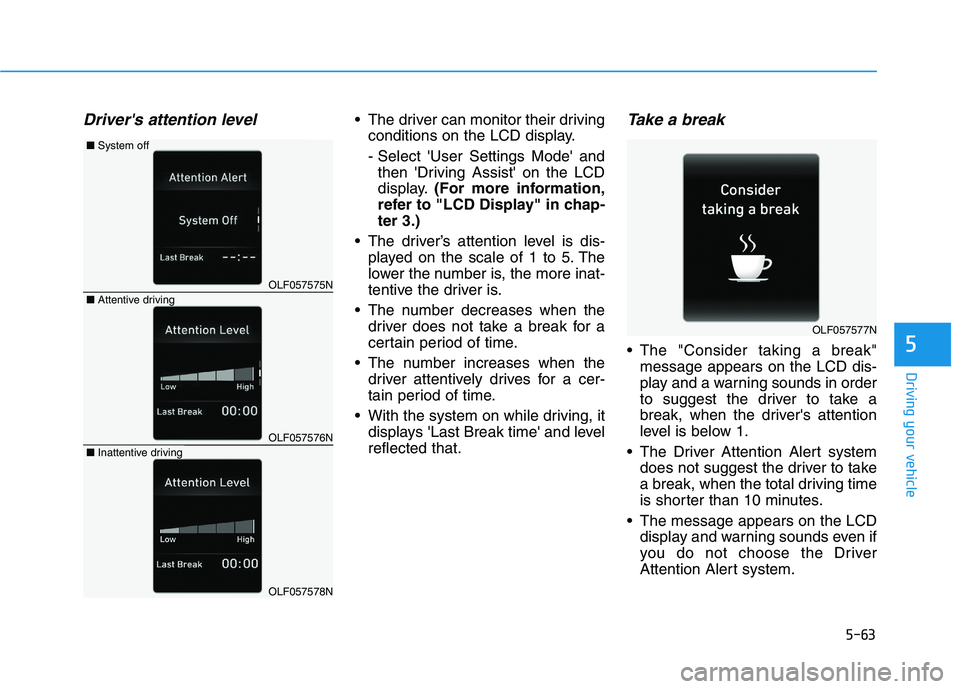
Driver's attention level The driver can monitor their drivingconditions on the LCD display.
- Select 'User Settings Mode' andthen 'Driving Assist' on the LCD
display. (For more information,
refer to "LCD Display" in chap-ter 3.)
The driver’s attention level is dis- played on the scale of 1 to 5. The
lower the number is, the more inat-
tentive the driver is.
The number decreases when the driver does not take a break for a
certain period of time.
The number increases when the driver attentively drives for a cer-
tain period of time.
With the system on while driving, it displays 'Last Break time' and levelreflected that.Take a break
The "Consider taking a break"message appears on the LCD dis-
play and a warning sounds in order
to suggest the driver to take a
break, when the driver's attention
level is below 1.
The Driver Attention Alert system does not suggest the driver to take
a break, when the total driving time
is shorter than 10 minutes.
The message appears on the LCD display and warning sounds even if
you do not choose the Driver
Attention Alert system.5
OLF057575N
OLF057576N
OLF057578N
■Attentive driving
■System off
■Inattentive driving
OLF057577N
Page 354 of 546
5-64
Resetting the system
The last break time is set to 00:00and the driver's attention level is
set to 5 (very attentive) when the
driver resets the Driver Attention
Alert system.
The Driver Attention Alert system resets in the following situations.
- The engine is turned OFF.
- The driver unfastens the seat beltand then opens the driver’s door.
- Stop lasting more than 10 min- utes.
The Driver attention Alert system
operates again, when the driver
restarts driving.
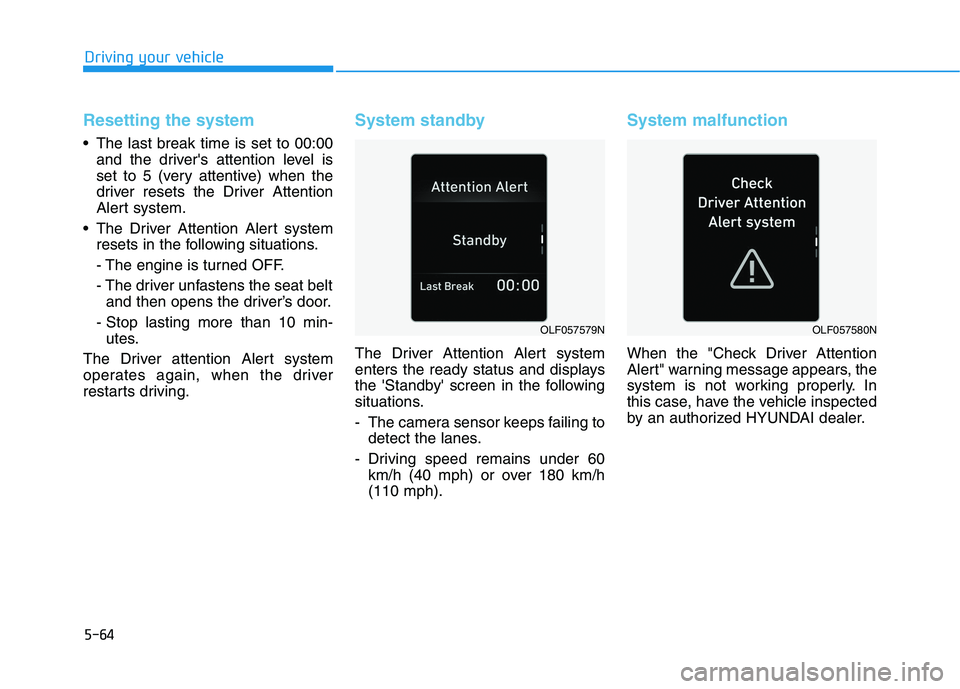
System standby
The Driver Attention Alert system
enters the ready status and displays
the 'Standby' screen in the following
situations.
- The camera sensor keeps failing to detect the lanes.
- Driving speed remains under 60 km/h (40 mph) or over 180 km/h (110 mph).
System malfunction
When the "Check Driver Attention
Alert" warning message appears, the
system is not working properly. In
this case, have the vehicle inspected
by an authorized HYUNDAI dealer.
Driving your vehicle
OLF057579NOLF057580N
Page 355 of 546
5-65
Driving your vehicle
The Driver Attention Alert system
utilizes the camera sensor on the
front windshield for its operation.
To keep the camera sensor in the
best condition, you should
observe the followings:
Do not disassemble cameratemporarily for tinted window or
attaching any types of coatings
and accessories. If you disas-
semble a camera and assemble
it again, take your vehicle to an
authorized HYUNDAI dealer and
have the system checked for acalibration.
Do not locate any reflective objects (i.e. white paper, mirror)
over the dashboard. Any light
reflection may cause a mal-func-
tion of the Driver Attention Alert
(DAA) system.
Pay extreme caution to keep the camera sensor out of water.
(Continued)(Continued)
Do not arbitrarily disassemble
the camera assembly, nor apply
any impact on the camera
assembly.
Playing the vehicle audio sys- tem at high volume may offset
the Driver Attention Alert sys-tem warning sounds.
NOTICE
5
The Driver Attention Alert
system is not a substitute for
safe driving practices, but a
convenience function only. Itis the responsibility of the
driver to always drive cau-
tiously to prevent unexpected
and sudden situations from
occurring. Pay attention to the
road conditions at all times.
It may suggest a break
according to the driver's driv-
ing pattern or habits even if
the driver doesn't feelfatigued.
The driver, who feels fatigued,
should take a break, eventhough there is no break sug-
gestion by the Driver
Attention Alert system.
WARNING
Page 357 of 546
5-67
Driving your vehicle
The Automatic Emergency Braking (AEB) system is designed to help
detect and monitor the vehicle ahead
or help detect a pedestrian in the
roadway through radar signals and
camera recognition to warn the driv-er that a collision is imminent, and if
necessary, apply emergency brak-ing.System setting and activation
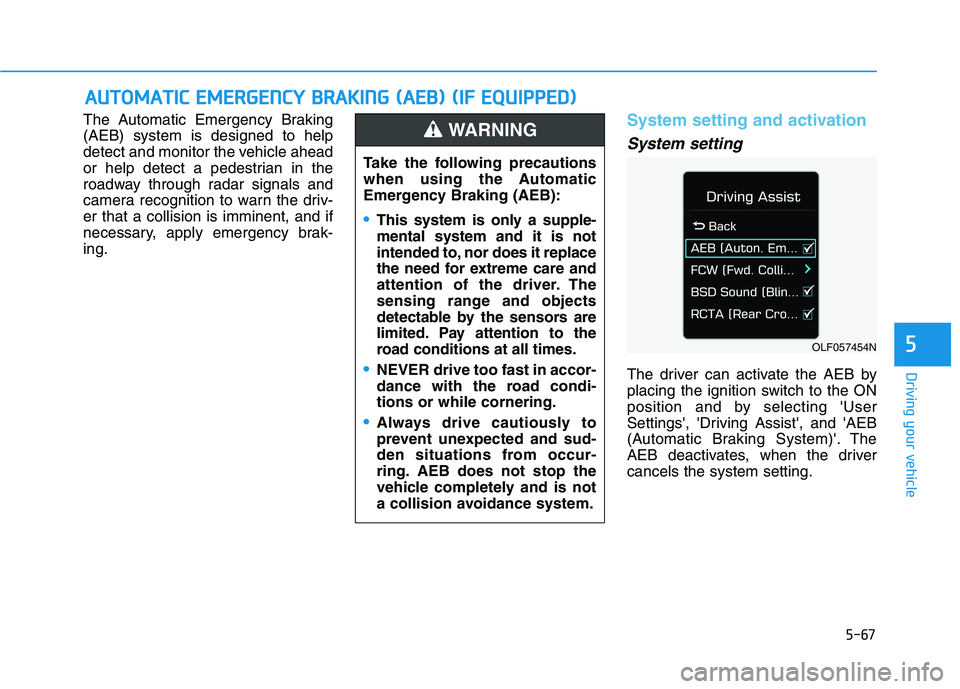
System setting
The driver can activate the AEB by
placing the ignition switch to the ON
position and by selecting 'User
Settings', 'Driving Assist', and 'AEB
(Automatic Braking System)'. The
AEB deactivates, when the drivercancels the system setting.
AAUU TTOO MM AATTIICC EE MM EERR GG EENN CCYY BB RRAA KKIINN GG (( AA EEBB )) (( IIFF EE QQ UUIIPP PPEEDD ))
5OLF057454N
Take the following precautions
when using the Automatic
Emergency Braking (AEB):
This system is only a supple- mental system and it is not
intended to, nor does it replace
the need for extreme care and
attention of the driver. The
sensing range and objects
detectable by the sensors are
limited. Pay attention to the
road conditions at all times.
NEVER drive too fast in accor-
dance with the road condi-tions or while cornering.
Always drive cautiously to
prevent unexpected and sud-
den situations from occur-
ring. AEB does not stop the
vehicle completely and is not
a collision avoidance system.
WARNING
Page 358 of 546
5-68The warning light illumi-
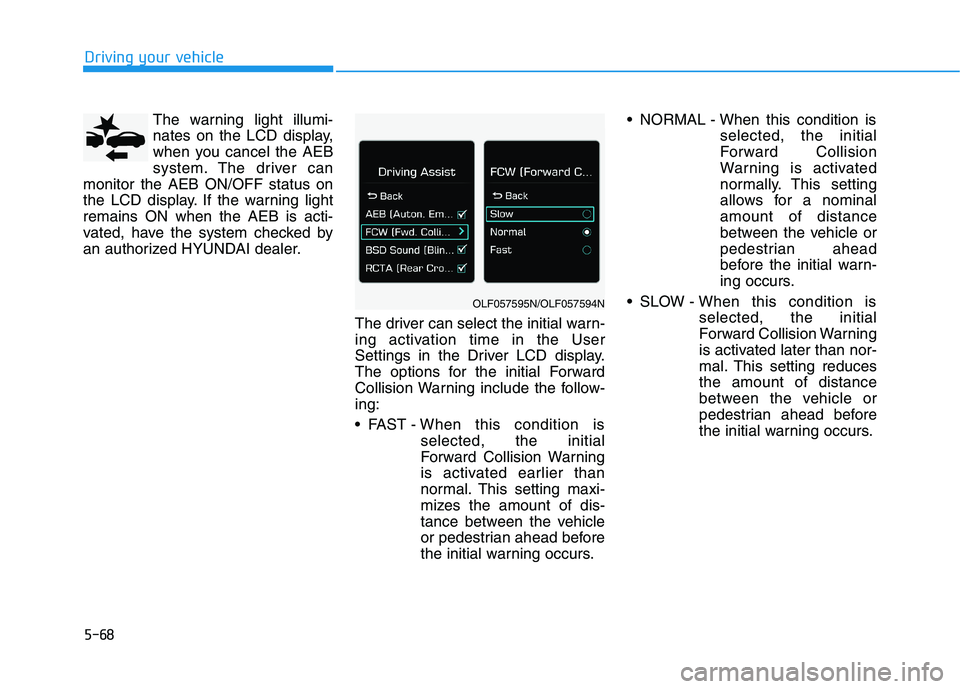
nates on the LCD display,
when you cancel the AEB
system. The driver can
monitor the AEB ON/OFF status on
the LCD display. If the warning lightremains ON when the AEB is acti-
vated, have the system checked by
an authorized HYUNDAI dealer.
The driver can select the initial warn-
ing activation time in the User
Settings in the Driver LCD display.
The options for the initial Forward
Collision Warning include the follow-ing:
FAST - When this condition is
selected, the initial
Forward Collision Warning
is activated earlier than
normal. This setting maxi-
mizes the amount of dis-
tance between the vehicle
or pedestrian ahead before
the initial warning occurs. NORMAL - When this condition is
selected, the initial
Forward Collision
Warning is activated
normally. This setting
allows for a nominalamount of distance
between the vehicle or
pedestrian ahead
before the initial warn-
ing occurs.
SLOW - When this condition is selected, the initial
Forward Collision Warning
is activated later than nor-
mal. This setting reducesthe amount of distance
between the vehicle or
pedestrian ahead before
the initial warning occurs.
Driving your vehicle
OLF057595N/OLF057594N
Page 359 of 546
5-69
Driving your vehicle
Prerequisite for activation
The AEB gets ready to be activated, when the AEB is selected on the
LCD display, and when the followingprerequisites are satisfied.
- The ESC is activated.
- To enable the system to detectpedestrians ahead, the vehicle
driving speed must be between 8 -65 km/h (5 - 40 mph).
- To enable the system to detect a vehicle ahead, the vehicle driving
speed must be between 8 - 180km/h (5 - 110 mph).
When traveling above 80 km/h (50mph), the AEB system only initiates
partial braking. This is to prevent
unintended full braking to stop in the
middle of the highway.
AEB warning message and
system control
The AEB produces warning mes-
sages and warning alarms in accor-
dance with the collision risk levels.
Also, it controls the brakes in accor-
dance with the collision risk levels.
5
The AEB automatically acti-
vates upon placing the igni-
tion switch to the ON position.
The driver can deactivate the
AEB by canceling the system
setting on the LCD display.
The AEB automatically deacti-
vates upon canceling the
ESC. When the ESC is can-
celed, the AEB cannot be acti-
vated on the LCD display.
WARNING