display HYUNDAI SONATA HYBRID 2020 Owners Manual
[x] Cancel search | Manufacturer: HYUNDAI, Model Year: 2020, Model line: SONATA HYBRID, Model: HYUNDAI SONATA HYBRID 2020Pages: 527, PDF Size: 64.14 MB
Page 402 of 527
While Driving
6-126
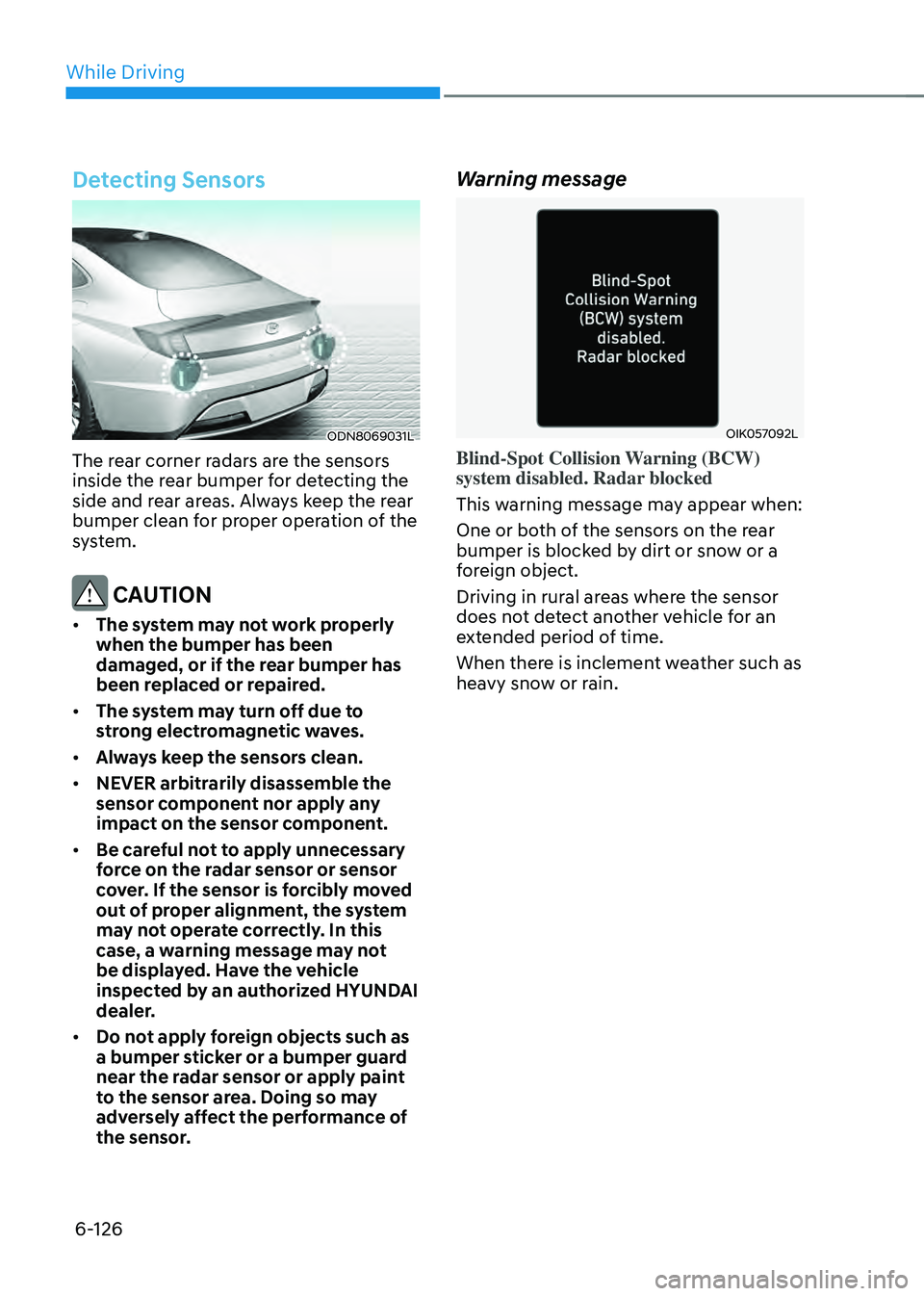
Detecting Sensors
ODN8069031L
The rear corner radars are the sensors
inside the rear bumper for detecting the
side and rear areas. Always keep the rear
bumper clean for proper operation of the
system.
CAUTION
• The system may not work properly
when the bumper has been
damaged, or if the rear bumper has
been replaced or repaired.
• The system may turn off due to
strong electromagnetic waves.
• Always keep the sensors clean.
• NEVER arbitrarily disassemble the
sensor component nor apply any
impact on the sensor component.
• Be careful not to apply unnecessary
force on the radar sensor or sensor
cover. If the sensor is forcibly moved
out of proper alignment, the system
may not operate correctly. In this
case, a warning message may not
be displayed. Have the vehicle
inspected by an authorized HYUNDAI
dealer.
• Do not apply foreign objects such as
a bumper sticker or a bumper guard
near the radar sensor or apply paint
to the sensor area. Doing so may
adversely affect the performance of
the sensor.
Warning message
OIK057092L
Blind-Spot Collision Warning (BCW)
system disabled. Radar blocked
This warning message may appear when:
One or both of the sensors on the rear
bumper is blocked by dirt or snow or a
foreign object.
Driving in rural areas where the sensor
does not detect another vehicle for an
extended period of time.
When there is inclement weather such as
heavy snow or rain.
Page 403 of 527
06
6-127
If any of these conditions occur, the
system will turn off automatically.
When BCW canceled warning message
is displayed in the cluster, check to make
sure that the rear bumper is free from
any dirt or snow in the areas where the
sensor is located. Remove any dirt, snow,
or foreign material that could interfere
with the radar sensors.
After any dirt or debris is removed, the
system should operate normally after
about 10 minutes of driving the vehicle.
If the system still does not operate
normally have your vehicle inspected by
an authorized HYUNDAI dealer.
Information
Turn off BCW, BCA and RCCA system
when a trailer or carrier is installed.
Deactivate BCW and BCA system
by selecting “User Settings → Driver
Assistance → Blind-Spot Safety → Off”
Deactivate RCCW and RCCA system
by deselecting “User Settings → Driver
Assistance → Parking Safety → Rear
Cross-Traffic Safety”.
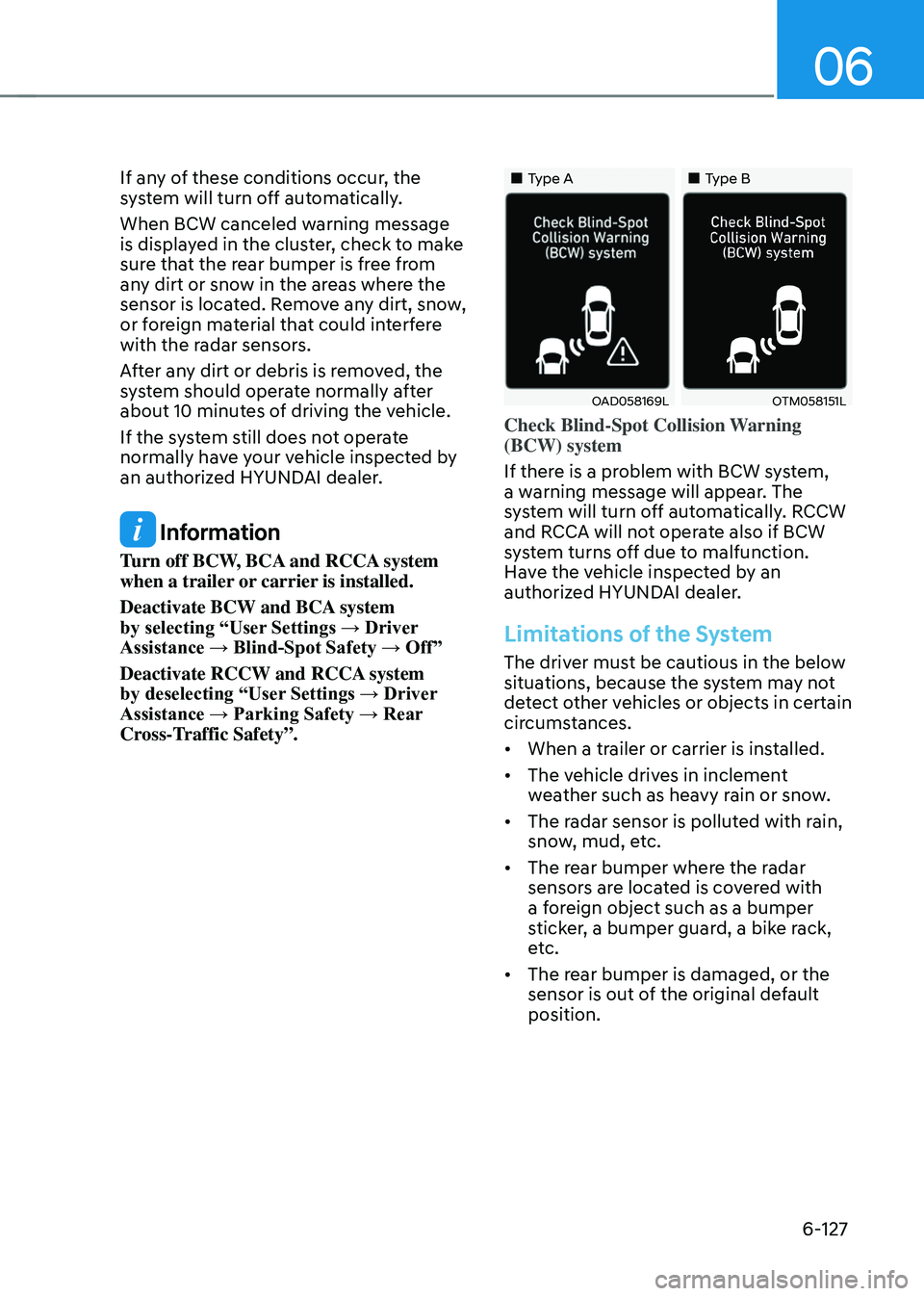
„„Type A„„Type B
OAD058169LOTM058151L
Check Blind-Spot Collision Warning
(BCW) system
If there is a problem with BCW system,
a warning message will appear. The
system will turn off automatically. RCCW
and RCCA will not operate also if BCW
system turns off due to malfunction.
Have the vehicle inspected by an
authorized HYUNDAI dealer.
Limitations of the System
The driver must be cautious in the below
situations, because the system may not
detect other vehicles or objects in certain
circumstances.
• When a trailer or carrier is installed.
• The vehicle drives in inclement
weather such as heavy rain or snow.
• The radar sensor is polluted with rain,
snow, mud, etc.
• The rear bumper where the radar
sensors are located is covered with
a foreign object such as a bumper
sticker, a bumper guard, a bike rack,
etc.
• The rear bumper is damaged, or the
sensor is out of the original default
position.
Page 421 of 527

7. Emergency situations
Hazard Warning Flasher ........................................................................\
............7-2
In Case of an Emergency While driving
...........................................................7-2If the Engine Stalls While Driving ........................................................................\
........7-2
If the Engine Stalls at a Crossroad or Crossing ..........................................................7-2
If You Have a Flat Tire While Driving ........................................................................\
...7-3
If the Engine Will Not Start ........................................................................\
........7-3
If the 12 Volt Battery Is Discharged
..................................................................7-4Before Jump Starting ........................................................................\
...........................7-4
Jump Starting ........................................................................\
.......................................7-5
If the Engine Overheats ........................................................................\
.............7-7
Tire Pressure Monitoring System (TPMS)
........................................................7-9Check Tire Pressure ........................................................................\
..............................7-9
Tire Pressure Monitoring System ........................................................................\
.......7-10
Low Tire Pressure Telltale ........................................................................\
....................7-11
Low Tire Pressure LCD Display with Position Indicator .............................................7-11
TPMS (Tire Pressure Monitoring System) Malfunction Indicator .............................7-12
Changing a Tire with TPMS ........................................................................\
................7-12
If You Have a Flat Tire (with Spare Tire) ..........................................................7-14Jack and Tools ........................................................................\
.....................................7-14
Changing Tires ........................................................................\
.....................................7-15
Jack Label ........................................................................\
............................................7-19
If You Have a Flat Tire (with Tire Mobility Kit) ................................................7-20Introduction ........................................................................\
........................................7-20
Notes on the Safe Use of the Tire Mobility Kit ..........................................................7-21
Components of the Tire Mobility Kit ........................................................................\
.7-22
Using the Tire Mobility Kit ........................................................................\
.................7-23
Checking the Tire Inflation Pressure ........................................................................\
.7-25
Towing ........................................................................\
......................................7-26Towing Service ........................................................................\
...................................7-26
Removable Towing Hook ........................................................................\
....................7-27
Emergency Towing ........................................................................\
.............................7-28
Emergency situations
7
Page 429 of 527
07
7-9
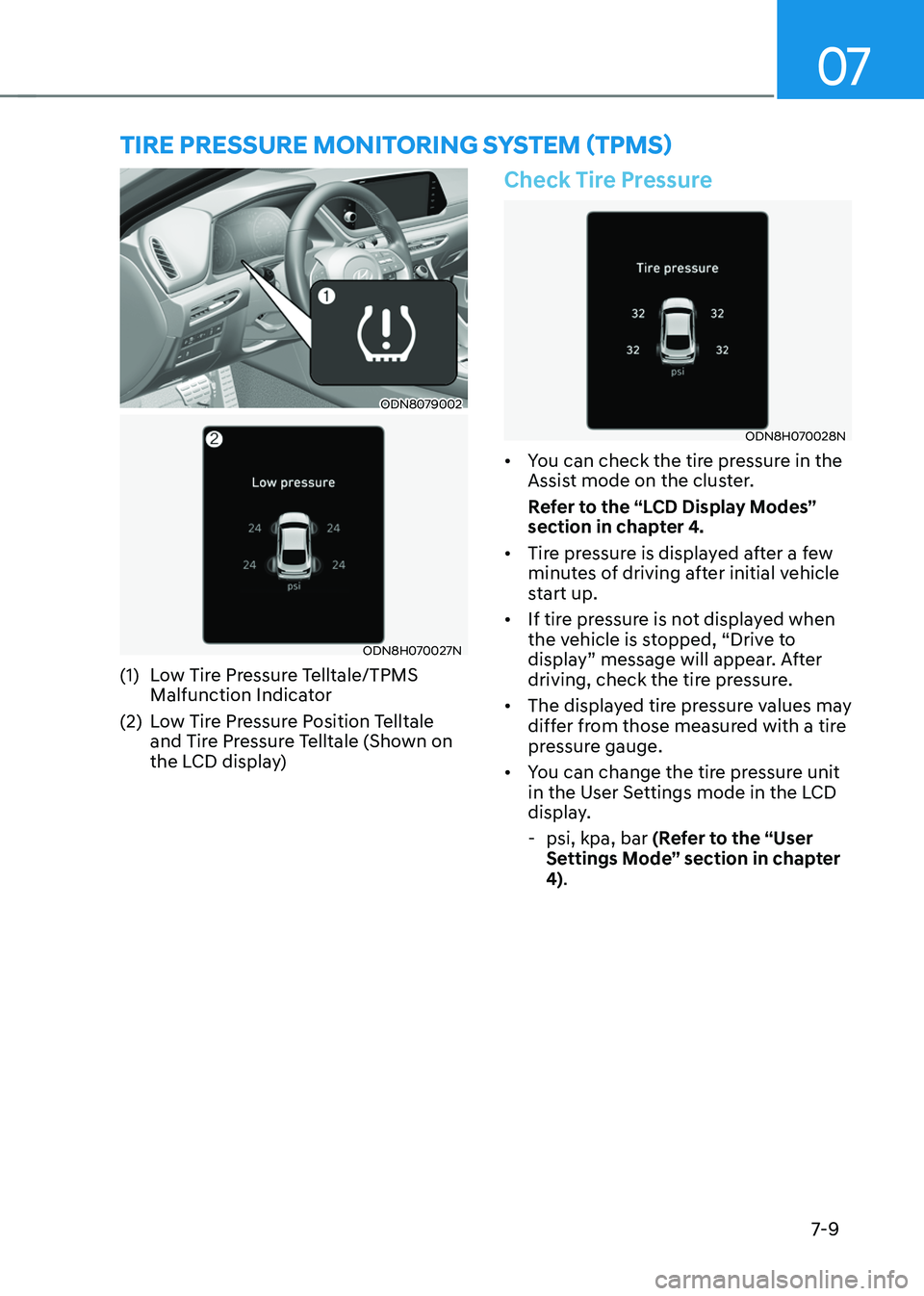
ODN8079002
ODN8H070027N
(1) Low Tire Pressure Telltale/TPMS
Malfunction Indicator
(2) Low Tire Pressure Position Telltale
and Tire Pressure Telltale (Shown on
the LCD display)
Check Tire Pressure
ODN8H070028N
• You can check the tire pressure in the
Assist mode on the cluster.
Refer to the “LCD Display Modes”
section in chapter 4.
• Tire pressure is displayed after a few
minutes of driving after initial vehicle
start up.
• If tire pressure is not displayed when
the vehicle is stopped, “Drive to
display” message will appear. After
driving, check the tire pressure.
• The displayed tire pressure values may
differ from those measured with a tire
pressure gauge.
• You can change the tire pressure unit
in the User Settings mode in the LCD
display.
-psi, kpa, bar (Refer to the “User
Settings Mode” section in chapter
4).
TIRE PRESSURE MONITORING SYSTEM (TPMS)
Page 431 of 527
07
7-11
Low Tire Pressure Telltale
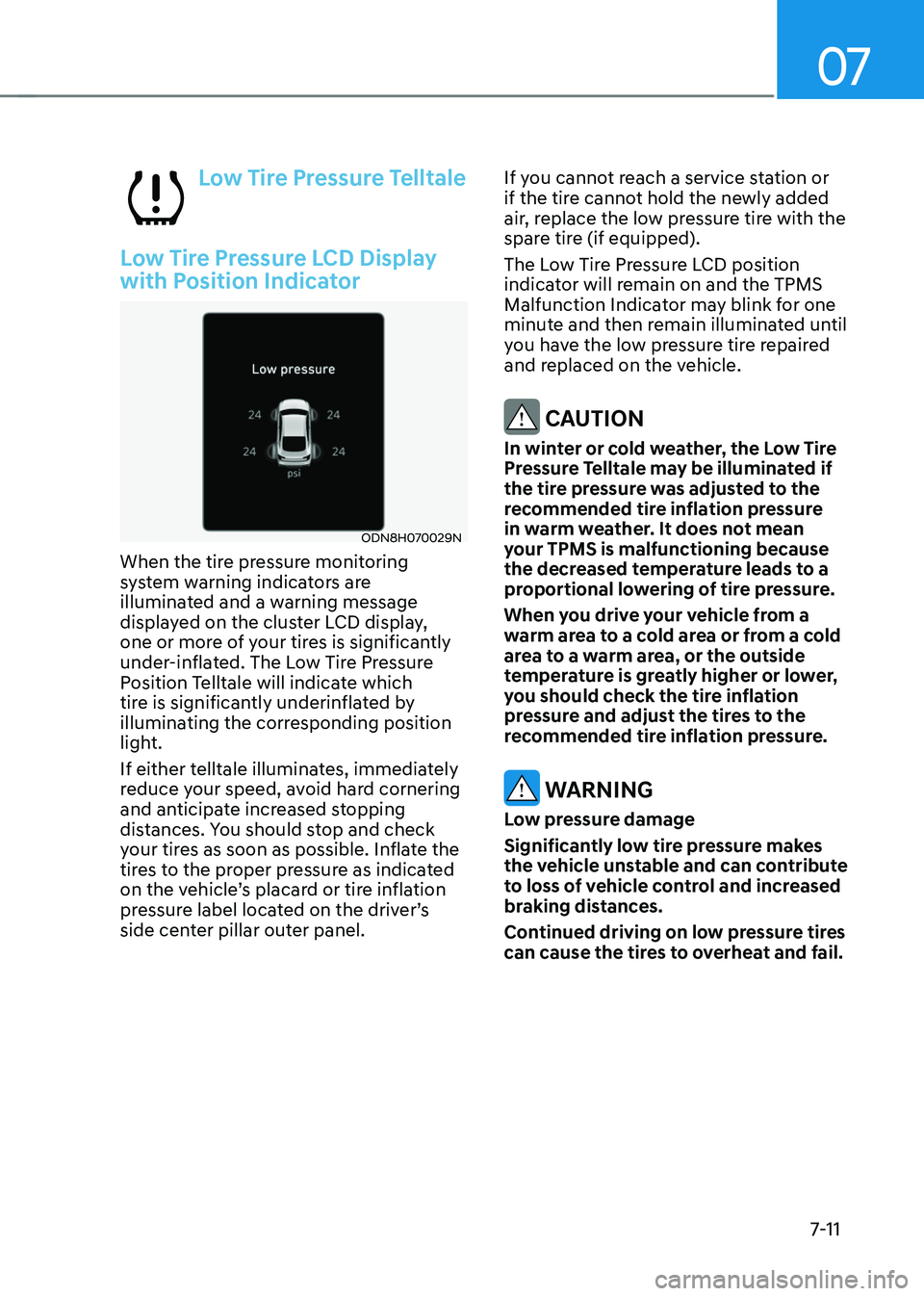
Low Tire Pressure LCD Display
with Position Indicator
ODN8H070029N
When the tire pressure monitoring
system warning indicators are
illuminated and a warning message
displayed on the cluster LCD display,
one or more of your tires is significantly
under-inflated. The Low Tire Pressure
Position Telltale will indicate which
tire is significantly underinflated by
illuminating the corresponding position
light.
If either telltale illuminates, immediately
reduce your speed, avoid hard cornering
and anticipate increased stopping
distances. You should stop and check
your tires as soon as possible. Inflate the
tires to the proper pressure as indicated
on the vehicle’s placard or tire inflation
pressure label located on the driver’s
side center pillar outer panel.If you cannot reach a service station or
if the tire cannot hold the newly added
air, replace the low pressure tire with the
spare tire (if equipped).
The Low Tire Pressure LCD position
indicator will remain on and the TPMS
Malfunction Indicator may blink for one
minute and then remain illuminated until
you have the low pressure tire repaired
and replaced on the vehicle.
CAUTION
In winter or cold weather, the Low Tire
Pressure Telltale may be illuminated if
the tire pressure was adjusted to the
recommended tire inflation pressure
in warm weather. It does not mean
your TPMS is malfunctioning because
the decreased temperature leads to a
proportional lowering of tire pressure.
When you drive your vehicle from a
warm area to a cold area or from a cold
area to a warm area, or the outside
temperature is greatly higher or lower,
you should check the tire inflation
pressure and adjust the tires to the
recommended tire inflation pressure.
WARNING
Low pressure damage
Significantly low tire pressure makes
the vehicle unstable and can contribute
to loss of vehicle control and increased
braking distances.
Continued driving on low pressure tires
can cause the tires to overheat and fail.
Page 432 of 527
Emergency situations
7-12
TPMS (Tire Pressure
Monitoring System)
Malfunction Indicator
The TPMS Malfunction Indicator
will illuminate after it blinks for
approximately one minute when there
is a problem with the Tire Pressure
Monitoring System.
Have the system checked by an
authorized HYUNDAI dealer as soon as
possible.
NOTICE
If there is a malfunction with the TPMS,
the Low Tire Pressure Position Telltale
will not be displayed even though the
vehicle has an under-inflated tire.
NOTICE
The TPMS Malfunction Indicator may
illuminate after blinking for one minute
if the vehicle is near electric power
supply cables or radio transmitters
such as police stations, government
and public offices, broadcasting
stations, military installations, airports,
transmitting towers, etc.
Additionally, the TPMS Malfunction
Indicator may illuminate if snow chains
are used or electronic devices such as
computers, chargers, remote starters,
navigation, etc. This may interfere with
normal operation of the TPMS.
Changing a Tire with TPMS
If you have a flat tire, the Low Tire
Pressure and Position telltales will come
on. Have the flat tire repaired by an
authorized HYUNDAI dealer as soon as
possible or replace the flat tire with the
spare tire (if equipped).
NOTICE
It is recommended that you do not use a
puncture-repairing agent not approved
by a HYUNDAI dealer to repair and/or
inflate a low pressure tire. Tire sealant
not approved by a HYUNDAI dealer may
damage the tire pressure sensor.
The spare tire (if equipped) does not
come with a tire pressure monitoring
sensor. When the low pressure tire or
the flat tire is replaced with the spare
tire, the Low Tire Pressure LCD position
indicator will remain on. Also, the TPMS
Malfunction Indicator will illuminate after
blinking for one minute if the vehicle
is driven at speed above 15.5 mph (25
km/h) for approximately 20 minutes.
Once the original tire equipped with
a tire pressure monitoring sensor is
reinflated to the recommended pressure
and reinstalled on the vehicle, the
Low Tire Pressure Telltale and TPMS
Malfunction Indicator will go off within a
few minutes of driving.
If the indicators do not extinguish after a
few minutes, please visit an authorized
HYUNDAI dealer.
Each wheel is equipped with a tire
pressure sensor mounted inside the tire
behind the valve stem (except for the
spare tire). You must use TPMS specific
wheels. It is recommended that you
always have your tires serviced by an
authorized HYUNDAI dealer.
Page 442 of 527

Emergency situations
7-22
Components of the Tire Mobility Kit
OSK3068011L
1. Speed restriction label
2. Sealant bottle and label with speed restriction
3. Filling hose from sealant bottle to wheel
4. Connectors and cable for power outlet direct connection
5. Holder for the sealant bottle
6. Compressor
7. ON/OFF switch
8. Pressure gauge for displaying the tire inflation pressure
9. Button for reducing the tire inflation pressure
10. Hose to connect compressor and sealant bottle or compressor and wheel
Connectors, cable and connection hose are stored in the compressor housing.
Strictly follow the specified sequence, otherwise the sealant may escape under high
pressure.
Page 480 of 527
08
8-31
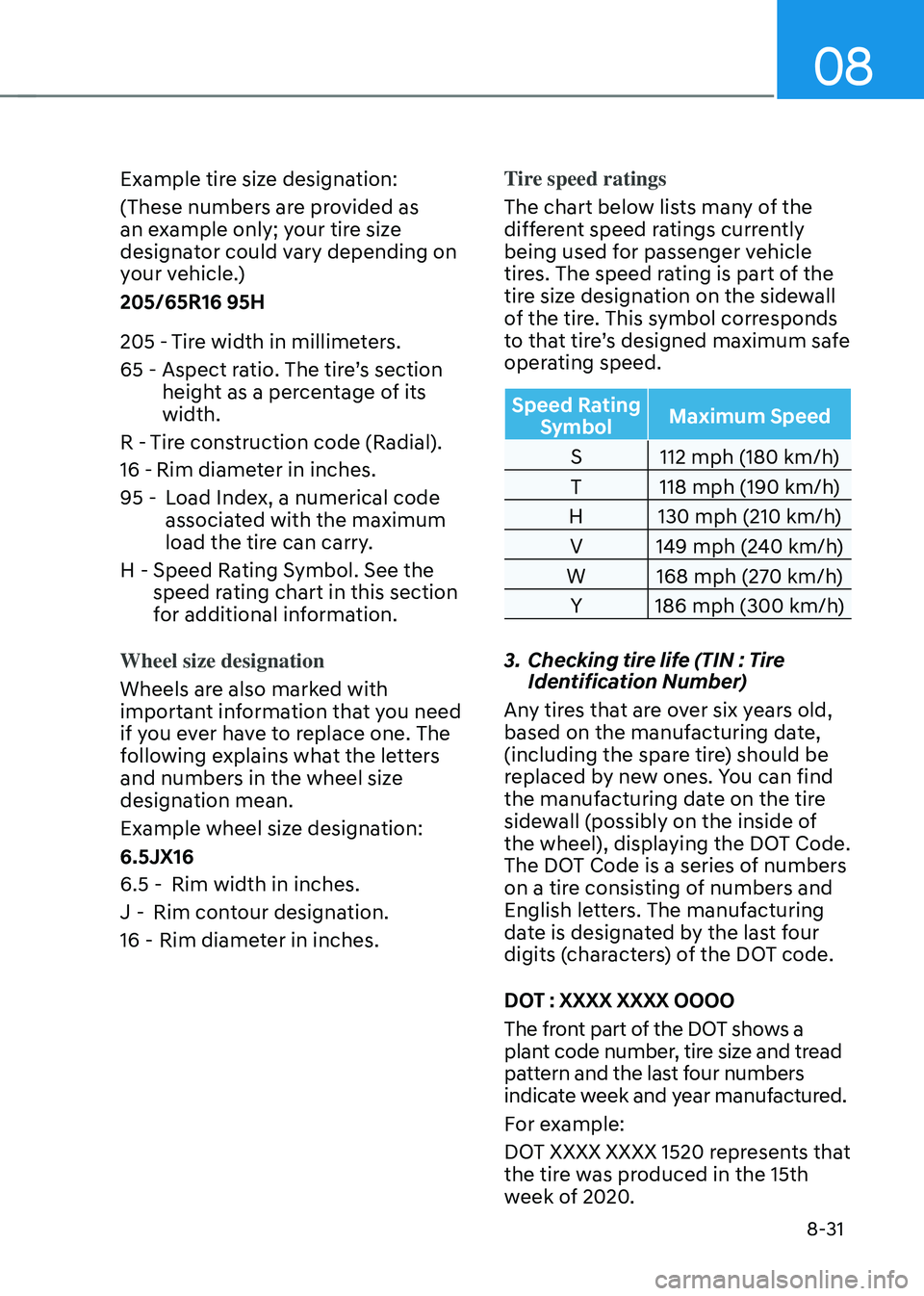
Example tire size designation:
(These numbers are provided as
an example only; your tire size
designator could vary depending on
your vehicle.)
205/65R16 95H
205 -Tire width in millimeters.
65 - Aspect ratio. The tire’s section
height as a percentage of its
width.
R - Tire construction code (Radial).
16 - Rim diameter in inches.
95 - Load Index, a numerical code
associated with the maximum
load the tire can carry.
H - Speed Rating Symbol. See the
speed rating chart in this section
for additional information.
Wheel size designation
Wheels are also marked with
important information that you need
if you ever have to replace one. The
following explains what the letters
and numbers in the wheel size
designation mean.
Example wheel size designation:
6.5JX16
6.5 - Rim width in inches.
J - Rim contour designation.
16 - Rim diameter in inches. Tire speed ratings
The chart below lists many of the
different speed ratings currently
being used for passenger vehicle
tires. The speed rating is part of the
tire size designation on the sidewall
of the tire. This symbol corresponds
to that tire’s designed maximum safe
operating speed.
Speed Rating
Symbol Maximum Speed
S 112 mph (180 km/h)
T 118 mph (190 km/h)
H 130 mph (210 km/h)
V 149 mph (240 km/h)
W 168 mph (270 km/h)
Y 186 mph (300 km/h)
3. Checking tire life (TIN : Tire
Identification Number)
Any tires that are over six years old,
based on the manufacturing date,
(including the spare tire) should be
replaced by new ones. You can find
the manufacturing date on the tire
sidewall (possibly on the inside of
the wheel), displaying the DOT Code.
The DOT Code is a series of numbers
on a tire consisting of numbers and
English letters. The manufacturing
date is designated by the last four
digits (characters) of the DOT code.
DOT : XXXX XXXX OOOO
The front part of the DOT shows a
plant code number, tire size and tread
pattern and the last four numbers
indicate week and year manufactured.
For example:
DOT XXXX XXXX 1520 represents that
the tire was produced in the 15th
week of 2020.
Page 516 of 527

Index
I-8
G
Gauges and meters
........................................................................\
........................4-3
Glove box
........................................................................\
.................................5-118
Guide to Hyundai genuine parts
........................................................................\
...1-3
H
Hazard warning flasher
........................................................................\
.................7-2
Hazardous driving conditions
........................................................................\
...6-132
Head restraints
........................................................................\
............................3-11
Front seat head restraints
........................................................................\
........3-12
Rear seat restraints
........................................................................\
.................3-14
Headlamp delay function
........................................................................\
............5-77
Headlamp leveling device ........................................................................\
............ 5-78
Headlamp position
........................................................................\
......................5-72
Head-up display (HUD)
........................................................................\
..............5-70
Heated steering wheel
........................................................................\
.................5-40
HEV (Hybrid Electric Vehicle) system
................................................................1-12
High Beam Assist (HBA)
........................................................................\
............5-74
High beam operation ........................................................................\
.................... 5-73
Highway driving
........................................................................\
........................6-134
Highway Driving Assist (HDA)
........................................................................\
6-114
Hill-start assist control (HAC)
........................................................................\
.....6-32
HomeLink® system
........................................................................\
.....................5-43
Hood
........................................................................\
............................................5-62
Horn
........................................................................\
.............................................5-41
How to use this manual
........................................................................\
.................1-4
Hybrid battery SOC (State of Charge) gauge
......................................................1-15
Hybrid system gauge
........................................................................\
...................1-15
Power gauge
........................................................................\
............................1-15
Hyundai digital key ........................................................................\
...................... 5-12
Digital key application
........................................................................\
...........5-12
Digital key (smartphone) NFC function
........................................................5-13
Digital key (smartphone) ........................................................................\
......... 5-13
Digital key (card key) ........................................................................\
.............. 5-21
Page 517 of 527

I
I-9
I
If the 12 volt battery is discharged
........................................................................\
7-4
If the engine overheats
........................................................................\
..................7-7
If the engine stalls at a crossroad or crossing
........................................................7-2
If the engine stalls while driving
........................................................................\
..7-2
If the engine will not start
........................................................................\
.............7-3
If you have a flat tire while driving
......................................................................7-3
Ignition switch
........................................................................\
..............................6-6
Engine Start/Stop button
........................................................................\
..........6-6
Remote start
........................................................................\
.............................6-9
Immobilizer system
........................................................................\
....................5-11
Important safety precautions ........................................................................\
.......... 3-2
Always wear your seat belt
........................................................................\
......3-2
Restrain all children
........................................................................\
.................3-2
Air bag hazards
........................................................................\
........................3-2
Driver distraction
........................................................................\
.....................3-2
Control your speed
........................................................................\
...................3-2
Keep your vehicle in safe condition
.................................................................3-2
In case of an emergency while driving
.................................................................7-2
Infotainment system ........................................................................\
................... 5-126
USB and iPod® port
........................................................................\
............5-126
Antenna
........................................................................\
................................5-126
Steering wheel audio controls
......................................................................5-127
Bluetooth® Wireless Technology hands-free ...............................................5-128
Audio / Video / Navigation system
..............................................................5-128
Blue Link® center
........................................................................\
................5-128
Inside rearview mirror
........................................................................\
................5-42
Instrument cluster
........................................................................\
.........................4-4
Adjusting instrument cluster illumination
........................................................4-5
Gauges and meters
........................................................................\
...................4-5
Transmission shift indicator
........................................................................\
.....4-9
Warning and indicator lights
........................................................................\
..4-10
LCD display messages
........................................................................\
...........4-19
LCD display (Type A, B)
........................................................................\
.......4-26
LCD display (Type C)
........................................................................\
............4-39