display HYUNDAI SONATA HYBRID 2020 Manual Online
[x] Cancel search | Manufacturer: HYUNDAI, Model Year: 2020, Model line: SONATA HYBRID, Model: HYUNDAI SONATA HYBRID 2020Pages: 527, PDF Size: 64.14 MB
Page 319 of 527
06
6-43
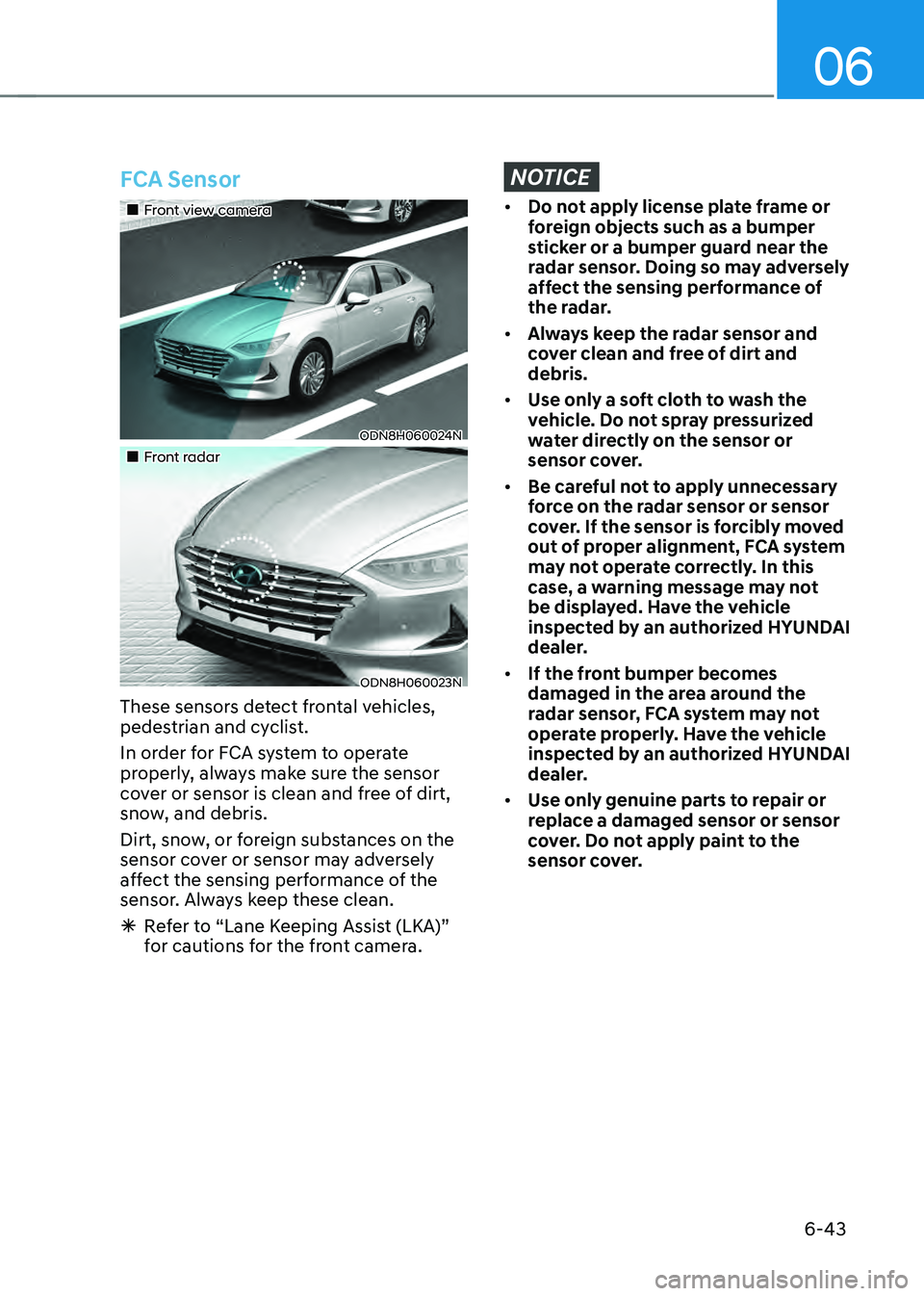
FCA Sensor
„„Front view camera
ODN8H060024N
„„Front radar
ODN8H060023N
These sensors detect frontal vehicles,
pedestrian and cyclist.
In order for FCA system to operate
properly, always make sure the sensor
cover or sensor is clean and free of dirt,
snow, and debris.
Dirt, snow, or foreign substances on the
sensor cover or sensor may adversely
affect the sensing performance of the
sensor. Always keep these clean.
ÃRefer to “Lane Keeping Assist (LKA)”
for cautions for the front camera.
NOTICE
• Do not apply license plate frame or
foreign objects such as a bumper
sticker or a bumper guard near the
radar sensor. Doing so may adversely
affect the sensing performance of
the radar.
• Always keep the radar sensor and
cover clean and free of dirt and
debris.
• Use only a soft cloth to wash the
vehicle. Do not spray pressurized
water directly on the sensor or
sensor cover.
• Be careful not to apply unnecessary
force on the radar sensor or sensor
cover. If the sensor is forcibly moved
out of proper alignment, FCA system
may not operate correctly. In this
case, a warning message may not
be displayed. Have the vehicle
inspected by an authorized HYUNDAI
dealer.
• If the front bumper becomes
damaged in the area around the
radar sensor, FCA system may not
operate properly. Have the vehicle
inspected by an authorized HYUNDAI
dealer.
• Use only genuine parts to repair or
replace a damaged sensor or sensor
cover. Do not apply paint to the
sensor cover.
Page 320 of 527
While Driving
6-44
NOTICE
NEVER install any accessories or
stickers on the front windshield, or tint
the front windshield.
NEVER place any reflective objects
(i.e. white paper, mirror) over the
dashboard. Any light reflection may
prevent the system from functioning
properly.
Pay extreme caution to keep the camera
dry.
NEVER disassemble the camera
assembly, or apply any impact on the
camera assembly.
Information
Have the vehicle inspected by an
authorized HYUNDAI dealer when:
• The windshield glass is replaced.
• The radar sensor or cover gets
damaged or replaced.
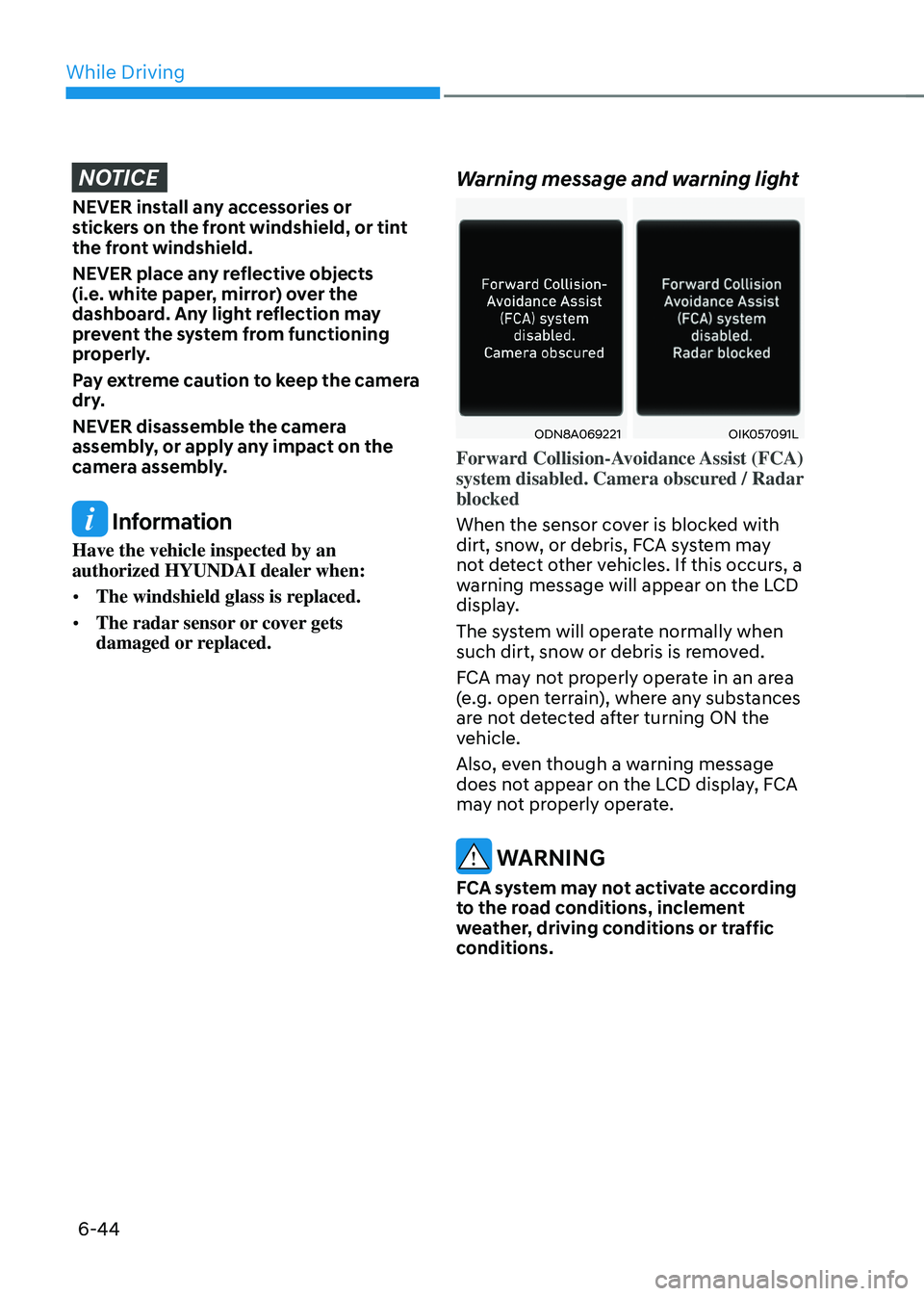
Warning message and warning light
ODN8A069221OIK057091L
Forward Collision-Avoidance Assist (FCA)
system disabled. Camera obscured / Radar
blocked
When the sensor cover is blocked with
dirt, snow, or debris, FCA system may
not detect other vehicles. If this occurs, a
warning message will appear on the LCD
display.
The system will operate normally when
such dirt, snow or debris is removed.
FCA may not properly operate in an area
(e.g. open terrain), where any substances
are not detected after turning ON the
vehicle.
Also, even though a warning message
does not appear on the LCD display, FCA
may not properly operate.
WARNING
FCA system may not activate according
to the road conditions, inclement
weather, driving conditions or traffic
conditions.
Page 321 of 527
06
6-45
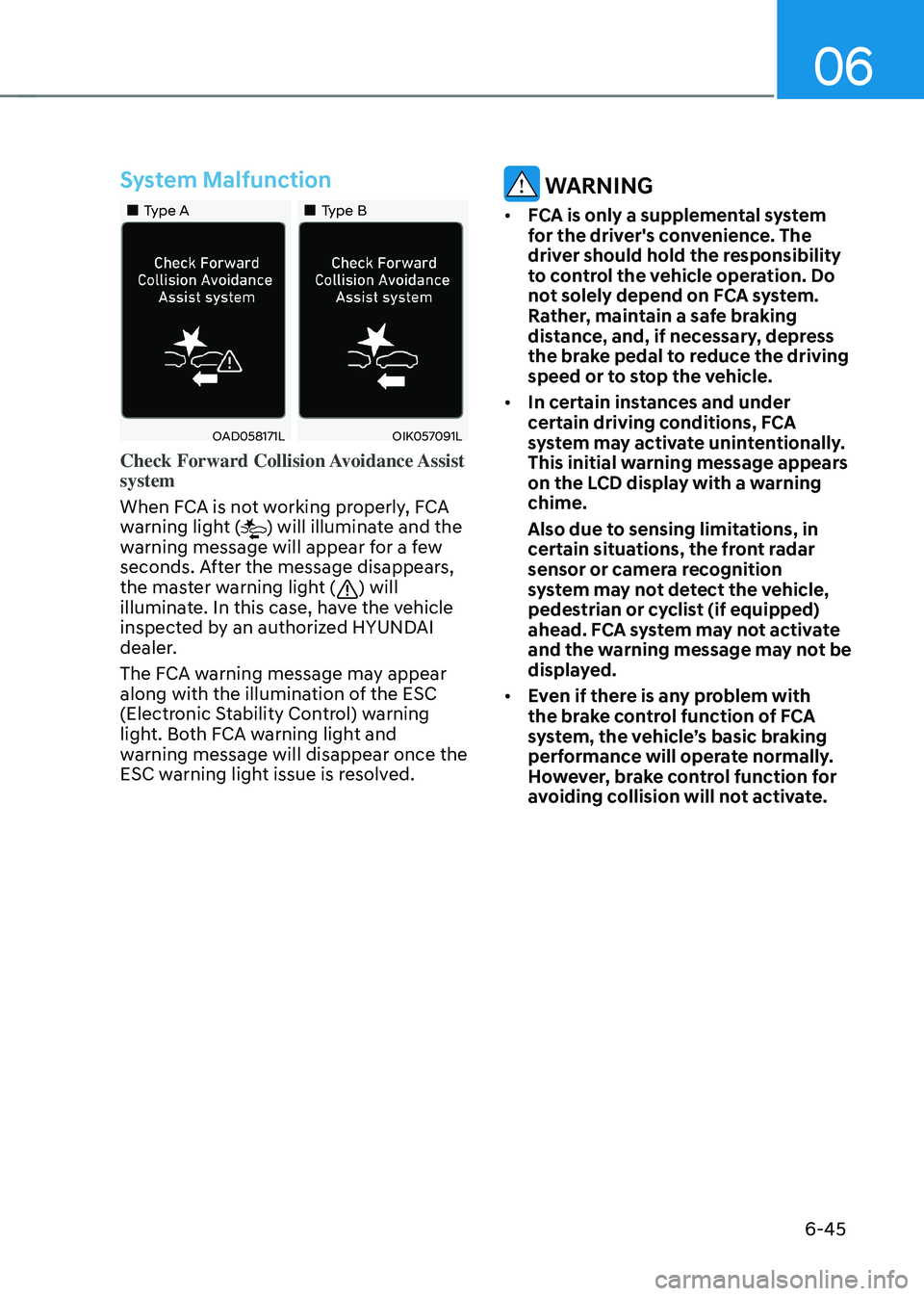
System Malfunction
„„Type A„„Type B
OAD058171LOIK057091L
Check Forward Collision Avoidance Assist
system
When FCA is not working properly, FCA
warning light (
) will illuminate and the
warning message will appear for a few
seconds. After the message disappears,
the master warning light (
) will
illuminate. In this case, have the vehicle
inspected by an authorized HYUNDAI
dealer.
The FCA warning message may appear
along with the illumination of the ESC
(Electronic Stability Control) warning
light. Both FCA warning light and
warning message will disappear once the
ESC warning light issue is resolved.
WARNING
• FCA is only a supplemental system
for the driver's convenience. The
driver should hold the responsibility
to control the vehicle operation. Do
not solely depend on FCA system.
Rather, maintain a safe braking
distance, and, if necessary, depress
the brake pedal to reduce the driving
speed or to stop the vehicle.
• In certain instances and under
certain driving conditions, FCA
system may activate unintentionally.
This initial warning message appears
on the LCD display with a warning
chime.
Also due to sensing limitations, in
certain situations, the front radar
sensor or camera recognition
system may not detect the vehicle,
pedestrian or cyclist (if equipped)
ahead. FCA system may not activate
and the warning message may not be
displayed.
• Even if there is any problem with
the brake control function of FCA
system, the vehicle’s basic braking
performance will operate normally.
However, brake control function for
avoiding collision will not activate.
Page 330 of 527
While Driving
6-54
Prerequisite for activation
FCA system is on and ready if you select
“Active Assist” or “Warning Only” on
the infotainment system and when the
following prerequisites are satisfied:
-The system detects a oncoming
vehicle in front, which may collide
with your vehicle. It may be activated
when the system recognise the
collision risk at a junction in each
situation.
-The ESC (Electronic Stability Control)
is on.
-The vehicle speed moving toward
your vehicle exceeds approximately 19
mph (30 km/h) or decreases under 44
mph (70 km/h).
-Driving speed exceeds approximately
6 mph (10 km/h) or decreases under
19 mph (30 km/h)
-Direction signals turn on.
CAUTION
• FCA system may not work or only
some part of the warning system may
perform according to the condition,
driving direction or speed of the
vehicle moving toward your vehicle.
• If you select “Warning only”, FCA
system activates and produces only
warning alarms.
WARNING
• FCA system may not produce the
warning alarm or be activated too
late due to the unexpected driving
caused by the approaching vehicles.
• While turning left, only when the turn
signal is on along with the driving
direction, FCA system is activated
toward the approaching vehicles.
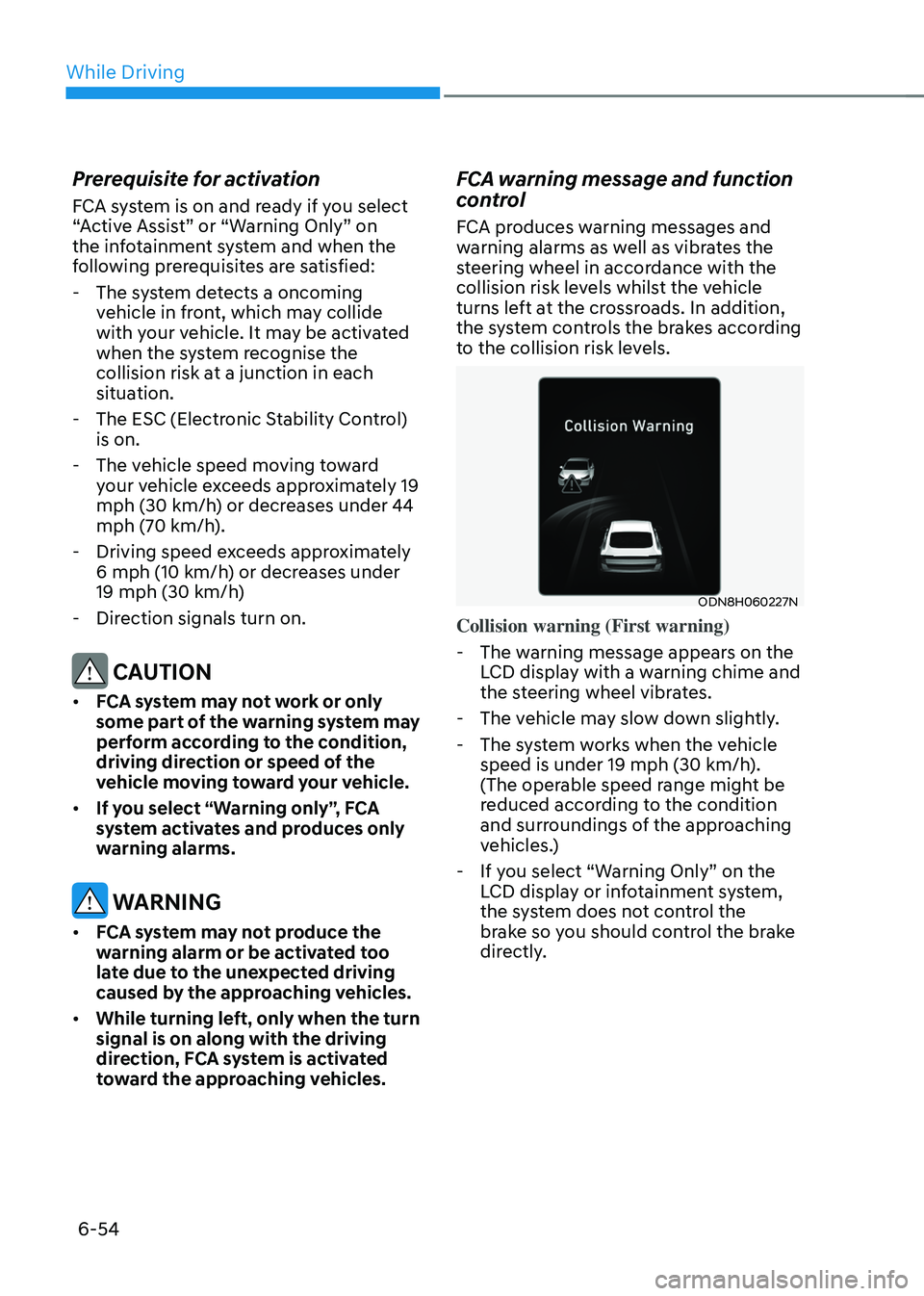
FCA warning message and function
control
FCA produces warning messages and
warning alarms as well as vibrates the
steering wheel in accordance with the
collision risk levels whilst the vehicle
turns left at the crossroads. In addition,
the system controls the brakes according
to the collision risk levels.
ODN8H060227N
Collision warning (First warning)
-The warning message appears on the
LCD display with a warning chime and
the steering wheel vibrates.
-The vehicle may slow down slightly.
-The system works when the vehicle
speed is under 19 mph (30 km/h).
(The operable speed range might be
reduced according to the condition
and surroundings of the approaching
vehicles.)
-If you select “Warning Only” on the
LCD display or infotainment system,
the system does not control the
brake so you should control the brake
directly.
Page 331 of 527
06
6-55
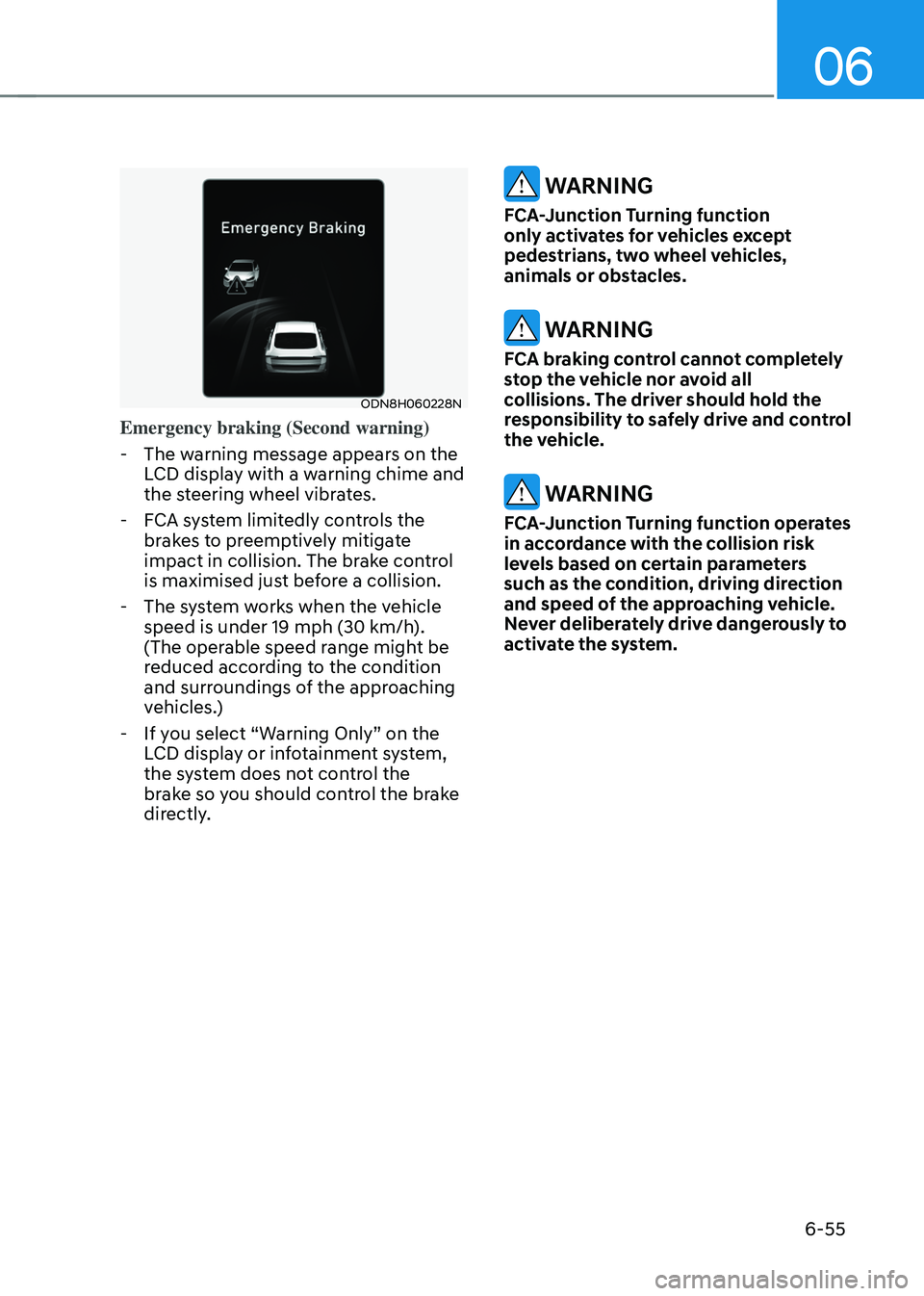
ODN8H060228N
Emergency braking (Second warning)
-The warning message appears on the
LCD display with a warning chime and
the steering wheel vibrates.
-FCA system limitedly controls the
brakes to preemptively mitigate
impact in collision. The brake control
is maximised just before a collision.
-The system works when the vehicle
speed is under 19 mph (30 km/h).
(The operable speed range might be
reduced according to the condition
and surroundings of the approaching
vehicles.)
-If you select “Warning Only” on the
LCD display or infotainment system,
the system does not control the
brake so you should control the brake
directly.
WARNING
FCA-Junction Turning function
only activates for vehicles except
pedestrians, two wheel vehicles,
animals or obstacles.
WARNING
FCA braking control cannot completely
stop the vehicle nor avoid all
collisions. The driver should hold the
responsibility to safely drive and control
the vehicle.
WARNING
FCA-Junction Turning function operates
in accordance with the collision risk
levels based on certain parameters
such as the condition, driving direction
and speed of the approaching vehicle.
Never deliberately drive dangerously to
activate the system.
Page 335 of 527
06
6-59
LKA Operation
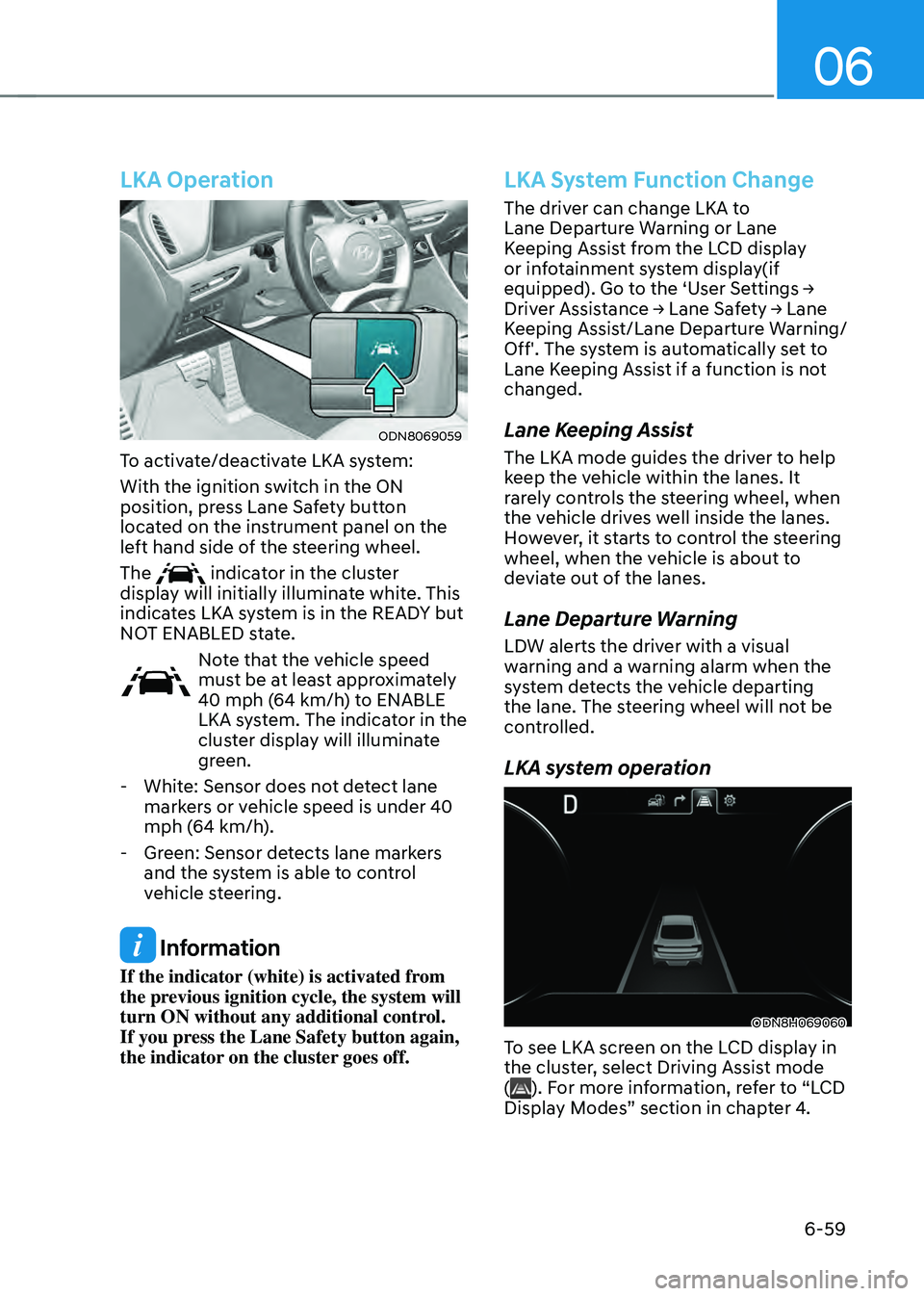
ODN8069059
To activate/deactivate LKA system:
With the ignition switch in the ON
position, press Lane Safety button
located on the instrument panel on the
left hand side of the steering wheel.
The
indicator in the cluster
display will initially illuminate white. This
indicates LKA system is in the READY but
NOT ENABLED state.
Note that the vehicle speed
must be at least approximately
40 mph (64 km/h) to ENABLE
LKA system. The indicator in the
cluster display will illuminate
green.
- White: Sensor does not detect lane
markers or vehicle speed is under 40
mph (64 km/h).
-Green: Sensor detects lane markers
and the system is able to control
vehicle steering.
Information
If the indicator (white) is activated from
the previous ignition cycle, the system will
turn ON without any additional control.
If you press the Lane Safety button again,
the indicator on the cluster goes off.
LKA System Function Change
The driver can change LKA to
Lane Departure Warning or Lane
Keeping Assist from the LCD display
or infotainment system display(if
equipped). Go to the ‘User Settings → Driver Assistance → Lane Safety → Lane Keeping Assist/Lane Departure Warning/
Off'. The system is automatically set to
Lane Keeping Assist if a function is not
changed.
Lane Keeping Assist
The LKA mode guides the driver to help
keep the vehicle within the lanes. It
rarely controls the steering wheel, when
the vehicle drives well inside the lanes.
However, it starts to control the steering
wheel, when the vehicle is about to
deviate out of the lanes.
Lane Departure Warning
LDW alerts the driver with a visual
warning and a warning alarm when the
system detects the vehicle departing
the lane. The steering wheel will not be
controlled.
LKA system operation
ODN8H069060
To see LKA screen on the LCD display in
the cluster, select Driving Assist mode
(
). For more information, refer to “LCD
Display Modes” section in chapter 4.
Page 336 of 527

While Driving
6-60
„„Lane marker undetected„„Lane marker detected
ODN8H069064LODN8069062
• If vehicle speed is over 40 mph (64
km/h) and the system detects lane
markers, the color changes from gray
to white.
• If your vehicle speed exceeds 40 mph
(64 km/h) and Lane Safety button is
ON, the system is enabled. If your
vehicle departs from the projected
lane in front of you, LKA system
operates as follows:
„„Left lane departure warning„„Right lane departure warning
ODN8069064ODN8069066
1. A visual warning appears on the
cluster LCD display. Either the left
lane marker or the right lane marker
in the cluster LCD display will blink
depending on which direction the
vehicle is veering.
2. LKA system will help control the
vehicle’s steering to prevent the
vehicle from crossing the lane maker
in below conditions.
-Vehicle speed is over 40 mph (64
km/h)
-The system detects both lane
markers
-When driving, the vehicle is located
between both lanes normally.
-The steering wheel is not turned
suddenly.
When lanes are detected and all the
conditions to activate LKA system are
satisfied, LKA system indicator light
(
) will change from white to green.
This indicates that LKA system is in the
ENABLED state and the steering wheel
will be controlled.
ODN8069068L
Keep hands on steering wheel
If the driver takes their hands off the
steering wheel for several seconds while
LKA system is activated, the system will
warn the driver.
Page 342 of 527

While Driving
6-66
Blind-Spot Collision-Avoidance Assist
system may activate the Electronic
Stability Control (ESC) in accordance
with a colliding possibility with an
approaching vehicle while changing
lanes. It is to lower the colliding risk or
help mitigate the colliding damage.
WARNING
• Always be aware of road conditions
while driving and be alert for
unexpected situations even though
the Blind-Spot Collision Warning
system and Blind-Spot Collision-
Avoidance Assist system are
operating.
• Blind-Spot Collision Warning system
and Blind-Spot Collision-Avoidance
Assist system are supplemental
systems to assist you. Always pay
attention, while driving, for your
safety. Do not entirely rely on the
systems or an accident may occur.
• Blind-Spot Collision Warning system
and Blind-Spot Collision-Avoidance
Assist system are not substitutes
for proper and safe driving. Always
drive safely and use caution when
changing lanes or backing up the
vehicle.
Blind-Spot Collision Warning system
and Blind-Spot Collision-Avoidance
Assist system may not detect every
object alongside the vehicle.
System Setting and Activation
System setting
• The driver can activate the system
by placing the ignition switch to the
ON position and by selecting ‘User
Settings → Driver Assistance → Blind-Spot Safety’
-BCA and BCW turn on and get
ready to be activated when ‘Active
assist’ is selected. Then, if a vehicle
approaches the driver’s blind spot
area a warning sounds or braking
power is applied.
-BCW turns on and gets ready to
be activated when ‘Warning only’
is selected. Then, if a vehicle
approaches the driver’s blind spot
area a warning sounds. Braking
assist will not be applied in this
setting.
-If you select “Off”, BCW system
deactivates.
• If the engine is turned off then on
again, the system maintains the
previous state.
• The driver can select the initial
warning activation time in the
User Settings in the LCD display
or infotainment system display by
selecting ‘User Settings → Driver Assistance → Warning Timing’.
Page 343 of 527
06
6-67
• The options for the initial Blind-
Spot Collision Warning includes the
following:
-Normal:
When this condition is selected, the
initial Blind-Spot Collision Warning
is activated normally. If this setting
feels sensitive change the option to
‘Late’.
The warning activation time may
feel late if a vehicle at the side or
rear abruptly accelerates.
-Late:
Select this warning activation time
when the traffic is light and you are
driving in a low speed.
Information
If you change the warning timing, the
warning time of other systems may
change. Always be aware before changing
the warning timing.
• The driver can select the warning
volume of Blind-Spot Collision
Warning in the User Settings in the
LCD display or infotainment system
display by selecting ‘User Settings → Driver Assistance → Warning Volume → High/Medium/Low’.
Information
If you change the warning volume, the
warning volume of other systems may
change. Always be aware before changing
the warning volume.
Operating Conditions
The system enters the ready status,
when ‘Active Assist’ or ‘Warning Only’ is
selected and the following conditions are
satisfied:
• Active Assist
(1) Blind-Spot Collision-Avoidance Assist
system will activate when:
-Vehicle speed is between 40 mph
and 112 mph (60 km/h and 180
km/h).
-The system detects both of the lane
lines.
-An approaching vehicle is detected
next to or behind your vehicle.
(2) Blind-Spot Collision Warning system
will activate when:
The vehicle speed is above about 20
mph (30 km/h).
• Warning Only
(1) Blind-Spot Collision Warning system
will activate when:
-The vehicle speed is above 20 mph
(30 km/h).
Blind-Spot Collision-Avoidance Assist system is not activated.
Page 344 of 527

While Driving
6-68
Warning and System Control
Blind-Spot Collision Warning
„„Left side
„„Right side
ODN8069028
First stage alert
If a vehicle is detected within the
boundary of the system, a warning light
will illuminate on the side view mirror
and the head up display (if equipped).
Once the detected vehicle is no longer
within the blind spot area, the warning
will turn off according to the driving
conditions of the vehicle.
„„Left side
ODN8069029
„„Right side
ODN8069030
[A] : Warning sound
Second stage alert
A warning chime to alert the driver will
activate when:
1. A vehicle has been detected in the
blind spot area by the radar system
AND.
2. The turn signal is applied (same
side as where the vehicle is being
detected).
When this alert is activated, the warning
light on the side view mirror and the
head up display (if equipped) will also
blink. And a warning chime will sound.
If you turn off the turn signal indicator,
the second stage alert will be
deactivated.
Once the detected vehicle is no longer
within the blind spot area, the warning
will turn off according to the driving
conditions of the vehicle.