HYUNDAI SONATA HYBRID 2023 Owners Manual
Manufacturer: HYUNDAI, Model Year: 2023, Model line: SONATA HYBRID, Model: HYUNDAI SONATA HYBRID 2023Pages: 549
Page 371 of 549
06
6-81
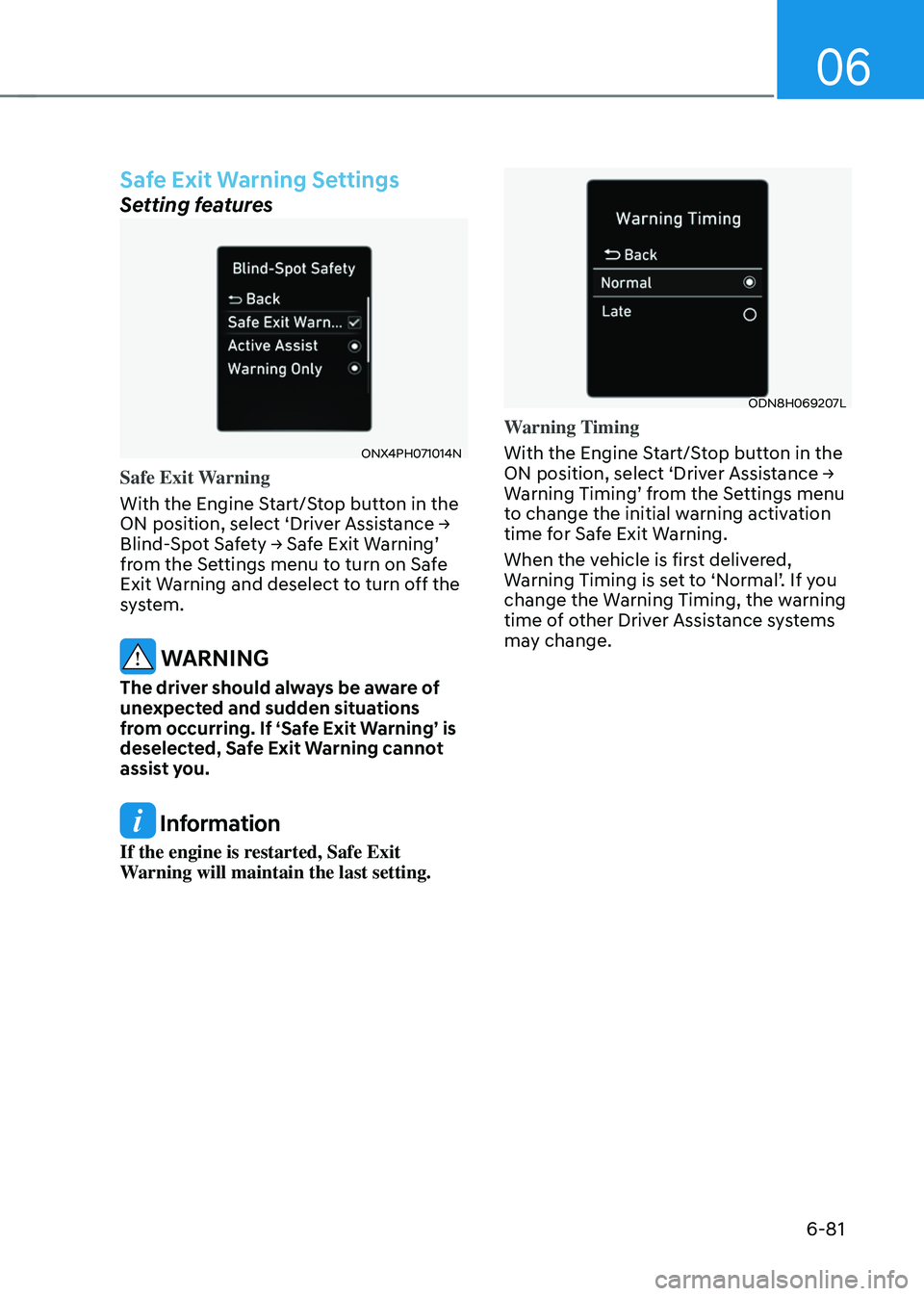
Safe Exit Warning Settings
Setting features
ONX4PH071014NONX4PH071014N
Safe Exit Warning
With the Engine Start/Stop button in the
ON position, select ‘Driver Assistance → Blind-Spot Safety → Safe Exit Warning’ from the Settings menu to turn on Safe
Exit Warning and deselect to turn off the
system.
WARNING
The driver should always be aware of
unexpected and sudden situations
from occurring. If ‘Safe Exit Warning’ is
deselected, Safe Exit Warning cannot
assist you.
Information
If the engine is restarted, Safe Exit
Warning will maintain the last setting.
ODN8H069207LODN8H069207L
Warning Timing
With the Engine Start/Stop button in the
ON position, select ‘Driver Assistance → Warning Timing’ from the Settings menu
to change the initial warning activation
time for Safe Exit Warning.
When the vehicle is first delivered,
Warning Timing is set to ‘Normal’. If you
change the Warning Timing, the warning
time of other Driver Assistance systems
may change.
Page 372 of 549
While Driving
6-82
OTMA058094OTMA058094
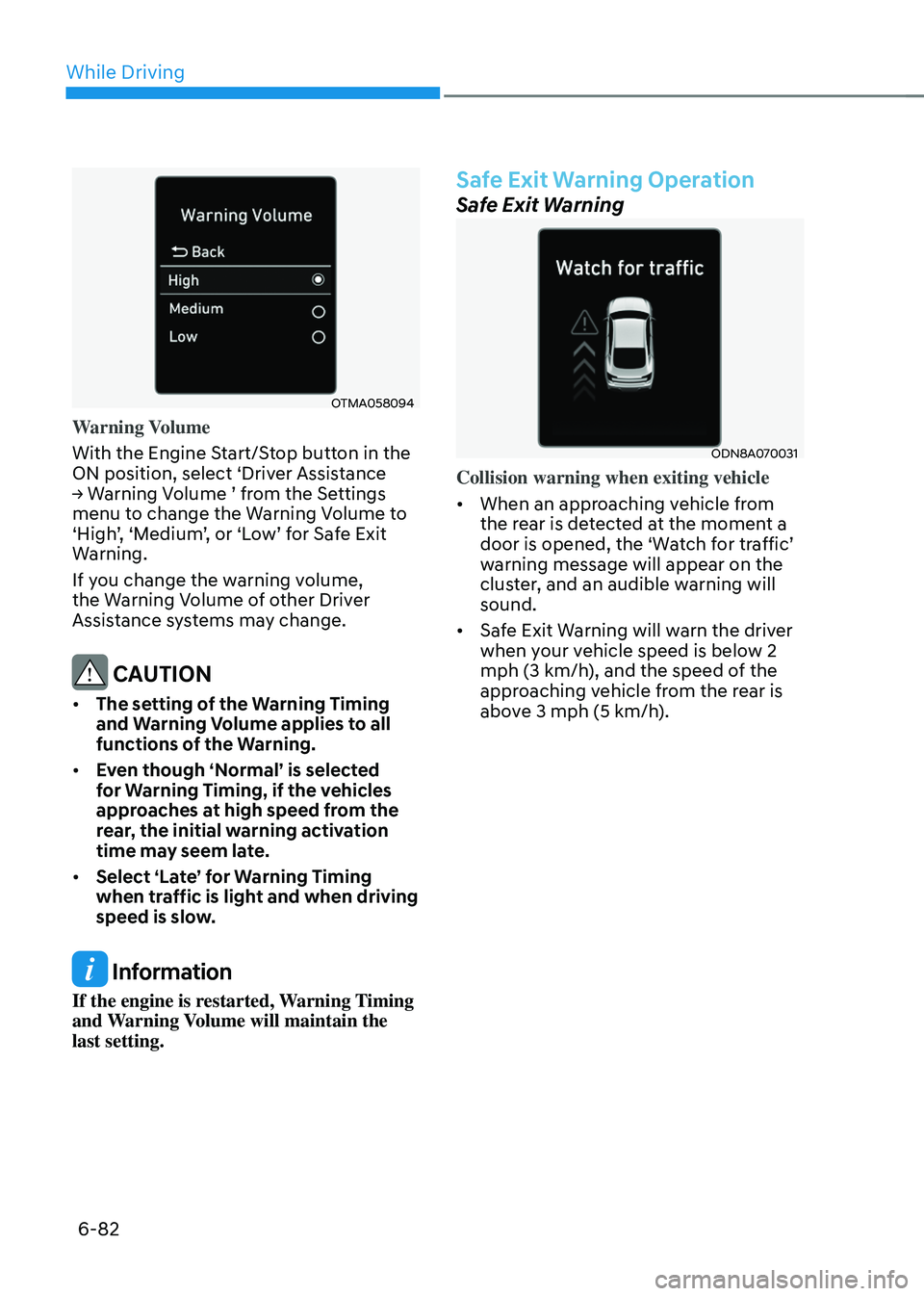
Warning Volume
With the Engine Start/Stop button in the
ON position, select ‘Driver Assistance
→ Warning Volume ’ from the Settings menu to change the Warning Volume to
‘High’, ‘Medium’, or ‘Low’ for Safe Exit
Warning.
If you change the warning volume,
the Warning Volume of other Driver
Assistance systems may change.
CAUTION
• The setting of the Warning Timing
and Warning Volume applies to all
functions of the Warning.
• Even though ‘Normal’ is selected
for Warning Timing, if the vehicles
approaches at high speed from the
rear, the initial warning activation
time may seem late.
• Select ‘Late’ for Warning Timing
when traffic is light and when driving
speed is slow.
Information
If the engine is restarted, Warning Timing
and Warning Volume will maintain the
last setting.
Safe Exit Warning Operation
Safe Exit Warning
ODN8A070031ODN8A070031
Collision warning when exiting vehicle
• When an approaching vehicle from
the rear is detected at the moment a
door is opened, the ‘Watch for traffic’
warning message will appear on the
cluster, and an audible warning will
sound.
• Safe Exit Warning will warn the driver
when your vehicle speed is below 2
mph (3 km/h), and the speed of the
approaching vehicle from the rear is
above 3 mph (5 km/h).
Page 373 of 549
06
6-83
WARNING
Take the following precautions when
using Safe Exit Warning:
• For your safety, change the Settings
after parking the vehicle at a safe
location.
• If any other function’s warning
message is displayed or audible
warning is generated, Safe Exit
warning message may not be
displayed and audible warning may
not be generated.
• You may not hear the warning sound
of Safe Exit Warning if the surrounding
is noisy.
• Safe Exit Warning does not operate
in all situations or cannot prevent all
collisions.
• Safe Exit Warning may warn the
driver late or may not warn the driver
depending on the road and driving
conditions. Always check vehicle
surroundings.
• The driver and passengers are
responsible for accidents that occurs
while exiting the vehicle. Always
check the surroundings before you
exit the vehicle.
• Never deliberately operate Safe Exit
Warning. Doing so may lead to serious
injury or death.
• Safe Exit Warning does not operate
if there is a problem with Blind-Spot
Safety system. The warning message
of Blind-Spot Safety system will
appear when:
-Blind-Spot Collision-Avoidance
Assist sensor or the sensor
surrounding is polluted or covered
-Blind-Spot Collision-Avoidance
Assist fails to warn passengers or
falsely warn passengers
Information
After the engine is turned off, Safe Exit
Warning operates approximately for 3
minutes, but turns off immediately if the
doors are locked.
Page 374 of 549
While Driving
6-84
Safe Exit Warning Malfunction
and Limitations
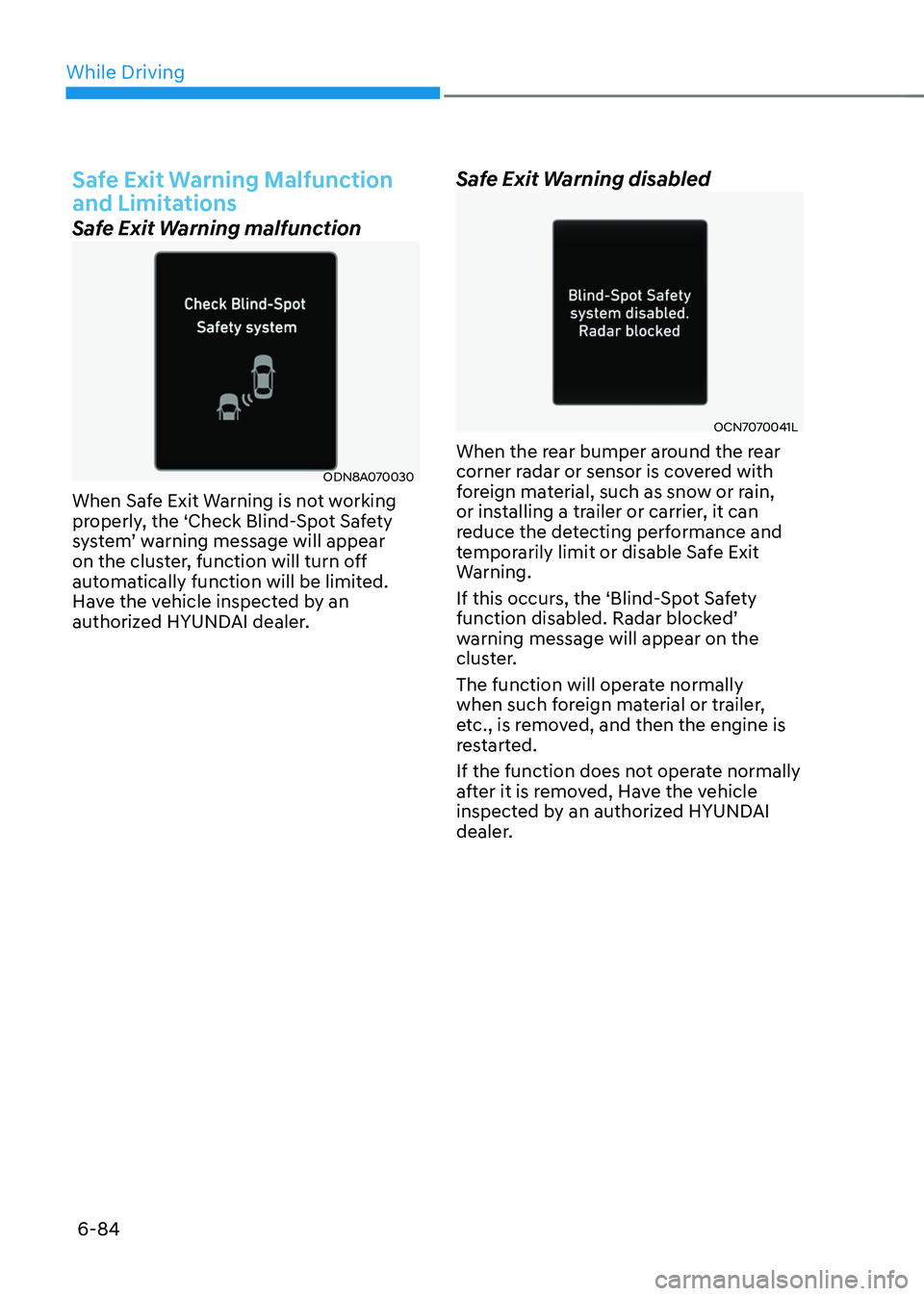
Safe Exit Warning malfunction
ODN8A070030ODN8A070030
When Safe Exit Warning is not working
properly, the ‘Check Blind-Spot Safety
system’ warning message will appear
on the cluster, function will turn off
automatically function will be limited.
Have the vehicle inspected by an
authorized HYUNDAI dealer.
Safe Exit Warning disabled
OCN7070041LOCN7070041L
When the rear bumper around the rear
corner radar or sensor is covered with
foreign material, such as snow or rain,
or installing a trailer or carrier, it can
reduce the detecting performance and
temporarily limit or disable Safe Exit
Warning.
If this occurs, the ‘Blind-Spot Safety
function disabled. Radar blocked’
warning message will appear on the
cluster.
The function will operate normally
when such foreign material or trailer,
etc., is removed, and then the engine is
restarted.
If the function does not operate normally
after it is removed, Have the vehicle
inspected by an authorized HYUNDAI
dealer.
Page 375 of 549
06
6-85
WARNING
• Even though the warning message
does not appear on the cluster,
Safe Exit Warning may not properly
operate.
• Safe Exit Warning may not properly
operate in an area (for example, open
terrain) where any substance are
not detected right after the engine
is turned on, or when the detecting
sensor is blocked with foreign
material right after the engine is
turned on.
CAUTION
Turn off Safe Exit Warning to install
a trailer, carrier, etc., or remove the
trailer, carrier, etc., to use Safe Exit
Assist.
Limitations of the function
Safe Exit Warning may not operate
normally, or the function may operate
unexpectedly under the following
circumstances:
• Getting off the vehicle where trees or
grass are overgrown
• Getting off the vehicle where the road
is wet
• The approaching vehicle is very fast or
very slow
WARNING
• Safe Exit Warning may not operate
normally if interfered by strong
electromagnetic waves.
• Safe Exit Warning may not operate
for 3 seconds after the vehicle is
started, or rear corner radars are
initialized.
Page 376 of 549
While Driving
6-86
Driver Attention Warning displays the
condition of the driver’s fatigue level and
inattentive driving practices.
Driver Attention Warning
settings
Settings features
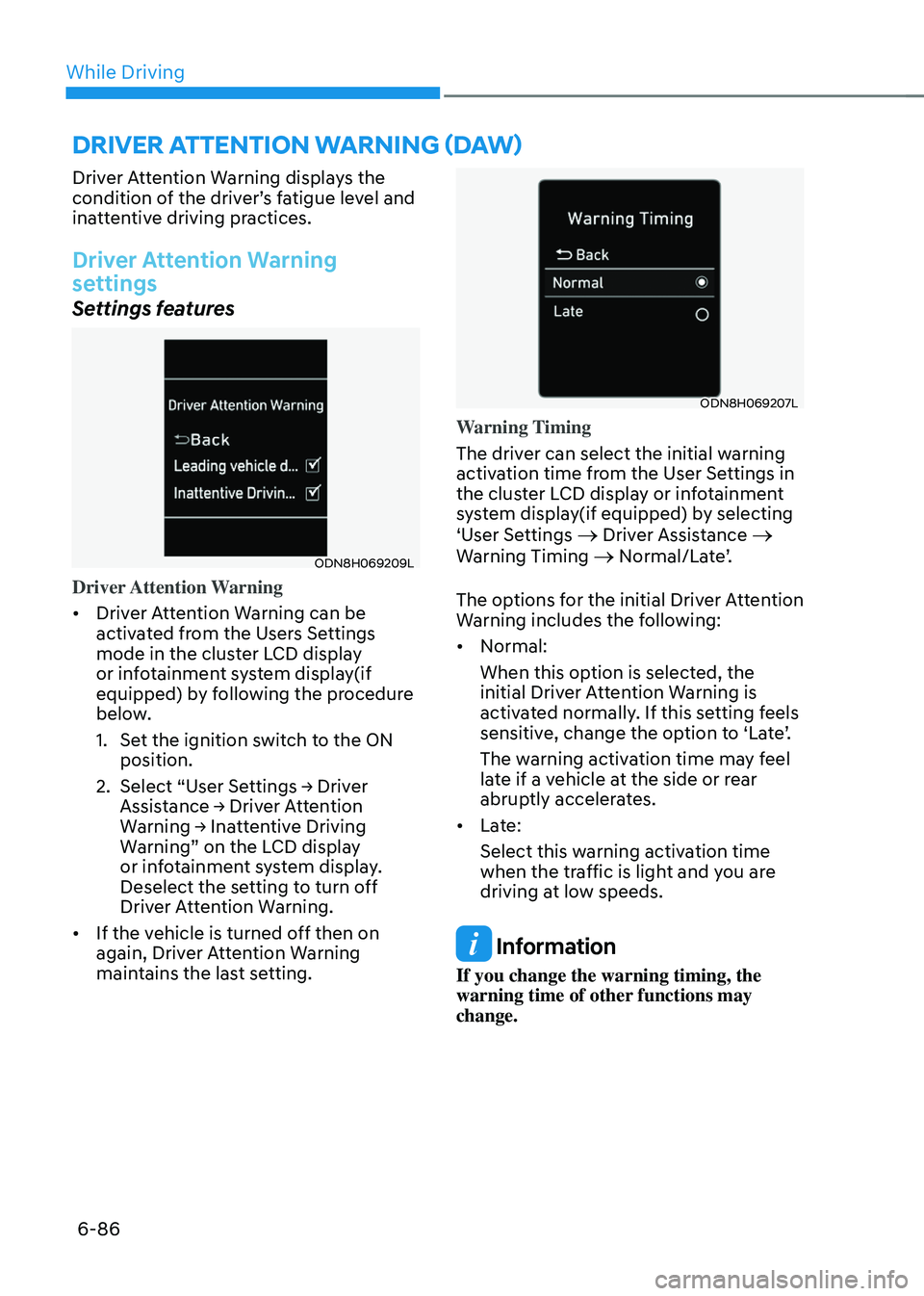
ODN8H069209LODN8H069209L
Driver Attention Warning
• Driver Attention Warning can be
activated from the Users Settings
mode in the cluster LCD display
or infotainment system display(if
equipped) by following the procedure
below.
1. Set the ignition switch to the ON
position.
2. Select “User Settings → Driver
Assistance → Driver Attention
Warning → Inattentive Driving
Warning” on the LCD display
or infotainment system display.
Deselect the setting to turn off
Driver Attention Warning.
• If the vehicle is turned off then on
again, Driver Attention Warning
maintains the last setting.
ODN8H069207LODN8H069207L
Warning Timing
The driver can select the initial warning
activation time from the User Settings in
the cluster LCD display or infotainment
system display(if equipped) by selecting
‘User Settings
→ Driver Assistance →
Warning Timing → Normal/Late’.
The options for the initial Driver Attention
Warning includes the following:
• Normal:
When this option is selected, the
initial Driver Attention Warning is
activated normally. If this setting feels
sensitive, change the option to ‘Late’.
The warning activation time may feel
late if a vehicle at the side or rear
abruptly accelerates.
• Late:
Select this warning activation time
when the traffic is light and you are
driving at low speeds.
Information
If you change the warning timing, the
warning time of other functions may
change.
DRIVER ATTENTION WARNING (DAW)
Page 377 of 549
06
6-87
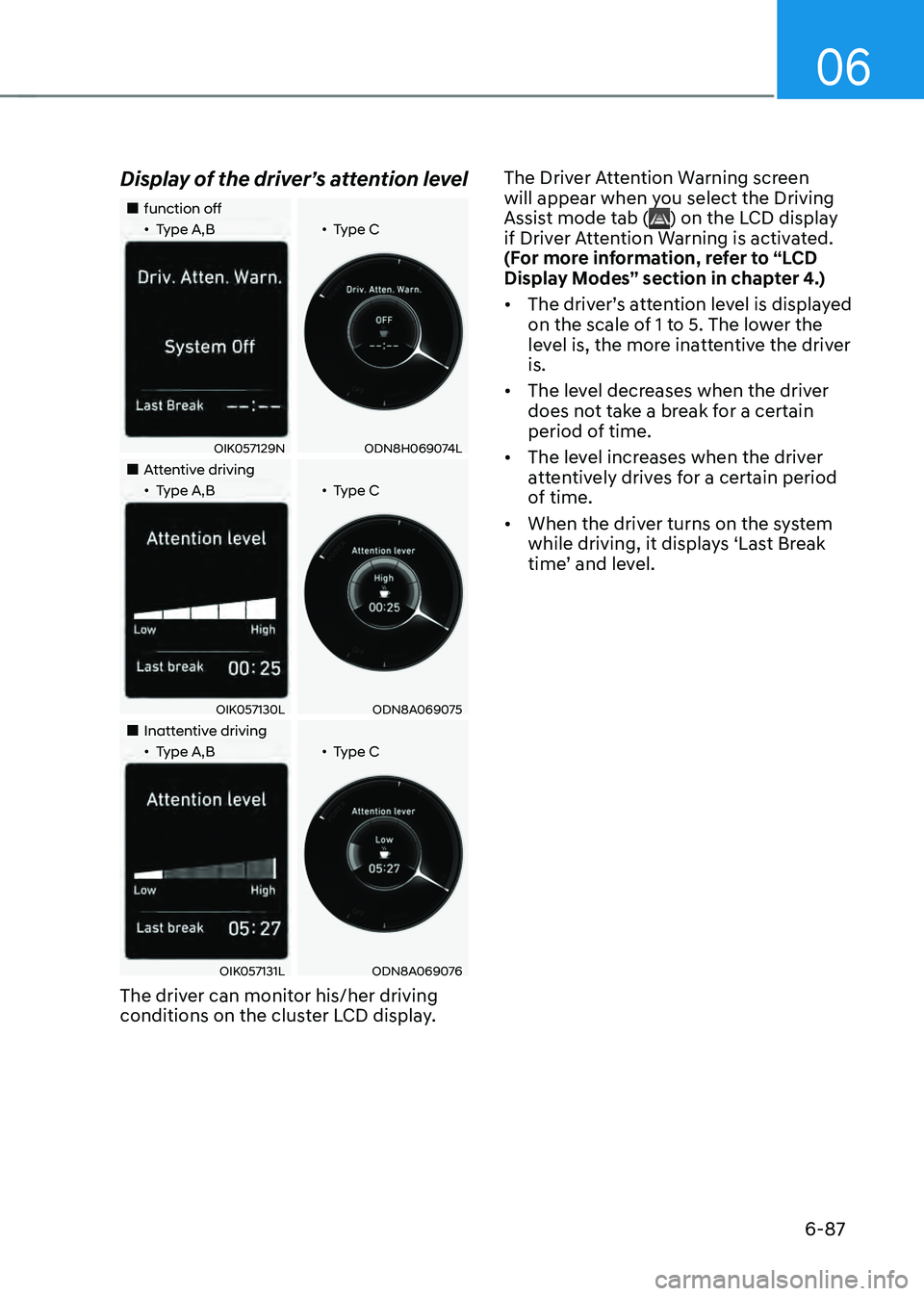
Display of the driver’s attention level
Page 378 of 549
While Driving
6-88
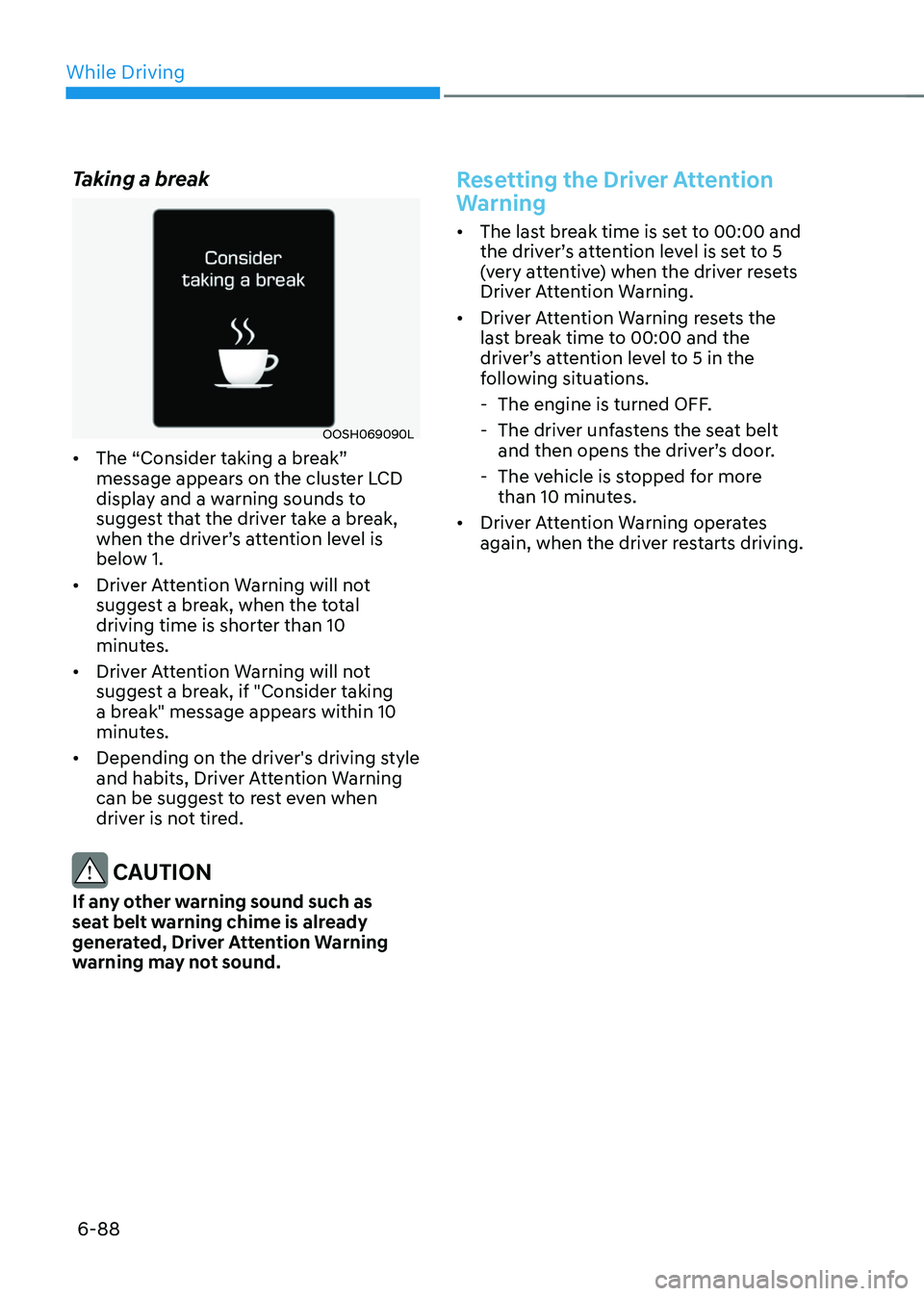
Taking a break
OOSH069090LOOSH069090L
• The “Consider taking a break”
message appears on the cluster LCD
display and a warning sounds to
suggest that the driver take a break,
when the driver’s attention level is
below 1.
• Driver Attention Warning will not
suggest a break, when the total
driving time is shorter than 10
minutes.
• Driver Attention Warning will not
suggest a break, if "Consider taking
a break" message appears within 10
minutes.
• Depending on the driver's driving style
and habits, Driver Attention Warning
can be suggest to rest even when
driver is not tired.
CAUTION
If any other warning sound such as
seat belt warning chime is already
generated, Driver Attention Warning
warning may not sound.
Resetting the Driver Attention
Warning
• The last break time is set to 00:00 and
the driver’s attention level is set to 5
(very attentive) when the driver resets
Driver Attention Warning.
• Driver Attention Warning resets the
last break time to 00:00 and the
driver’s attention level to 5 in the
following situations.
-The engine is turned OFF.
-The driver unfastens the seat belt
and then opens the driver’s door.
-The vehicle is stopped for more
than 10 minutes.
• Driver Attention Warning operates
again, when the driver restarts driving.
Page 379 of 549
06
6-89
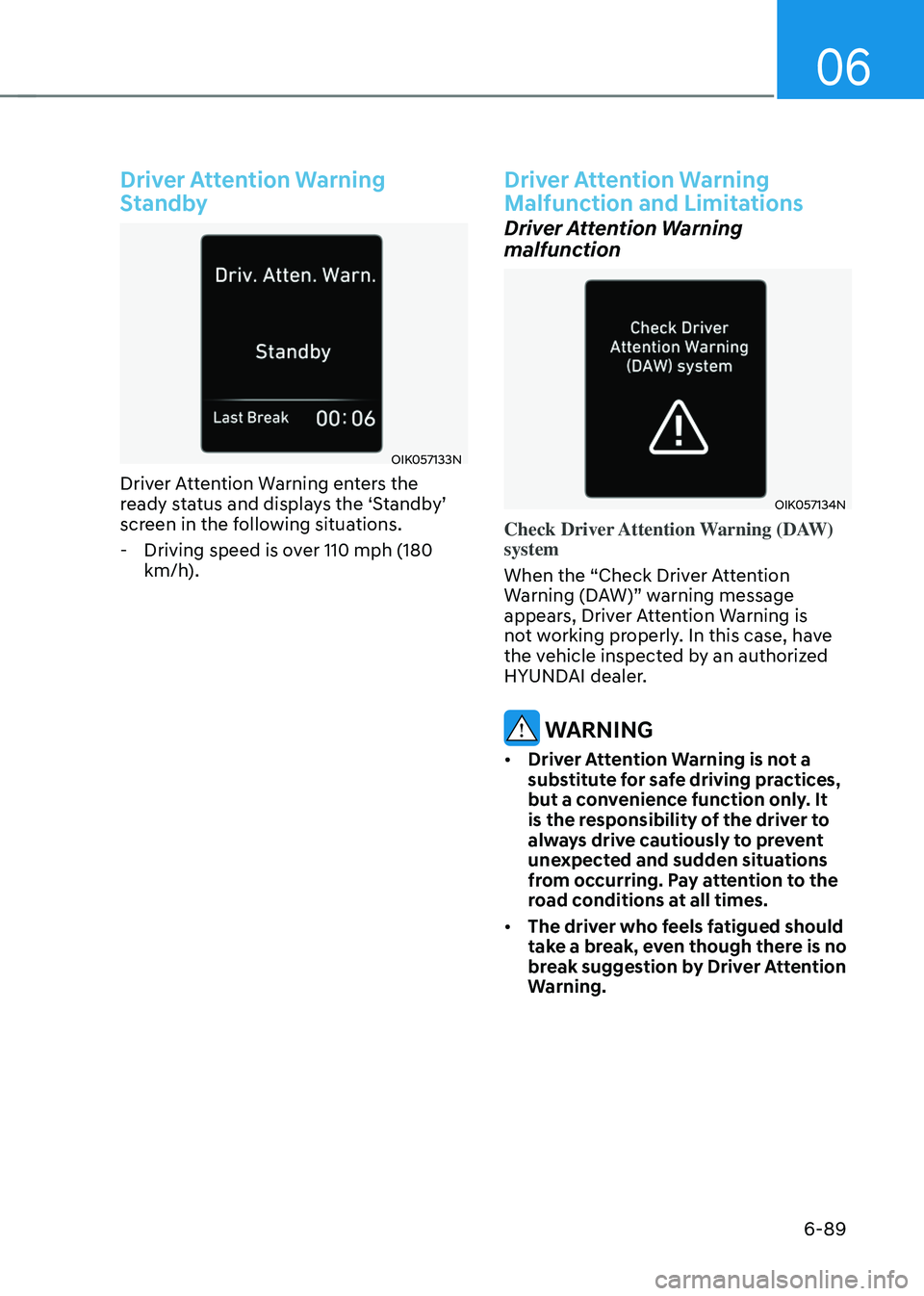
Driver Attention Warning
Standby
OIK057133NOIK057133N
Driver Attention Warning enters the
ready status and displays the ‘Standby’
screen in the following situations.
-Driving speed is over 110 mph (180
km/h).
Driver Attention Warning
Malfunction and Limitations
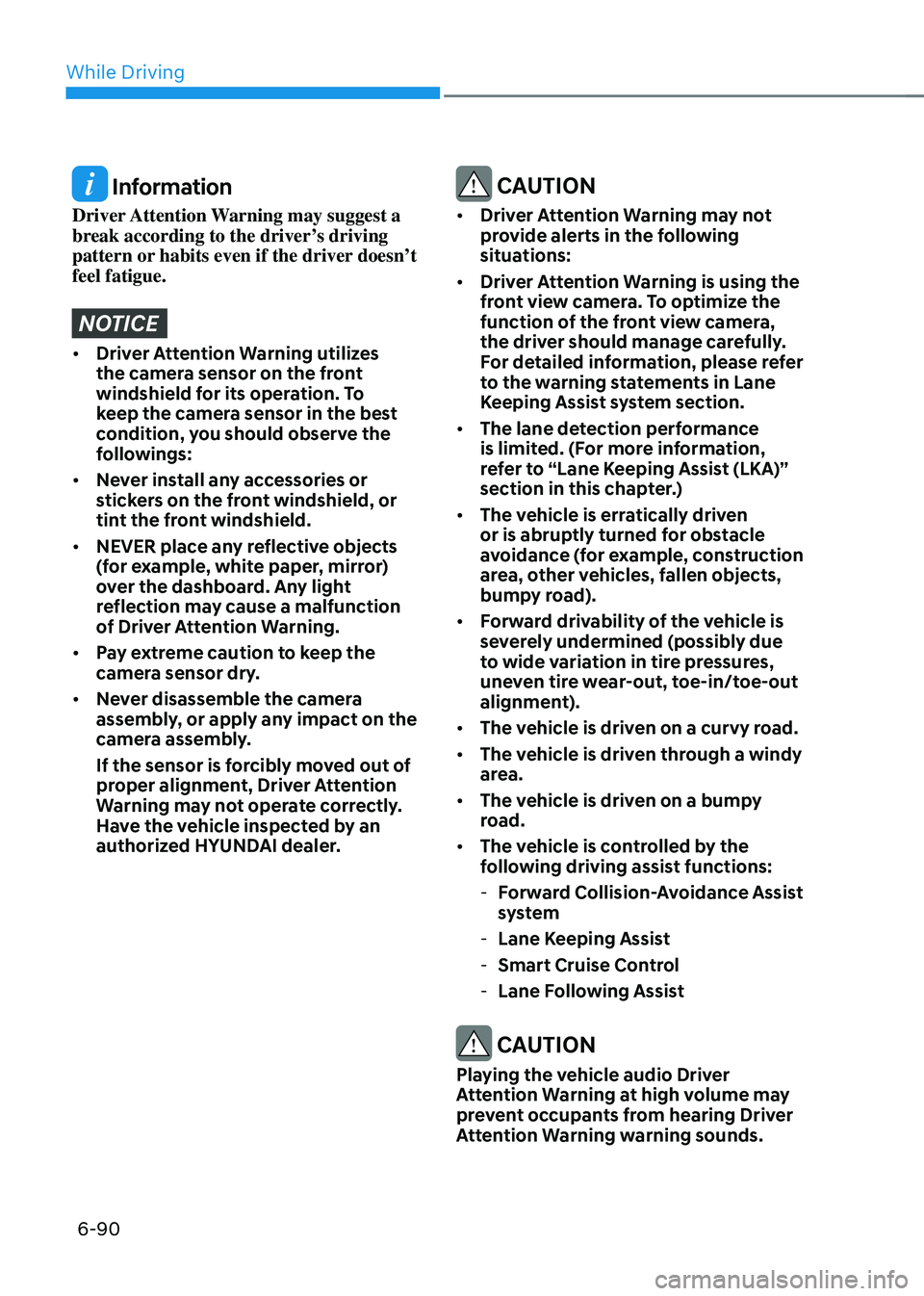
Driver Attention Warning
malfunction
OIK057134NOIK057134N
Check Driver Attention Warning (DAW)
system
When the “Check Driver Attention
Warning (DAW)” warning message
appears, Driver Attention Warning is
not working properly. In this case, have
the vehicle inspected by an authorized
HYUNDAI dealer.
WARNING
• Driver Attention Warning is not a
substitute for safe driving practices,
but a convenience function only. It
is the responsibility of the driver to
always drive cautiously to prevent
unexpected and sudden situations
from occurring. Pay attention to the
road conditions at all times.
• The driver who feels fatigued should
take a break, even though there is no
break suggestion by Driver Attention
Warning.
Page 380 of 549
While Driving
6-90
Information
Driver Attention Warning may suggest a
break according to the driver’s driving
pattern or habits even if the driver doesn’t
feel fatigue.
NOTICE
• Driver Attention Warning utilizes
the camera sensor on the front
windshield for its operation. To
keep the camera sensor in the best
condition, you should observe the
followings:
• Never install any accessories or
stickers on the front windshield, or
tint the front windshield.
• NEVER place any reflective objects
(for example, white paper, mirror)
over the dashboard. Any light
reflection may cause a malfunction
of Driver Attention Warning.
• Pay extreme caution to keep the
camera sensor dry.
• Never disassemble the camera
assembly, or apply any impact on the
camera assembly.
If the sensor is forcibly moved out of
proper alignment, Driver Attention
Warning may not operate correctly.
Have the vehicle inspected by an
authorized HYUNDAI dealer.
CAUTION
• Driver Attention Warning may not
provide alerts in the following
situations:
• Driver Attention Warning is using the
front view camera. To optimize the
function of the front view camera,
the driver should manage carefully.
For detailed information, please refer
to the warning statements in Lane
Keeping Assist system section.
• The lane detection performance
is limited. (For more information,
refer to “Lane Keeping Assist (LKA)”
section in this chapter.)
• The vehicle is erratically driven
or is abruptly turned for obstacle
avoidance (for example, construction
area, other vehicles, fallen objects,
bumpy road).
• Forward drivability of the vehicle is
severely undermined (possibly due
to wide variation in tire pressures,
uneven tire wear-out, toe-in/toe-out
alignment).
• The vehicle is driven on a curvy road.
• The vehicle is driven through a windy
area.
• The vehicle is driven on a bumpy
road.
• The vehicle is controlled by the
following driving assist functions:
-Forward Collision-Avoidance Assist
system
-Lane Keeping Assist
-Smart Cruise Control
-Lane Following Assist
CAUTION
Playing the vehicle audio Driver
Attention Warning at high volume may
prevent occupants from hearing Driver
Attention Warning warning sounds.