HYUNDAI SONATA HYBRID 2023 Owners Manual
Manufacturer: HYUNDAI, Model Year: 2023, Model line: SONATA HYBRID, Model: HYUNDAI SONATA HYBRID 2023Pages: 549
Page 391 of 549
06
6-101
To resume Smart Cruise Control set
speed
If any method other than the cruise
switch was used to cancel cruising
speed and Smart Cruise Control is
still activated, the cruising speed will
automatically resume when you push the
SET+ switch up or SET- switch down.
If you push the SET+ switch up, the
speed will resume to the recently set
speed. However, if vehicle speed drops
below 5 mph (10 km/h), it will resume
when there is a vehicle in front of your
vehicle.
Information
Always check the road conditions when
you push the SET+ switch up to resume
speed.
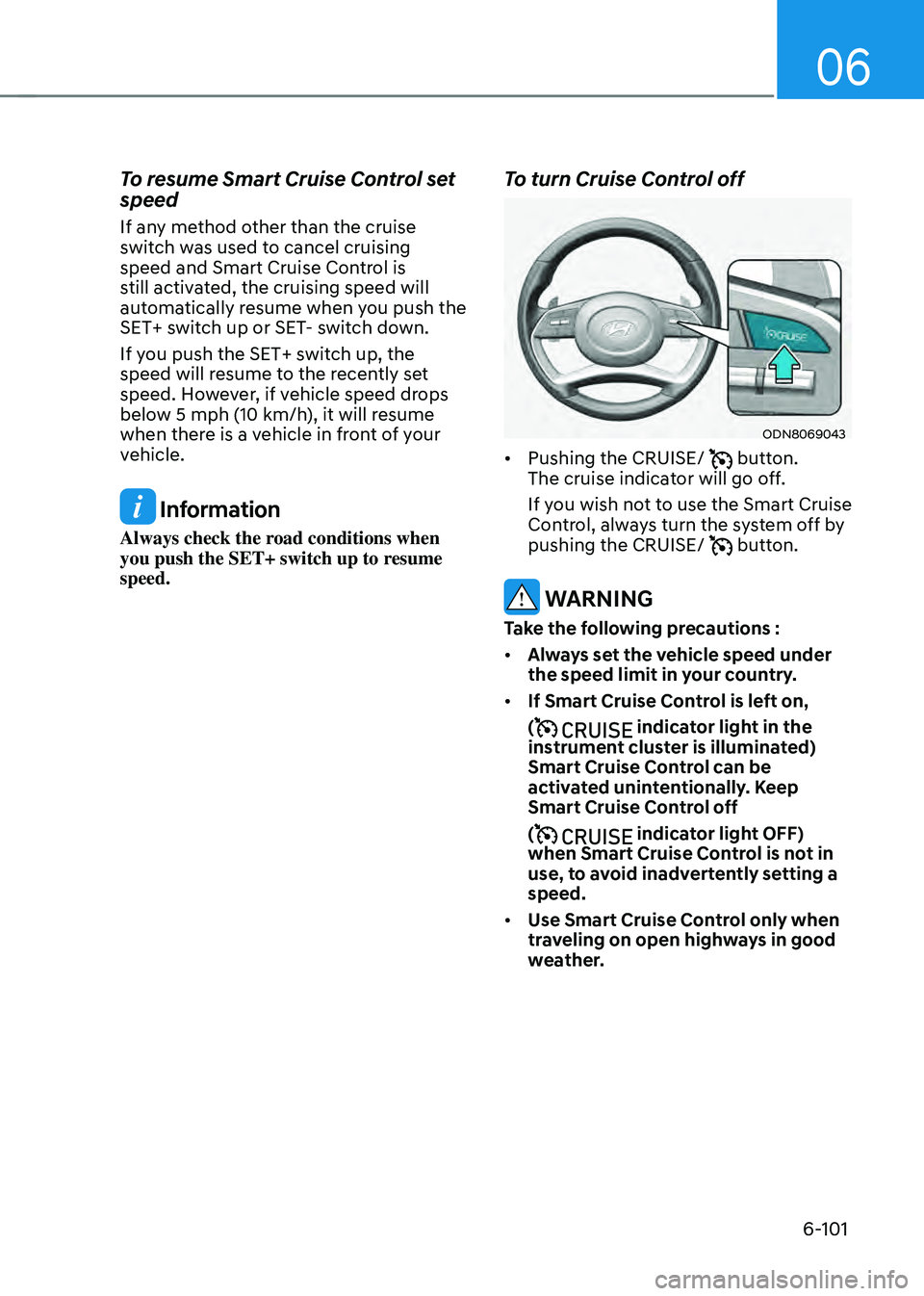
To turn Cruise Control off
ODN8069043ODN8069043
• Pushing the CRUISE/ button.
The cruise indicator will go off.
If you wish not to use the Smart Cruise
Control, always turn the system off by
pushing the CRUISE/
button.
WARNING
Take the following precautions :
• Always set the vehicle speed under
the speed limit in your country.
• If Smart Cruise Control is left on,
(
indicator light in the
instrument cluster is illuminated)
Smart Cruise Control can be
activated unintentionally. Keep
Smart Cruise Control off
(
indicator light OFF)
when Smart Cruise Control is not in
use, to avoid inadvertently setting a
speed.
• Use Smart Cruise Control only when
traveling on open highways in good
weather.
Page 392 of 549
While Driving
6-102
• Do not use Smart Cruise Control
when it may not be safe to keep the
vehicle at a constant speed:
-When driving in heavy traffic or
when traffic conditions make it
difficult to drive at a constant
speed
-When driving on rainy, icy, or
snow-covered roads
-When driving on a steep downhill
or uphill
-When driving in windy areas
-When driving in parking lots
-When driving near crash barriers
-When driving on a sharp curve
-When driving with limited view
(possibly due to bad weather, such
as fog, snow, rain or sandstorm)
-When the vehicle sensing
ability decreases due to vehicle
modification resulting level
difference of the vehicle’s front
and rear
• Unexpected situations may lead to
possible accidents. Pay attention
continuously to road conditions and
driving even when Smart Cruise
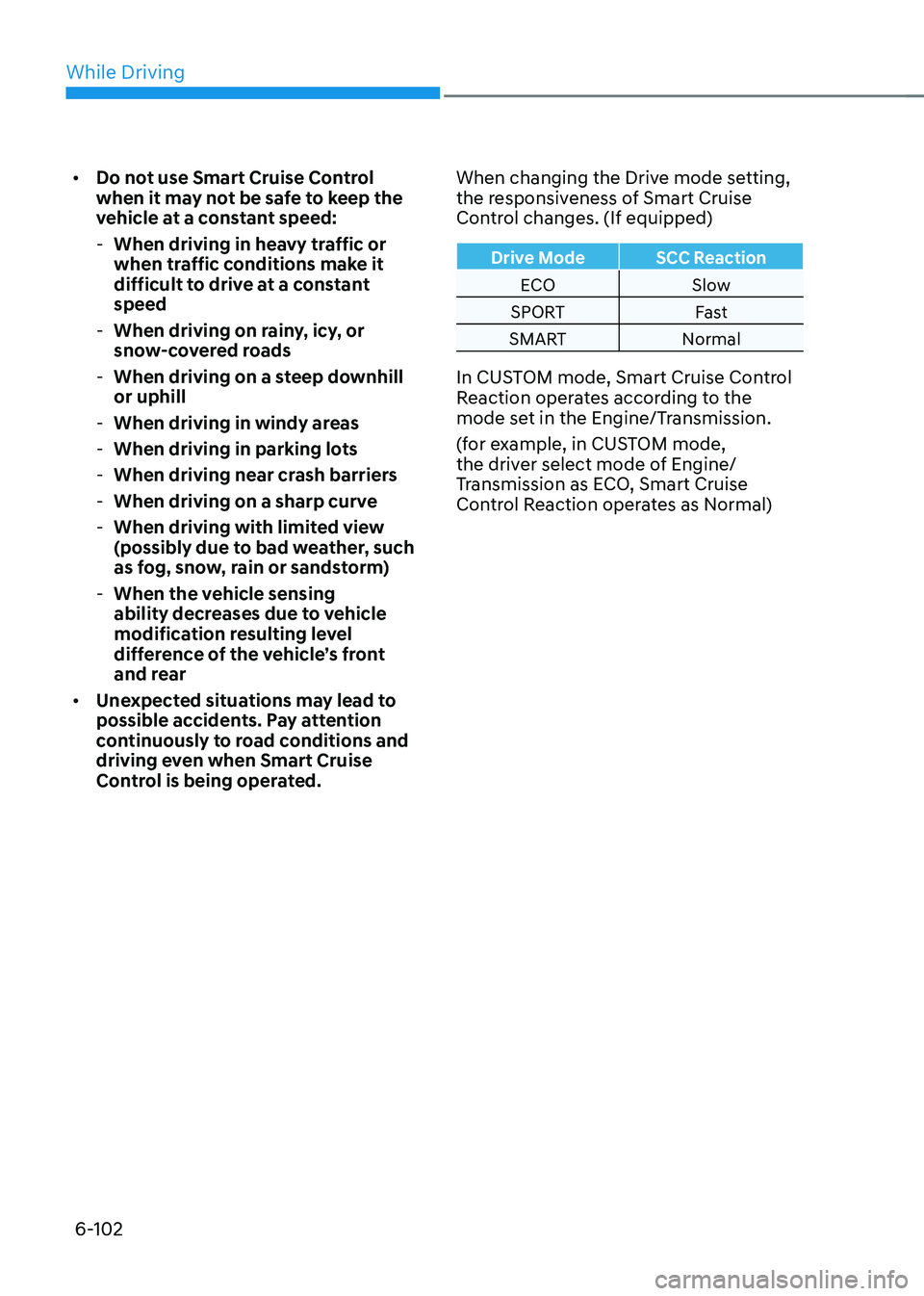
Control is being operated. When changing the Drive mode setting,
the responsiveness of Smart Cruise
Control changes. (If equipped)
Drive Mode
SCC Reaction
ECO Slow
SPORT Fast
SMART Normal
In CUSTOM mode, Smart Cruise Control
Reaction operates according to the
mode set in the Engine/Transmission.
(for example, in CUSTOM mode,
the driver select mode of Engine/
Transmission as ECO, Smart Cruise
Control Reaction operates as Normal)
Page 393 of 549
06
6-103
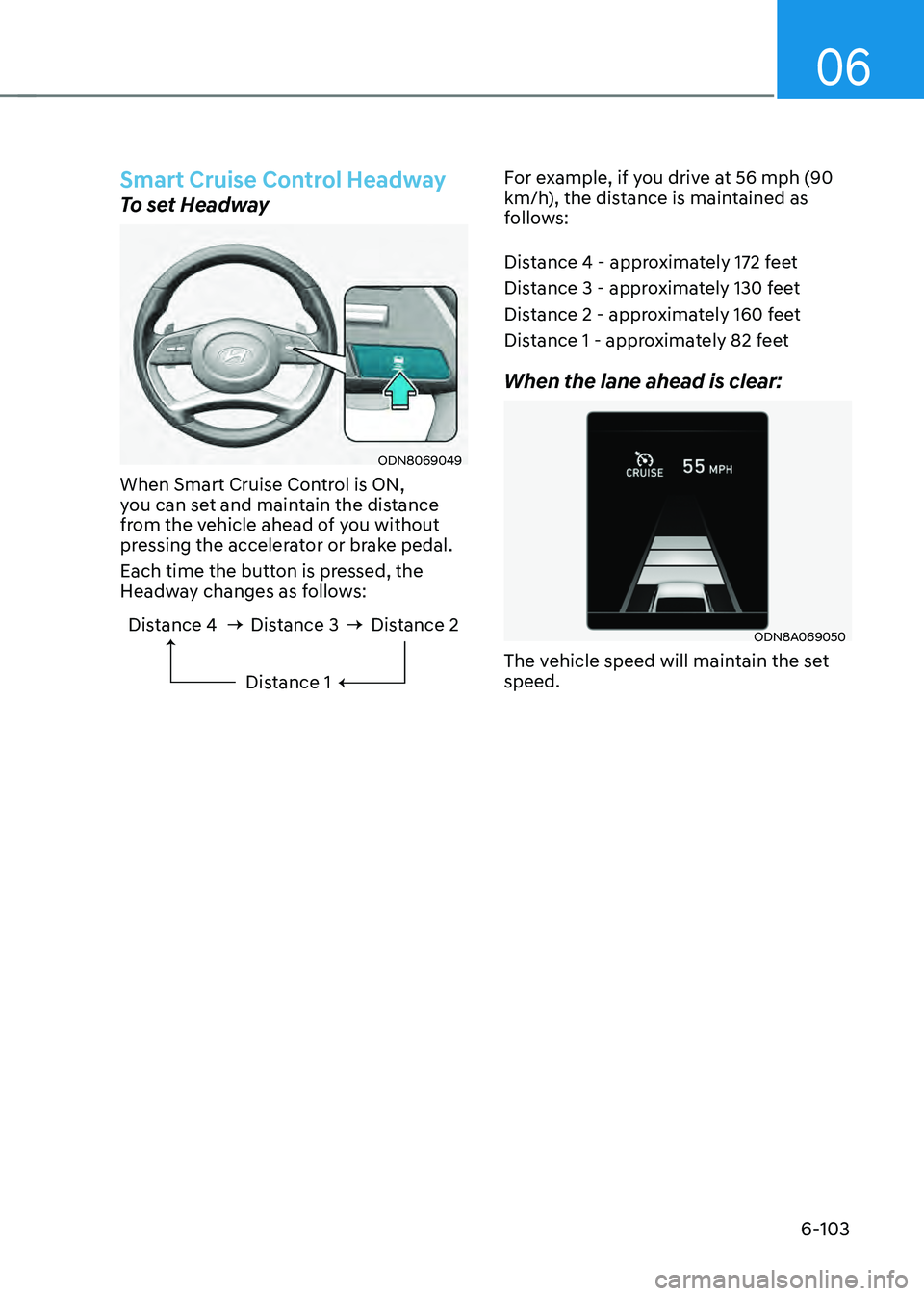
Smart Cruise Control Headway
To set Headway
ODN8069049ODN8069049
When Smart Cruise Control is ON,
you can set and maintain the distance
from the vehicle ahead of you without
pressing the accelerator or brake pedal.
Each time the button is pressed, the
Headway changes as follows:
Distance 4 Distance 3Distance 1Distance 2
For example, if you drive at 56 mph (90 km/h), the distance is maintained as
follows:
Distance 4 - approximately 172 feet
Distance 3 - approximately 130 feet
Distance 2 - approximately 160 feet
Distance 1 - approximately 82 feet
When the lane ahead is clear:
ODN8A069050ODN8A069050
The vehicle speed will maintain the set
speed.
Page 394 of 549
While Driving
6-104
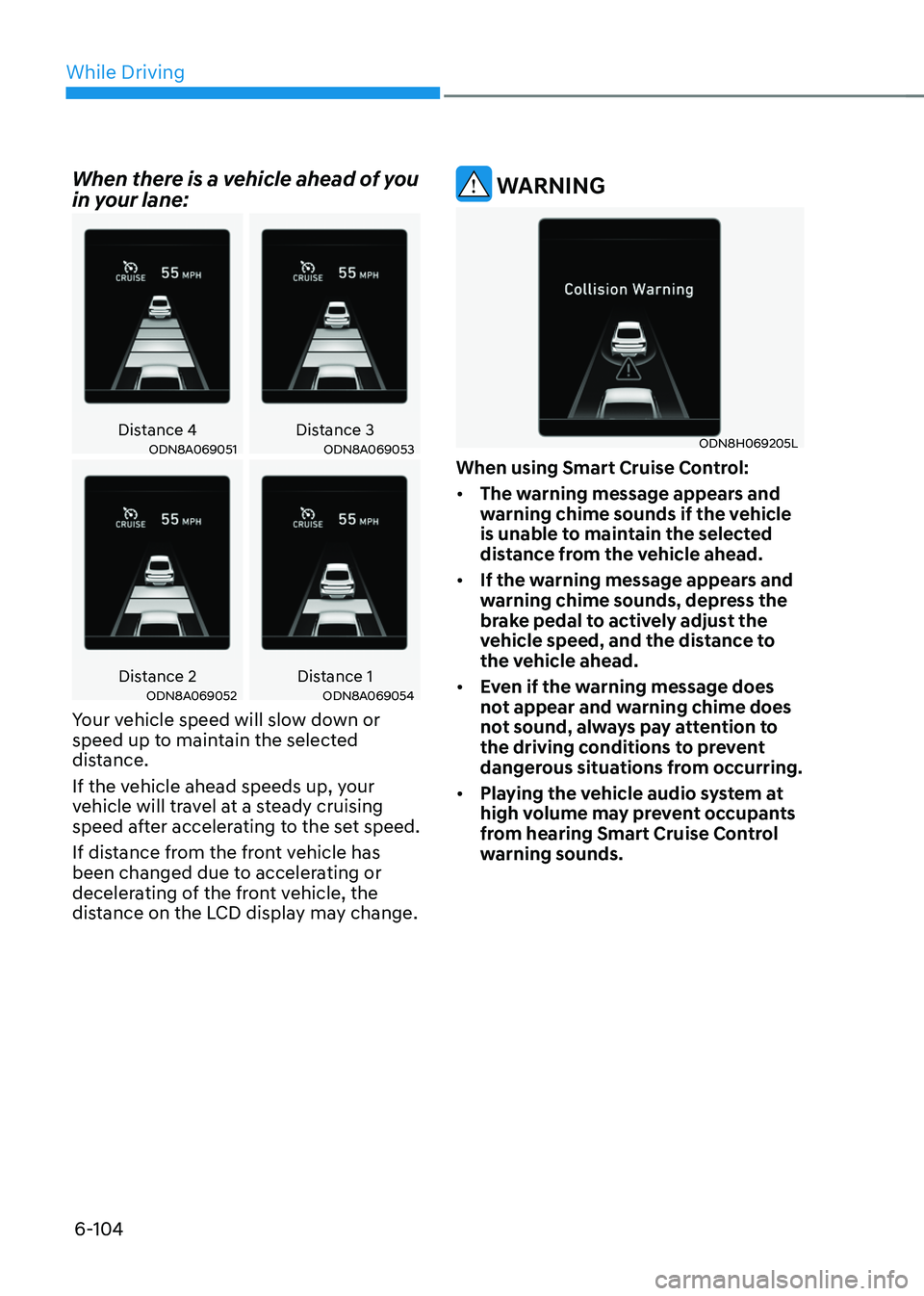
When there is a vehicle ahead of you
in your lane:
Distance 4Distance 3ODN8A069051ODN8A069051ODN8A069053ODN8A069053
Distance 2Distance 1ODN8A069052ODN8A069052ODN8A069054ODN8A069054
Your vehicle speed will slow down or
speed up to maintain the selected
distance.
If the vehicle ahead speeds up, your
vehicle will travel at a steady cruising
speed after accelerating to the set speed.
If distance from the front vehicle has
been changed due to accelerating or
decelerating of the front vehicle, the
distance on the LCD display may change.
WARNING
ODN8H069205LODN8H069205L
When using Smart Cruise Control:
• The warning message appears and
warning chime sounds if the vehicle
is unable to maintain the selected
distance from the vehicle ahead.
• If the warning message appears and
warning chime sounds, depress the
brake pedal to actively adjust the
vehicle speed, and the distance to
the vehicle ahead.
• Even if the warning message does
not appear and warning chime does
not sound, always pay attention to
the driving conditions to prevent
dangerous situations from occurring.
• Playing the vehicle audio system at
high volume may prevent occupants
from hearing Smart Cruise Control
warning sounds.
Page 395 of 549
06
6-105
CAUTION
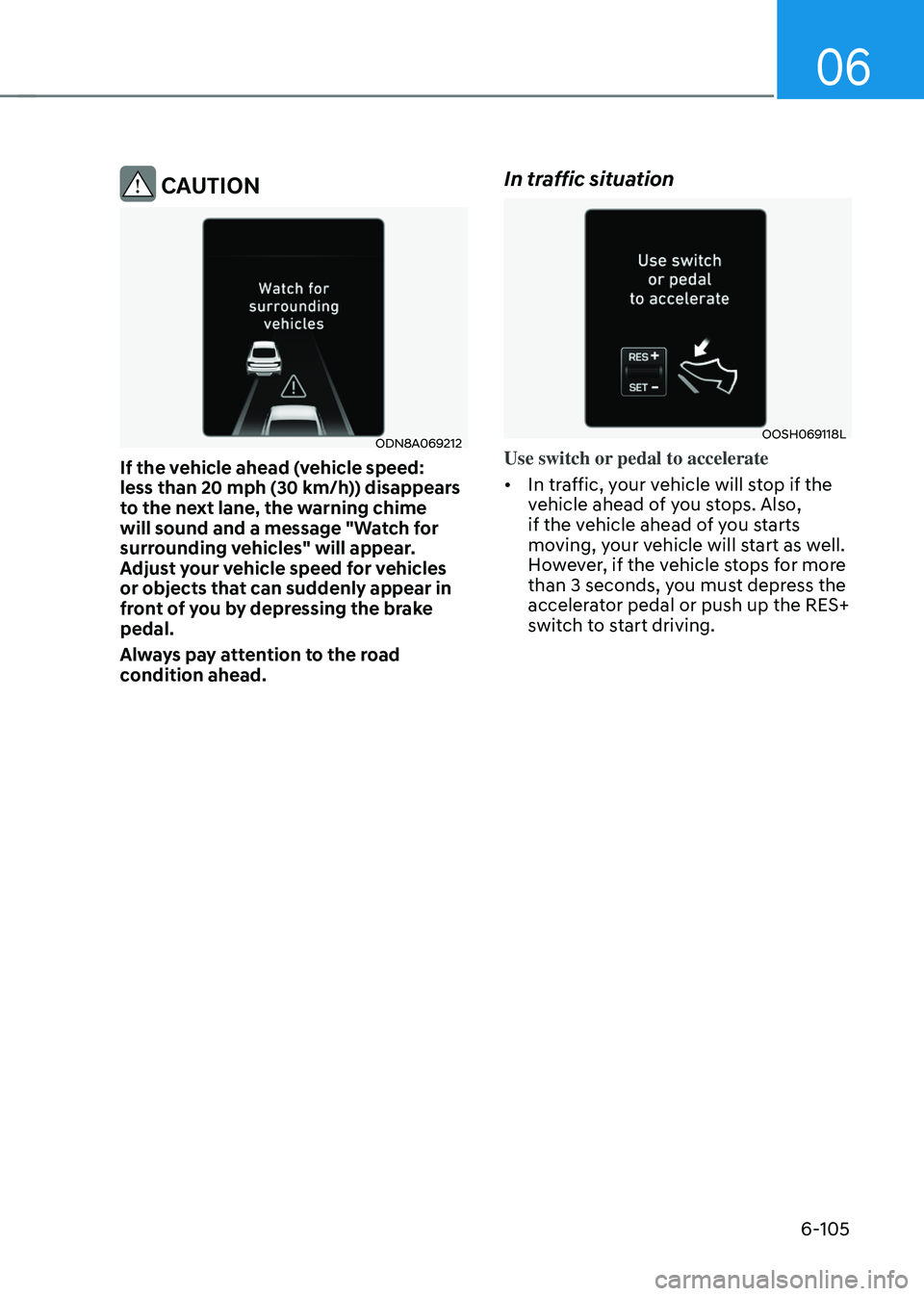
ODN8A069212ODN8A069212
If the vehicle ahead (vehicle speed:
less than 20 mph (30 km/h)) disappears
to the next lane, the warning chime
will sound and a message "Watch for
surrounding vehicles" will appear.
Adjust your vehicle speed for vehicles
or objects that can suddenly appear in
front of you by depressing the brake
pedal.
Always pay attention to the road
condition ahead.
In traffic situation
OOSH069118LOOSH069118L
Use switch or pedal to accelerate
• In traffic, your vehicle will stop if the
vehicle ahead of you stops. Also,
if the vehicle ahead of you starts
moving, your vehicle will start as well.
However, if the vehicle stops for more
than 3 seconds, you must depress the
accelerator pedal or push up the RES+
switch to start driving.
Page 396 of 549
While Driving
6-106
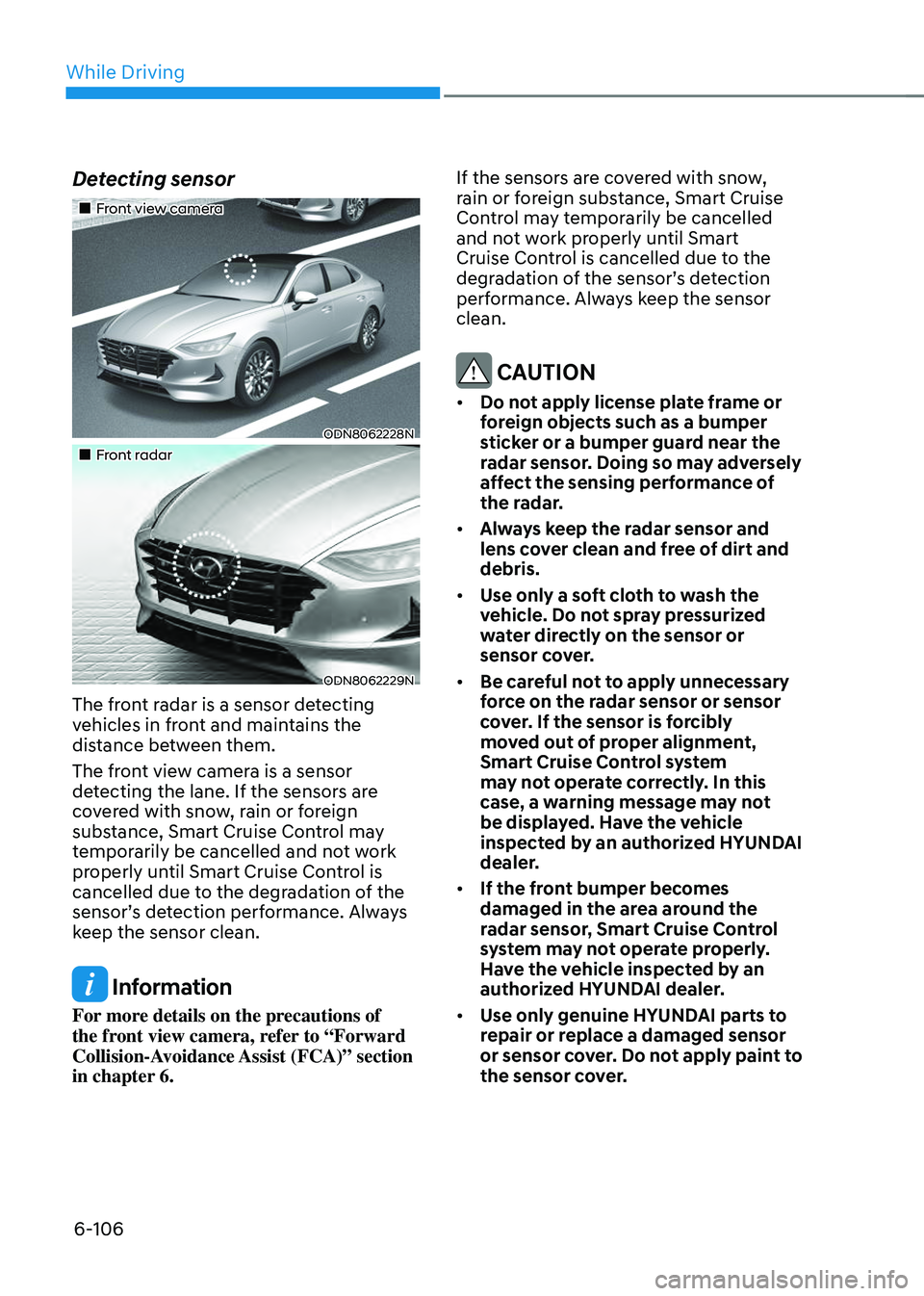
Detecting sensor
Page 397 of 549
06
6-107
Warning message
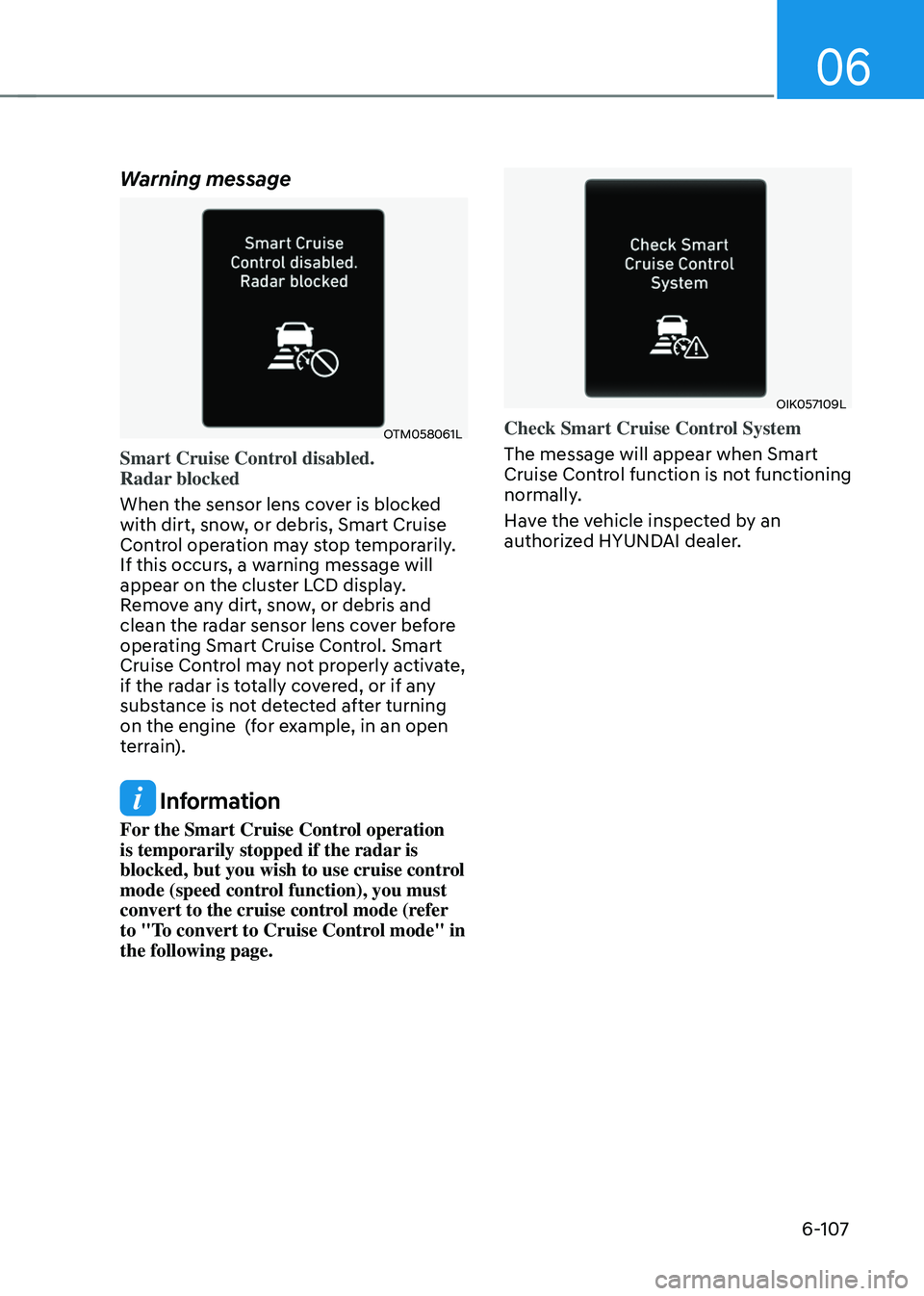
OTM058061LOTM058061L
Smart Cruise Control disabled.
Radar blocked
When the sensor lens cover is blocked
with dirt, snow, or debris, Smart Cruise
Control operation may stop temporarily.
If this occurs, a warning message will
appear on the cluster LCD display.
Remove any dirt, snow, or debris and
clean the radar sensor lens cover before
operating Smart Cruise Control. Smart
Cruise Control may not properly activate,
if the radar is totally covered, or if any
substance is not detected after turning
on the engine (for example, in an open
terrain).
Information
For the Smart Cruise Control operation
is temporarily stopped if the radar is
blocked, but you wish to use cruise control
mode (speed control function), you must
convert to the cruise control mode (refer
to "To convert to Cruise Control mode" in
the following page.
OIK057109LOIK057109L
Check Smart Cruise Control System
The message will appear when Smart
Cruise Control function is not functioning
normally.
Have the vehicle inspected by an
authorized HYUNDAI dealer.
Page 398 of 549
While Driving
6-108
Limitations of Smart Cruise
Control
Smart Cruise Control may have limits
to its ability to detect distance to the
vehicle ahead due to road and traffic
conditions.
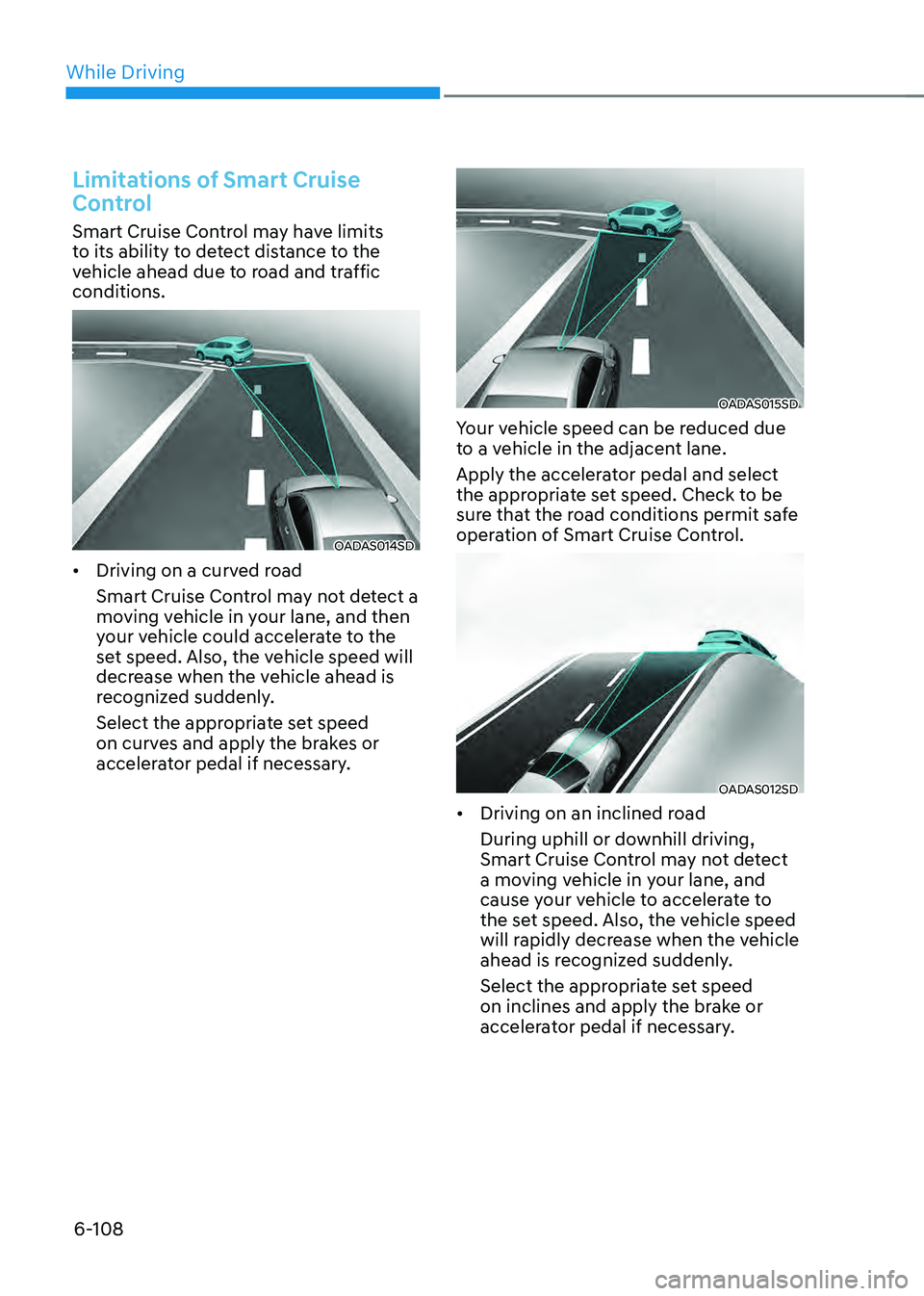
OADAS014SDOADAS014SD
• Driving on a curved road
Smart Cruise Control may not detect a
moving vehicle in your lane, and then
your vehicle could accelerate to the
set speed. Also, the vehicle speed will
decrease when the vehicle ahead is
recognized suddenly.
Select the appropriate set speed
on curves and apply the brakes or
accelerator pedal if necessary.
OADAS015SDOADAS015SD
Your vehicle speed can be reduced due
to a vehicle in the adjacent lane.
Apply the accelerator pedal and select
the appropriate set speed. Check to be
sure that the road conditions permit safe
operation of Smart Cruise Control.
OADAS012SDOADAS012SD
• Driving on an inclined road
During uphill or downhill driving,
Smart Cruise Control may not detect
a moving vehicle in your lane, and
cause your vehicle to accelerate to
the set speed. Also, the vehicle speed
will rapidly decrease when the vehicle
ahead is recognized suddenly.
Select the appropriate set speed
on inclines and apply the brake or
accelerator pedal if necessary.
Page 399 of 549
06
6-109
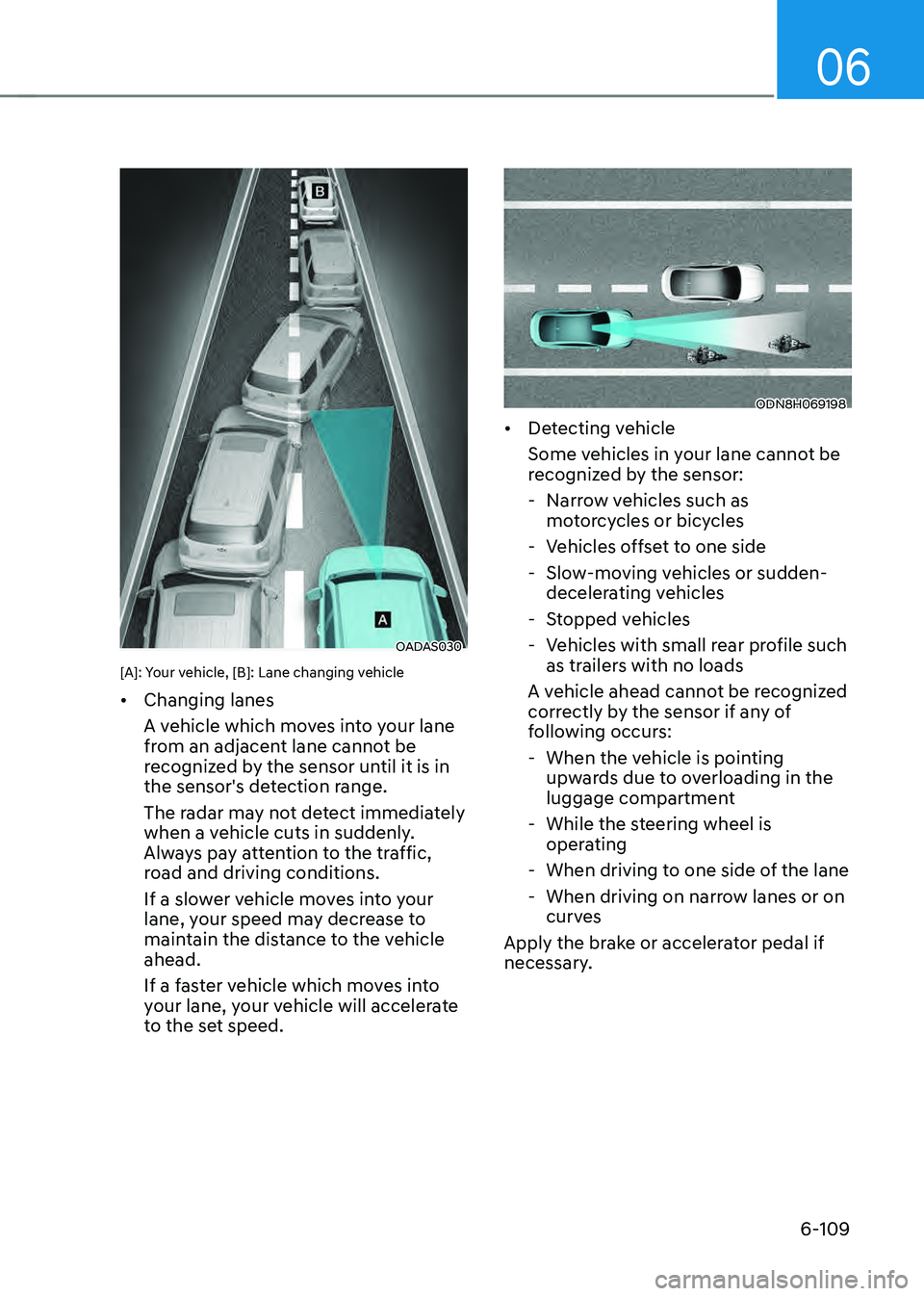
OADAS030OADAS030
[A]: Your vehicle, [B]: Lane changing vehicle
• Changing lanes
A vehicle which moves into your lane
from an adjacent lane cannot be
recognized by the sensor until it is in
the sensor's detection range.
The radar may not detect immediately
when a vehicle cuts in suddenly.
Always pay attention to the traffic,
road and driving conditions.
If a slower vehicle moves into your
lane, your speed may decrease to
maintain the distance to the vehicle
ahead.
If a faster vehicle which moves into
your lane, your vehicle will accelerate
to the set speed.
ODN8H069198ODN8H069198
• Detecting vehicle
Some vehicles in your lane cannot be
recognized by the sensor:
-Narrow vehicles such as
motorcycles or bicycles
-Vehicles offset to one side
-Slow-moving vehicles or sudden-
decelerating vehicles
-Stopped vehicles
-Vehicles with small rear profile such
as trailers with no loads
A vehicle ahead cannot be recognized
correctly by the sensor if any of
following occurs:
- When the vehicle is pointing
upwards due to overloading in the
luggage compartment
-While the steering wheel is
operating
-When driving to one side of the lane
-When driving on narrow lanes or on
curves
Apply the brake or accelerator pedal if
necessary.
Page 400 of 549
While Driving
6-110
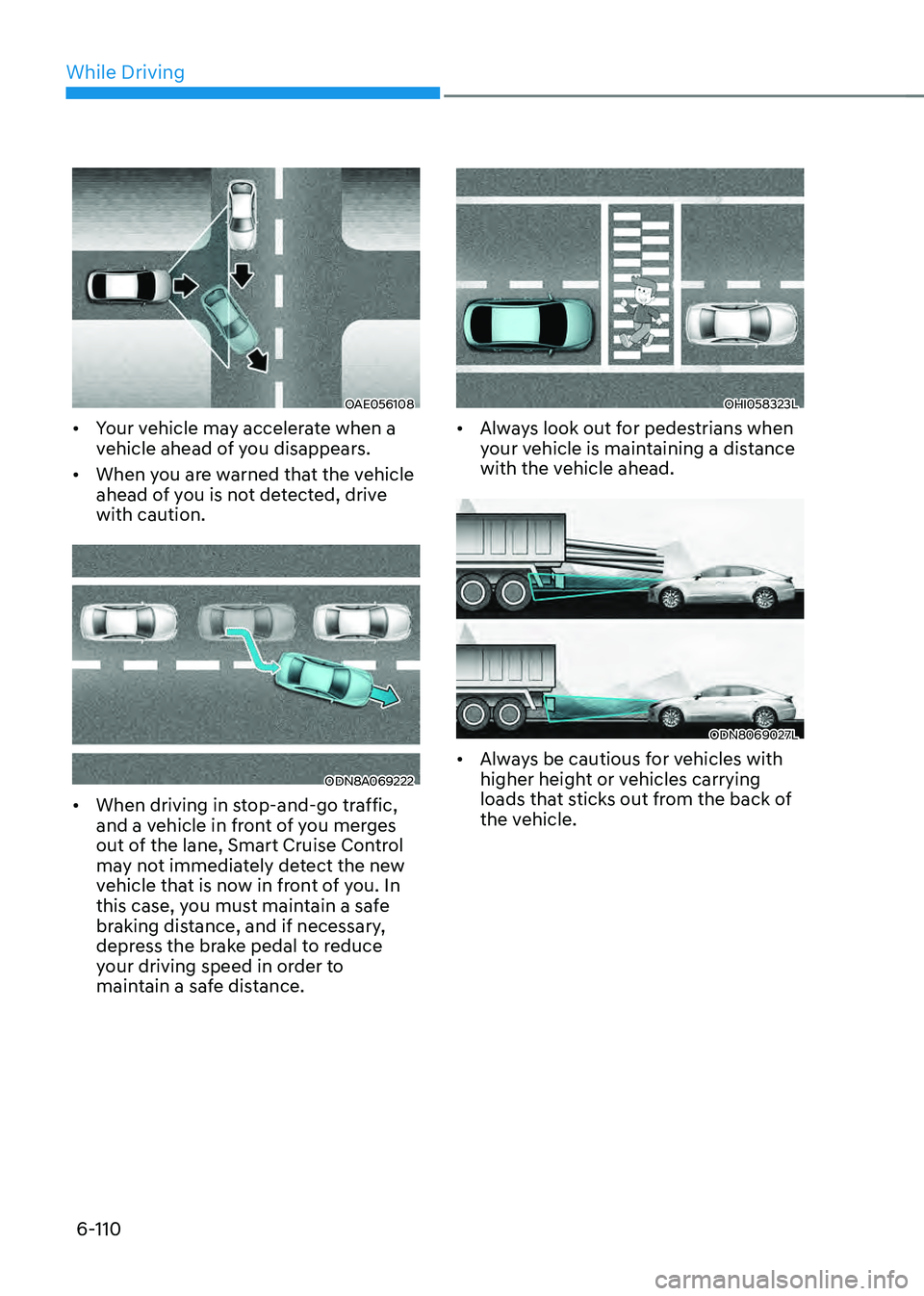
OAE056108OAE056108
• Your vehicle may accelerate when a
vehicle ahead of you disappears.
• When you are warned that the vehicle
ahead of you is not detected, drive
with caution.
ODN8A069222ODN8A069222
• When driving in stop-and-go traffic,
and a vehicle in front of you merges
out of the lane, Smart Cruise Control
may not immediately detect the new
vehicle that is now in front of you. In
this case, you must maintain a safe
braking distance, and if necessary,
depress the brake pedal to reduce
your driving speed in order to
maintain a safe distance.
OHI058323LOHI058323L
• Always look out for pedestrians when
your vehicle is maintaining a distance
with the vehicle ahead.
ODN8069027LODN8069027L
• Always be cautious for vehicles with
higher height or vehicles carrying
loads that sticks out from the back of
the vehicle.