warning HYUNDAI SONATA LIMITED 2020 Owners Manual
[x] Cancel search | Manufacturer: HYUNDAI, Model Year: 2020, Model line: SONATA LIMITED, Model: HYUNDAI SONATA LIMITED 2020Pages: 546, PDF Size: 51.21 MB
Page 373 of 546
06
6-89
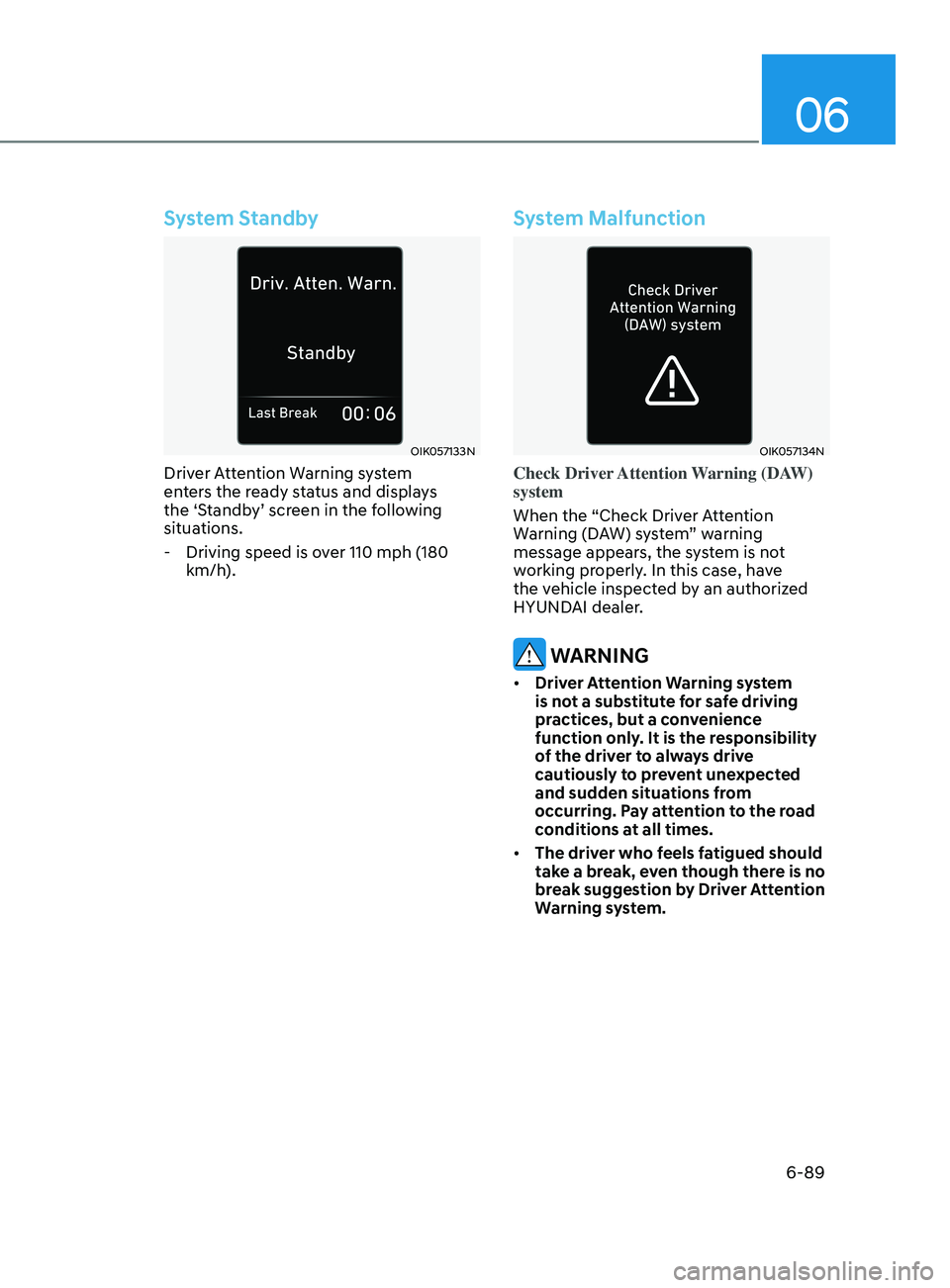
System Standby
OIK057133N
Driver Attention Warning system
enters the ready status and displays
the ‘Standby’ screen in the following
situations.
- Driving speed is o
ver 110 mph (180
km/h).
System Malfunction
OIK057134N
Check Driver Attention Warning (DAW)
system
When the “Check Driver Attention
Warning (DAW) system” warning
message appears, the system is not
working properly. In this case, have
the vehicle inspected by an authorized
HYUNDAI dealer.
WARNING
• Driver Attention Warning system
is not a substitute for safe driving
practices, but a convenience
function only. It is the responsibility
of the driver to always drive
cautiously to prevent unexpected
and sudden situations from
occurring. Pay attention to the road
conditions at all times.
• The driver who feels fatigued should
take a break, even though there is no
break suggestion by Driver Attention
Warning system.
Page 374 of 546
6-90
Information
The system may suggest a break according
to the driver’s driving pattern or habits
even if the driver doesn’t feel fatigue.
NOTICE
• Driver Attention Warning system
utilizes the camera sensor on the
front windshield for its operation. To
keep the camera sensor in the best
condition, you should observe the
followings:
• Never install any accessories or
stickers on the front windshield, or
tint the front windshield.
• NEVER place any reflective objects
(i.e. white paper, mirror) over the
dashboard. Any light reflection
may cause a malfunction of Driver
Attention Warning system.
• Pay extreme caution to keep the
camera sensor dry.
• Never disassemble the camera
assembly, or apply any impact on the
camera assembly.
If the sensor is forcibly moved out
of proper alignment, the system
may not operate correctly. Have the
vehicle inspected by an authorized
HYUNDAI dealer.
CAUTION
• Driver Attention Warning system may
not provide alerts in the following
situations:
• Driver Attention Warning system
is using the front view camera. To
optimize the function of the front
view camera, the driver should
manage carefully. For detailed
information, please refer to the
warning statements in Lane Keeping
Assist system section.
• The lane detection performance
is limited. (For more information,
refer to “Lane Keeping Assist (LKA)”
section in this chapter.)
• The vehicle is erratically driven
or is abruptly turned for obstacle
avoidance (e.g. construction area,
other vehicles, fallen objects, bumpy
road).
• Forward drivability of the vehicle is
severely undermined (possibly due
to wide variation in tire pressures,
uneven tire wear-out, toe-in/toe-out
alignment).
• The vehicle is driven on a curvy road.
• The vehicle is driven through a windy
area.
• The vehicle is driven on a bumpy
road.
• The vehicle is controlled by the
following driving assist systems:
-F
orward Collision-Avoidance Assist
system
- Lane K
eeping Assist system
-Smart Cruise Con
trol system
-Lane F
ollowing Assist system
CAUTION
Playing the vehicle audio system at
high volume may prevent occupants
from hearing Driver Attention Warning
system warning sounds.
While Driving
Page 375 of 546
06
6-91
Leading Vehicle Departure Alert
(if equipped)
After the vehicle in front departs an alert
informs the driver.
System setting
With the engine ON, Leading Vehicle
Departure Alert function turns on and
gets ready to be activated when the
‘User Settings → Driver Assistance →
Driv
er Attention Warning → Leading
V
ehicle Departure Alert’ is selected on
the cluster. The function stops operation
when the setting is deactivated.
However, if the engine is turned off then
on again, the function maintains the
previous state.
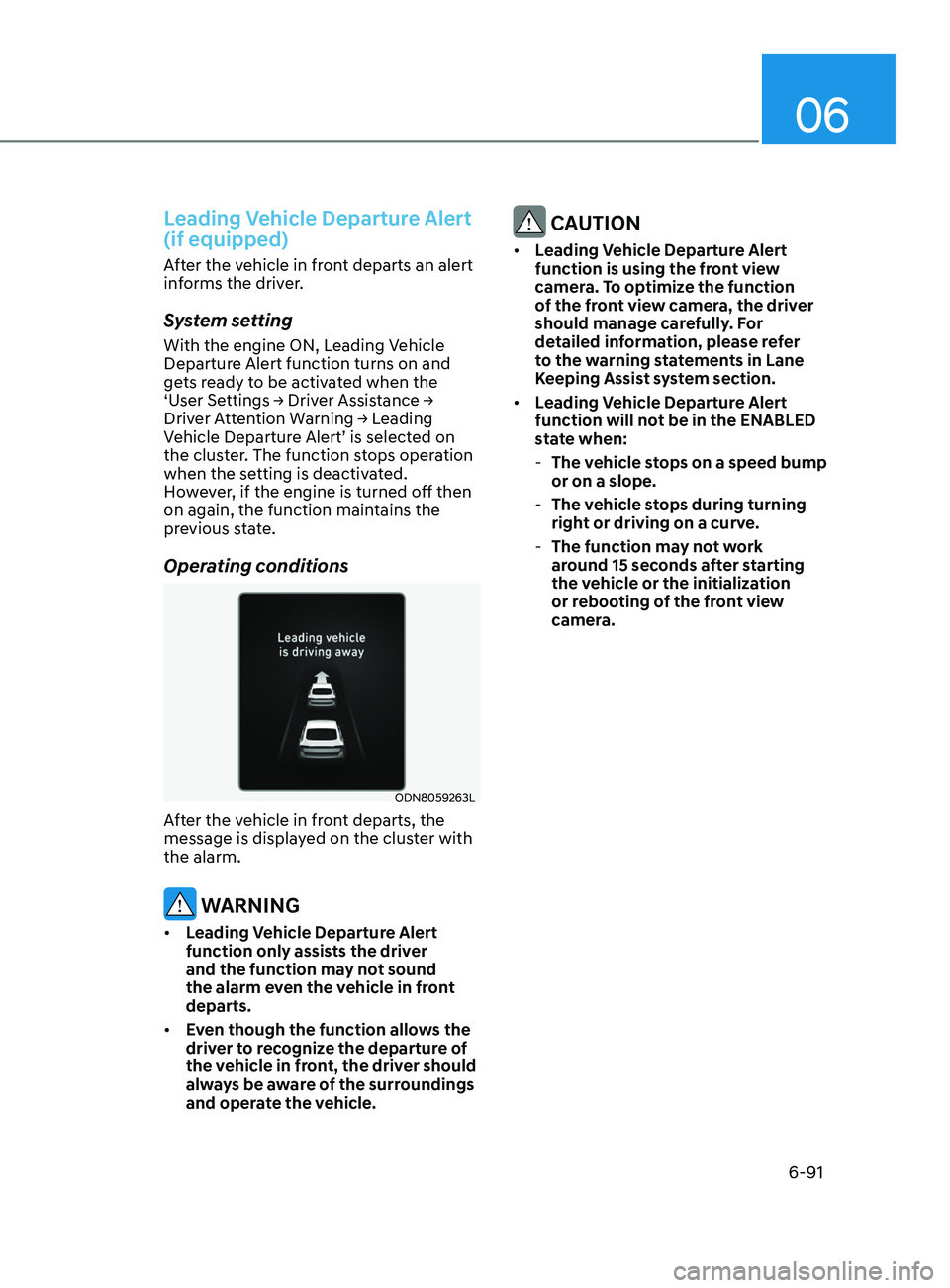
Operating conditions
ODN8059263L
After the vehicle in front departs, the
message is displayed on the cluster with
the alarm.
WARNING
• Leading Vehicle Departure Alert
function only assists the driver
and the function may not sound
the alarm even the vehicle in front
departs.
• Even though the function allows the
driver to recognize the departure of
the vehicle in front, the driver should
always be aware of the surroundings
and operate the vehicle.
CAUTION
• Leading Vehicle Departure Alert
function is using the front view
camera. To optimize the function
of the front view camera, the driver
should manage carefully. For
detailed information, please refer
to the warning statements in Lane
Keeping Assist system section.
• Leading Vehicle Departure Alert
function will not be in the ENABLED
state when:
-The v
ehicle stops on a speed bump
or on a slope.
- The v
ehicle stops during turning
right or driving on a curve.
- The function ma
y not work
around 15 seconds after starting
the vehicle or the initialization
or rebooting of the front view
camera.
Page 378 of 546
6-94
•„Left
ODN8A059141
•„Right
ODN8A059142
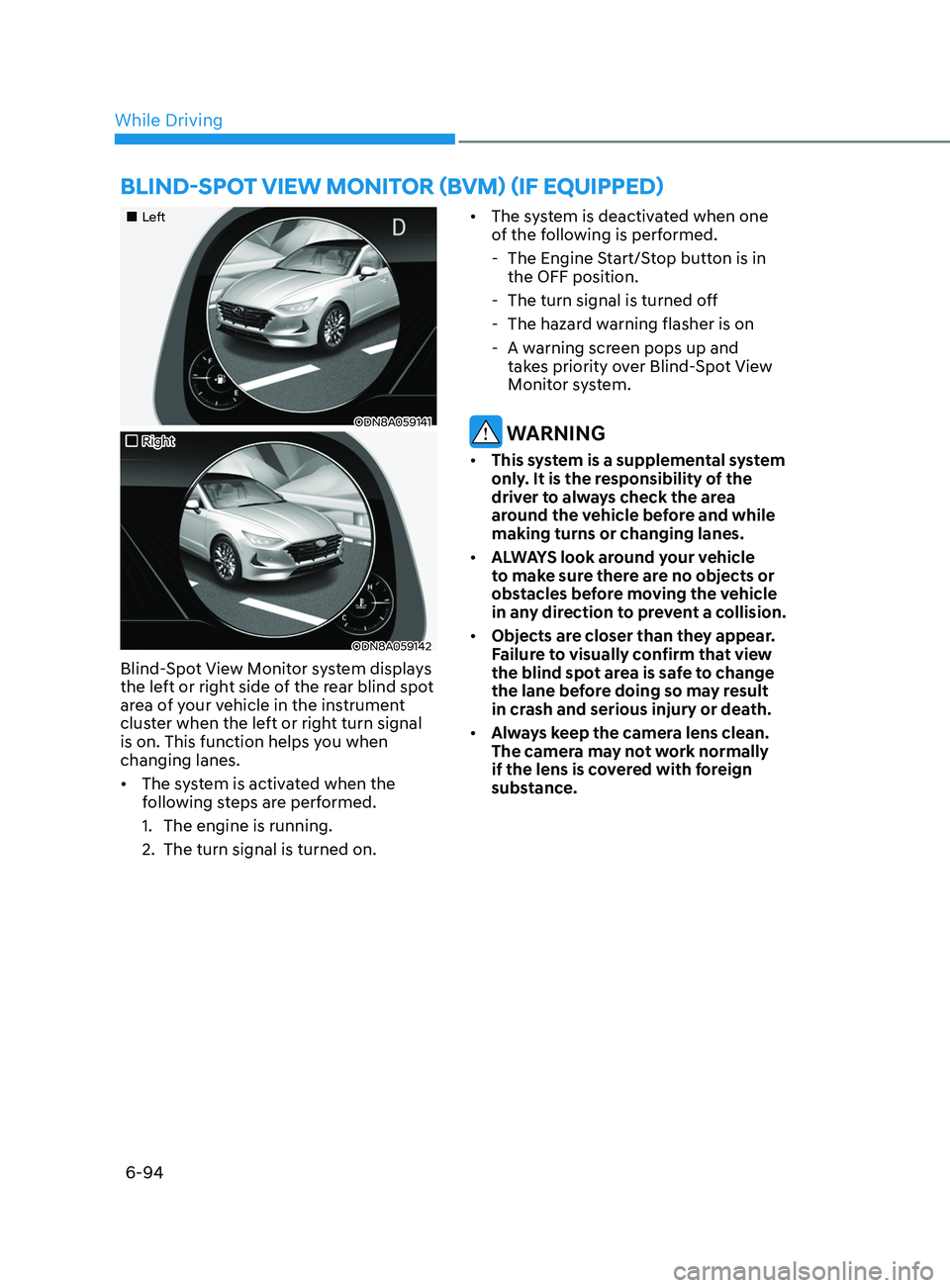
Blind-Spot View Monitor system displays
the left or right side of the rear blind spot
area of your vehicle in the instrument
cluster when the left or right turn signal
is on. This function helps you when
changing lanes.
• The system is activated when the
following steps are performed.
1.
The engine is running.
2.
The turn signal is turned on. •
The s
ystem is deactivated when one
of the following is performed.
- The E
ngine Start/Stop button is in
the OFF position.
- The turn signal is turned o
ff
- The hazar
d warning flasher is on
- A w
arning screen pops up and
takes priority over Blind-Spot View
Monitor system.
WARNING
• This system is a supplemental system
only. It is the responsibility of the
driver to always check the area
around the vehicle before and while
making turns or changing lanes.
• ALWAYS look around your vehicle
to make sure there are no objects or
obstacles before moving the vehicle
in any direction to prevent a collision.
• Objects are closer than they appear.
Failure to visually confirm that view
the blind spot area is safe to change
the lane before doing so may result
in crash and serious injury or death.
• Always keep the camera lens clean.
The camera may not work normally
if the lens is covered with foreign
substance.
BlInd-Spot vIew monItor (Bvm ) ( I f equ I pped)
While Driving
Page 379 of 546
06
6-95
ODN8A069211
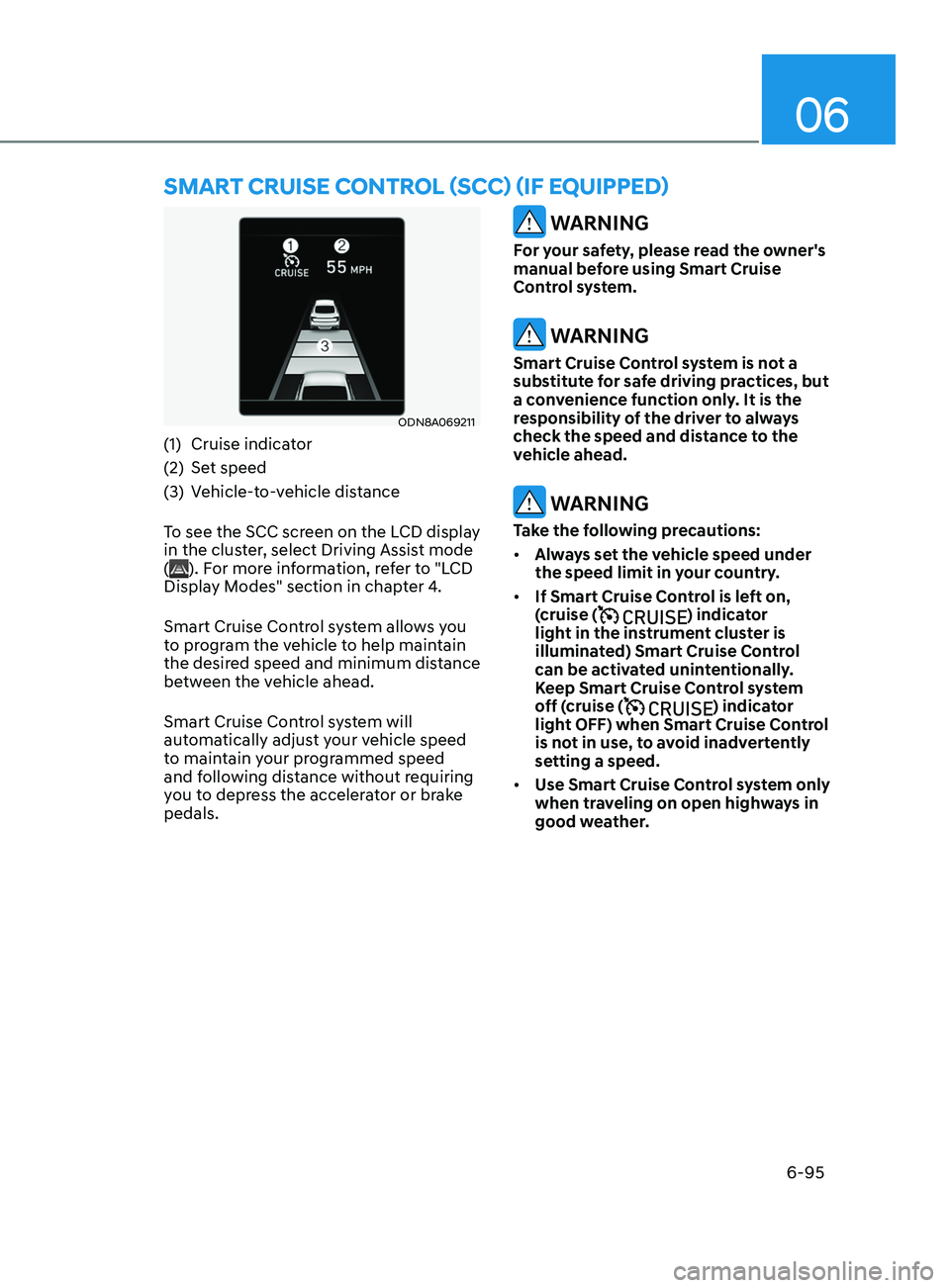
(1) Cruise indicator
(2)
Se
t speed
(3)
V
ehicle-to-vehicle distance
To see the SCC screen on the LCD display
in the cluster, select Driving Assist mode
(
). For more information, refer to "LCD
Display Modes" section in chapter 4.
Smart Cruise Control system allows you
to program the vehicle to help maintain
the desired speed and minimum distance
between the vehicle ahead.
Smart Cruise Control system will
automatically adjust your vehicle speed
to maintain your programmed speed
and following distance without requiring
you to depress the accelerator or brake
pedals.
WARNING
For your safety, please read the owner's
manual before using Smart Cruise
Control system.
WARNING
Smart Cruise Control system is not a
substitute for safe driving practices, but
a convenience function only. It is the
responsibility of the driver to always
check the speed and distance to the
vehicle ahead.
WARNING
Take the following precautions:
• Always set the vehicle speed under
the speed limit in your country.
• If Smart Cruise Control is left on,
(cruise (
) indicator
light in the instrument cluster is
illuminated) Smart Cruise Control
can be activated unintentionally.
Keep Smart Cruise Control system
off (cruise (
) indicator
light OFF) when Smart Cruise Control
is not in use, to avoid inadvertently
setting a speed.
• Use Smart Cruise Control system only
when traveling on open highways in
good weather.
Smart CruISe Contr ol (SCC) ( I f equ I pped)
Page 380 of 546
6-96
• Do not use Smart Cruise Control
when it may not be safe to keep the
vehicle at a constant speed:
-When driving in hea
vy traffic or
when traffic conditions make it
difficult to drive at a constant
speed
- When driving on r
ainy, icy, or
snow-covered roads
- When driving on a s
teep downhill
or uphill
- When driving in windy ar
eas
-When driving in parking lo
ts
-When driving near cr
ash barriers
-When driving on a sharp curv
e
-When driving with limit
ed view
(possibly due to bad weather, such
as fog, snow, rain or sandstorm)
- When the v
ehicle sensing
ability decreases due to vehicle
modification resulting level
difference of the vehicle's front
and rear
• Unexpected situations may lead to
possible accidents. Pay attention
continuously to road conditions
and driving even when smart cruise
control system is being operated.Smart Cruise Control Switch
CRUISE/:Turns cruise control system
on or off.
RES+: Resumes or increases cruise control speed.
SET-: Sets or decreases cruise control speed.
:
Sets vehicle-to-vehicle distance.
CANCEL (CNCL): Cancels cruise control operation.
To Convert to Cruise Control
Mode
The driver may choose to only use the
conventional Cruise Control mode
(speed control function) by doing as
follows:
1.
T
urn Smart Cruise Control system on
(the cruise indicator light will be on
but the system will not be activated).
2.
Push and hold the V
ehicle-to-Vehicle
Distance button for more than 2
seconds.
3.
Choose be
tween “Smart Cruise
Control” and “Cruise Control”.
When the system is canceled using the
CRUISE/
button or the CRUISE button
is used after the engine is turned on, the
Smart Cruise Control mode will turn on.
WARNING
When using the Cruise Control mode,
you must manually adjust the distance
to other vehicles by depressing the
brake pedal. The system does not
automatically adjust the distance to
vehicles in front of you.
While Driving
Page 384 of 546
6-100
• The vehicle is stopped for more than
5 minutes.
• The vehicle stops and goes repeatedly
for a long period of time.
• The accelerator pedal is continuously
depressed for a long period of time.
• The accelerator pedal is continuously
depressed for more than one minute.
• The engine performance is abnormal.
• Engine rpm is in the red zone.
• The driver starts driving by pushing
the toggle switch up (RES+)/down
(SET-) or depressing the accelerator
pedal, after the vehicle is stopped by
Smart Cruise Control system with no
other vehicle ahead.
• The driver starts driving by pushing
the toggle switch up (RES+)/down
(SET-) or depressing the accelerator
pedal, after stopping the vehicle with
a vehicle stopped far away in front.
• Forward Collision-Avoidance Assist is
activated.
• The engine speed is in dangerous
range.
• When engine is stopped by ISG (Idle
Stop & Go).
Each of these actions will cancel the
Smart Cruise Control operation. The Set
Speed and Vehicle-to-Vehicle Distance
on the LCD display will go off.
In a condition Smart Cruise Control is
cancelled automatically, Smart Cruise
Control will not resume even though the
RES+ or SET- toggle switch is pushed. Information
If Smart Cruise Control is cancelled by
other than the reasons mentioned, have
the vehicle inspected by an authorized
HYUNDAI dealer.
OIK057096L
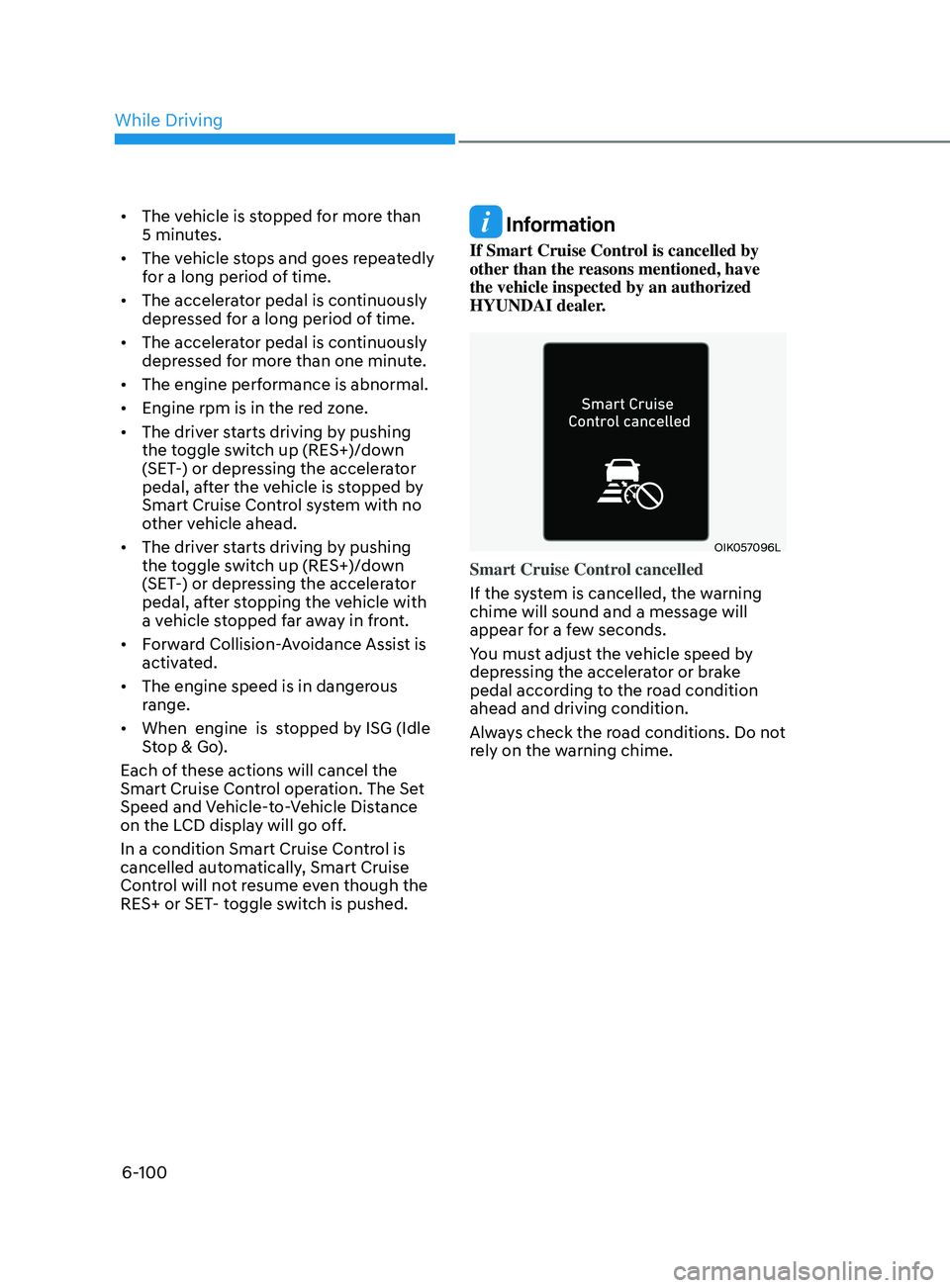
Smart Cruise Control cancelled
If the system is cancelled, the warning
chime will sound and a message will
appear for a few seconds.
You must adjust the vehicle speed by
depressing the accelerator or brake
pedal according to the road condition
ahead and driving condition.
Always check the road conditions. Do not
rely on the warning chime.
While Driving
Page 385 of 546
06
6-101
To resume Smart Cruise Control set
speed
If any method other than the cruise
toggle switch was used to cancel
cruising speed and the system is still
activated, the cruising speed will
automatically resume when you push the
toggle switch up (RES+) or down (SET-).
If you push the toggle switch up (RES+),
the speed will resume to the recently set
speed. However, if vehicle speed drops
below 5 mph (10 km/h), it will resume
when there is a vehicle in front of your
vehicle.
Information
Always check the road conditions when
you push the toggle switch up (RES+) to
resume speed.
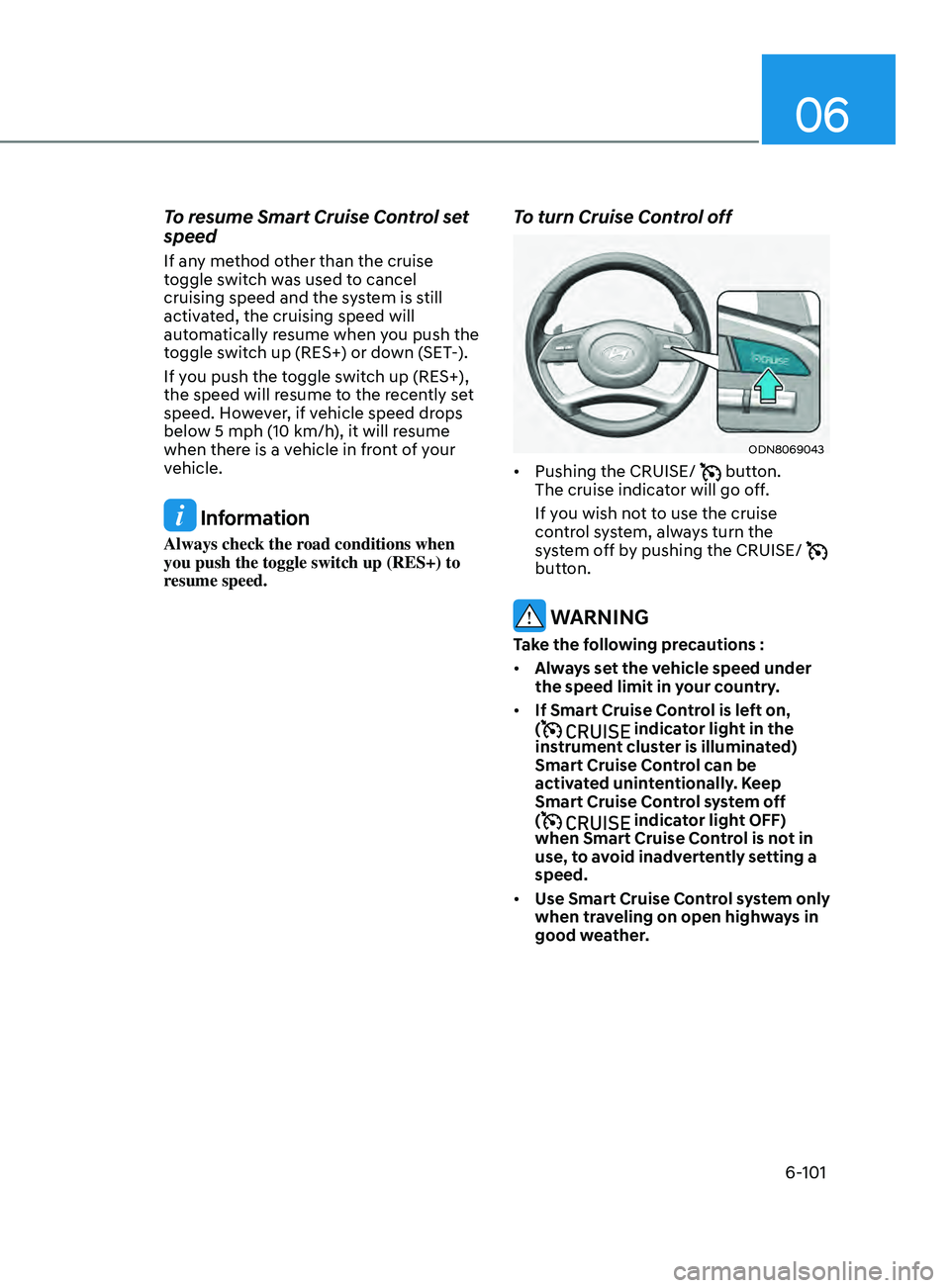
To turn Cruise Control off
ODN8069043
• Pushing the CRUISE/ button.
The cruise indicator will go off.
If you wish not to use the cruise
control system, always turn the
system off by pushing the CRUISE/
button.
WARNING
Take the following precautions :
• Always set the vehicle speed under
the speed limit in your country.
• If Smart Cruise Control is left on,
(
indicator light in the
instrument cluster is illuminated)
Smart Cruise Control can be
activated unintentionally. Keep
Smart Cruise Control system off
(
indicator light OFF)
when Smart Cruise Control is not in
use, to avoid inadvertently setting a
speed.
• Use Smart Cruise Control system only
when traveling on open highways in
good weather.
Page 388 of 546
6-104
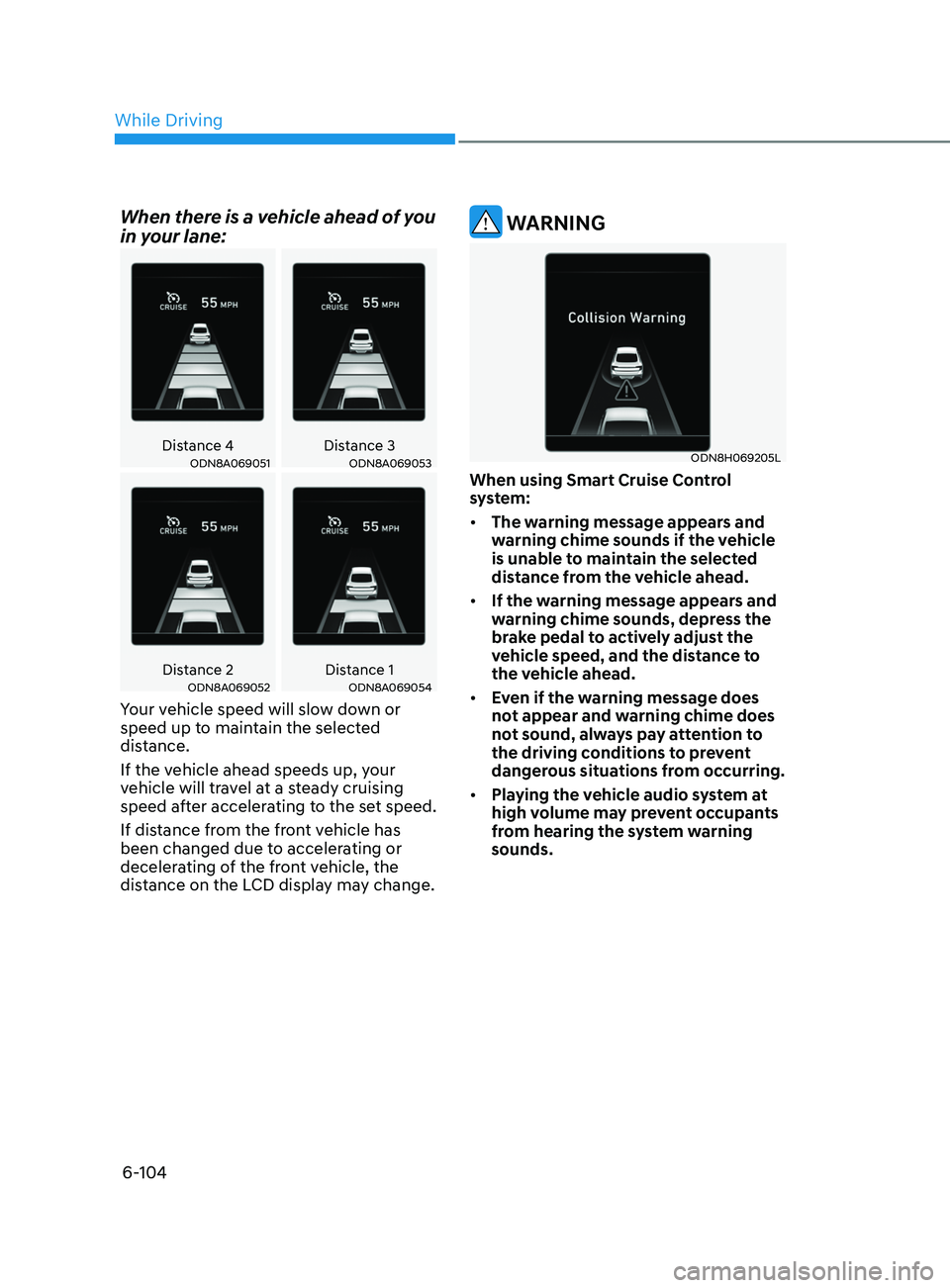
When there is a vehicle ahead of you
in your lane:
Distance 4Distance 3ODN8A069051ODN8A069053
Distance 2 Distance 1ODN8A069052ODN8A069054
Your vehicle speed will slow down or
speed up to maintain the selected
distance.
If the vehicle ahead speeds up, your
vehicle will travel at a steady cruising
speed after accelerating to the set speed.
If distance from the front vehicle has
been changed due to accelerating or
decelerating of the front vehicle, the
distance on the LCD display may change.
WARNING
ODN8H069205L
When using Smart Cruise Control
system:
• The warning message appears and
warning chime sounds if the vehicle
is unable to maintain the selected
distance from the vehicle ahead.
• If the warning message appears and
warning chime sounds, depress the
brake pedal to actively adjust the
vehicle speed, and the distance to
the vehicle ahead.
• Even if the warning message does
not appear and warning chime does
not sound, always pay attention to
the driving conditions to prevent
dangerous situations from occurring.
• Playing the vehicle audio system at
high volume may prevent occupants
from hearing the system warning
sounds.
While Driving
Page 389 of 546
06
6-105
CAUTION
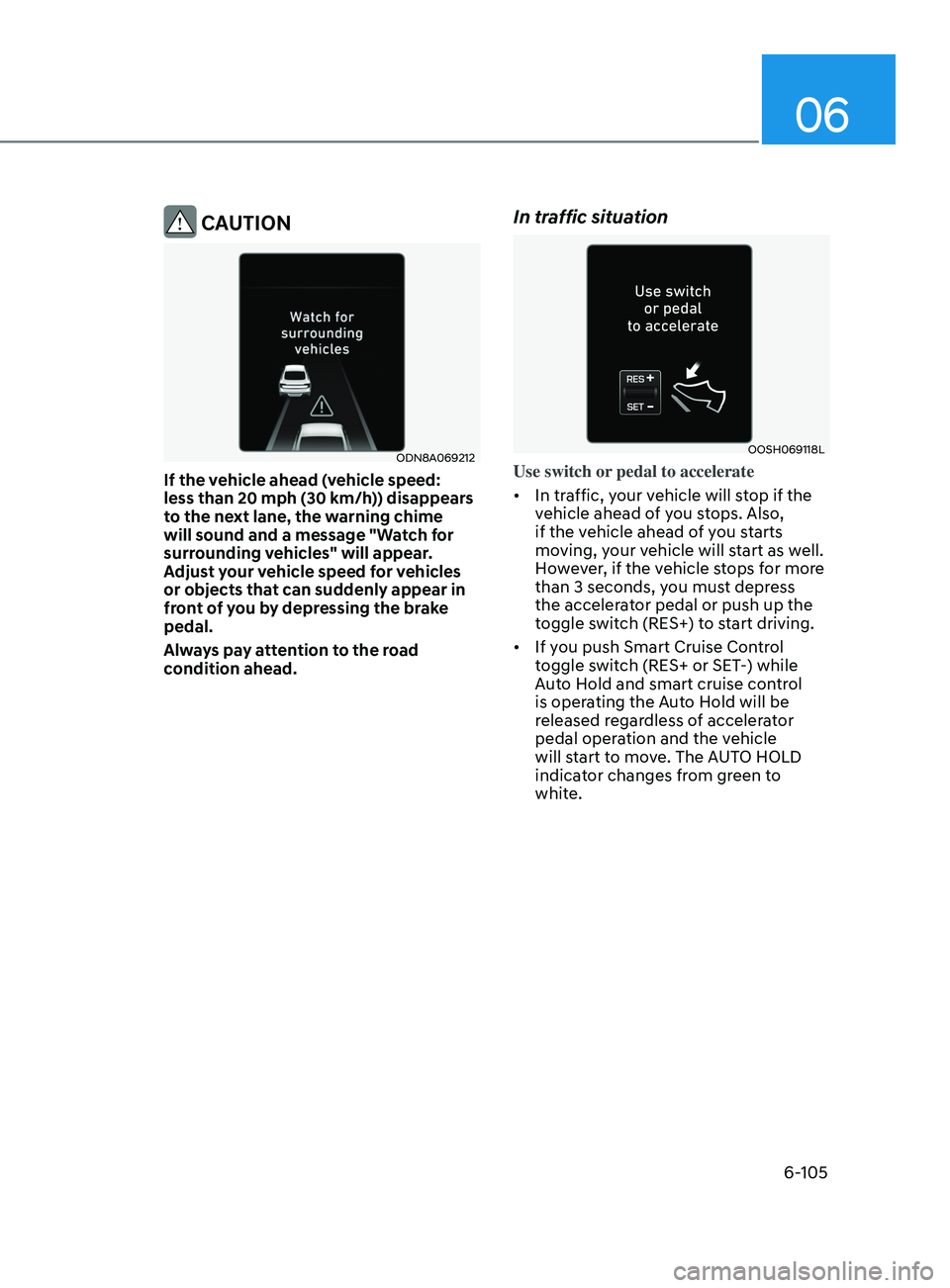
ODN8A069212
If the vehicle ahead (vehicle speed:
less than 20 mph (30 km/h)) disappears
to the next lane, the warning chime
will sound and a message "Watch for
surrounding vehicles" will appear.
Adjust your vehicle speed for vehicles
or objects that can suddenly appear in
front of you by depressing the brake
pedal.
Always pay attention to the road
condition ahead.
In traffic situation
OOSH069118L
Use switch or pedal to accelerate
• In traffic, your vehicle will stop if the
vehicle ahead of you stops. Also,
if the vehicle ahead of you starts
moving, your vehicle will start as well.
However, if the vehicle stops for more
than 3 seconds, you must depress
the accelerator pedal or push up the
toggle switch (RES+) to start driving.
• If you push Smart Cruise Control
toggle switch (RES+ or SET-) while
Auto Hold and smart cruise control
is operating the Auto Hold will be
released regardless of accelerator
pedal operation and the vehicle
will start to move. The AUTO HOLD
indicator changes from green to
white.