lock Hyundai Terracan 2003 Owner's Guide
[x] Cancel search | Manufacturer: HYUNDAI, Model Year: 2003, Model line: Terracan, Model: Hyundai Terracan 2003Pages: 349, PDF Size: 4.56 MB
Page 68 of 349
FEATURES OF YOUR HYUNDAI
1- 60
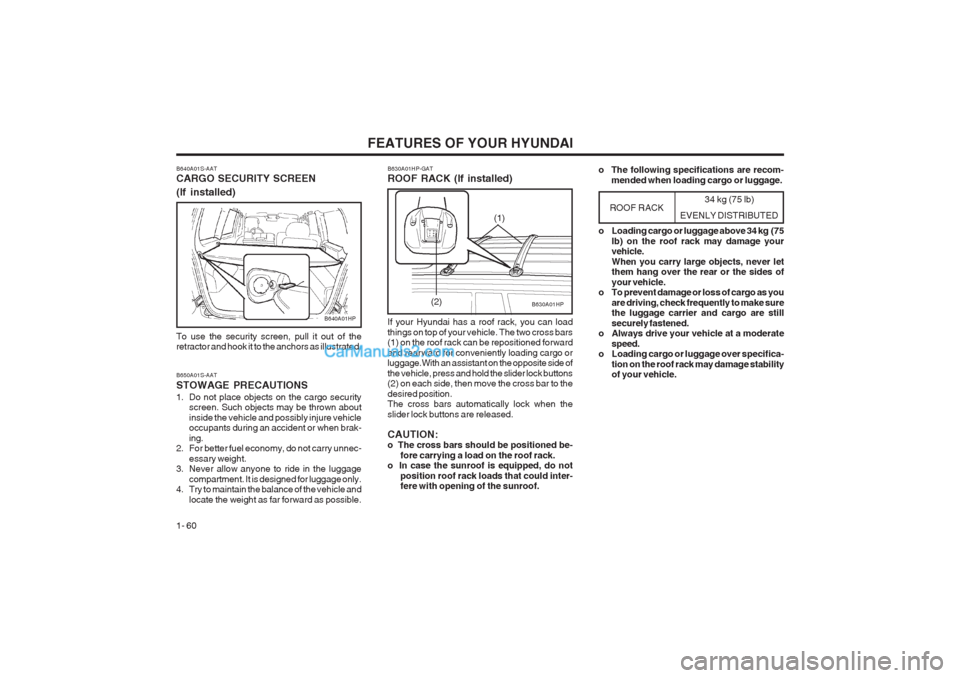
B640A01S-AAT CARGO SECURITY SCREEN (If installed)
B640A01HP
To use the security screen, pull it out of the retractor and hook it to the anchors as illustrated. B650A01S-AAT STOWAGE PRECAUTIONS
1. Do not place objects on the cargo security screen. Such objects may be thrown about inside the vehicle and possibly injure vehicle occupants during an accident or when brak- ing.
2. For better fuel economy, do not carry unnec-
essary weight.
3. Never allow anyone to ride in the luggage
compartment. It is designed for luggage only.
4. Try to maintain the balance of the vehicle and
locate the weight as far forward as possible. 34 kg (75 lb)
EVENLY DISTRIBUTED
B630A01HP
B630A01HP-GAT ROOF RACK (If installed) If your Hyundai has a roof rack, you can load things on top of your vehicle. The two cross bars (1) on the roof rack can be repositioned forward and rearward for conveniently loading cargo or luggage.With an assistant on the opposite side of the vehicle, press and hold the slider lock buttons (2) on each side, then move the cross bar to the desired position. The cross bars automatically lock when the slider lock buttons are released. CAUTION: o The cross bars should be positioned be-
fore carrying a load on the roof rack.
o In case the sunroof is equipped, do not
position roof rack loads that could inter-fere with opening of the sunroof.
ROOF RACK
(2) o Loading cargo or luggage above 34 kg (75
lb) on the roof rack may damage your vehicle. When you carry large objects, never let them hang over the rear or the sides of your vehicle.
o To prevent damage or loss of cargo as you
are driving, check frequently to make sure the luggage carrier and cargo are still securely fastened.
o Always drive your vehicle at a moderate
speed.
o Loading cargo or luggage over specifica-
tion on the roof rack may damage stability of your vehicle.
(1)
o The following specifications are recom-
mended when loading cargo or luggage.
Page 70 of 349
FEATURES OF YOUR HYUNDAI
1- 62
B580A02A-AAT SUNVISOR
B580A01HP
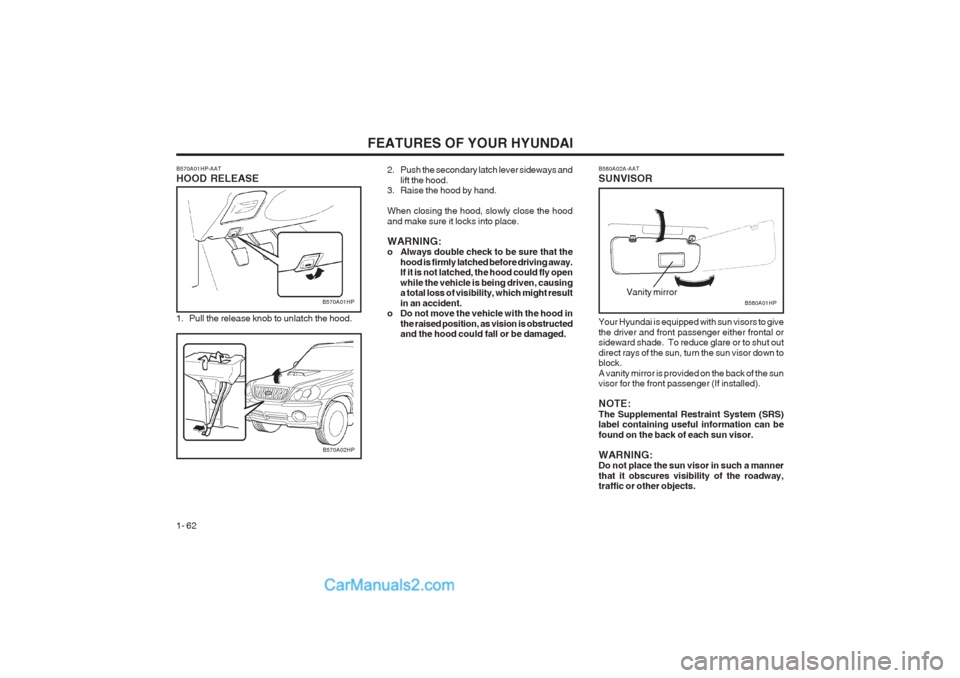
Your Hyundai is equipped with sun visors to give the driver and front passenger either frontal or sideward shade. To reduce glare or to shut out direct rays of the sun, turn the sun visor down to block. A vanity mirror is provided on the back of the sun visor for the front passenger (If installed). NOTE: The Supplemental Restraint System (SRS) label containing useful information can be found on the back of each sun visor. WARNING: Do not place the sun visor in such a manner that it obscures visibility of the roadway, traffic or other objects.Vanity mirror
2. Push the secondary latch lever sideways and lift the hood.
3. Raise the hood by hand. When closing the hood, slowly close the hood and make sure it locks into place. WARNING:
o Always double check to be sure that the
hood is firmly latched before driving away.If it is not latched, the hood could fly open while the vehicle is being driven, causing a total loss of visibility, which might result in an accident.
o Do not move the vehicle with the hood in
the raised position, as vision is obstructed and the hood could fall or be damaged.
B570A02HP
B570A01HP-AAT HOOD RELEASE
1. Pull the release knob to unlatch the hood.
B570A01HP
Page 71 of 349
FEATURES OF YOUR HYUNDAI 1- 63
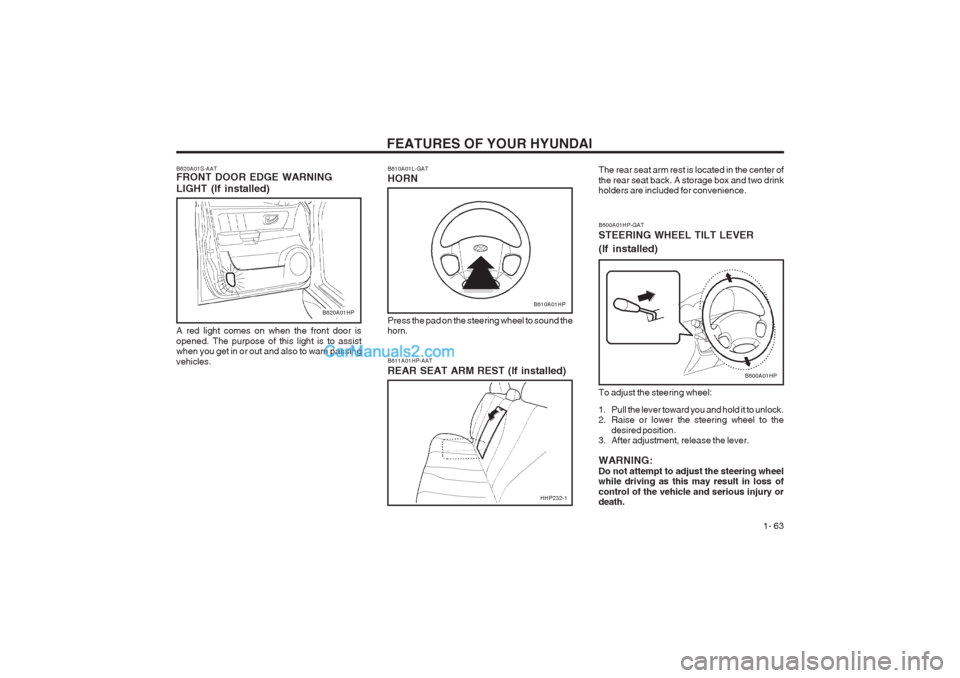
B600A01HP-GAT STEERING WHEEL TILT LEVER (If installed) To adjust the steering wheel:
1. Pull the lever toward you and hold it to unlock.
2. Raise or lower the steering wheel to thedesired position.
3. After adjustment, release the lever. WARNING: Do not attempt to adjust the steering wheel while driving as this may result in loss of control of the vehicle and serious injury or death.
B600A01HP
B620A01S-AAT FRONT DOOR EDGE WARNING LIGHT (If installed) A red light comes on when the front door is opened. The purpose of this light is to assist when you get in or out and also to warn passing vehicles.B610A01L-GAT HORN
B610A01HP
Press the pad on the steering wheel to sound the horn. B611A01HP-AAT REAR SEAT ARM REST (If installed) The rear seat arm rest is located in the center of the rear seat back. A storage box and two drink holders are included for convenience.B620A01HP
HHP232-1
Page 79 of 349
FEATURES OF YOUR HYUNDAI 1- 71
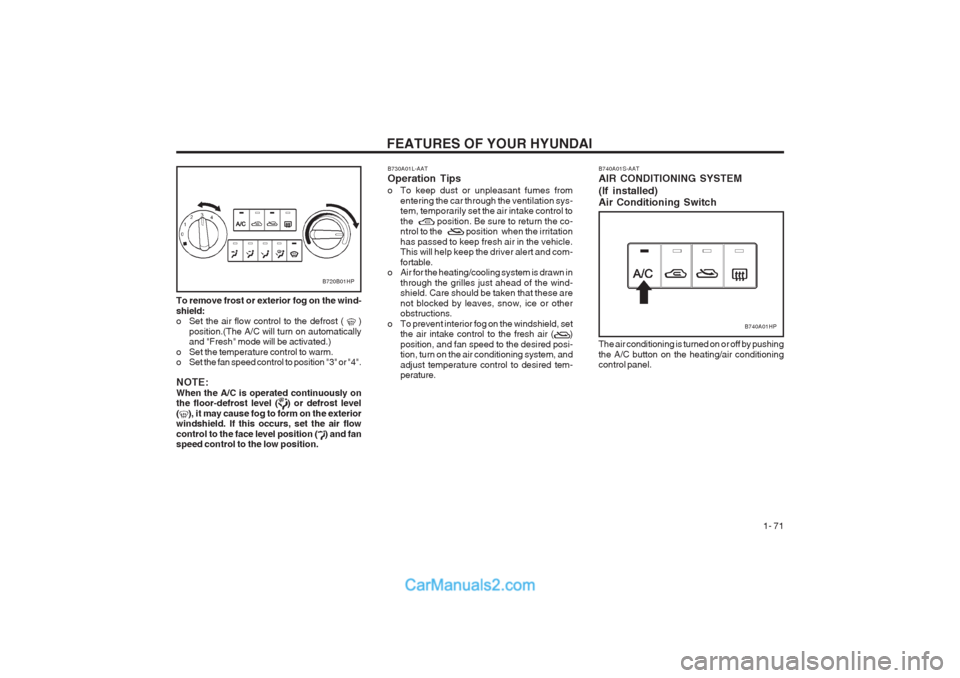
To remove frost or exterior fog on the wind- shield:
o Set the air flow control to the defrost ( )
position.(The A/C will turn on automaticallyand "Fresh" mode will be activated.)
o Set the temperature control to warm.
o Set the fan speed control to position "3" or "4". NOTE: When the A/C is operated continuously on the floor-defrost level (
) or defrost level
(), it may cause fog to form on the exterior
windshield. If this occurs, set the air flow control to the face level position (
) and fan
speed control to the low position.
B720B01HP
B730A01L-AAT Operation Tips
o To keep dust or unpleasant fumes from
entering the car through the ventilation sys-
tem, temporarily set the air intake control to
the position. Be sure to return the co-
ntrol to the position when the irritation has passed to keep fresh air in the vehicle. This will help keep the driver alert and com- fortable.
o Air for the heating/cooling system is drawn in
through the grilles just ahead of the wind- shield. Care should be taken that these are not blocked by leaves, snow, ice or other
obstructions.
o To prevent interior fog on the windshield, set the air intake control to the fresh air ( ) position, and fan speed to the desired posi- tion, turn on the air conditioning system, and adjust temperature control to desired tem- perature.
The air conditioning is turned on or off by pushing the A/C button on the heating/air conditioning control panel.
B740A01S-AAT AIR CONDITIONING SYSTEM (If installed) Air Conditioning Switch
B740A01HP
Page 88 of 349
FEATURES OF YOUR HYUNDAI
1- 80 B750B02Y-AAT Using a cellular phone or a two-way radio When a cellular phone is used inside the vehicle, noise may be produced from the audio equip- ment. This does not mean that something is wrong with the audio equipment. In such a case, use the cellular phone at a place as far as possible from the audio equipment. CAUTION: When using a communication system such a cellular phone or a radio set inside the vehi- cle, a separate external antenna must be fitted. When a cellular phone or a radio set is used with an internal antenna alone, it may interfere with the vehicle's electrical system and adversely affect safe operation of the vehicle. WARNING: Don't use a cellular phone when you are driving. Stop at a safe place to use a cellular phone.
SSAR013ASSAR014A
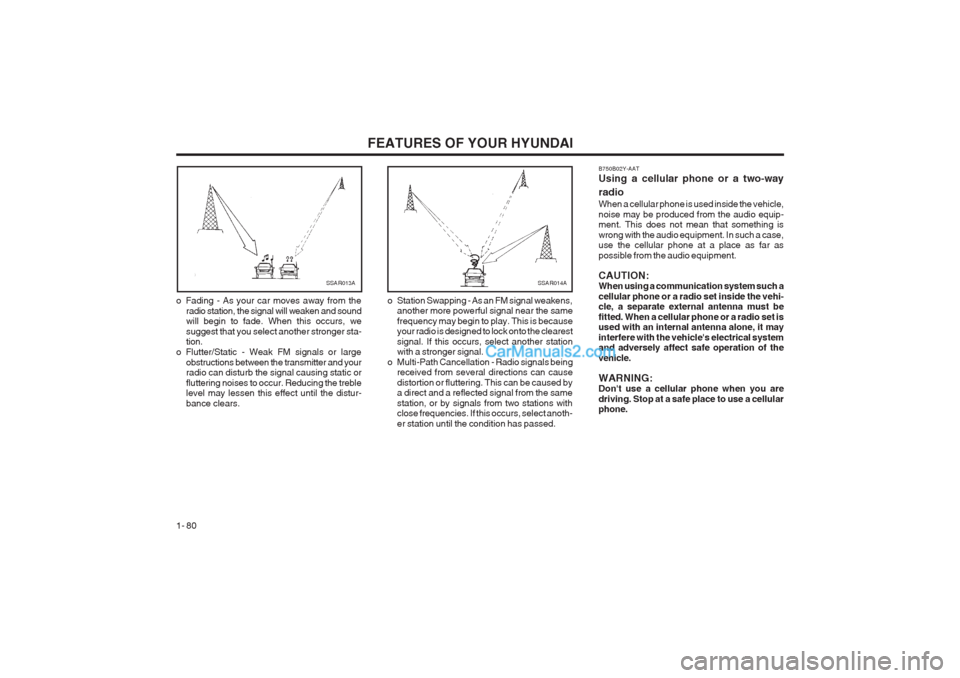
o Fading - As your car moves away from the radio station, the signal will weaken and sound will begin to fade. When this occurs, we suggest that you select another stronger sta- tion.
o Flutter/Static - Weak FM signals or large obstructions between the transmitter and yourradio can disturb the signal causing static or fluttering noises to occur. Reducing the treble level may lessen this effect until the distur- bance clears. o Station Swapping - As an FM signal weakens,
another more powerful signal near the samefrequency may begin to play. This is because your radio is designed to lock onto the clearest signal. If this occurs, select another station with a stronger signal.
o Multi-Path Cancellation - Radio signals being received from several directions can cause distortion or fluttering. This can be caused by a direct and a reflected signal from the same station, or by signals from two stations with close frequencies. If this occurs, select anoth- er station until the condition has passed.
Page 90 of 349
FEATURES OF YOUR HYUNDAI
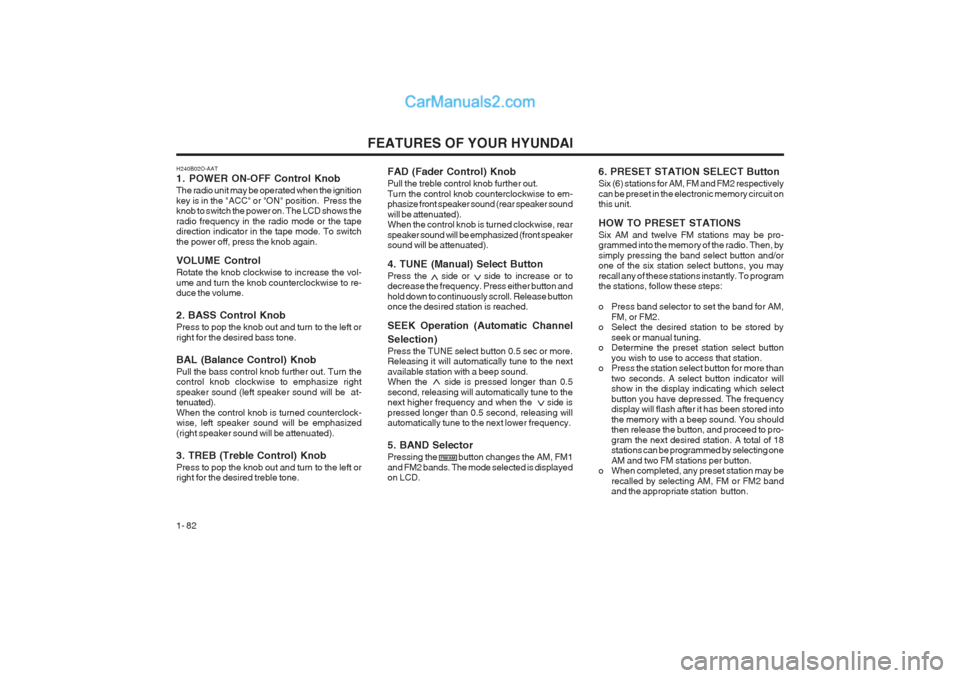
1- 82 FAD (Fader Control) Knob Pull the treble control knob further out. Turn the control knob counterclockwise to em- phasize front speaker sound (rear speaker sound will be attenuated). When the control knob is turned clockwise, rear speaker sound will be emphasized (front speaker sound will be attenuated). 4. TUNE (Manual) Select Button Press the side or side to increase or to decrease the frequency. Press either button and hold down to continuously scroll. Release button once the desired station is reached. SEEK Operation (Automatic Channel Selection) Press the TUNE select button 0.5 sec or more. Releasing it will automatically tune to the next available station with a beep sound. When the side is pressed longer than 0.5 second, releasing will automatically tune to the next higher frequency and when the side is pressed longer than 0.5 second, releasing will automatically tune to the next lower frequency. 5. BAND Selector Pressing the button changes the AM, FM1 and FM2 bands. The mode selected is displayed on LCD.
6. PRESET STATION SELECT Button Six (6) stations for AM, FM and FM2 respectively can be preset in the electronic memory circuit on this unit. HOW TO PRESET STATIONS Six AM and twelve FM stations may be pro- grammed into the memory of the radio. Then, by simply pressing the band select button and/or one of the six station select buttons, you may recall any of these stations instantly. To program the stations, follow these steps:
o Press band selector to set the band for AM,
FM, or FM2.
o Select the desired station to be stored by
seek or manual tuning.
o Determine the preset station select button
you wish to use to access that station.
o Press the station select button for more than
two seconds. A select button indicator will show in the display indicating which select button you have depressed. The frequency display will flash after it has been stored into the memory with a beep sound. You should then release the button, and proceed to pro- gram the next desired station. A total of 18 stations can be programmed by selecting one AM and two FM stations per button.
o When completed, any preset station may be
recalled by selecting AM, FM or FM2 band and the appropriate station button.
H240B02O-AAT
1. POWER ON-OFF Control Knob The radio unit may be operated when the ignition key is in the "ACC" or "ON" position. Press the knob to switch the power on. The LCD shows the radio frequency in the radio mode or the tape direction indicator in the tape mode. To switch the power off, press the knob again. VOLUME Control Rotate the knob clockwise to increase the vol- ume and turn the knob counterclockwise to re- duce the volume. 2. BASS Control Knob Press to pop the knob out and turn to the left or right for the desired bass tone. BAL (Balance Control) Knob Pull the bass control knob further out. Turn the control knob clockwise to emphasize right speaker sound (left speaker sound will be at- tenuated). When the control knob is turned counterclock- wise, left speaker sound will be emphasized (right speaker sound will be attenuated). 3. TREB (Treble Control) Knob Press to pop the knob out and turn to the left or right for the desired treble tone.
FM/AM
Page 95 of 349
FEATURES OF YOUR HYUNDAI 1- 87
H290B02E-AAT
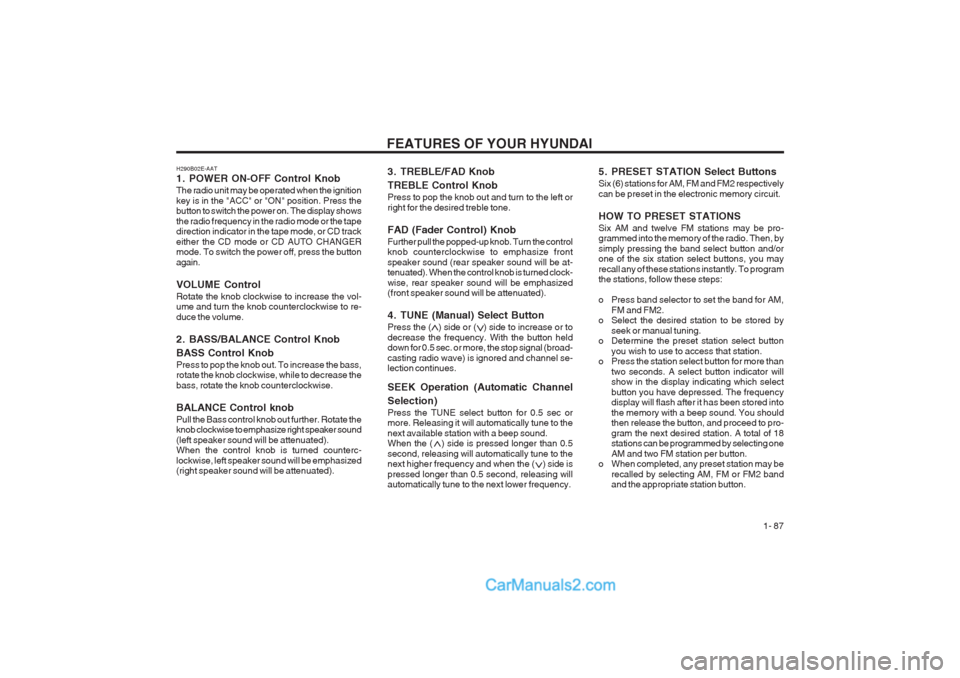
1. POWER ON-OFF Control Knob The radio unit may be operated when the ignition key is in the "ACC" or "ON" position. Press the button to switch the power on. The display shows the radio frequency in the radio mode or the tape direction indicator in the tape mode, or CD track either the CD mode or CD AUTO CHANGER mode. To switch the power off, press the button again. VOLUME Control Rotate the knob clockwise to increase the vol- ume and turn the knob counterclockwise to re- duce the volume.
2. BASS/BALANCE Control Knob BASS Control Knob Press to pop the knob out. To increase the bass, rotate the knob clockwise, while to decrease the bass, rotate the knob counterclockwise. BALANCE Control knob Pull the Bass control knob out further. Rotate the knob clockwise to emphasize right speaker sound (left speaker sound will be attenuated). When the control knob is turned counterc- lockwise, left speaker sound will be emphasized (right speaker sound will be attenuated).
3. TREBLE/FAD Knob TREBLE Control Knob Press to pop the knob out and turn to the left or right for the desired treble tone. FAD (Fader Control) Knob Further pull the popped-up knob. Turn the control knob counterclockwise to emphasize front speaker sound (rear speaker sound will be at- tenuated). When the control knob is turned clock- wise, rear speaker sound will be emphasized (front speaker sound will be attenuated).
4. TUNE (Manual) Select Button Press the ( ) side or ( ) side to increase or to decrease the frequency. With the button held down for 0.5 sec. or more, the stop signal (broad- casting radio wave) is ignored and channel se- lection continues. SEEK Operation (Automatic Channel Selection) Press the TUNE select button for 0.5 sec or more. Releasing it will automatically tune to the next available station with a beep sound. When the ( ) side is pressed longer than 0.5 second, releasing will automatically tune to the next higher frequency and when the ( ) side is pressed longer than 0.5 second, releasing will automatically tune to the next lower frequency.5. PRESET STATION Select Buttons Six (6) stations for AM, FM and FM2 respectively can be preset in the electronic memory circuit. HOW TO PRESET STATIONS Six AM and twelve FM stations may be pro- grammed into the memory of the radio. Then, by simply pressing the band select button and/or one of the six station select buttons, you may recall any of these stations instantly. To program the stations, follow these steps:
o Press band selector to set the band for AM,
FM and FM2.
o Select the desired station to be stored by
seek or manual tuning.
o Determine the preset station select button
you wish to use to access that station.
o Press the station select button for more than
two seconds. A select button indicator will show in the display indicating which select button you have depressed. The frequency display will flash after it has been stored into the memory with a beep sound. You should then release the button, and proceed to pro- gram the next desired station. A total of 18 stations can be programmed by selecting one AM and two FM station per button.
o When completed, any preset station may be
recalled by selecting AM, FM or FM2 band and the appropriate station button.
Page 106 of 349
FEATURES OF YOUR HYUNDAI
1- 98
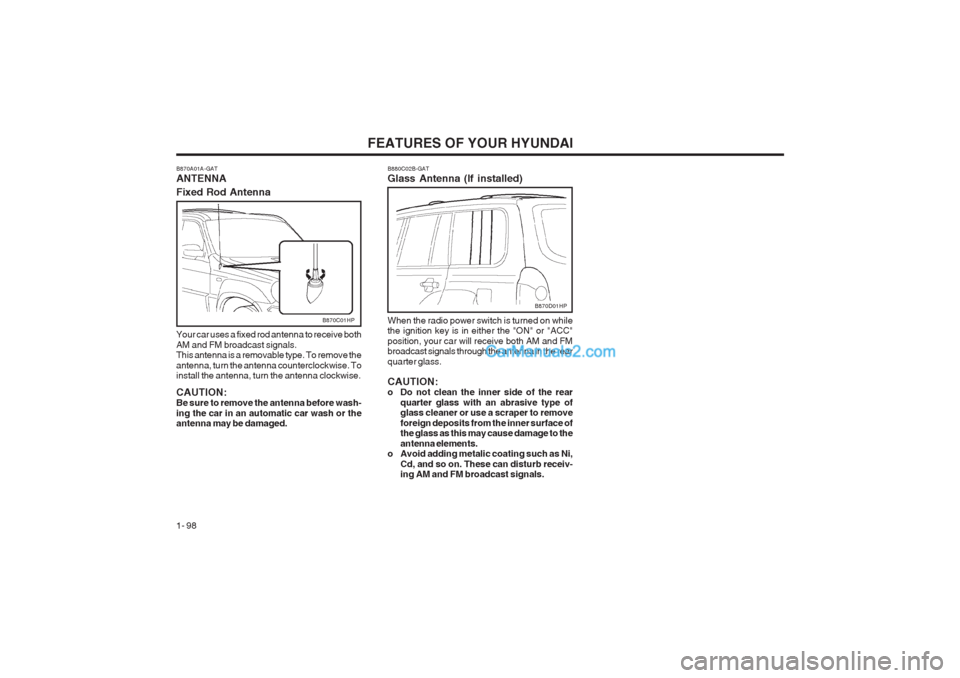
B870C01HP B880C02B-GAT Glass Antenna (If installed)When the radio power switch is turned on while the ignition key is in either the "ON" or "ACC" position, your car will receive both AM and FM broadcast signals through the antenna in the rear quarter glass. CAUTION:
o Do not clean the inner side of the rear
quarter glass with an abrasive type ofglass cleaner or use a scraper to remove foreign deposits from the inner surface of the glass as this may cause damage to the antenna elements.
o Avoid adding metalic coating such as Ni,
Cd, and so on. These can disturb receiv- ing AM and FM broadcast signals.
B870D01HP
B870A01A-GAT ANTENNA Fixed Rod Antenna Your car uses a fixed rod antenna to receive both AM and FM broadcast signals. This antenna is a removable type. To remove the antenna, turn the antenna counterclockwise. To install the antenna, turn the antenna clockwise. CAUTION: Be sure to remove the antenna before wash- ing the car in an automatic car wash or the antenna may be damaged.
Page 108 of 349
DRIVING YOUR HYUNDAI
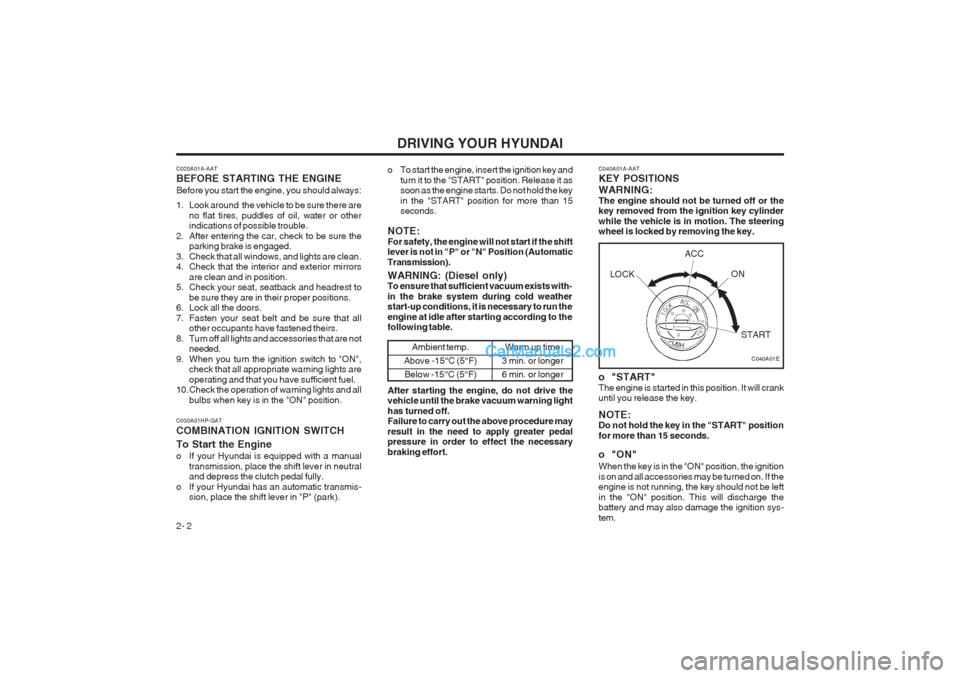
2- 2 C040A01A-AAT KEY POSITIONS WARNING: The engine should not be turned off or the key removed from the ignition key cylinder while the vehicle is in motion. The steering wheel is locked by removing the key.
o "START" The engine is started in this position. It will crank until you release the key. NOTE: Do not hold the key in the "START" position for more than 15 seconds.
o "ON" When the key is in the "ON" position, the ignition is on and all accessories may be turned on. If the engine is not running, the key should not be left in the "ON" position. This will discharge the battery and may also damage the ignition sys- tem.
C020A01A-AAT BEFORE STARTING THE ENGINE Before you start the engine, you should always:
1. Look around the vehicle to be sure there are
no flat tires, puddles of oil, water or other indications of possible trouble.
2. After entering the car, check to be sure the parking brake is engaged.
3. Check that all windows, and lights are clean.
4. Check that the interior and exterior mirrors are clean and in position.
5. Check your seat, seatback and headrest to
be sure they are in their proper positions.
6. Lock all the doors.
7. Fasten your seat belt and be sure that all other occupants have fastened theirs.
8. Turn off all lights and accessories that are not needed.
9. When you turn the ignition switch to "ON", check that all appropriate warning lights areoperating and that you have sufficient fuel.
10. Check the operation of warning lights and all
bulbs when key is in the "ON" position. o To start the engine, insert the ignition key and
turn it to the "START" position. Release it as soon as the engine starts. Do not hold the key in the "START" position for more than 15 seconds.
NOTE: For safety, the engine will not start if the shift lever is not in "P" or "N" Position (Automatic Transmission).
C030A01HP-GAT COMBINATION IGNITION SWITCH To Start the Engine
o If your Hyundai is equipped with a manual transmission, place the shift lever in neutral and depress the clutch pedal fully.
o If your Hyundai has an automatic transmis- sion, place the shift lever in "P" (park).
C040A01E
WARNING: (Diesel only) To ensure that sufficient vacuum exists with- in the brake system during cold weather start-up conditions, it is necessary to run the engine at idle after starting according to the following table.
Ambient temp.
Above -15°C (5°F) Below -15°C (5°F)Warm up time
3 min. or longer 6 min. or longer
After starting the engine, do not drive the vehicle until the brake vacuum warning light has turned off. Failure to carry out the above procedure may result in the need to apply greater pedal pressure in order to effect the necessary braking effort. LOCK
ACC
ON
START
Page 109 of 349
DRIVING YOUR HYUNDAI 2- 3
C070C01A-AAT
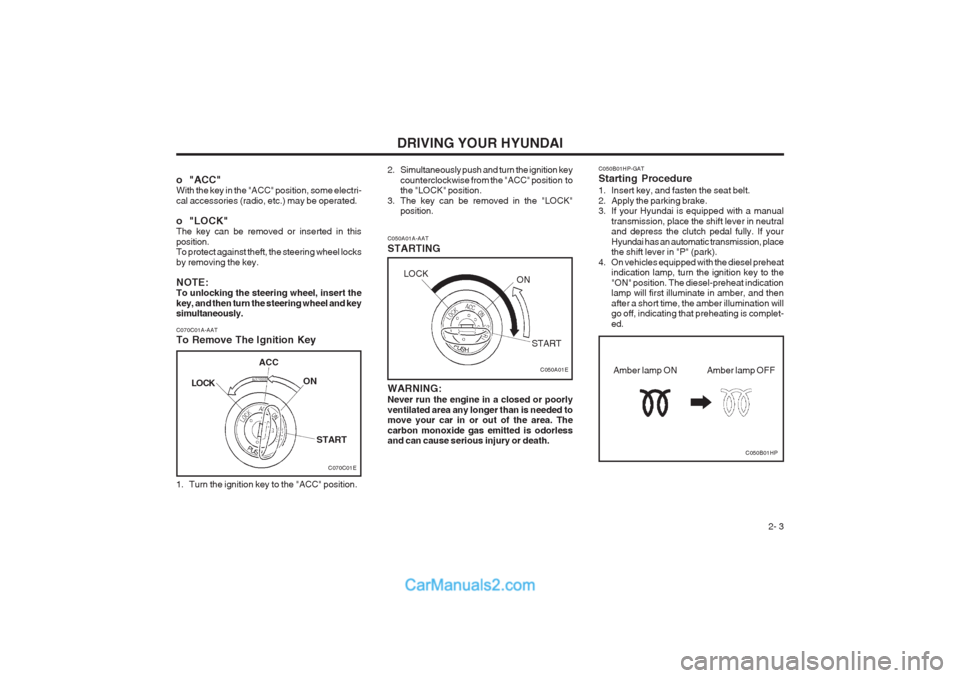
To Remove The Ignition Key
1. Turn the ignition key to the "ACC" position. C050A01A-AAT STARTING
C050A01E
WARNING: Never run the engine in a closed or poorly ventilated area any longer than is needed to move your car in or out of the area. The carbon monoxide gas emitted is odorless and can cause serious injury or death.
o "ACC"With the key in the "ACC" position, some electri- cal accessories (radio, etc.) may be operated.
o "LOCK" The key can be removed or inserted in this position. To protect against theft, the steering wheel locks by removing the key. NOTE: To unlocking the steering wheel, insert the key, and then turn the steering wheel and key simultaneously.
2. Simultaneously push and turn the ignition key
counterclockwise from the "ACC" position to the "LOCK" position.
3. The key can be removed in the "LOCK" position. C050B01HP-GAT Starting Procedure
1. Insert key, and fasten the seat belt.
2. Apply the parking brake.
3. If your Hyundai is equipped with a manual
transmission, place the shift lever in neutraland depress the clutch pedal fully. If your Hyundai has an automatic transmission, place the shift lever in "P" (park).
4. On vehicles equipped with the diesel preheat indication lamp, turn the ignition key to the "ON" position. The diesel-preheat indication lamp will first illuminate in amber, and then after a short time, the amber illumination will go off, indicating that preheating is complet- ed.
C050B01HP
Amber lamp OFF
Amber lamp ON
C070C01E
LOCK
ACC
ON
START
LOCK ON
START