lock Hyundai Terracan 2003 Manual Online
[x] Cancel search | Manufacturer: HYUNDAI, Model Year: 2003, Model line: Terracan, Model: Hyundai Terracan 2003Pages: 349, PDF Size: 4.56 MB
Page 239 of 349
CONTROLS AND EQUIPMENT1- 45
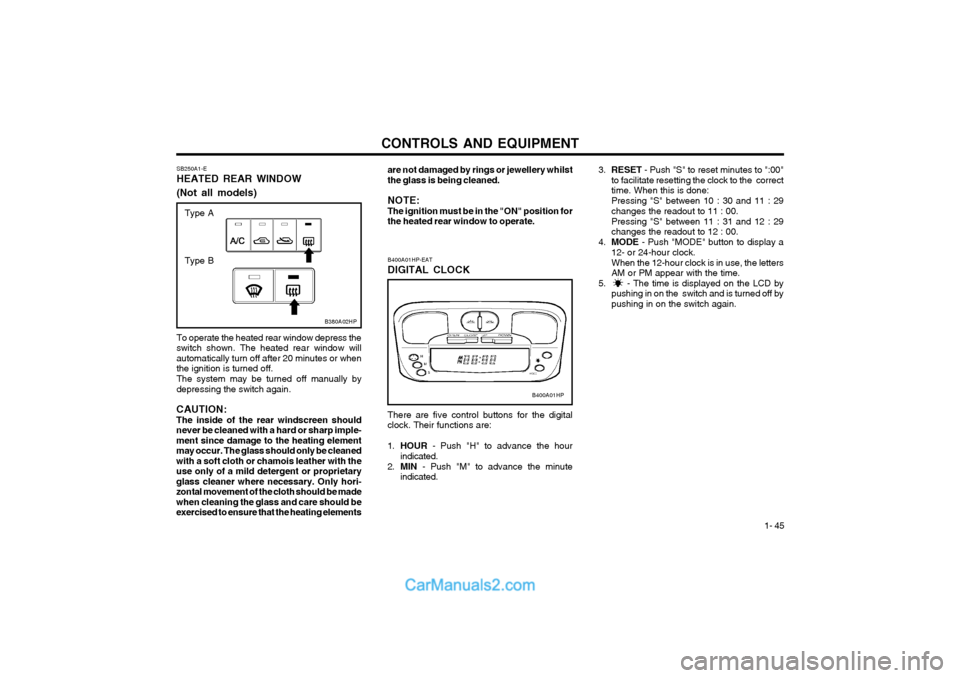
SB250A1-E HEATED REAR WINDOW (Not all models)
B380A02HP
To operate the heated rear window depress the switch shown. The heated rear window willautomatically turn off after 20 minutes or whenthe ignition is turned off. The system may be turned off manually by depressing the switch again.
CAUTION:The inside of the rear windscreen shouldnever be cleaned with a hard or sharp imple-ment since damage to the heating elementmay occur. The glass should only be cleanedwith a soft cloth or chamois leather with theuse only of a mild detergent or proprietaryglass cleaner where necessary. Only hori-zontal movement of the cloth should be madewhen cleaning the glass and care should beexercised to ensure that the heating elements are not damaged by rings or jewellery whilstthe glass is being cleaned. NOTE: The ignition must be in the "ON" position forthe heated rear window to operate.
B400A01HP
B400A01HP-EAT DIGITAL CLOCK There are five control buttons for the digital
clock. Their functions are: 1. HOUR - Push "H" to advance the hour
indicated.
2. MIN - Push "M" to advance the minute
indicated.
3. RESET - Push "S" to reset minutes to ":00"
to facilitate resetting the clock to the correct time. When this is done: Pressing "S" between 10 : 30 and 11 : 29 changes the readout to 11 : 00. Pressing "S" between 11 : 31 and 12 : 29 changes the readout to 12 : 00.
4. MODE - Push "MODE" button to display a
12- or 24-hour clock. When the 12-hour clock is in use, the letters AM or PM appear with the time.
5. - The time is displayed on the LCD by pushing in on the switch and is turned off bypushing in on the switch again.
Type A
Type B
Page 243 of 349
CONTROLS AND EQUIPMENT1- 49
panel and the vehicle body whilst the sunroof is being closed.
o Do not stand up or extend any portion of your body out of the opening whilst thevehicle is moving.
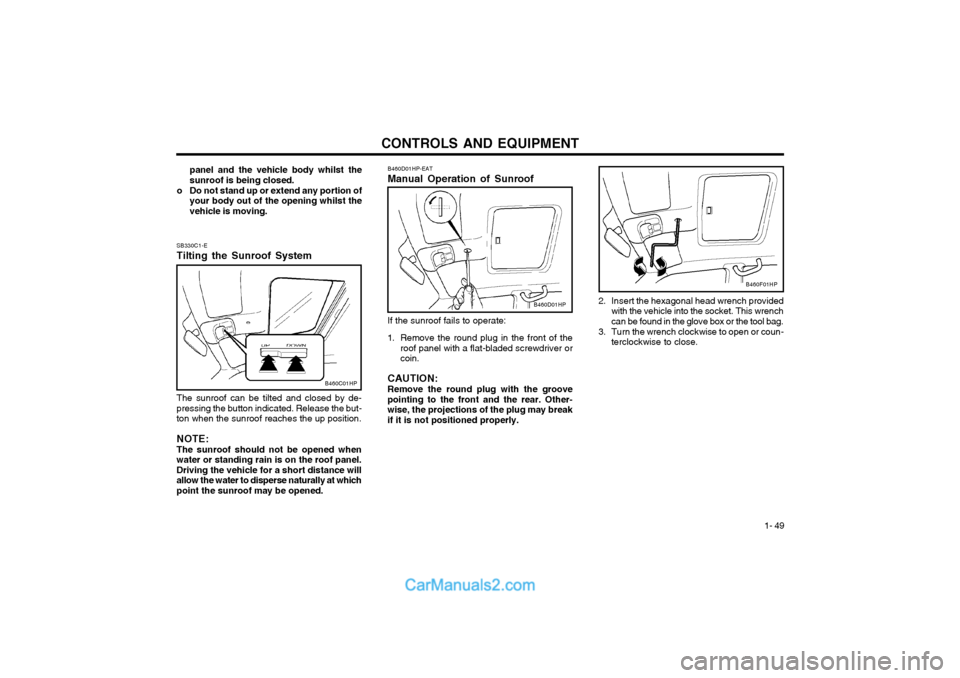
SB330C1-E Tilting the Sunroof System The sunroof can be tilted and closed by de- pressing the button indicated. Release the but-ton when the sunroof reaches the up position. NOTE: The sunroof should not be opened when water or standing rain is on the roof panel.Driving the vehicle for a short distance willallow the water to disperse naturally at whichpoint the sunroof may be opened. B460D01HP-EAT Manual Operation of Sunroof If the sunroof fails to operate:
1. Remove the round plug in the front of the roof panel with a flat-bladed screwdriver or coin.
CAUTION: Remove the round plug with the groove
pointing to the front and the rear. Other-wise, the projections of the plug may breakif it is not positioned properly.
B460C01HP
B460D01HP 2. Insert the hexagonal head wrench provided
with the vehicle into the socket. This wrench can be found in the glove box or the tool bag.
3. Turn the wrench clockwise to open or coun- terclockwise to close.
B460F01HP
Page 248 of 349
CONTROLS AND EQUIPMENT
1- 54
B540A01O-EAT HATCHBACK DOOR
B540A01HP
WARNING: The hatchback door should always be kept
completely closed whilst the vehicle is inmotion. If it is left open or ajar, poisonousexhaust gases may enter the car resulting inserious illness or death to the occupants.See additional warnings concerning exhaustgases on page 2-1.
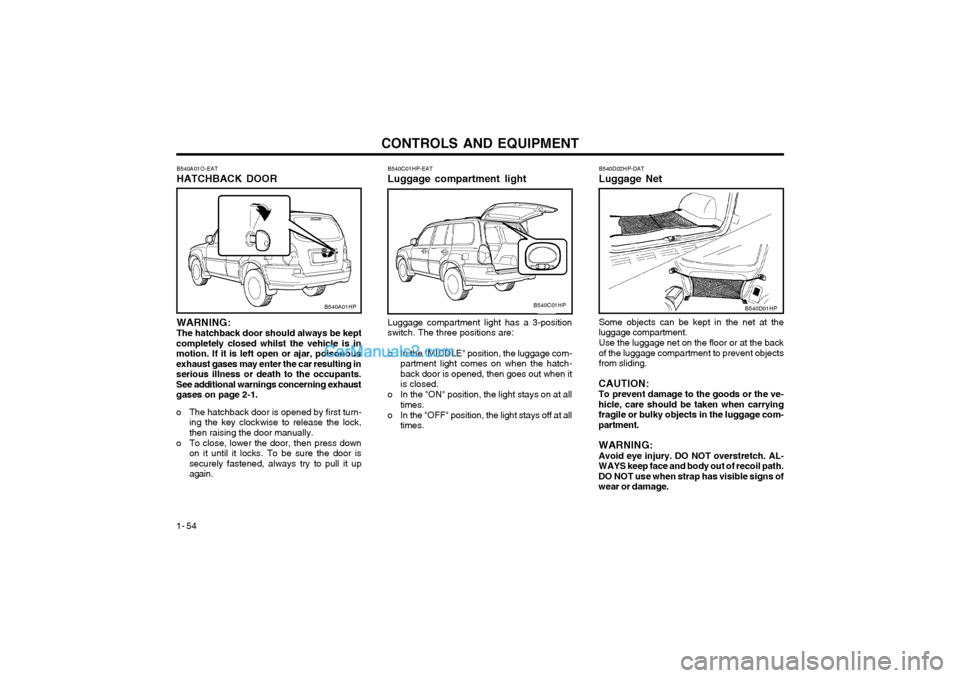
o The hatchback door is opened by first turn- ing the key clockwise to release the lock, then raising the door manually.
o To close, lower the door, then press down on it until it locks. To be sure the door issecurely fastened, always try to pull it upagain.
B540C01HP-EAT Luggage compartment light Luggage compartment light has a 3-position switch. The three positions are:
o In the "MIDDLE" position, the luggage com- partment light comes on when the hatch-back door is opened, then goes out when itis closed.
o In the "ON" position, the light stays on at all times.
o In the "OFF" position, the light stays off at all times.
B540C01HPB540D01HP
B540D02HP-DAT Luggage Net Some objects can be kept in the net at the luggage compartment. Use the luggage net on the floor or at the back of the luggage compartment to prevent objectsfrom sliding.
CAUTION:To prevent damage to the goods or the ve-hicle, care should be taken when carryingfragile or bulky objects in the luggage com-partment. WARNING: Avoid eye injury. DO NOT overstretch. AL-WAYS keep face and body out of recoil path.DO NOT use when strap has visible signs ofwear or damage.
Page 249 of 349
CONTROLS AND EQUIPMENT1- 55
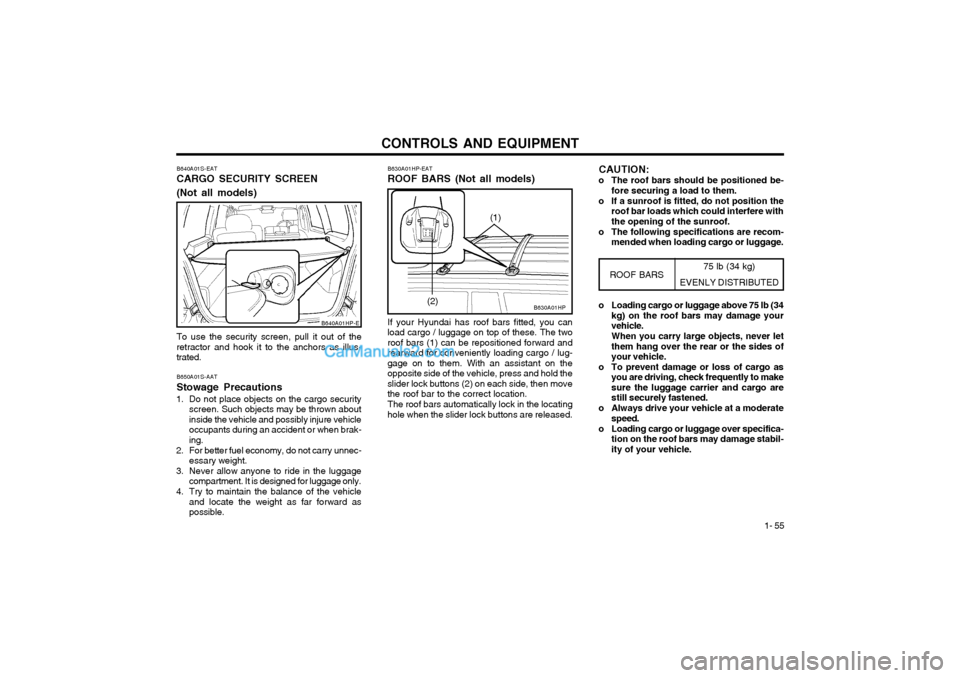
B640A01S-EAT CARGO SECURITY SCREEN (Not all models) To use the security screen, pull it out of the retractor and hook it to the anchors as illus-trated. B650A01S-AAT Stowage Precautions
1. Do not place objects on the cargo security screen. Such objects may be thrown about inside the vehicle and possibly injure vehicleoccupants during an accident or when brak-ing.
2. For better fuel economy, do not carry unnec- essary weight.
3. Never allow anyone to ride in the luggage compartment. It is designed for luggage only.
4. Try to maintain the balance of the vehicle and locate the weight as far forward aspossible.
B640A01HP-E
75 lb (34 kg)
EVENLY DISTRIBUTED
B630A01HP
B630A01HP-EAT ROOF BARS (Not all models) If your Hyundai has roof bars fitted, you can
load cargo / luggage on top of these. The two roof bars (1) can be repositioned forward andrearward for conveniently loading cargo / lug-gage on to them. With an assistant on theopposite side of the vehicle, press and hold theslider lock buttons (2) on each side, then movethe roof bar to the correct location.
The roof bars automatically lock in the locating
hole when the slider lock buttons are released.
ROOF BARS
(2) o Loading cargo or luggage above 75 lb (34
kg) on the roof bars may damage your vehicle. When you carry large objects, never let them hang over the rear or the sides ofyour vehicle.
o To prevent damage or loss of cargo as you are driving, check frequently to makesure the luggage carrier and cargo arestill securely fastened.
o Always drive your vehicle at a moderate speed.
o Loading cargo or luggage over specifica- tion on the roof bars may damage stabil-ity of your vehicle.
(1)
CAUTION:
o The roof bars should be positioned be- fore securing a load to them.
o If a sunroof is fitted, do not position the roof bar loads which could interfere with the opening of the sunroof.
o The following specifications are recom- mended when loading cargo or luggage.
Page 251 of 349
CONTROLS AND EQUIPMENT1- 57
B570A02HP
DB370A2-E BONNET RELEASE
B570A01HP.DAG
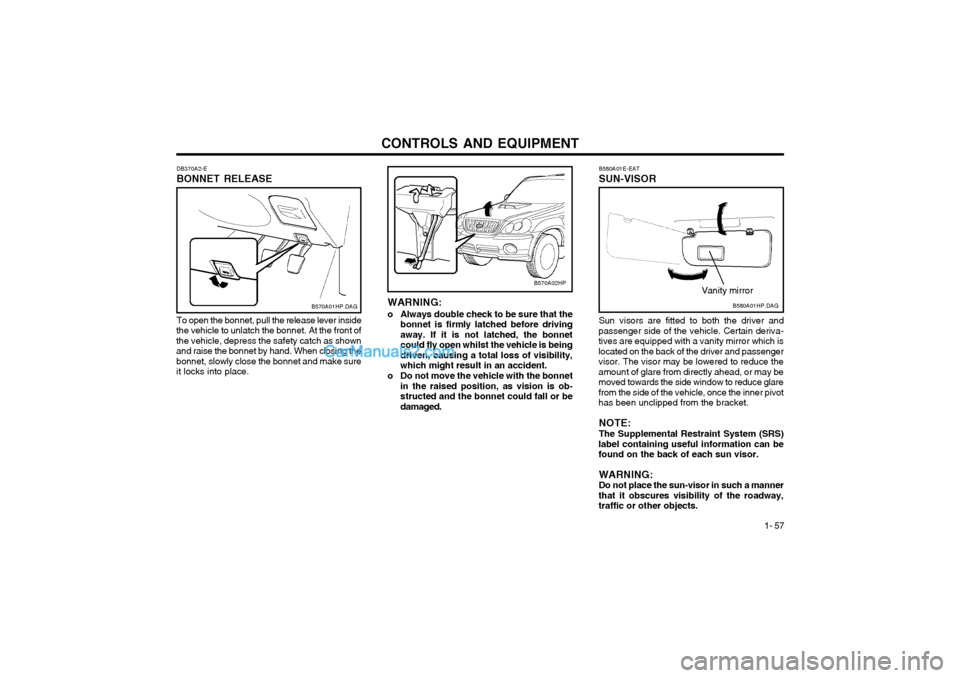
To open the bonnet, pull the release lever inside
the vehicle to unlatch the bonnet. At the front of the vehicle, depress the safety catch as shownand raise the bonnet by hand. When closing thebonnet, slowly close the bonnet and make sureit locks into place. WARNING:
o Always double check to be sure that the bonnet is firmly latched before drivingaway. If it is not latched, the bonnetcould fly open whilst the vehicle is beingdriven, causing a total loss of visibility,which might result in an accident.
o Do not move the vehicle with the bonnet in the raised position, as vision is ob-structed and the bonnet could fall or bedamaged. B580A01E-EAT SUN-VISORB580A01HP.DAG
Vanity mirror
Sun visors are fitted to both the driver and
passenger side of the vehicle. Certain deriva- tives are equipped with a vanity mirror which islocated on the back of the driver and passengervisor. The visor may be lowered to reduce theamount of glare from directly ahead, or may bemoved towards the side window to reduce glarefrom the side of the vehicle, once the inner pivothas been unclipped from the bracket.
NOTE: The Supplemental Restraint System (SRS)
label containing useful information can be found on the back of each sun visor.
WARNING:Do not place the sun-visor in such a manner
that it obscures visibility of the roadway,traffic or other objects.
Page 253 of 349
CONTROLS AND EQUIPMENT1- 59
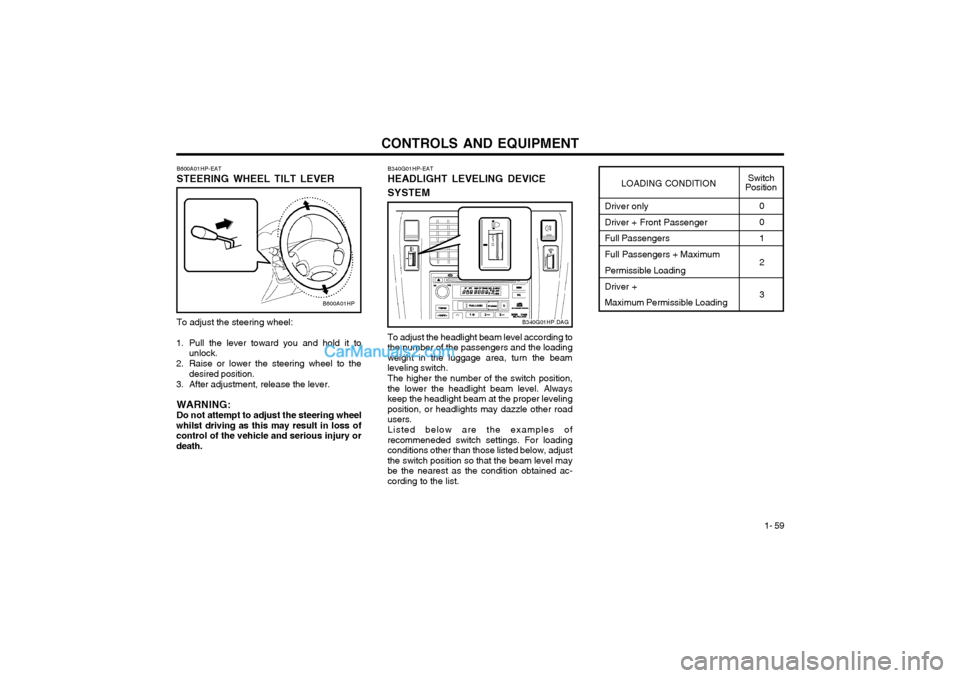
To adjust the steering wheel:
1. Pull the lever toward you and hold it to unlock.
2. Raise or lower the steering wheel to the desired position.
3. After adjustment, release the lever.
WARNING: Do not attempt to adjust the steering wheel
whilst driving as this may result in loss ofcontrol of the vehicle and serious injury ordeath. B600A01HP-EAT STEERING WHEEL TILT LEVER
B600A01HP
Driver only Driver + Front Passenger Full Passengers Full Passengers + Maximum Permissible Loading Driver + Maximum Permissible Loading0 0 1 2 3
LOADING CONDITION
Switch
Position
To adjust the headlight beam level according to
the number of the passengers and the loading weight in the luggage area, turn the beamleveling switch.
The higher the number of the switch position,
the lower the headlight beam level. Alwayskeep the headlight beam at the proper levelingposition, or headlights may dazzle other roadusers.
Listed below are the examples of
recommeneded switch settings. For loadingconditions other than those listed below, adjustthe switch position so that the beam level maybe the nearest as the condition obtained ac-cording to the list. B340G01HP-EAT HEADLIGHT LEVELING DEVICE SYSTEM
B340G01HP.DAG
Page 261 of 349
CONTROLS AND EQUIPMENT1- 67
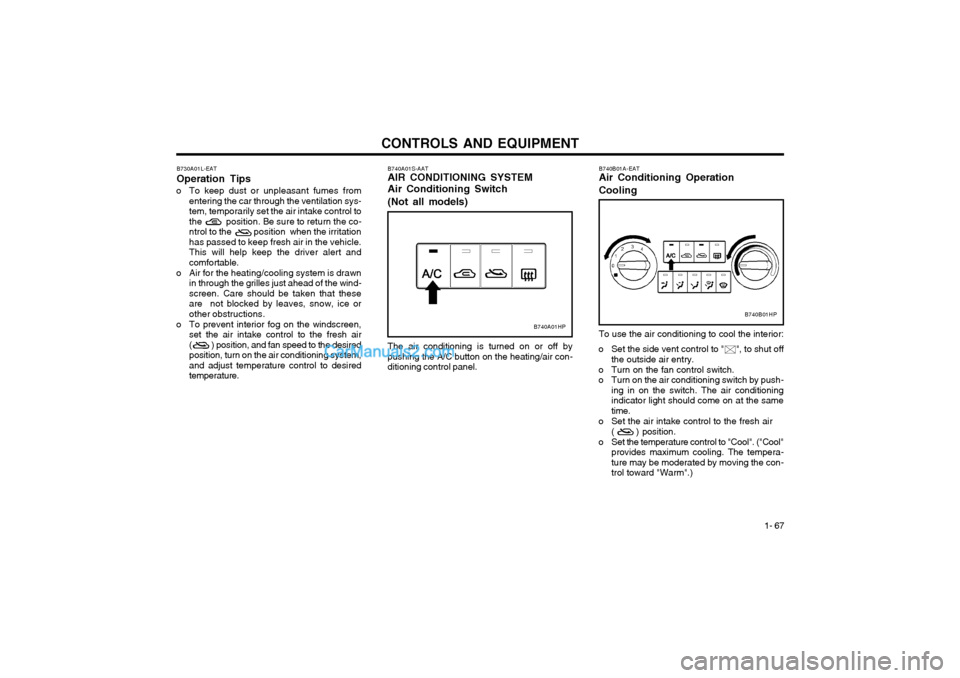
The air conditioning is turned on or off by pushing the A/C button on the heating/air con-ditioning control panel.
B740A01S-AAT AIR CONDITIONING SYSTEM Air Conditioning Switch (Not all models)
B730A01L-EAT Operation Tips
o To keep dust or unpleasant fumes from entering the car through the ventilation sys-
tem, temporarily set the air intake control to
the position. Be sure to return the co-
ntrol to the position when the irritationhas passed to keep fresh air in the vehicle.This will help keep the driver alert andcomfortable.
o Air for the heating/cooling system is drawn in through the grilles just ahead of the wind-screen. Care should be taken that these
are not blocked by leaves, snow, ice or
other obstructions.
o To prevent interior fog on the windscreen, set the air intake control to the fresh air( ) position, and fan speed to the desiredposition, turn on the air conditioning system,and adjust temperature control to desiredtemperature.
B740A01HP
B740B01A-EAT Air Conditioning Operation Cooling To use the air conditioning to cool the interior:
o Set the side vent control to " ", to shut off
the outside air entry.
o Turn on the fan control switch.
o Turn on the air conditioning switch by push- ing in on the switch. The air conditioningindicator light should come on at the sametime.
o Set the air intake control to the fresh air ( ) position.
o Set the temperature control to "Cool". ("Cool" provides maximum cooling. The tempera-ture may be moderated by moving the con-trol toward "Warm".)
B740B01HP
Page 270 of 349
CONTROLS AND EQUIPMENT
1- 76 B750B02Y-AAT Using a cellular phone or a two-way radio When a cellular phone is used inside the ve- hicle, noise may be produced from the audioequipment. This does not mean that somethingis wrong with the audio equipment. In such acase, use the cellular phone at a place as far aspossible from the audio equipment. CAUTION: When using a communication system sucha cellular phone or a radio set inside thevehicle, a separate external antenna mustbe fitted. When a cellular phone or a radioset is used with an internal antenna alone, itmay interfere with the vehicle's electricalsystem and adversely affect safe operationof the vehicle. WARNING: Don't use a cellular phone when you aredriving, you must stop at a safe place to usea cellular phone.
SSAR014A
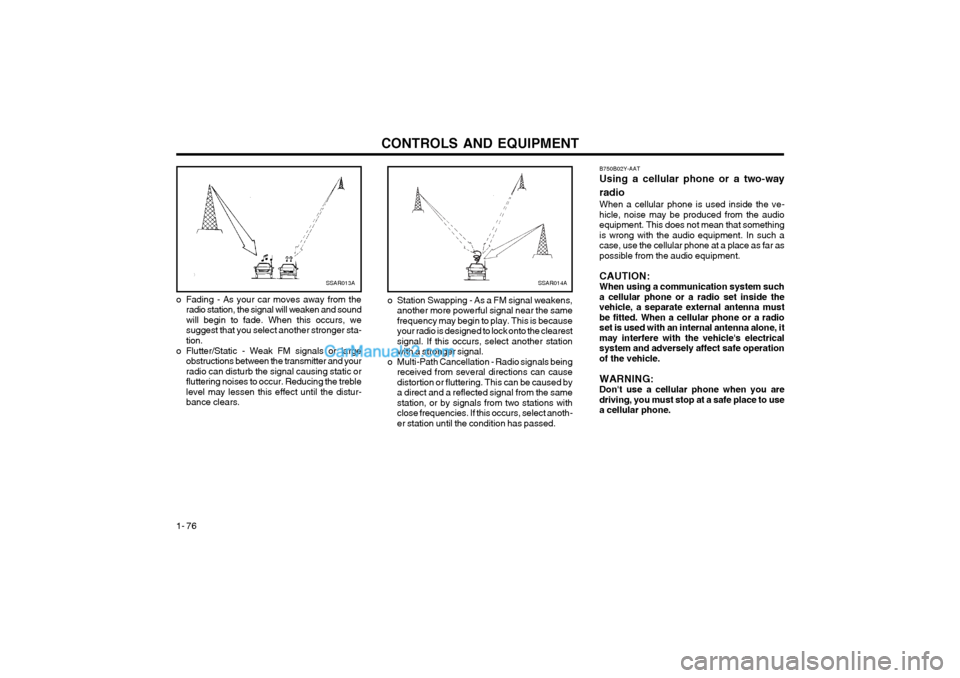
o Station Swapping - As a FM signal weakens, another more powerful signal near the same frequency may begin to play. This is becauseyour radio is designed to lock onto the clearestsignal. If this occurs, select another stationwith a stronger signal.
o Multi-Path Cancellation - Radio signals being received from several directions can causedistortion or fluttering. This can be caused bya direct and a reflected signal from the samestation, or by signals from two stations withclose frequencies. If this occurs, select anoth-er station until the condition has passed.SSAR013A
o Fading - As your car moves away from the radio station, the signal will weaken and sound will begin to fade. When this occurs, wesuggest that you select another stronger sta-tion.
o Flutter/Static - Weak FM signals or large obstructions between the transmitter and yourradio can disturb the signal causing static orfluttering noises to occur. Reducing the treblelevel may lessen this effect until the distur-bance clears.
Page 271 of 349
CONTROLS AND EQUIPMENT1- 77
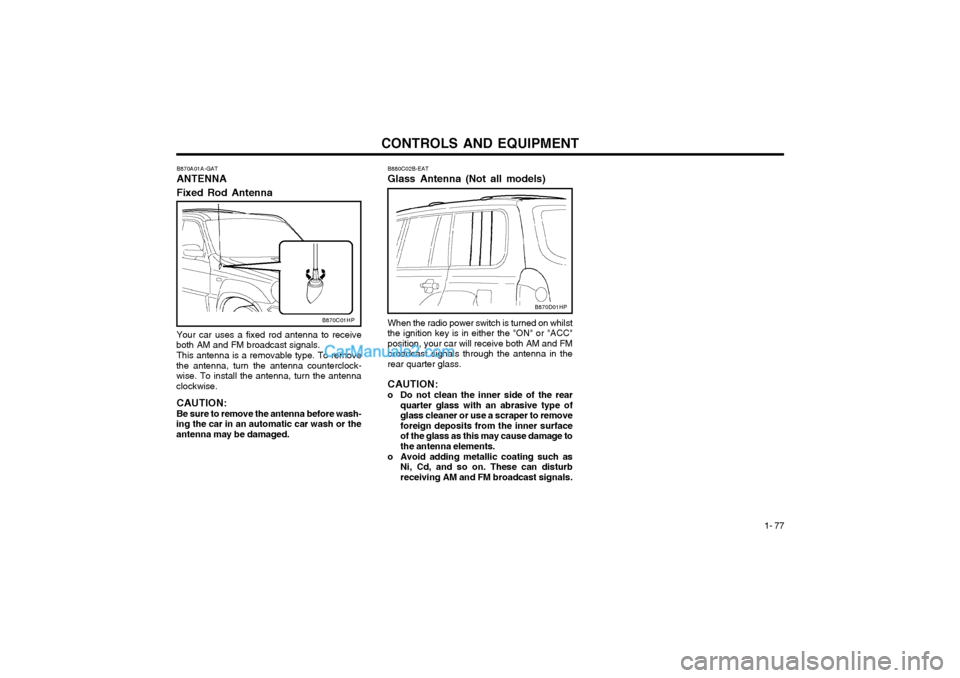
B880C02B-EAT Glass Antenna (Not all models) When the radio power switch is turned on whilst the ignition key is in either the "ON" or "ACC"position, your car will receive both AM and FMbroadcast signals through the antenna in therear quarter glass. CAUTION:
o Do not clean the inner side of the rear quarter glass with an abrasive type of glass cleaner or use a scraper to removeforeign deposits from the inner surfaceof the glass as this may cause damage tothe antenna elements.
o Avoid adding metallic coating such as Ni, Cd, and so on. These can disturbreceiving AM and FM broadcast signals.
B870C01HP
B870A01A-GAT ANTENNA Fixed Rod Antenna Your car uses a fixed rod antenna to receive
both AM and FM broadcast signals.
This antenna is a removable type. To remove
the antenna, turn the antenna counterclock- wise. To install the antenna, turn the antennaclockwise.
CAUTION: Be sure to remove the antenna before wash-
ing the car in an automatic car wash or the antenna may be damaged.
B870D01HP
Page 273 of 349
DRIVING YOUR HYUNDAI
2- 2 C020A01A-EAT
BEFORE STARTING THE ENGINE
Before you start the engine, you should always:
1. Look around the vehicle to be sure there are no flat tyres, puddles of oil or water or other indications of possible trouble.
2. After entering the car, check to be sure the parking brake is engaged.
3. Check that all windows, and lights are clean.
4. Check that the interior and exterior mirrors are clean and in position.
5. Check your seat, seatback and headrest to be sure they are in their proper positions.
6. Close all the doors.
7. Fasten your seat belt and be sure that all other occupants have fastened theirs.
8. Turn off all lights and accessories that are not needed.
9. When you turn the ignition switch to "ON" check that all appropriate warning lights are operating and that you have sufficient fuel.
10.Check the operation of warning lights and all bulbs when key is in the "ON" position. C030A01HP-EAT COMBINATION IGNITION SWITCH AND STEERING LOCK To Start the Engine
o If your Hyundai is equipped with a manual
transmission, place the shift lever in neutral and depress the clutch pedal fully.
o If your Hyundai has an automatic transmis- sion, place the shift lever in "P" (park).
o To start the engine, insert the ignition key and turn it to the "START" position. Releaseit as soon as the engine starts. Do not holdthe key in the "START" position for morethat 15 seconds.
NOTE: For safety, the engine will not start if the shift lever is not in "P" or "N" position(Automatic Transmission). SC050A1-E
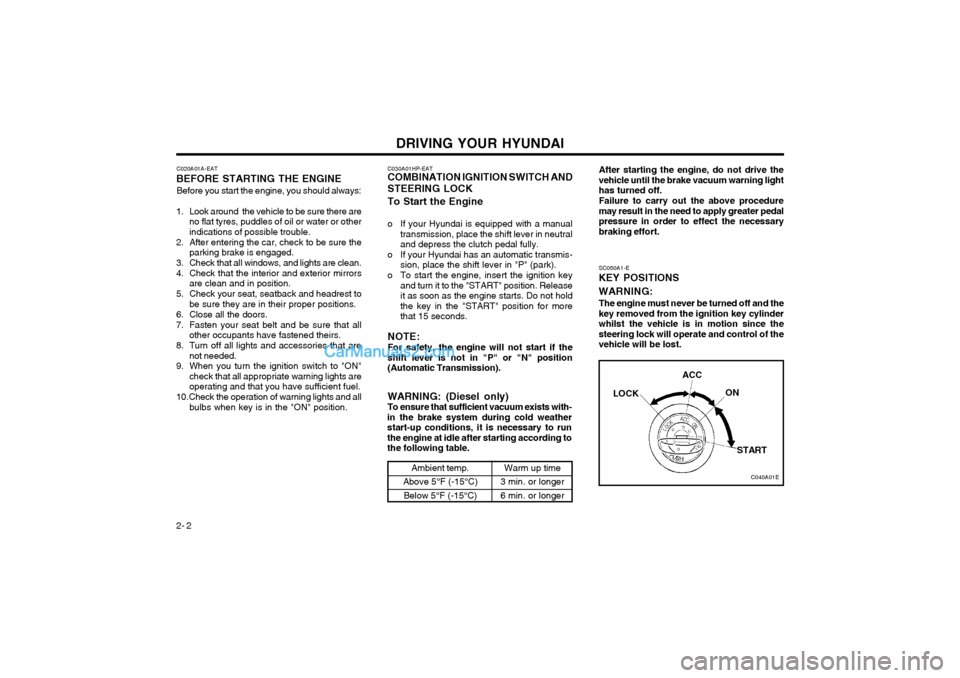
KEY POSITIONS WARNING:
The engine must never be turned off and the key removed from the ignition key cylinderwhilst the vehicle is in motion since thesteering lock will operate and control of thevehicle will be lost.
C040A01E
LOCK
ACC
ON
START
WARNING: (Diesel only) To ensure that sufficient vacuum exists with-
in the brake system during cold weatherstart-up conditions, it is necessary to runthe engine at idle after starting according tothe following table.
Ambient temp.
Above 5°F (-15°C) Below 5°F (-15°C)Warm up time
3 min. or longer 6 min. or longer After starting the engine, do not drive the vehicle until the brake vacuum warning lighthas turned off. Failure to carry out the above procedure may result in the need to apply greater pedalpressure in order to effect the necessarybraking effort.