buttons Hyundai Terracan 2004 User Guide
[x] Cancel search | Manufacturer: HYUNDAI, Model Year: 2004, Model line: Terracan, Model: Hyundai Terracan 2004Pages: 361, PDF Size: 4.69 MB
Page 256 of 361
CONTROLS AND EQUIPMENT
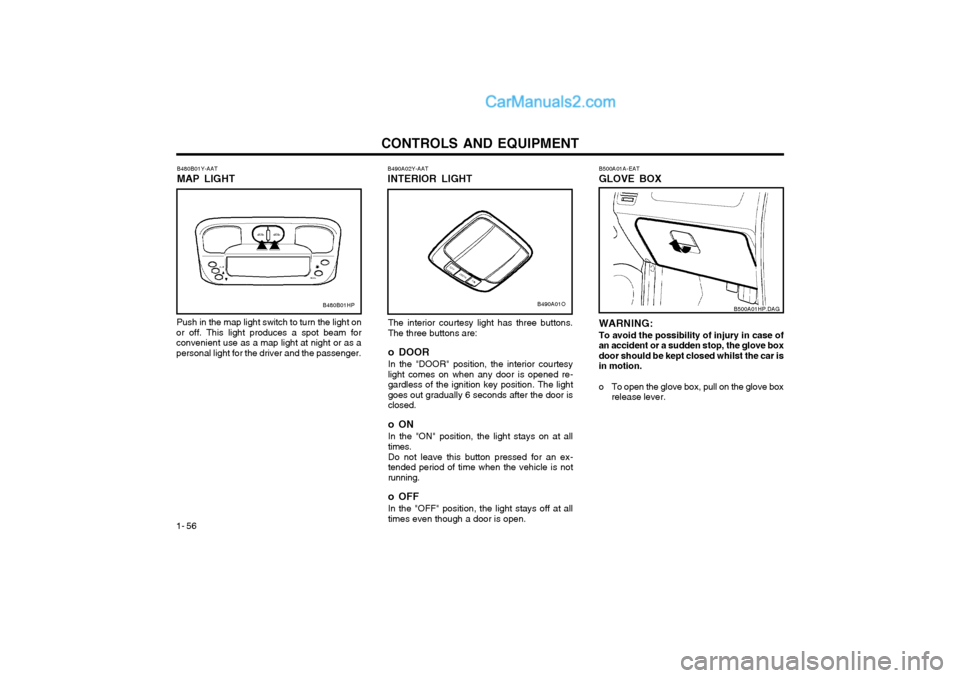
1- 56 B500A01A-EAT GLOVE BOX
WARNING: To avoid the possibility of injury in case of an accident or a sudden stop, the glove boxdoor should be kept closed whilst the car isin motion.
o To open the glove box, pull on the glove box
release lever. B500A01HP.DAG
B480B01Y-AAT MAP LIGHT
Push in the map light switch to turn the light on
or off. This light produces a spot beam for convenient use as a map light at night or as apersonal light for the driver and the passenger. B490A02Y-AAT INTERIOR LIGHT
The interior courtesy light has three buttons. The three buttons are: o DOOR In the "DOOR" position, the interior courtesy light comes on when any door is opened re-gardless of the ignition key position. The lightgoes out gradually 6 seconds after the door isclosed. o ON In the "ON" position, the light stays on at all times. Do not leave this button pressed for an ex- tended period of time when the vehicle is notrunning. o OFF In the "OFF" position, the light stays off at all times even though a door is open.
B480B01HPB490A01O
Page 261 of 361
CONTROLS AND EQUIPMENT1- 61
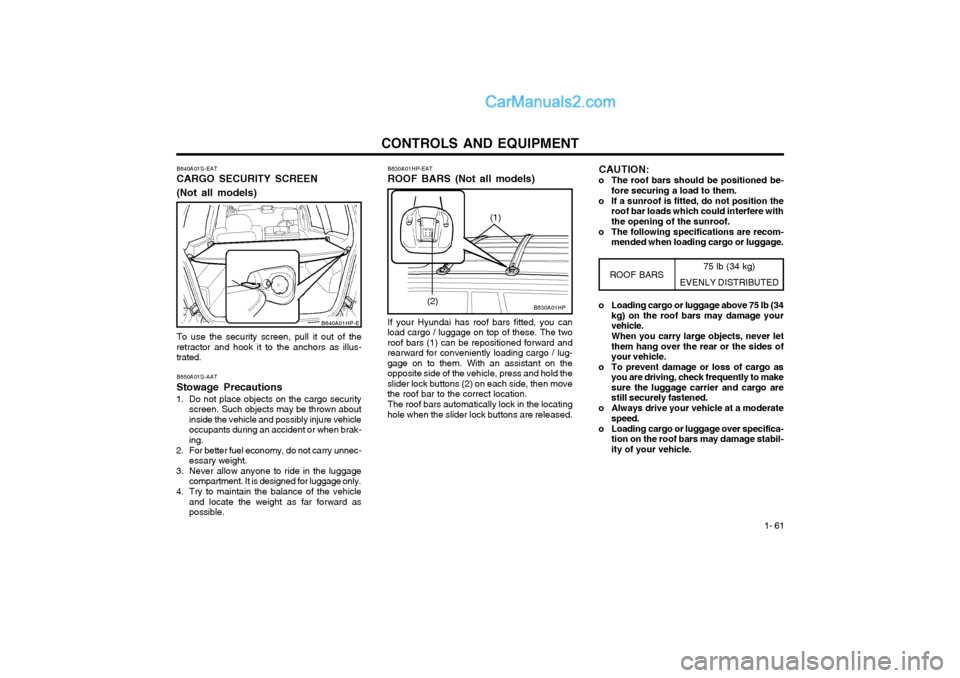
B640A01S-EAT CARGO SECURITY SCREEN (Not all models) To use the security screen, pull it out of the retractor and hook it to the anchors as illus-trated. B650A01S-AAT Stowage Precautions
1. Do not place objects on the cargo security screen. Such objects may be thrown about inside the vehicle and possibly injure vehicleoccupants during an accident or when brak-ing.
2. For better fuel economy, do not carry unnec- essary weight.
3. Never allow anyone to ride in the luggage compartment. It is designed for luggage only.
4. Try to maintain the balance of the vehicle and locate the weight as far forward aspossible.
B640A01HP-E
75 lb (34 kg)
EVENLY DISTRIBUTED
B630A01HP
B630A01HP-EAT ROOF BARS (Not all models) If your Hyundai has roof bars fitted, you can
load cargo / luggage on top of these. The two roof bars (1) can be repositioned forward andrearward for conveniently loading cargo / lug-gage on to them. With an assistant on theopposite side of the vehicle, press and hold theslider lock buttons (2) on each side, then movethe roof bar to the correct location.
The roof bars automatically lock in the locating
hole when the slider lock buttons are released.
ROOF BARS
(2) o Loading cargo or luggage above 75 lb (34
kg) on the roof bars may damage your vehicle. When you carry large objects, never let them hang over the rear or the sides ofyour vehicle.
o To prevent damage or loss of cargo as you are driving, check frequently to makesure the luggage carrier and cargo arestill securely fastened.
o Always drive your vehicle at a moderate speed.
o Loading cargo or luggage over specifica- tion on the roof bars may damage stabil-ity of your vehicle.
(1)
CAUTION:
o The roof bars should be positioned be- fore securing a load to them.
o If a sunroof is fitted, do not position the roof bar loads which could interfere with the opening of the sunroof.
o The following specifications are recom- mended when loading cargo or luggage.
Page 277 of 361
CONTROLS AND EQUIPMENT1- 77
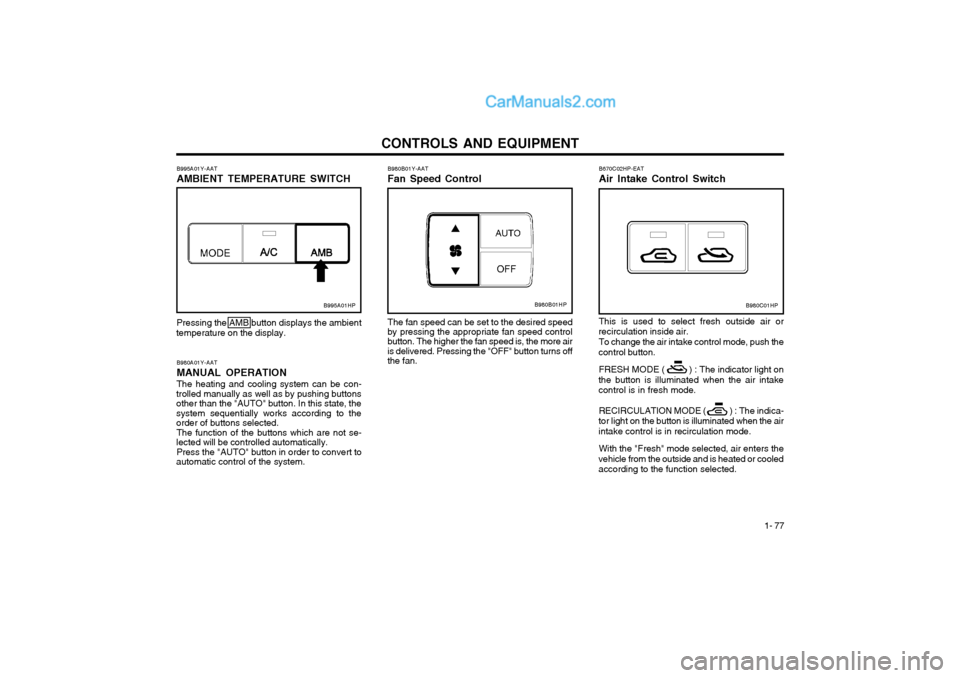
B670C02HP-EAT Air Intake Control Switch This is used to select fresh outside air or
recirculation inside air.
To change the air intake control mode, push the
control button.
FRESH MODE ( ) : The indicator light on
the button is illuminated when the air intake control is in fresh mode.
RECIRCULATION MODE ( ) : The indica-
tor light on the button is illuminated when the air
intake control is in recirculation mode.
With the "Fresh" mode selected, air enters the
vehicle from the outside and is heated or cooledaccording to the function selected.
B980A01Y-AAT MANUAL OPERATION The heating and cooling system can be con-
trolled manually as well as by pushing buttons other than the "AUTO" button. In this state, thesystem sequentially works according to the order of buttons selected.
The function of the buttons which are not se-
lected will be controlled automatically.
Press the "AUTO" button in order to convert to
automatic control of the system. B980B01Y-AAT Fan Speed Control
Pressing the AMB button displays the ambient
temperature on the display. The fan speed can be set to the desired speed
by pressing the appropriate fan speed control button. The higher the fan speed is, the more air is delivered. Pressing the "OFF" button turns offthe fan.
B995A01Y-AAT AMBIENT TEMPERATURE SWITCH
B995A01HPB980B01HPB980C01HP