instrument panel Hyundai Terracan 2004 User Guide
[x] Cancel search | Manufacturer: HYUNDAI, Model Year: 2004, Model line: Terracan, Model: Hyundai Terracan 2004Pages: 361, PDF Size: 4.69 MB
Page 83 of 361
FEATURES OF YOUR HYUNDAI 1- 75
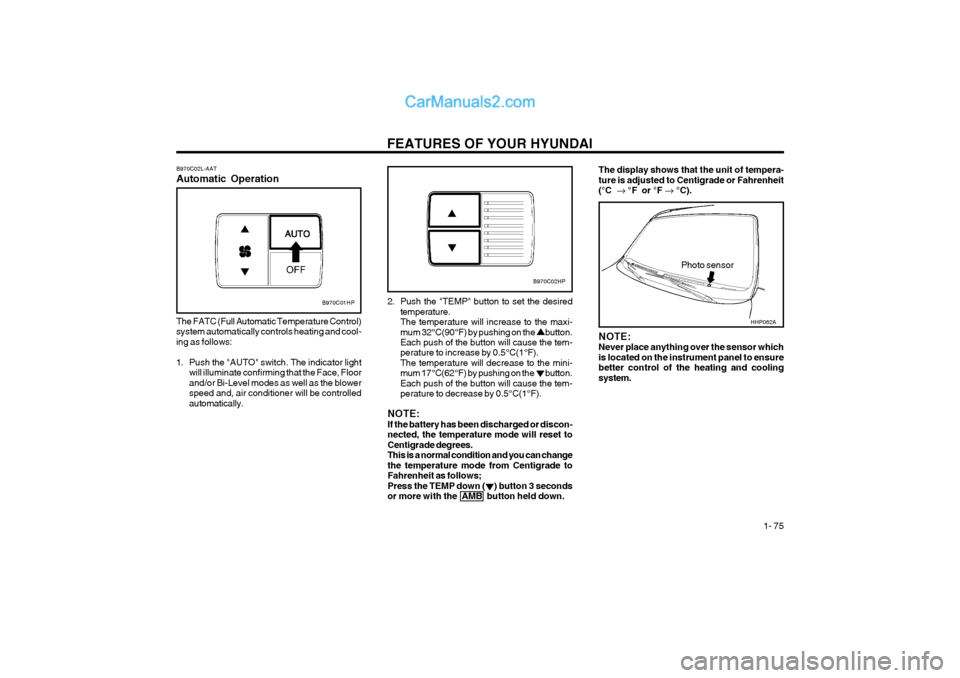
B970C02L-AAT Automatic Operation
B970C01HP
The FATC (Full Automatic Temperature Control) system automatically controls heating and cool-ing as follows:
1. Push the "AUTO" switch. The indicator light will illuminate confirming that the Face, Floor and/or Bi-Level modes as well as the blowerspeed and, air conditioner will be controlledautomatically. 2. Push the "TEMP" button to set the desired
temperature.The temperature will increase to the maxi-mum 32°C(90°F) by pushing on the button. Each push of the button will cause the tem- perature to increase by 0.5°C(1°F).The temperature will decrease to the mini-mum 17°C(62°F) by pushing on the button.Each push of the button will cause the tem-perature to decrease by 0.5°C(1°F).
NOTE:If the battery has been discharged or discon-nected, the temperature mode will reset toCentigrade degrees.This is a normal condition and you can changethe temperature mode from Centigrade toFahrenheit as follows;Press the TEMP down ( ) button 3 secondsor more with the AMB button held down.
Photo sensor
B970C02HP
NOTE: Never place anything over the sensor whichis located on the instrument panel to ensurebetter control of the heating and coolingsystem.
The display shows that the unit of tempera- ture is adjusted to Centigrade or Fahrenheit(°C °F or °F °C).
HHP062A
Page 190 of 361
INDEX 10-3
High-Mounted Rear Stoplight ............................................................
1-62
Hood Release ................................................................................... 1-63
Horn .................................................................................................. 1-64
I Ignition Switch ..................................................................................... 2-2
Immobilizer System .................................................................... 1-3 ~ 1-6
Limp Home Procedures ....................................... 1-3 ~ 1-4, 1-5 ~ 1-6
Key ........................................................................................... 1-3, 1-4
Instrument Cluster and Indicator ............................................ 1-35 ~ 1-38
Instrument Panel Light Control (Rheostat) .......................................1-52
Instruments and Controls ................ ..................................................1-34
Intermittent Wiper .............................................................................. 1-50
J Jump Starting ...................................................................................... 3-1
K
Key ...................................................................................................... 1-2 If you lose your keys .................................................................... 3-11
Positions .......................................................................................... 2-2
L
Light Bulbs Replacement ................ ..................................................6-23
Limited-Slip Differential ..................................................................... 2-13Luggage Compartment
Cargo Security Screen .................................................................. 1-61
Light ............................................................................................... 1-60
Net ................................................................................................. 1-60
MMaintenance Intervals Explanation of scheduled maintenance items ........................ 5-7 ~ 5-8
Maintenance under severe usage conditions ................................. 5-6
Scheduled maintenance ......................................................... 5-2 ~ 5-5
Service requirements ...................................................................... 5-1
Mirrors
Day-night inside rearview ................................................... 1-58 ~ 1-59
Outside rear view .......................................................................... 1-56
Multimeter ............................................................................... 1-45 ~ 1-47
Altimeter ........................................................................................ 1-46
Azimuth compass .......................................................................... 1-45
Barometer ...................................................................................... 1-47
Digital Clock .................................................................................. 1-47
Relative altimeter ........................................................................... 1-46
O Odometer .......................................................................................... 1-44
P Parking Brake ................................................................................... 1-59
Part-time 4WD Operation ......................................................... 2-9 ~ 2-10
Power Driver's Seat .......................................................................... 1-13
Page 212 of 361
CONTROLS AND EQUIPMENT
1- 12
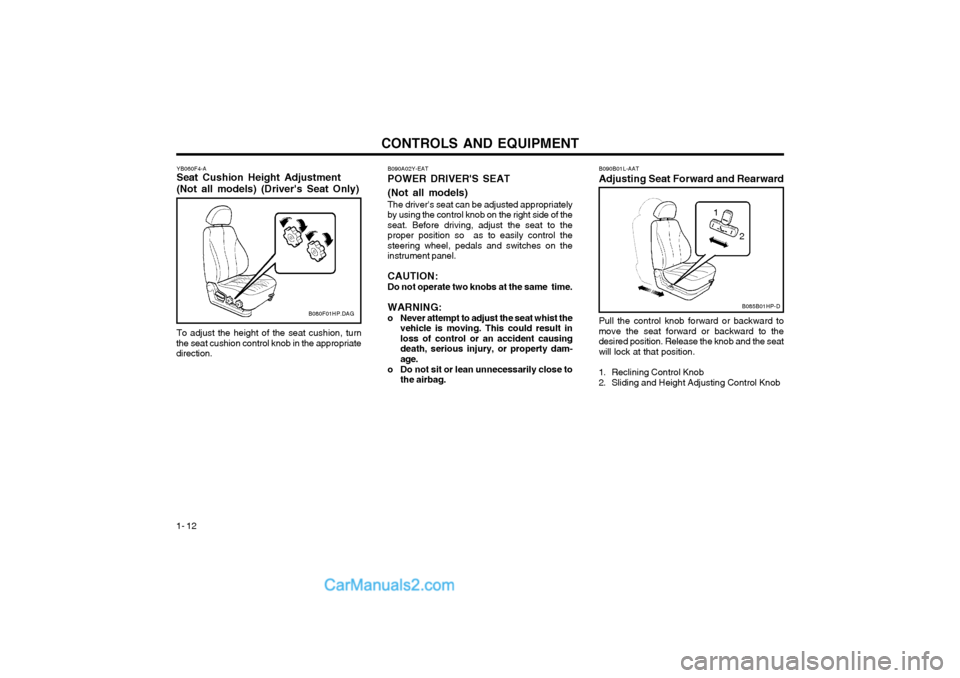
YB060F4-A Seat Cushion Height Adjustment (Not all models) (Driver's Seat Only)
B080F01HP.DAG
To adjust the height of the seat cushion, turn
the seat cushion control knob in the appropriate direction. B090B01L-AAT Adjusting Seat Forward and RearwardPull the control knob forward or backward to move the seat forward or backward to thedesired position. Release the knob and the seatwill lock at that position.
1. Reclining Control Knob
2. Sliding and Height Adjusting Control Knob
B085B01HP-D
1
2
B090A02Y-EAT POWER DRIVER'S SEAT (Not all models) The driver's seat can be adjusted appropriately by using the control knob on the right side of theseat. Before driving, adjust the seat to theproper position so as to easily control thesteering wheel, pedals and switches on theinstrument panel. CAUTION:
Do not operate two knobs at the same time.
WARNING:
o Never attempt to adjust the seat whist the vehicle is moving. This could result in loss of control or an accident causingdeath, serious injury, or property dam-age.
o Do not sit or lean unnecessarily close to the airbag.
Page 226 of 361
CONTROLS AND EQUIPMENT
1- 26 tion key is turned to "ON" or if it remains illuminated after blinking for approxi-mately 6 seconds, or if it illuminates whilstthe vehicle is being driven, please havean authorized Hyundai dealer inspect thepre-tensioner seat belts and SRS airbagsystem as soon as possible.
WARNING:
o Pre-tensioners are designed to operate only one time. After activation, pre-tensioner seat belts must be replaced.All seat belts, of any type, should alwaysbe replaced after they have been wornduring a collision.
o The pre-tensioner seat belt assembly mechanisms become hot during activa-tion. Do not touch the pre-tensioner seatbelt assemblies for several minutes afterthey have been activated.
o Do not attempt to inspect or replace the pre-tensioner seat belts yourself. Thismust be done by an authorized Hyundaidealer.
o Do not strike the pre-tensioner seat belt assemblies.
o Do not attempt to service or repair the pre-tensioner seat belt system in anymanner.
o Improper handling of the pre-tensioner seat belt assemblies, and failure to heedthe warnings to not strike, modify, insp-ect, replace, service or repair the pre-tensioner seat belt assemblies may lead to improper operation or inadvertent ac-tivation and serious injury.
o Always wear seat belts when driving or riding in a motor vehicle.
NOTE:
o Both the driver's and front passenger's pre-tensioner seat belts will be activatedin certain frontal collisions. The pre-tensioner seat belts can be activated aloneor, where the frontal collision is severeenough, together with the airbags.
o When the pre-tensioner seat belts are activated, a loud noise may be heard andfine dust, which may appear to be smoke,may be visible in the passenger compart-ment. These are normal operating condi-tions and are not hazardous.
o Although it is harmless, the fine dust may cause skin irritation and should notbe breathed for prolonged periods. Washyour hands and face thoroughly after anaccident in which the pre-tensioner seatbelts were activated.
CAUTION:
o Because the sensor that activates the SRS airbag is connected with pre-tensioner seat belt, the SRS airbag warn-ing light on the instrument panel willblink for approximately 6 seconds afterthe ignition key has been turned to the"ON" position, and then it should turnoff.
o If pre-tensioner seat belt is not working properly, this warning light will illumi-nate even if there is no malfunction of theSRS airbag. If the SRS airbag warninglight does not illuminate when the igni-
AIR
BAG
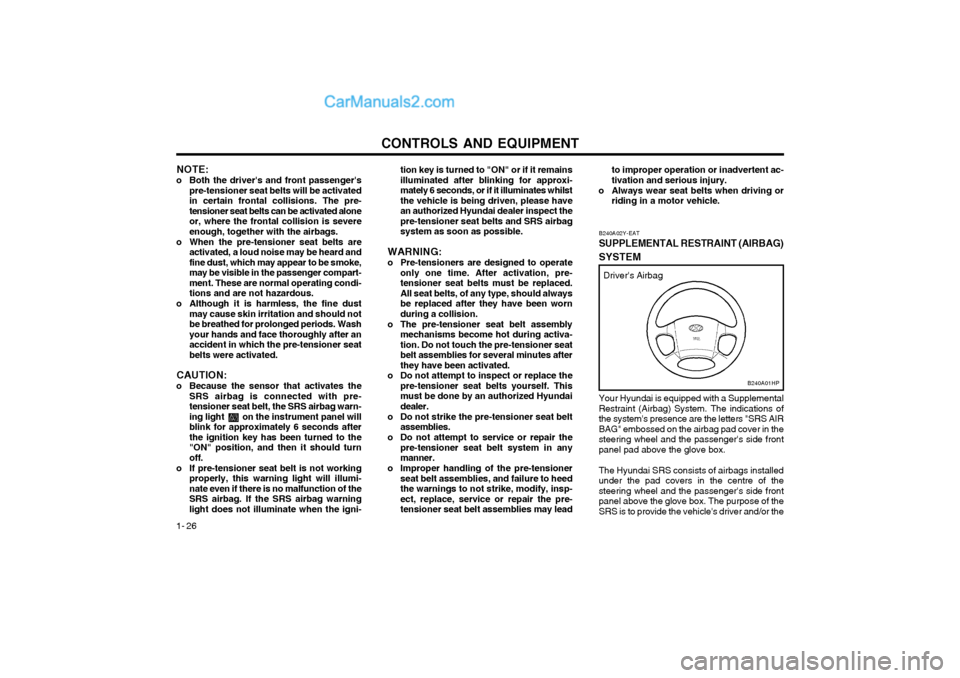
Your Hyundai is equipped with a Supplemental Restraint (Airbag) System. The indications ofthe system's presence are the letters "SRS AIRBAG" embossed on the airbag pad cover in thesteering wheel and the passenger's side frontpanel pad above the glove box. The Hyundai SRS consists of airbags installed under the pad covers in the centre of thesteering wheel and the passenger's side frontpanel above the glove box. The purpose of theSRS is to provide the vehicle's driver and/or the
B240A01HP
Driver's Airbag
B240A02Y-EAT
SUPPLEMENTAL RESTRAINT (AIRBAG)
SYSTEM
Page 228 of 361
CONTROLS AND EQUIPMENT
1- 28
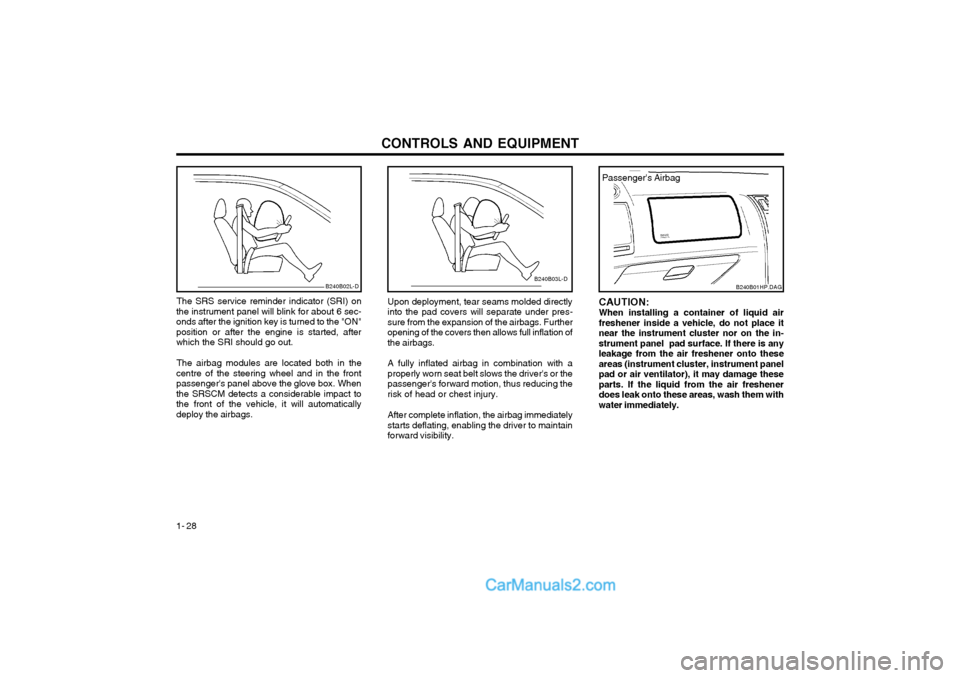
Upon deployment, tear seams molded directly into the pad covers will separate under pres-sure from the expansion of the airbags. Furtheropening of the covers then allows full inflation ofthe airbags. A fully inflated airbag in combination with a properly worn seat belt slows the driver's or thepassenger's forward motion, thus reducing the risk of head or chest injury. After complete inflation, the airbag immediately starts deflating, enabling the driver to maintainforward visibility.
B240B02L-D
The SRS service reminder indicator (SRI) on
the instrument panel will blink for about 6 sec- onds after the ignition key is turned to the "ON"position or after the engine is started, afterwhich the SRI should go out.
The airbag modules are located both in the
centre of the steering wheel and in the frontpassenger's panel above the glove box. Whenthe SRSCM detects a considerable impact tothe front of the vehicle, it will automaticallydeploy the airbags.B240B03L-D
CAUTION: When installing a container of liquid airfreshener inside a vehicle, do not place itnear the instrument cluster nor on the in-strument panel pad surface. If there is anyleakage from the air freshener onto theseareas (instrument cluster, instrument panelpad or air ventilator), it may damage theseparts. If the liquid from the air freshenerdoes leak onto these areas, wash them withwater immediately.
B240B01HP.DAG
Passenger's Airbag
Page 229 of 361
CONTROLS AND EQUIPMENT1- 29
B240C01HP-GAT SRS CareThe SRS is virtually maintenance-free and so
there are no parts you can safely service by yourself. The entire SRS system must be in-
spected by an authorized Hyundai dealer 10years after the date that the vehicle was man-ufactured.
Any work on the SRS system, such as remov-
ing, installing, repairing, or any work on thesteering wheel must be performed by a quali-
fied Hyundai technician. Improper handling ofthe SRS system may result in serious personal
injury. WARNING:
o Extreme Hazard! Do not use a rearward facing restraint on a seat protected by anairbag in front of it!
o Modification to SRS components or wir- ing, including the addition of any kind ofbadges to the pad covers or modifica-
tions to the body structure, can adverse-ly affect SRS performance and lead topossible injury.
o For cleaning the airbag pad covers, use only a soft, dry cloth or one which hasbeen moistened with plain water. Sol-
vents or cleaners could adversely affectthe airbag covers and proper deploy-ment of the system.
o No objects should be placed over or near the airbag modules on the steering wheel,instrument panel, and the front passen-
ger's panel above the glove box, becauseany such object could cause harm if the
YT10355A
Passenger's Airbag
B240B05L-D
WARNING:
o When the SRS is activated, there may be a loud noise and fine dust will be re- leased throughout the vehicle. These con-ditions are normal and are not hazard-ous. However, the fine dust generatedduring airbag deployment may cause skinirritation. Be sure to wash your handsand face thoroughly with lukewarm wa-ter and a mild soap after an accident inwhich the airbags were deployed.
o The SRS can function only when the ignition key is in the "ON" position. If theSRS SRI does not come on, or continu-ously remains on, after flashing for about6 seconds when the ignition key is turnedto the "ON" position, or after the engineis started, or comes on whilst driving, theSRS is not working properly. If this oc-curs, have your vehicle immediately in-spected by your Hyundai dealer. o Before you replace a fuse or disconnect
a battery terminal, turn the ignition key tothe "LOCK" position or remove the igni-tion key. Never remove or replace the airbag related fuse(s) when the ignition keyis in the "ON" position. Failure to heedthis warning will cause the SRS SRI toilluminate.
Page 231 of 361
CONTROLS AND EQUIPMENT1- 31
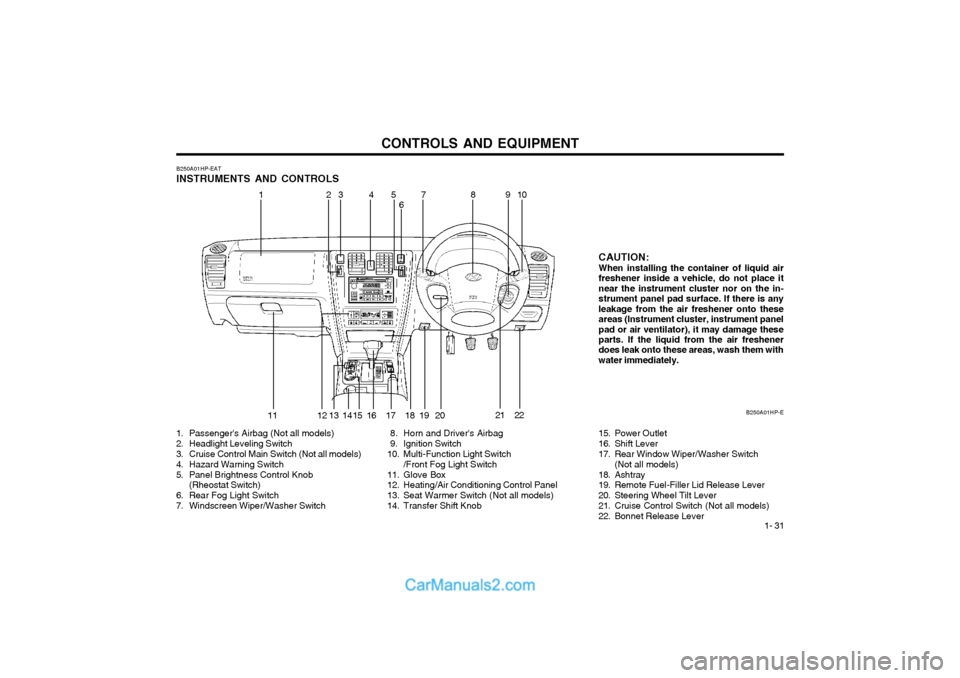
B250A01HP-EAT INSTRUMENTS AND CONTROLS
1. Passenger's Airbag (Not all models)
2. Headlight Leveling Switch
3. Cruise Control Main Switch (Not all models)
4. Hazard Warning Switch
5. Panel Brightness Control Knob (Rheostat Switch)
6. Rear Fog Light Switch
7. Windscreen Wiper/Washer Switch 8. Horn and Driver's Airbag
9. Ignition Switch
10. Multi-Function Light Switch
/Front Fog Light Switch
11. Glove Box
12. Heating/Air Conditioning Control Panel
13. Seat Warmer Switch (Not all models)
14. Transfer Shift Knob CAUTION:When installing the container of liquid air freshener inside a vehicle, do not place itnear the instrument cluster nor on the in-strument panel pad surface. If there is anyleakage from the air freshener onto theseareas (Instrument cluster, instrument panelpad or air ventilator), it may damage these parts. If the liquid from the air freshener does leak onto these areas, wash them withwater immediately.
B250A01HP-E
21
15. Power Outlet
16. Shift Lever
17. Rear Window Wiper/Washer Switch(Not all models)
18. Ashtray
19. Remote Fuel-Filler Lid Release Lever
20. Steering Wheel Tilt Lever
21. Cruise Control Switch (Not all models)
22. Bonnet Release Lever
11 910
13 45
6 78
12 13 14 16 17 18 19 2022
2
15
Page 240 of 361
CONTROLS AND EQUIPMENT
1- 40 B260P02Y-EAT
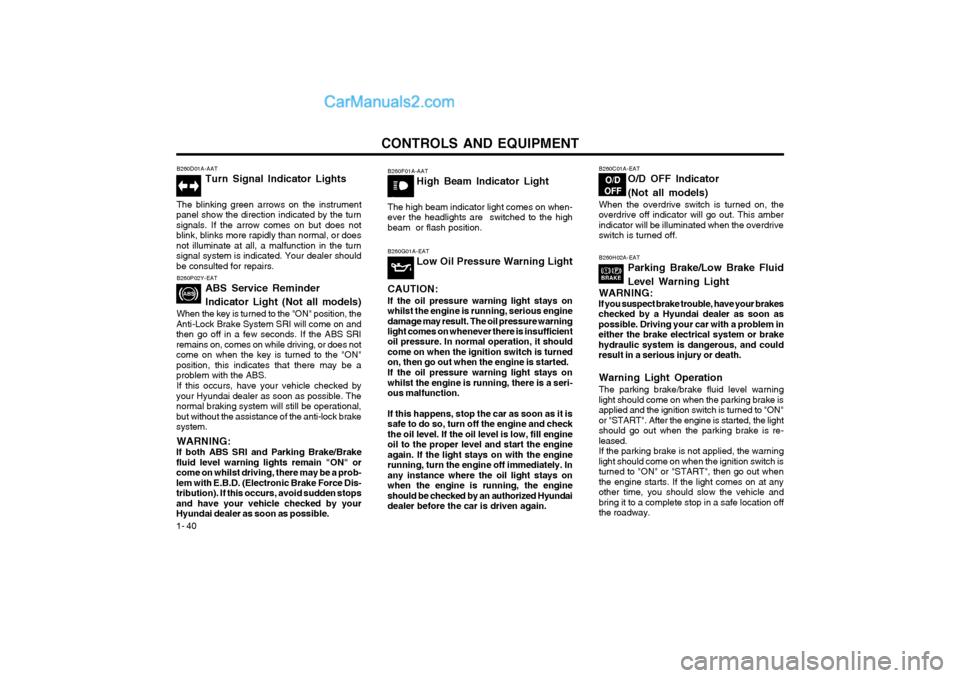
ABS Service Reminder Indicator Light (Not all models)
When the key is turned to the "ON" position, the
Anti-Lock Brake System SRI will come on and then go off in a few seconds. If the ABS SRIremains on, comes on while driving, or does notcome on when the key is turned to the "ON"position, this indicates that there may be aproblem with the ABS.
If this occurs, have your vehicle checked by
your Hyundai dealer as soon as possible. Thenormal braking system will still be operational,but without the assistance of the anti-lock brakesystem.
WARNING:
If both ABS SRI and Parking Brake/Brakefluid level warning lights remain "ON" orcome on whilst driving, there may be a prob-
lem with E.B.D. (Electronic Brake Force Dis-tribution). If this occurs, avoid sudden stopsand have your vehicle checked by yourHyundai dealer as soon as possible. B260F01A-AAT
High Beam Indicator Light
The high beam indicator light comes on when-ever the headlights are switched to the highbeam or flash position.
B260D01A-AAT Turn Signal Indicator Lights
The blinking green arrows on the instrument
panel show the direction indicated by the turn signals. If the arrow comes on but does notblink, blinks more rapidly than normal, or doesnot illuminate at all, a malfunction in the turnsignal system is indicated. Your dealer shouldbe consulted for repairs. B260G01A-EAT
Low Oil Pressure Warning Light
CAUTION:
If the oil pressure warning light stays onwhilst the engine is running, serious enginedamage may result. The oil pressure warninglight comes on whenever there is insufficient oil pressure. In normal operation, it should come on when the ignition switch is turnedon, then go out when the engine is started. If the oil pressure warning light stays onwhilst the engine is running, there is a seri-ous malfunction. If this happens, stop the car as soon as it is safe to do so, turn off the engine and checkthe oil level. If the oil level is low, fill engineoil to the proper level and start the engineagain. If the light stays on with the enginerunning, turn the engine off immediately. Inany instance where the oil light stays onwhen the engine is running, the engineshould be checked by an authorized Hyundaidealer before the car is driven again.B260C01A-EAT
O/D OFF Indicator (Not all models)
When the overdrive switch is turned on, the overdrive off indicator will go out. This amberindicator will be illuminated when the overdriveswitch is turned off.
B260H02A-EAT
Parking Brake/Low Brake Fluid Level Warning Light
WARNING:
If you suspect brake trouble, have your brakes checked by a Hyundai dealer as soon aspossible. Driving your car with a problem ineither the brake electrical system or brakehydraulic system is dangerous, and couldresult in a serious injury or death.
Warning Light Operation The parking brake/brake fluid level warning light should come on when the parking brake isapplied and the ignition switch is turned to "ON"or "START". After the engine is started, the lightshould go out when the parking brake is re-leased.If the parking brake is not applied, the warninglight should come on when the ignition switch isturned to "ON" or "START", then go out whenthe engine starts. If the light comes on at anyother time, you should slow the vehicle andbring it to a complete stop in a safe location offthe roadway.
Page 276 of 361
CONTROLS AND EQUIPMENT
1- 76
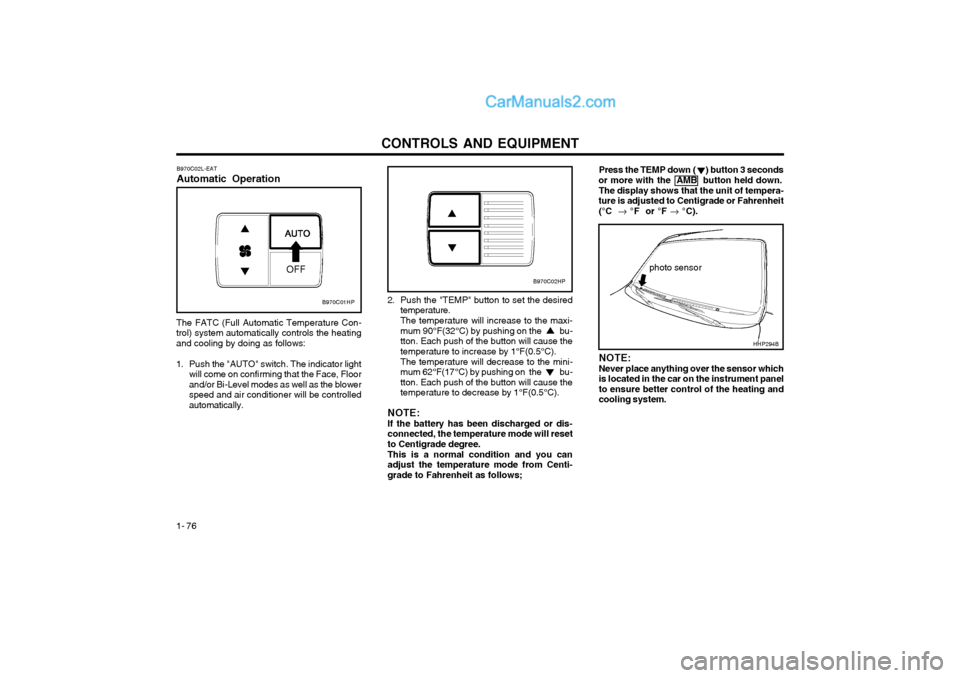
B970C02L-EAT Automatic Operation
The FATC (Full Automatic Temperature Con- trol) system automatically controls the heatingand cooling by doing as follows:
1. Push the "AUTO" switch. The indicator light will come on confirming that the Face, Floorand/or Bi-Level modes as well as the blowerspeed and air conditioner will be controlledautomatically. Press the TEMP down ( ) button 3 seconds
or more with the AMB button held down.
The display shows that the unit of tempera-
ture is adjusted to Centigrade or Fahrenheit
(°C °F or °F °C).
photo sensor
HHP294B
2. Push the "TEMP" button to set the desired
temperature. The temperature will increase to the maxi- mum 90°F(32°C) by pushing on the bu-tton. Each push of the button will cause thetemperature to increase by 1°F(0.5°C). The temperature will decrease to the mini- mum 62°F(17°C) by pushing on the bu-tton. Each push of the button will cause thetemperature to decrease by 1°F(0.5°C).
NOTE: If the battery has been discharged or dis- connected, the temperature mode will resetto Centigrade degree. This is a normal condition and you can adjust the temperature mode from Centi-grade to Fahrenheit as follows; NOTE: Never place anything over the sensor which is located in the car on the instrument panelto ensure better control of the heating andcooling system.
B970C01HP
B970C02HP