Indicator Hyundai Terracan 2005 Owner's Guide
[x] Cancel search | Manufacturer: HYUNDAI, Model Year: 2005, Model line: Terracan, Model: Hyundai Terracan 2005Pages: 539, PDF Size: 18.03 MB
Page 92 of 539
1FEATURES OF YOUR HYUNDAI
78FRONT/REAR WINDOW DE- FROSTER SWITCHHAZARD WARNING SYSTEM
!
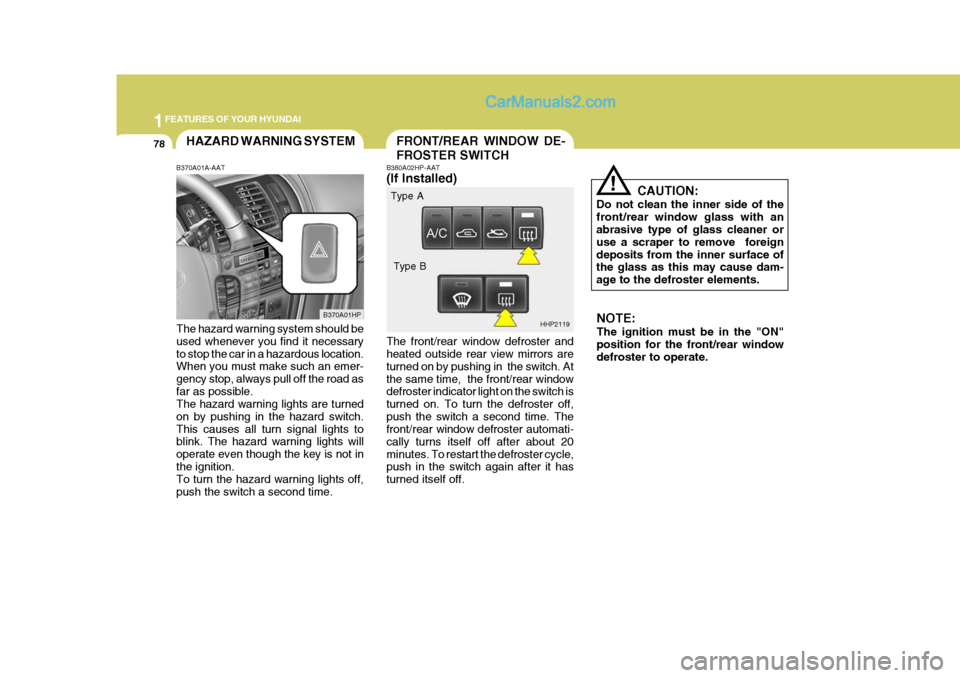
B380A02HP-AAT (If Installed) The front/rear window defroster and heated outside rear view mirrors are turned on by pushing in the switch. Atthe same time, the front/rear window defroster indicator light on the switch is turned on. To turn the defroster off,push the switch a second time. The front/rear window defroster automati- cally turns itself off after about 20minutes. To restart the defroster cycle, push in the switch again after it has turned itself off. CAUTION:
Do not clean the inner side of thefront/rear window glass with an abrasive type of glass cleaner or use a scraper to remove foreigndeposits from the inner surface of the glass as this may cause dam- age to the defroster elements.
B370A01A-AAT The hazard warning system should be used whenever you find it necessary to stop the car in a hazardous location. When you must make such an emer- gency stop, always pull off the road asfar as possible. The hazard warning lights are turned on by pushing in the hazard switch.This causes all turn signal lights to blink. The hazard warning lights will operate even though the key is not inthe ignition. To turn the hazard warning lights off, push the switch a second time. B370A01HP
HHP2119NOTE: The ignition must be in the "ON" position for the front/rear window defroster to operate.
Type A
Type B
Page 105 of 539
1
FEATURES OF YOUR HYUNDAI
91PARKING BRAKEDAY/NIGHT INSIDE REAR- VIEW MIRROR
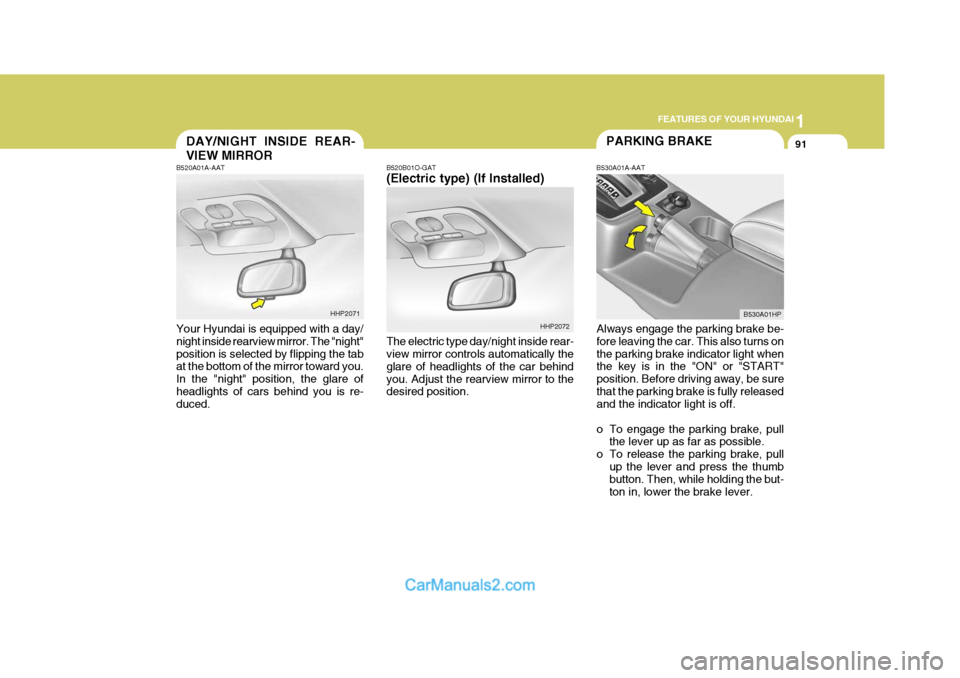
B520B01O-GAT (Electric type) (If Installed) The electric type day/night inside rear- view mirror controls automatically the glare of headlights of the car behindyou. Adjust the rearview mirror to the desired position. B530A01A-AAT
Always engage the parking brake be-fore leaving the car. This also turns on the parking brake indicator light when the key is in the "ON" or "START" position. Before driving away, be surethat the parking brake is fully released and the indicator light is off.
o To engage the parking brake, pull the lever up as far as possible.
o To release the parking brake, pull up the lever and press the thumb button. Then, while holding the but- ton in, lower the brake lever.
B520A01A-AAT Your Hyundai is equipped with a day/ night inside rearview mirror. The "night" position is selected by flipping the tab at the bottom of the mirror toward you. In the "night" position, the glare ofheadlights of cars behind you is re- duced.
HHP2071
HHP2072B530A01HP
Page 114 of 539
1FEATURES OF YOUR HYUNDAI
100
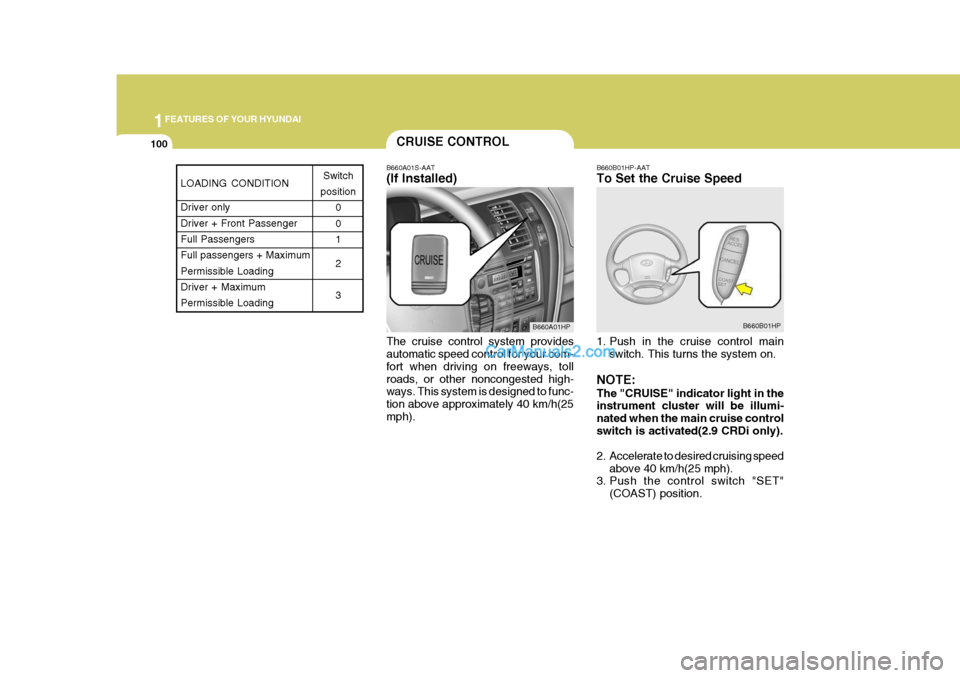
B660A01S-AAT (If Installed) The cruise control system provides automatic speed control for your com- fort when driving on freeways, tollroads, or other noncongested high- ways. This system is designed to func- tion above approximately 40 km/h(25mph). B660B01HP-AAT To Set the Cruise Speed
1. Push in the cruise control main
switch. This turns the system on.
NOTE: The "CRUISE" indicator light in the instrument cluster will be illumi- nated when the main cruise controlswitch is activated(2.9 CRDi only).
2. Accelerate to desired cruising speed above 40 km/h(25 mph).
3. Push the control switch "SET"
(COAST) position.
CRUISE CONTROL
B660A01HP B660B01HP
LOADING CONDITION Driver only Driver + Front PassengerFull Passengers Full passengers + Maximum Permissible LoadingDriver + Maximum Permissible LoadingSwitch
position 0 01 2 3
Page 115 of 539
1
FEATURES OF YOUR HYUNDAI
101
NOTE: The "CRUISE" indicator light in the instrument cluster will illuminate after you have set the vehicle speedat the desired speed (Gasoline En- gine Only).
4. Remove your foot from the accel-
erator pedal and the desired speed will automatically be maintained.
5. To increase speed, depress the accelerator pedal enough for thevehicle to exceed the preset speed.When you remove your foot from the accelerator pedal, the vehicle will return to the speed you haveset.
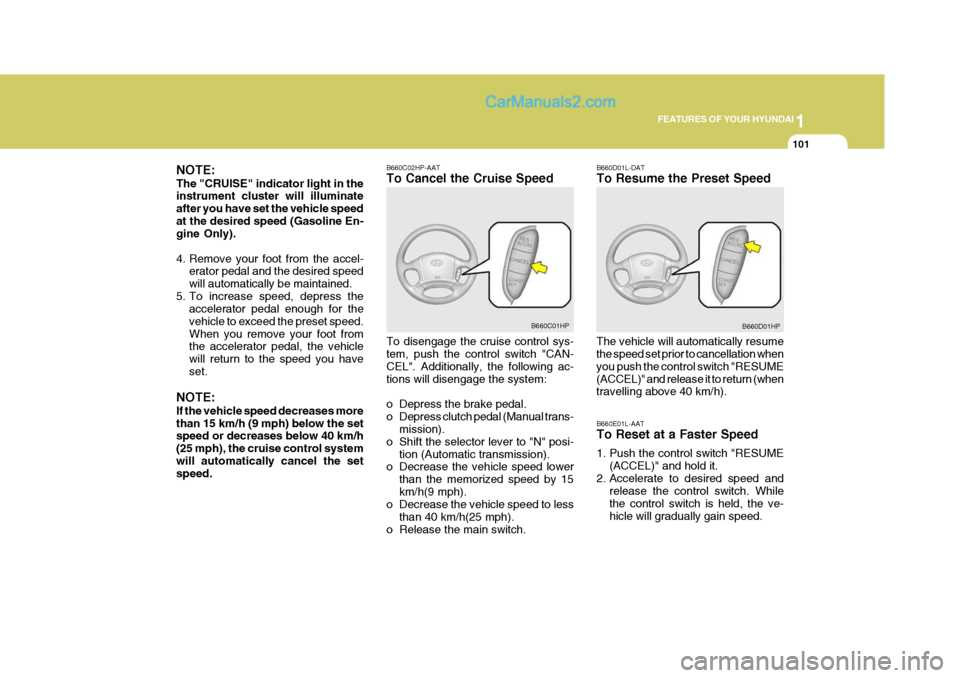
NOTE: If the vehicle speed decreases more than 15 km/h (9 mph) below the set speed or decreases below 40 km/h (25 mph), the cruise control systemwill automatically cancel the set speed. B660C02HP-AAT To Cancel the Cruise Speed To disengage the cruise control sys- tem, push the control switch "CAN- CEL". Additionally, the following ac-tions will disengage the system:
o Depress the brake pedal.
o Depress clutch pedal (Manual trans-
mission).
o Shift the selector lever to "N" posi- tion (Automatic transmission).
o Decrease the vehicle speed lower
than the memorized speed by 15km/h(9 mph).
o Decrease the vehicle speed to less
than 40 km/h(25 mph).
o Release the main switch. B660D01L-DAT To Resume the Preset Speed
The vehicle will automatically resume the speed set prior to cancellation when you push the control switch "RESUME(ACCEL)" and release it to return (when travelling above 40 km/h).
B660C01HP
B660D01HP
B660E01L-AAT To Reset at a Faster Speed
1. Push the control switch "RESUME (ACCEL)" and hold it.
2. Accelerate to desired speed and release the control switch. While the control switch is held, the ve-hicle will gradually gain speed.
Page 124 of 539
1FEATURES OF YOUR HYUNDAI
110AIR CONDITIONING SYSTEM
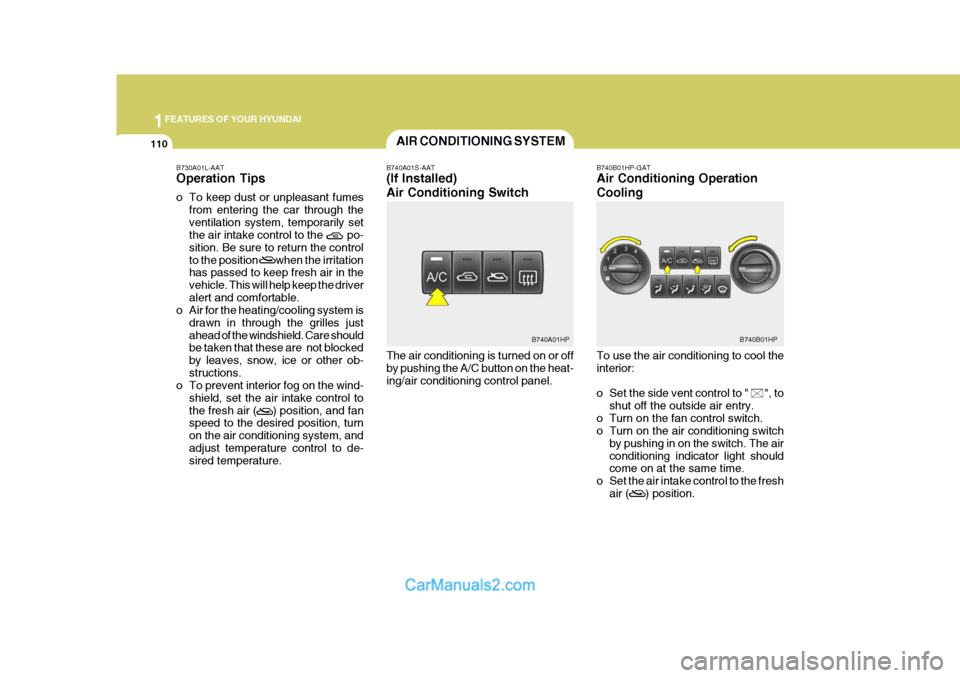
B740A01S-AAT (If Installed) Air Conditioning Switch The air conditioning is turned on or off by pushing the A/C button on the heat-ing/air conditioning control panel. B740B01HP-GAT Air Conditioning Operation Cooling To use the air conditioning to cool the interior:
o Set the side vent control to " ", to
shut off the outside air entry.
o Turn on the fan control switch.
o Turn on the air conditioning switch by pushing in on the switch. The air conditioning indicator light should come on at the same time.
o Set the air intake control to the fresh air ( ) position.
B730A01L-AAT Operation Tips
o To keep dust or unpleasant fumes
from entering the car through the ventilation system, temporarily set the air intake control to the po- sition. Be sure to return the controlto the position when the irritation has passed to keep fresh air in the vehicle. This will help keep the driveralert and comfortable.
o Air for the heating/cooling system is
drawn in through the grilles justahead of the windshield. Care should be taken that these are not blocked by leaves, snow, ice or other ob-structions.
o To prevent interior fog on the wind-
shield, set the air intake control tothe fresh air ( ) position, and fan speed to the desired position, turn on the air conditioning system, andadjust temperature control to de- sired temperature.
B740B01HPB740A01HP
Page 125 of 539
1
FEATURES OF YOUR HYUNDAI
111
o Set the temperature control to
"Cool". ("Cool" provides maximum cooling. The temperature may be moderated by moving the control toward "Warm".)
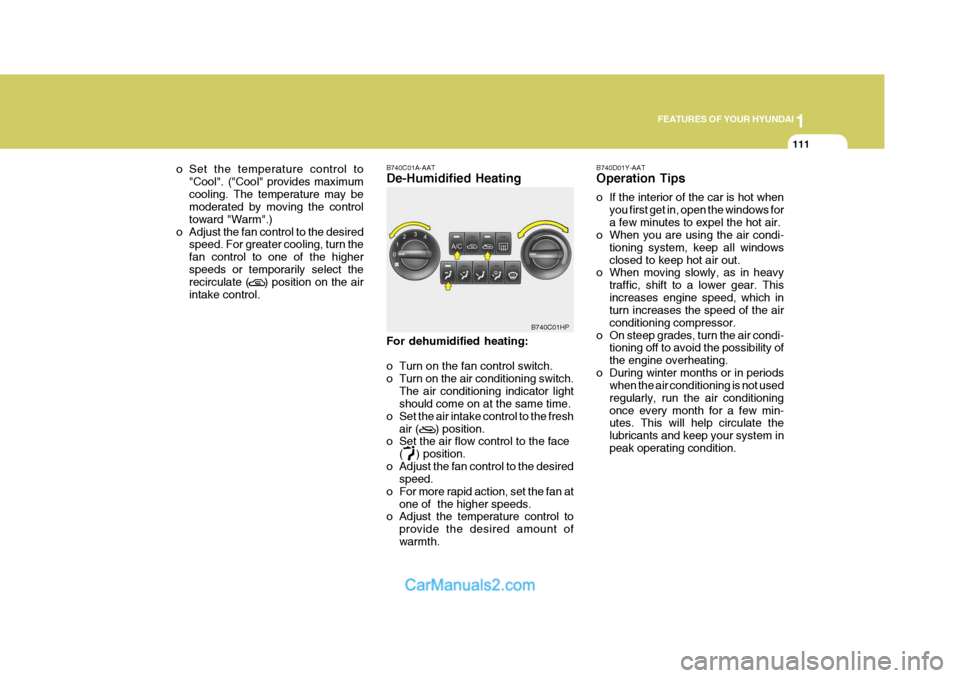
o Adjust the fan control to the desired speed. For greater cooling, turn thefan control to one of the higherspeeds or temporarily select the recirculate ( ) position on the air intake control. B740C01A-AAT De-Humidified Heating For dehumidified heating:
o Turn on the fan control switch.
o Turn on the air conditioning switch.
The air conditioning indicator light should come on at the same time.
o Set the air intake control to the fresh
air ( ) position.
o Set the air flow control to the face
( ) position.
o Adjust the fan control to the desired speed.
o For more rapid action, set the fan at
one of the higher speeds.
o Adjust the temperature control to
provide the desired amount of warmth.
B740C01HP
B740D01Y-AAT Operation Tips
o If the interior of the car is hot when
you first get in, open the windows for a few minutes to expel the hot air.
o When you are using the air condi-
tioning system, keep all windowsclosed to keep hot air out.
o When moving slowly, as in heavy
traffic, shift to a lower gear. Thisincreases engine speed, which in turn increases the speed of the air conditioning compressor.
o On steep grades, turn the air condi- tioning off to avoid the possibility ofthe engine overheating.
o During winter months or in periods when the air conditioning is not usedregularly, run the air conditioningonce every month for a few min- utes. This will help circulate the lubricants and keep your system inpeak operating condition.
Page 129 of 539
1
FEATURES OF YOUR HYUNDAI
115
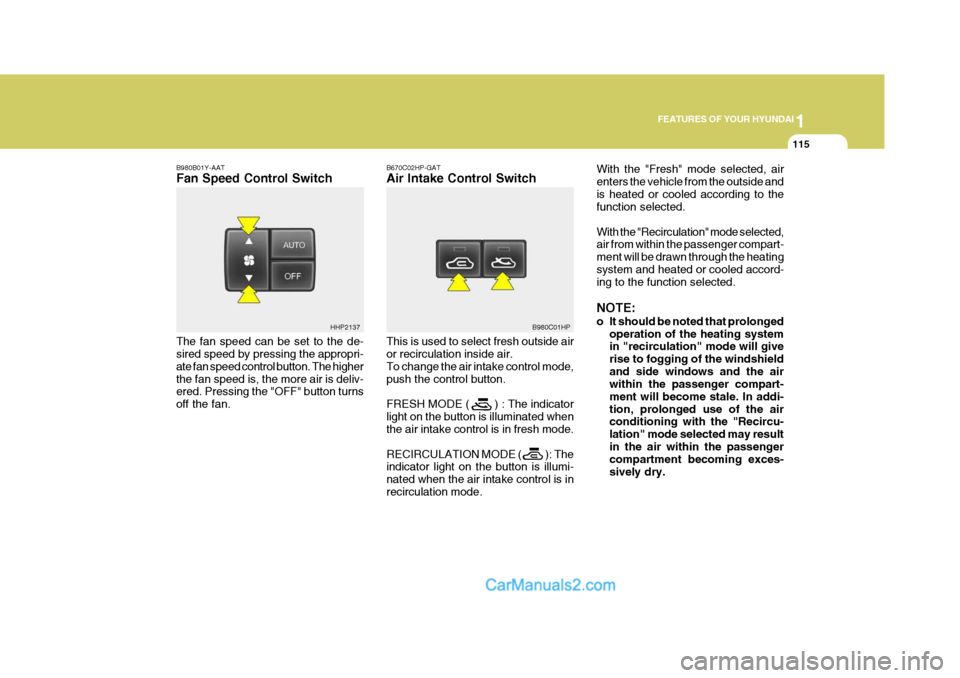
B980B01Y-AAT Fan Speed Control Switch The fan speed can be set to the de- sired speed by pressing the appropri- ate fan speed control button. The higherthe fan speed is, the more air is deliv- ered. Pressing the "OFF" button turns off the fan. B670C02HP-GAT Air Intake Control Switch This is used to select fresh outside air or recirculation inside air. To change the air intake control mode,push the control button. FRESH MODE ( ) : The indicator light on the button is illuminated when the air intake control is in fresh mode. RECIRCULATION MODE ( ): The indicator light on the button is illumi- nated when the air intake control is inrecirculation mode.With the "Fresh" mode selected, airenters the vehicle from the outside andis heated or cooled according to the function selected. With the "Recirculation" mode selected, air from within the passenger compart- ment will be drawn through the heatingsystem and heated or cooled accord- ing to the function selected. NOTE:
o It should be noted that prolonged
operation of the heating system in "recirculation" mode will give rise to fogging of the windshieldand side windows and the air within the passenger compart- ment will become stale. In addi-tion, prolonged use of the air conditioning with the "Recircu- lation" mode selected may resultin the air within the passenger compartment becoming exces- sively dry.
HHP2137
B980C01HP
Page 130 of 539
1FEATURES OF YOUR HYUNDAI
116
o When the ignition switch is
turned "ON", the air intake con- trol will change to ( ) mode (regardless of the switch posi- tion). This is normal operation.The air intake control operates in "AUTO" mode when turning the ignition to the "ON" positionif the "AUTO" mode was used before shutting off the engine.
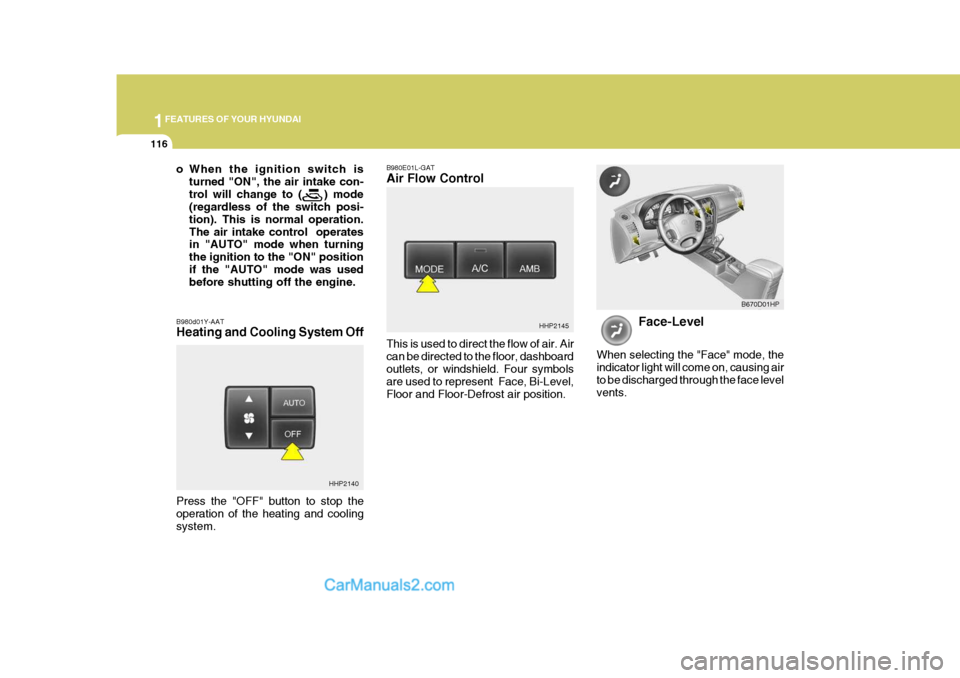
B980d01Y-AAT Heating and Cooling System Off B980E01L-GAT Air Flow Control This is used to direct the flow of air. Air can be directed to the floor, dashboardoutlets, or windshield. Four symbols are used to represent Face, Bi-Level, Floor and Floor-Defrost air position.
HHP2145
Face-Level
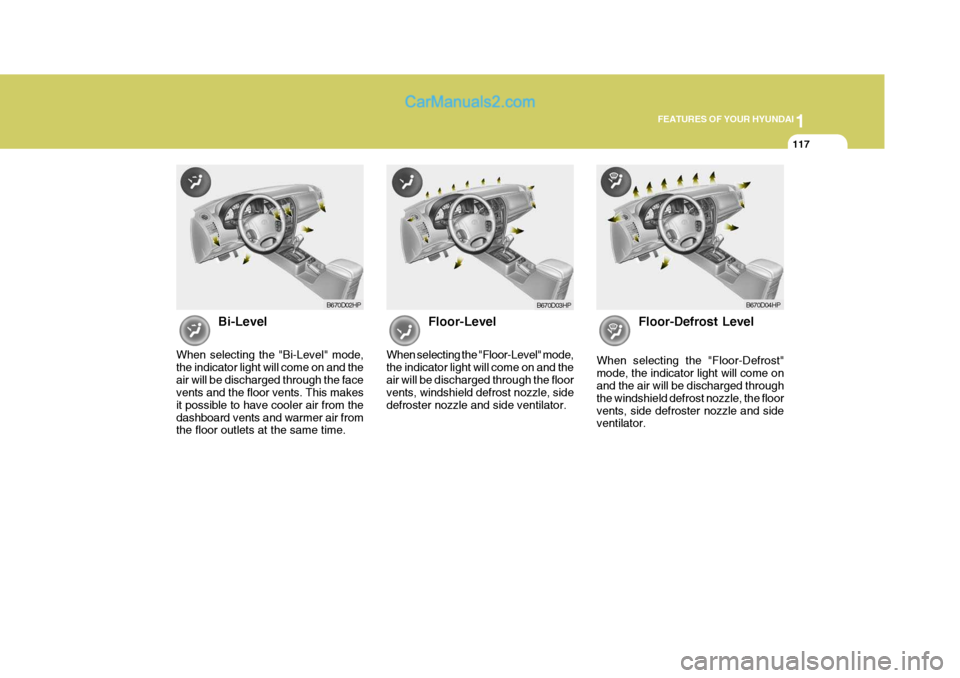
When selecting the "Face" mode, the indicator light will come on, causing airto be discharged through the face level vents. B670D01HP
HHP2140
Press the "OFF" button to stop the operation of the heating and coolingsystem.
Page 131 of 539
1
FEATURES OF YOUR HYUNDAI
117
Bi-Level
When selecting the "Bi-Level" mode, the indicator light will come on and theair will be discharged through the face vents and the floor vents. This makes it possible to have cooler air from thedashboard vents and warmer air from the floor outlets at the same time. Floor-Level
When selecting the "Floor-Level" mode, the indicator light will come on and theair will be discharged through the floor vents, windshield defrost nozzle, side defroster nozzle and side ventilator. Floor-Defrost Level
When selecting the "Floor-Defrost"mode, the indicator light will come on and the air will be discharged through the windshield defrost nozzle, the floorvents, side defroster nozzle and side ventilator.
B670D02HP B670D04HPB670D03HP
Page 136 of 539
1FEATURES OF YOUR HYUNDAI
122
H240B03O-AAT
1. POWER ON-OFF Control Knob The radio unit may be operated when the ignition key is in the "ACC" or "ON"position. Press the knob to switch the power on. The LCD shows the radio frequency in the radio mode or thetape direction indicator in the tape mode. To switch the power off, press the knob again. VOLUME Control Rotate the knob clockwise to increase the volume and turn the knob counter- clockwise to reduce the volume. 2. BASS Control Knob Press to pop the knob out and turn to the left or right for the desired bass tone. BAL (Balance) Control Knob Pull the bass control knob further out. Turn the control knob clockwise to emphasize right speaker sound (left speaker sound will be attenuated). When the control knob is turned coun-terclockwise, left speaker sound willbe emphasized (right speaker sound will be attenuated). 3. TREB (Treble) Control Knob Press to pop the knob out and turn to the left or right for the desired treble tone. FAD (Fader) Control Knob Pull the treble control knob further out. Turn the control knob counterclock- wise to emphasize front speaker sound (rear speaker sound will be attenu-ated). When the control knob is turned clock- wise, rear speaker sound will be em-phasized (front speaker sound will be attenuated). 4. TUNE (Manual) Select Button Press the side or side to increase or to decrease the frequency. Press either button and hold down to continu-ously scroll. Release button once the desired station is reached. SEEK Operation (Automatic Channel Selection) Press the TUNE select button 0.5 sec or more. Releasing it will automaticallytune to the next available station with a beep sound. When the side is pressed longer than0.5 second, releasing it will automati- cally tune to the next higher frequency and when the side is pressed longerthan 0.5 second, releasing it will auto- matically tune to the next lower fre- quency. 5. BAND Selector Pressing the button changes the AM, FM1 and FM2 bands. The modeselected is displayed on LCD.
6. PRESET STATION SELECT
Buttons
Six (6) stations for AM, FM1 and FM2 respectively can be preset in the elec- tronic memory circuit on this unit.
FM/AM