Indicator Hyundai Terracan 2005 Workshop Manual
[x] Cancel search | Manufacturer: HYUNDAI, Model Year: 2005, Model line: Terracan, Model: Hyundai Terracan 2005Pages: 539, PDF Size: 18.03 MB
Page 357 of 539
1CONTROLS AND EQUIPMENT
52
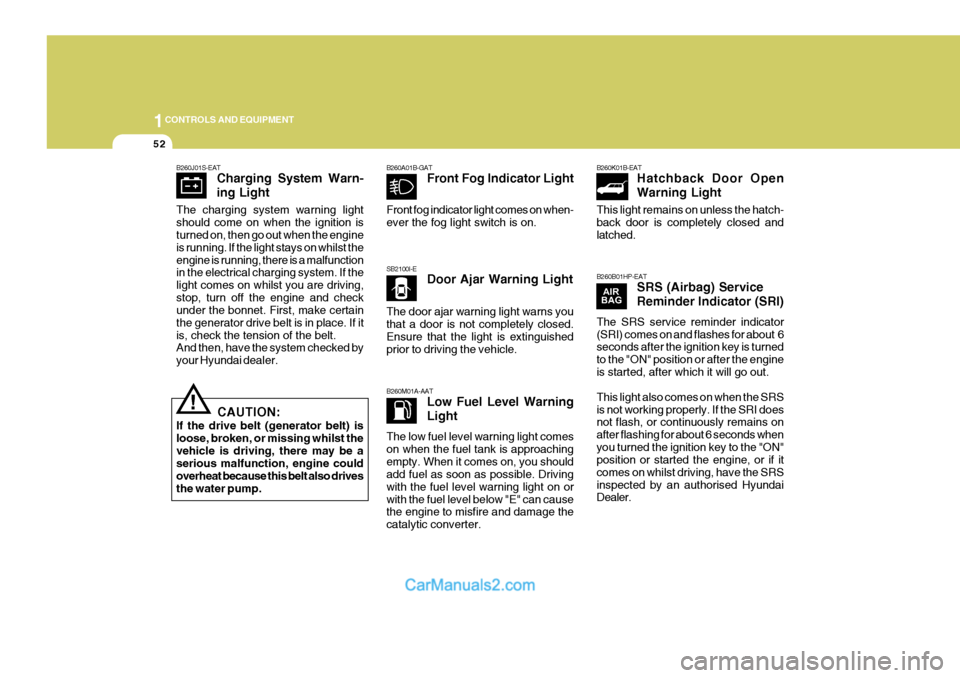
SB2100I-EDoor Ajar Warning Light
B260M01A-AAT Low Fuel Level Warning Light
B260A01B-GAT
Front Fog Indicator Light B260K01B-EAT
Hatchback Door OpenWarning Light
B260B01HP-EAT SRS (Airbag) ServiceReminder Indicator (SRI)
!
B260J01S-EAT
Charging System Warn- ing Light
CAUTION:
If the drive belt (generator belt) is loose, broken, or missing whilst thevehicle is driving, there may be a serious malfunction, engine could overheat because this belt also drivesthe water pump.
The charging system warning light should come on when the ignition is turned on, then go out when the engine is running. If the light stays on whilst theengine is running, there is a malfunction in the electrical charging system. If the light comes on whilst you are driving,stop, turn off the engine and check under the bonnet. First, make certain the generator drive belt is in place. If itis, check the tension of the belt. And then, have the system checked by your Hyundai dealer. Front fog indicator light comes on when-ever the fog light switch is on. The door ajar warning light warns you that a door is not completely closed. Ensure that the light is extinguished prior to driving the vehicle. The low fuel level warning light comes on when the fuel tank is approachingempty. When it comes on, you should add fuel as soon as possible. Driving with the fuel level warning light on orwith the fuel level below "E" can cause the engine to misfire and damage the catalytic converter. This light remains on unless the hatch-back door is completely closed and latched. The SRS service reminder indicator (SRI) comes on and flashes for about 6 seconds after the ignition key is turned to the "ON" position or after the engineis started, after which it will go out. This light also comes on when the SRS is not working properly. If the SRI does not flash, or continuously remains on after flashing for about 6 seconds whenyou turned the ignition key to the "ON" position or started the engine, or if it comes on whilst driving, have the SRSinspected by an authorised Hyundai Dealer.
Page 358 of 539
1
CONTROLS AND EQUIPMENT
53
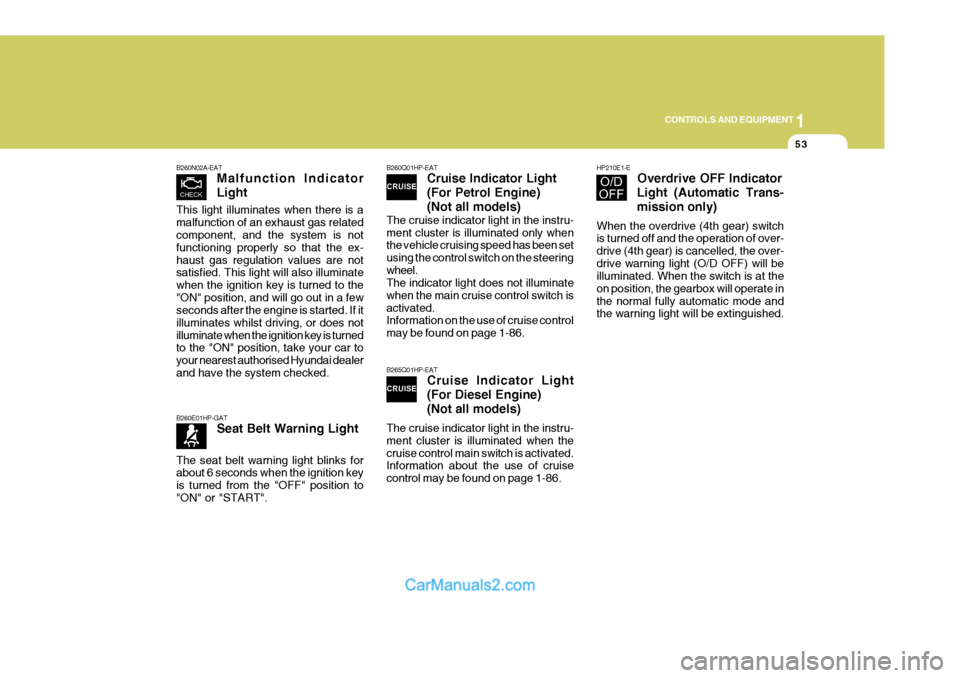
B260N02A-EAT Malfunction Indicator Light
B260Q01HP-EATCruise Indicator Light (For Petrol Engine)(Not all models)
The cruise indicator light in the instru- ment cluster is illuminated only when the vehicle cruising speed has been set using the control switch on the steeringwheel. The indicator light does not illuminate when the main cruise control switch isactivated. Information on the use of cruise control may be found on page 1-86.
B265Q01HP-EAT Cruise Indicator Light (For Diesel Engine) (Not all models)
The cruise indicator light in the instru- ment cluster is illuminated when thecruise control main switch is activated. Information about the use of cruise control may be found on page 1-86.
B260E01HP-GAT Seat Belt Warning Light
HP210E1-E Overdrive OFF Indicator
Light (Automatic Trans- mission only)
When the overdrive (4th gear) switch is turned off and the operation of over- drive (4th gear) is cancelled, the over-drive warning light (O/D OFF) will be illuminated. When the switch is at the on position, the gearbox will operate inthe normal fully automatic mode and the warning light will be extinguished.
This light illuminates when there is a malfunction of an exhaust gas related component, and the system is not functioning properly so that the ex-haust gas regulation values are not satisfied. This light will also illuminate when the ignition key is turned to the"ON" position, and will go out in a few seconds after the engine is started. If it illuminates whilst driving, or does notilluminate when the ignition key is turned to the "ON" position, take your car to your nearest authorised Hyundai dealerand have the system checked. The seat belt warning light blinks for about 6 seconds when the ignition key is turned from the "OFF" position to"ON" or "START".
Page 359 of 539
1CONTROLS AND EQUIPMENT
54
!
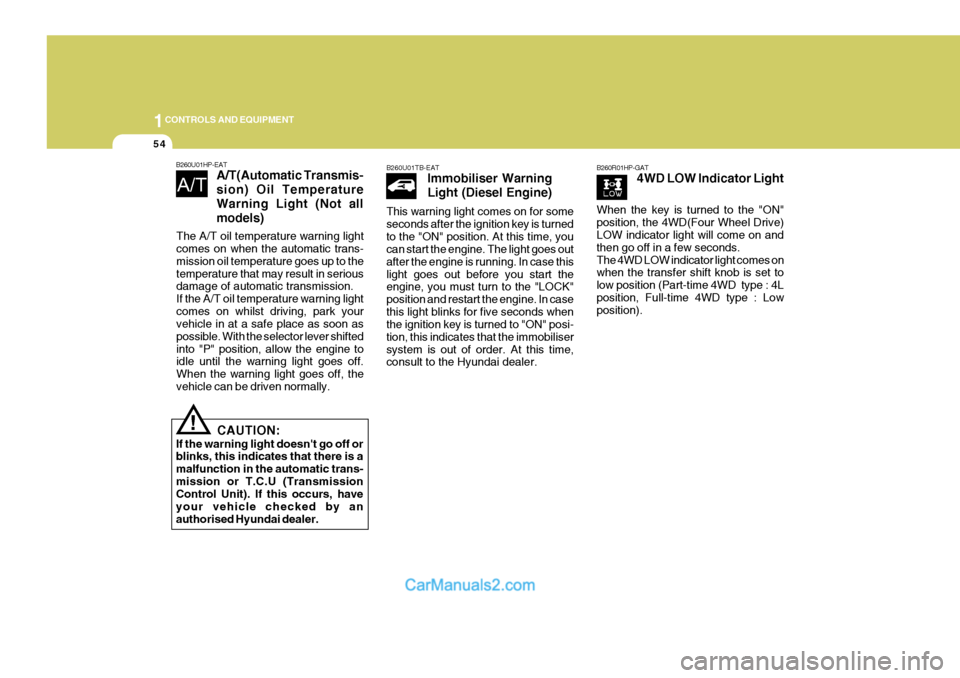
B260U01HP-EAT
A/T(Automatic Transmis- sion) Oil TemperatureWarning Light (Not allmodels)
CAUTION:
If the warning light doesn't go off or blinks, this indicates that there is a malfunction in the automatic trans-mission or T.C.U (Transmission Control Unit). If this occurs, have your vehicle checked by anauthorised Hyundai dealer.
B260U01TB-EAT Immobiliser Warning Light (Diesel Engine)
This warning light comes on for some seconds after the ignition key is turnedto the "ON" position. At this time, you can start the engine. The light goes out after the engine is running. In case thislight goes out before you start the engine, you must turn to the "LOCK" position and restart the engine. In casethis light blinks for five seconds when the ignition key is turned to "ON" posi- tion, this indicates that the immobilisersystem is out of order. At this time, consult to the Hyundai dealer.B260R01HP-GAT 4WD LOW Indicator Light
The A/T oil temperature warning light comes on when the automatic trans- mission oil temperature goes up to thetemperature that may result in serious damage of automatic transmission. If the A/T oil temperature warning lightcomes on whilst driving, park your vehicle in at a safe place as soon as possible. With the selector lever shiftedinto "P" position, allow the engine to idle until the warning light goes off. When the warning light goes off, thevehicle can be driven normally. When the key is turned to the "ON"position, the 4WD(Four Wheel Drive) LOW indicator light will come on and then go off in a few seconds.The 4WD LOW indicator light comes on when the transfer shift knob is set to low position (Part-time 4WD type : 4Lposition, Full-time 4WD type : Low position).
Page 360 of 539
1
CONTROLS AND EQUIPMENT
55
!
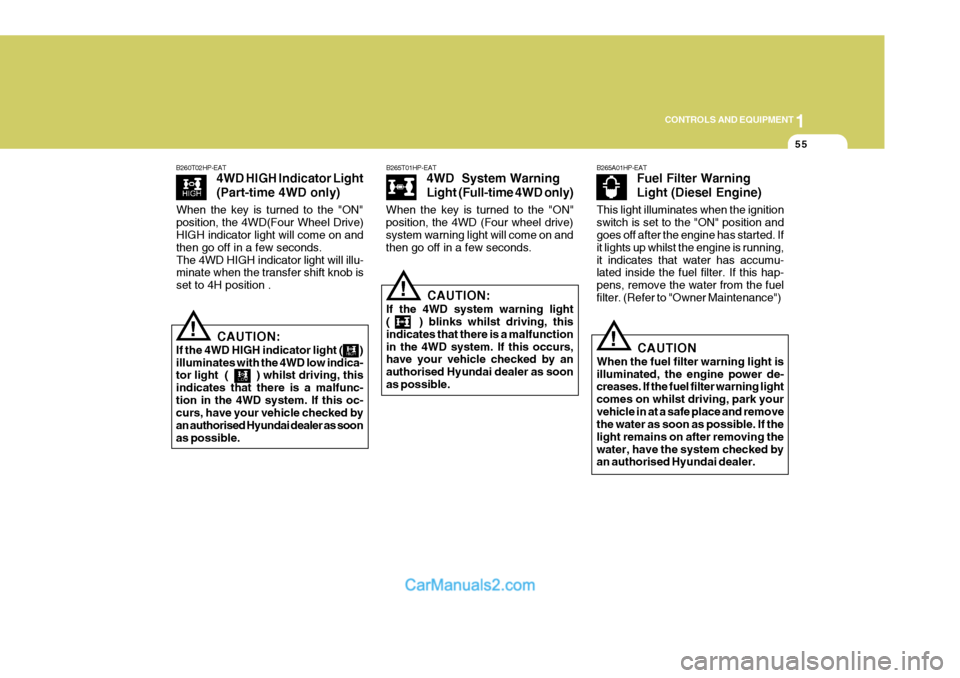
B265T01HP-EAT
4WD System Warning
Light (Full-time 4WD only)
CAUTION:
If the 4WD system warning light ( ) blinks whilst driving, this indicates that there is a malfunctionin the 4WD system. If this occurs, have your vehicle checked by an authorised Hyundai dealer as soonas possible.
!
B260T02HP-EAT
4WD HIGH Indicator Light (Part-time 4WD only)
CAUTION:
If the 4WD HIGH indicator light ( ) illuminates with the 4WD low indica- tor light ( ) whilst driving, this indicates that there is a malfunc-tion in the 4WD system. If this oc- curs, have your vehicle checked by an authorised Hyundai dealer as soonas possible.
B265A01HP-EAT Fuel Filter Warning Light (Diesel Engine)
!CAUTION
When the fuel filter warning light is illuminated, the engine power de- creases. If the fuel filter warning light comes on whilst driving, park yourvehicle in at a safe place and remove the water as soon as possible. If the light remains on after removing thewater, have the system checked by an authorised Hyundai dealer.
When the key is turned to the "ON" position, the 4WD(Four Wheel Drive) HIGH indicator light will come on and then go off in a few seconds.The 4WD HIGH indicator light will illu- minate when the transfer shift knob is set to 4H position .
When the key is turned to the "ON"position, the 4WD (Four wheel drive) system warning light will come on and then go off in a few seconds.
This light illuminates when the ignitionswitch is set to the "ON" position and goes off after the engine has started. If it lights up whilst the engine is running,it indicates that water has accumu- lated inside the fuel filter. If this hap- pens, remove the water from the fuelfilter. (Refer to "Owner Maintenance")
Page 362 of 539
1
CONTROLS AND EQUIPMENT
57
!
B270A01A-GAT BRAKE PAD WEAR WARNING SOUND The front disc brake pads have wear indicators that should make a high-pitched squealing or scraping noise when new pads are needed. The sound may come and go or be heard all thetime when the vehicle is moving. It may also be heard when the brake pedal is pushed down firmly. Exces-sive rotor damage will result if the worn pads are not replaced. See your Hyundai dealer immediately. B290A02A-EAT COOLANT TEMPERATURE GAUGE
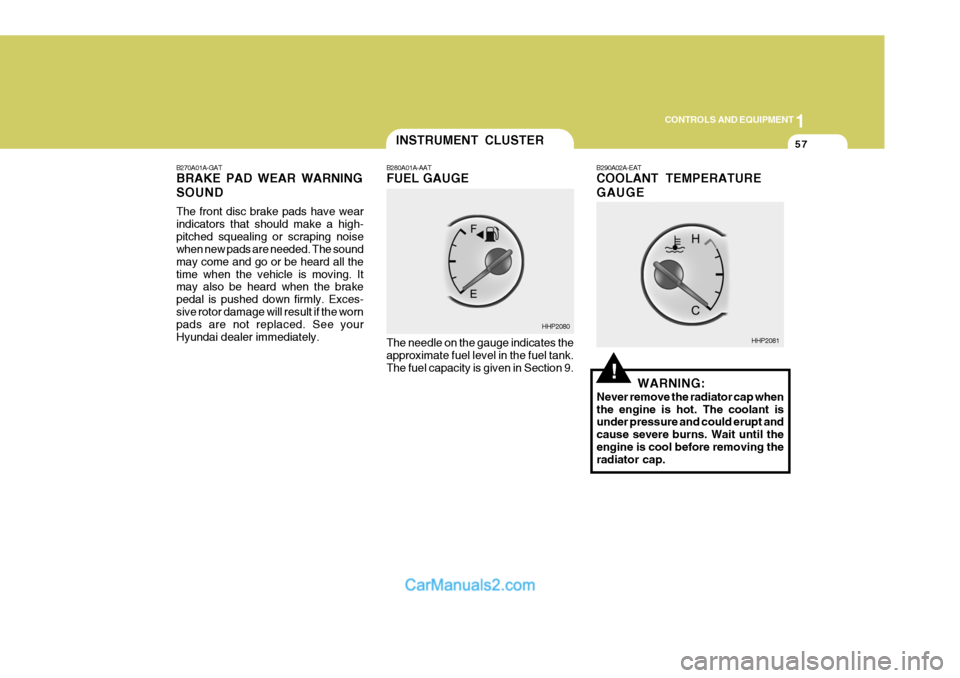
The needle on the gauge indicates the approximate fuel level in the fuel tank. The fuel capacity is given in Section 9. WARNING:
Never remove the radiator cap when the engine is hot. The coolant is under pressure and could erupt and cause severe burns. Wait until theengine is cool before removing the radiator cap.
INSTRUMENT CLUSTER
B280A01A-AAT FUEL GAUGE
HHP2080
HHP2081
Page 365 of 539
1CONTROLS AND EQUIPMENT
60
HPB220B1-E Lane Change Signal To indicate an intention to change lanes, moving the lever slightly towards the direction of the relevant turn signal will cause the turn signal lights to flash. Thelever will either return automatically or will need to be manually moved to the centre position when the lane changeindication has been completed.MULTI-FUNCTION SWITCH
ZB120A1-E Turn Signal Operation To signal an intention to turn right, the switch lever should be pressed down.To signal an intention to turn left, the switch lever should be pushed up- wards. In both instances, the turn sig-nal lamps on one side of the car will flash and the warning lamp located in the instrument cluster will flash in sym-pathy. Upon completion of the ma- noeuvre, the lever will, under normal circumstances, return to the "OFF"position. However, if the manoeuvre involved only a small movement of the steering wheel, the signal may need tobe cancelled manually. If either turn signal indicator flashes more rapidly than normal or refuses to flash at all, amalfunction of the turn signal system may exist.
HHP2099-E
B310A03HP-E
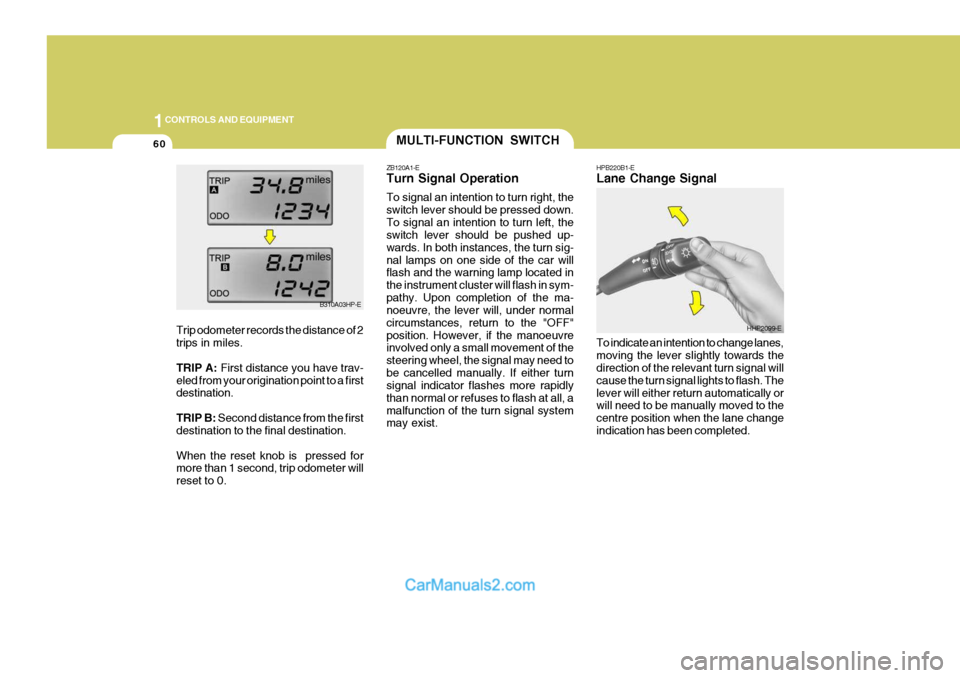
Trip odometer records the distance of 2 trips in miles. TRIP A: First distance you have trav-
eled from your origination point to a first destination. TRIP B: Second distance from the first
destination to the final destination.When the reset knob is pressed for more than 1 second, trip odometer will reset to 0.
Page 366 of 539
1
CONTROLS AND EQUIPMENT
61
ZB120D1-E HIGH AND LOW BEAM
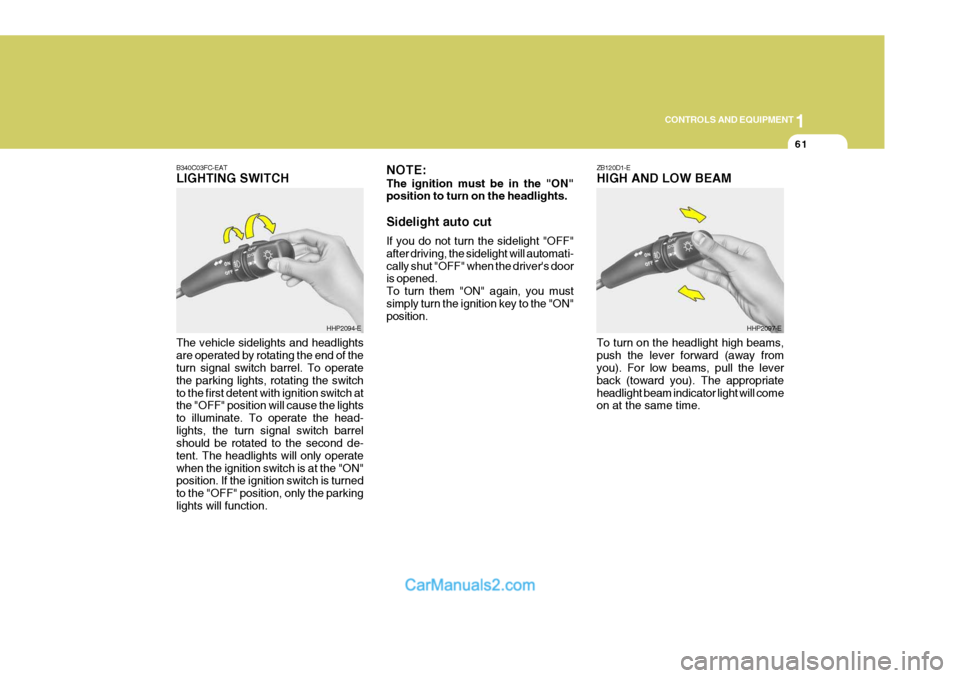
B340C03FC-EATLIGHTING SWITCH The vehicle sidelights and headlights are operated by rotating the end of the turn signal switch barrel. To operate the parking lights, rotating the switchto the first detent with ignition switch at the "OFF" position will cause the lights to illuminate. To operate the head-lights, the turn signal switch barrel should be rotated to the second de- tent. The headlights will only operatewhen the ignition switch is at the "ON" position. If the ignition switch is turned to the "OFF" position, only the parkinglights will function.
HHP2094-E NOTE: The ignition must be in the "ON" position to turn on the headlights. Sidelight auto cut If you do not turn the sidelight "OFF" after driving, the sidelight will automati-cally shut "OFF" when the driver's door is opened. To turn them "ON" again, you mustsimply turn the ignition key to the "ON" position.HHP2097-E
To turn on the headlight high beams, push the lever forward (away from you). For low beams, pull the lever back (toward you). The appropriateheadlight beam indicator light will come on at the same time.
Page 391 of 539
1CONTROLS AND EQUIPMENT
86
B660B001HP-EAT To Set the Cruise Speed
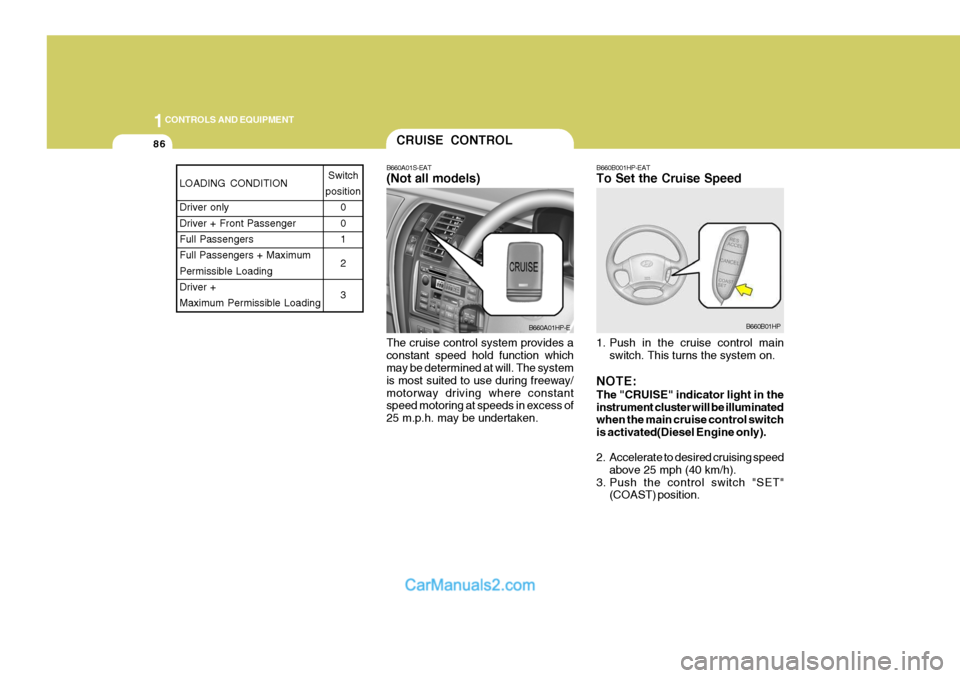
The cruise control system provides a constant speed hold function which may be determined at will. The system is most suited to use during freeway/motorway driving where constant speed motoring at speeds in excess of 25 m.p.h. may be undertaken. 1. Push in the cruise control main
switch. This turns the system on.
NOTE: The "CRUISE" indicator light in the instrument cluster will be illuminated when the main cruise control switch is activated(Diesel Engine only).
2. Accelerate to desired cruising speed above 25 mph (40 km/h).
3. Push the control switch "SET" (COAST) position.CRUISE CONTROL
B660A01S-EAT (Not all models)
B660A01HP-EB660B01HP
LOADING CONDITION Driver only Driver + Front PassengerFull Passengers Full Passengers + Maximum Permissible LoadingDriver + Maximum Permissible Loading Switch
position 0 01 2 3
Page 392 of 539
1
CONTROLS AND EQUIPMENT
87
NOTE: The "CRUISE" indicator light in the instrument cluster will illuminate af- ter you have set the vehicle speed atthe desired speed (Petrol Engine only).
4. Remove your foot from the accelera- tor pedal and the desired speed will automatically be maintained.
5. To increase speed, depress the ac- celerator pedal enough for the ve-hicle to exceed the preset speed.When you remove your foot from the accelerator pedal, the vehicle will return to the speed you haveset.
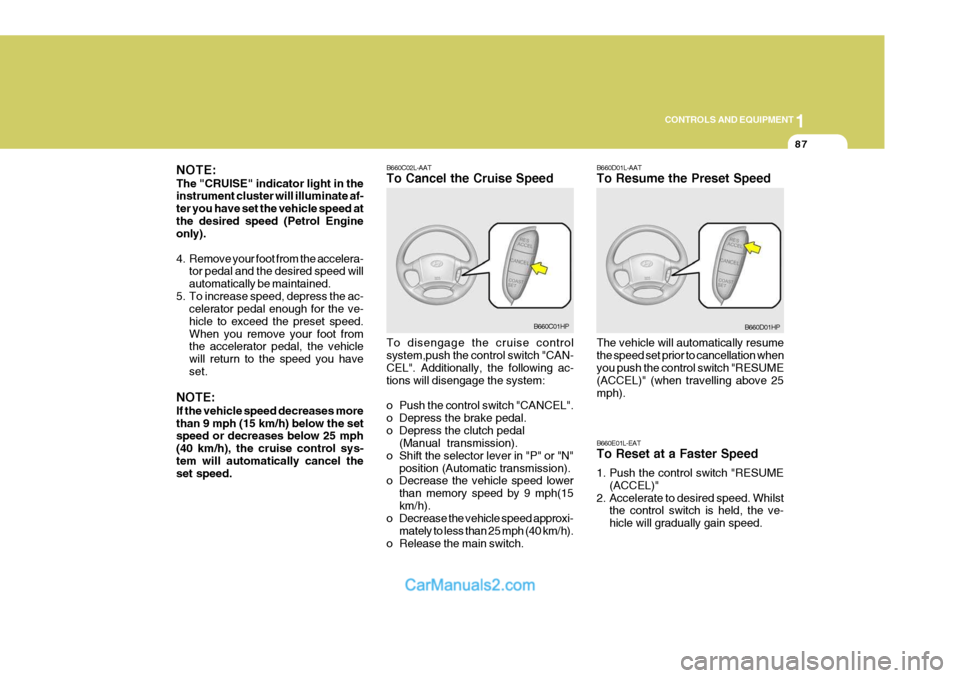
NOTE: If the vehicle speed decreases more than 9 mph (15 km/h) below the set speed or decreases below 25 mph (40 km/h), the cruise control sys-tem will automatically cancel the set speed. B660C02L-AAT To Cancel the Cruise Speed To disengage the cruise control system,push the control switch "CAN- CEL". Additionally, the following ac- tions will disengage the system:
o Push the control switch "CANCEL".
o Depress the brake pedal.
o Depress the clutch pedal
(Manual transmission).
o Shift the selector lever in "P" or "N" position (Automatic transmission).
o Decrease the vehicle speed lower
than memory speed by 9 mph(15km/h).
o Decrease the vehicle speed approxi-
mately to less than 25 mph (40 km/h).
o Release the main switch.
B660C01HP B660D01L-AAT To Resume the Preset Speed The vehicle will automatically resume the speed set prior to cancellation when you push the control switch "RESUME (ACCEL)" (when travelling above 25mph). B660E01L-EAT To Reset at a Faster Speed
1. Push the control switch "RESUME
(ACCEL)"
2. Accelerate to desired speed. Whilst the control switch is held, the ve- hicle will gradually gain speed.B660D01HP
Page 401 of 539
1CONTROLS AND EQUIPMENT
96
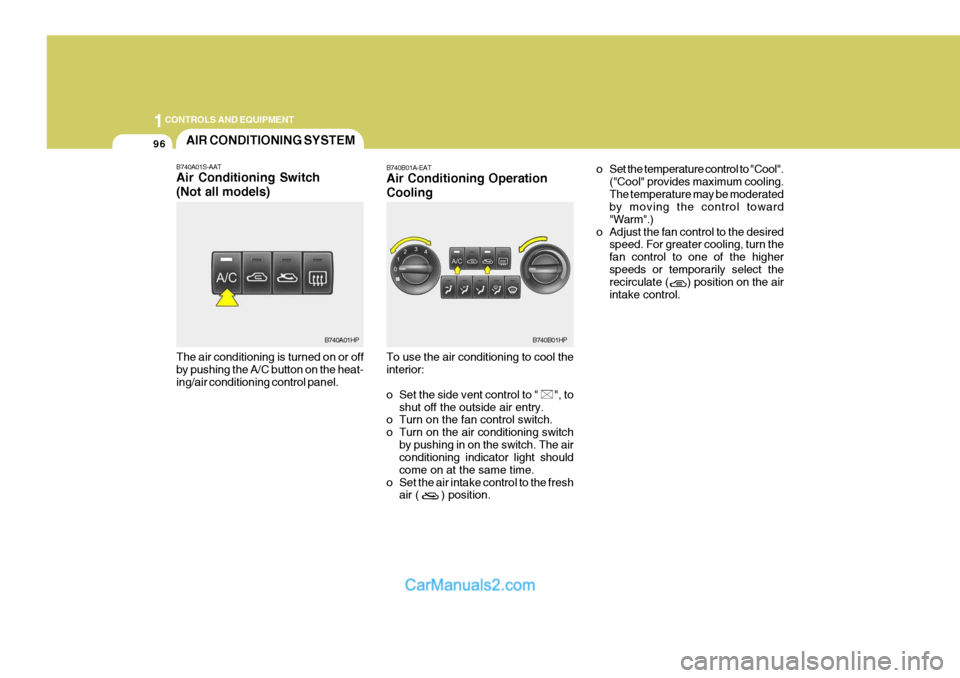
The air conditioning is turned on or off by pushing the A/C button on the heat- ing/air conditioning control panel.AIR CONDITIONING SYSTEM
B740A01S-AAT Air Conditioning Switch (Not all models)
B740A01HP B740B01A-EAT Air Conditioning Operation Cooling To use the air conditioning to cool the interior:
o Set the side vent control to " ", to
shut off the outside air entry.
o Turn on the fan control switch.
o Turn on the air conditioning switch
by pushing in on the switch. The air conditioning indicator light should come on at the same time.
o Set the air intake control to the fresh air ( ) position. o Set the temperature control to "Cool".
("Cool" provides maximum cooling.The temperature may be moderated by moving the control toward "Warm".)
o Adjust the fan control to the desired speed. For greater cooling, turn thefan control to one of the higherspeeds or temporarily select the recirculate ( ) position on the air intake control.B740B01HP