light Hyundai Terracan 2005 Owner's Guide
[x] Cancel search | Manufacturer: HYUNDAI, Model Year: 2005, Model line: Terracan, Model: Hyundai Terracan 2005Pages: 539, PDF Size: 18.03 MB
Page 77 of 539
1
FEATURES OF YOUR HYUNDAI
63
!!
CAUTION:
If the 4WD HIGH indicator light ( ) illuminates with the 4WD LOW indi- cator light ( ) while driving, this indicates that there is a malfunc-tion in the 4WD system. If this oc- curs, have your vehicle checked by an authorized Hyundai dealer assoon as possible. B265T01HP-GAT 4WD System Warning Light (Full-time 4WDonly)
When the key is turned to the "ON" position, the 4WD (Four wheel drive) system warning light will come on andthen go off in a few seconds.! CAUTION:
If the 4WD system warning light ( ) blinks while driving, this indicates that there is a malfunc-tion in the 4WD system. If this oc- curs, have your vehicle checked by an authorized Hyundai dealer assoon as possible. B265A01HP-GAT Fuel Filter Warning Light (Diesel Engine)
This light illuminates when the ignition switch is set to the "ON" position and goes off after the engine has started. Ifit lights up while the engine is running, it indicates that water has accumu- lated inside the fuel filter. If this hap-pens, remove the water from the fuel filter. (Refer to "Do-lt-Yourself Maintenance")CAUTION(2.9 CRDi only):
When the fuel filter warning light is illuminated, the engine power de-creases. If the fuel filter warning light comes on while driving, park your vehicle in at a safe place andremove the water as soon as pos- sible. If the light remains on after removing the water, have the sys-tem checked by an authorized Hyundai dealer.
Page 78 of 539
1FEATURES OF YOUR HYUNDAI
64
should slow the vehicle and bring it to a complete stop in a safe location offthe roadway. After starting the engine, do not drive the vehicle until the vacuum level isabove 275 mmHg below atmosphere and warning light has turned off. If further trouble is experienced, the ve-hicle should not be driven at all but taken to a dealer by a professional towing service. B265C02HP-GAT
Diesel Preheat Indicator Light
The indicator light illuminates amber when the ignition switch is placed atthe "ON" position. The engine can be started after the preheat indicator light goes off. The illuminating time varieswith the water temperature. NOTE: If the engine were not started within 2 seconds after the preheating iscompleted, turn the ignition key once more to the "LOCK" position during 10 seconds, and then to the"ON" position, in order to preheat again.Water temperature
(°C)
Below -30 -20 -156080 Illuminating time
(2.5 TCI) (sec) 22.586
0.5 0
Water temperature (°C)
Below -30 -25 -20-15-10-50
20 Illuminating time
(2.9 CRDi) (sec) 26201510
5.53.5 21
!
B265B01HP-GAT Brake Vacuum Warning Light (Diesel Engine)
WARNING:
If you suspect brake trouble, have your brakes checked by a Hyundai dealer as soon as possible. Drivingyour car with a problem in either the brake electrical system or brake hydraulic system is dangerous, andcould result in serious injury or death. The brake vacuum warning light should come on when the vacuum level in brake booster descends to about 275 mmHg or below. The brake system isdesigned to stop the vehicle with re- serve assist if brake pedal is held down. This reserve is greatly reducedeach time you release the brake. With- out vacuum assist your vehicle can still be stopped by pushing much harderon brake pedal, however the stopping distance may be much longer. If the light comes on at any other time, you
Page 83 of 539
1
FEATURES OF YOUR HYUNDAI
69MULTIMETER
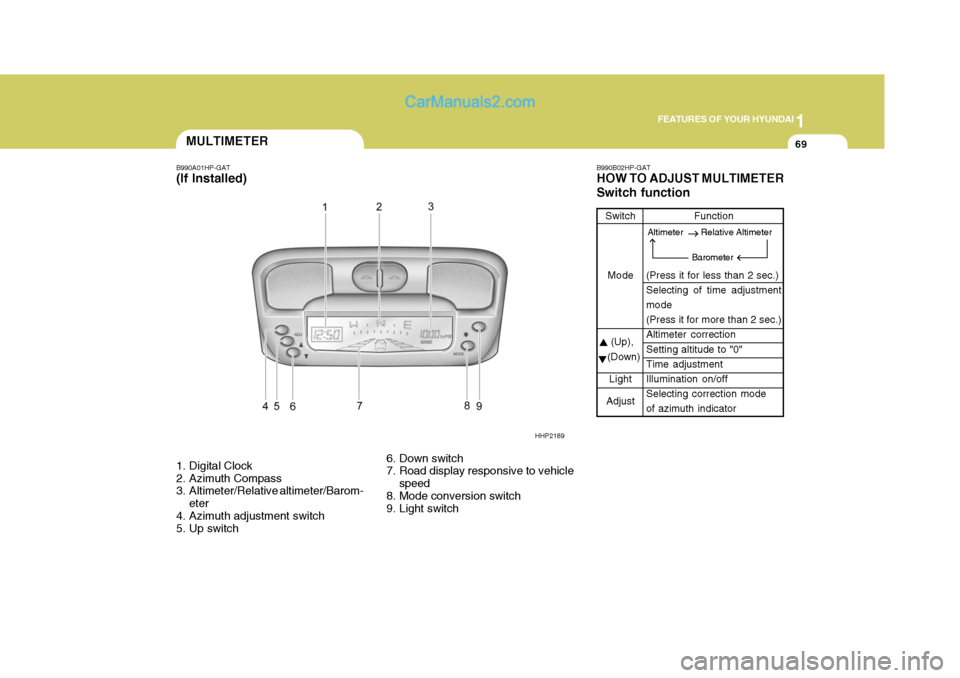
B990A01HP-GAT (If Installed)
1. Digital Clock
2. Azimuth Compass
3. Altimeter/Relative altimeter/Barom-
eter
4. Azimuth adjustment switch
5. Up switch 6. Down switch
7. Road display responsive to vehicle
speed
8. Mode conversion switch
9. Light switch B990B02HP-GAT HOW TO ADJUST MULTIMETER Switch function
Switch
Mode
(Up),
(Down)
Light
Adjust Function
(Press it for less than 2 sec.) Selecting of time adjustment mode (Press it for more than 2 sec.)Altimeter correction Setting altitude to "0" Time adjustmentIllumination on/off Selecting correction mode of azimuth indicator
HHP2189
Altimeter Relative Altimeter
Barometer
Page 86 of 539
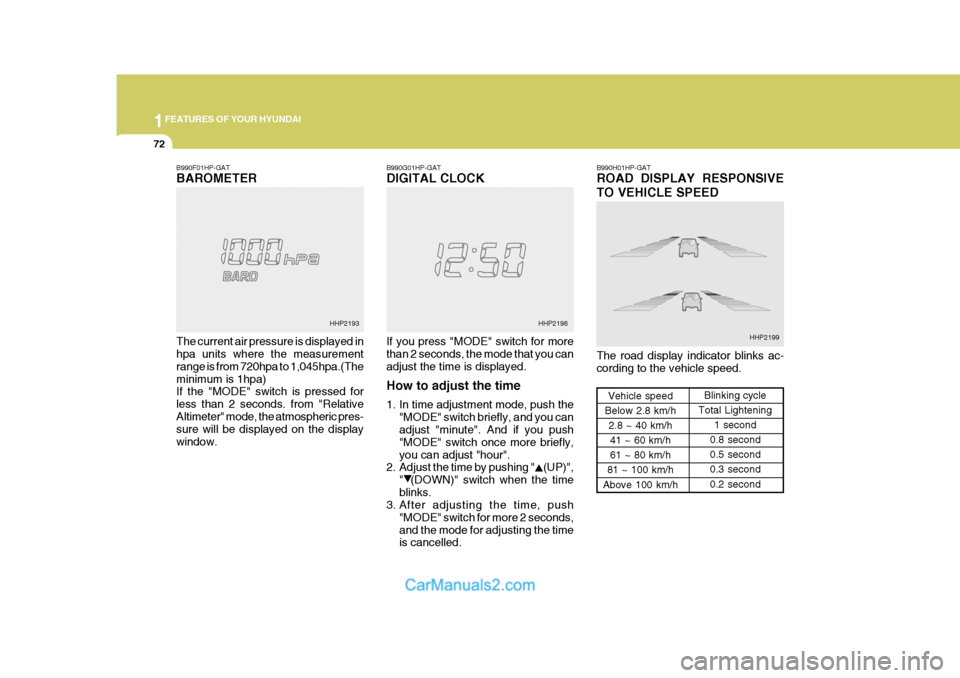
1FEATURES OF YOUR HYUNDAI
72
B990F01HP-GAT BAROMETER The current air pressure is displayed in hpa units where the measurement range is from 720hpa to 1,045hpa.(Theminimum is 1hpa) If the "MODE" switch is pressed for less than 2 seconds. from "RelativeAltimeter" mode, the atmospheric pres- sure will be displayed on the display window. B990G01HP-GAT DIGITAL CLOCK If you press "MODE" switch for more than 2 seconds, the mode that you can adjust the time is displayed. How to adjust the time
1. In time adjustment mode, push the
"MODE" switch briefly, and you can adjust "minute". And if you push "MODE" switch once more briefly,you can adjust "hour".
2. Adjust the time by pushing " (UP)",
" (DOWN)" switch when the timeblinks.
3. After adjusting the time, push
"MODE" switch for more 2 seconds,and the mode for adjusting the time is cancelled. B990H01HP-GAT ROAD DISPLAY RESPONSIVE TO VEHICLE SPEED The road display indicator blinks ac- cording to the vehicle speed.
Vehicle speed
Below 2.8 km/h 2.8 ~ 40 km/h
41 ~ 60 km/h 61 ~ 80 km/h
81 ~ 100 km/h
Above 100 km/h Blinking cycle
Total Lightening
1 second
0.8 second0.5 second0.3 second 0.2 second
HHP2193 HHP2198
HHP2199
Page 87 of 539
1
FEATURES OF YOUR HYUNDAI
73MULTI-FUNCTION LIGHT SWITCH
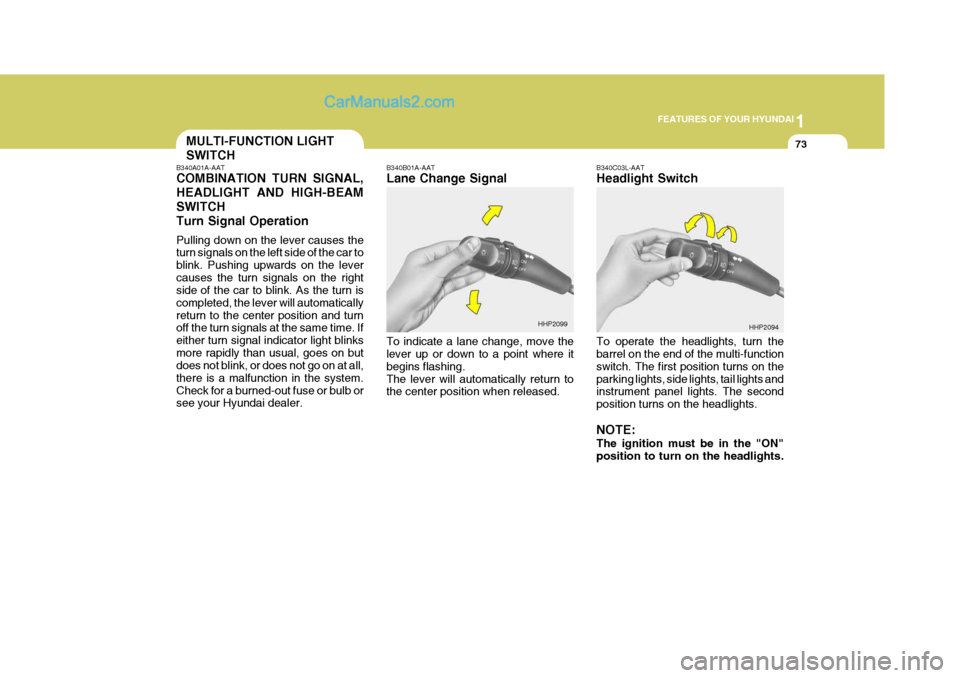
B340A01A-AAT COMBINATION TURN SIGNAL, HEADLIGHT AND HIGH-BEAMSWITCHTurn Signal Operation Pulling down on the lever causes the turn signals on the left side of the car to blink. Pushing upwards on the levercauses the turn signals on the right side of the car to blink. As the turn is completed, the lever will automaticallyreturn to the center position and turn off the turn signals at the same time. If either turn signal indicator light blinksmore rapidly than usual, goes on but does not blink, or does not go on at all, there is a malfunction in the system.Check for a burned-out fuse or bulb or see your Hyundai dealer. B340B01A-AAT Lane Change Signal To indicate a lane change, move the lever up or down to a point where it begins flashing.The lever will automatically return to the center position when released.
B340C03L-AAT Headlight Switch To operate the headlights, turn the barrel on the end of the multi-function switch. The first position turns on theparking lights, side lights, tail lights and instrument panel lights. The second position turns on the headlights. NOTE: The ignition must be in the "ON" position to turn on the headlights.
HHP2099
HHP2094
Page 88 of 539
1FEATURES OF YOUR HYUNDAI
74
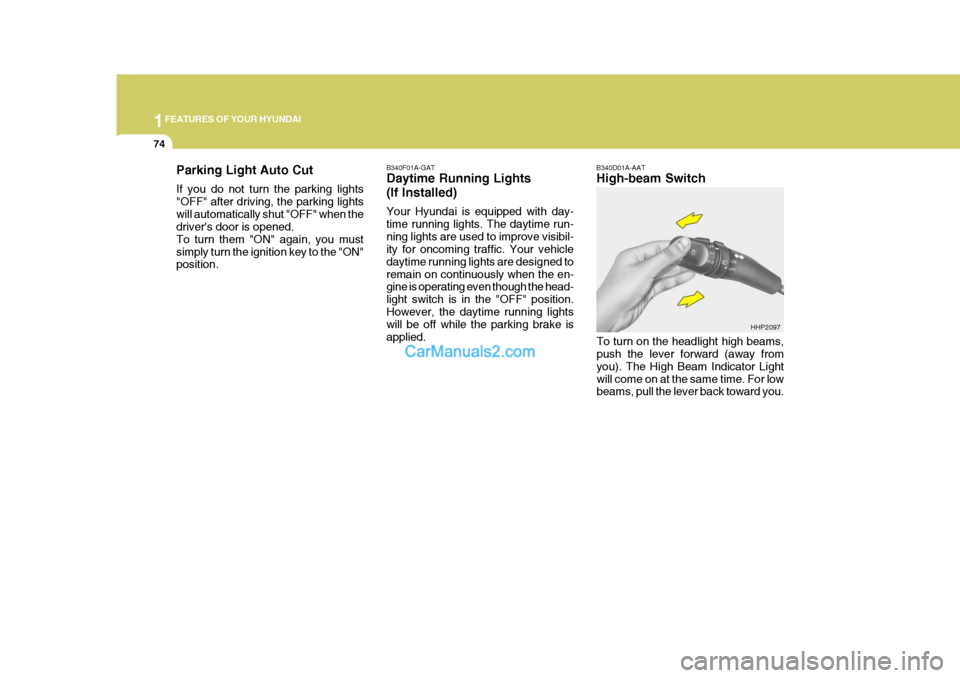
B340F01A-GAT Daytime Running Lights (If Installed) Your Hyundai is equipped with day- time running lights. The daytime run-ning lights are used to improve visibil- ity for oncoming traffic. Your vehicle daytime running lights are designed toremain on continuously when the en- gine is operating even though the head- light switch is in the "OFF" position.However, the daytime running lights will be off while the parking brake is applied. B340D01A-AAT High-beam Switch
Parking Light Auto Cut If you do not turn the parking lights "OFF" after driving, the parking lightswill automatically shut "OFF" when the driver's door is opened. To turn them "ON" again, you mustsimply turn the ignition key to the "ON" position.
To turn on the headlight high beams,push the lever forward (away from you). The High Beam Indicator Lightwill come on at the same time. For low beams, pull the lever back toward you.HHP2097
Page 89 of 539
1
FEATURES OF YOUR HYUNDAI
75
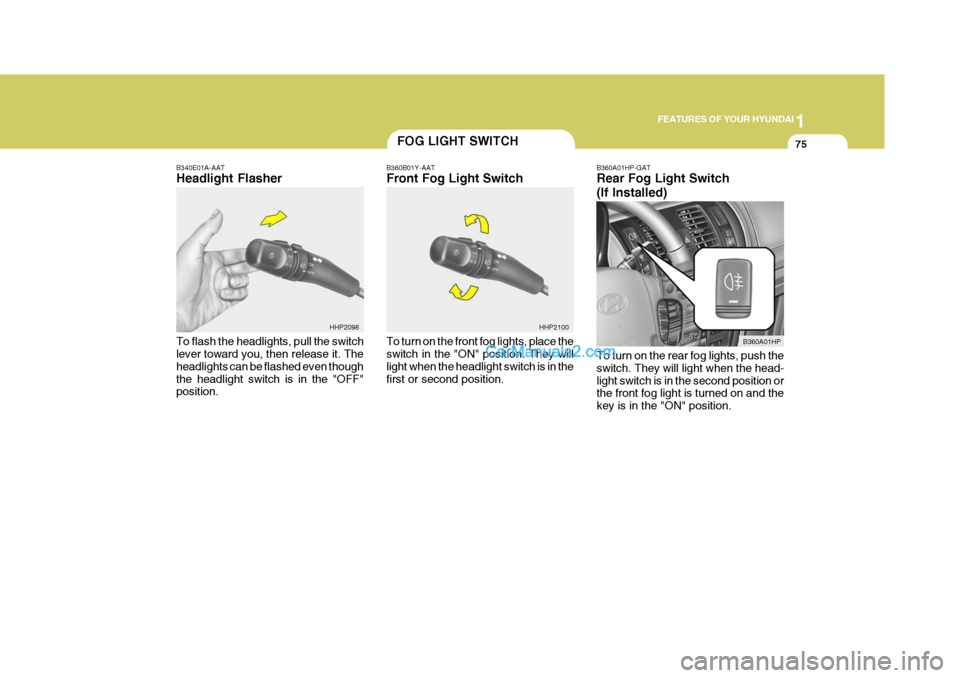
B340E01A-AAT Headlight Flasher To flash the headlights, pull the switch lever toward you, then release it. The headlights can be flashed even thoughthe headlight switch is in the "OFF" position.
FOG LIGHT SWITCH
B360B01Y-AAT Front Fog Light Switch To turn on the front fog lights, place the switch in the "ON" position. They will light when the headlight switch is in thefirst or second position. B360A01HP-GAT Rear Fog Light Switch (If Installed) To turn on the rear fog lights, push the switch. They will light when the head-light switch is in the second position or the front fog light is turned on and the key is in the "ON" position.
HHP2100
B360A01HP
HHP2098
Page 90 of 539
1FEATURES OF YOUR HYUNDAI
76
HHP2104
WINDSHIELD WIPER AND WASHER SWITCH
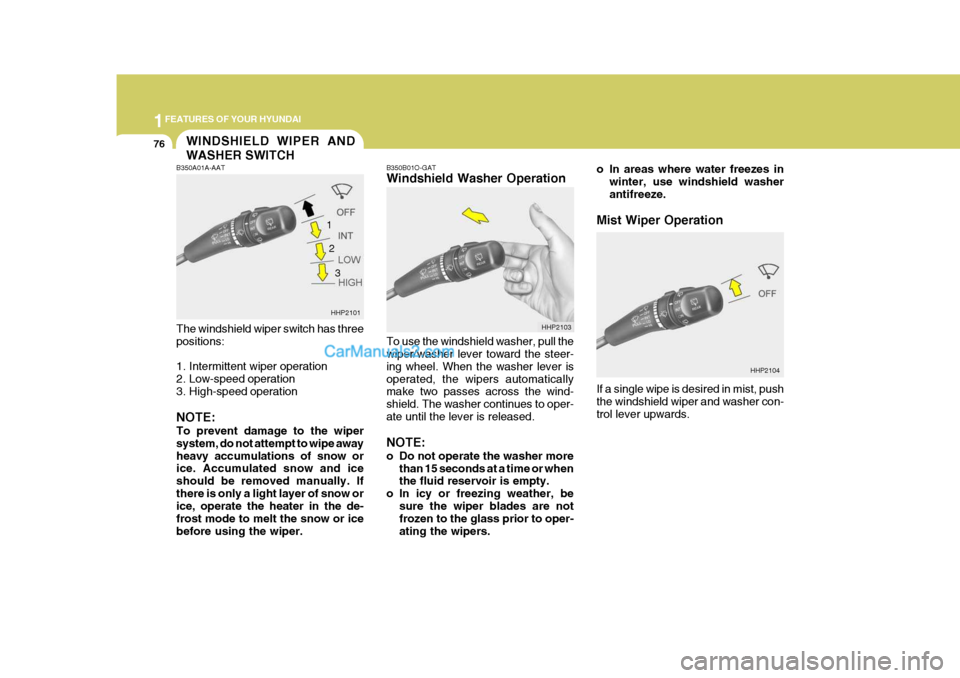
B350B01O-GAT Windshield Washer Operation To use the windshield washer, pull the wiper/washer lever toward the steer- ing wheel. When the washer lever isoperated, the wipers automatically make two passes across the wind- shield. The washer continues to oper-ate until the lever is released. NOTE:
o Do not operate the washer more
than 15 seconds at a time or when the fluid reservoir is empty.
o In icy or freezing weather, be
sure the wiper blades are notfrozen to the glass prior to oper- ating the wipers.
B350A01A-AAT The windshield wiper switch has three positions:
1. Intermittent wiper operation
2. Low-speed operation
3. High-speed operation NOTE: To prevent damage to the wiper system, do not attempt to wipe awayheavy accumulations of snow or ice. Accumulated snow and ice should be removed manually. Ifthere is only a light layer of snow or ice, operate the heater in the de- frost mode to melt the snow or icebefore using the wiper.
HHP2101
HHP2103
1
2
3 o In areas where water freezes in
winter, use windshield washerantifreeze.
Mist Wiper Operation If a single wipe is desired in mist, push the windshield wiper and washer con- trol lever upwards.
Page 92 of 539
1FEATURES OF YOUR HYUNDAI
78FRONT/REAR WINDOW DE- FROSTER SWITCHHAZARD WARNING SYSTEM
!
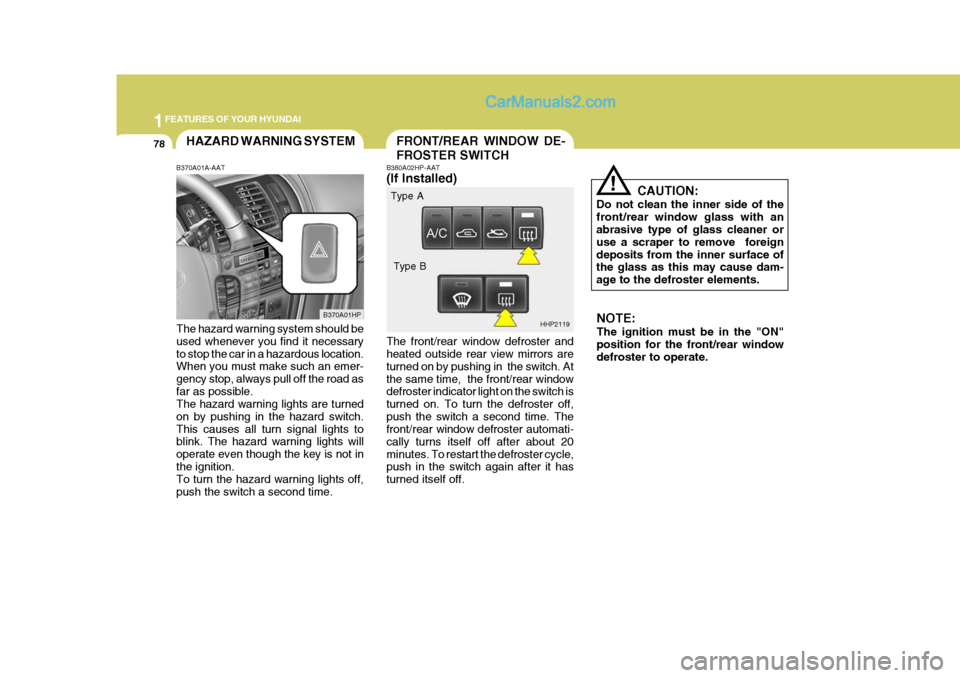
B380A02HP-AAT (If Installed) The front/rear window defroster and heated outside rear view mirrors are turned on by pushing in the switch. Atthe same time, the front/rear window defroster indicator light on the switch is turned on. To turn the defroster off,push the switch a second time. The front/rear window defroster automati- cally turns itself off after about 20minutes. To restart the defroster cycle, push in the switch again after it has turned itself off. CAUTION:
Do not clean the inner side of thefront/rear window glass with an abrasive type of glass cleaner or use a scraper to remove foreigndeposits from the inner surface of the glass as this may cause dam- age to the defroster elements.
B370A01A-AAT The hazard warning system should be used whenever you find it necessary to stop the car in a hazardous location. When you must make such an emer- gency stop, always pull off the road asfar as possible. The hazard warning lights are turned on by pushing in the hazard switch.This causes all turn signal lights to blink. The hazard warning lights will operate even though the key is not inthe ignition. To turn the hazard warning lights off, push the switch a second time. B370A01HP
HHP2119NOTE: The ignition must be in the "ON" position for the front/rear window defroster to operate.
Type A
Type B
Page 93 of 539
1
FEATURES OF YOUR HYUNDAI
79INSTRUMENT PANEL LIGHT CONTROL (RHEOSTAT)DIGITAL CLOCK
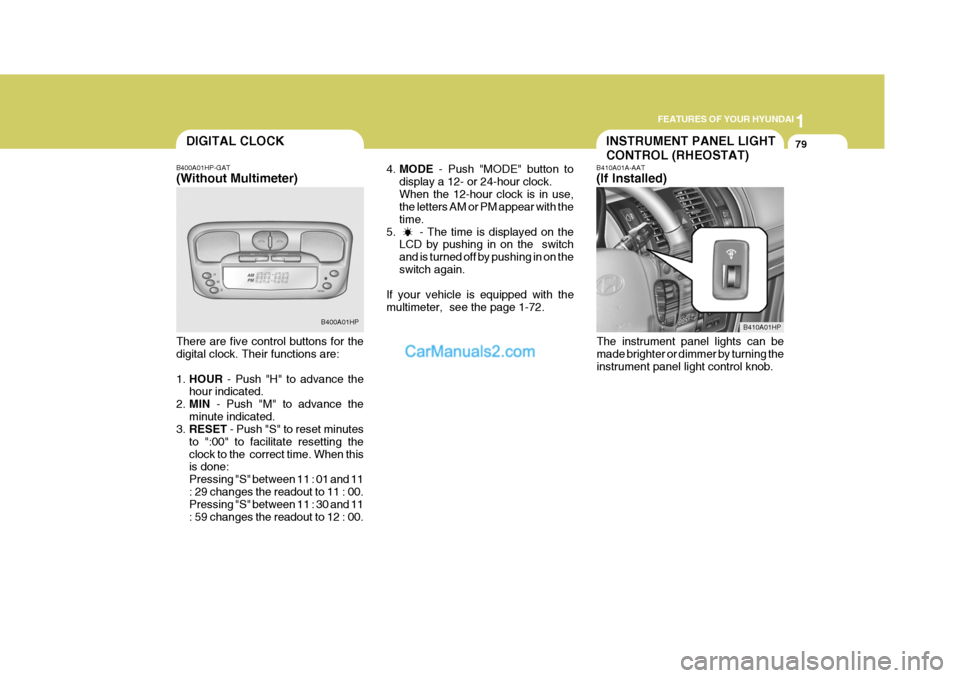
B400A01HP-GAT (Without Multimeter) There are five control buttons for the digital clock. Their functions are: 1. HOUR - Push "H" to advance the
hour indicated.
2. MIN - Push "M" to advance the
minute indicated.
3. RESET - Push "S" to reset minutes
to ":00" to facilitate resetting the clock to the correct time. When this is done: Pressing "S" between 11 : 01 and 11: 29 changes the readout to 11 : 00. Pressing "S" between 11 : 30 and 11 : 59 changes the readout to 12 : 00. B400A01HP
4.
MODE - Push "MODE" button to
display a 12- or 24-hour clock.When the 12-hour clock is in use, the letters AM or PM appear with the time.
5. - The time is displayed on the LCD by pushing in on the switchand is turned off by pushing in on theswitch again.
If your vehicle is equipped with themultimeter, see the page 1-72. B410A01A-AAT (If Installed)
The instrument panel lights can be made brighter or dimmer by turning the instrument panel light control knob.
B410A01HP