ECO mode Hyundai Terracan 2006 User Guide
[x] Cancel search | Manufacturer: HYUNDAI, Model Year: 2006, Model line: Terracan, Model: Hyundai Terracan 2006Pages: 539, PDF Size: 18.11 MB
Page 142 of 539
1FEATURES OF YOUR HYUNDAI
128
HOW TO PRESET STATIONS Six AM and twelve FM stations may be programmed into the memory of theradio. Then, by simply pressing the band select button and/or one of the six station select buttons, you mayrecall any of these stations instantly. To program the stations, follow these steps:
o Press band selector to set the bandfor AM, FM1 and FM2.
o Select the desired station to be stored by seek or manual tuning.
o Determine the preset station select button you wish to use to access that station.
o Press the station select button for more than two seconds. A selectbutton indicator will show in the dis- play indicating which select buttonyou have depressed. The frequency display will flash after it has been stored into the memory with a beepsound. You should then release the button, and proceed to program the next desired station. A total of 18stations can be programmed by selecting one AM and two FM sta- tions per button. o When completed, any preset sta-
tion may be recalled by selectingAM, FM1 or FM2 band and the appropriate station button.
6. BAND Selector Pressing the button changes the AM, FM1 and FM2 bands. The mode selected is shown on the dis-play.
7. EQUALIZER Button Press the EQ button to select the CLASSIC, JAZZ, ROCK and DEFEAT MODE for the desired tone quality.Each press of the button changes the display as follows; 8. Best Station Memory Button
(BSM) (If Installed)
When the BSM button is pressed for two seconds or longer, the six chan-nels from the highest field intensity are selected next and stored in memory. The stations selected are stored in thesequence frequency from the first pre- set key. SCAN Button (If Installed) When the scan button is pressed, the frequency will increase and the receiv- able stations will be tuned in one afteranother, receiving each station for 5 seconds. To stop scanning, press the scan button again.
! CAUTION:
o Do not place beverages close to the audio system. The audio sys- tem mechanism may be damagedif you spill them.
o Do not impact on the audio sys-
tem, or the audio system mecha-nism could be damaged.
FM/AM
CLASSIC JAZZ ROCK DEFEAT
Page 144 of 539
1FEATURES OF YOUR HYUNDAI
130
H290D02O-GAT
1. FF/REW Button
o Fast forward tape winding starts whenthe FF ( ) button is pressed during the PLAY or REW mode.
o Tape play starts when the FF ( )
button is pressed again during theFF mode.
o Tape rewinding starts when the REW
( ) button is pressed during thePLAY or FF mode.
o Tape play starts when the REW ( )
button pressed again during the REWmode.
2. AUTO MUSIC Select Button Press the button to find the starting point of each song in a prerecorded music tape. The quiet space betweensongs (must have at least a 4 sec. gap) can be identified by the AUTO MUSIC Select button.
o Pressing the button will play the beginning of the next music seg- ment.
o Pressing the button will start
replay at the beginning of the musicjust listened to. 3. TAPE PROGRAM Button This allows you to play the reverse side of the tape by merely depressing theprogram button. An arrow will appear in the display to show tape direction.
4. TAPE EJECT button
o When the button is pressed with
the cassette loaded, the cassette is ejected.
o When the button is pressed
during the FF/REW mode, the cas-sette is ejected.
5. EQ Button Press the EQ button to select the CLAS- SIC, JAZZ, ROCK and DEFEAT MODE for the desired tone quality. Each press of the button changes the display asfollows; 6. DOLBY Button If you get background noise during tape PLAY, you can reduce this consider-ably by merely pressing the DOLBY button. If you want to cancel the DOLBY feature, press the button again.
CLASSIC JAZZ ROCK DEFEAT
!
CAUTION:
o Do not insert anything like coins into the player slot as damage to the unit may occur.
o Do not place beverages close to the audio system. The playbackmechanism may be damaged if you spill them.
o Do not impact on the audio sys- tem, or the playback mechanismcould be damaged.
Page 146 of 539
1FEATURES OF YOUR HYUNDAI
132
6. CD EJECT Button When the button is pressed with a CD loaded, the CD will eject.
7. SCAN Button (If Installed)
o Press the SCAN button to playbackthe first 10 seconds of each track.
o Press the SCAN button again within
10 sec. when you have reached the desired track.
NOTE:
o To assure proper operation of the unit, keep the vehicle interior temperature within a normal range by using the vehicle's air conditioning or heating system.
o When replacing the fuse, replace it with a fuse having the correctcapacity.
o The preset station frequencies are all erased when the car bat-tery is disconnected. Therefore,all data will have to be set again if this should occur.
H290F03O-GAT
1. CD Select Button
o Insert the CD with the label facing
upward.
o Insert the CD to start CD playback, during radio operation or cassette tape playing.
o When a disc is in the CD deck, if you press the CD/CDC button the CDplayer will begin playing even if theradio or cassette player is being used.
o The CD player can be used when the ignition switch is in either the"ON" or "ACC" position.
2. FF/REW ( / ) If you want to fast forward or reverse through the compact disc track, pushand hold the FF ( ) or REW ( ) button. When you release the button, the com-pact disc player will resume playing. 3. TRACK UP/DOWN
o The desired track on the disc cur-
rently being played can be selected using the track number.
o Press button once to skip for-
ward to the beginning of the nexttrack. Press button once to skip back to the beginning of the track.
4. REPEAT
o To repeat the track you are cur- rently listening to, press the RPT button. To cancel, press again.
o If you do not release RPT operation
when the track ends, it will automati-cally be replayed. This process will be continued until you push the button again.
5. EQUALIZER Button Press the EQ button to select the CLASSIC, JAZZ, ROCK and DEFEATMODE for the desired tone quality. Each press of the button changes the display as follows;
CLASSIC JAZZ ROCK DEFEAT
Page 149 of 539
1
FEATURES OF YOUR HYUNDAI
135
B290H03HP-GAT The CD auto changer is located in the right side of the luggage compartment.
o To use the CD auto changer.
1. Open the sliding lid of the CD auto changer.
2. To eject the compact disc maga-
zine, press the EJECT button lo- cated inside the CD auto changer.
3. Insert the discs into the magazine.
4. Push the magazine into the CD auto changer and close the sliding lid.
o The CD auto changer can be used when the ignition switch is in either"ON" or "ACC" position.
1. CD CHANGER Select Button When the CD changer magazine con- tains discs, press the "CD/CDC" but-ton and the CD changer can be used even if the radio or cassette player is being used. The Hyundai CD changercan hold up to eight discs. The disc number will be lit, and the track num- ber, and elapsed time will be displayed. 2. DISC Select Button To select the CD you want, push " " to change the disc number. 3. TRACK UP/DOWN
o The desired track on the disc cur-
rently being played can be selected using the track number.
o Press once to skip forward to the beginning of the next track. Press once to skip back to the begin-ning of the track.
4. FF/REW ( / ) If you want to fast forward or reverse through the compact disc track, push and hold in the FF ( ) or REW ( ) button.When you release the button, the com- pact disc player will resume playing. 5. REPEAT
o To repeat the track you are listening to, press the RPT button. To cancel, press again. o If you do not release RPT operation
when the track ends, it will automati-cally be replayed. This process will be continued until you push the button again.
6. SCAN Button (If Installed)
o Press the SCAN button to playback the first 10 seconds of each track.
o Press the SCAN button again within 10 sec. for the desired track.
7. EQ Button Press the EQ button to select the CLASSIC, JAZZ, ROCK and DEFEATMODE for the desired tone quality. Each press of the button changes the display as follows;
TUNE DISC
CLASSIC JAZZ ROCK DEFEAT
Page 161 of 539
2 DRIVING YOUR HYUNDAI
6
(1) When the atmospheric tempera-ture is moderate or the engine is warm: Start the engine without de- pressing the accelerator pedal.
(2) When the atmospheric tempera- ture is low and the engine iscold:Start the engine while depress- ing the accelerator pedal. If the atmospheric temperature is verylow, setting the ignition switch to "ON" for one or two seconds before attempting to start theengine will make it easier to start.
6. Turn the ignition key to the "START" position and release it when the engine starts.
NOTE: If the engine were not started within 2 seconds after the preheating is completed, turn the ignition key once more to the "LOCK" positionduring 10 seconds, and then to the "ON" position, in order to preheat again.
5. Operate the accelerator pedal as
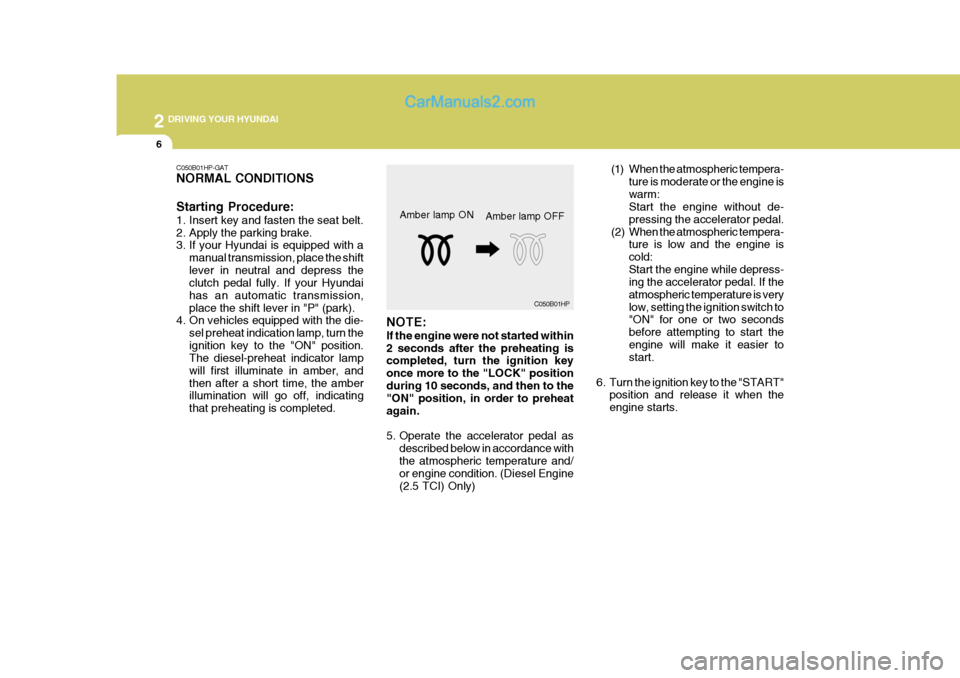
described below in accordance with the atmospheric temperature and/ or engine condition. (Diesel Engine (2.5 TCI) Only)Amber lamp ON
C050B01HP
Amber lamp OFF
C050B01HP-GAT NORMAL CONDITIONS Starting Procedure:
1. Insert key and fasten the seat belt.
2. Apply the parking brake.
3. If your Hyundai is equipped with a
manual transmission, place the shift lever in neutral and depress the clutch pedal fully. If your Hyundai has an automatic transmission,place the shift lever in "P" (park).
4. On vehicles equipped with the die-
sel preheat indication lamp, turn theignition key to the "ON" position. The diesel-preheat indicator lamp will first illuminate in amber, andthen after a short time, the amber illumination will go off, indicating that preheating is completed.
Page 172 of 539
2
DRIVING YOUR HYUNDAI
17
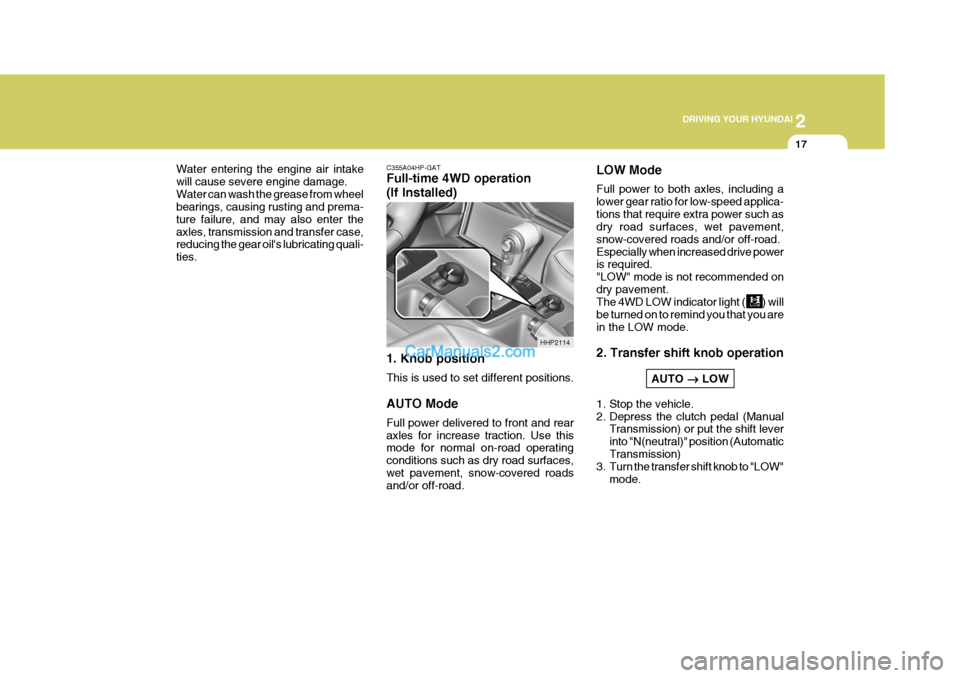
C355A04HP-GAT Full-time 4WD operation (If Installed) 1. Knob position This is used to set different positions. AUTO Mode Full power delivered to front and rear axles for increase traction. Use this mode for normal on-road operating conditions such as dry road surfaces,wet pavement, snow-covered roads and/or off-road.
Water entering the engine air intake will cause severe engine damage.Water can wash the grease from wheel bearings, causing rusting and prema- ture failure, and may also enter theaxles, transmission and transfer case, reducing the gear oil's lubricating quali- ties.
HHP2114LOW Mode Full power to both axles, including a lower gear ratio for low-speed applica-tions that require extra power such as dry road surfaces, wet pavement, snow-covered roads and/or off-road.Especially when increased drive power is required. "LOW" mode is not recommended ondry pavement. The 4WD LOW indicator light ( ) will be turned on to remind you that you arein the LOW mode. 2. Transfer shift knob operation
AUTO
LOW
1. Stop the vehicle.
2. Depress the clutch pedal (Manual Transmission) or put the shift leverinto "N(neutral)" position (AutomaticTransmission)
3. Turn the transfer shift knob to "LOW"
mode.
Page 173 of 539
2 DRIVING YOUR HYUNDAI
18
!
When driving on a snow-covered road or a slippery, muddy surface,make sure that you keep a suffi- cient distance between your ve- hicle and the one ahead of you.
(6) Since the driving torque is always applied to the 4 wheels, the perfor-mance of the full-time 4WD vehicleis greatly affected by the condition of the tires. Be sure to equip it with all four tires of the same size andtype.
o When replacement of any of the
tires or disc wheels is neces-sary, replace all of them.
o Rotate the tires and check the
tire pressure at regular inter-vals. (7)The full-time 4WD vehicle can-
not be towed by an ordinary towtruck. Make sure that the vehicle is towed with its four wheels raised off the ground.
o If the vehicle is towed with its only two wheels raised off theground, the 4WD system could be damaged.
o In unavoidable case, if the ve-
hicle is being towed with all fourwheels on the ground, it should be towed only forward directionwith rope.
WARNING:
Your vehicle is equipped with tiresdesigned to provide for safe rideand handling capability. Do not use a size and type of tire and wheel that is different from theone that was originally installed on your vehicle. It can affect the safety and performance of your vehicle,which could lead to handling fail-ure or rollover and serious injury. When replacing the tires, be sure to equip all four tires with the tire andwheel of the same size, type, tread, brand and load-carrying capacity. If you nevertheless decide to equipyour vehicle with any tire/wheel combination not recommended by Hyundai for off-road driving, youshould not use these tires for high- way driving.
LOW
AUTO
1. Stop the vehicle.
2. Depress the clutch pedal (Manual Transmission) or put the shift lever into "N (neutral)" position (Automatic Transmission).
3. Turn the transfer shift knob to
"AUTO" mode.
Driving 4WD Safely
(1) Be sure to wear the seat belt.
(2) Drive at lower speeds in strong crosswinds. Because of yourvehicle's high center of gravity, its stability will be affected in cross- winds. Slower speeds ensure bet-ter vehicle control.
(3) Check the brake condition after
driving in wet or muddy conditions.Press the brake several times as you move slowly until you feel nor- mal braking forces return.
(4) Do not drive the vehicle through water. (i.e. streams, rivers, lakes,etc.)
(5) The stopping distance of the full- time 4WD vehicle differs very littlefrom that of the 2WD vehicle.
Page 175 of 539
2 DRIVING YOUR HYUNDAI
20
Water can wash the grease from wheel bearings, causing rusting and prema-ture failure, and may also enter the axles, transmission and transfer case, reducing the gear oil's lubricating quali-ties.
!
CAUTION:
o While the full-time 4WD vehicle is being raised on a jack, never start the engine or cause the tires to rotate. There is the danger that rotatingtires touching the ground could cause the vehicle to go off the jack and to jump forward.
o If one of the front or rear wheels begins to spin in mud, snow,etc., the vehicle can sometimesbe driven out by depressing the accelerator pedal further; how- ever, avoid running the enginecontinuously at high rpm be- cause doing so could damage the 4WD system.
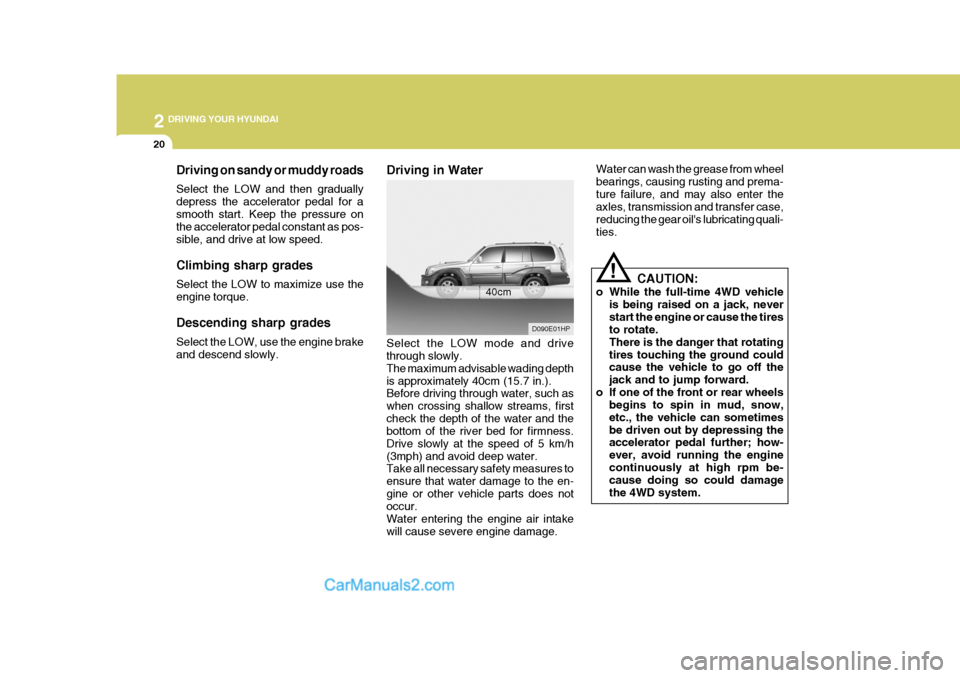
Driving in Water Select the LOW mode and drive through slowly. The maximum advisable wading depthis approximately 40cm (15.7 in.). Before driving through water, such as when crossing shallow streams, firstcheck the depth of the water and the bottom of the river bed for firmness. Drive slowly at the speed of 5 km/h(3mph) and avoid deep water. Take all necessary safety measures to ensure that water damage to the en-gine or other vehicle parts does not occur. Water entering the engine air intakewill cause severe engine damage.
D090E01HP
40cm
Driving on sandy or muddy roads Select the LOW and then gradually depress the accelerator pedal for asmooth start. Keep the pressure on the accelerator pedal constant as pos- sible, and drive at low speed. Climbing sharp grades Select the LOW to maximize use the engine torque. Descending sharp grades Select the LOW, use the engine brake and descend slowly.
Page 178 of 539
2
DRIVING YOUR HYUNDAI
23
o Don't coast down hills with the car out of gear. This is extremely haz- ardous. Keep the car in gear at all times, use the brakes to slow down, then shift to a lower gear so thatengine braking will help you main- tain a safe speed.
o Don't "ride" the brake pedal. Rest- ing your foot on the brake pedalwhile driving can be dangerous be- cause it can result in the brakesoverheating and losing their effec- tiveness. It also increases the wear of thebrake components.
o If a tire goes flat while you are
driving, apply the brakes gently andkeep the car pointed straight ahead while you slow down. When you are moving slowly enough for it to besafe to do so, pull off the road and stop in a safe place.
o If your car is equipped with an auto- matic transmission, don't let yourcar creep forward. To avoid creep- ing forward, keep your foot firmly onthe brake pedal when the car is stopped.
o Use caution when parking on a hill. Engage the parking brake and place the gear selector lever in "P" (auto- matic transmission) or in first orreverse gear (manual transmission). If your car is facing downhill, turn the front wheels into the curb to helpkeep the car from rolling. If your car is facing uphill, turn the front wheels away from the curb to help keep thecar from rolling. If there is no curb or if it is required by other conditions to keep the car from rolling, block thewheels.
o Under some conditions your park-
ing brake can freeze in the engagedposition. This is most likely to hap- pen when there is an accumulation of snow or ice around or near therear brakes or if the brakes are wet. If there is a risk that the parking brake may freeze, apply it only tem-porarily while you put the gear se- lector lever in "P" (automatic) or in first or reverse gear (manual trans-mission) and block the rear wheels so the car cannot roll. Then release the parking brake.
o Do not hold the vehicle on the up- grade with the accelerator pedal.This can cause the transmission tooverheat. Always use the brake pedal or parking brake.DRIVING FOR ECONOMY
C140A02A-AAT You can save fuel and get more miles from your car if you follow these sug- gestions:
o Drive smoothly. Accelerate at a moderate rate. Don't make "jack- rabbit" starts or full-throttle shiftsand maintain a steady cruising speed. Don't race between stop- lights. Try to adjust your speed tothat of the other traffic so you don't have to change speeds unneces- sarily. Avoid heavy traffic wheneverpossible. Always maintain a safe distance from other vehicles so you can avoid unnecessary braking. Thisalso reduces brake wear.
o Drive at a moderate speed. The
faster you drive, the more fuel yourcar uses. Driving at a moderate speed, especially on the highway, is one of the most effective ways toreduce fuel consumption.
Page 312 of 539
1CONTROLS AND EQUIPMENT
4 RUNNING IN YOUR NEW HYUNDAI
B020A02FC-EAT PETROL ENGINE The longevity and performance of the vehicle are greatly affected by the careexercised during the first 1000 miles of motoring. Because of modern manu- facturing techniques, rigid guidelinesregarding maximum road speeds have become unnecessary. However, cer- tain precautions should be observed inorder to obtain the best possible per- formance and useful life from the ve- hicle.
1) Do not race the engine without a
load (i.e revving the engine in neu- tral).
2) During the first 500 miles the maxi-
mum engine speed should be re-stricted to 3000 rpm and gradually increased thereafter.
3) Avoid prolonged constant speed operation. The internal componentsof the engine will become more quickly run in if the operation speedis varied during the running in pe- riod. 4) Never allow the engine to labour. Use
the gearbox freely and avoid large throttle openings when the engine speed is below 1500 rpm.
5) Avoid rapid acceleration and maxi- mum throttle openings.
6) Avoid harsh braking during the first
100 miles of urban motoring or 1000 miles of motorway driving to allow the friction facings of the brake pads and shoes to bed against the discsand drums properly.
7) No trailer/caravan towing should be
undertaken during the 1000 mile run-ning-in period. 1) Do not race the engine without a load
(i.e revving the engine in neutral).
2) During the first 600 miles the maxi- mum engine speed should be re-stricted to 3000 rpm and graduallyincreased thereafter. And while driv- ing, keep under three quarters of maximum vehicle speed.
3) Avoid prolonged constant speed operation. The internal componentsof the engine will become morequickly run in if the operation speed is varied during the running in pe- riod.
4) Never allow the engine to labour. Use the gearbox freely and avoidlarge throttle openings when theengine speed is below 1500 rpm.
5) Avoid rapid acceleration and maxi-
mum throttle openings.
6) Avoid harsh braking during the first 100 miles of urban motoring or 1000miles of motorway driving to allowthe friction facings of the brake pads and shoes to bed against the discs and drums properly.
7) No trailer/caravan towing should be undertaken during the 1000 mile run-ning-in period.
B020B02FC-EAT DIESEL ENGINE The longevity and performance of the vehicle are greatly affected by the care exercised during the first 1000 miles of motoring. Because of modern manu-facturing techniques, rigid guidelines regarding maximum road speeds have become unnecessary. However, cer-tain precautions should be observed in order to obtain the best possible per- formance and useful life from the ve-hicle.