ignition HYUNDAI TUCSON 2006 Owner's Manual
[x] Cancel search | Manufacturer: HYUNDAI, Model Year: 2006, Model line: TUCSON, Model: HYUNDAI TUCSON 2006Pages: 289, PDF Size: 11.55 MB
Page 70 of 289
1FEATURES OF YOUR HYUNDAI58
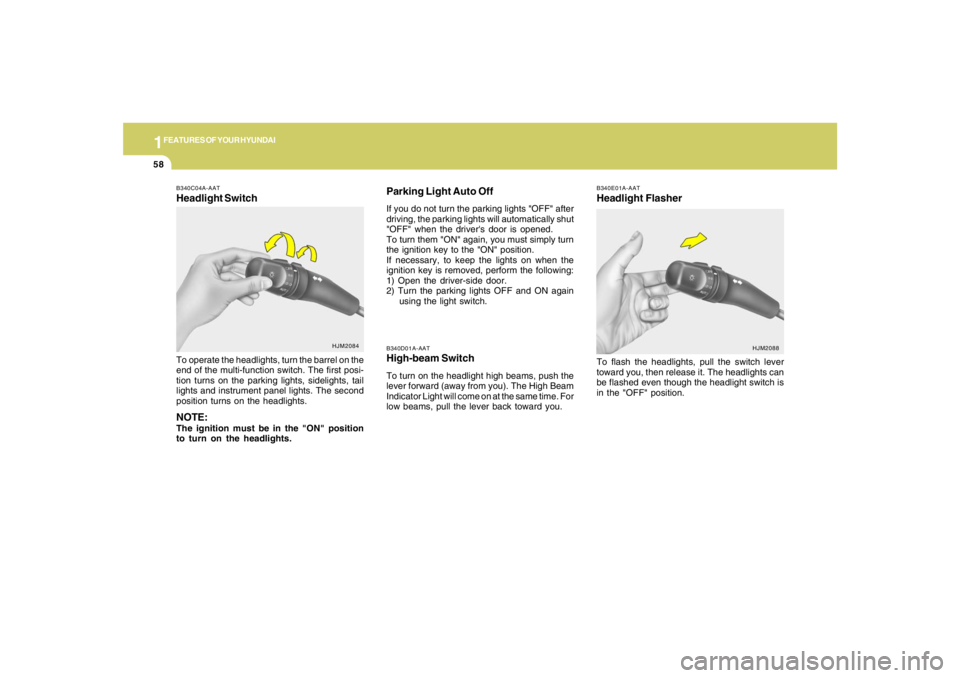
B340D01A-AATHigh-beam SwitchTo turn on the headlight high beams, push the
lever forward (away from you). The High Beam
Indicator Light will come on at the same time. For
low beams, pull the lever back toward you.
B340E01A-AATHeadlight FlasherTo flash the headlights, pull the switch lever
toward you, then release it. The headlights can
be flashed even though the headlight switch is
in the "OFF" position.
B340C04A-AATHeadlight SwitchTo operate the headlights, turn the barrel on the
end of the multi-function switch. The first posi-
tion turns on the parking lights, sidelights, tail
lights and instrument panel lights. The second
position turns on the headlights.NOTE:The ignition must be in the "ON" position
to turn on the headlights.
HJM2084
HJM2088
Parking Light Auto OffIf you do not turn the parking lights "OFF" after
driving, the parking lights will automatically shut
"OFF" when the driver's door is opened.
To turn them "ON" again, you must simply turn
the ignition key to the "ON" position.
If necessary, to keep the lights on when the
ignition key is removed, perform the following:
1) Open the driver-side door.
2) Turn the parking lights OFF and ON again
using the light switch.
Page 73 of 289
1
FEATURES OF YOUR HYUNDAI
61
Do not operate the washer continuously for
more than 15 seconds or when the fluid reser-
voir is empty; this could damage the system. Do
not operate the wiper when the window is dry;
this can result in scratching as well as prema-
ture wiper blade wear.
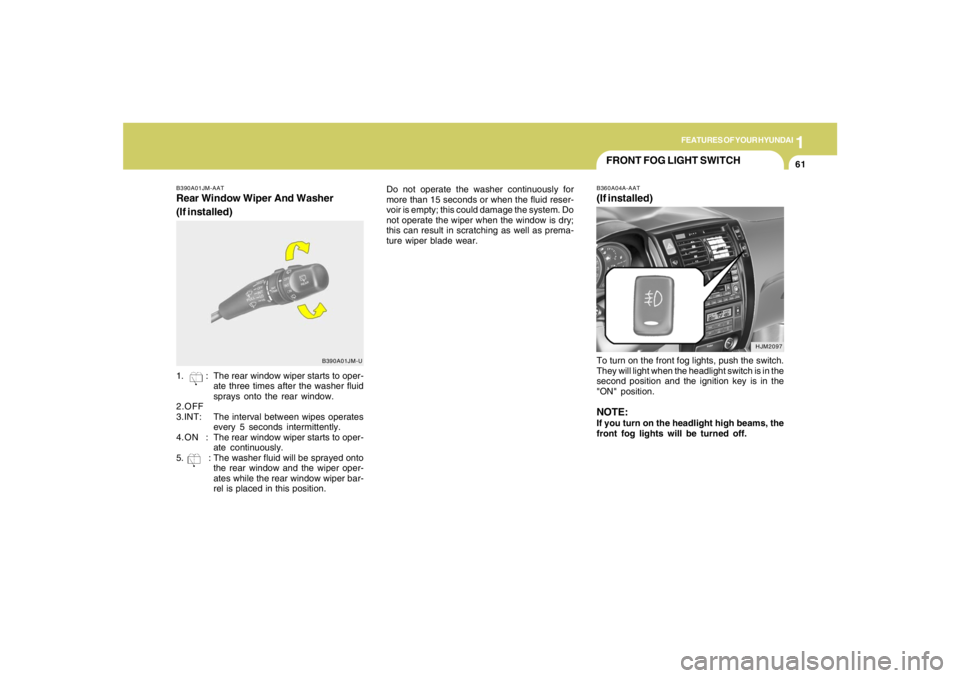
B390A01JM-AATRear Window Wiper And Washer
(If installed)
B390A01JM-U
1. : The rear window wiper starts to oper-
ate three times after the washer fluid
sprays onto the rear window.
2.OFF
3.INT:The interval between wipes operates
every 5 seconds intermittently.
4.ON :The rear window wiper starts to oper-
ate continuously.
5. : The washer fluid will be sprayed onto
the rear window and the wiper oper-
ates while the rear window wiper bar-
rel is placed in this position.
HJM2097
FRONT FOG LIGHT SWITCHB360A04A-AAT(If installed)To turn on the front fog lights, push the switch.
They will light when the headlight switch is in the
second position and the ignition key is in the
"ON" position.NOTE:If you turn on the headlight high beams, the
front fog lights will be turned off.
Page 74 of 289
1FEATURES OF YOUR HYUNDAI62
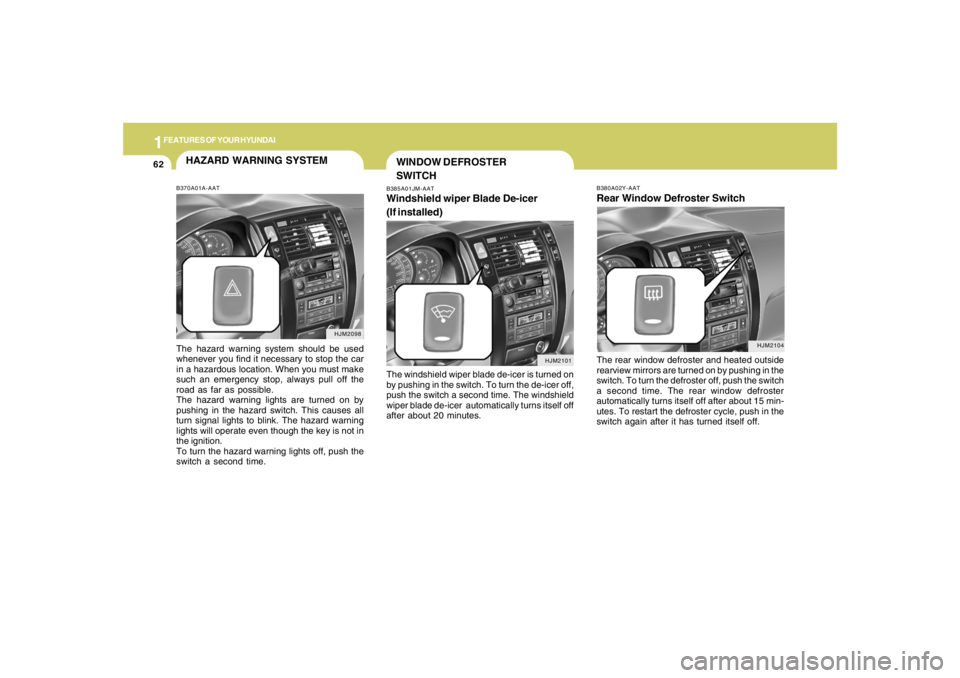
B380A02Y-AATRear Window Defroster SwitchThe rear window defroster and heated outside
rearview mirrors are turned on by pushing in the
switch. To turn the defroster off, push the switch
a second time. The rear window defroster
automatically turns itself off after about 15 min-
utes. To restart the defroster cycle, push in the
switch again after it has turned itself off.
HJM2104
HJM2098
HAZARD WARNING SYSTEMB370A01A-AATThe hazard warning system should be used
whenever you find it necessary to stop the car
in a hazardous location. When you must make
such an emergency stop, always pull off the
road as far as possible.
The hazard warning lights are turned on by
pushing in the hazard switch. This causes all
turn signal lights to blink. The hazard warning
lights will operate even though the key is not in
the ignition.
To turn the hazard warning lights off, push the
switch a second time.
B385A01JM-AATWindshield wiper Blade De-icer
(If installed)The windshield wiper blade de-icer is turned on
by pushing in the switch. To turn the de-icer off,
push the switch a second time. The windshield
wiper blade de-icer automatically turns itself off
after about 20 minutes.
HJM2101
WINDOW DEFROSTER
SWITCH
Page 78 of 289
1FEATURES OF YOUR HYUNDAI66
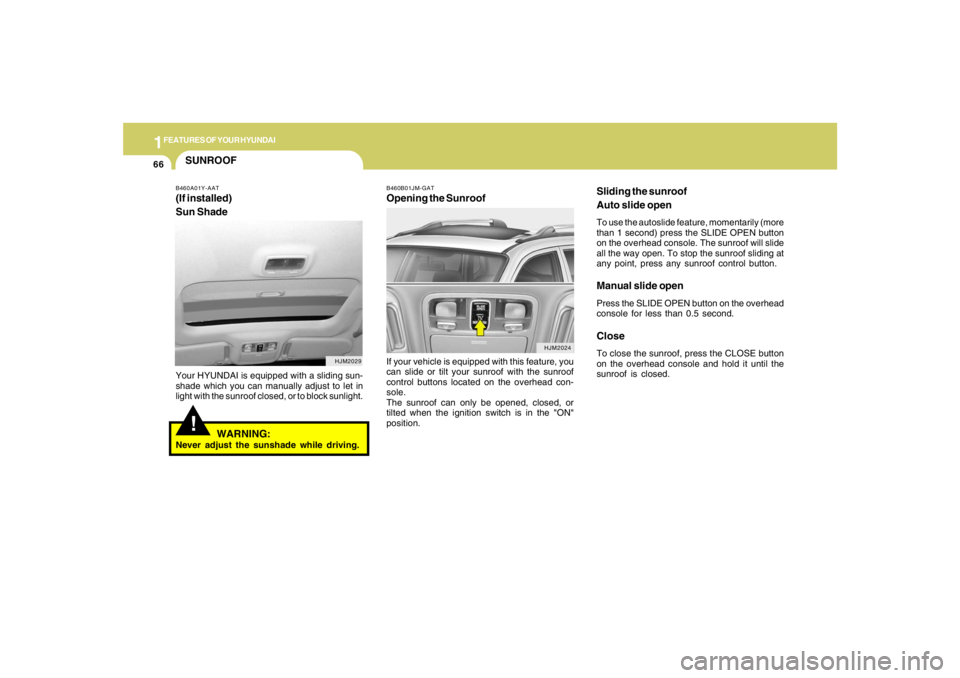
Sliding the sunroof
Auto slide openTo use the autoslide feature, momentarily (more
than 1 second) press the SLIDE OPEN button
on the overhead console. The sunroof will slide
all the way open. To stop the sunroof sliding at
any point, press any sunroof control button.Manual slide openPress the SLIDE OPEN button on the overhead
console for less than 0.5 second.CloseTo close the sunroof, press the CLOSE button
on the overhead console and hold it until the
sunroof is closed.
SUNROOF!
B460A01Y-AAT(If installed)
Sun ShadeYour HYUNDAI is equipped with a sliding sun-
shade which you can manually adjust to let in
light with the sunroof closed, or to block sunlight.
WARNING:
Never adjust the sunshade while driving.
HJM2029
B460B01JM-GATOpening the SunroofIf your vehicle is equipped with this feature, you
can slide or tilt your sunroof with the sunroof
control buttons located on the overhead con-
sole.
The sunroof can only be opened, closed, or
tilted when the ignition switch is in the "ON"
position.
HJM2024
Page 81 of 289
1
FEATURES OF YOUR HYUNDAI
69
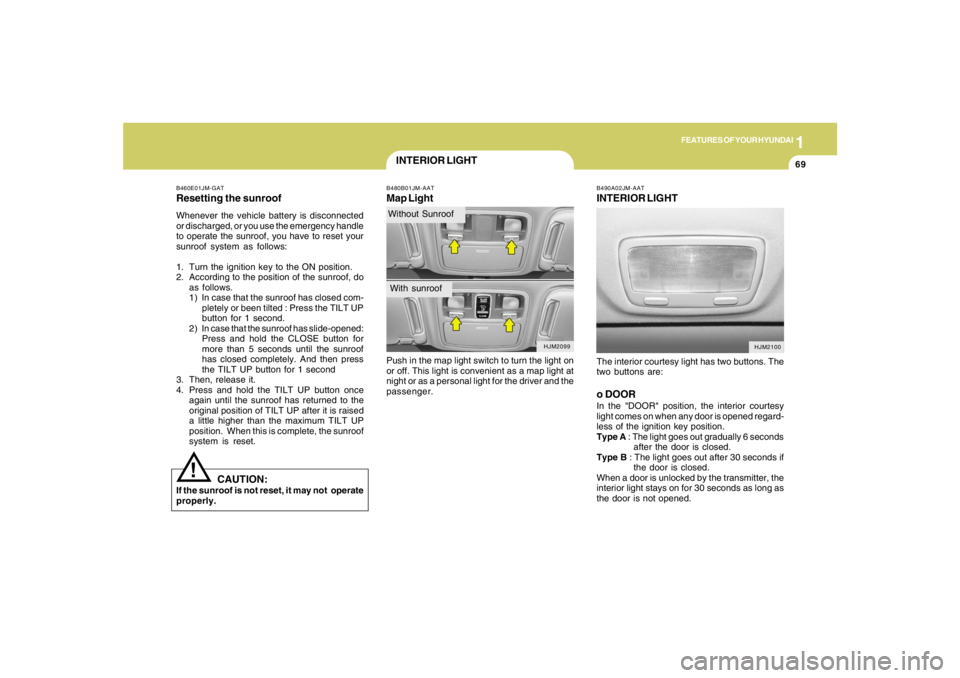
B490A02JM-AATINTERIOR LIGHTThe interior courtesy light has two buttons. The
two buttons are:o DOORIn the "DOOR" position, the interior courtesy
light comes on when any door is opened regard-
less of the ignition key position.
Type A : The light goes out gradually 6 seconds
after the door is closed.
Type B : The light goes out after 30 seconds if
the door is closed.
When a door is unlocked by the transmitter, the
interior light stays on for 30 seconds as long as
the door is not opened.
HJM2100
INTERIOR LIGHTB480B01JM-AATMap LightPush in the map light switch to turn the light on
or off. This light is convenient as a map light at
night or as a personal light for the driver and the
passenger.
B460E01JM-GATResetting the sunroofWhenever the vehicle battery is disconnected
or discharged, or you use the emergency handle
to operate the sunroof, you have to reset your
sunroof system as follows:
1. Turn the ignition key to the ON position.
2. According to the position of the sunroof, do
as follows.
1) In case that the sunroof has closed com-
pletely or been tilted : Press the TILT UP
button for 1 second.
2) In case that the sunroof has slide-opened:
Press and hold the CLOSE button for
more than 5 seconds until the sunroof
has closed completely. And then press
the TILT UP button for 1 second
3. Then, release it.
4. Press and hold the TILT UP button once
again until the sunroof has returned to the
original position of TILT UP after it is raised
a little higher than the maximum TILT UP
position. When this is complete, the sunroof
system is reset.
CAUTION:
If the sunroof is not reset, it may not operate
properly.
!
HJM2099
Without SunroofWith sunroof
Page 104 of 289
1FEATURES OF YOUR HYUNDAI92
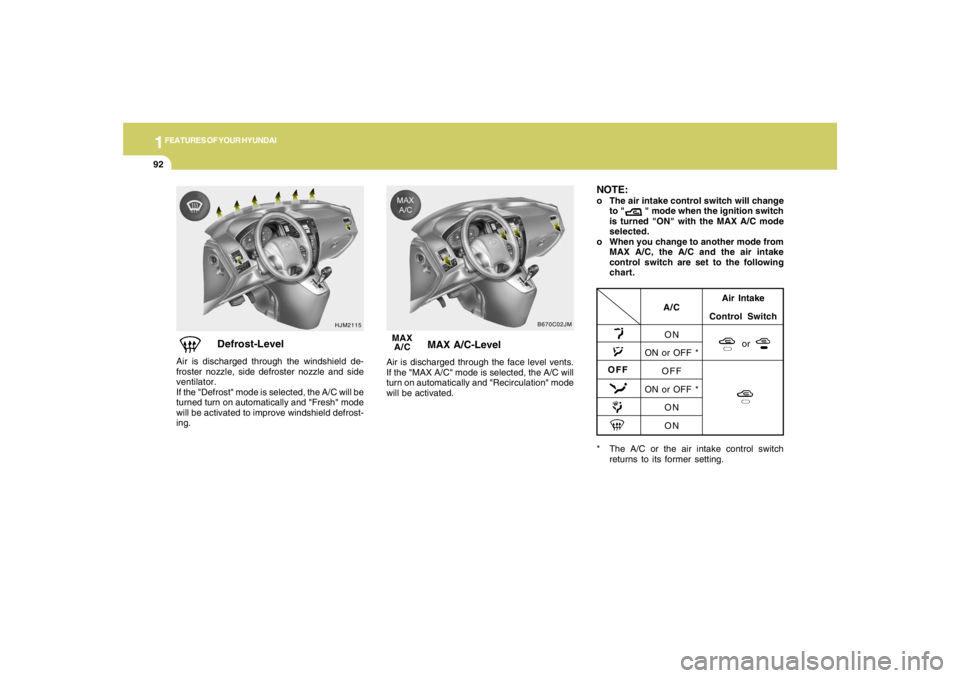
HJM2115
Defrost-Level
Air is discharged through the windshield de-
froster nozzle, side defroster nozzle and side
ventilator.
If the "Defrost" mode is selected, the A/C will be
turned turn on automatically and "Fresh" mode
will be activated to improve windshield defrost-
ing.MAX
A/C
B670C02JM
MAX A/C-Level
Air is discharged through the face level vents.
If the "MAX A/C" mode is selected, the A/C will
turn on automatically and "Recirculation" mode
will be activated.
* The A/C or the air intake control switch
returns to its former setting.
A/C
ON
ON or OFF *
OFF
ON or OFF *
ON
ONAir Intake
Control Switch
or
OFFNOTE:o The air intake control switch will change
to " " mode when the ignition switch
is turned "ON" with the MAX A/C mode
selected.
o When you change to another mode from
MAX A/C, the A/C and the air intake
control switch are set to the following
chart.
Page 120 of 289
1FEATURES OF YOUR HYUNDAI
108
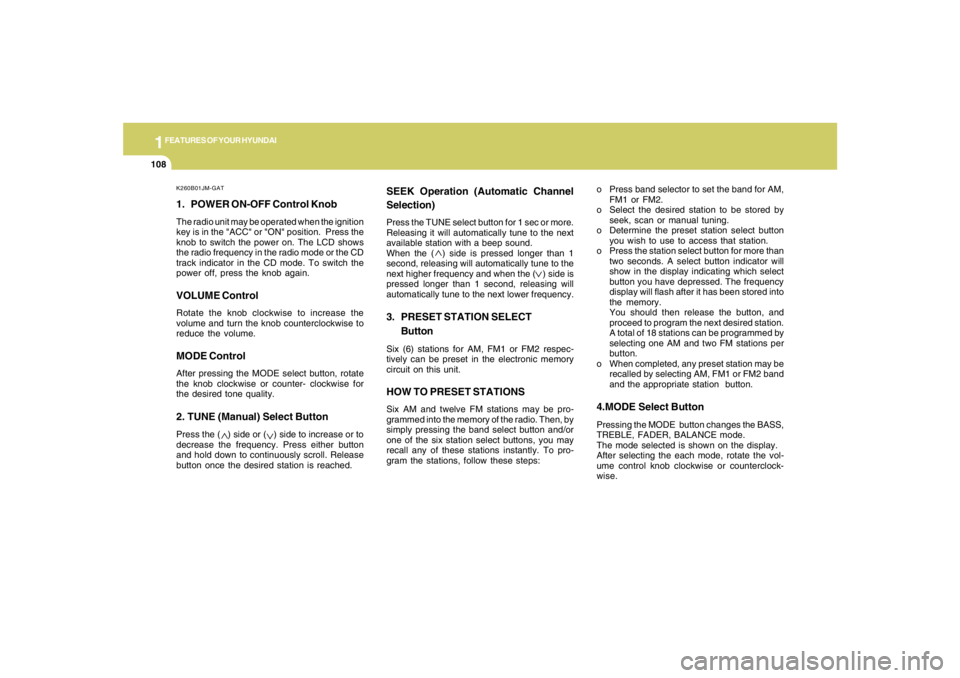
K260B01JM-GAT1. POWER ON-OFF Control KnobThe radio unit may be operated when the ignition
key is in the "ACC" or "ON" position. Press the
knob to switch the power on. The LCD shows
the radio frequency in the radio mode or the CD
track indicator in the CD mode. To switch the
power off, press the knob again.VOLUME ControlRotate the knob clockwise to increase the
volume and turn the knob counterclockwise to
reduce the volume.MODE ControlAfter pressing the MODE select button, rotate
the knob clockwise or counter- clockwise for
the desired tone quality.2. TUNE (Manual) Select ButtonPress the ( ) side or ( ) side to increase or to
decrease the frequency. Press either button
and hold down to continuously scroll. Release
button once the desired station is reached.
SEEK Operation (Automatic Channel
Selection)Press the TUNE select button for 1 sec or more.
Releasing it will automatically tune to the next
available station with a beep sound.
When the ( ) side is pressed longer than 1
second, releasing will automatically tune to the
next higher frequency and when the ( ) side is
pressed longer than 1 second, releasing will
automatically tune to the next lower frequency.3. PRESET STATION SELECT
ButtonSix (6) stations for AM, FM1 or FM2 respec-
tively can be preset in the electronic memory
circuit on this unit.HOW TO PRESET STATIONSSix AM and twelve FM stations may be pro-
grammed into the memory of the radio. Then, by
simply pressing the band select button and/or
one of the six station select buttons, you may
recall any of these stations instantly. To pro-
gram the stations, follow these steps:o Press band selector to set the band for AM,
FM1 or FM2.
o Select the desired station to be stored by
seek, scan or manual tuning.
o Determine the preset station select button
you wish to use to access that station.
o Press the station select button for more than
two seconds. A select button indicator will
show in the display indicating which select
button you have depressed. The frequency
display will flash after it has been stored into
the memory.
You should then release the button, and
proceed to program the next desired station.
A total of 18 stations can be programmed by
selecting one AM and two FM stations per
button.
o When completed, any preset station may be
recalled by selecting AM, FM1 or FM2 band
and the appropriate station button.
4.MODE Select ButtonPressing the MODE button changes the BASS,
TREBLE, FADER, BALANCE mode.
The mode selected is shown on the display.
After selecting the each mode, rotate the vol-
ume control knob clockwise or counterclock-
wise.
Page 123 of 289
1
FEATURES OF YOUR HYUNDAI
111111111111111
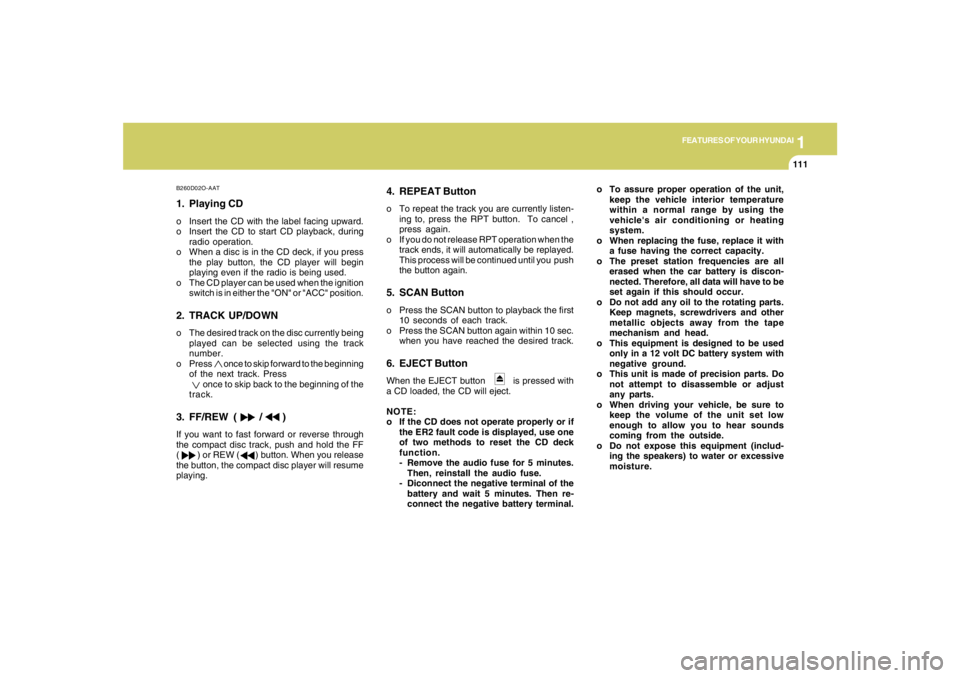
B260D02O-AAT1. Playing CDo Insert the CD with the label facing upward.
o Insert the CD to start CD playback, during
radio operation.
o When a disc is in the CD deck, if you press
the play button, the CD player will begin
playing even if the radio is being used.
o The CD player can be used when the ignition
switch is in either the "ON" or "ACC" position.2. TRACK UP/DOWNo The desired track on the disc currently being
played can be selected using the track
number.
o Press once to skip forward to the beginning
of the next track. Press
once to skip back to the beginning of the
track.3. FF/REW ( / )If you want to fast forward or reverse through
the compact disc track, push and hold the FF
( ) or REW ( ) button. When you release
the button, the compact disc player will resume
playing.
4. REPEAT Buttono To repeat the track you are currently listen-
ing to, press the RPT button. To cancel ,
press again.
o If you do not release RPT operation when the
track ends, it will automatically be replayed.
This process will be continued until you push
the button again.5. SCAN Buttono Press the SCAN button to playback the first
10 seconds of each track.
o Press the SCAN button again within 10 sec.
when you have reached the desired track.6. EJECT ButtonWhen the EJECT button is pressed with
a CD loaded, the CD will eject.
NOTE:
o If the CD does not operate properly or if
the ER2 fault code is displayed, use one
of two methods to reset the CD deck
function.
- Remove the audio fuse for 5 minutes.
Then, reinstall the audio fuse.
- Diconnect the negative terminal of the
battery and wait 5 minutes. Then re-
connect the negative battery terminal.o To assure proper operation of the unit,
keep the vehicle interior temperature
within a normal range by using the
vehicle's air conditioning or heating
system.
o When replacing the fuse, replace it with
a fuse having the correct capacity.
o The preset station frequencies are all
erased when the car battery is discon-
nected. Therefore, all data will have to be
set again if this should occur.
o Do not add any oil to the rotating parts.
Keep magnets, screwdrivers and other
metallic objects away from the tape
mechanism and head.
o This equipment is designed to be used
only in a 12 volt DC battery system with
negative ground.
o This unit is made of precision parts. Do
not attempt to disassemble or adjust
any parts.
o When driving your vehicle, be sure to
keep the volume of the unit set low
enough to allow you to hear sounds
coming from the outside.
o Do not expose this equipment (includ-
ing the speakers) to water or excessive
moisture.
Page 126 of 289
1FEATURES OF YOUR HYUNDAI
114
!
HMP280B01TB-GAT1. POWER ON-OFF Controlo The radio unit may be operated when the
ignition key is in the "ACC" or "ON" position.
Press the button to switch the power on. The
display shows the radio frequency in the
radio mode, the tape direction indicator in the
tape mode or CD
ˆMP3 track in either the
CD
ˆMP3 mode or CD AUTO CHANGER
mode. To switch the power off, press the
button again.
o Push the FM
ˆAM, TAPE or CD
ˆMP3 to turn
on that function without pushing Power
ON
ˆOFF control knob.
VOLUME ControlRotate the knob clockwise to increase the
volume and turn the knob counterclockwise to
reduce the volume.2. BAND SelectorPressing the band selector FM
ˆAM changes
the AM, FM1 and FM2 bands. The mode se-
lected is shown on the display.
3. TUNE (Manual) Select KnobPush the TUNE select knob (JOY STICK)
upwards or downwards to increase or de-
crease the frequency. Release the knob when
the station is selected.SEEK Operation
(Automatic Channel Selection)Push the TUNE select knob (JOY STICK) to the
right or left, the frequency will be automatically
tuned to the next higher or lower available
station.
4. SCANWhen the scan button is pressed, the frequency
will increase and the receivable stations will be
tuned in one after another, receiving each sta-
tion for 5 seconds. To stop scanning, press the
scan button again.5. Best Station Memory (BSM)When the BSM button is pressed the six chan-
nels from the highest field intensity are selected
next and stored in memory. The stations se-
lected are stored in the sequence frequency
from the first preset key.6. PRESET STATION Select ButtonsSix (6) stations for AM, FM and FM2 respec-
tively can be preset in the electronic memory
circuit.HOW TO PRESET STATIONSSix AM and twelve FM stations may be pro-
grammed into the memory of the radio. Then, by
simply pressing the band select button and/or
one of the six station select buttons, you may
recall any of these stations instantly. To pro-
gram the stations, follow these steps:
WARNING:
Don't operate the button and joy stick switch
while driving. It can cause death or serious
injury in case of an accident.
Page 132 of 289
1FEATURES OF YOUR HYUNDAI
120
H290F02O-GAT1. AUDIO/MP3 CD Select Buttono Insert the CD with the label facing upward.
o Insert the CD to start CD playback, during
radio operation or cassette tape playing.
o When a disc is in the CD deck, if you press
the CD button the CD player will begin playing
even if the radio or cassette player is being
used.
o The CD player can be used when the ignition
switch is in either the "ON" or "ACC" position.
o Push the CD
˜MP3 button to turn on that
function without pushing Power ON-OFF
control knob.
NOTE:o Do not stick paper or tape etc., onto the
label side or the recording side of any
discs, as it may cause a malfunction.
o The unit cannot play a CD-R(Recordable
CD) and CD-RW(Rewritable CD) that is
not finalized. Please refer to the manual
of CD-R/CD-RW recoder or CD-R/CD-RW
software for more information on final-
ization process.
o Depending on the recording status,
some CD-Rs/CD-RWs may not be played
on this unit.
2. FF/REW ( / )If you want to fast forward or reverse through
the compact disc track, push and hold the FF
( ) or REW ( ) button.
When you release the button, the compact disc
player will resume playing.3. TRACK UP/DOWNo The desired track on the disc currently being
played can be selected using the track
number.
o Press button once to skip forward to
the beginning of the next track. Press
button once to skip back to the beginning of
the track.4. REPEAT (RPT)o To repeat the track you are currently listen-
ing to, press the RPT button. To cancel,
press it again.
o To repeat the music within selected folder,
press the RPT button for more than 2 sec-
onds. To cancel, press it again. (MP3 CD
only)
o If you do not release RPT operation when the
track ends, it will automatically be replayed.
This process will be continued until you push
the button again.
5. RANDOM (RDM)o Press the RDM button to listen the tracks in
random, rather than sequential, order. Press
it again to cancel random play.
o To listen the music within the selected folder
in random order, press the RDM button for
more than 2 seconds. To cancel press it
again. (MP3 CD only)6. EQUALIZER (EQ)Press the EQ button to select the CLASSIC,
JAZZ, ROCK and DEFEAT MODE for the
desired tone quality. Each press of the button
changes the display as follows;CLASSIC → JAZZ → ROCK → DEFEAT7. CD EJECTWhen the button is pressed with a CD loaded,
the CD will eject.