tow HYUNDAI TUCSON 2009 User Guide
[x] Cancel search | Manufacturer: HYUNDAI, Model Year: 2009, Model line: TUCSON, Model: HYUNDAI TUCSON 2009Pages: 273, PDF Size: 10.29 MB
Page 71 of 273
1FEATURES OF YOUR HYUNDAI60
B340D01A-AATHigh-beam SwitchTo turn on the headlight high beams, push
the lever forward (away from you). The
High Beam Indicator Light will come on at
the same time. For low beams, pull the
lever back toward you.
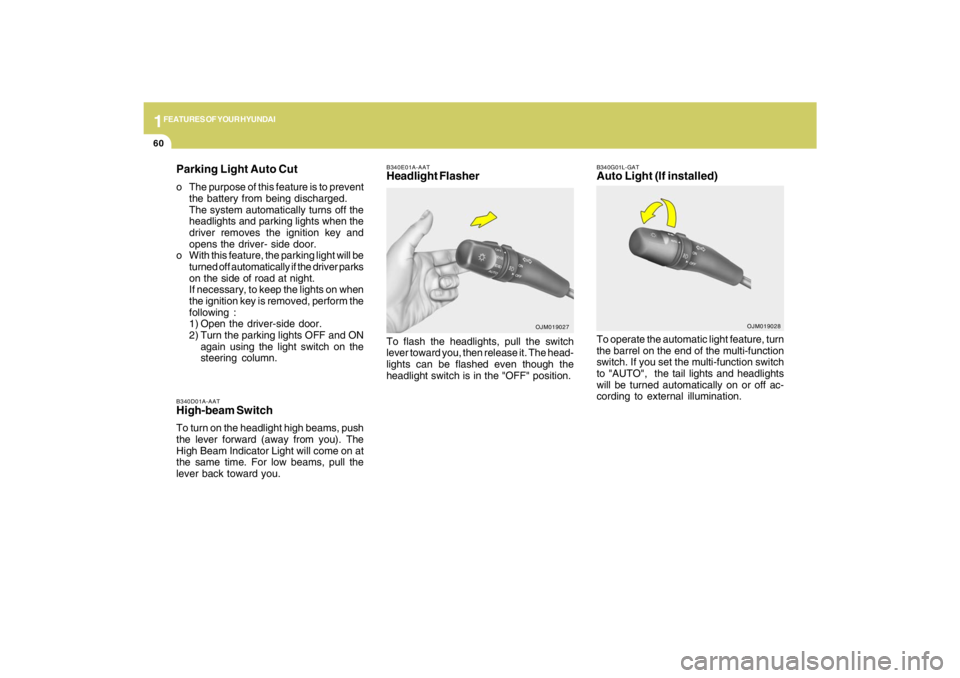
B340E01A-AATHeadlight FlasherTo flash the headlights, pull the switch
lever toward you, then release it. The head-
lights can be flashed even though the
headlight switch is in the "OFF" position.
OJM019027
Parking Light Auto Cuto The purpose of this feature is to prevent
the battery from being discharged.
The system automatically turns off the
headlights and parking lights when the
driver removes the ignition key and
opens the driver- side door.
o With this feature, the parking light will be
turned off automatically if the driver parks
on the side of road at night.
If necessary, to keep the lights on when
the ignition key is removed, perform the
following :
1) Open the driver-side door.
2) Turn the parking lights OFF and ON
again using the light switch on the
steering column.
B340G01L-GATAuto Light (If installed)To operate the automatic light feature, turn
the barrel on the end of the multi-function
switch. If you set the multi-function switch
to "AUTO", the tail lights and headlights
will be turned automatically on or off ac-
cording to external illumination.
OJM019028
Page 73 of 273
1FEATURES OF YOUR HYUNDAI62
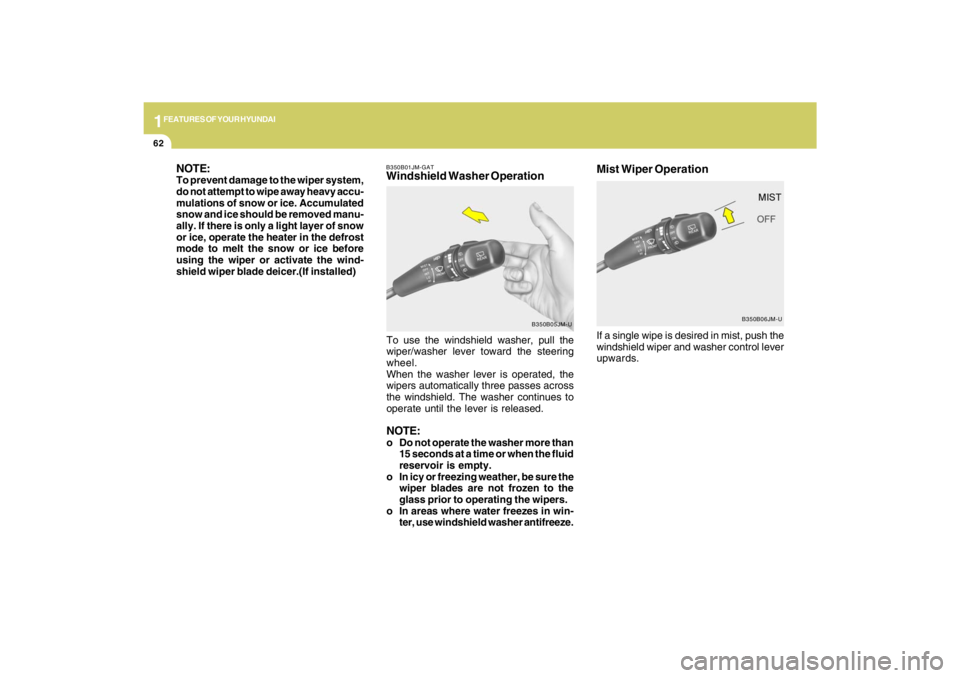
If a single wipe is desired in mist, push the
windshield wiper and washer control lever
upwards.Mist Wiper Operation
B350B06JM-U B350B01JM-GAT
Windshield Washer Operation NOTE:
To prevent damage to the wiper system,
do not attempt to wipe away heavy accu-
mulations of snow or ice. Accumulated
snow and ice should be removed manu-
ally. If there is only a light layer of snow
or ice, operate the heater in the defrost
mode to melt the snow or ice before
using the wiper or activate the wind-
shield wiper blade deicer.(If installed)
To use the windshield washer, pull the
wiper/washer lever toward the steering
wheel.
When the washer lever is operated, the
wipers automatically three passes across
the windshield. The washer continues to
operate until the lever is released.
NOTE:o Do not operate the washer more than
15 seconds at a time or when the fluid
reservoir is empty.
o In icy or freezing weather, be sure the
wiper blades are not frozen to the
glass prior to operating the wipers.
o In areas where water freezes in win-
ter, use windshield washer antifreeze.
B350B05JM-U
Page 86 of 273
1
FEATURES OF YOUR HYUNDAI
75
HJM2104
!
WARNING:
Be careful when judging the size or dis-
tance of any object seen in the passen-
ger side rear view mirror. It is a convex
mirror with a curved surface. Any ob-
jects seen in this mirror are closer than
they appear.
CAUTION:
o Do not operate the switch continu-
ously for an unnecessary length of
time.
o Scraping ice from the mirror face could
cause permanent damage. To remove
any ice, use a sponge, soft cloth or
approved de-icer.
!
B510D01Y-AATOUTSIDE REARVIEW MIRROR
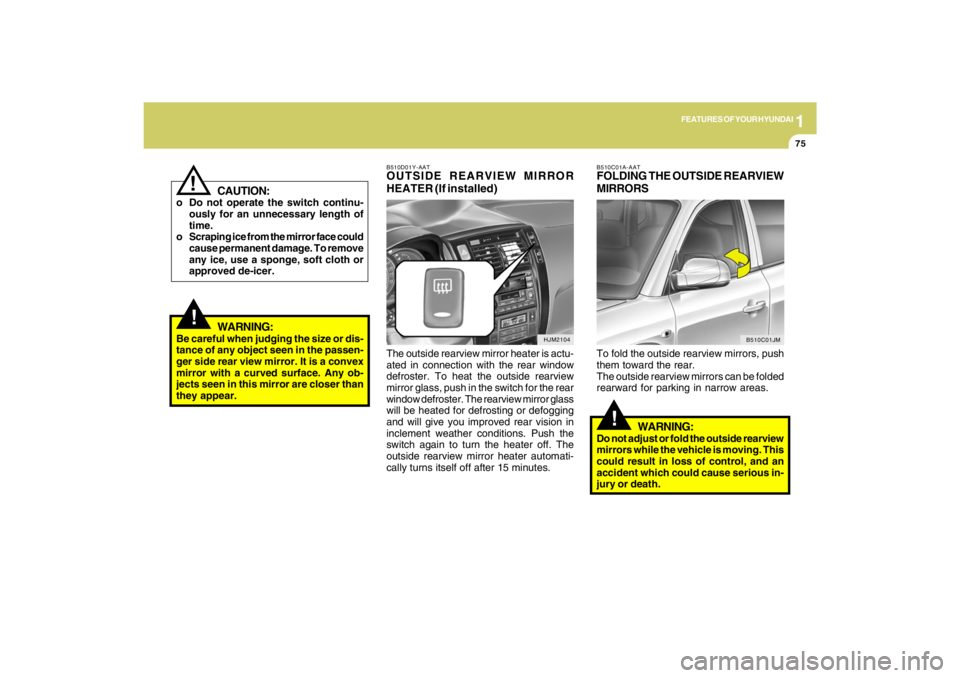
HEATER (If installed)The outside rearview mirror heater is actu-
ated in connection with the rear window
defroster. To heat the outside rearview
mirror glass, push in the switch for the rear
window defroster. The rearview mirror glass
will be heated for defrosting or defogging
and will give you improved rear vision in
inclement weather conditions. Push the
switch again to turn the heater off. The
outside rearview mirror heater automati-
cally turns itself off after 15 minutes.
!
B510C01A-AATFOLDING THE OUTSIDE REARVIEW
MIRRORSTo fold the outside rearview mirrors, push
them toward the rear.
The outside rearview mirrors can be folded
rearward for parking in narrow areas.
WARNING:
Do not adjust or fold the outside rearview
mirrors while the vehicle is moving. This
could result in loss of control, and an
accident which could cause serious in-
jury or death.
B510C01JM
Page 87 of 273
1FEATURES OF YOUR HYUNDAI76
1. To operate Compass featurePress and release the button, then the
vehicle's directional heading will be dis-
played. Pressing and releasing the button
again will turn off the display.
Heading display
- E : East
- W : West
- S : South
- N : North
ex) NE : North East2. Calibration procedurePress and hold the button for more than 9
but less than 12 seconds. When the com-
pass memory is cleared a "C" will appear
in the display.
- Driving the vehicle in a circle at less
than 5mph 2 times or until the compass
heading appears.
- Driving in a circle in right-handed direc-
tion and opposite direction are pos-
sible, and if the calibration is completed,
the compass heading will appear.
- Keep driving in a circle until a compass
heading appears.
DAY/NIGHT INSIDE REARVIEW
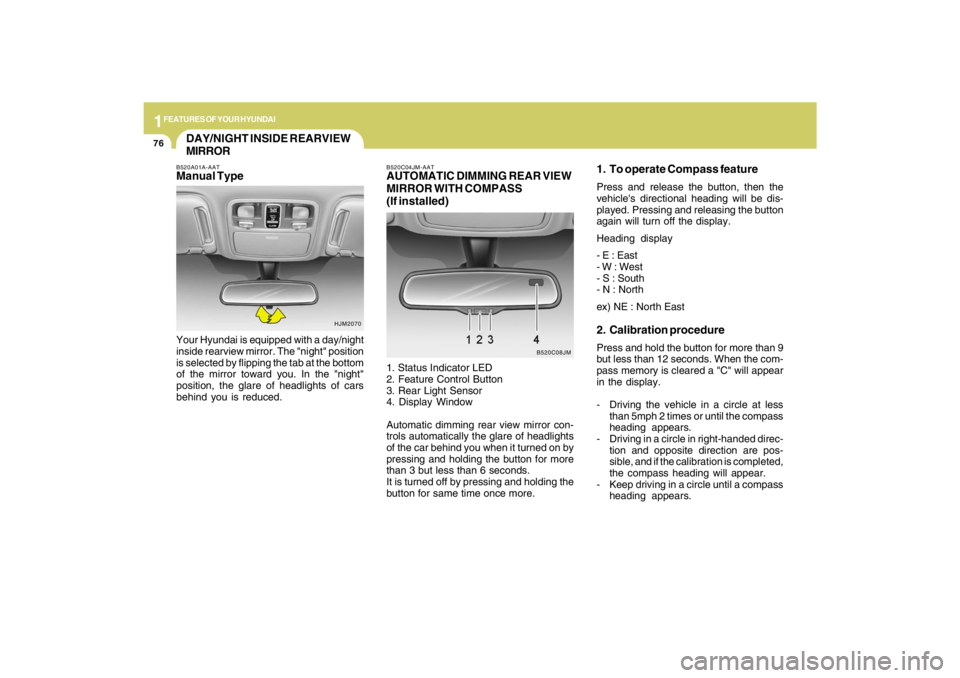
MIRRORB520A01A-AATManual TypeYour Hyundai is equipped with a day/night
inside rearview mirror. The "night" position
is selected by flipping the tab at the bottom
of the mirror toward you. In the "night"
position, the glare of headlights of cars
behind you is reduced.
HJM2070B520C04JM-AAT
AUTOMATIC DIMMING REAR VIEW
MIRROR WITH COMPASS
(If installed)1. Status Indicator LED
2. Feature Control Button
3. Rear Light Sensor
4. Display Window
Automatic dimming rear view mirror con-
trols automatically the glare of headlights
of the car behind you when it turned on by
pressing and holding the button for more
than 3 but less than 6 seconds.
It is turned off by pressing and holding the
button for same time once more.
B520C08JM
Page 88 of 273
1
FEATURES OF YOUR HYUNDAI
77
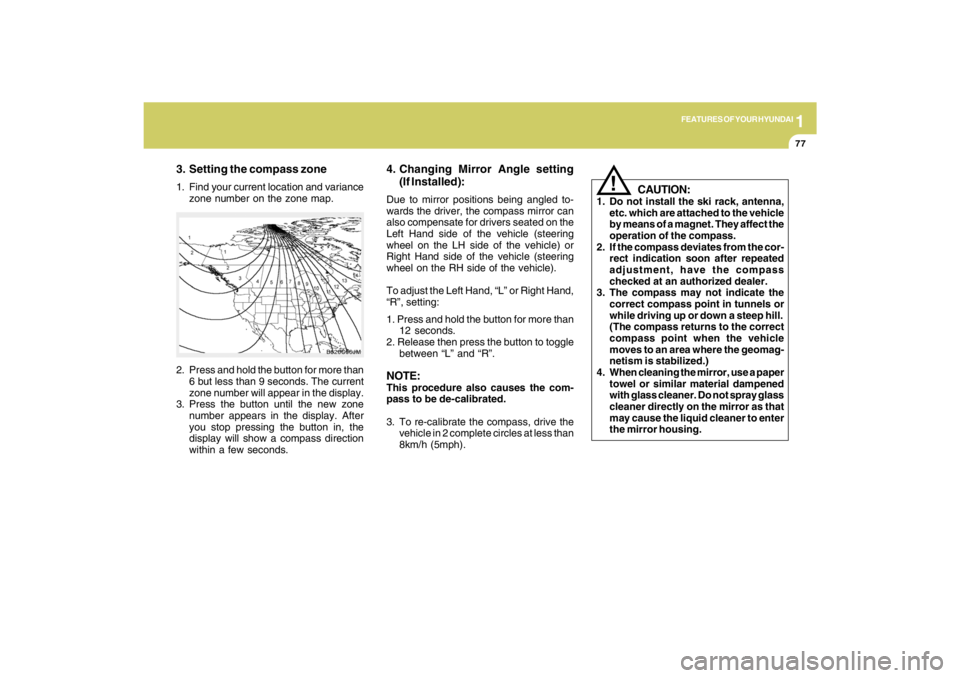
3. Setting the compass zone1. Find your current location and variance
zone number on the zone map.
2. Press and hold the button for more than
6 but less than 9 seconds. The current
zone number will appear in the display.
3. Press the button until the new zone
number appears in the display. After
you stop pressing the button in, the
display will show a compass direction
within a few seconds.
B520C06JM
4. Changing Mirror Angle setting
(If Installed):Due to mirror positions being angled to-
wards the driver, the compass mirror can
also compensate for drivers seated on the
Left Hand side of the vehicle (steering
wheel on the LH side of the vehicle) or
Right Hand side of the vehicle (steering
wheel on the RH side of the vehicle).
To adjust the Left Hand, “L” or Right Hand,
“R”, setting:
1. Press and hold the button for more than
12 seconds.
2. Release then press the button to toggle
between “L” and “R”.NOTE:This procedure also causes the com-
pass to be de-calibrated.
3. To re-calibrate the compass, drive the
vehicle in 2 complete circles at less than
8km/h (5mph).
CAUTION:
1. Do not install the ski rack, antenna,
etc. which are attached to the vehicle
by means of a magnet. They affect the
operation of the compass.
2. If the compass deviates from the cor-
rect indication soon after repeated
adjustment, have the compass
checked at an authorized dealer.
3. The compass may not indicate the
correct compass point in tunnels or
while driving up or down a steep hill.
(The compass returns to the correct
compass point when the vehicle
moves to an area where the geomag-
netism is stabilized.)
4. When cleaning the mirror, use a paper
towel or similar material dampened
with glass cleaner. Do not spray glass
cleaner directly on the mirror as that
may cause the liquid cleaner to enter
the mirror housing.
!
Page 91 of 273
1FEATURES OF YOUR HYUNDAI80
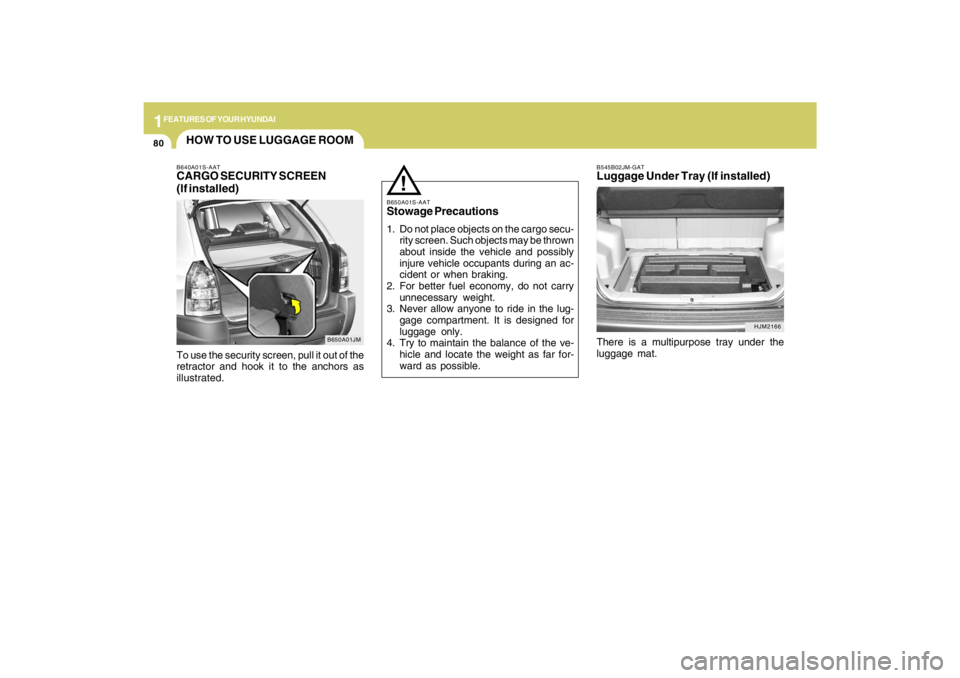
HJM2166 B545B02JM-GAT
Luggage Under Tray (If installed)There is a multipurpose tray under the
luggage mat.
HOW TO USE LUGGAGE ROOM
B650A01JM B640A01S-AAT
CARGO SECURITY SCREEN
(If installed)To use the security screen, pull it out of the
retractor and hook it to the anchors as
illustrated.
B650A01S-AATStowage Precautions1. Do not place objects on the cargo secu-
rity screen. Such objects may be thrown
about inside the vehicle and possibly
injure vehicle occupants during an ac-
cident or when braking.
2. For better fuel economy, do not carry
unnecessary weight.
3. Never allow anyone to ride in the lug-
gage compartment. It is designed for
luggage only.
4. Try to maintain the balance of the ve-
hicle and locate the weight as far for-
ward as possible.
!
Page 101 of 273
1FEATURES OF YOUR HYUNDAI90
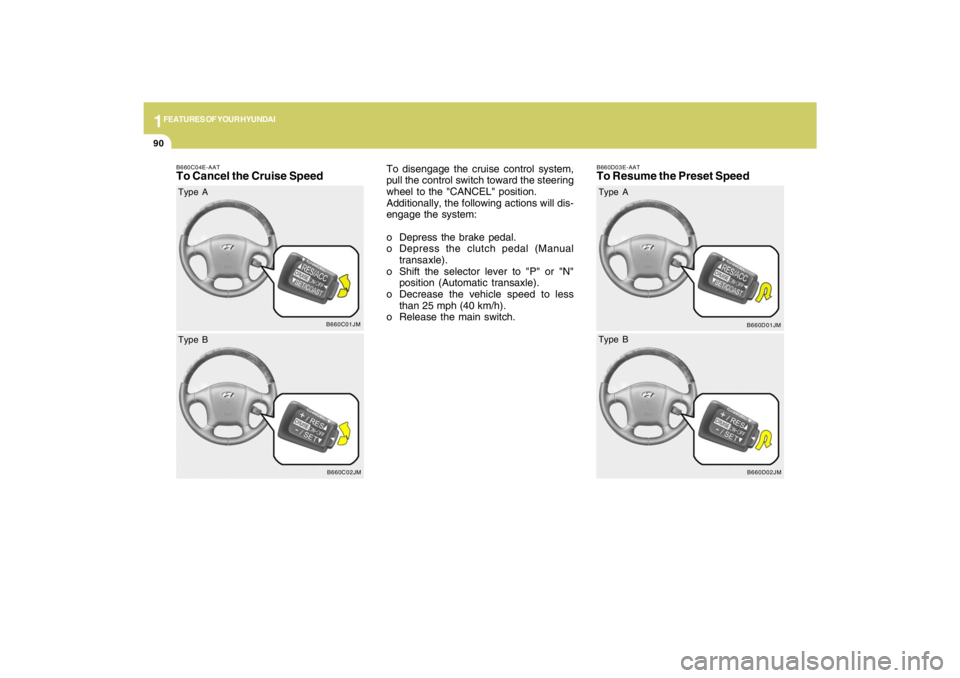
B660C04E-AATTo Cancel the Cruise Speed
To disengage the cruise control system,
pull the control switch toward the steering
wheel to the "CANCEL" position.
Additionally, the following actions will dis-
engage the system:
o Depress the brake pedal.
o Depress the clutch pedal (Manual
transaxle).
o Shift the selector lever to "P" or "N"
position (Automatic transaxle).
o Decrease the vehicle speed to less
than 25 mph (40 km/h).
o Release the main switch.
B660C01JM
Type A
B660C02JM
Type B
B660D03E-AATTo Resume the Preset Speed
B660D01JM
Type A
B660D02JM
Type B
Page 111 of 273
1FEATURES OF YOUR HYUNDAI
100
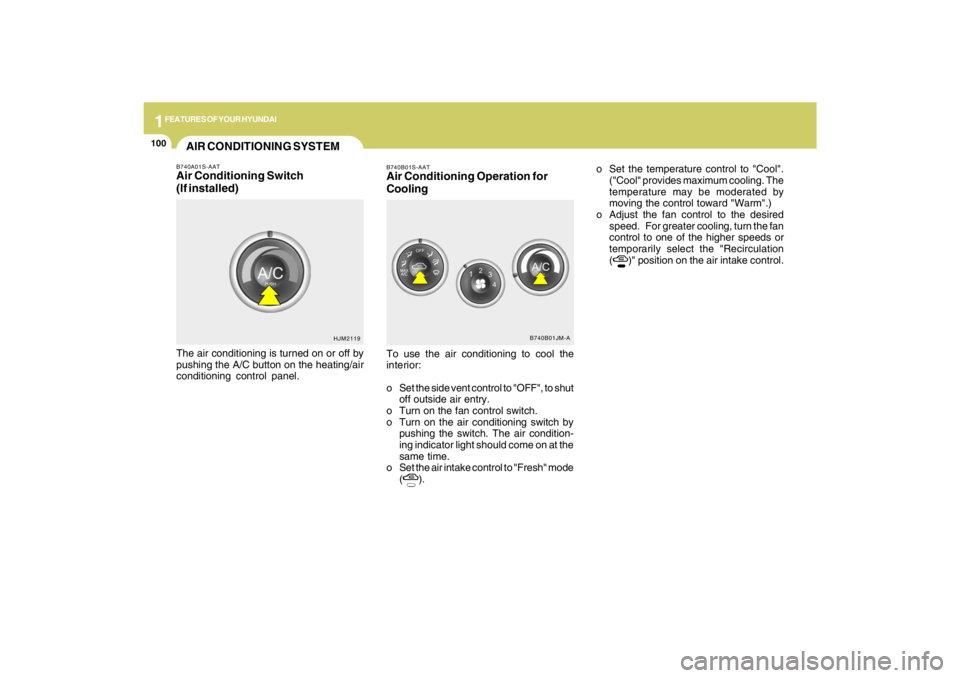
B740B01S-AATAir Conditioning Operation for
CoolingTo use the air conditioning to cool the
interior:
o Set the side vent control to "OFF", to shut
off outside air entry.
o Turn on the fan control switch.
o Turn on the air conditioning switch by
pushing the switch. The air condition-
ing indicator light should come on at the
same time.
o Set the air intake control to "Fresh" mode
(
).o Set the temperature control to "Cool".
("Cool" provides maximum cooling. The
temperature may be moderated by
moving the control toward "Warm".)
o Adjust the fan control to the desired
speed. For greater cooling, turn the fan
control to one of the higher speeds or
temporarily select the "Recirculation
(
)" position on the air intake control.
B740B01JM-A
AIR CONDITIONING SYSTEMB740A01S-AATAir Conditioning Switch
(If installed)The air conditioning is turned on or off by
pushing the A/C button on the heating/air
conditioning control panel.
HJM2119
Page 120 of 273
1
FEATURES OF YOUR HYUNDAI
109109109109109
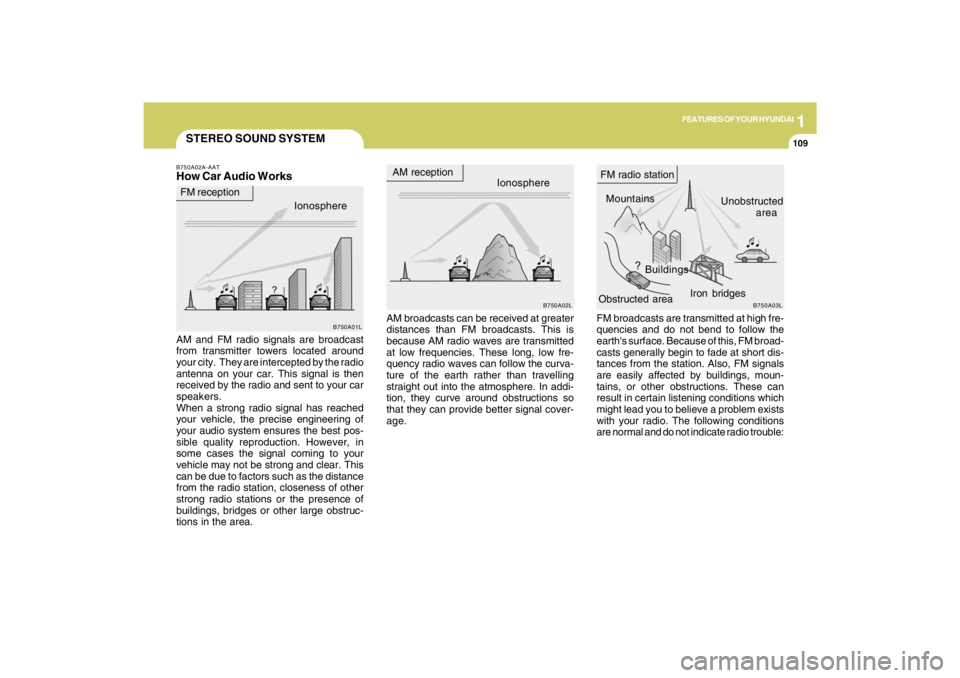
STEREO SOUND SYSTEMB750A02A-AATHow Car Audio Works
AM broadcasts can be received at greater
distances than FM broadcasts. This is
because AM radio waves are transmitted
at low frequencies. These long, low fre-
quency radio waves can follow the curva-
ture of the earth rather than travelling
straight out into the atmosphere. In addi-
tion, they curve around obstructions so
that they can provide better signal cover-
age. AM and FM radio signals are broadcast
from transmitter towers located around
your city. They are intercepted by the radio
antenna on your car. This signal is then
received by the radio and sent to your car
speakers.
When a strong radio signal has reached
your vehicle, the precise engineering of
your audio system ensures the best pos-
sible quality reproduction. However, in
some cases the signal coming to your
vehicle may not be strong and clear. This
can be due to factors such as the distance
from the radio station, closeness of other
strong radio stations or the presence of
buildings, bridges or other large obstruc-
tions in the area.FM broadcasts are transmitted at high fre-
quencies and do not bend to follow the
earth's surface. Because of this, FM broad-
casts generally begin to fade at short dis-
tances from the station. Also, FM signals
are easily affected by buildings, moun-
tains, or other obstructions. These can
result in certain listening conditions which
might lead you to believe a problem exists
with your radio. The following conditions
are normal and do not indicate radio trouble:
Ionosphere
B750A02L
AM reception
Mountains
BuildingsUnobstructed
area FM radio station
B750A03L
Ionosphere FM reception
B750A01L
Obstructed areaIron bridges
Page 136 of 273
DRIVING YOUR HYUNDAI
2
Engine Exhaust Can Be Dangerous! ............................ 2-2
Before Starting the Engine ............................................ 2-4
Key Positions ................................................................ 2-5
Starting ..........................................................................2-6
Manual Transaxle ......................................................... 2-7
Automatic Transaxle ..................................................... 2-9
Anti-Lock Brake System (ABS) ..................................2-13
Traction Control System (TCS) ..................................2-13
Electronic Stability Control (ESC)...............................2-15
Full-Time 4WD Operation...........................................2-16
4WD Lock System......................................................2-19
Good Braking Practices..............................................2-21
Driving for Economy...................................................2-22
Winter Driving.............................................................2-23
Trailer or Vehicle Towing ............................................2-26
Vehicle Load Limit.......................................................2-29
2