traction control HYUNDAI TUCSON 2009 Owners Manual
[x] Cancel search | Manufacturer: HYUNDAI, Model Year: 2009, Model line: TUCSON, Model: HYUNDAI TUCSON 2009Pages: 273, PDF Size: 10.29 MB
Page 5 of 273

F4
A110A01A-AAT
VEHICLE DATA COLLECTION AND EVENT DATA RECORDERS
Your Hyundai vehicle is equipped with many high technology, electronically controlled systems
that help to ensure your vehicle operates properly and provides the performance that you
expect. These systems utilize computers to monitor the operation of various systems and
components and help to control their operation. These computerized system operations are
wide-ranging and involve components to reduce emissions, to continuously evaluate the
readiness of the airbag and seat belt pretensioner systems, to determine when the airbag and
seat belt pre-tensioner systems should be deployed and then to activate the deployment, and
if equipped, to operate anti-lock braking, traction control and electrical stability control to assist
the driver to control the vehicle in difficult driving situations. These systems electronically store
information that is useful to service technicians when they need to diagnose and repair these
systems. Additional information is stored only when a crash occurs that results in the
deployment of the airbags or seat belt pre-tensioners. This type of data storage is done by
devices called event data recorders(EDR).
After a crash event, the airbag and seat belt pre-tensioner computer system, known as the
Supplemental Restraint System Control Module (SRSCM) or Airbag Control Unit (ACU), may
record some information about the condition of the vehicle and how it was being operated. This
information consists of data related to seat belt usage and if there was diagnostic information
in the airbag or seat belt systems at the time that a crash occurred, and if the ACU sensed that
a crash of sufficient severity occurred to require seat belt pre-tensioner or airbag deployment.
To retrieve this information, special equipment is needed and access to the vehicle or the device
that stores the data is required. Hyundai will not access information about a crash event or share
it with others except:
o in response to an official request of police or similar government office, or
o with the consent of the vehicle owner or, if the vehicle is leased, with the consent of the lessee,
or
o as part of Hyundai’s defense of litigation, or
o as required by law.
Page 10 of 273

F9
1. Panel Brightness Control Knob (Rheostat Switch)
2. 4WD Lock Switch (If installed)
3. Traction Control System (TCS) Switch (If installed) /
Electronic Stability Control (ESC) Switch (If installed)
4. Instrument Cluster
5. Multi-Function Light Switch (If installed)
6. Front Window Defroster (If installed) / Aux Outlet (If
installed)
7. Hazard Warning Light Switch
8. Digital Clock
9. Windshield Wiper/Washer Switch10. Rear Defroster and Outside Rearview Mirror Heater Switch
(If installed)
11. Front Fog Light Switch (If installed)
12. Passenger's Airbag
13. Hood Release Lever
14. Horn and Driver's Airbag
15. Small Article Tray / Ashtray (If installed)
16. Cruise Control Switch (If installed)
17. Heating/Air Conditioning Control Panel (If installed)
18. Shift Lever (If installed)
19. Glove Box
CAUTION:
When installing a container of liquid air freshener inside the vehicle, do not place it near the instrument cluster
nor on the instrument panel surface. If there is any leakage from the air freshener onto these areas
(Instrument cluster, instrument panel or air ventilator), it may damage these parts. If the liquid from the air
freshener does leak onto these areas, wash them with water immediately.
!
Page 11 of 273

YOUR VEHICLE AT A GLANCE
F10
SRS (Airbag) Service Reminder Indicator (SRI)
B255A03JM-AATINDICATOR SYMBOLS ON THE INSTRUMENT PANEL
Turn Signal Indicator LightsHigh Beam Indicator Light
Low Oil Pressure Warning Light
Charging System Warning LightSeat Belt Reminder Light and Chime
* More detailed explanations of these items will be found begin-
ning on page 1-50.
Parking Brake/Brake Fluid Level Warning LightMalfunction Indicator Light Tail Gate Open Warning LightLow Fuel Level Warning LightDoor Ajar Warning Light and Chime (If installed)Traction Control Indicator Light
(If installed)
ABS Service Reminder Indicator (If installed)Cruise Indicator (If installed)
4WD Lock Indicator Light (If installed)4WD System Warning Light (If installed)SET Indicator Light (If installed)
Electronic Stability Control (ESC) Indicator
Lights (If Installed)
Low tire pressure telltale (If installed)
TPMS (Tire pressure monitoring system) malfunc-
tion indicator (If installed)
Engine coolant temperature warning light
Page 60 of 273

1
FEATURES OF YOUR HYUNDAI
49
1. Tachometer
2. Turn Signal Indicator Light
3. Seat Belt Warning Light
4. Supplemental Restraint (AirBag) System
Service Reminder Indicator (SRI)
5. Speedometer
6. Parking Brake/Low Brake Fluid Level Warning Light
7. Low Oil Pressure Warning Light
8. High Beam Indicator Light
9. Engine Temperature Warning Light
10. Fuel Gauge
11. Tail Gate Open Warning Light
12. Traction Control Indicator Light (If installed)/
Electronic Stability Control (ESC) Indicator Light
(If installed)13. ABS Service Reminder Indicator (If installed)
14. Immobilizer Warning Light (If installed)
15. Door Ajar Warning Light
16. Automatic Transaxle Position Indicator Light (If installed)
17. Odometer/ Trip odmeter
18. Trip Computer (If installed)
19. Malfunction Indicator Light (MIL)
20. Charging System Warning Light
21. Low Tire Pressure Telltale (If installed)
22. 4WD System Warning Light (If installed)
23. TPMS (Tire Pressure Monitoring System) Malfunction Indicator
(If installed)
24. 4WD Lock Indicator Light
25. Cruise Indicator (If installed)
26. Low Fuel Warning Light
Page 64 of 273

1
FEATURES OF YOUR HYUNDAI
53
B260T01O-GAT
4WD System Warning Light
(If installed)
When the key is turned to the "ON" position,
the 4WD(Four Wheel Drive) system warn-
ing light will come on and then go off in a
few seconds.CAUTION:
If the 4WD system warning light ( )
blinks while driving, this indicates that
there is a malfunction in the 4WD sys-
tem. If this occurs, have your vehicle
checked by an authorized Hyundai dealer
as soon as possible.
!
B265C02LZ-AAT
Electronic Stability
Control Indicator Lights(If installed)
The electronic stability control indicators
change operation according to the ignition
switch position and whether the system is
in operation or not.
They will illuminate when the ignition key
is turned to the "ON" position, but should go
out after three seconds. If the ESC or ESC-
OFF indicator stays on, take your car to
your authorized Hyundai dealer and have
the system checked. See section 2 for
more information about the ESC.
B260V01JM-GAT
4WD Lock Indicator Light
(If installed)
The 4WD (Four Wheel Drive) lock indica-
tor light in the instrument cluster is illumi-
nated when the The 4WD lock switch is
pushed. The purpose of this switch is to
increase the drive power when driving on
wet pavement, snow-covered roads and/
or off-road. The 4WD lock indicator light is
turned off by pushing the switch again.
NOTE:Do not use 4WD on normal dry pavement
conditions.
B260R01E-GAT
SET Indicator Light
(If installed)
The SET indicator light in the instrument
cluster is illuminated when the cruise con-
trol switch is pushed downward to "SET
(COAST)".
The SET indicator light does not illuminate
when the control switch is in the "CANCEL"
position.
B260Q01E-GAT
Cruise Indicator Light
(If installed)
The cruise indicator light in the instrument
cluster is illuminated when the cruise con-
trol main switch on the end of the barrel is
pushed.
When the cruise control main switch is
pushed a second time, the cruise control
system will be and the light will turn off.
Information on the use of cruise control
may be found on page 1-88.
B265C01O-AAT
Traction Control Indicator
Lights (If installed)
The traction control indicators change op-
eration according to the ignition switch
position and whether the system is in
operation or not.
They will illuminate when the ignition key
is turned to the "ON" position, but should go
out after three seconds. If the TCS or TCS-
OFF indicator stays on, take your car to
your authorized Hyundai dealer and have
the system checked. See section 2 for
more information about the TCS.
Page 136 of 273
DRIVING YOUR HYUNDAI
2
Engine Exhaust Can Be Dangerous! ............................ 2-2
Before Starting the Engine ............................................ 2-4
Key Positions ................................................................ 2-5
Starting ..........................................................................2-6
Manual Transaxle ......................................................... 2-7
Automatic Transaxle ..................................................... 2-9
Anti-Lock Brake System (ABS) ..................................2-13
Traction Control System (TCS) ..................................2-13
Electronic Stability Control (ESC)...............................2-15
Full-Time 4WD Operation...........................................2-16
4WD Lock System......................................................2-19
Good Braking Practices..............................................2-21
Driving for Economy...................................................2-22
Winter Driving.............................................................2-23
Trailer or Vehicle Towing ............................................2-26
Vehicle Load Limit.......................................................2-29
2
Page 143 of 273
2
DRIVING YOUR HYUNDAI
8
!
WARNING:
o Always buckle-up! In a collision, an
unbelted occupant is significantly
more likely to be seriously injured or
killed than a properly belted occu-
pant.
o Avoid high speeds when cornering or
turning.
o Do not make quick steering wheel
movements, such as sharp lane
changes or fast, sharp turns.
o The risk of rollover is greatly in-
creased if you lose control of your
vehicle at highway speeds.
o Loss of control often occurs if two or
more wheels drop off the roadway
and the driver oversteers to reenter
the roadway.
o In the event your vehicle leaves the
roadway, do not steer sharply. In-
stead, slow down before pulling back
into the travel lanes.
o Never exceed posted speed limits.
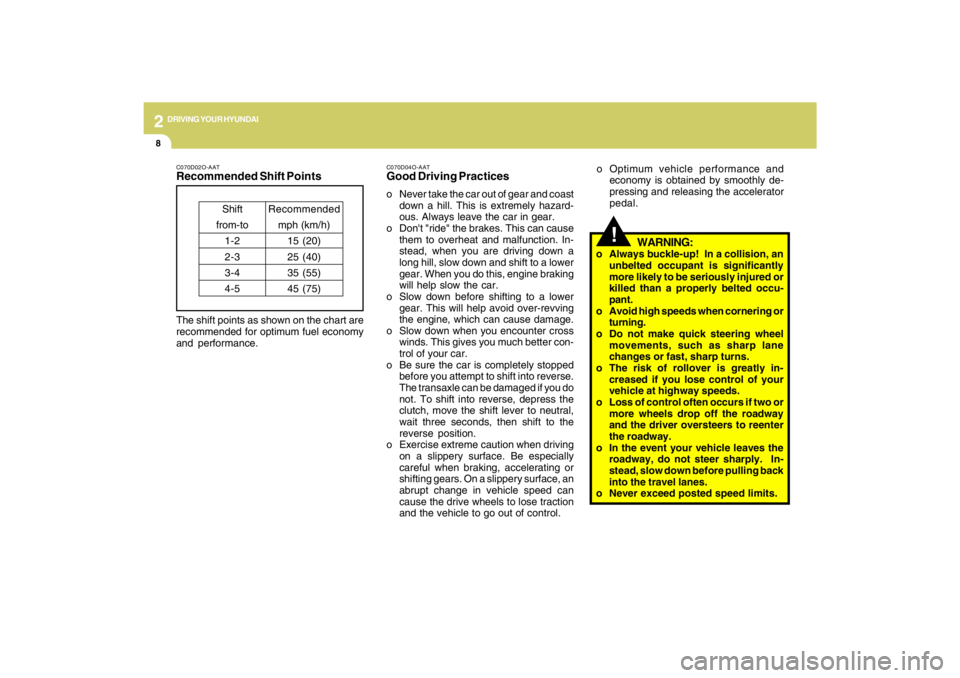
C070D02O-AATRecommended Shift PointsThe shift points as shown on the chart are
recommended for optimum fuel economy
and performance.
Shift
from-to
1-2
2-3
3-4
4-5Recommended
mph (km/h)
15 (20)
25 (40)
35 (55)
45 (75)
C070D04O-AATGood Driving Practiceso Never take the car out of gear and coast
down a hill. This is extremely hazard-
ous. Always leave the car in gear.
o Don't "ride" the brakes. This can cause
them to overheat and malfunction. In-
stead, when you are driving down a
long hill, slow down and shift to a lower
gear. When you do this, engine braking
will help slow the car.
o Slow down before shifting to a lower
gear. This will help avoid over-revving
the engine, which can cause damage.
o Slow down when you encounter cross
winds. This gives you much better con-
trol of your car.
o Be sure the car is completely stopped
before you attempt to shift into reverse.
The transaxle can be damaged if you do
not. To shift into reverse, depress the
clutch, move the shift lever to neutral,
wait three seconds, then shift to the
reverse position.
o Exercise extreme caution when driving
on a slippery surface. Be especially
careful when braking, accelerating or
shifting gears. On a slippery surface, an
abrupt change in vehicle speed can
cause the drive wheels to lose traction
and the vehicle to go out of control.o Optimum vehicle performance and
economy is obtained by smoothly de-
pressing and releasing the accelerator
pedal.
Page 147 of 273
2
DRIVING YOUR HYUNDAI
12
!
C090N05O-AATGood Driving Practiceso Never move the gear selector lever
from "P" or "N" to any other position with
the accelerator pedal depressed.
o Never move the gear selector lever into
"P" when the vehicle is in motion.
o Be sure the car is completely stopped
before you attempt to shift into "R" or "D".
o Never take the car out of gear and coast
down a hill. This may be extremely
hazardous. Always leave the car in gear
when moving.
o Do not "ride" the brakes. This can cause
them to overheat and malfunction. In-
stead, when you are driving down a
long hill, slow down and shift to a lower
gear. When you do this, engine braking
will help slow the car.
o Slow down before shifting to a lower
gear. Otherwise, the lower gear may not
be engaged.
o Always use the parking brake. Do not
depend on placing the transaxle in "P"
to keep the car from moving.
o Exercise extreme caution when driving
on a slippery surface. Be especially
careful when braking, accelerating or
shifting gears. On a slippery surface, an
abrupt change in vehicle speed can
cause the drive wheels to lose traction
and the vehicle to go out of control.
WARNING:
o Always buckle-up! In a collision, an
unbelted occupant is significantly
more likely to be seriously injured or
killed than a properly belted occu-
pant.
o Avoid high speeds when cornering or
turning.
o Do not make quick steering wheel
movements, such as sharp lane
changes or fast, sharp turns.
o The risk of rollover is greatly in-
creased if you lose control of your
vehicle at highway speeds.
o Loss of control often occurs if two or
more wheels drop off the roadway
and the driver oversteers to reenter
the roadway.
o In the event your vehicle leaves the
roadway, do not steer sharply. In-
stead, slow down before pulling back
into the travel lanes.
o Never exceed posted speed limits. o Optimum vehicle performance and
economy is obtained by smoothly de-
pressing and releasing the accelerator
pedal.
CAUTION:
If your vehicle becomes stuck in snow,
mud, sand, etc., then you may attempt to
rock the vehicle free by moving it for-
ward and backward. Do not attempt this
procedure if people or objects are any-
where near the vehicle. During the rock-
ing operation the vehicle may suddenly
move forward of backward as it becomes
unstuck, causing injury to nearby people
or damage to objects.
!
Page 148 of 273
2
DRIVING YOUR HYUNDAI
13
!
WARNING:
ABS / TCS / ESC will not prevent acci-
dents due to improper or dangerous driv-
ing maneuvers. Even though vehicle
control is improved during emergency
braking, always maintain a safe distance
between you and objects ahead. Vehicle
speeds should always be reduced dur-
ing extreme road conditions.
The braking distance for cars equipped
with an anti-lock braking system / TCS /
ESC may be longer than for those with-
out it in the following road conditions.
During these conditions the vehicle
should be driven at reduced speeds:
o Rough, gravel or snow-covered
roads.
o With tire chains installed.
o On roads where the road surface is
pitted or has different surface height.
The safety features of an ABS / TCS /
ESC equipped vehicle should not be
tested by high speed driving or corner-
ing. This could endanger the safety of
yourself or others.
TRACTION CONTROL
SYSTEM (TCS)C300A03Y-GAT(If installed)
C300A01JM-U
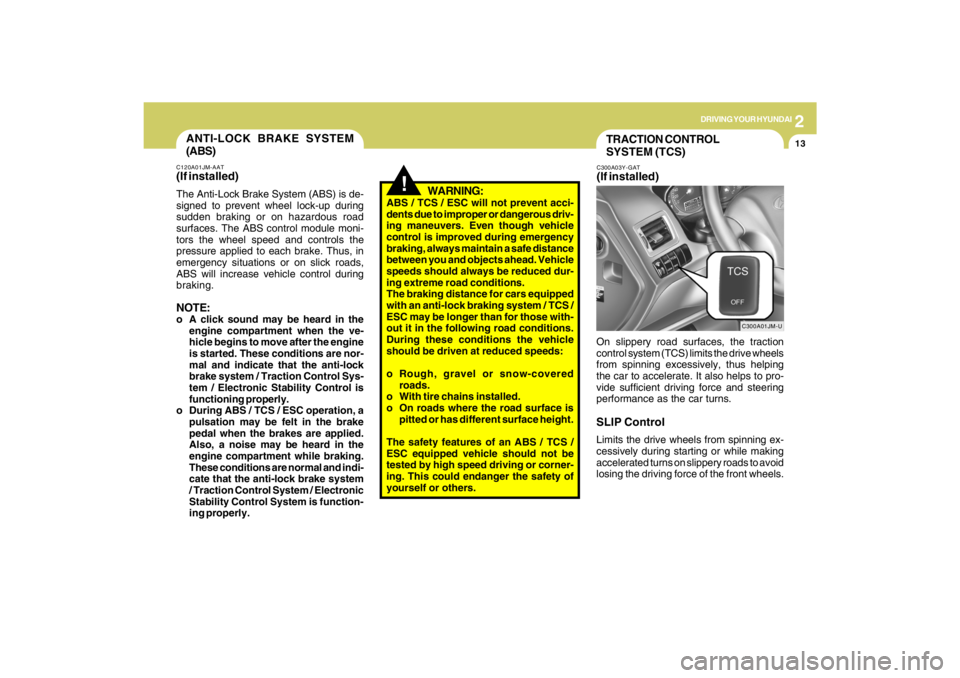
On slippery road surfaces, the traction
control system (TCS) limits the drive wheels
from spinning excessively, thus helping
the car to accelerate. It also helps to pro-
vide sufficient driving force and steering
performance as the car turns.SLIP ControlLimits the drive wheels from spinning ex-
cessively during starting or while making
accelerated turns on slippery roads to avoid
losing the driving force of the front wheels.
ANTI-LOCK BRAKE SYSTEM
(ABS)C120A01JM-AAT(If installed)The Anti-Lock Brake System (ABS) is de-
signed to prevent wheel lock-up during
sudden braking or on hazardous road
surfaces. The ABS control module moni-
tors the wheel speed and controls the
pressure applied to each brake. Thus, in
emergency situations or on slick roads,
ABS will increase vehicle control during
braking.NOTE:o A click sound may be heard in the
engine compartment when the ve-
hicle begins to move after the engine
is started. These conditions are nor-
mal and indicate that the anti-lock
brake system / Traction Control Sys-
tem / Electronic Stability Control is
functioning properly.
o During ABS / TCS / ESC operation, a
pulsation may be felt in the brake
pedal when the brakes are applied.
Also, a noise may be heard in the
engine compartment while braking.
These conditions are normal and indi-
cate that the anti-lock brake system
/ Traction Control System / Electronic
Stability Control System is function-
ing properly.
Page 149 of 273
2
DRIVING YOUR HYUNDAI
14
!
Driving HintsTCS does not actively apply brakes. Be
sure to decelerate the car sufficiently be-
fore entering curves.
CAUTION:
When the TCS indicator blinks, SLIP
control function has been activated. It
also means that the road is slippery or
your car is accelerating excessively. In
this situation, gently release foot pres-
sure from the accelerator pedal and
maintain moderate speed.
!
WARNING:
Traction control is a driving aid; all nor-
mal precautions for driving in inclement
weather and on slippery driving surfaces
should be observed.
C310B02O-AATTCS ON/OFF ModeWhen the TCS is operating, the TCS indi-
cator in the instrument cluster will blink.
If you turn the system off by pressing the
TCS switch, the TCS-OFF indicator will
come on and stay on. In the TCS-OFF
mode, the SLIP control will be deactivated.
Adjust you driving accordingly. To turn the
system back on, press the switch again.
The TCS-OFF indicator should go off.NOTE:1) The TCS mode will automatically be
turned ON after the engine is turned
off and restarted.
2) When the traction control system is
operating properly, you can feel a
slight pulsation in the vehicle. This is
only the effect of brake control and
indicates nothing unusual.
3) When the engine starts, a click may
be heard from the engine compart-
ment; this is the sound of the traction
control being checked.
4) When moving out of the mud or fresh
snow, pressing the accelerator pedal
may not cause the engine speed to
increase due to TCS operation.
C310D01JM-AATIndicators and WarningThe indicators should illuminate when the
ignition key is turned to ON or START but
should go out after approximately three
seconds.
If the indicators do not illuminate, or the
TCS or TCS-OFF indicator does not go out
after 3 seconds, have the system checked
by an authorized dealer.
Should there be any unusual conditions in
the TCS System while driving, TCS-OFF
indicator illuminates as a warning.
If TCS-OFF indicator illuminates, pull your
car to a safe place and stop the engine.
Then, start the engine again to check if the
TCS-OFF indicator goes out.
If the indicator remains lit even after the
engine has been started, have your car
checked by an authorized Hyundai dealer.NOTE:When the TCS-OFF indicator illuminates,
traction control is automatically deacti-
vated.