4WD Hyundai Tucson 2019 Owner's Manual - RHD (UK, Australia)
[x] Cancel search | Manufacturer: HYUNDAI, Model Year: 2019, Model line: Tucson, Model: Hyundai Tucson 2019Pages: 685, PDF Size: 17.76 MB
Page 16 of 685
1-4
Your vehicle at a glance
INTERIOR OVERVIEW
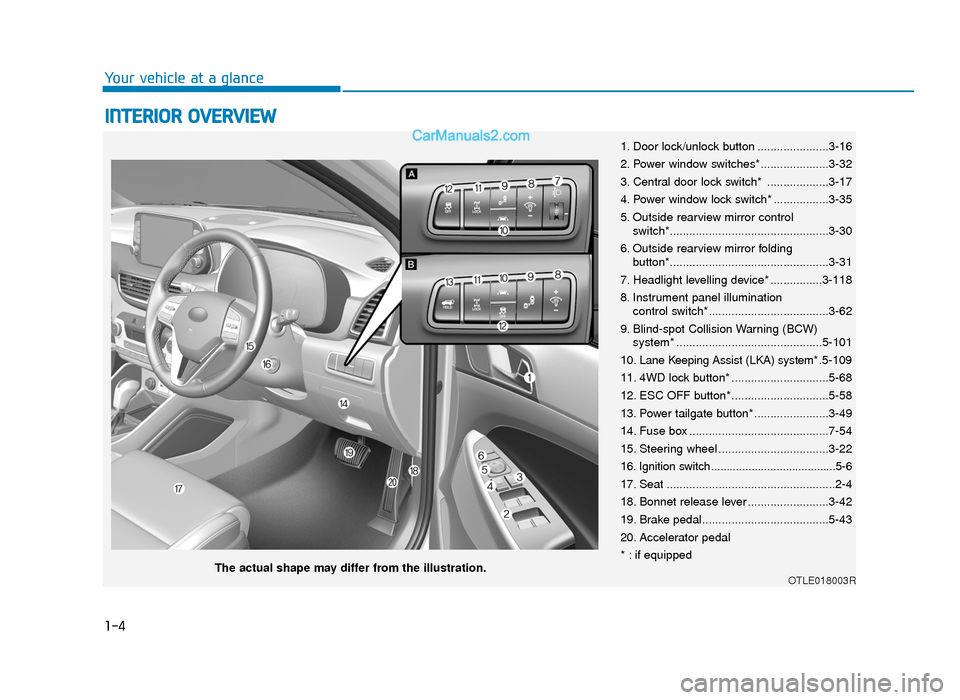
1. Door lock/unlock button ......................3-16
2. Power window switches*.....................3-32
3. Central door lock switch* ...................3-17
4. Power window lock switch* .................3-35
5. Outside rearview mirror controlswitch*.................................................3-30
6. Outside rearview mirror folding button*.................................................3-31
7. Headlight levelling device* ................3-118
8. Instrument panel illumination control switch*.....................................3-62
9. Blind-spot Collision Warning (BCW) system* .............................................5-101
10. Lane Keeping Assist (LKA) system* .5-109
11. 4WD lock button* ..............................5-68
12. ESC OFF button* ..............................5-58
13. Power tailgate button* .......................3-49
14. Fuse box ...........................................7-54
15. Steering wheel ..................................3-22
16. Ignition switch........................................5-6
17. Seat ....................................................2-4
18. Bonnet release lever .........................3-42
19. Brake pedal.......................................5-43
20. Accelerator pedal
* : if equipped
OTLE018003RThe actual shape may differ from the illustration.
TLe UK 1.qxp 5/10/2018 11:27 AM Page 4
Page 161 of 685
3-69
Convenient features of your vehicle
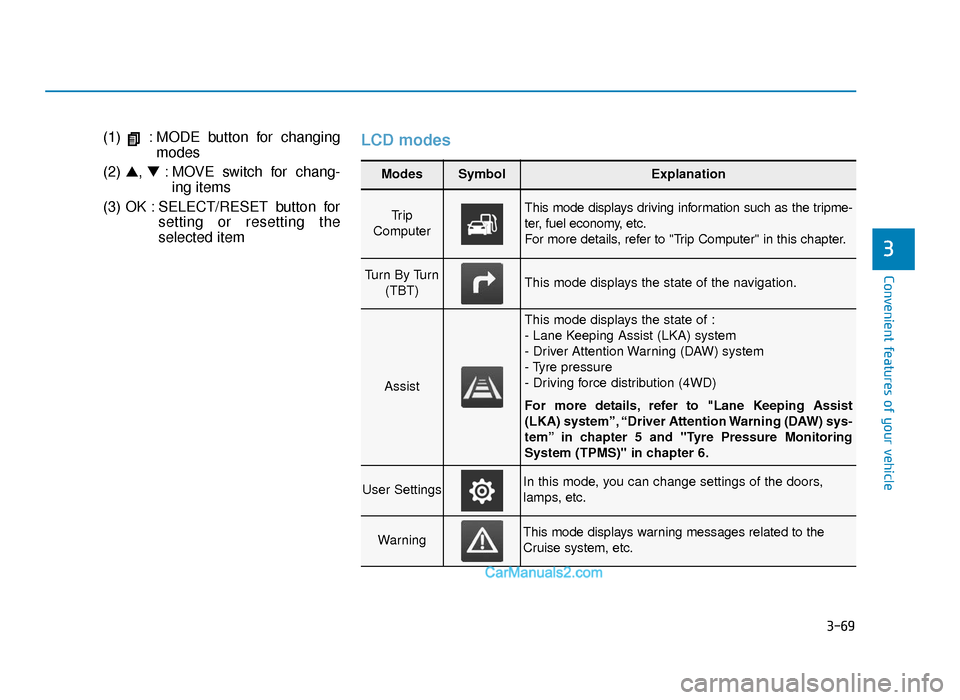
(1) : MODE button for changingmodes
(2) ▲, ▼: MOVE switch for chang-
ing items
(3) OK : SELECT/RESET button for setting or resetting the
selected itemLCD modes
3
Modes SymbolExplanation
Tr i p
Computer This mode displays driving information such as the tripme-
ter, fuel economy, etc.
For more details, refer to "Trip Computer" in this chapter.
Turn By Turn (TBT)This mode displays the state of the navigation.
Assist
This mode displays the state of :
- Lane Keeping Assist (LKA) system
- Driver Attention Warning (DAW) system
- Tyre pressure
- Driving force distribution (4WD)
For more details, refer to "Lane Keeping Assist
(LKA) system”, “Driver Attention Warning (DAW) sys-
tem” in chapter 5 and "Tyre Pressure Monitoring
System (TPMS)" in chapter 6.
User SettingsIn this mode, you can change settings of the doors,
lamps, etc.
WarningThis mode displays warning messages related to the
Cruise system, etc.
TLe UK 3a(~109).qxp 6/12/2018 2:26 PM Page 69
Page 164 of 685
3-72
Convenient features of your vehicle
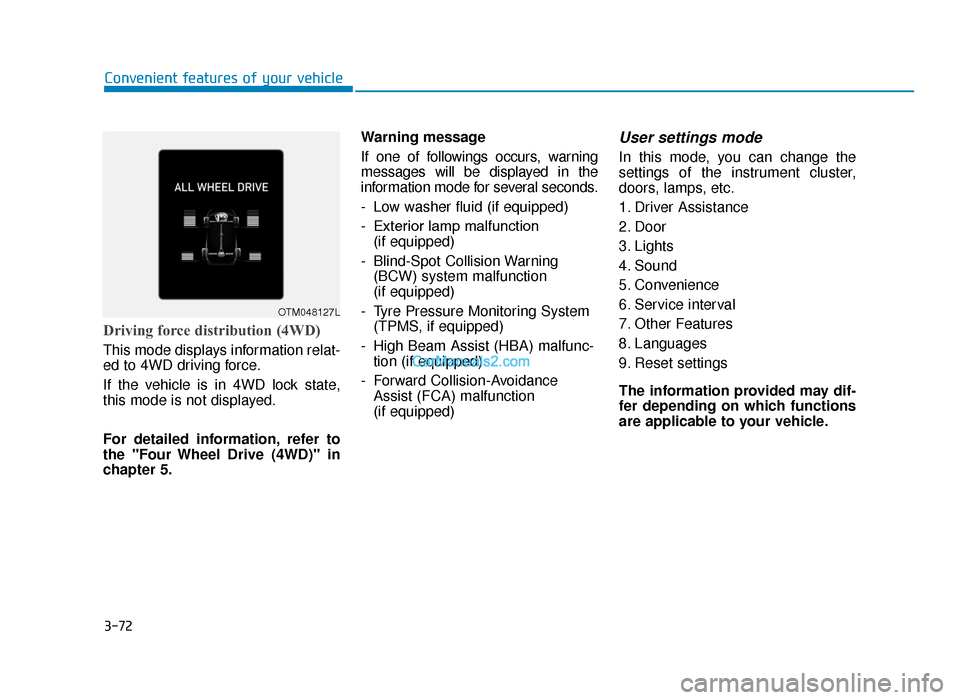
Driving force distribution (4WD)
This mode displays information relat-
ed to 4WD driving force.
If the vehicle is in 4WD lock state,
this mode is not displayed.
For detailed information, refer to
the "Four Wheel Drive (4WD)" in
chapter 5.Warning message
If one of followings occurs, warning
messages will be displayed in the
information mode for several seconds.
- Low washer fluid (if equipped)
- Exterior lamp malfunction
(if equipped)
- Blind-Spot Collision Warning (BCW) system malfunction
(if equipped)
- Tyre Pressure Monitoring System (TPMS, if equipped)
- High Beam Assist (HBA) malfunc- tion (if equipped)
- Forward Collision-Avoidance Assist (FCA) malfunction
(if equipped)
User settings mode
In this mode, you can change the
settings of the instrument cluster,
doors, lamps, etc.
1. Driver Assistance
2. Door
3. Lights
4. Sound
5. Convenience
6. Service interval
7. Other Features
8. Languages
9. Reset settings
The information provided may dif-
fer depending on which functions
are applicable to your vehicle.
OTM048127L
TLe UK 3a(~109).qxp 6/12/2018 2:27 PM Page 72
Page 194 of 685
3-102
Convenient features of your vehicle
• When the Fuel Filter Warning Light illuminates, engine power
(vehicle speed & idle speed) may
decrease.
• If you keep driving with the warn- ing light on, engine parts (injec-
tor, common rail, high pressure
fuel pump) may be damaged. If
this occurs, we recommend that
you have the vehicle inspected
by a HYUNDAI authorised repair-
er as soon as possible.
4 Wheel Drive (4WD)Warning Light (if equipped)
This warning light illuminates:
• Once you set the ignition switch or
Engine Start/Stop Button to the ON
position.
- It illuminates for approximately 3seconds and then goes off.
• When there is a malfunction with the 4WD system.
In this case, we recommend that
you have the vehicle inspected by
a HYUNDAI authorised repairer.
Headlight WarningLight (if equipped)
This warning light illuminates:
• When there is a malfunction
(burned- out bulb except LED light
or circuit malfunction) with the
exterior lights (headlight, brake
light, fog light, etc.). In this case,
we recommend that you have your
vehicle inspected by a HYUNDAI
authorised repairer.
Information
Make sure to replace the burned out
bulb with a new one of the same
wattage rating.
If not, this warning message will not
be displayed.
i
NOTICE
TLe UK 3a(~109).qxp 6/12/2018 2:29 PM Page 102
Page 200 of 685
3-108
Convenient features of your vehicle
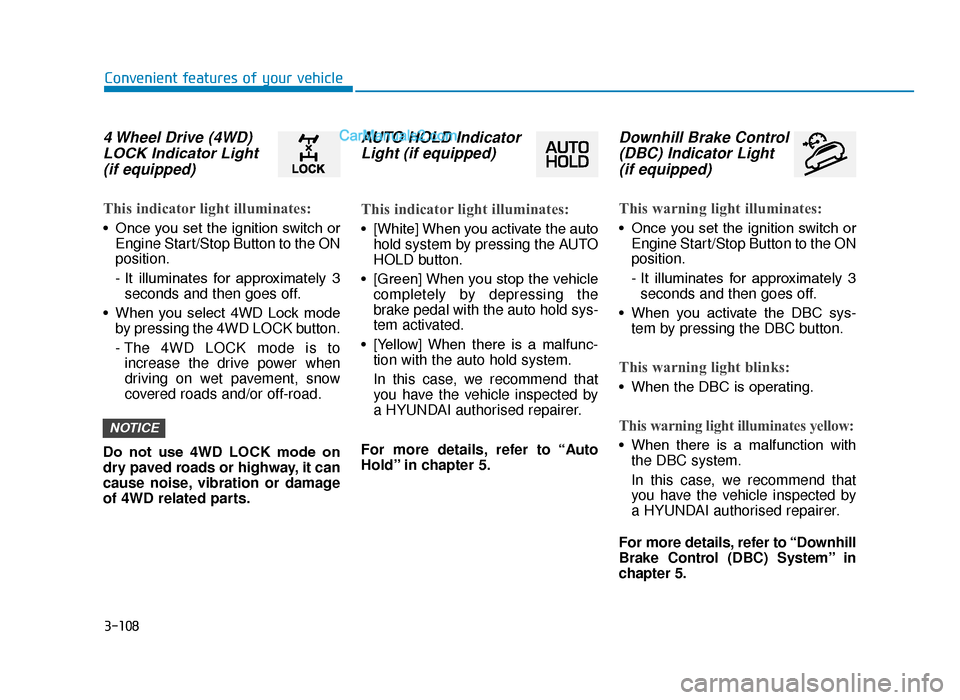
4 Wheel Drive (4WD)LOCK Indicator Light(if equipped)
This indicator light illuminates:
• Once you set the ignition switch or
Engine Start/Stop Button to the ON
position.
- It illuminates for approximately 3seconds and then goes off.
• When you select 4WD Lock mode by pressing the 4WD LOCK button.
- The 4WD LOCK mode is toincrease the drive power when
driving on wet pavement, snow
covered roads and/or off-road.
Do not use 4WD LOCK mode on
dry paved roads or highway, it can
cause noise, vibration or damage
of 4WD related parts.
AUTO HOLD Indicator Light (if equipped)
This indicator light illuminates:
• [White] When you activate the auto
hold system by pressing the AUTO
HOLD button.
• [Green] When you stop the vehicle completely by depressing the
brake pedal with the auto hold sys-
tem activated.
• [Yellow] When there is a malfunc- tion with the auto hold system.
In this case, we recommend that
you have the vehicle inspected by
a HYUNDAI authorised repairer.
For more details, refer to “Auto
Hold” in chapter 5.
Downhill Brake Control (DBC) Indicator Light (if equipped)
This warning light illuminates:
• Once you set the ignition switch or
Engine Start/Stop Button to the ON
position.
- It illuminates for approximately 3seconds and then goes off.
• When you activate the DBC sys- tem by pressing the DBC button.
This warning light blinks:
• When the DBC is operating.
This warning light illuminates yellow:
• When there is a malfunction withthe DBC system.
In this case, we recommend that
you have the vehicle inspected by
a HYUNDAI authorised repairer.
For more details, refer to “Downhill
Brake Control (DBC) System” in
chapter 5.
NOTICE
TLe UK 3a(~109).qxp 6/12/2018 2:29 PM Page 108
Page 325 of 685
Driving your vehicle
Before driving.........................................................5-5
Before entering the vehicle ...........................................5-5
Before starting...................................................................5-5
Ignition switch ........................................................5-6
Key ignition switch ............................................................5-6
Engine start/Stop button ..............................................5-11
Manual transaxle .................................................5-20
Manual transaxle operation .........................................5-20
Good driving practices ...................................................5-22
Automatic transaxle ............................................5-24
Automatic transaxle operation ....................................5-24
Parking ........................................................................\
.......5-29
Good driving practices ...................................................5-29
Dual clutch transmission .....................................5-31
Dual clutch transmission operation ...........................5-31
LCD display for transmission temperature
and warning message ....................................................5-33
Parking ........................................................................\
.......5-41
Good driving practices ...................................................5-41
Braking system.....................................................5-43
Power brakes ...................................................................5-43
Disc brakes wear indicator ...........................................5-44
Parking brake (hand type) ............................................5-44
Electronic Parking Brake (EPB)...................................5-46
Auto hold ........................................................................\
...5-52
Anti-lock Brake System (ABS) ....................................5-56
Electronic Stability Control (ESC)................................5-58
Vehicle Stability Management (VSM).........................5-62
Hill-Start Assist Control (HAC) ....................................5-63
Downhill Brake Control (DBC) ......................................5-64
Emergency Stop Signal (ESS) ......................................5-66
Good braking practices..................................................5-67
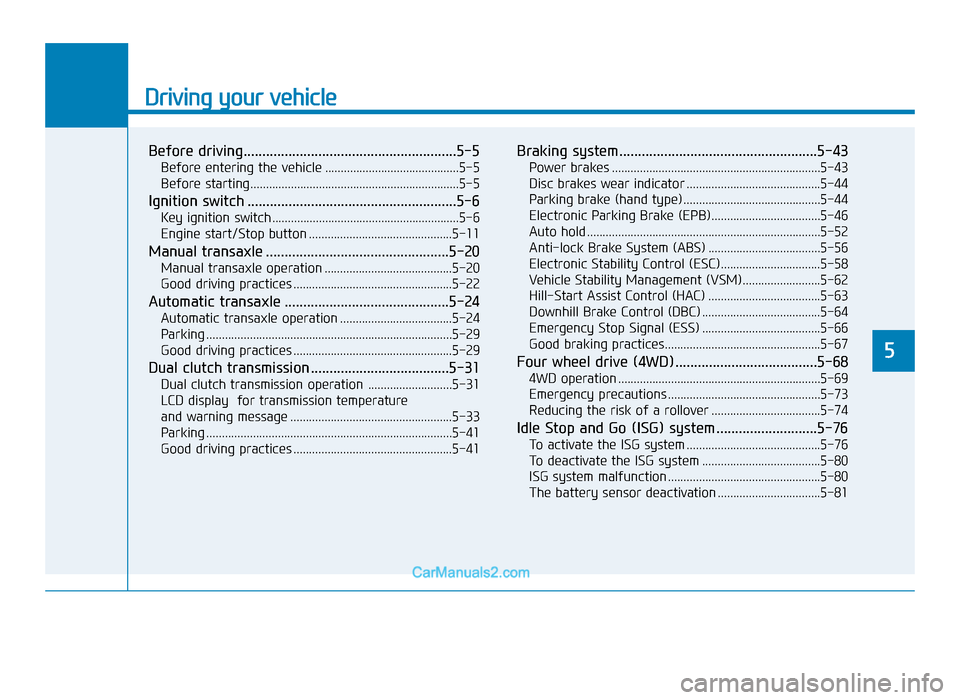
Four wheel drive (4WD) ......................................5-68
4WD operation .................................................................5-69
Emergency precautions .................................................5-73
Reducing the risk of a rollover ...................................5-74
Idle Stop and Go (ISG) system ...........................5-76
To activate the ISG system ...........................................5-76
To deactivate the ISG system ......................................5-80
ISG system malfunction .................................................5-80
The battery sensor deactivation .................................5-81
5
TLe UK 5.qxp 5/10/2018 12:18 PM Page 1
Page 392 of 685
5-68
Driving your vehicle
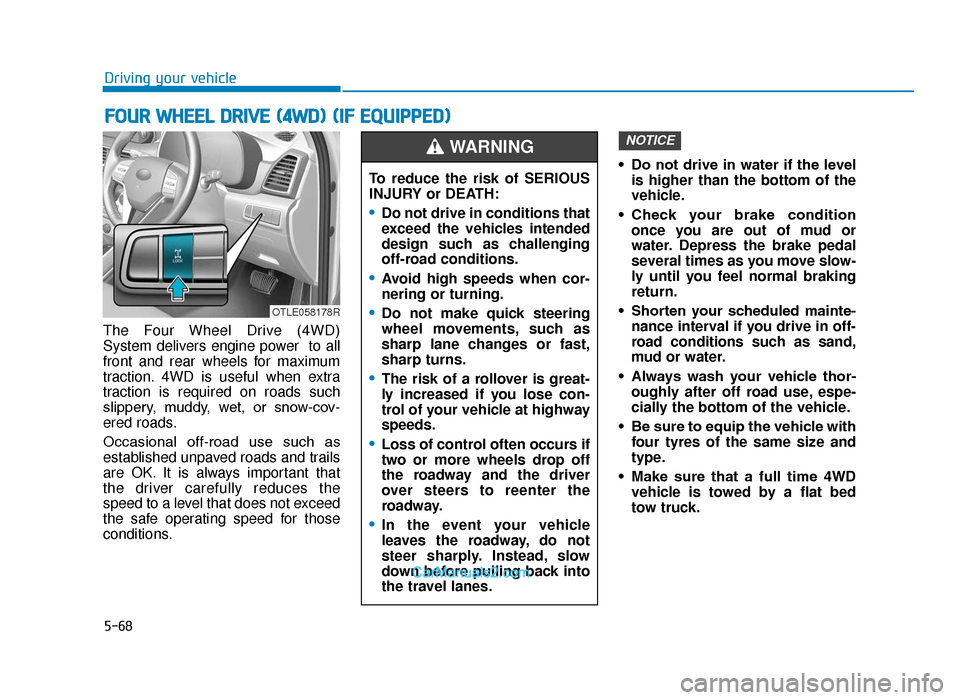
The Four Wheel Drive (4WD)
System delivers engine power to all
front and rear wheels for maximum
traction. 4WD is useful when extra
traction is required on roads such
slippery, muddy, wet, or snow-cov-
ered roads.
Occasional off-road use such as
established unpaved roads and trails
are OK. It is always important that
the driver carefully reduces the
speed to a level that does not exceed
the safe operating speed for those
conditions. • Do not drive in water if the level
is higher than the bottom of the
vehicle.
• Check your brake condition once you are out of mud or
water. Depress the brake pedal
several times as you move slow-
ly until you feel normal braking
return.
• Shorten your scheduled mainte- nance interval if you drive in off-
road conditions such as sand,
mud or water.
• Always wash your vehicle thor- oughly after off road use, espe-
cially the bottom of the vehicle.
• Be sure to equip the vehicle with four tyres of the same size and
type.
• Make sure that a full time 4WD vehicle is towed by a flat bed
tow truck.
NOTICE
FOUR WHEEL DRIVE (4WD) (IF EQUIPPED)
To reduce the risk of SERIOUS
INJURY or DEATH:
•Do not drive in conditions that
exceed the vehicles intended
design such as challenging
off-road conditions.
•Avoid high speeds when cor-
nering or turning.
•Do not make quick steering
wheel movements, such as
sharp lane changes or fast,
sharp turns.
•The risk of a rollover is great-
ly increased if you lose con-
trol of your vehicle at highway
speeds.
•Loss of control often occurs if
two or more wheels drop off
the roadway and the driver
over steers to reenter the
roadway.
•In the event your vehicle
leaves the roadway, do not
steer sharply. Instead, slow
down before pulling back into
the travel lanes.
WARNING
OTLE058178R
TLe UK 5.qxp 5/10/2018 12:23 PM Page 68
Page 393 of 685
5-69
Driving your vehicle
5
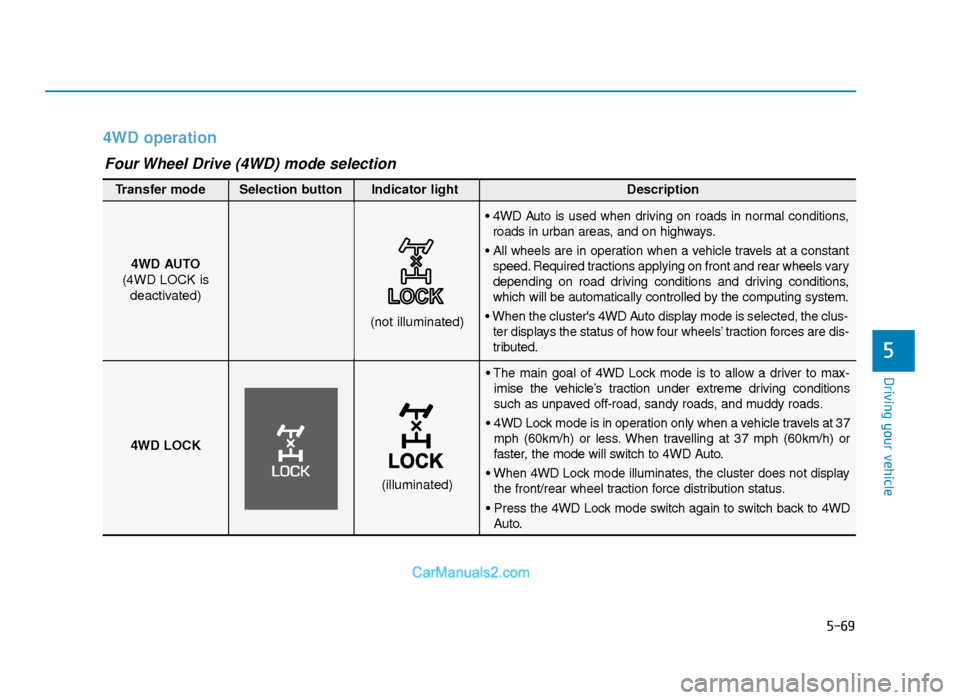
4WD operation
• The main goal of 4WD Lock mode is to allow a driver to max-imise the vehicle’s traction under extreme driving conditions
such as unpaved off-road, sandy roads, and muddy roads.
• 4WD Lock mode is in operation only when a vehicle travels at 37 mph (60km/h) or less. When travelling at 37 mph (60km/h) or
faster, the mode will switch to 4WD Auto.
• When 4WD Lock mode illuminates, the cluster does not display the front/rear wheel traction force distribution status.
• Press the 4WD Lock mode switch again to switch back to 4WD Auto.
4WD AUTO
(4WD LOCK is deactivated)
(not illuminated)
Transfer mode Selection button Indicator light Description
• 4WD Auto is used when driving on roads in normal conditions,
roads in urban areas, and on highways.
• All wheels are in operation when a vehicle travels at a constant speed. Required tractions applying on front and rear wheels vary
depending on road driving conditions and driving conditions,
which will be automatically controlled by the computing system.
• When the cluster's 4WD Auto display mode is selected, the clus- ter displays the status of how four wheels’ traction forces are dis-
tributed.
4WD LOCK
(illuminated)
Four Wheel Drive (4WD) mode selection
TLe UK 5.qxp 5/10/2018 12:23 PM Page 69
Page 394 of 685
5-70
Driving your vehicle
• Maintain 4WD Auto mode when driving on roads in normal con-
ditions.
• When driving under normal road conditions (especially when cor-
nering) in 4WD Lock mode, a
driver may find minor mechani-
cal vibration or noise, which is
extremely normal phenomenon,
not a malfunction. When 4WD
Lock mode is released, such
noise or vibration will be imme-
diately gone. When the 4WD LOCK mode is
deactivated, a sensation may be
felt as the driving power is deliv-
ered entirely to the front wheels.
For safe 4WD operation
Before driving
• Make sure all passengers are
wearing seat belts.
• Sit upright and closer to the steer- ing wheel than usual. Adjust the
steering wheel to a position com-
fortable for you to drive.
Driving on snow-covered or icy
roads
• Start off slowly by applying theaccelerator pedal gently.
• Use snow tyres or tyre chains.
• Keep sufficient distance between your vehicle and the vehicle in front
of you.
• Use engine braking during deceler- ation.
• Avoid speeding, rapid acceleration, sudden brake applications, and
sharp turns to prevent skids.
NOTICE
NOTICE
When driving on normal roads,
deactivate the 4WD LOCK mode
by pushing the 4WD LOCK but-
ton (4WD LOCK indicator light
goes off). Driving on normal
roads with the 4WD LOCK
mode, especially, when corner-
ing may cause mechanical
noise or vibration. The noise
and vibration will disappear
when the 4WD LOCK mode is
deactivated. Prolong driving
with the noise and vibration
may damage some parts of the
power train.
CAUTION
If 4WD warning light ( ) stays
on the instrument cluster, your
vehicle may have a malfunction
with the 4WD system. When the
4WD warning light ( ) illumi-
nates we recommend that the
vehicle be checked by a
HYUNDAI authorised repairer
as soon as possible.
WARNING
TLe UK 5.qxp 5/10/2018 12:23 PM Page 70
Page 395 of 685
5-71
Driving your vehicle
5
Driving in sand or mud
• Maintain slow and constant speed.
• Use tyre chains driving in mud ifnecessary.
• Keep sufficient distance between your vehicle and the vehicle in front
of you.
• Reduce vehicle speed and always check the road condition.
• Avoid speeding, rapid acceleration, sudden brake applications, and
sharp turns to prevent getting
stuck.
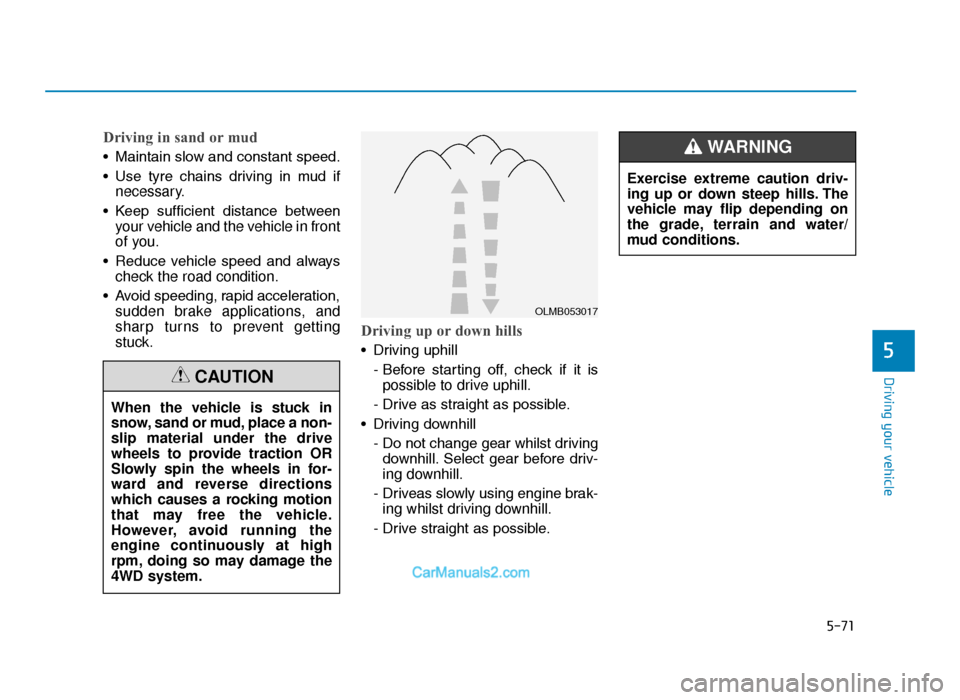
Driving up or down hills
• Driving uphill
- Before starting off, check if it ispossible to drive uphill.
- Drive as straight as possible.
• Driving downhill - Do not change gear whilst drivingdownhill. Select gear before driv-
ing downhill.
- Driveas slowly using engine brak- ing whilst driving downhill.
- Drive straight as possible.
When the vehicle is stuck in
snow, sand or mud, place a non-
slip material under the drive
wheels to provide traction OR
Slowly spin the wheels in for-
ward and reverse directions
which causes a rocking motion
that may free the vehicle.
However, avoid running the
engine continuously at high
rpm, doing so may damage the
4WD system.
CAUTION
OLMB053017
Exercise extreme caution driv-
ing up or down steep hills. The
vehicle may flip depending on
the grade, terrain and water/
mud conditions.
WARNING
TLe UK 5.qxp 5/10/2018 12:23 PM Page 71