forward Hyundai Tucson 2019 User Guide
[x] Cancel search | Manufacturer: HYUNDAI, Model Year: 2019, Model line: Tucson, Model: Hyundai Tucson 2019Pages: 546, PDF Size: 61.38 MB
Page 57 of 546
2-39
Safety system of your vehicle
2
Selecting a Child Restraint
System (CRS)
When selecting a CRS for your child,
always:
Make sure the CRS has a label
certifying that it meets applicable
Federal Motor Vehicle Safety
Standards (FMVSS 213).
Select a child restraint based on
your child’s height and weight. The
required label or the instructions
for use typically provide this infor-
mation.
Select a child restraint that fits the
vehicle seating position where it
will be used.
Read and comply with the warn-
ings and instructions for installation
and use provided with the child
restraint system.
Child restraint system types
There are three main types of child
restraint systems: rearward-facing
seats, forward-facing seats, and
booster seats. They are classified
according to the child's age, height
and weight.
Rearward-facing child seats
Always properly restrain your
child in the child restraint.
If the vehicle head restraint
prevents proper installation of
a child seat (as described in
the child restraint system
manual), the head restraint of
the respective seating posi-
tion shall be readjusted or
entirely removed.
Do not use an infant carrier or
a child safety seat that
"hooks" over a seatback, it
may not provide adequate
protection in an accident.
After an accident, have a
HYUNDAI dealer check the
child restraint system, seat
belts, tether anchors and
lower anchors.
NEVER install a child or infant
restraint in the front passen-
ger's seat.
Placing a rearward-facing child
restraint in the front seat can
result in SERIOUS INJURY or
DEATH if the child restraint is
struck by an inflating air bag.
WARNING
Page 58 of 546
2-40
Safety system of your vehicle
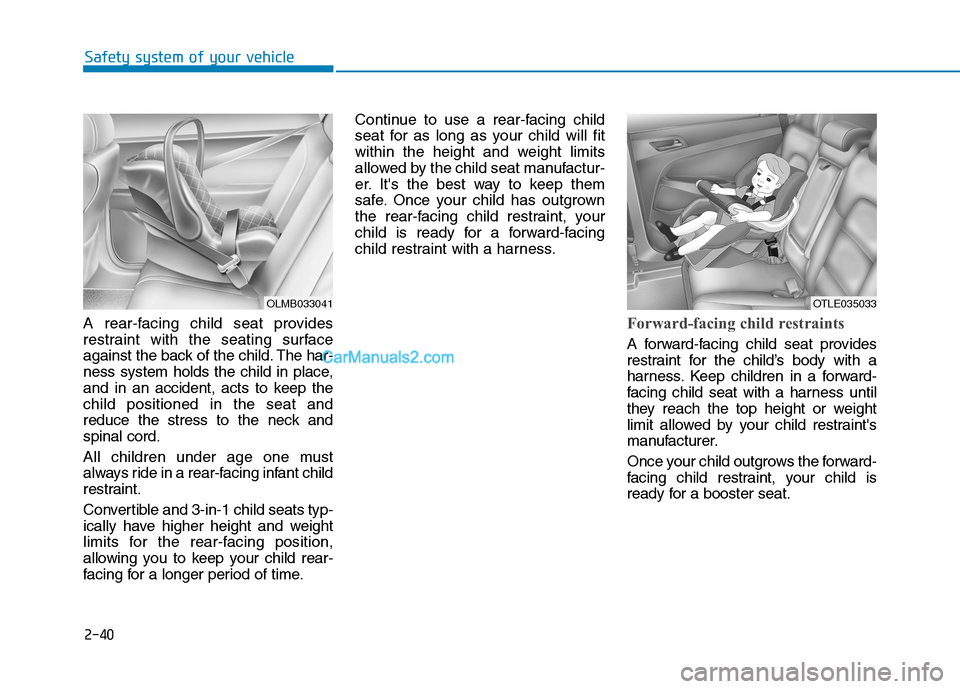
A rear-facing child seat provides
restraint with the seating surface
against the back of the child. The har-
ness system holds the child in place,
and in an accident, acts to keep the
child positioned in the seat and
reduce the stress to the neck and
spinal cord.
All children under age one must
always ride in a rear-facing infant child
restraint.
Convertible and 3-in-1 child seats typ-
ically have higher height and weight
limits for the rear-facing position,
allowing you to keep your child rear-
facing for a longer period of time.Continue to use a rear-facing child
seat for as long as your child will fit
within the height and weight limits
allowed by the child seat manufactur-
er. It's the best way to keep them
safe. Once your child has outgrown
the rear-facing child restraint, your
child is ready for a forward-facing
child restraint with a harness.
Forward-facing child restraints
A forward-facing child seat provides
restraint for the child’s body with a
harness. Keep children in a forward-
facing child seat with a harness until
they reach the top height or weight
limit allowed by your child restraint's
manufacturer.
Once your child outgrows the forward-
facing child restraint, your child is
ready for a booster seat.
OLMB033041OTLE035033
Page 59 of 546
2-41
Safety system of your vehicle
2
Booster seats
A booster seat is a restraint designed
to improve the fit of the vehicle’s seat
belt system. A booster seat positions
the seat belt so that it fits properly
over the lap of your child.
Keep your child in a booster seat until
they are big enough to sit in the seat
without a booster and still have the
seat belt fit properly. For a seat belt to
fit properly, the lap belt must lie snug-
ly across the upper thighs, not the
stomach. The shoulder belt should lie
snug across the shoulder and chest
and not across the neck or face.
Children under age 13 must always
ride in the rear seats and must always
be properly restrained to minimize the
risk of injury.
Installing a Child Restraint
System (CRS)After selecting a proper child seat for
your child, check to make sure it fits
properly in your vehicle. Follow the
instructions provided by the manu-
facturer when installing the child
seat. Note these general steps when
installing the seat to your vehicle:
Properly secure the child
restraint to the vehicle.All child
restraints must be secured to the
vehicle with the lap part of a
lap/shoulder belt or with the
LATCH system. If using the
lap/shoulder belt for your child
restraint, the convertible locking
retractor should be pulled all the
way out to engage the "automatic
locking" mode. (See page 2-45.)
Make sure the child restraint is
firmly secured.After installing a
child restraint to the vehicle, push
and pull the seat forward-and-back
and from side-to-side to verify that
it is securely attached to the seat.
A child restraint secured with a
seat belt should be installed as
firmly as possible. However, some
side-to- side movement can be
expected. Before installing your child
restraint system always:
Read and follow the instruc-
tions provided by the manu-
facturer of the child restraint.
Read and follow the instruc-
tions regarding child restraint
systems in this manual.
Failure to follow all warnings
and instructions could increase
the risk of the SERIOUS INJURY
or DEATH if an accident occurs.
WARNING
If the vehicle head restraint pre-
vents proper installation of a
child seat (as described in the
child seat system manual, the
head restraint of the respective
seating position shall be read-
justed or entirely removed.
WARNING
Page 75 of 546
2-57
Safety system of your vehicle
2
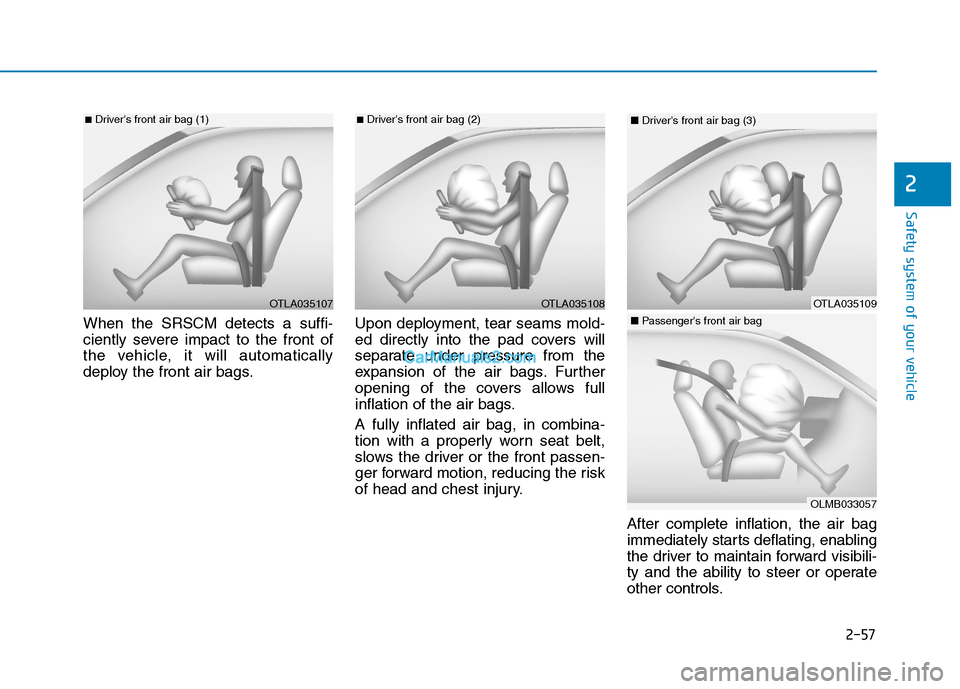
When the SRSCM detects a suffi-
ciently severe impact to the front of
the vehicle, it will automatically
deploy the front air bags.Upon deployment, tear seams mold-
ed directly into the pad covers will
separate under pressure from the
expansion of the air bags. Further
opening of the covers allows full
inflation of the air bags.
A fully inflated air bag, in combina-
tion with a properly worn seat belt,
slows the driver or the front passen-
ger forward motion, reducing the risk
of head and chest injury.
After complete inflation, the air bag
immediately starts deflating, enabling
the driver to maintain forward visibili-
ty and the ability to steer or operate
other controls.
OTLA035108
■Driver's front air bag (2)
OTLA035107
■Driver's front air bag (1)
OTLA035109
■Driver's front air bag (3)
OLMB033057
■Passenger's front air bag
Page 135 of 546
3-44
Convenient features of your vehicle
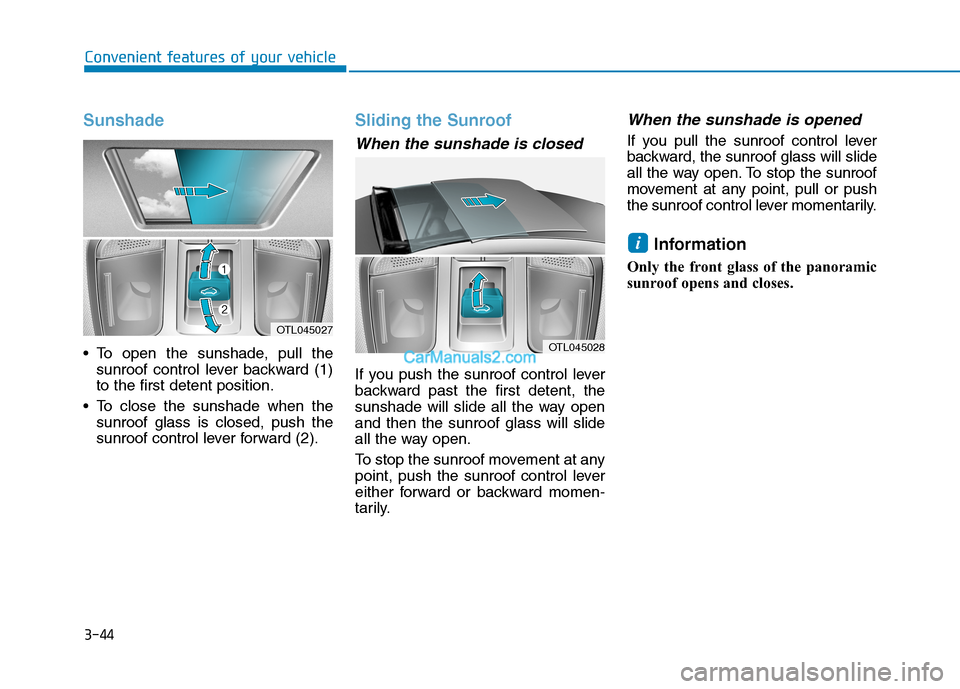
Sunshade
To open the sunshade, pull the
sunroof control lever backward (1)
to the first detent position.
To close the sunshade when the
sunroof glass is closed, push the
sunroof control lever forward (2).
Sliding the Sunroof
When the sunshade is closed
If you push the sunroof control lever
backward past the first detent, the
sunshade will slide all the way open
and then the sunroof glass will slide
all the way open.
To stop the sunroof movement at any
point, push the sunroof control lever
either forward or backward momen-
tarily.
When the sunshade is opened
If you pull the sunroof control lever
backward, the sunroof glass will slide
all the way open. To stop the sunroof
movement at any point, pull or push
the sunroof control lever momentarily.
Information
Only the front glass of the panoramic
sunroof opens and closes.
i
OTL045028
OTL045027
Page 136 of 546
3-45
Convenient features of your vehicle
3
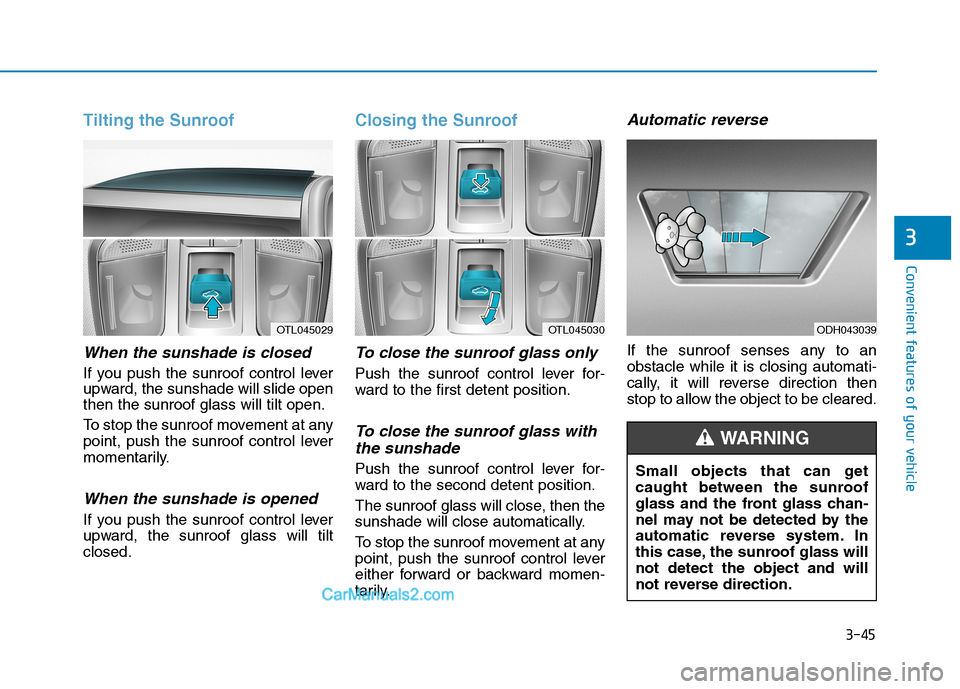
Tilting the Sunroof
When the sunshade is closed
If you push the sunroof control lever
upward, the sunshade will slide open
then the sunroof glass will tilt open.
To stop the sunroof movement at any
point, push the sunroof control lever
momentarily.
When the sunshade is opened
If you push the sunroof control lever
upward, the sunroof glass will tilt
closed.
Closing the Sunroof
To close the sunroof glass only
Push the sunroof control lever for-
ward to the first detent position.
To close the sunroof glass with
the sunshade
Push the sunroof control lever for-
ward to the second detent position.
The sunroof glass will close, then the
sunshade will close automatically.
To stop the sunroof movement at any
point, push the sunroof control lever
either forward or backward momen-
tarily.
Automatic reverse
If the sunroof senses any to an
obstacle while it is closing automati-
cally, it will reverse direction then
stop to allow the object to be cleared.
OTL045030ODH043039OTL045029
Small objects that can get
caught between the sunroof
glass and the front glass chan-
nel may not be detected by the
automatic reverse system. In
this case, the sunroof glass will
not detect the object and will
not reverse direction.
WARNING
Page 137 of 546
3-46
Convenient features of your vehicle
Periodically remove any dirt that
may accumulate on the sunroof
guide rail or between the sun-
roof and roof panel which can
make a noise.
Do not try to open the sunroof
when the temperature is below
freezing or when the sunroof is
covered with snow or ice, other-
wise the motor could be dam-
aged. In cold and wet climates,
the sunroof may not work prop-
erly.
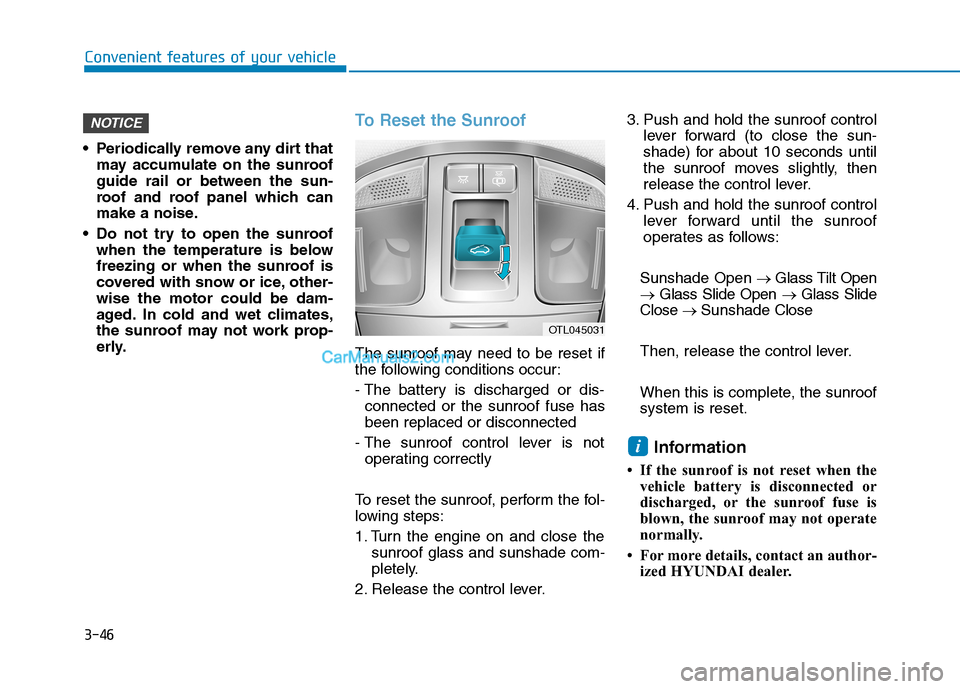
To Reset the Sunroof
The sunroof may need to be reset if
the following conditions occur:
- The battery is discharged or dis-
connected or the sunroof fuse has
been replaced or disconnected
- The sunroof control lever is not
operating correctly
To reset the sunroof, perform the fol-
lowing steps:
1. Turn the engine on and close the
sunroof glass and sunshade com-
pletely.
2. Release the control lever.3. Push and hold the sunroof control
lever forward (to close the sun-
shade) for about 10 seconds until
the sunroof moves slightly, then
release the control lever.
4. Push and hold the sunroof control
lever forward until the sunroof
operates as follows:
Sunshade Open→ Glass Tilt Open
→ Glass Slide Open → Glass Slide
Close → Sunshade Close
Then, release the control lever.
When this is complete, the sunroof
system is reset.
Information
• If the sunroof is not reset when the
vehicle battery is disconnected or
discharged, or the sunroof fuse is
blown, the sunroof may not operate
normally.
• For more details, contact an author-
ized HYUNDAI dealer.
i
NOTICE
OTL045031
Page 169 of 546
3-78
Convenient features of your vehicle
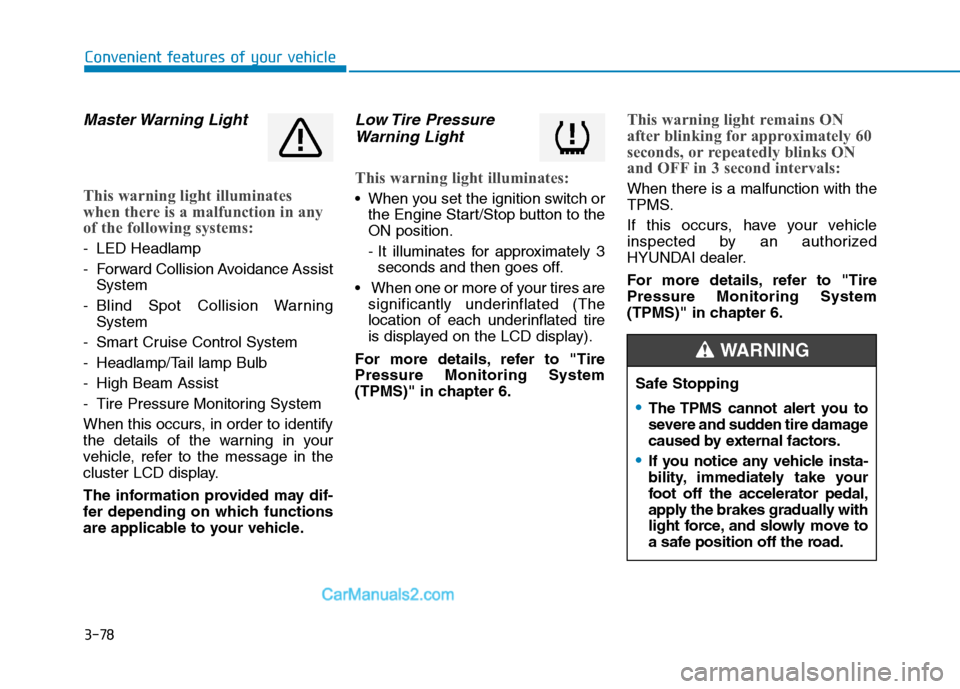
Master Warning Light
This warning light illuminates
when there is a malfunction in any
of the following systems:
- LED Headlamp
- Forward Collision Avoidance Assist
System
- Blind Spot Collision Warning
System
- Smart Cruise Control System
- Headlamp/Tail lamp Bulb
- High Beam Assist
- Tire Pressure Monitoring System
When this occurs, in order to identify
the details of the warning in your
vehicle, refer to the message in the
cluster LCD display.
The information provided may dif-
fer depending on which functions
are applicable to your vehicle.
Low Tire Pressure
Warning Light
This warning light illuminates:
When you set the ignition switch or
the Engine Start/Stop button to the
ON position.
- It illuminates for approximately 3
seconds and then goes off.
When one or more of your tires are
significantly underinflated (The
location of each underinflated tire
is displayed on the LCD display).
For more details, refer to "Tire
Pressure Monitoring System
(TPMS)" in chapter 6.
This warning light remains ON
after blinking for approximately 60
seconds, or repeatedly blinks ON
and OFF in 3 second intervals:
When there is a malfunction with the
TPMS.
If this occurs, have your vehicle
inspected by an authorized
HYUNDAI dealer.
For more details, refer to "Tire
Pressure Monitoring System
(TPMS)" in chapter 6.
Safe Stopping
The TPMS cannot alert you to
severe and sudden tire damage
caused by external factors.
If you notice any vehicle insta-
bility, immediately take your
foot off the accelerator pedal,
apply the brakes gradually with
light force, and slowly move to
a safe position off the road.
WARNING
Page 170 of 546
3-79
Convenient features of your vehicle
3
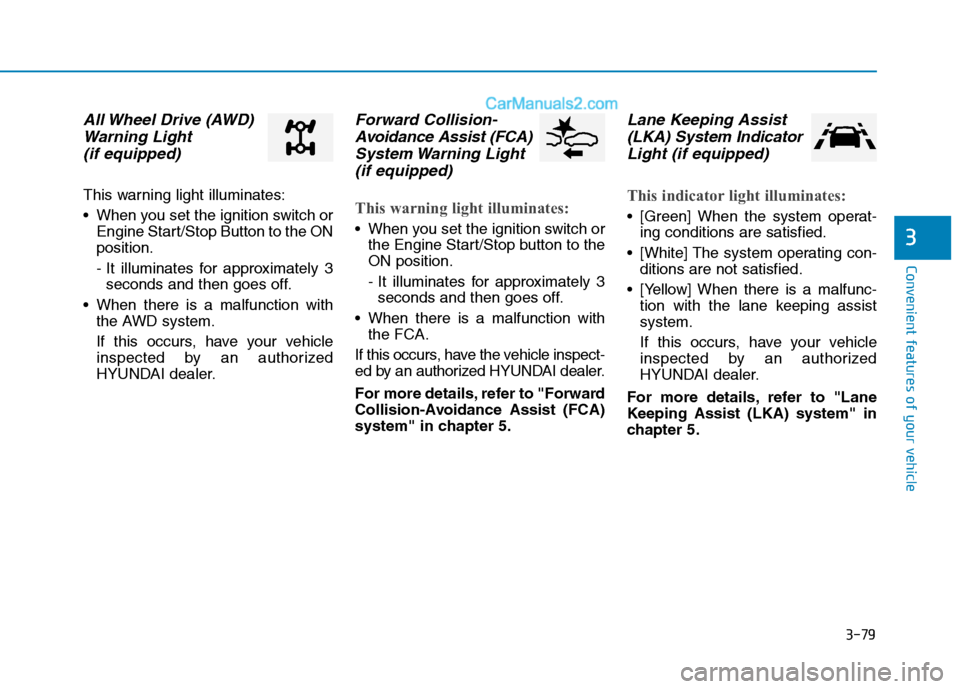
All Wheel Drive (AWD)
Warning Light
(if equipped)
This warning light illuminates:
When you set the ignition switch or
Engine Start/Stop Button to the ON
position.
- It illuminates for approximately 3
seconds and then goes off.
When there is a malfunction with
the AWD system.
If this occurs, have your vehicle
inspected by an authorized
HYUNDAI dealer.
Forward Collision-
Avoidance Assist (FCA)
System Warning Light
(if equipped)
This warning light illuminates:
When you set the ignition switch or
the Engine Start/Stop button to the
ON position.
- It illuminates for approximately 3
seconds and then goes off.
When there is a malfunction with
the FCA.
If this occurs, have the vehicle inspect-
ed by an authorized HYUNDAI dealer.
For more details, refer to "Forward
Collision-Avoidance Assist (FCA)
system" in chapter 5.
Lane Keeping Assist
(LKA) System Indicator
Light (if equipped)
This indicator light illuminates:
[Green] When the system operat-
ing conditions are satisfied.
[White] The system operating con-
ditions are not satisfied.
[Yellow] When there is a malfunc-
tion with the lane keeping assist
system.
If this occurs, have your vehicle
inspected by an authorized
HYUNDAI dealer.
For more details, refer to "Lane
Keeping Assist (LKA) system" in
chapter 5.
Page 180 of 546
3-89
Convenient features of your vehicle
3
Check headlight
This warning message is displayed if
the headlights are not operating
properly. A headlight bulb may need
to be replaced.
Information
Make sure to replace the burned out
bulb with a new one of the same
wattage rating.
Check High Beam Assist (HBA)
system (if equipped)
This warning message is displayed if
there is a problem with the High
Beam Assist (HBA) system. Have the
vehicle inspected by an authorized
HYUNDAI dealer.
For more details, refer to "High
Beam Assist (HBA) system" in
chapter 3.
Check headlight LED
This warning message is displayed if
there is a problem with the LED
headlight. Have the vehicle inspect-
ed by an authorized HYUNDAI deal-
er.
Check Forward Collision
Avoidance Assist system
This warning message is displayed if
there is a problem with the Forward
Collision-Avoidance Assist (FCA)
system. Have the vehicle inspected
by an authorized HYUNDAI dealer.
For more details, refer to "Forward
Collision-Avoidance Assist (FCA)
system" in chapter 5.
Check Blind-Spot Collision
Warning (BCW) system
(if equipped)
This warning message is displayed if
there is a problem with the Blind-
Spot Collision Warning system. Have
the vehicle inspected by an author-
ized HYUNDAI dealer.
For more details, refer to "Blind-
Spot Collision Warning (BCW)"
System in chapter 5.
i