Ac system HYUNDAI TUCSON 2023 Owners Manual
[x] Cancel search | Manufacturer: HYUNDAI, Model Year: 2023, Model line: TUCSON, Model: HYUNDAI TUCSON 2023Pages: 638, PDF Size: 26.51 MB
Page 503 of 638
Driver assistance system
7-140
Limitations of Forward/Reverse
Parking Distance Warning
• Forward/Reverse Parking Distance
Warning may not operate normally
when:
-Moisture is frozen to the sensor
-Sensor is covered with foreign
material, such as snow or water
(Forward/Reverse Parking Distance
Warning will operate normally when
such foreign material are removed.)
-The weather is extremely hot or cold
-The sensor or sensor assembly is
disassembled
-The surface of the sensor has been
subjected to a hard impact
-The surface of the sensor has been
scratched with a sharp object
-The sensors or its surrounding
area is directly sprayed with high
pressure washer
• Forward/Reverse Parking Distance
Warning may malfunction when:
-Heavy rain or water spray is present
-Water flows on the surface of the
sensor
-Affected by another vehicle’s sensors
-The sensor is covered with snow
-Driving on uneven road, gravel
roads or bushes
-Objects that generates ultrasonic
waves are near the sensor
-Installing the license plate
differently from the original location
-The vehicle bumper height or
ultrasonic sensor installation has
been modified
-Attaching equipments or
accessories around the ultrasonic
sensors •
The following objects may not be
detected:
-Sharp or slim objects, such as ropes,
chains or small poles.
-Objects, which tend to absorb
sensor frequency, such as clothes,
spongy material or snow.
-Objects smaller than 40 in. (100 cm)
in length and narrower than 6 in. (14
cm) in diameter.
-Pedestrians, animals or objects
that are very close to the ultrasonic
sensors
• Parking Distance Warning Indicators
may be displayed differently from
the actual detected location when
the obstacle is located between the
sensors.
• Parking Distance Warning indicator
may not occur sequentially depending
on vehicle speed or obstacle shape.
• If Forward/Reverse Parking Distance
Warning needs repair, have the
vehicle inspected by an authorized
HYUNDAI dealer.
Page 505 of 638
Driver assistance system
7-142
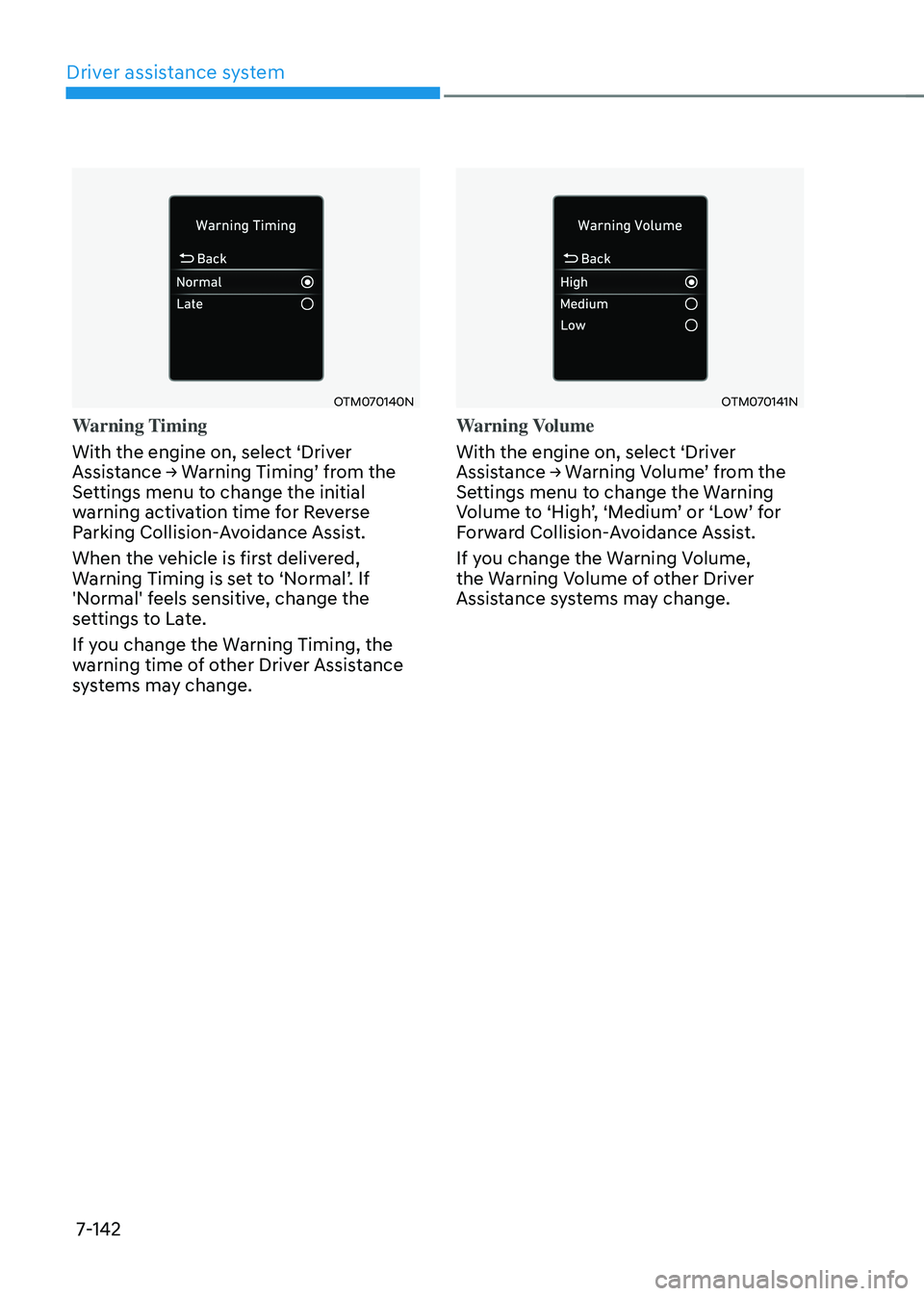
OTM070140N
Warning Timing
With the engine on, select ‘Driver
Assistance → Warning Timing’ from the Settings menu to change the initial
warning activation time for Reverse
Parking Collision-Avoidance Assist.
When the vehicle is first delivered,
Warning Timing is set to ‘Normal’. If 'Normal' feels sensitive, change the
settings to Late.
If you change the Warning Timing, the
warning time of other Driver Assistance
systems may change.
OTM070141N
Warning Volume
With the engine on, select ‘Driver
Assistance → Warning Volume’ from the Settings menu to change the Warning Volume to ‘High’, ‘Medium’ or ‘Low’ for Forward Collision-Avoidance Assist.
If you change the Warning Volume,
the Warning Volume of other Driver
Assistance systems may change.
Page 506 of 638
07
7-143
Reverse Parking Collision-
Avoidance Assist Operation
Operating conditions
If ‘Rear Active Assist’ or ‘Rear Warning Only’ is set from the Settings menu, Reverse Parking Collision-Avoidance
Assist will be in the ready status when
the following conditions are satisfied:
-The liftgate is closed
-The gear is shifted to R (Reverse)
-Vehicle speed is below 6 mph (10
km/h)
-Reverse Parking Collision-Avoidance
Assist components such as the rear
view camera and the rear ultrasonic
sensors are in normal conditions
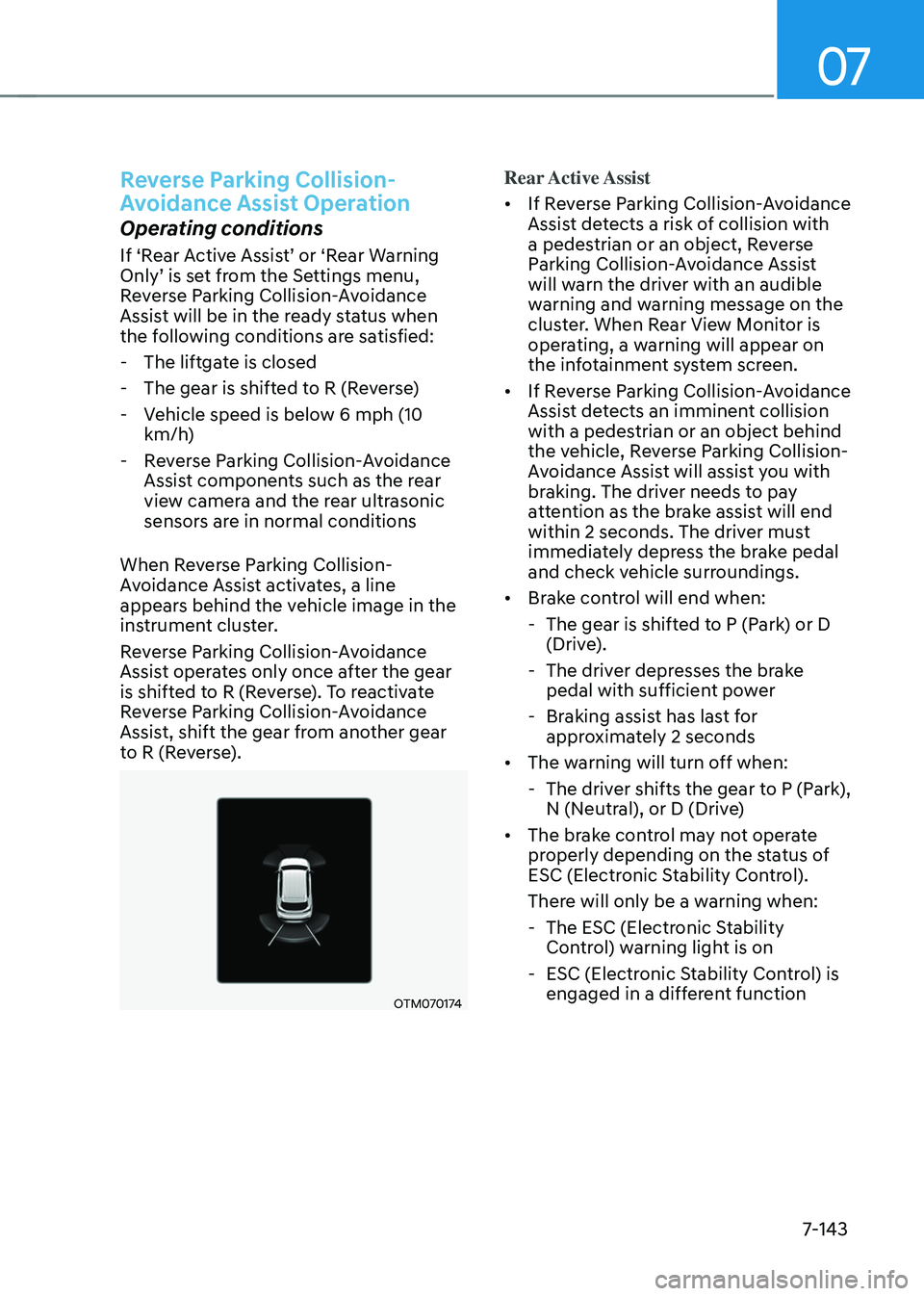
When Reverse Parking Collision-
Avoidance Assist activates, a line
appears behind the vehicle image in the
instrument cluster.
Reverse Parking Collision-Avoidance
Assist operates only once after the gear
is shifted to R (Reverse). To reactivate
Reverse Parking Collision-Avoidance
Assist, shift the gear from another gear
to R (Reverse).
OTM070174
Rear Active Assist
• If Reverse Parking Collision-Avoidance
Assist detects a risk of collision with
a pedestrian or an object, Reverse
Parking Collision-Avoidance Assist
will warn the driver with an audible
warning and warning message on the
cluster. When Rear View Monitor is
operating, a warning will appear on
the infotainment system screen.
• If Reverse Parking Collision-Avoidance
Assist detects an imminent collision
with a pedestrian or an object behind
the vehicle, Reverse Parking Collision-
Avoidance Assist will assist you with
braking. The driver needs to pay
attention as the brake assist will end
within 2 seconds. The driver must
immediately depress the brake pedal
and check vehicle surroundings.
• Brake control will end when:
-The gear is shifted to P (Park) or D
(Drive).
-The driver depresses the brake
pedal with sufficient power
-Braking assist has last for
approximately 2 seconds
• The warning will turn off when:
-The driver shifts the gear to P (Park),
N (Neutral), or D (Drive)
• The brake control may not operate
properly depending on the status of
ESC (Electronic Stability Control).
There will only be a warning when:
-The ESC (Electronic Stability
Control) warning light is on
-ESC (Electronic Stability Control) is
engaged in a different function
Page 507 of 638
Driver assistance system
7-144
Rear Warning Only
• If Reverse Parking Collision-Avoidance
Assist detects a risk of collision with
a pedestrian or an object, Reverse
Parking Collision-Avoidance Assist
will warn the driver with an audible
warning and warning message on the
cluster. When Rear View Monitor is
operating, a warning will appear on
the infotainment system screen.
•
If ‘Rear Warning Only’ is selected, braking will not be assisted.
• The warning will turn off when the
gear is shifted to P (Park), N (Neutral)
or D (Drive).
Reverse Parking Collision-
Avoidance Assist Malfunction
and Limitations
Reverse Parking Collision-
Avoidance Assist malfunction
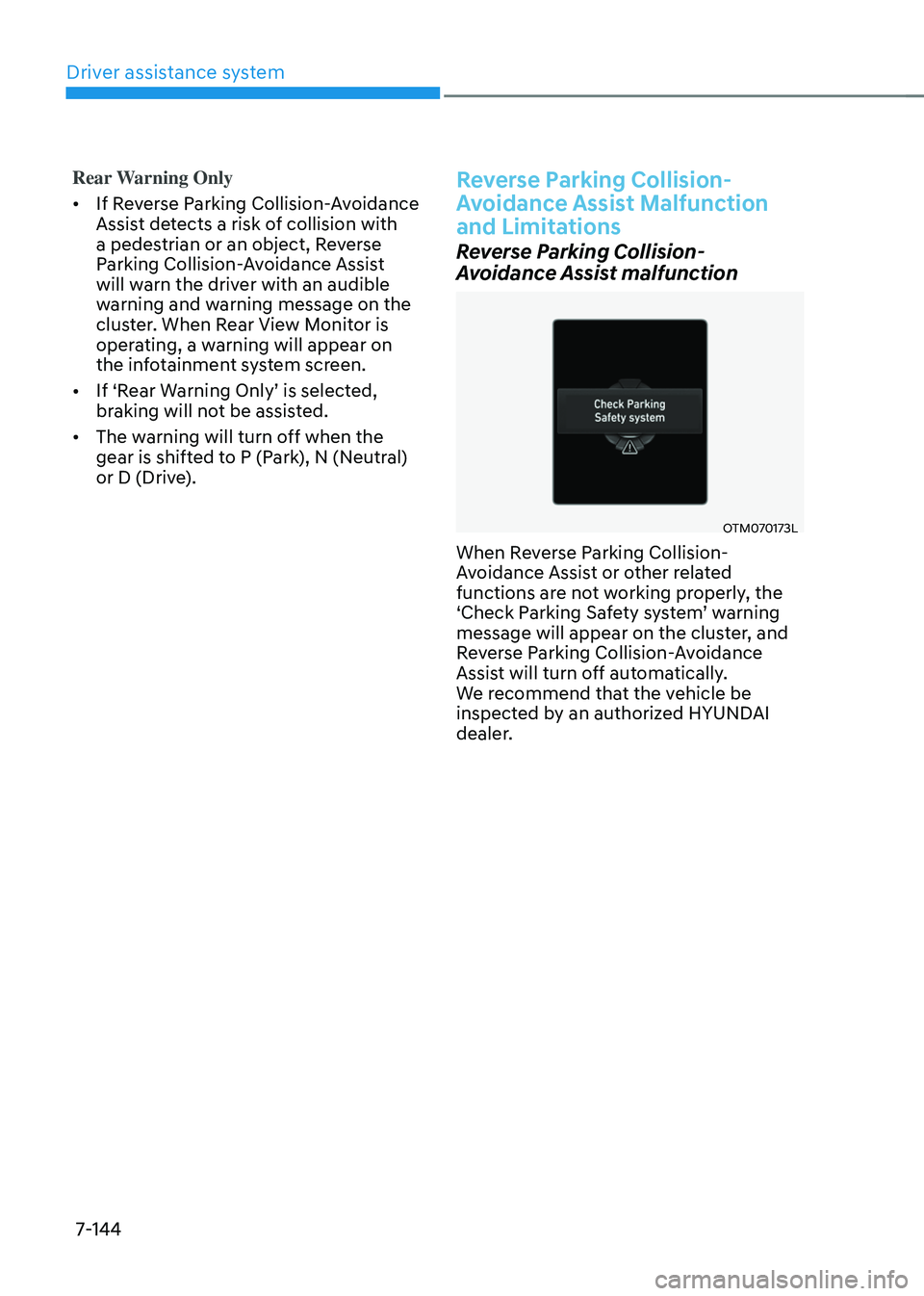
OTM070173L
When Reverse Parking Collision-
Avoidance Assist or other related
functions are not working properly, the
‘Check Parking Safety system’ warning message will appear on the cluster, and
Reverse Parking Collision-Avoidance
Assist will turn off automatically.
We recommend that the vehicle be
inspected by an authorized HYUNDAI
dealer.
Page 509 of 638
Driver assistance system
7-146
Limitations of Reverse Parking
Collision-Avoidance Assist
Reverse Parking Collision-Avoidance
Assist may not assist braking or warn
the driver even if there are pedestrians
or objects under the following
circumstances:
• Any non-factory equipment or
accessory is installed
• Your vehicle is unstable due to an
accident or other causes
• Bumper height or rear ultrasonic
sensor installation has been modified
• Rear view camera or rear ultrasonic
sensor(s) is damaged
• Rear view camera or the rear
ultrasonic sensor(s) is stained with
foreign material, such as snow, dirt,
etc.
• Rear view camera is obscured by a
light source or by inclement weather,
such as heavy rain, fog, snow, etc.
• The surrounding is very bright or very
dark
• Outside temperature is very high or
very low
• The wind is either strong (above
12 mph (20 km/h)) or blowing
perpendicular to the rear bumper
• Objects generating excessive
noise, such as vehicle horns, loud
motorcycle engines or truck air
brakes, are near your vehicle
• An ultrasonic sensor with similar
frequency is near your vehicle
• There is ground height difference
between the vehicle and the
pedestrian
• The image of the pedestrian in the
rear view camera is indistinguishable
from the background •
The pedestrian is near the rear edge of
the vehicle
• The pedestrian is not standing upright
• The pedestrian is either very short or
very tall for Reverse Parking Collision-
Avoidance Assist to detect
• The pedestrian or cyclist is wearing
clothing that easily blends into the
background, making it difficult to
detect
• The pedestrian is wearing clothing
that does not reflect ultrasonic waves
well
• Size, thickness, height, or shape of
the object does not reflect ultrasonic
waves well (e.g., pole, bush, curbs,
carts, edge of a wall, etc.)
• The pedestrian or the object is moving
• The pedestrian or the object is very
close to the rear of the vehicle
• A wall is behind the pedestrian or the
object
• The object is not located at the rear
center of your vehicle
• The object is not parallel to the rear
bumper
• The road is slippery or inclined
• The driver backs up the vehicle
immediately after shifting to R
(Reverse)
• The driver accelerates or circles the
vehicle
Page 511 of 638
Driver assistance system7-148
CAUTION
• Noise may be heard when sudden
braking occurs to avoid a collision.
• If any other warning sound such
as the seat belt warning chime is
already generated, Reverse Parking
Collision-Avoidance Assist warning
may not sound.
• Reverse Parking Collision-Avoidance
Assist may not work properly if the
bumper has been damaged, replaced
or repaired.
• Reverse Parking Collision-Avoidance
Assist may not operate normally if
interfered by strong electromagnetic
waves.
• Playing the vehicle audio system at
high volume may prevent passengers
from hearing Reverse Parking
Collision-Avoidance Assist warning
sounds.
• Turn off Reverse Parking Collision-
Avoidance Assist when towing a
trailer. If towing and moving in
reverse, Reverse Parking Collision-
Avoidance Assist will activate as it
detects the trailer.
CAUTION
Take the following precautions to
maintain optimal performance of the
detecting sensors:
• Always keep the rear view camera
and rear ultrasonic sensors clean.
• Do not use any cleanser containing
acid or alkaline detergents when
cleaning the rear view camera lens.
Use only a mild soap or neutral
detergent, and rinse thoroughly with
water.
• Do not spray the rear view camera or
the rear ultrasonic sensors or their
surrounding area directly with a
high pressure washer. It may cause
the rear view camera or the rear
ultrasonic sensors to malfunction.
• Do not apply objects, such as a
bumper sticker or a bumper guard,
near the rear view camera or rear
ultrasonic sensors or apply paint to
the bumper. Doing so may adversely
affect the performance of Reverse
Parking Collision-Avoidance Assist.
• Never disassemble or strike the rear
view camera or the rear ultrasonic
sensors components.
• Do not strike or pry the rear view
camera or the rear ultrasonic
sensors. Reverse Parking Collision-
Avoidance Assist may not operate
properly if the rear view camera
or the rear ultrasonic sensor(s)
is forcibly moved out of proper
alignment. Have the vehicle
inspected by an authorized HYUNDAI
dealer.
Information
Reverse Parking Collision-Avoidance
Assist can detect a pedestrian or an object
when:
• A pedestrian is standing behind the
vehicle
• A large obstacle, such as a vehicle,
is parked in the rear center of your
vehicle
Page 513 of 638
Driver assistance system
7-150
CAUTION
Take the following precautions to
maintain optimal performance of the
detecting sensors:
• Never disassemble the detecting
sensor or sensor assembly, or apply
any impact on it.
• If the detecting sensor have been
replaced or repaired, we recommend
that you have your vehicle inspected
by an authorized HYUNDAI dealer.
• Remote Smart Parking Assist
may malfunction if the vehicle
bumper height or ultrasonic sensor
installation has been modified
or damaged. Any non-factory
installed equipment or accessories
may also interfere with the sensor
performance.
• When the ultrasonic sensor is frozen
or stained with snow, dirt, or water,
the sensor may be not operate until
the stains are removed using a soft
cloth.
• Do not push, scratch or strike the
ultrasonic sensor. Sensor damage
could occur.
• Do not spray the ultrasonic sensors
or its surrounding area directly with
a high pressure washer.
Remote Smart Parking Assist
Settings
Setting features
OTM070141N
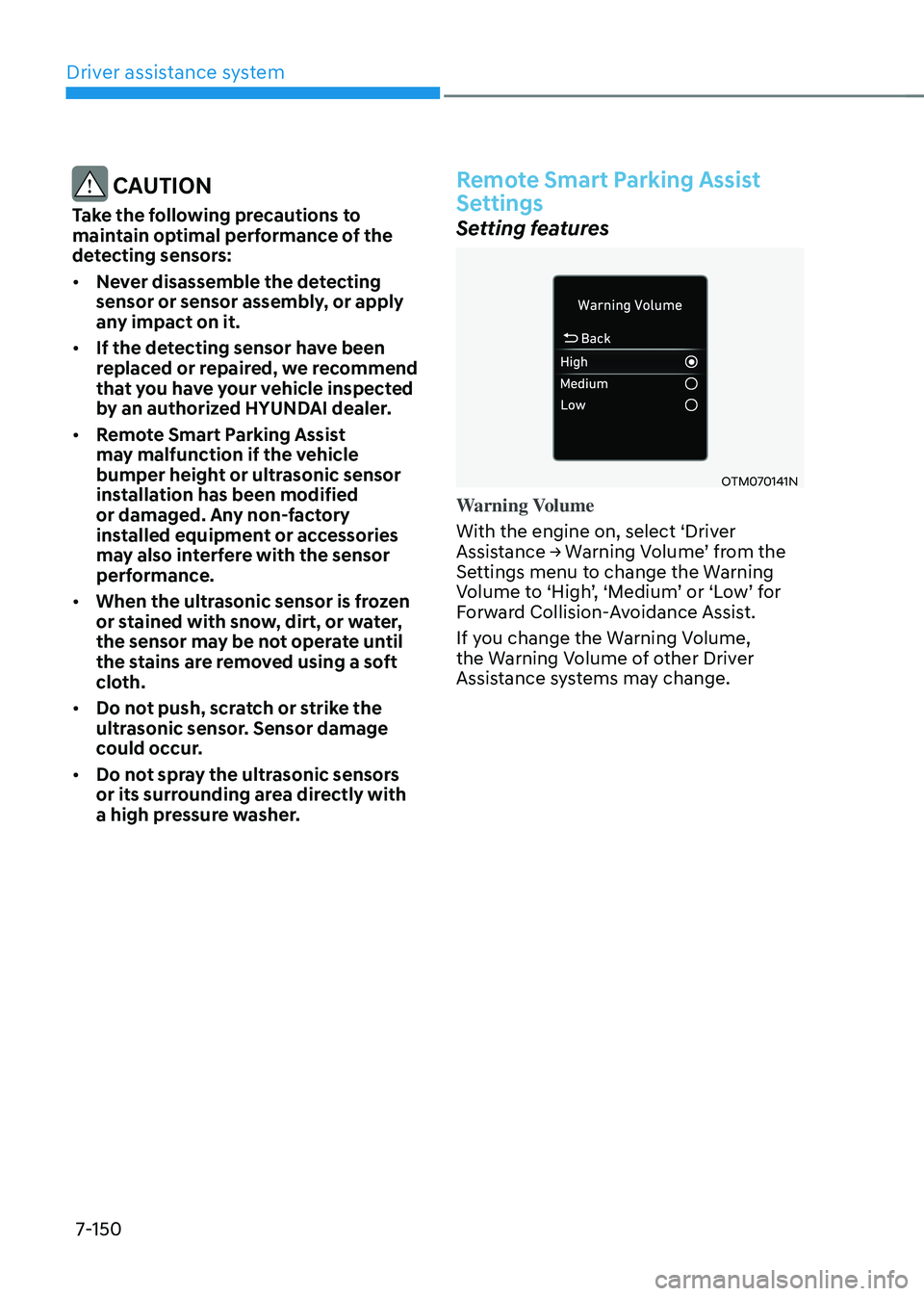
Warning Volume
With the engine on, select ‘Driver
Assistance → Warning Volume’ from the Settings menu to change the Warning Volume to ‘High’, ‘Medium’ or ‘Low’ for Forward Collision-Avoidance Assist.
If you change the Warning Volume,
the Warning Volume of other Driver
Assistance systems may change.
Page 515 of 638
Driver assistance system
7-152
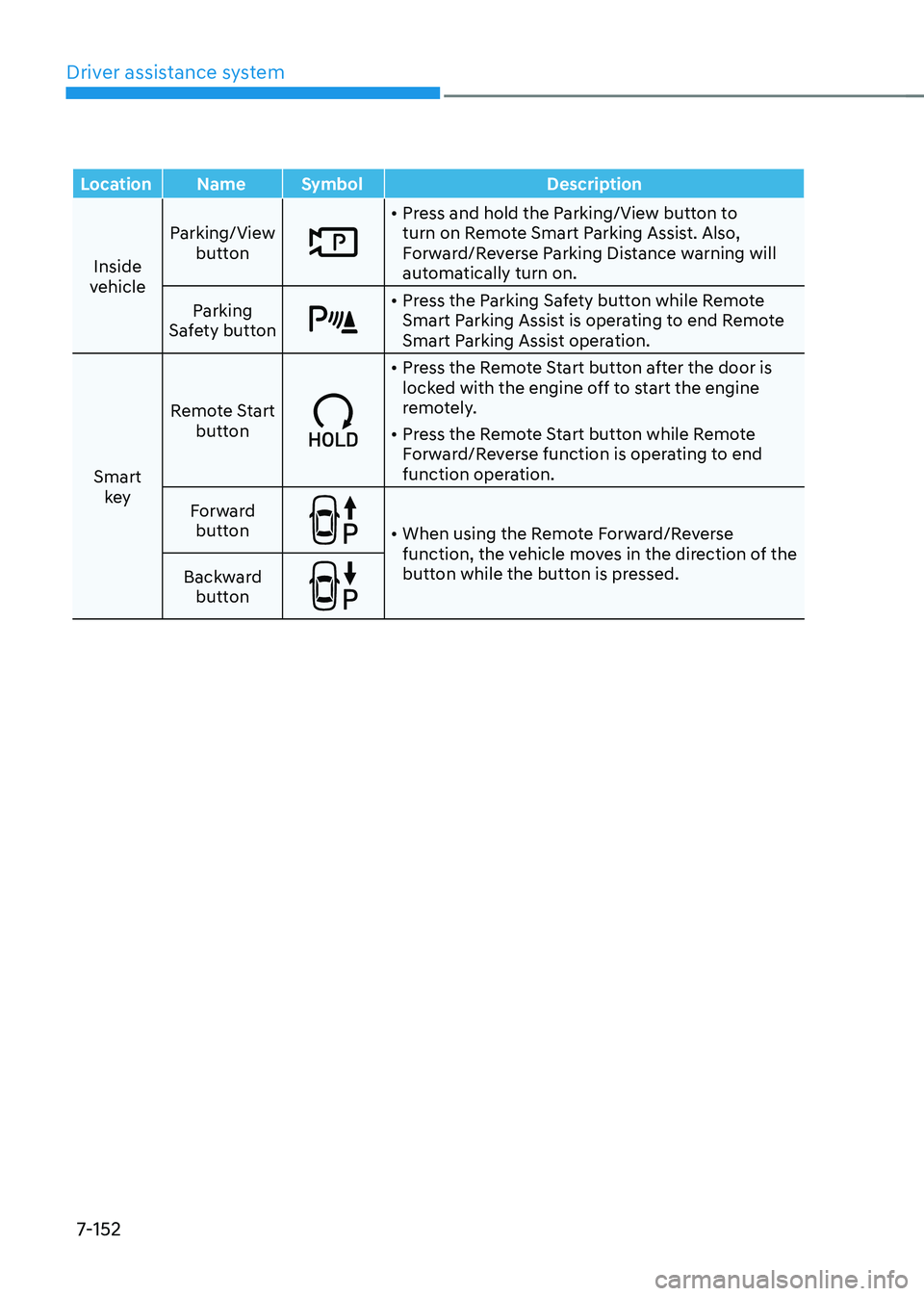
LocationNameSymbol Description
Inside
vehicle Parking/View
button
• Press and hold the Parking/View button to
turn on Remote Smart Parking Assist. Also,
Forward/Reverse Parking Distance warning will
automatically turn on.
Parking
Safety button
• Press the Parking Safety button while Remote
Smart Parking Assist is operating to end Remote
Smart Parking Assist operation.
Smart key Remote Start
button
• Press the Remote Start button after the door is
locked with the engine off to start the engine
remotely.
• Press the Remote Start button while Remote
Forward/Reverse function is operating to end
function operation.
Forward button
• When using the Remote Forward/Reverse
function, the vehicle moves in the direction of the
button while the button is pressed.
Backward
button
Page 516 of 638
07
7-153
Remote Forward/Backward
Operating order
Remote Forward/Backward operates in
the following order:
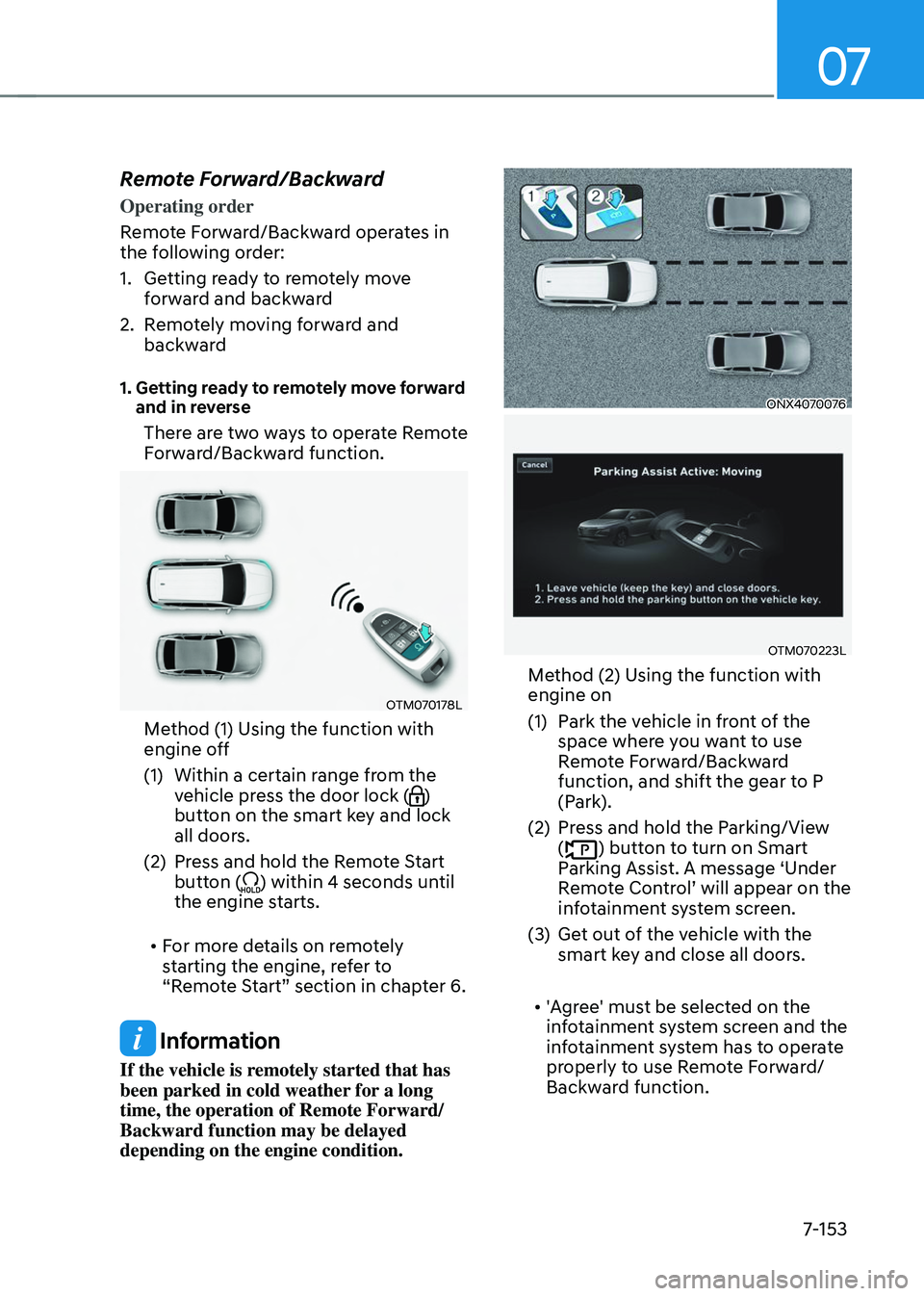
1. Getting ready to remotely move
forward and backward
2. Remotely moving forward and
backward
1. Getting ready to remotely move forward and in reverse
There are two ways to operate Remote
Forward/Backward function.
OTM070178L
Method (1) Using the function with
engine off
(1) Within a certain range from the
vehicle press the door lock ()
button on the smart key and lock
all doors.
(2) Press and hold the Remote Start
button () within 4 seconds until
the engine starts.
• For more details on remotely
starting the engine, refer to
“Remote Start” section in chapter 6.
Information
If the vehicle is remotely started that has
been parked in cold weather for a long
time, the operation of Remote Forward/
Backward function may be delayed
depending on the engine condition.
ONX4070076
OTM070223L
Method (2) Using the function with
engine on
(1) Park the vehicle in front of the
space where you want to use
Remote Forward/Backward
function, and shift the gear to P
(Park).
(2) Press and hold the Parking/View
() button to turn on Smart
Parking Assist. A message ‘Under
Remote Control’ will appear on the infotainment system screen.
(3) Get out of the vehicle with the
smart key and close all doors.
• 'Agree' must be selected on the
infotainment system screen and the
infotainment system has to operate
properly to use Remote Forward/
Backward function.
Page 517 of 638
Driver assistance system
7-154
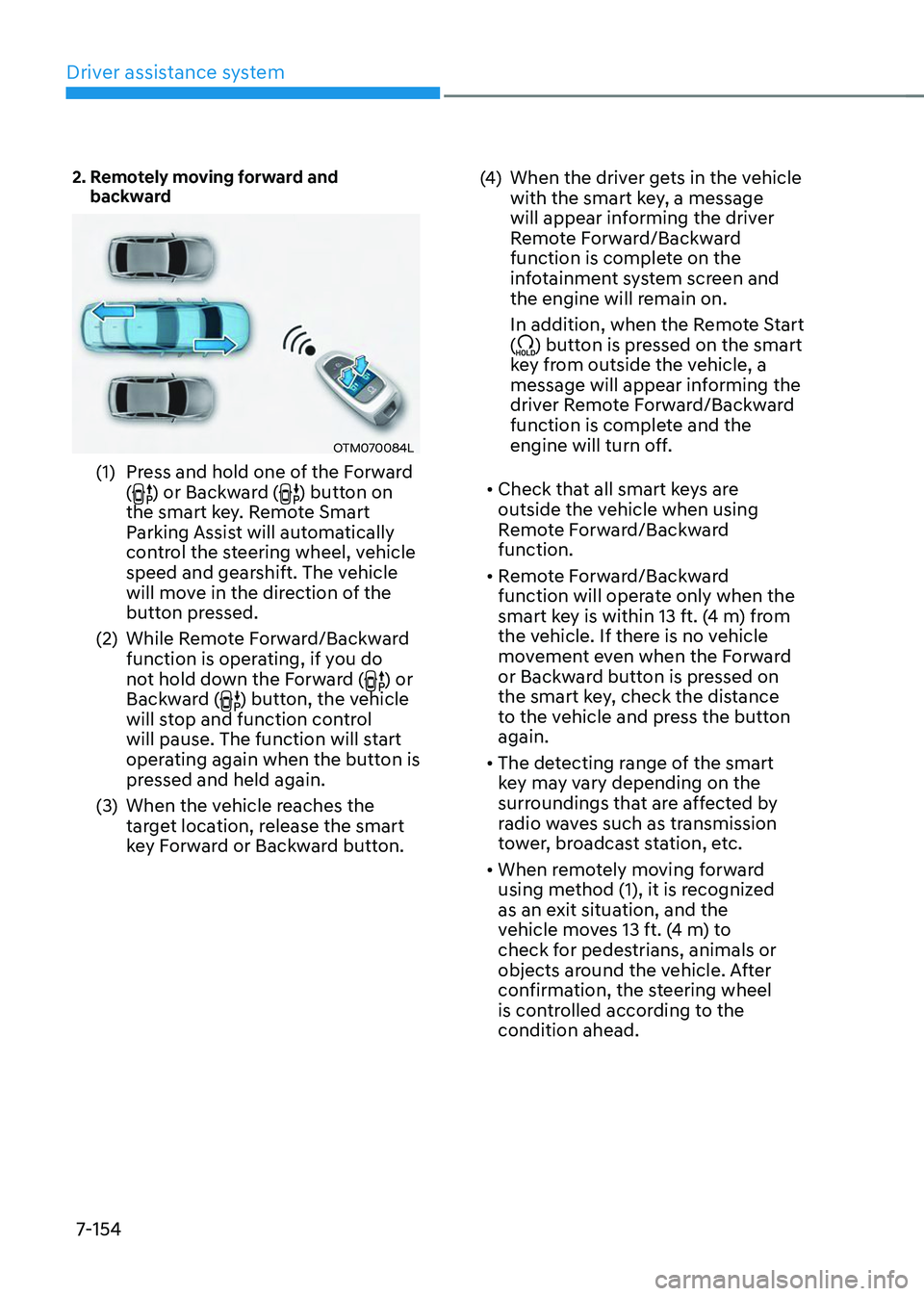
2. Remotely moving forward and backward
OTM070084L
(1) Press and hold one of the Forward
() or Backward () button on
the smart key. Remote Smart
Parking Assist will automatically
control the steering wheel, vehicle
speed and gearshift. The vehicle
will move in the direction of the
button pressed.
(2) While Remote Forward/Backward
function is operating, if you do
not hold down the Forward (
) or
Backward () button, the vehicle
will stop and function control
will pause. The function will start
operating again when the button is
pressed and held again.
(3) When the vehicle reaches the
target location, release the smart
key Forward or Backward button.
(4) When the driver gets in the vehicle
with the smart key, a message
will appear informing the driver
Remote Forward/Backward
function is complete on the
infotainment system screen and
the engine will remain on.
In addition, when the Remote Start
(
) button is pressed on the smart
key from outside the vehicle, a
message will appear informing the
driver Remote Forward/Backward
function is complete and the
engine will turn off.
• Check that all smart keys are
outside the vehicle when using
Remote Forward/Backward
function.
• Remote Forward/Backward
function will operate only when the
smart key is within 13 ft. (4 m) from
the vehicle. If there is no vehicle
movement even when the Forward
or Backward button is pressed on
the smart key, check the distance
to the vehicle and press the button
again.
• The detecting range of the smart
key may vary depending on the
surroundings that are affected by
radio waves such as transmission
tower, broadcast station, etc.
• When remotely moving forward
using method (1), it is recognized
as an exit situation, and the
vehicle moves 13 ft. (4 m) to
check for pedestrians, animals or
objects around the vehicle. After
confirmation, the steering wheel
is controlled according to the
condition ahead.