Ac system HYUNDAI TUCSON 2023 Owners Manual
[x] Cancel search | Manufacturer: HYUNDAI, Model Year: 2023, Model line: TUCSON, Model: HYUNDAI TUCSON 2023Pages: 638, PDF Size: 26.51 MB
Page 477 of 638
Driver assistance system
7-114
Rear view
Operating conditions
• Shift the gear to R (Reverse), the
image will appear on the screen.
• Press the Parking/View button (1)
while the gear is in P (Park), the image
will appear on the screen.
Off conditions
• The rear view cannot be turned off
when the gear is in R (Reverse).
• Press the Parking/View button (1)
again while the gear is in P (Park) with
the rear view on the screen, the rear
view will turn off.
• Shift the gear from R (Reverse) to P
(Park), the rear view will turn off.
Extended rear view function
The rear view will maintain showing on
the screen to help you when parking.
Operating conditions
Shift the gear from R (Reverse) to N
(Neutral) or D (Drive), the rear view will
appear on the screen.
Off conditions
• When vehicle speed is above 6 mph
(10 km/h), the rear view will turn off.
• Shift the gear to P (Park), the rear view
will turn off.
• If you press the Parking/View button,
the screen is off.
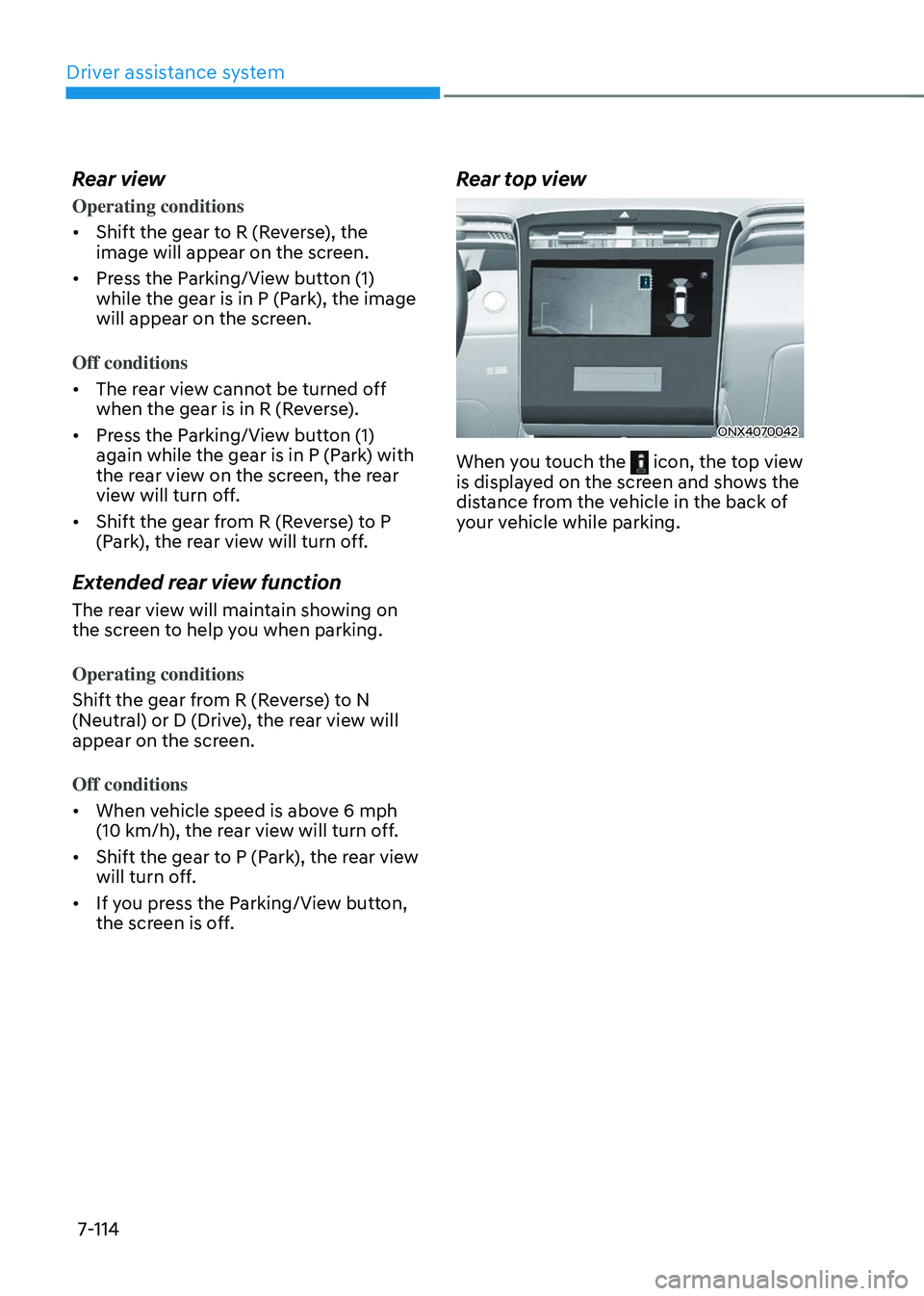
Rear top view
ONX4070042
When you touch the icon, the top view is displayed on the screen and shows the
distance from the vehicle in the back of
your vehicle while parking.
Page 479 of 638
Driver assistance system7-116
SURROUND VIEW MONITOR (SVM) (IF EQUIPPED)
„„Type A
ONX4070043
„„Type B
ONX4E070104
ONX4E070129
Surround View Monitor can help assist in
parking using the cameras installed on
the vehicle and displays images around
the vehicle through the infotainment
system screen.
• Parking Assist View function helps
the driver to see the surroundings of
the vehicle in a parking situation in
various view modes.
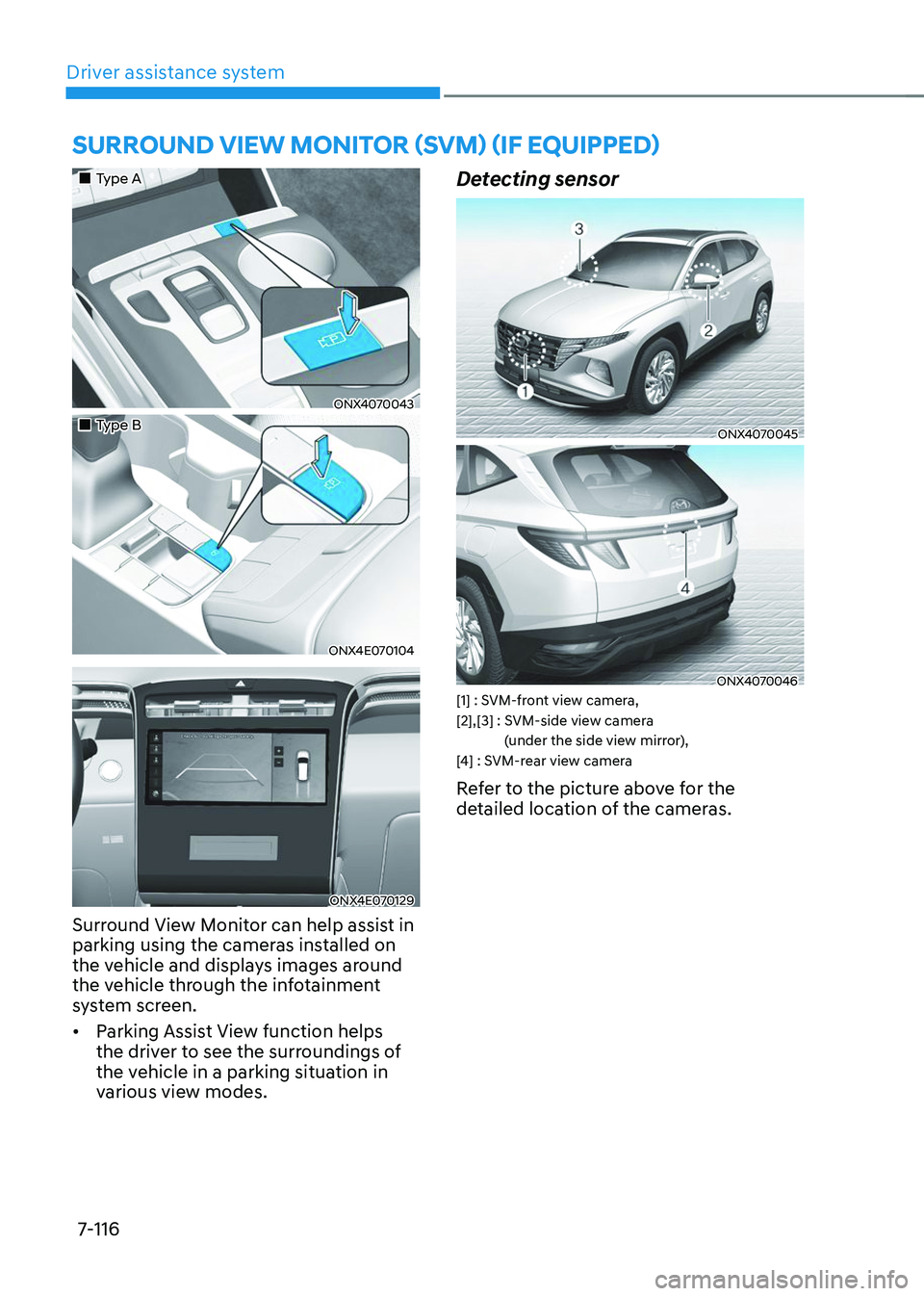
Detecting sensor
ONX4070045
ONX4070046[1] : SVM-front view camera, [2],[3] : SVM-side view camera
(under the side view mirror),
[4] : SVM-rear view camera
Refer to the picture above for the
detailed location of the cameras.
Page 481 of 638
Driver assistance system
7-118
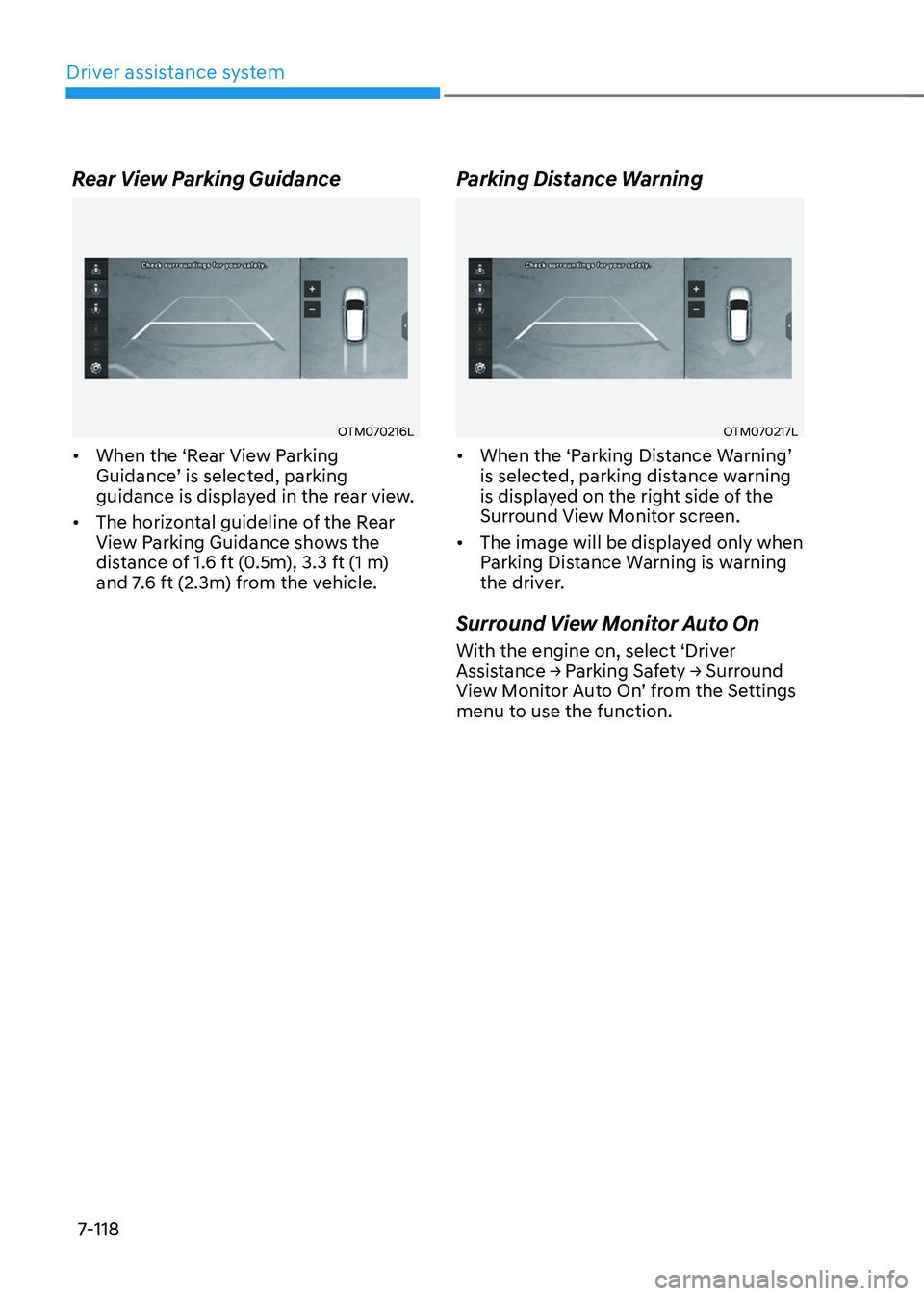
Rear View Parking Guidance
OTM070216L
• When the ‘Rear View Parking Guidance’ is selected, parking guidance is displayed in the rear view.
• The horizontal guideline of the Rear
View Parking Guidance shows the
distance of 1.6 ft (0.5m), 3.3 ft (1 m)
and 7.6 ft (2.3m) from the vehicle.
Parking Distance Warning
OTM070217L
• When the ‘Parking Distance Warning’ is selected, parking distance warning
is displayed on the right side of the
Surround View Monitor screen.
• The image will be displayed only when
Parking Distance Warning is warning
the driver.
Surround View Monitor Auto On
With the engine on, select ‘Driver Assistance → Parking Safety → Surround View Monitor Auto On’ from the Settings menu to use the function.
Page 482 of 638
07
7-119
Surround View Monitor
Operation
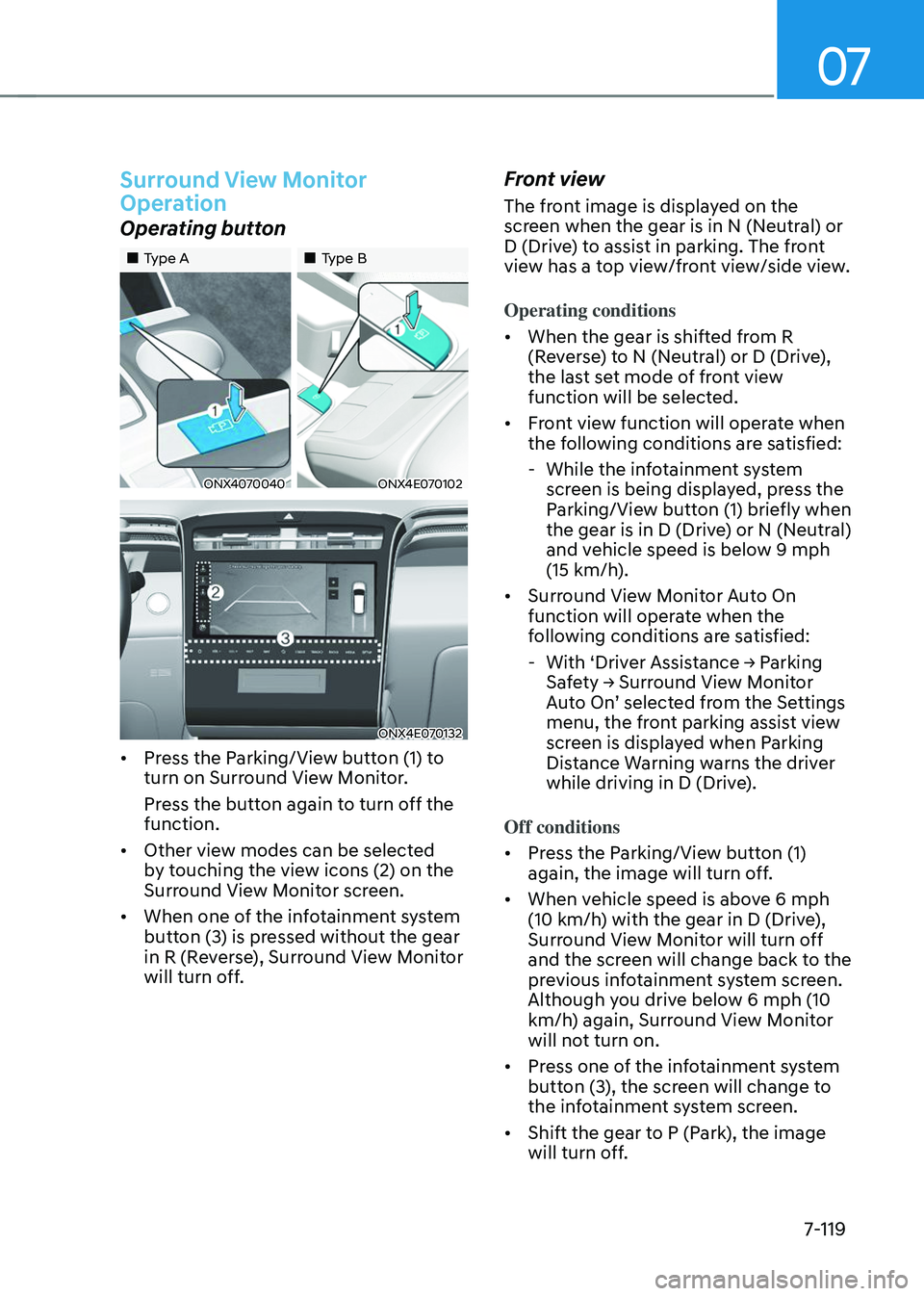
Operating button
„„Type A„„Type B
ONX4070040ONX4E070102
ONX4E070132
• Press the Parking/View button (1) to
turn on Surround View Monitor.
Press the button again to turn off the
function.
• Other view modes can be selected
by touching the view icons (2) on the
Surround View Monitor screen.
• When one of the infotainment system
button (3) is pressed without the gear
in R (Reverse), Surround View Monitor
will turn off.
Front view
The front image is displayed on the
screen when the gear is in N (Neutral) or
D (Drive) to assist in parking. The front
view has a top view/front view/side view.
Operating conditions
• When the gear is shifted from R
(Reverse) to N (Neutral) or D (Drive),
the last set mode of front view
function will be selected.
• Front view function will operate when
the following conditions are satisfied:
-While the infotainment system
screen is being displayed, press the
Parking/View button (1) briefly when
the gear is in D (Drive) or N (Neutral)
and vehicle speed is below 9 mph
(15 km/h).
• Surround View Monitor Auto On
function will operate when the
following conditions are satisfied:
-With ‘Driver Assistance → Parking Safety → Surround View Monitor Auto On’ selected from the Settings menu, the front parking assist view
screen is displayed when Parking
Distance Warning warns the driver
while driving in D (Drive).
Off conditions
• Press the Parking/View button (1)
again, the image will turn off.
• When vehicle speed is above 6 mph
(10 km/h) with the gear in D (Drive),
Surround View Monitor will turn off
and the screen will change back to the
previous infotainment system screen.
Although you drive below 6 mph (10
km/h) again, Surround View Monitor
will not turn on.
• Press one of the infotainment system
button (3), the screen will change to
the infotainment system screen.
• Shift the gear to P (Park), the image
will turn off.
Page 483 of 638
Driver assistance system7-120
Rear view
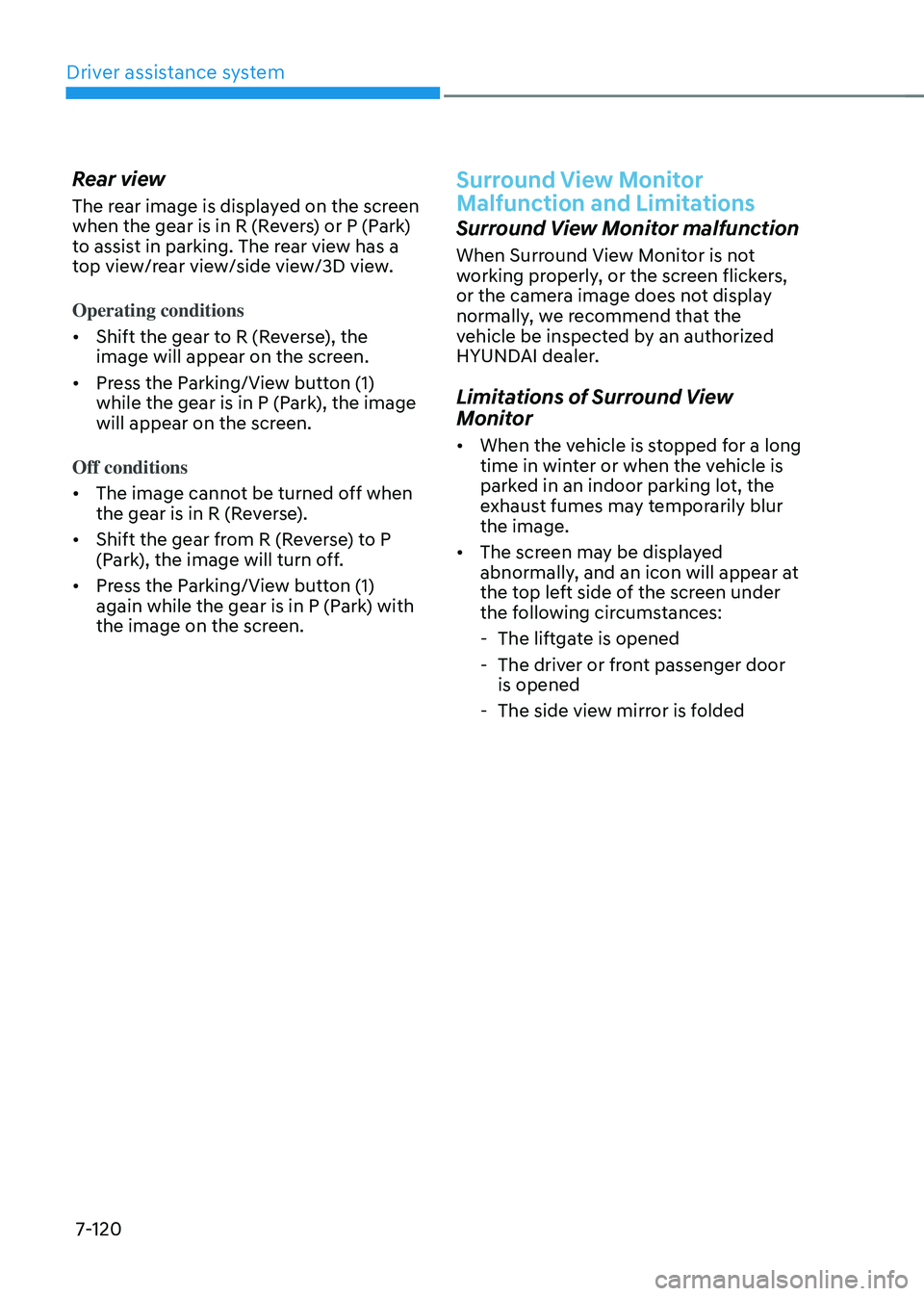
The rear image is displayed on the screen
when the gear is in R (Revers) or P (Park)
to assist in parking. The rear view has a
top view/rear view/side view/3D view.
Operating conditions
• Shift the gear to R (Reverse), the
image will appear on the screen.
• Press the Parking/View button (1)
while the gear is in P (Park), the image
will appear on the screen.
Off conditions
• The image cannot be turned off when
the gear is in R (Reverse).
• Shift the gear from R (Reverse) to P
(Park), the image will turn off.
• Press the Parking/View button (1)
again while the gear is in P (Park) with
the image on the screen.
Surround View Monitor
Malfunction and Limitations
Surround View Monitor malfunction
When Surround View Monitor is not
working properly, or the screen flickers,
or the camera image does not display
normally, we recommend that the
vehicle be inspected by an authorized
HYUNDAI dealer.
Limitations of Surround View
Monitor
• When the vehicle is stopped for a long
time in winter or when the vehicle is
parked in an indoor parking lot, the
exhaust fumes may temporarily blur
the image.
• The screen may be displayed
abnormally, and an icon will appear at
the top left side of the screen under
the following circumstances:
-The liftgate is opened
-The driver or front passenger door
is opened
-The side view mirror is folded
Page 485 of 638
Driver assistance system
7-122
REAR CROSS-TRAFFIC COLLISION-AVOIDANCE ASSIST
(RCCA) (IF EQUIPPED)
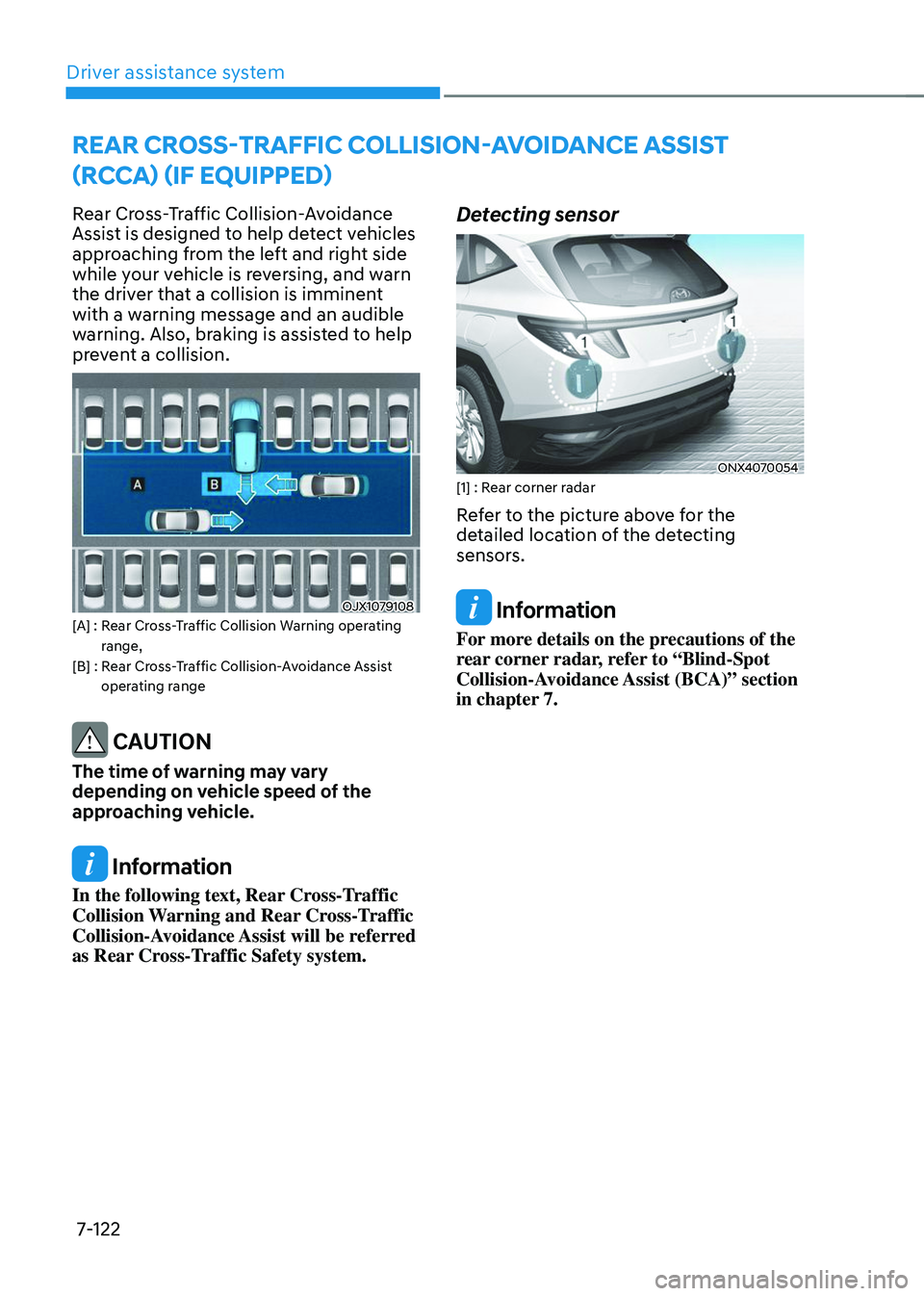
Rear Cross-Traffic Collision-Avoidance
Assist is designed to help detect vehicles
approaching from the left and right side
while your vehicle is reversing, and warn
the driver that a collision is imminent
with a warning message and an audible
warning. Also, braking is assisted to help
prevent a collision.
OJX1079108[A] : Rear Cross-Traffic Collision Warning operating range,[B] : Rear Cross-Traffic Collision-Avoidance Assist operating range
CAUTION
The time of warning may vary
depending on vehicle speed of the
approaching vehicle.
Information
In the following text, Rear Cross-Traffic
Collision Warning and Rear Cross-Traffic
Collision-Avoidance Assist will be referred
as Rear Cross-Traffic Safety system.
Detecting sensor
ONX4070054[1] : Rear corner radar
Refer to the picture above for the
detailed location of the detecting
sensors.
Information
For more details on the precautions of the
rear corner radar, refer to “Blind-Spot
Collision-Avoidance Assist (BCA)” section
in chapter 7.
Page 486 of 638
07
7-123
Rear Cross-Traffic Safety System
Settings
Setting features
OTM070194N
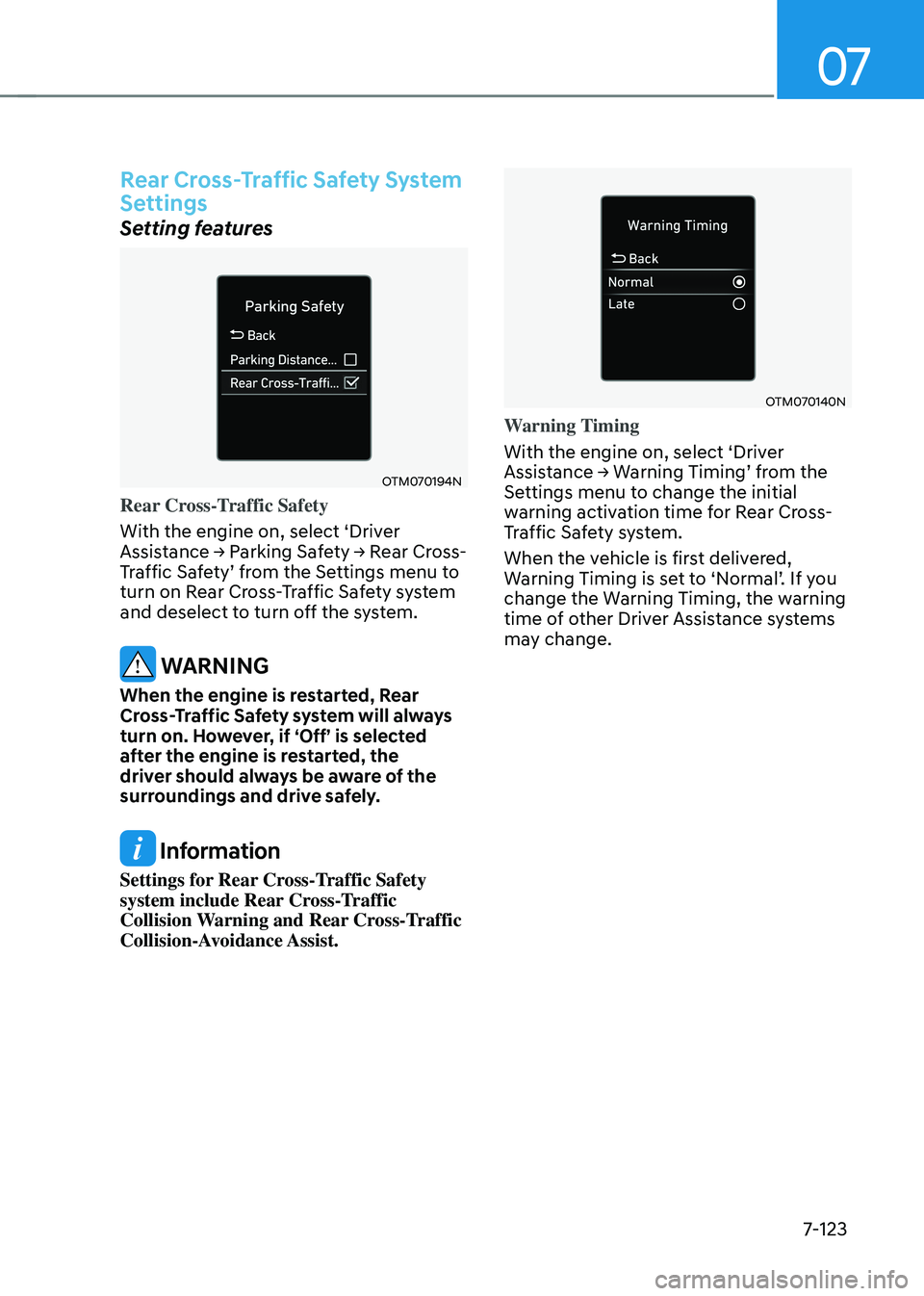
Rear Cross-Traffic Safety
With the engine on, select ‘Driver
Assistance → Parking Safety → Rear Cross-Traffic Safety’ from the Settings menu to turn on Rear Cross-Traffic Safety system
and deselect to turn off the system.
WARNING
When the engine is restarted, Rear
Cross-Traffic Safety system will always
turn on. However, if ‘Off’ is selected
after the engine is restarted, the
driver should always be aware of the
surroundings and drive safely.
Information
Settings for Rear Cross-Traffic Safety
system include Rear Cross-Traffic
Collision Warning and Rear Cross-Traffic
Collision-Avoidance Assist.
OTM070140N
Warning Timing
With the engine on, select ‘Driver
Assistance → Warning Timing’ from the Settings menu to change the initial
warning activation time for Rear Cross-
Traffic Safety system.
When the vehicle is first delivered,
Warning Timing is set to ‘Normal’. If you change the Warning Timing, the warning
time of other Driver Assistance systems
may change.
Page 487 of 638
Driver assistance system
7-124
OTM070141N
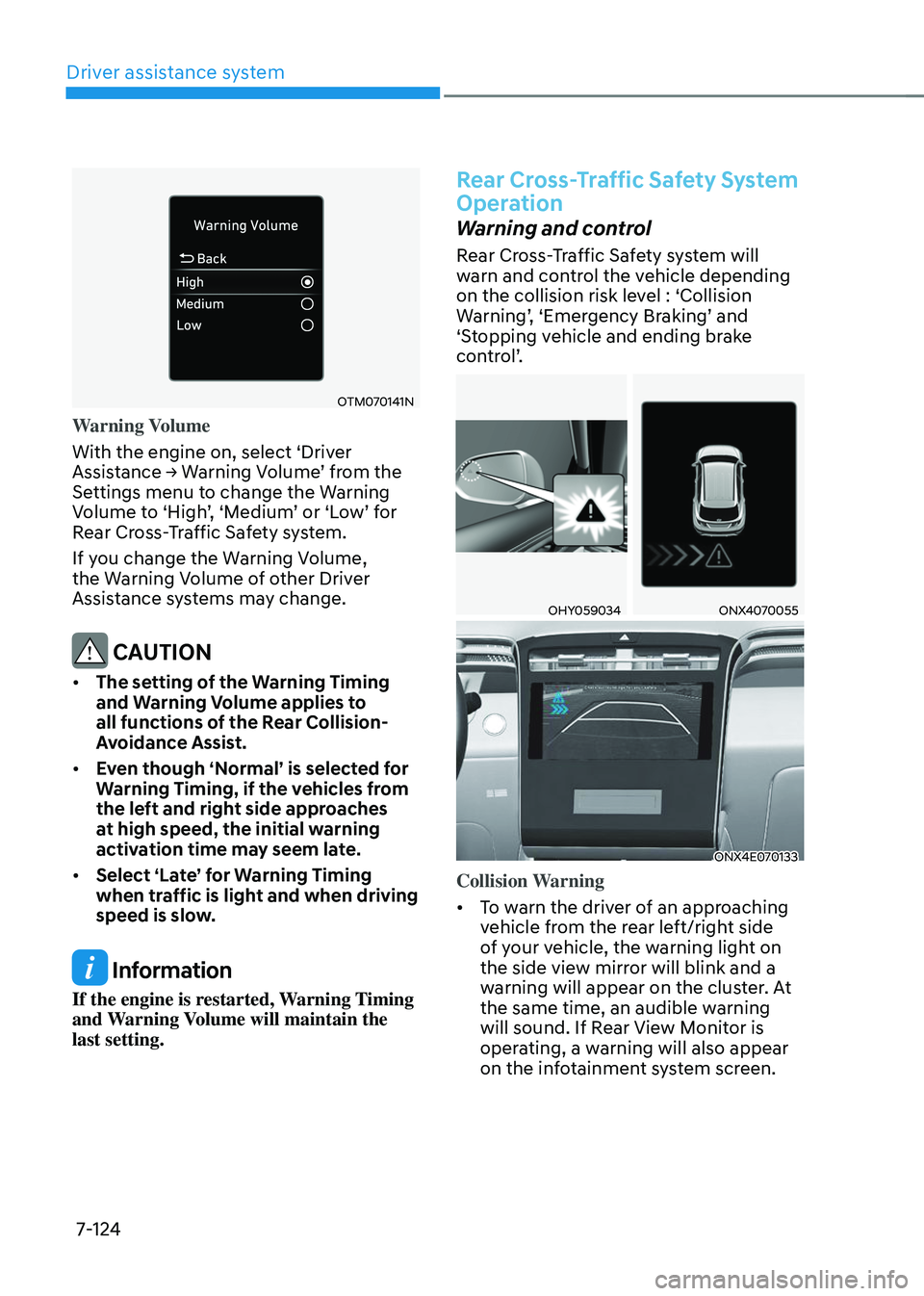
Warning Volume
With the engine on, select ‘Driver
Assistance → Warning Volume’ from the Settings menu to change the Warning Volume to ‘High’, ‘Medium’ or ‘Low’ for Rear Cross-Traffic Safety system.
If you change the Warning Volume,
the Warning Volume of other Driver
Assistance systems may change.
CAUTION
• The setting of the Warning Timing
and Warning Volume applies to
all functions of the Rear Collision-
Avoidance Assist.
• Even though ‘Normal’ is selected for
Warning Timing, if the vehicles from
the left and right side approaches
at high speed, the initial warning
activation time may seem late.
• Select ‘Late’ for Warning Timing
when traffic is light and when driving
speed is slow.
Information
If the engine is restarted, Warning Timing
and Warning Volume will maintain the
last setting.
Rear Cross-Traffic Safety System
Operation
Warning and control
Rear Cross-Traffic Safety system will
warn and control the vehicle depending
on the collision risk level : ‘Collision
Warning’, ‘Emergency Braking’ and ‘Stopping vehicle and ending brake
control’.
OHY059034ONX4070055
ONX4E070133
Collision Warning
• To warn the driver of an approaching
vehicle from the rear left/right side
of your vehicle, the warning light on
the side view mirror will blink and a
warning will appear on the cluster. At
the same time, an audible warning
will sound. If Rear View Monitor is
operating, a warning will also appear
on the infotainment system screen.
Page 488 of 638
07
7-125
• Rear Cross-Traffic Safety system
will operate when all the following
conditions are satisfied:
-The gear is shifted to R (Reverse)
-Vehicle speed is below 5 mph (8
km/h)
-The approaching vehicle is within
approximately 82 ft. (25 m) from the
left or right side of your vehicle
-The speed of the vehicle
approaching from the left and right
is above 3 mph (5 km/h)
Information
If the operating conditions are satisfied,
there will be a warning whenever the
vehicle approaches from the left or right
side even though your vehicle speed is 0
mph (0 km/h).
OHY059034ONX4E070057
ONX4E070133
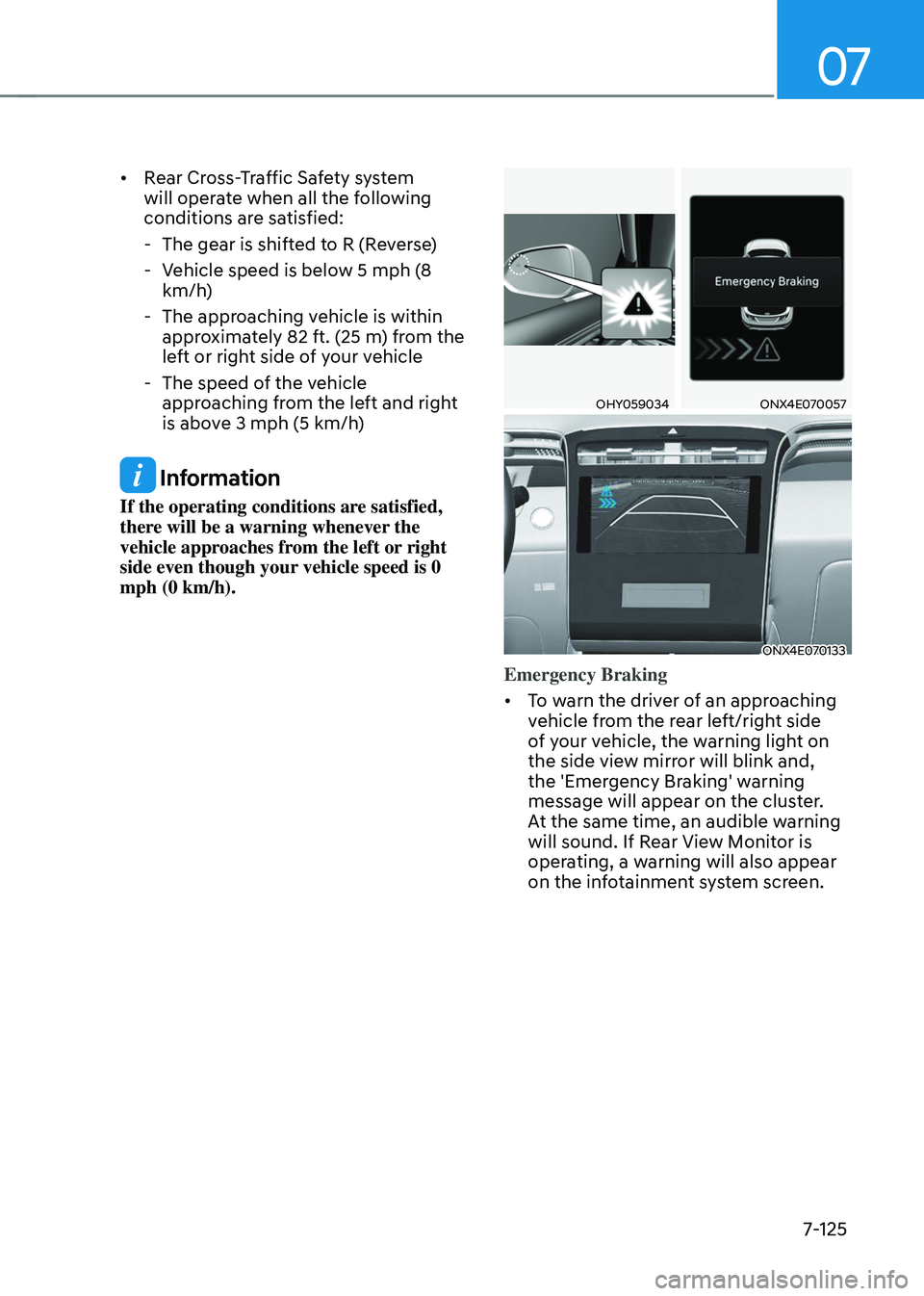
Emergency Braking
• To warn the driver of an approaching
vehicle from the rear left/right side
of your vehicle, the warning light on
the side view mirror will blink and,
the 'Emergency Braking' warning
message will appear on the cluster.
At the same time, an audible warning
will sound. If Rear View Monitor is
operating, a warning will also appear
on the infotainment system screen.
Page 489 of 638
Driver assistance system
7-126
• Rear Cross-Traffic Safety system
will operate when all the following
conditions are satisfied:
-The gear is shifted to R (Reverse)
-Vehicle speed is below 5 mph (8
km/h)
-The approaching vehicle is within
approximately 5 ft. (1.5 m) from the
left or right side of your vehicle
-The speed of the vehicle
approaching from the left and right
is above 3 mph (5 km/h)
• Emergency braking will be assisted
to help prevent collision with
approaching vehicles from the left
and right.
WARNING
Brake control will end when:
-The approaching vehicle is out of the
detecting range
-The approaching vehicle passes
behind your vehicle
-The approaching vehicle does not
drive toward your vehicle
-The approaching vehicle speed slows
down
-The driver depresses the brake pedal
with sufficient power
ONX4E070058
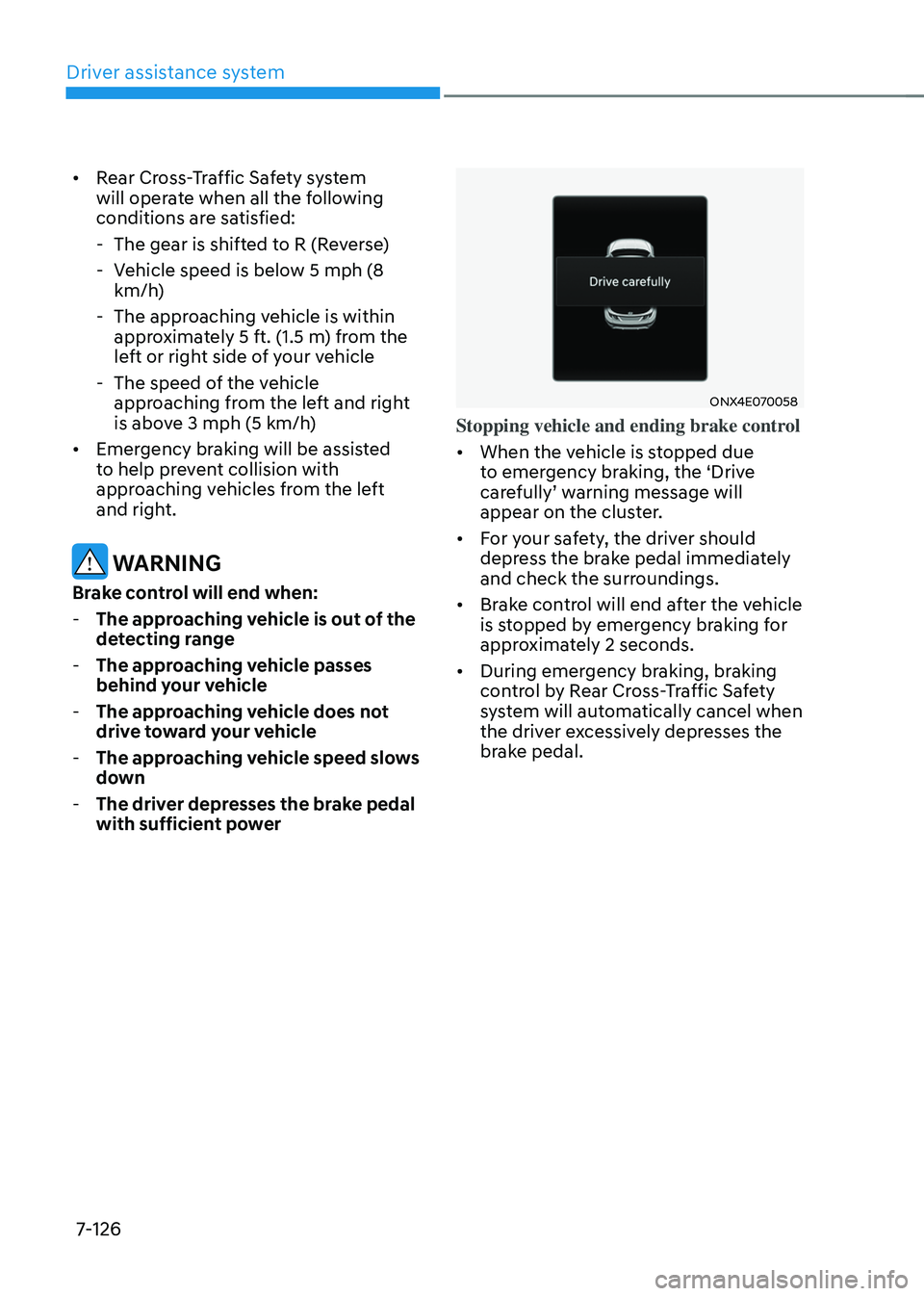
Stopping vehicle and ending brake control
• When the vehicle is stopped due
to emergency braking, the ‘Drive
carefully’ warning message will appear on the cluster.
• For your safety, the driver should
depress the brake pedal immediately
and check the surroundings.
• Brake control will end after the vehicle
is stopped by emergency braking for
approximately 2 seconds.
• During emergency braking, braking
control by Rear Cross-Traffic Safety
system will automatically cancel when
the driver excessively depresses the
brake pedal.