spec HYUNDAI TUCSON 2023 Manual Online
[x] Cancel search | Manufacturer: HYUNDAI, Model Year: 2023, Model line: TUCSON, Model: HYUNDAI TUCSON 2023Pages: 638, PDF Size: 26.51 MB
Page 348 of 638
06
6-63
Chain Installation
When installing tire chains, follow the
manufacturer’s instructions and mount
them as tightly possible. Drive slowly
(less than 20 mph (30 km/h)) with
chains installed. If you hear the chains
contacting the body or chassis, stop and
tighten them. If they still make contact,
slow down until the noise stops. Remove
the tire chains as soon as you begin
driving on cleared roads.
When mounting snow chains, park the
vehicle on level ground away from traffic.
Turn on the vehicle Hazard Warning
Flasher and place a triangular emergency
warning device behind the vehicle (if
available). Always place the vehicle in P
(Park), apply the parking brake and turn
off the engine before installing snow
chains.
NOTICE
When using tire chains:
• Wrong size chains or improperly
installed chains can damage your
vehicle’s brake lines, suspension,
body and wheels.
• Use SAE “S” class or wire chains.
• If you hear noise caused by chains
contacting the body, retighten the
chain to prevent contact with the
vehicle body.
• To prevent body damage, retighten
the chains after driving 0.3~0.6 miles
(0.5~1.0 km).
• Do not use tire chains on vehicles
equipped with aluminum wheels. If
unavoidable, use a wire type chain.
• Use wire chains less than 0.47 in.
(12mm) thick to prevent damage to
the chain’s connection.
Winter precautions
Use high quality ethylene glycol coolant
Your vehicle is delivered with high
quality ethylene glycol coolant in the
cooling system. It is the only type of
coolant that should be used because it
helps prevent corrosion in the cooling
system, lubricates the water pump and
prevents freezing. Be sure to replace or
replenish your coolant in accordance
with the maintenance schedule in
chapter 9. Before winter, have your
coolant tested to assure that its freezing
point is sufficient for the temperatures
anticipated during the winter.
Check battery and cables
Winter temperatures affect battery
performance. Inspect the battery and
cables, as specified in chapter 9. The
battery charging level can be checked
by an authorized HYUNDAI dealer or in a
service station.
Change to “winter weight” oil if
necessary
In some regions during winter, it is
recommended to use the “winter
weight” oil with lower viscosity In
addition, replace the engine oil and filter
if it is close to the next maintenance
interval. Fresh engine oil ensures
optimum engine operation during the
winter months. For further information,
refer to chapter 2. When you are not
sure about a type of winter weight oil,
we recommend that you consult an
authorized HYUNDAI dealer.
Page 349 of 638
Driving your vehicle
6-64
Check spark plugs and ignition system
Inspect the spark plugs, as specified in
chapter 8. If necessary, replace them.
Also check all ignition wirings and
components for any cracks, wear-out,
and damage.
To prevent locks from freezing
To prevent the locks from being frozen,
spray approved de-icing fluid or glycerin
into key holes. When a lock opening is
already covered with ice, spray approved
de-icing fluid over the ice to remove it.
When an internal part of a lock freezes,
try to thaw it with a heated key. Carefully
use the heated key to avoid an injury.
Use approved window washer anti-
freeze solution in system
To prevent the window washer from
being frozen, add authorized window
washer anti-freeze solution, as specified
on the window washer container.
Window washer anti-freeze solution is
available from an authorized HYUNDAI
dealer, and most vehicle accessory
outlets. Do not use engine coolant or
other types of anti-freeze solution, to
prevent any damage to the vehicle paint.Do not let your parking brake freeze
Under some conditions your parking
brake can freeze in the engaged position.
This is most likely to happen when there
is an accumulation of snow or ice around
or near the rear brakes or if the brakes
are wet. When there is the risk that your
parking brake may freeze, temporarily
apply it with the gear in P (Park). Also,
block the rear wheels in advance, so the
vehicle may not roll. Then, release the
parking brake.
Do not let ice and snow accumulate
underneath
Under some conditions, snow and ice
can build up under the fenders and
interfere with the steering. When driving
in such conditions during the severe
winter, you should check underneath
the vehicle on a regular basis, to ensure
that the front wheels and the steering
components is unblocked.
Carry emergency equipment
In accordance with weather conditions,
you should carry appropriate emergency
equipment, while driving. Some of the
items you may want to carry include tire
chains, tow straps or chains, flashlight,
emergency flares, sand, shovel, jumper
cables, window scraper, gloves, ground
cloth, coveralls, blanket, etc.
Do not place objects or materials in the
engine compartment
Putting objects or materials in the engine
compartment may cause an engine
failure or combustion, because they may
block the engine cooling. Such damage
will not be covered by the manufacturer’s
warranty.
Page 351 of 638
Driving your vehicle
6-66
If you decide to pull a trailer?
Here are some important points if you
decide to pull a trailer:
• Consider using a sway control. You
can ask a trailer hitch dealer about
sway control.
• Do not do any towing with your
vehicle during its first 1,200 miles
(2,000 km) in order to allow the
engine to properly break in. Failure to
heed this caution may result in serious
engine or transmission damage.
• When towing a trailer, we
recommend that you consult an
authorized HYUNDAI dealer for
further information on additional
requirements such as a towing kit, etc.
• Always drive your vehicle at a
moderate speed (less than 60 mph
(100 km/h)) or posted towing speed
limit.
• On a long uphill grade, do not exceed
45 mph (70 km/h) or the posted
towing speed limit, whichever is
lower.
• Carefully observe the weight and load
limits provided in the following pages.
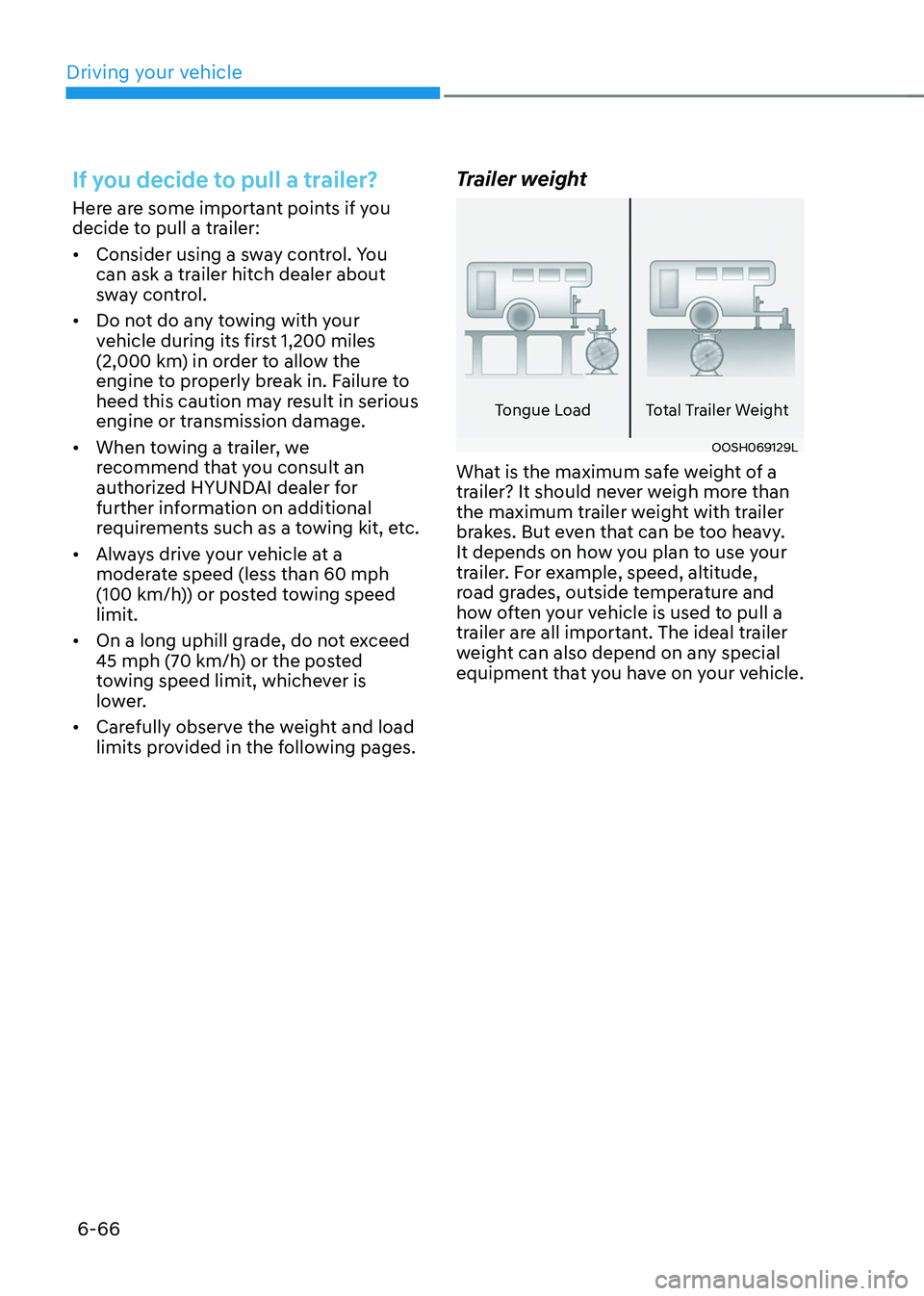
Trailer weight
Tongue LoadTotal Trailer Weight
OOSH069129L
What is the maximum safe weight of a
trailer? It should never weigh more than
the maximum trailer weight with trailer
brakes. But even that can be too heavy.
It depends on how you plan to use your
trailer. For example, speed, altitude,
road grades, outside temperature and
how often your vehicle is used to pull a
trailer are all important. The ideal trailer
weight can also depend on any special
equipment that you have on your vehicle.
Page 357 of 638
Driving your vehicle
6-72
NOTICE
To prevent engine and/or transmission
overheating:
• When towing a trailer on steep
grades (in excess of 6%) pay close
attention to the engine coolant
temperature gauge to ensure the
engine does not overheat. If the
needle of the coolant temperature
gauge moves towards “H” (HOT),
pull over and stop as soon as it is
safe to do so, and allow the engine
to idle until it cools down. You may
proceed once the engine has cooled
sufficiently.
• If you tow a trailer with the maximum
gross vehicle weight and maximum
trailer weight, it can cause the
engine or transmission to overheat.
When driving in such conditions,
allow the engine to idle until it cools
down. You may proceed once the
engine or transmission has cooled
sufficiently.
• When towing a trailer, your vehicle
speed may be much slower than the
general flow of traffic, especially
when climbing an uphill grade. Use
the right hand lane when towing a
trailer on an uphill grade. Choose
your vehicle speed according to the
maximum posted speed limit for
vehicles with trailers, the steepness
of the grade, and your trailer weight.
Parking on hills
Generally, if you have a trailer attached
to your vehicle, you should not park your
vehicle on a hill.
However, if you ever have to park your
trailer on a hill, here’s how to do it:
1. Pull the vehicle into the parking space.
Turn the steering wheel in the
direction of the curb (right if headed
down hill, left if headed up hill).
2. Shift the gear to P (Park).
3. Set the parking brake and shut off the
vehicle.
4. Place wheel chocks under the trailer
wheels on the down hill side of the
wheels.
5. Start the vehicle, hold the brakes, shift
to neutral, release the parking brake
and slowly release the brakes until the
trailer chocks absorb the load.
6. Reapply the brakes and parking
brakes.
7. Shift the gear to P (Park) when the
vehicle is parked on a uphill grade and
in R (Reverse) on a downhill.
8. Shut off the vehicle and release the
vehicle brakes but leave the parking
brake set.
WARNING
To prevent serious or fatal injury:
• Do not get out of the vehicle without
the parking brake firmly set. If you
have left the engine running, the
vehicle can move suddenly. You and
others could be seriously or fatally
injured.
• Do not apply the accelerator pedal to
hold the vehicle on an uphill.
Page 359 of 638
Driving your vehicle
6 -74
VEHICLE LOAD LIMIT
Two labels on your driver’s door sill show
how much weight your vehicle was
designed to carry: the Tire and Loading
Information Label and the Certification
Label.
Before loading your vehicle, familiarize
yourself with the following terms for
determining your vehicle’s weight
ratings, from the vehicle’s specifications
and the Certification Label:
Base Curb Weight
This is the weight of the vehicle
including a full tank of fuel and all
standard equipment. It does not
include passengers, cargo, or optional
equipment.
Vehicle Curb Weight
This is the weight of your new vehicle
when you picked it up from your dealer
plus any aftermarket equipment.
Cargo Weight
This figure includes all weight added to
the Base Curb Weight, including cargo
and optional equipment.
GAW (Gross Axle Weight)
This is the total weight placed on each
axle (front and rear) - including vehicle
curb weight and all payload.GAWR (Gross Axle Weight Rating)
This is the maximum allowable weight
that can be carried by a single axle (front
or rear). These numbers are shown on
the Certification Label. The total load on
each axle must never exceed its GAWR.
GVW (Gross Vehicle Weight)
This is the Base Curb Weight plus actual
Cargo Weight plus passengers.
GVWR (Gross Vehicle Weight Rating)
This is the maximum allowable weight
of the fully loaded vehicle (including
all options, equipment, passengers
and cargo). The GVWR is shown on the
Certification Label located on the driver’s
door sill.
Page 365 of 638
Driver assistance system
7-2
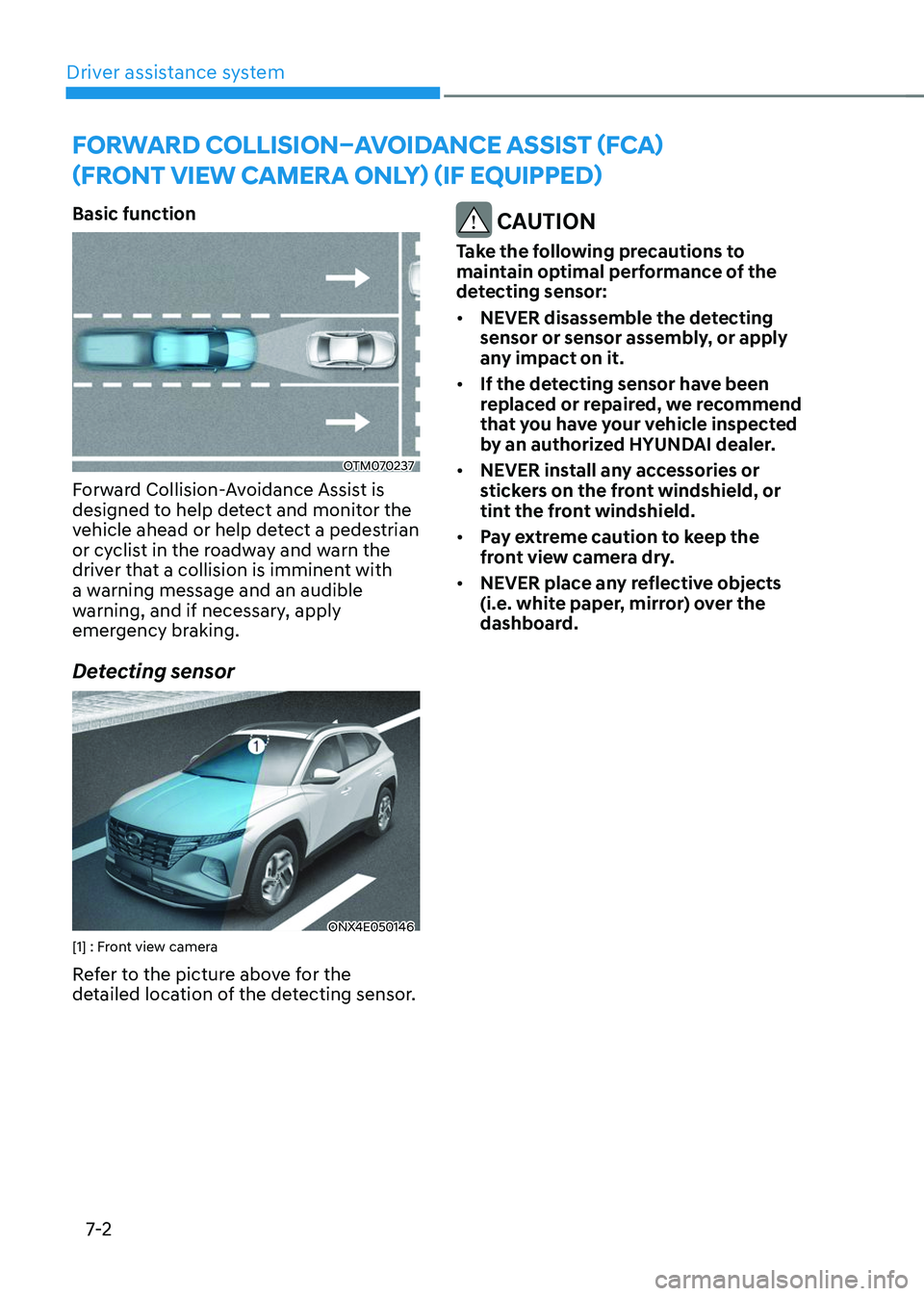
Basic function
OTM070237
Forward Collision-Avoidance Assist is
designed to help detect and monitor the
vehicle ahead or help detect a pedestrian
or cyclist in the roadway and warn the
driver that a collision is imminent with
a warning message and an audible
warning, and if necessary, apply
emergency braking.
Detecting sensor
ONX4E050146[1] : Front view camera
Refer to the picture above for the
detailed location of the detecting sensor.
CAUTION
Take the following precautions to
maintain optimal performance of the
detecting sensor:
• NEVER disassemble the detecting
sensor or sensor assembly, or apply
any impact on it.
• If the detecting sensor have been
replaced or repaired, we recommend
that you have your vehicle inspected
by an authorized HYUNDAI dealer.
• NEVER install any accessories or
stickers on the front windshield, or
tint the front windshield.
• Pay extreme caution to keep the
front view camera dry.
• NEVER place any reflective objects
(i.e. white paper, mirror) over the
dashboard.
FORWARD COLLISION–AVOIDANCE ASSIST (FCA)
(FRONT VIEW CAMERA ONLY) (IF EQUIPPED)
Page 366 of 638
07
7-3
Forward Collision-Avoidance
Assist Settings
Setting features
OTM070090N
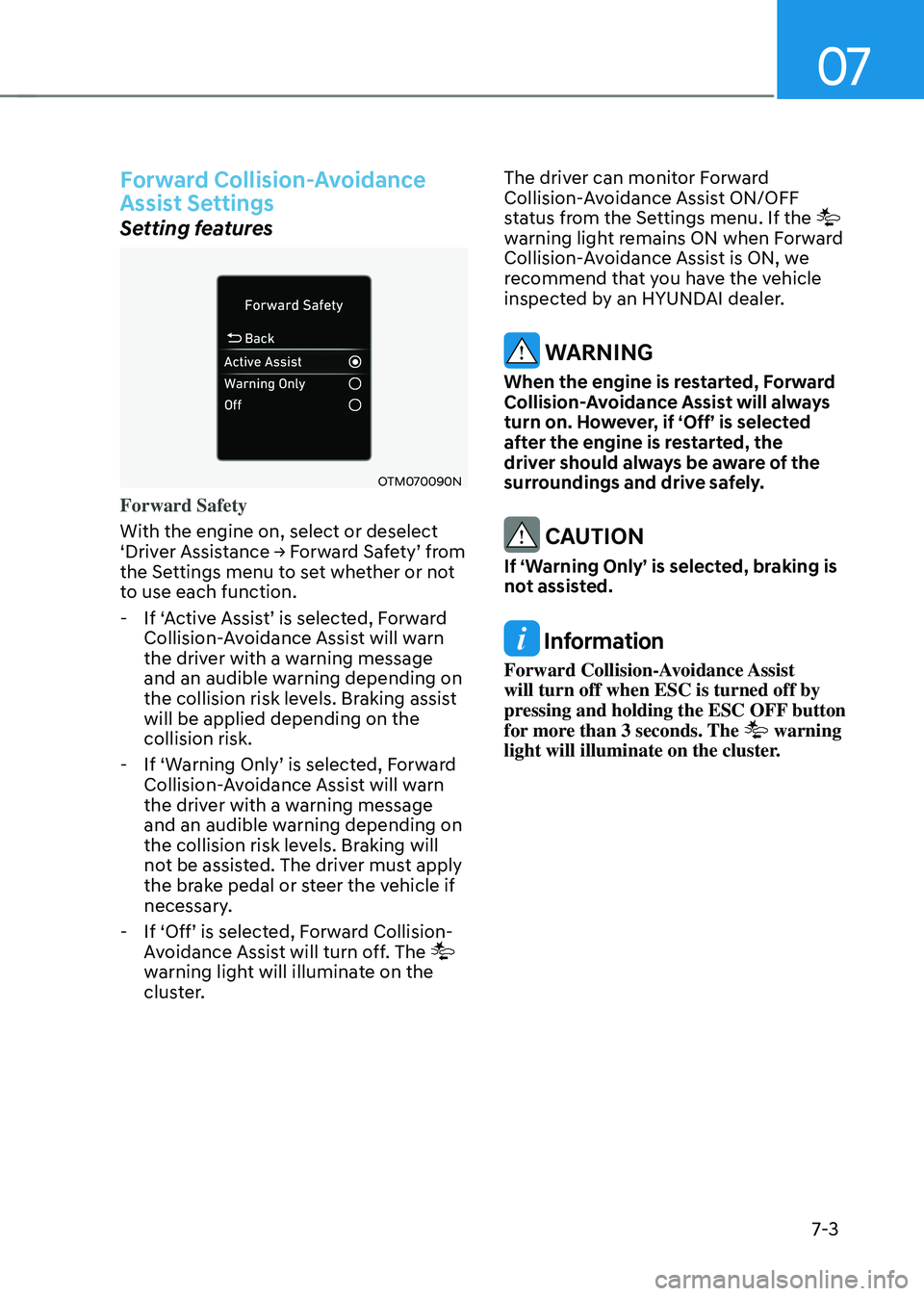
Forward Safety
With the engine on, select or deselect
‘Driver Assistance → Forward Safety’ from the Settings menu to set whether or not
to use each function.
-If ‘Active Assist’ is selected, Forward Collision-Avoidance Assist will warn
the driver with a warning message
and an audible warning depending on
the collision risk levels. Braking assist
will be applied depending on the
collision risk.
-If ‘Warning Only’ is selected, Forward Collision-Avoidance Assist will warn
the driver with a warning message
and an audible warning depending on
the collision risk levels. Braking will
not be assisted. The driver must apply
the brake pedal or steer the vehicle if
necessary.
-If ‘Off’ is selected, Forward Collision-Avoidance Assist will turn off. The
warning light will illuminate on the
cluster. The driver can monitor Forward
Collision-Avoidance Assist ON/OFF
status from the Settings menu. If the
warning light remains ON when Forward
Collision-Avoidance Assist is ON, we
recommend that you have the vehicle
inspected by an HYUNDAI dealer.
WARNING
When the engine is restarted, Forward
Collision-Avoidance Assist will always
turn on. However, if ‘Off’ is selected
after the engine is restarted, the
driver should always be aware of the
surroundings and drive safely.
CAUTION
If ‘Warning Only’ is selected, braking is
not assisted.
Information
Forward Collision-Avoidance Assist
will turn off when ESC is turned off by
pressing and holding the ESC OFF button
for more than 3 seconds. The
warning
light will illuminate on the cluster.
Page 370 of 638
07
7-7
WARNING
• Even if there is a problem with
Forward Collision-Avoidance
Assist, the vehicle’s basic braking
performance will operate normally.
• During emergency braking, braking
control by Forward Collision-
Avoidance Assist will automatically
cancel when the driver excessively
depresses the accelerator pedal or
sharply steers the vehicle.
CAUTION
Depending on the condition of the
vehicle, pedestrian and cyclist in front
and the surroundings, the speed range
to operate Forward Collision-Avoidance
Assist may reduce. Forward Collision-
Avoidance Assist may only warn the
driver, or it may not operate.
Information
In a situation where collision is imminent,
braking may be assisted by Forward
Collision-Avoidance Assist when braking
is insufficient by the driver.
Forward Collision-Avoidance
Assist Malfunction and
Limitations
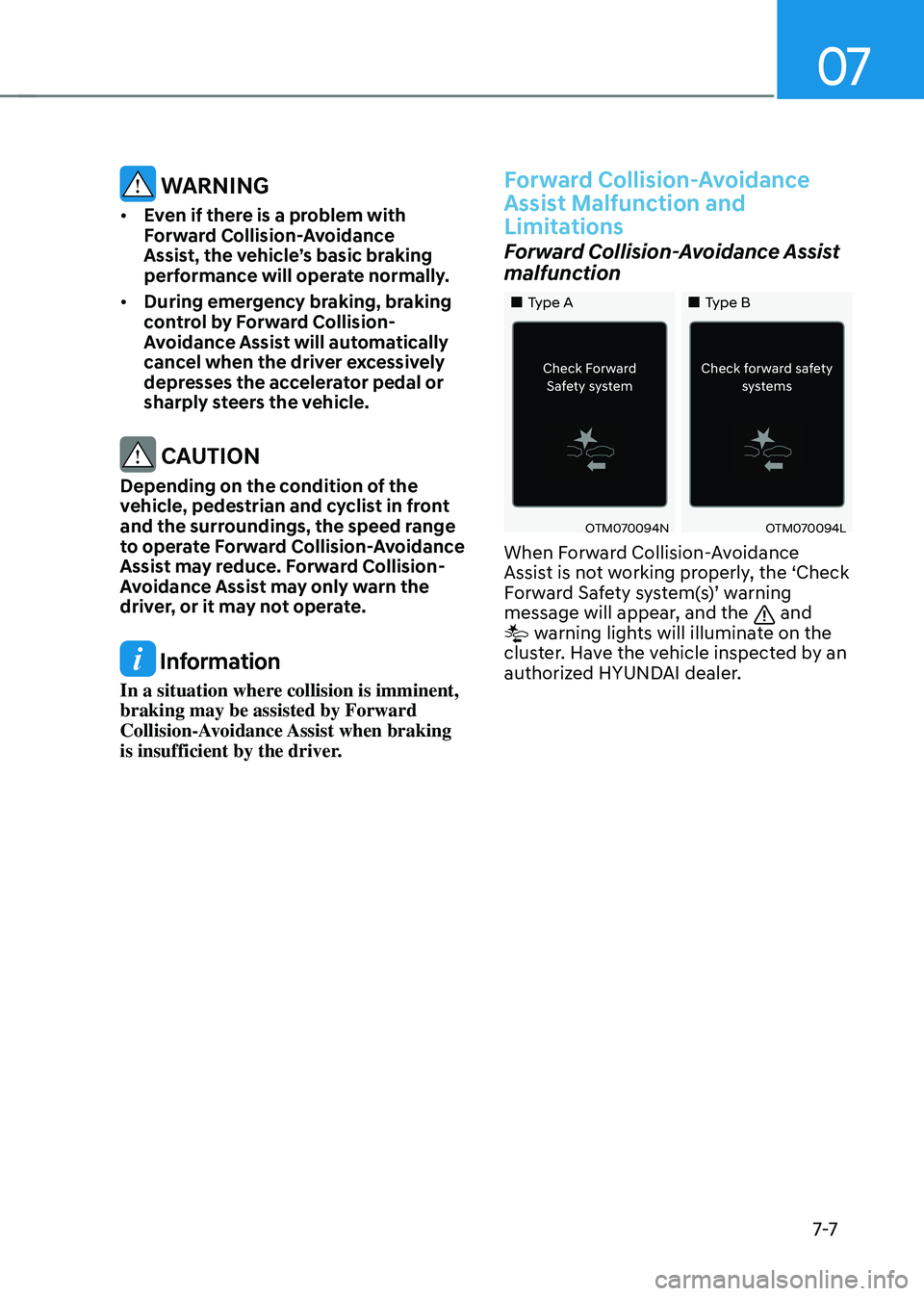
Forward Collision-Avoidance Assist
malfunction
„„Type A„„Type B
OTM070094NOTM070094L
When Forward Collision-Avoidance
Assist is not working properly, the ‘Check
Forward Safety system(s)’ warning message will appear, and the and warning lights will illuminate on the
cluster. Have the vehicle inspected by an
authorized HYUNDAI dealer.
Page 371 of 638
Driver assistance system
7-8
Forward Collision-Avoidance Assist
disabled
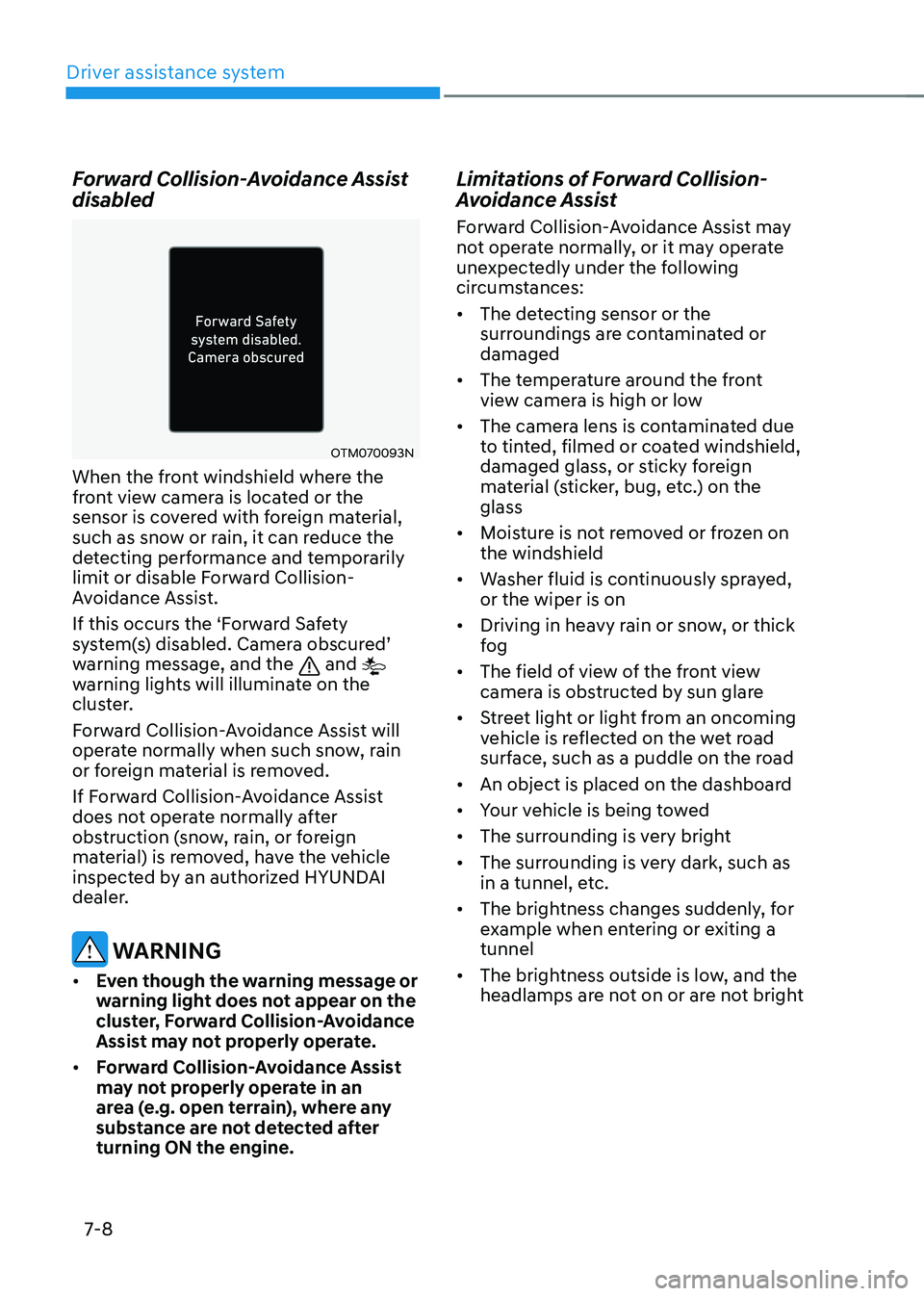
OTM070093N
When the front windshield where the
front view camera is located or the
sensor is covered with foreign material,
such as snow or rain, it can reduce the
detecting performance and temporarily
limit or disable Forward Collision-
Avoidance Assist.
If this occurs the ‘Forward Safety
system(s) disabled. Camera obscured’ warning message, and the and
warning lights will illuminate on the
cluster.
Forward Collision-Avoidance Assist will
operate normally when such snow, rain
or foreign material is removed.
If Forward Collision-Avoidance Assist
does not operate normally after
obstruction (snow, rain, or foreign
material) is removed, have the vehicle
inspected by an authorized HYUNDAI
dealer.
WARNING
• Even though the warning message or
warning light does not appear on the
cluster, Forward Collision-Avoidance
Assist may not properly operate.
• Forward Collision-Avoidance Assist
may not properly operate in an
area (e.g. open terrain), where any
substance are not detected after
turning ON the engine.
Limitations of Forward Collision-
Avoidance Assist
Forward Collision-Avoidance Assist may
not operate normally, or it may operate
unexpectedly under the following
circumstances:
• The detecting sensor or the
surroundings are contaminated or
damaged
• The temperature around the front
view camera is high or low
• The camera lens is contaminated due
to tinted, filmed or coated windshield,
damaged glass, or sticky foreign
material (sticker, bug, etc.) on the
glass
• Moisture is not removed or frozen on
the windshield
• Washer fluid is continuously sprayed,
or the wiper is on
• Driving in heavy rain or snow, or thick
fog
• The field of view of the front view
camera is obstructed by sun glare
• Street light or light from an oncoming
vehicle is reflected on the wet road
surface, such as a puddle on the road
• An object is placed on the dashboard
• Your vehicle is being towed
• The surrounding is very bright
• The surrounding is very dark, such as
in a tunnel, etc.
• The brightness changes suddenly, for
example when entering or exiting a
tunnel
• The brightness outside is low, and the
headlamps are not on or are not bright
Page 376 of 638
![HYUNDAI TUCSON 2023 Manual Online 07
7-13
OADAS033[A] : Your vehicle,
[B] : Lane changing vehicle,
[C] : Same lane vehicle
When a vehicle in front of you
merges out of the lane, Forward
Collision-Avoidance Assist may not
immediate](/img/35/56195/w960_56195-375.png "HYUNDAI TUCSON 2023 Manual Online 07
7-13
OADAS033[A] : Your vehicle,
[B] : Lane changing vehicle,
[C] : Same lane vehicle
When a vehicle in front of you
merges out of the lane, Forward
Collision-Avoidance Assist may not
immediate")
07
7-13
OADAS033[A] : Your vehicle,
[B] : Lane changing vehicle,
[C] : Same lane vehicle
When a vehicle in front of you
merges out of the lane, Forward
Collision-Avoidance Assist may not
immediately detect the vehicle that
is now in front of you.
In this case, you must maintain a safe
braking distance, and if necessary,
steer the vehicle and depress the
brake pedal to reduce your driving
speed in order to maintain a safe
distance.•
Detecting vehicle
ONX4E070004
If the vehicle in front of you has
cargo that extends rearward from
the cab, or when the vehicle in front
of you has higher ground clearance,
additional special attention is
required. Forward Collision-
Avoidance Assist may not be able
to detect the cargo extending from
the vehicle. In these instances,
you must maintain a safe braking
distance from the rearmost object,
and if necessary, steer the vehicle
and depress the brake pedal to
reduce your driving speed in order to
maintain distance.