change time HYUNDAI VELOSTER 2020 Owner's Manual
[x] Cancel search | Manufacturer: HYUNDAI, Model Year: 2020, Model line: VELOSTER, Model: HYUNDAI VELOSTER 2020Pages: 480, PDF Size: 6.16 MB
Page 271 of 480
5-53
Driving your vehicle
SMART mode
SMART mode selects the
proper driving mode
among ECO, NORMAL,
and SPORT by judging
the driver's driving habits (i.e.
Economical or Aggressive) from the
brake pedal depression or the steer-
ing wheel operation.
Press the DRIVE MODE button to
select SMART mode. When
SMART mode is activated, the
indicator illuminates on the instru-
ment cluster.
Vehicle's equipped with a supervi-
sion cluster the indicator illumi-
nates in green, when the driver's
driving is categorized to be eco-
nomic. It illuminates in white, when
the driver's driving is categorized
to be normal. It illuminates in yel-
low, when the driver's driving is
categorized to be sportive during
abrupt braking or sharp curving.
Whenever the engine is restarted,
the drive mode will revert back to
NORMAL mode. If SMART mode
is desired, re-select SMART mode. SMART mode automatically con-
trols gear shifting patterns, engine
torque, in accordance with the dri-
ver's driving habits.
Information
• When you mildly drive the vehicle
in SMART mode, the driving mode
changes to ECO mode to improve
fuel efficiency. However, the actual
fuel efficiency may differ in accor-
dance with your driving situations
(i.e. upward/downward slope, vehi-
cle deceleration/acceleration).
• When you dynamically drive the
vehicle in SMART mode by abrupt-
ly decelerating or sharply turning
the driving mode changes to SPORT
mode. However, it may adversely
affect fuel economy.
Various driving situations, which
you may encounter in SMART
mode
The driving mode automatically
changes to SMART ECO mode
after a certain period of time, when
you gently depress the accelerator
pedal (Your driving is categorized
to be economic.).
The driving mode automatically
changes from SMART ECO mode
to SMART NORMAL mode after a
certain period of time, when you
sharply or repetitively depress the
accelerator pedal.
The driving mode automatically
changes to SMART NORMAL
mode with the same driving pat-
terns, when the vehicle starts to
drive on an upward slope of a cer-
tain angle. The driving mode auto-
matically returns to SMART ECO
mode, when the vehicle enters a
leveled road.
i
5
60$57
Page 272 of 480
5-54
The driving mode automatically
changes to SMART SPORT, when
you abruptly accelerate the vehicle
or repetitively operate the steering
wheel (Your driving is categorized
to be sporty.). In this mode, your
vehicle drives in a lower gear for
abrupt accelerating/decelerating
and increases the engine brake
performance.
You may still sense the engine
braking performance, even when
you release the accelerator pedal
in SMART SPORT mode. It is
because your vehicle remains in
lower gear over a certain period of
time for next acceleration. Thus, it
is a normal driving situation, not
indicating any malfunction.
The driving mode automatically
changes to SMART SPORT mode
only in harsh driving situations. In
most of the normal driving situa-
tions, the driving mode sets to be
either in SMART ECO mode or in
SMART NORMAL mode.Limitation of SMART mode
The SMART mode may be limited in
following situations. (The OFF indica-
tor illuminates in those situations.)
The driver manually moves the
shift lever :
It deactivates SMART mode. The
vehicle drives, as the driver manu-
ally moves the shift lever.
The cruise control is activated :
The cruise control system may
deactivate the SMART mode when
the vehicle is controlled by the set
speed of the smart cruise control
system. (SMART mode is not
deactivated just by activating the
cruise control system.) The transmission oil temperature is
either extremely low or extremely
high :
The SMART mode can be active in
most of the normal driving situa-
tions. However, an extremely high/
low transmission oil temperature
may temporarily deactivate the
SMART mode, because the trans-
mission condition is out of normal
operation condition.
Driving your vehicle
Page 273 of 480
5-55
Driving your vehicle
SPORT MODE
(with Manual Transmission)
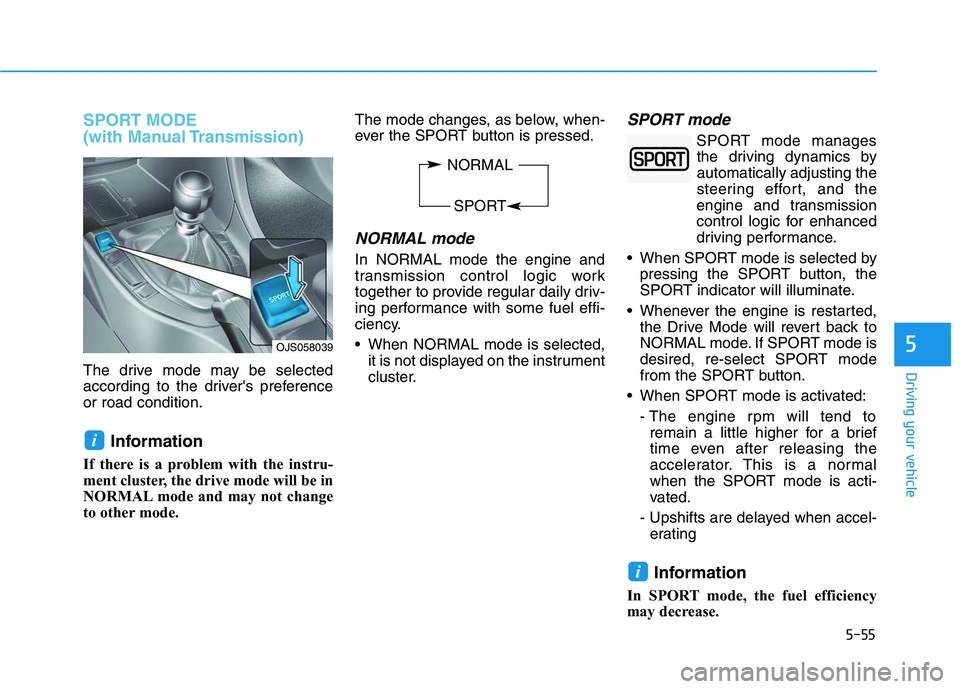
The drive mode may be selected
according to the driver's preference
or road condition.
Information
If there is a problem with the instru-
ment cluster, the drive mode will be in
NORMAL mode and may not change
to other mode. The mode changes, as below, when-
ever the SPORT button is pressed.
NORMAL mode
In NORMAL mode the engine and
transmission control logic work
together to provide regular daily driv-
ing performance with some fuel effi-
ciency.
When NORMAL mode is selected,
it is not displayed on the instrument
cluster.
SPORT mode
SPORT mode manages
the driving dynamics by
automatically adjusting the
steering effort, and the
engine and transmission
control logic for enhanced
driving performance.
When SPORT mode is selected by
pressing the SPORT button, the
SPORT indicator will illuminate.
Whenever the engine is restarted,
the Drive Mode will revert back to
NORMAL mode. If SPORT mode is
desired, re-select SPORT mode
from the SPORT button.
When SPORT mode is activated:
- The engine rpm will tend to
remain a little higher for a brief
time even after releasing the
accelerator. This is a normal
when the SPORT mode is acti-
vated.
- Upshifts are delayed when accel-
erating
Information
In SPORT mode, the fuel efficiency
may decrease.
i
i
5OJS058039
NORMAL
SPORT
Page 327 of 480
5-109
Driving your vehicle
5
To temporarily accelerate with
the Smart Cruise Control on
If you want to speed up temporarily
when the Smart Cruise Control is on,
depress the accelerator pedal.
Increased speed will not interfere
with Smart Cruise Control operation
or change the set speed.
To return to the set speed, take your
foot off the accelerator pedal.
If you push the toggle switch down
(SET-) at increased speed, the cruis-
ing speed will be set again pedal.
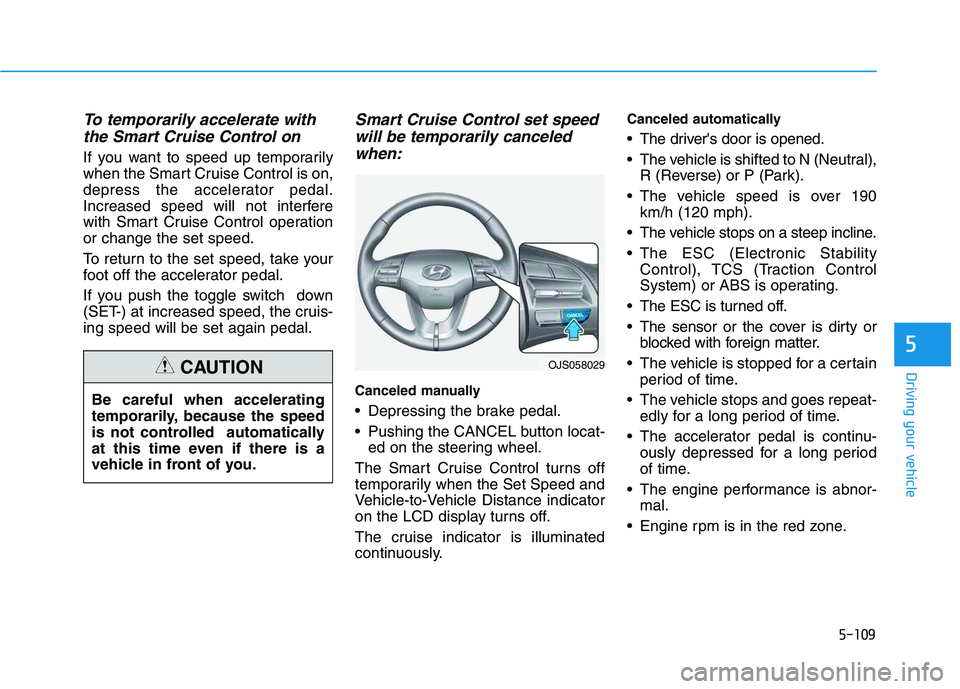
Smart Cruise Control set speed
will be temporarily canceled
when:
Canceled manually
Depressing the brake pedal.
Pushing the CANCEL button locat-
ed on the steering wheel.
The Smart Cruise Control turns off
temporarily when the Set Speed and
Vehicle-to-Vehicle Distance indicator
on the LCD display turns off.
The cruise indicator is illuminated
continuously.
Canceled automatically
The driver's door is opened.
The vehicle is shifted to N (Neutral),
R (Reverse) or P (Park).
The vehicle speed is over 190
km/h (120 mph).
The vehicle stops on a steep incline.
The ESC (Electronic Stability
Control), TCS (Traction Control
System) or ABS is operating.
The ESC is turned off.
The sensor or the cover is dirty or
blocked with foreign matter.
The vehicle is stopped for a certain
period of time.
The vehicle stops and goes repeat-
edly for a long period of time.
The accelerator pedal is continu-
ously depressed for a long period
of time.
The engine performance is abnor-
mal.
Engine rpm is in the red zone.
OJS058029
Be careful when accelerating
temporarily, because the speed
is not controlled automatically
at this time even if there is a
vehicle in front of you.
CAUTION
Page 329 of 480
5-111
Driving your vehicle
5
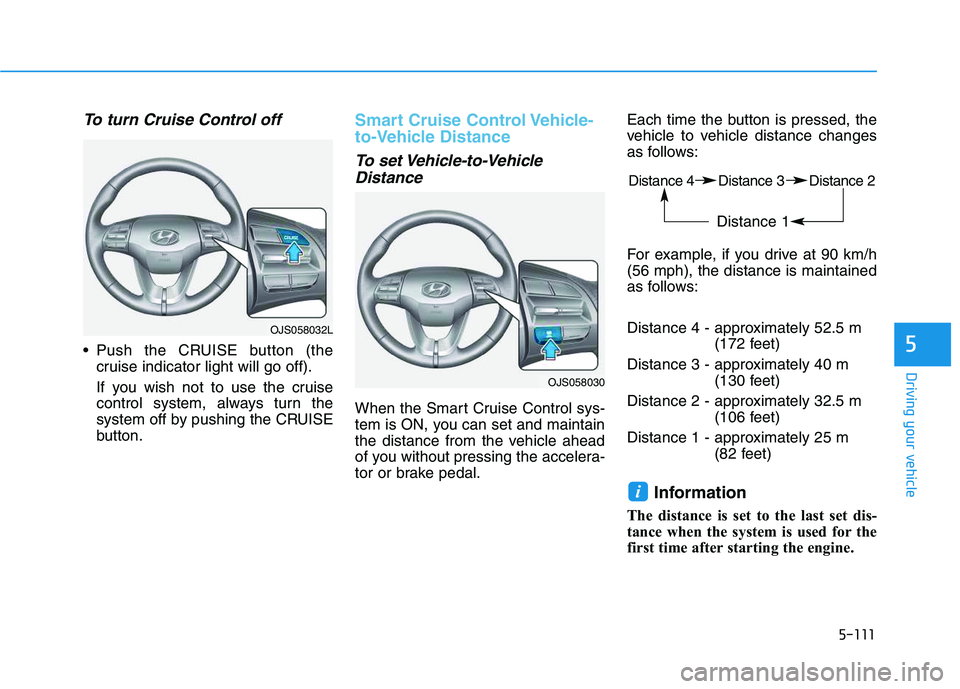
To turn Cruise Control off
Push the CRUISE button (the
cruise indicator light will go off).
If you wish not to use the cruise
control system, always turn the
system off by pushing the CRUISE
button.
Smart Cruise Control Vehicle-
to-Vehicle Distance
To set Vehicle-to-Vehicle
Distance
When the Smart Cruise Control sys-
tem is ON, you can set and maintain
the distance from the vehicle ahead
of you without pressing the accelera-
tor or brake pedal.Each time the button is pressed, the
vehicle to vehicle distance changes
as follows:
For example, if you drive at 90 km/h
(56 mph), the distance is maintained
as follows:
Distance 4 - approximately 52.5 m
(172 feet)
Distance 3 - approximately 40 m
(130 feet)
Distance 2 - approximately 32.5 m
(106 feet)
Distance 1 - approximately 25 m
(82 feet)
Information
The distance is set to the last set dis-
tance when the system is used for the
first time after starting the engine.
i
OJS058030
Distance 4 Distance 3 Distance 2
Distance 1
OJS058032L
Page 362 of 480
6-12
What to do in an emergency
If any of the equipment such as the
jack, lug nuts, studs, or other equip-
ment is damaged or in poor condi-
tion, do not attempt to change the
tire and call for assistance.
Use of compact spare tires
Compact spare tires are designed for
emergency use only. Drive carefully
on the compact spare tire and
always follow the safety precautions.When driving with the compact spare
tire mounted to your vehicle:
Check the tire pressure after
installing the compact spare tire.
The compact spare tire should be
inflated to 420 kPa (60 psi).
Do not take this vehicle through an
automatic car wash while the com-
pact spare tire is installed.
Do not use the compact spare tire
on any other vehicle because this
tire has been designed especially
for your vehicle.
The compact spare tire's tread life
is shorter than a regular tire.
Inspect your compact spare tire
regularly and replace worn com-
pact spare tires with the same size
and design, mounted on the same
wheel.
Do not use more than one compact
spare tire at a time.
When the original tire and wheel
are repaired and reinstalled on the
vehicle, the lug nut torque must be
set correctly. The correct lug nut
tightening torque is 11~13 kgf·m
(79~94 lbf·ft).
NOTICE
Your vehicle has metric threads
on the studs and lug nuts. Make
certain during tire changing that
the same nuts that were
removed are reinstalled. If you
have to replace your lug nuts
make sure they have metric
threads to avoid damaging the
studs and ensure the wheel is
properly secured to the hub.
Consult an authorized HYUNDAI
dealer for assistance.
CAUTION
To prevent compact spare tire
failure and loss of control pos-
sibly resulting in an accident:
Use the compact spare tire
only in an emergency.
NEVER operate your vehicle
over 50 mph (80 km/h).
Do not exceed the vehicle's
maximum load rating or the
load carrying capacity shown
on the sidewall of the com-
pact spare tire.
Do not use the compact spare
tire continuously. Repair or
replace the original tire as
soon as possible to avoid fail-
ure of the compact spare tire.
WARNING
Page 391 of 480
7-22
Maintenance
To prevent damage to your
engine:
Do not overfill with engine oil.
Add oil in small quantities and
recheck level to ensure engine
is not overfilled.
Do not spill engine oil when
adding or changing engine oil.
Use a funnel to help prevent oil
from being spilled on engine
components. Wipe off spilled oil
immediately.
Checking the Engine Oil and
Filter
Have engine oil and filter changed by
an authorized HYUNDAI dealer
according to the Maintenance
Schedule at the beginning of this
chapter.
NOTICE
Used engine oil may cause irri-
tation or cancer of the skin if
left in contact with the skin for
prolonged periods of time.
Always protect your skin by
washing your hands thoroughly
with soap and warm water as
soon as possible after handling
used oil.
WARNING
Page 436 of 480
7-67
7
Maintenance
L LI
IG
GH
HT
T
B
BU
UL
LB
BS
S
Consult an authorized HYUNDAI
dealer to replace most vehicle light
bulbs. It is difficult to replace vehicle
light bulbs because other parts of the
vehicle must be removed before you
can get to the bulb. This is especially
true for removing the headlamp
assembly to get to the bulb(s).
Removing/installing the headlamp
assembly can result in damage to
the vehicle.
Information
After heavy driving, rain or washing,
headlamp and trunk lenses could
appear frosty. This condition is caused
by the temperature difference
between the lamp inside and the out-
side temperature. This is similar to the
condensation on your windows inside
your vehicle during the rain and does-
n’t indicate a problem with your vehi-
cle. If the water leaks into the lamp
bulb circuitry, have your vehicle
checked by an authorized HYUNDAI
dealer.
Information - Desiccant
(if equipped)
This vehicle is equipped with desic-
cant to reduce fogging inside the head-
lamp due to moisture.
The desiccant is consumable and its
performance may change based on the
used period or environment.
If fogging inside the headlamp due to
moisture continues for a long time,
have your vehicle checked by an
authorized HYUNDAI dealer. i
i
Prior to replacing a lamp,
depress the foot brake, move
the shift lever into P (Park)
apply the parking brake, place
the ignition switch to the
LOCK/OFF position, and take
the key with you when leaving
the vehicle to avoid sudden
movement of the vehicle and
to prevent possible electric
shock.
Be aware the bulbs may be
hot and may burn your fin-
gers.
WARNING
Page 474 of 480
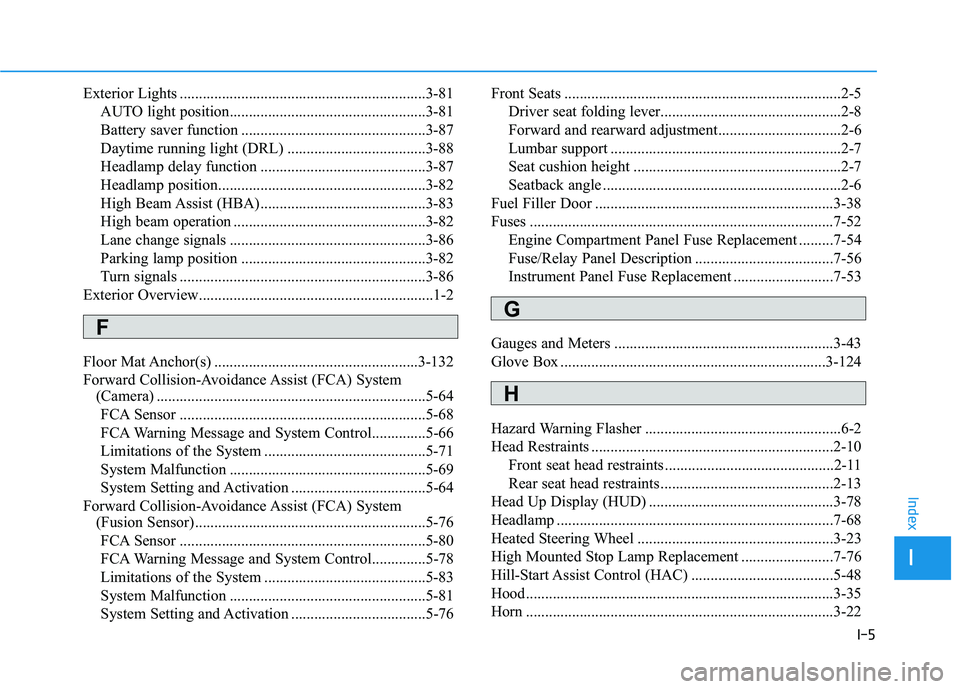
I-5
Exterior Lights ................................................................3-81
AUTO light position...................................................3-81
Battery saver function ................................................3-87
Daytime running light (DRL) ....................................3-88
Headlamp delay function ...........................................3-87
Headlamp position......................................................3-82
High Beam Assist (HBA) ...........................................3-83
High beam operation ..................................................3-82
Lane change signals ...................................................3-86
Parking lamp position ................................................3-82
Turn signals ................................................................3-86
Exterior Overview.............................................................1-2
Floor Mat Anchor(s) .....................................................3-132
Forward Collision-Avoidance Assist (FCA) System
(Camera) ......................................................................5-64
FCA Sensor ................................................................5-68
FCA Warning Message and System Control..............5-66
Limitations of the System ..........................................5-71
System Malfunction ...................................................5-69
System Setting and Activation ...................................5-64
Forward Collision-Avoidance Assist (FCA) System
(Fusion Sensor) ............................................................5-76
FCA Sensor ................................................................5-80
FCA Warning Message and System Control..............5-78
Limitations of the System ..........................................5-83
System Malfunction ...................................................5-81
System Setting and Activation ...................................5-76Front Seats ........................................................................2-5
Driver seat folding lever...............................................2-8
Forward and rearward adjustment................................2-6
Lumbar support ............................................................2-7
Seat cushion height ......................................................2-7
Seatback angle ..............................................................2-6
Fuel Filler Door ..............................................................3-38
Fuses ...............................................................................7-52
Engine Compartment Panel Fuse Replacement .........7-54
Fuse/Relay Panel Description ....................................7-56
Instrument Panel Fuse Replacement ..........................7-53
Gauges and Meters .........................................................3-43
Glove Box .....................................................................3-124
Hazard Warning Flasher ...................................................6-2
Head Restraints ...............................................................2-10
Front seat head restraints ............................................2-11
Rear seat head restraints .............................................2-13
Head Up Display (HUD) ................................................3-78
Headlamp ........................................................................7-68
Heated Steering Wheel ...................................................3-23
High Mounted Stop Lamp Replacement ........................7-76
Hill-Start Assist Control (HAC) .....................................5-48
Hood................................................................................3-35
Horn ................................................................................3-22
I
Index
F
G
H
Page 476 of 480

I-7
Jump Starting ....................................................................6-4
Key Ignition Switch ..........................................................5-6
Lane Keeping Assist (LKA) System ..............................5-88
Limitations of the System ..........................................5-94
LKA system Function Change ...................................5-95
LKA System Operation ..............................................5-89
Warning Light and Message.......................................5-93
LCD Display ...................................................................3-63
LCD Display Control .................................................3-63
LCD Display Modes ..................................................3-64
LCD Display Control......................................................3-63
LCD Display Messages ..................................................3-58
LCD Display Modes .......................................................3-64
License Plate Light Bulb Replacement ..........................7-76Light Bulbs .....................................................................7-67
Headlamp, Position lamp, Daytime Running Light,
Turn signal lamp and Side marker ..........................7-68
High Mounted Stop Lamp Replacement....................7-76
Interior Light Bulb Replacement ...............................7-77
License Plate Light Bulb Replacement ......................7-76
Rear Combination Light Bulb Replacement ..............7-73
Side Repeater Lamp Replacement .............................7-72
Lighting ...........................................................................3-81
Exterior Lights............................................................3-81
Interior Lights.............................................................3-88
Welcome System ........................................................3-90
Maintenance Services .......................................................7-4
Owner Maintenance Precautions..................................7-4
Owner's Responsibility.................................................7-4
Manual Climate Control System ..................................3-101
Heating and Air Conditioning ..................................3-102
System Maintenance ................................................3-107
System Operation .....................................................3-105
Manual Transmission ......................................................5-18
Good Driving Practices ..............................................5-20
Manual Transmission Operation ................................5-18
Mirrors ............................................................................3-23
Inside Rearview Mirror ..............................................3-23
Side View Mirrors ......................................................3-25
I
Index
J
K
L
M